
If you run a small or mid-sized business, you probably understand this. Your HR person is switching around spreadsheets, a WhatsApp group for leave requests, and a payroll calculation that eats up a full day every month. At this point, HR automation isn’t a nice-to-have. It’s survival.
Keka has built a solid name for itself here. It brings core HR functions into one system, and it works well for growing businesses that need payroll accuracy and better control over operations. Fair enough. But solid doesn’t always mean right for you. A lot of SMEs start looking elsewhere once they hit certain walls – usually pricing, setup, or just using way less of the platform than they’re paying for.
This piece covers why that happens and where a cloud-based HRMS solution, WeekMate, fits in as a genuine option for Keka alternatives.
Why SMEs start looking at Keka alternatives
Let’s understand why SMEs start looking at alternatives to Keka.
Rising HR Automation Needs
HR isn’t a once-a-month payroll run anymore. As teams grow, even a lean 20-person company starts feeling pressure points that used to only bother large enterprises.
Workforce management gets harder to keep up with – attendance, leave, shift changes, and employee records stop being manageable on spreadsheets once headcount crosses a certain point.
On top of that, compliance and payroll complexities add real risk. Tax rules, statutory filings, and salary structures often change so much that tracking them manually isn’t just inconvenient; it’s a liability waiting to happen.
Common Reasons SMEs Explore Alternatives
Most SMEs don’t leave a platform because it’s bad. They leave because it doesn’t quite fit where they are right now.
Budget constraints are usually the first trigger – paying for enterprise-tier pricing when you’re a 25-person team rarely makes sense long term. Feature requirements play a part too, since some teams need less than what’s on offer while others find something specific missing that Keka doesn’t prioritize.
Scalability concerns show up later, when a system that worked fine at launch doesn’t flex easily as the team grows. Ease of implementation matters just as much, especially for teams without a dedicated HR ops person, since heavy configuration and long onboarding timelines eat into time they don’t have.
And customer support expectations tend to be the deciding factor for a lot of SMEs – slow response times or generic ticket-based support feels a lot more painful when there’s no internal bandwidth to troubleshoot things alone.
What Actually Matters in an Affordable HRMS
Before comparing anything, it helps to know what “good enough” looks like for a growing team. A few things genuinely move the needle:
Payroll Management
Payroll management includes salary processing, tax calculations, statutory compliance – this needs to run quietly in the background without someone manually double-checking every payslip.
Attendance and Leave Management
Whether it’s biometric integration, shift scheduling, or simple leave tracking, employees should be able to use it without a training session.
Employee Self-Service Portal
Payslips, leave requests, attendance history – if employees can pull this up themselves, your HR team gets hours back every week.
Performance Management
Performance management tasks like goal setting, appraisals, and feedback are all ongoing processes and are not done like a once-a-year checkbox exercise.
Recruitment and Onboarding
Candidate tracking and digital onboarding save a surprising amount of chaos, especially when you’re hiring in bulk.
Reporting and Analytics
Dashboards and custom reports should help you make a decision, not just look nice in a screenshot.
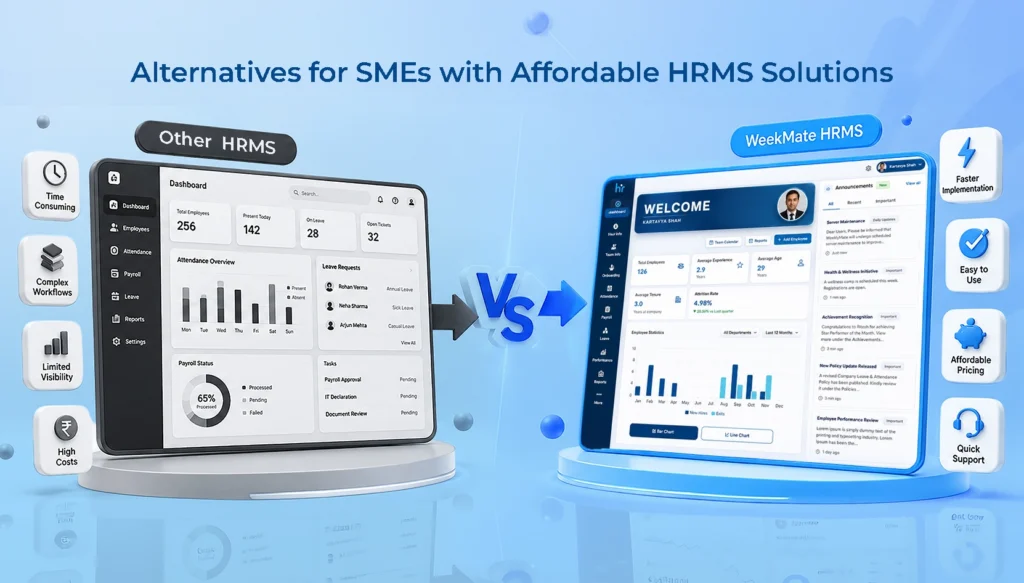
Keka vs WeekMate HRMS: Feature Comparison
Here’s how the two stack up on the essentials in the Keka vs WeekMate HRMS comparison.
|
Feature |
Keka |
WeekMate HRMS |
|
Payroll Automation |
Yes, with strong compliance tools |
Yes, built for Indian statutory compliance |
|
Attendance Management |
Biometric, geo-fencing, mobile punch-in |
Biometric and mobile-based, straightforward setup |
|
Leave Management |
Comprehensive, some clicks to navigate |
Simple, self-serve leave workflows |
|
Performance Management |
Advanced OKRs and appraisal cycles |
Goal tracking and feedback, without the complexity |
|
Employee Self-Service |
Strong, well-reviewed |
Strong, built for quick daily use |
|
Mobile App |
Available, occasional sync lag reported |
Available, lightweight and responsive |
|
Recruitment |
Full ATS with resume parsing |
Core hiring and onboarding tools |
|
Expense Claims |
Yes |
Yes |
|
Workflow Automation |
Deep, customizable |
Focused on what SMEs actually use |
|
Pricing |
Higher entry point, scales with tiers |
Built with SME budgets in mind |
|
Best For |
Mid-size to large teams needing depth |
SMEs wanting speed, simplicity, and value |
It’s worth saying this plainly: Keka isn’t a lesser product. It’s just built with a broader net in mind – enterprise depth, more modules, more customization. WeekMate is built the other way around, starting from what a lean team actually uses daily and cutting out the rest.
Detailed Comparison: Keka vs WeekMate HRMS
Pricing & Affordability
This is usually the first thing SMEs check, and for good reason. Keka’s subscription costs follow a tiered structure that climbs as you add features like performance reviews and custom workflows. It means you often end up paying for modules you won’t touch for another year or two. There’s also a setup fee to factor in Keka’s case.
WeekMate keeps this simpler, with pricing built around what a small team actually needs right now rather than where it might be in three years, which tends to translate into better real value for SMEs working with tighter budgets.
Payroll Processing
Both platforms handle payroll automation reasonably well, covering salary calculations and tax compliance without much manual intervention. The difference shows up in how much setup it takes before things run smoothly.
Keka’s compliance support is thorough, particularly for larger, more complex payroll structures. WeekMate leans toward a lighter configuration process, which matters when your HR team is one or two people, and it handles salary revisions and adjustments without needing a lot of back-and-forth to get it right.
Employee Attendance and Payroll Software
Keka’s attendance tracking includes strong options like geo-tagging and biometric integration, along with shift management and overtime calculations for more complex scheduling needs.
WeekMate covers the same core ground – attendance tracking, shift management, and overtime calculations – with a simpler setup that’s easier for smaller teams to configure and maintain without dedicated technical support.
Performance Management
Keka offers a fairly advanced performance management suite, with KPI tracking, continuous feedback loops, and structured performance reviews suited to teams that want detailed appraisal cycles.
WeekMate covers the same fundamentals, but keeps the process more straightforward, so goal tracking and feedback don’t turn into a once-a-year exercise that eats up everyone’s time.
Employee Experience
Keka’s interface gets a lot of praise for being clean and easy to use, with good mobile access and self-service options for things like payslips and leave requests.
WeekMate handles the same everyday actions, but with fewer clicks along the way. That matters more than it sounds like, especially for employees who just want to check something quickly during work instead of digging through menus.
Customer Support & Implementation
This is often where SMEs notice the biggest difference. Keka’s setup process is smooth, but reviews suggest response times and training support can be inconsistent depending on the request.
WeekMate offers a quicker setup process with more hands-on onboarding and ongoing support that’s easier to reach when something needs fixing. It matters a lot for teams without a dedicated in-house HR ops person.
Top Keka Alternatives for SMEs
WeekMate HRMS
WeekMate integrates payroll automation, attendance and leave tracking, performance management, and employee self-service into a single platform. It does not pile up unnecessary features that most SMEs never use.
It’s best suited for small and mid-sized teams that want core HR functions handled well, without a long onboarding process or enterprise-level pricing. The pros are fairly clear – affordable pricing, quick setup, and a system employees can pick up without training.
On the potential limitations side, teams looking for very deep customization or highly complex enterprise workflows might eventually want something with more advanced configuration options as they scale further.
Other Popular Alternatives
A few other names tend to come up alongside WeekMate when SMEs are comparing options.
GreytHR is known for its straightforward payroll focus, with core strengths in statutory compliance and simple attendance tracking, making it a solid fit for smaller teams that mainly need payroll sorted out.
Zoho People works well for businesses already using other Zoho products, offering strong core strengths in integration and ease of use, and suits teams of almost any size that are already inside that ecosystem.
HROne offers a bit more flexibility for growing mid-market teams, with strengths around workflow customization. It tends to work better once a company starts scaling past the smallest team sizes.
Darwinbox is compatible with larger and more complex organizations. Its strengths are enterprise-grade analytics and deep customization. This makes it a better fit for bigger businesses than for early-stage SMEs.
Benefits of Choosing the Right HR Software for Small Businesses
Getting this decision right isn’t just about saving money on a subscription. It actually shows up in day-to-day operations – less manual data entry, fewer payroll errors, better compliance records, and HR staff who spend time on people instead of paperwork.
Analytics that are easy to read also mean better hiring and retention decisions down the line, instead of guesswork based on gut feeling.
How to Choose the Right Affordable HRMS Software for SMEs
When choosing the right HR software for small businesses, ask yourself the following questions. It is not only about features:
- How many people are actually on your team, and where do you expect to be in two years?
- What’s your real monthly budget, not the ideal one?
- Do you need this to integrate with existing accounting or communication tools?
- Will your team actually use it, or will it sit half-configured like the last one?
If possible, always take the free trial or demo before signing anything. A platform can look great in a sales deck and still feel clunky the first week your team logs in.
Why WeekMate Can Be a Smart Choice for SMEs
WeekMate was built around a fairly simple idea. SMEs don’t need every enterprise feature; they need the right ones, priced fairly, and easy enough that adoption doesn’t require a training rollout. That shows up in the pricing, in how quickly teams get set up, and in the fact that payroll, attendance, and performance tracking all live in one place without extra complexity layered on top.
It’s not about being “cheaper Keka.” It’s a different starting point – built for the size and pace of an SME, not scaled down from an enterprise product.
Wrapping up
Keka is a genuinely strong HRMS. For larger, more complex organizations, it earns that reputation. But strong doesn’t always mean right-sized.
If you’re an SME considering cost against capability, it’s worth looking at platforms like WeekMate HRMS that are built with your scale in mind from the start, not adjusted to fit it later.
Whatever you end up choosing, don’t skip the demo. Numbers on a comparison table only tell half the story. The rest shows up once your team actually starts using it.
FAQs
1. Is WeekMate cheaper than Keka?
Generally, yes. Especially if you’re a smaller team. Keka’s pricing is built around tiers that add more features as you go up. It can get expensive fast if you’re only using the basics. WeekMate is priced with SME budgets in mind from the start, so you’re not paying for modules you won’t use anytime soon.
2. Can WeekMate handle payroll compliance for Indian businesses?
Yes. It’s built to handle statutory payroll requirements specific to India, including things like tax calculations and compliance filings, so you don’t have to manage that separately or worry about staying updated on changing rules.
3. How long does it take to set up WeekMate?
Most SMEs find the rollout quicker than with bigger, more enterprise-heavy platforms. Less configuration is needed upfront. The onboarding process is more hands-on, so teams are usually up and running without needing a dedicated HR ops person to manage the setup.
4. Does WeekMate offer a free trial?
Yes. You can try a demo or trial before committing to anything, which gives you a chance to see how it actually works for your team before you make a decision.