
Payroll sounds simple until you’re the one running it. Then it’s spreadsheets breaking at 11pm, a PF calculation that’s slightly off, someone’s overtime not matching their attendance log. Most business owners don’t think about payroll until it goes wrong. By then it already costs them time, money, or an employee’s trust in HR.
That’s the whole point of payroll automation for businesses. Not just calculating salaries faster. A proper payroll management system pulls together attendance, tax deductions, compliance filings, payslips, and reporting into one place. Do it right and payroll stops being a monthly scramble.
So here’s what actually matters: the payroll management software features worth paying for, why payroll automation for businesses is worth the switch, and how to pick one without getting talked into features you’ll never use.
Why Modern Businesses Need Payroll Management Software
Manual payroll was fine when there were five employees and one shared Excel file. It stops being fine quickly. Add ten more people, a couple of shift patterns, one state-specific compliance rule, and cracks start showing.
Manual payroll means someone pulls attendance by hand, cross-checks deductions, applies tax slabs that change every financial year without any warning. One typo in a PF number and you’re looking at penalties. Miss a TDS filing, and you’ll hear about it.
Automated payroll pulls attendance straight from biometric devices or an app, applies current tax rules on its own, gives out compliant payslips without anyone touching a calculator.
And compliance in India isn’t getting any simpler. PF limits shift. ESI thresholds change. Professional tax slabs vary by state. TDS rules differ depending on the old or the new regimes. Doing all this manually across even 40 or 50 employees is basically asking for a mistake to happen.
The real win with payroll automation for businesses isn’t speed, though that helps. It’s fewer errors, lower compliance risk, and an HR team that gets its afternoons back.
Essential Payroll Management Software Features Every Business Needs
Not every payroll tool goes equally deep. Some stop at basic salary calculations. Others build in the operational layer that businesses actually need. Here’s the breakdown:
Automated Salary Processing
This is the core job, obviously, but it needs to go beyond a flat monthly figure.
A decent system handles monthly payroll runs, bonus and incentive payouts tied to performance data, overtime pulled from actual clock times, and multiple salary structures across roles or contract types.
One thing worth testing before you buy: how does it handle someone who joins or exits mid-month? A lot of platforms fumble prorated pay, and that’s usually where the first payroll complaint lands on someone’s desk.
Attendance and Leave Management Integration
Attendance and payroll shouldn’t sit in two different systems. When they do, someone’s manually reconciling spreadsheets every month, and that’s exactly where errors sneak in.
You want attendance syncing directly into payroll. Leave balances to be calculated automatically. Shift-based scheduling supported, not rushed on as an afterthought.
This is really why payroll software with attendance management is no longer optional. If attendance and payroll aren’t talking to each other in real time, you’re back to manual reconciliation. Just with extra steps and more room for error.
Tax Calculation and Statutory Compliance
This is where a lot of generic, imported payroll tools fall apart in the Indian market. What it needs to cover:
- Automatic tax deductions based on current slabs
- PF, ESI, professional tax, and TDS calculations that update as rules change
- Compliance reporting ready for audits or statutory filings
- Government rule changes reflected without you having to chase updates
Ask vendors directly: how often do statutory rules get updated, and is that automatic or something you have to request? That one question tells you more about a payroll platform than the entire sales deck.
Employee Self-Service Portal
Nobody should have to email HR for a payslip in 2026. A decent self-service portal lets employees download current and past payslips, submit tax declarations themselves, raise leave requests without paperwork, and update their own bank details or address.
Small features. But it quietly cuts HR ticket volume more than almost anything else on this list.
Automated Payslip Generation
Payslips should generate automatically after each cycle. Distribute by email or portal login. Stay locked behind secure employee access.
Simple enough on paper, but it has to work every single month, no exceptions. If your team’s still manually emailing PDF payslips one by one, that’s a sign you’re overdue for an upgrade.
Expense and Reimbursement Management
Travel claims, food, client entertainment, whatever it is, employee claims need an approval workflow tied back into payroll. Otherwise, reimbursements turn into a separate finance process that drags on for weeks.
Quick example. An employee files a travel claim on the 3rd. If reimbursement isn’t connected to payroll, that claim might just sit there until the next cycle. Sometimes longer. Integrated systems clear it in the same run as regular salary.
Multi-Location and Multi-Branch Payroll
Growing businesses might have multiple branches. Payroll software needs centralized processing, sure, but also department-wise and branch-wise breakdowns. Remote teams add another wrinkle too. Attendance tracking looks completely different when half the team isn’t working from a desk.
Customizable Payroll Policies
Every company has its own quirks in salary structure. Flexible components. Shift allowances. Variable pay tied to targets. Company-specific rules that don’t fit a generic template.
Red flag worth noting: if changing a minor policy means opening a support ticket every time, that tool won’t scale with you.
Payroll Reports and Analytics
Reporting needs to go past a monthly summary. Cost breakdowns by department. Tax reports ready for filing season. Historical data for budgeting decisions. Department-wise numbers that leadership can actually use.
This is usually where finance and HR finally stop arguing over whose spreadsheet is right.
Data Security and Role-Based Access
Payroll data is as sensitive as it gets. Bank account numbers, salary breakdowns, tax IDs. None of that should be visible to the entire team.
Check for encryption, both at rest and in transit. Role-based access controls. Audit logs that actually log something useful. Reliable cloud backups. This one gets overlooked during evaluation almost every time, and it’s usually the first thing people care about once something’s gone wrong.
Benefits of Payroll Automation for Businesses
Put the features together and here’s what you actually get.
- Payroll cycles become quick. Something that used to take days now takes hours.
- Manual errors drop off because the system’s pulling data instead of someone retyping numbers at 9pm.
- Compliance gets stronger since updates happen automatically instead of someone remembering to check a government notification.
- Employees get accurate payslips on time, which sounds small until you’ve dealt with the alternative.
- Costs come down over time too, even once you factor in the subscription.
- HR gets its productivity back, since fewer hours go into repetitive number-crunching.
Most businesses notice the compliance win first. The productivity gain shows up a bit later, usually once the initial setup dust settles.
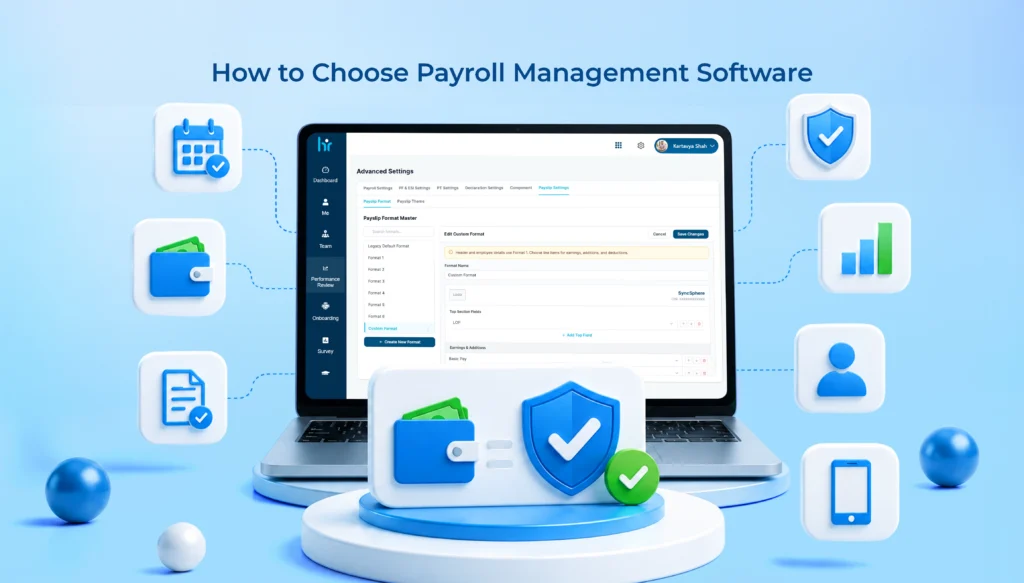
How to Choose the Right Payroll Management Software
This is where most buying decisions go sideways. A slick demo, a signed contract, and six months later, the tool doesn’t actually fit how the business runs.
Assess Your Business Size
A 15-person startup needs something completely different from a 500-person enterprise.
- Startups want speed, not complexity.
- SMEs need a mix of automation and flexibility.
- Enterprises need deep role-based access, multi-entity handling, and ERP integration.
Buying enterprise software as a 20-person team usually just means paying for features that’ll sit unused.
Check Compliance Capabilities
Confirm the platform updates statutory rules on its own, not manually after you flag it. Ask specifically about state-wise professional tax, since PT rates vary across Indian states. If a vendor can’t answer this clearly and confidently, that’s worth pausing over.
Look for Attendance Integration
Biometric devices, mobile check-ins, timesheet support – it depends entirely on your workforce. Field sales teams need mobile. Factory floors often rely on biometrics. Match the tool to how people actually clock in, not how the sales page describes it.
Evaluate Ease of Use
A clean dashboard and fast setup save weeks of onboarding pain. If your HR team needs a two-week training program just to run the first payroll cycle, that’s a hidden cost nobody mentioned upfront.
Consider Scalability
Ask directly. Can this handle double your current headcount? Can it add new branches without a full system overhaul? Can you add on modules later, like performance reviews or recruitment, without switching platforms entirely?
Review Customer Support
Live chat and phone support matter more in the first three months than at any other point. Check whether onboarding is included or billed separately. Look for training material that doesn’t require a support ticket for basic questions.
Compare Pricing and ROI
Subscription plans look clean until hidden costs show up. Implementation fees. Compliance update charges. Add-on modules that weren’t mentioned in the original quote. Get a full breakdown before signing anything, and always run a free trial or demo first.
Payroll Software Buying Guide: Checklist Before You Buy
Here is a quick payroll buying checklist that you can consider before you buy:
✔ Payroll automation with accurate salary and overtime handling
✔ Attendance integration, biometric or mobile
✔ Leave management synced with payroll directly
✔ Compliance coverage for PF, ESI, PT, TDS with automatic updates
✔ Employee self-service for payslips and declarations
✔ Mobile access for remote or field-based teams
✔ Reports and analytics for cost and compliance tracking
✔ Data security with encryption and role-based access
✔ Integrations with accounting or HRMS tools already in use
✔ Support that includes actual onboarding help
If two or three of these are missing, that’s usually reason enough to keep looking elsewhere.
Common Mistakes to Avoid When Selecting Payroll Software
Picking based on price alone is the most common mistake, and often the most expensive one. Cheap plans tend to skip compliance depth, or charge extra later for things you assumed were already included.
Ignoring compliance features is second. A tool that can’t handle India’s statutory requirements properly isn’t saving anyone time. It’s just creating risk with a nicer interface.
Overlooking integrations causes headaches down the line, especially when payroll does not sync with your existing accounting software.
Not thinking about scalability means outgrowing the platform within a year, then dealing with a painful migration nobody wanted.
And skipping the free trial, understandable when you’re busy, almost always leads to surprises after the contract’s already signed.
Future Trends in Payroll Management Software
A few trends in payroll management software worth keeping an eye on. AI-powered payroll tools are beginning to spot issues early, helping prevent compliance problems instead of fixing them later.
Cloud-based systems remain the default for most businesses, given lower upfront costs and easier updates.
Mobile-first payroll is becoming the norm as hybrid work sticks around. Predictive analytics is helping finance teams forecast payroll costs months ahead instead of reacting after the fact.
And deeper integration between HRMS, payroll, and accounting is closing gaps that used to keep these teams working in silos.
None of it replaces the basics, though. A payroll tool with flashy AI features but shaky compliance still isn’t worth using.
Conclusion
Choosing payroll management software isn’t really about finding the longest feature list. It’s about finding a tool that handles salary processing, attendance, compliance, and reporting accurately, without dumping more work on your team.
Payroll automation for businesses pays off through fewer errors, stronger compliance, and an HR team that finally has bandwidth for actual strategic work. Before committing to any platform, run it against the payroll software buying guide checklist above. If it holds up, you’ve probably found the right fit.
Are you comparing options? WeekMate’s payroll management software covers attendance sync, statutory compliance, and employee self-service in one place. Worth a look while you’re considering choices.
FAQs
1. What features should every payroll management software have?
At the very least, automated salary processing, attendance and leave integration, statutory compliance covering PF, ESI, PT, and TDS, employee self-service, payslip generation, and solid data security.
2. Is payroll software with attendance management necessary for small businesses?
Yes, even under 20 employees. Most calculation errors trace back to manual reconciliation between attendance and payroll, and that doesn’t matter how big the company is.
3. How much does payroll management software cost in India?
It costs around ₹50 to ₹150 per employee per month for cloud-based tools, but it varies depending on the services and features. In general, the cloud-based platform cost will increase if you go for a full enterprise package with compliance and HRMS at its core. Be sure to get an accurate quote by separating implementation and compliance update charges. These are common omissions in the quote.
4. Can payroll software handle multi-state compliance in India?
Most modern platforms can, but coverage isn’t identical across vendors. Confirm state-specific professional tax and labour law support for every state you actually operate in before signing anything.
5. How long does implementation usually take?
Basic installations of the software can get operational within a week. Though, companies with complicated pay and incentive structures, several business centers, or historical data transfer requirements need anywhere from two weeks to a month for the HRMS implementation to be smooth.
6. Should a startup use the same payroll software as an enterprise?
The answer is no, not really. Startups do better with simpler tools for basic needs and are deployed faster with less hassle. Enterprises need a deeper level of customization, multiple entities in the software at once, and role-based access controls stronger than those at any ordinary-level startups.