
Third missed update of the week. Someone finally asks, out loud, “Wait, who’s actually handling this?” Nobody answers right away. That silence is the answer. The work is getting done, more or less. The communication around it isn’t. And that one gap, more than the tool or talent, usually determines whether a remote team delivers on time.
Here’s the thing nobody tells you when you go remote: a chat app being open all day means almost nothing on its own. Remote team communication is really about getting the right information to the right person at the right moment, minus the three follow-up pings and the missed deadline that usually comes with it.
Ask any team lead in Bengaluru running client calls across three shifts, or an ops manager in Ahmedabad juggling a BPO floor with half the team working from home. Time zones inside India are small, sure. But shift patterns, hybrid schedules, and back-to-back client calls still open up gaps just as wide.
So here are 12 ways to close that gap. Tested, not theoretical.
Why Do Businesses Need a Team Communication App for Remote Teams?
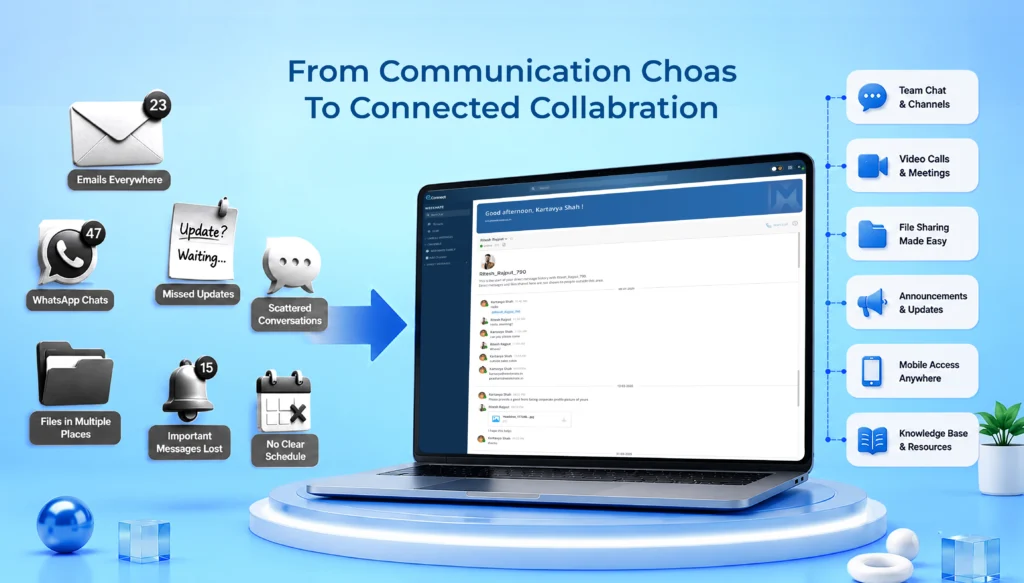
Most teams don’t know how much a scattered setup is costing them. Not until someone actually measures it. Emails buried three folders deep. Updates that live and die in someone’s personal WhatsApp. A decision made on one call that never makes it to the other half of the team.
A proper team communication app fixes four things, usually all at once:
- Improved collaboration: Everyone works off the same thread. Not five different ones with five different versions of the truth.
- Faster information sharing: Updates land in minutes. Not after the next standup, when it’s already too late to matter.
- Better employee engagement: People feel considered instead of guessing what changed overnight.
- Increased productivity: Less time spent hunting for context. More time spent, well, actually working.
There’s a real cost when this goes wrong, and it’s not just a productivity line item. McKinsey’s hybrid work research found that a large share of employees never got a clear picture of how their organization expected hybrid work to actually function day to day. This isn’t only an efficiency problem. It hits morale too, and morale is a lot harder to fix than a Slack channel structure.
Also Read: Improve Workplace Communication with Collaboration Tools
12 Effective Ways for Remote Team Communication
1. Adopt a Team Communication Software
Everything else on this list sits on top of this one. Skip it, and remote teams default to a patchwork of email, personal messaging apps, and whatever tool one particular manager happens to like that week. That patchwork is exactly where information quietly dies.
A good team communication tool pulls messaging, file sharing, and updates into one place. Doesn’t need to be fancy. Needs to be consistent, that’s really it. Teams that skip this step almost always end up patching the gap with more meetings later, which, ironically, defeats the entire point of getting this right in the first place.
2. Establish Clear Remote Communication Guidelines
Not every message needs an instant reply. Not every question needs a full meeting either. Skip the guidelines, and people guess. And guessing tends to swing one of two ways: constant over-communication, or dead silence. Both cause friction, just in different ways.
A few basic rules, set early, go a long way:
- Which channel is for what (urgent versus everything else)
- Expected response time per channel
- When to just pick up the phone instead of typing it out
Sounds obvious written down like this. In practice? Often the single most skipped fix on this entire list.
3. Schedule Regular Virtual Team Meetings
Meetings have a bad reputation in remote circles, and honestly, fair enough. Badly run ones waste everyone’s time. But a short, predictable meeting rhythm does one thing async tools genuinely can’t replace: it gives people a shared moment to ask a question out loud, in real time, without drafting a message first.
Keep it tight. A 15 minute daily check in plus one 30 minute weekly review usually covers more ground than three hour long calls scattered across the week.
4. Encourage Asynchronous Communication
Not everything needs to happen live. Forcing it to is a fast way to burn people out, whether they’re across time zones or just on a different shift a few floors down.
Slack’s Future Forum research on async communication found that teams relying more on asynchronous updates reduce meeting time meaningfully and freed up real, focused deep work time in return.
That’s the difference between a team that gets interrupted every twenty minutes and one that can actually sit with a problem long enough to solve it. Recorded video updates. Written status docs. Shared task boards. All of it supports async well. Save live time for the genuinely complex or sensitive stuff.
5. Use Real-Time Messaging for Faster Collaboration
That said, async isn’t a synonym for slow. When something’s time-sensitive, real-time messaging wins every time. A question that would eat four email exchanges over two days often gets settled in under two minutes over chat.
Balance is the actual skill here. Real time for speed, async for depth. Teams that lean entirely on one or the other tend to struggle, and it usually shows up first in missed deadlines.
6. Create Dedicated Channels for Teams and Projects
Picture a 40-person company running every single conversation through one shared group chat. Client updates next to IT tickets next to birthday shoutouts next to an urgent deadline flag, all in the same scrolling feed. Nobody can find anything. Important messages get buried within the hour, sometimes faster.
Dedicated channels, split by team, department, or project, fix this almost overnight. Small structural change. Outsized impact on how fast people find what they actually need.
7. Leverage Video Communication Strategically
Not every interaction needs a camera on. Treating every single exchange like a video call is exhausting, frankly, and it wears people down faster than most managers realize. Save video for onboarding, feedback that’s sensitive, brainstorming that needs energy, or moments where tone genuinely can’t be trusted to a text message. For a quick status check? Text wins, every time.
8. Document and Share Knowledge Centrally
Ask a brand new remote hire where the onboarding checklist actually lives. If the honest answer involves pinging three different people to find out, that’s a documentation problem and not a communication problem.
A shared knowledge base, a wiki, a shared drive, or something built right into the communication platform, cuts down repeated questions fast. Onboarding speeds up too, sometimes by a lot.
9. Promote Transparent Leadership Communication
Nobody needs every single detail behind a leadership decision. What people do need: what’s changing, why it’s changing, and how it lands on their desk specifically. Go quiet during an uncertain stretch and speculation fills the void almost instantly. Speculation, in case it needs saying, is rarely kind to anyone involved.
Even brief, regular updates from leadership build a reserve of trust. That reserve gets spent, usefully, during the harder conversations down the road.
According to Forbes Advisor, 54% of remote employees say poor communication hurts their trust in leadership specifically. That’s a big number, and it says a lot about how much weight leadership communication carries when a team isn’t sharing a physical office.
10. Foster Employee Engagement Through Social Communication
Remote work quietly strips out the hallway chats that build real relationships. Also, nobody wants an awkward virtual happy hour on a Friday evening. Think smaller. A channel for wins. A shared interest group. A quick shoutout post. Small, optional spaces where people show up as people, not just as task owners checking boxes.
11. Enable Mobile Communication for Remote Employees
Field staff. Sales reps. Hybrid employees bouncing between a client site and home. Not everyone’s parked at a laptop all day. If the communication tool only really works on desktop, a meaningful part of the workforce misses real time updates entirely.
A mobile ready app means someone catches an urgent message between client visits, instead of finding out two hours later that the plan changed at 11 am.
12. Measure and Improve Remote Communication Effectiveness
Most teams skip this one entirely. Which is a shame, because it’s arguably the one that pays off longest. Track response times. Track message volume by channel. Track how often a decision gets revisited simply because someone missed the context the first time around.
A channel nobody uses isn’t a mystery; it’s data sitting right there. Use it to fix the guidelines. Don’t just shrug and accept the friction as the cost of doing business remotely.
Best Remote Team Communication Tools Features
Not every platform needs an identical feature set. But a handful of capabilities separate the tools that genuinely help from the ones that just add another tab nobody wants to check.
Instant messaging is the baseline. Handles the quick, time sensitive stuff without waiting on an email thread to refresh. Team channels matter almost as much, since they’re what keeps conversations organized by project instead of dumped into one endless scroll.
A few more, quickly:
- File sharing, so nobody’s hunting through a week-old email for an attachment
- Announcements, giving leadership one clean way to broadcast without spamming every channel
- Mobile accessibility, because field and hybrid staff aren’t glued to a laptop
Here’s a small warning worth flagging before signing anything: watch for per-user pricing that creeps upward as headcount grows. That’s rarely obvious in a demo. It shows up eleven months later, on an invoice nobody budgeted for.
WeekMate Connect happens to check this whole list: messaging, calling, file sharing, and channel-based organization in one interface, built specifically for remote and hybrid teams, without adding recurring per-user costs as the team scales.
Must Check: List of Top Team Collaboration Software for Businesses
Conclusion
Fixing remote team communication rarely takes one big change. Usually it’s a handful of small, boring, consistent habits. The right tool. Clear guidelines. A meeting rhythm that doesn’t eat the whole week. And, honestly, the discipline to actually measure what’s working instead of just assuming it is.
Teams that consider communication as primary and not an afterthought move faster. They also never argue about who said what and when. From the above list, pick one or two to start with. Not all twelve at once. Momentum beats a perfect rollout, every time.
Frequently Asked Questions
1. What is the best way to improve remote team communication?
Start by pairing one centralized team communication app with clear, written guidelines on which channel gets used for what. Tools on their own rarely fix the gap without agreed on rules sitting behind them.
2. How often should remote teams have virtual meetings?
Most distributed teams settle into a rhythm of a short daily check in, around 10 to 15 minutes, plus one 30 minute weekly review. Past that, extra meetings are usually better handled as async updates instead.
3. What is asynchronous communication in remote teams?
It’s how team members share updates, decisions, and progress without needing an immediate live response, think recorded videos, written status docs, or a shared task board. Done well, it cuts down meeting load and protects time for focused work.
4. What features should a team communication app have?
A team communication app should at least have instant messaging, dedicated team channels, file sharing, announcement broadcasts, and mobile access. Additional features like mentions and follow-ups can be beneficial.
5. Why is remote team communication harder than in-office communication?
This is because remote work removes the spontaneous talks that happen naturally in a physical office. Without structured channels and clear guidelines, information that would’ve traveled in a thirty second conversation just doesn’t reach the people who need it.