Best Cloud Collaboration Tools in 2026
Team Communication
13 Min Read Time8 Best Cloud Collaboration Tools for Modern Teams (2026 Edition)
Your team most likely is not even in the same room any longer. Some work…
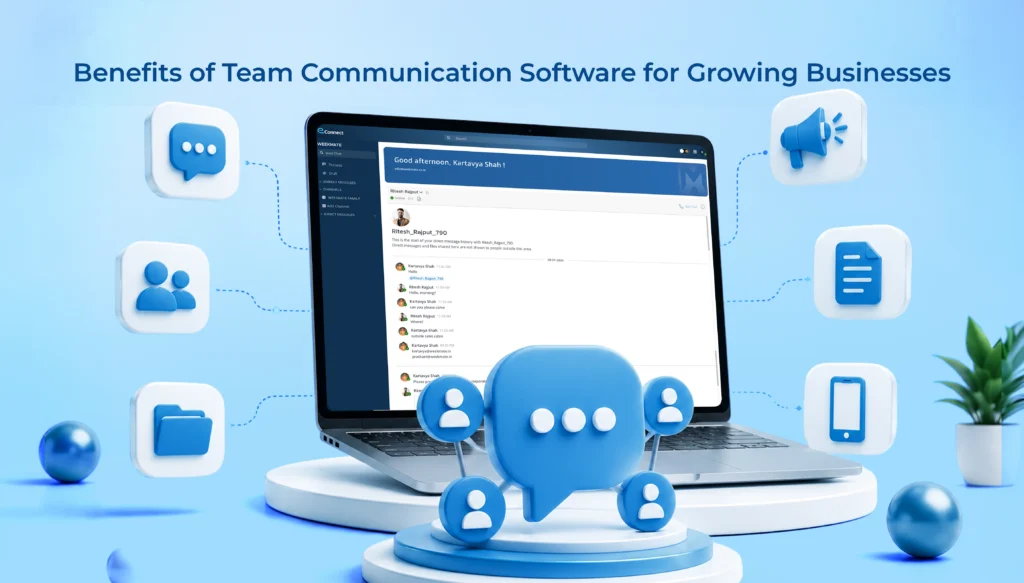
Most growing companies encounter the same obstacle at an employee count of approximately 20 to 50. Email communication stops being efficient. Slack channels increase so fast that it is impossible to keep them under control. People constantly ask, “Hey, was that decided somewhere?” It is really not a matter of the people. It is about the lack of proper tools, and the situation is usually resolved (or neglected) around the time a business is entering rapid growth.
Team communication software exists to fix exactly that gap. When implemented correctly, it replaces scattered email threads and missed messages with one connected system. The information actually reaches the people who need it.
Below are 12 real, practical team collaboration software benefits, not vague ones, that explain why so many growing companies are making the switch.
Team communication software is a digital platform that enables employees to communicate, share documents, make announcements, and collaborate, all in one place and in real time. They often consist of a combination of channels, direct messages, and connects various tools. If you need to communicate a lot with your team, you might consider tools like Slack or Microsoft Teams. Unlike email, which is designed mainly for one-to-one or formal letters, this software caters to continuous, multi-group conversations.
Growth exposes weak communication fast. A five-person team can survive on Slack DMs and hallway chats. A hundred-person team can’t.
After understanding the importance, let’s now take a look at some team communication software benefits:
Real-time messaging means your updates get straight to you the very second they are delivered rather than getting lost hours later in a stack of emails. Announcements, changes to the project, or urgent client requests? With a chat tool, you get it done right there, no more waiting while your messages are getting in line. The very fact that one aspect was changed alone has eliminated almost all communication delays that secretly were causing teams to drag their feet in one way or the other. Frankly, the advantage of using chat for work that you can’t miss at all is most obvious to your average business right after changing your messaging tool to a chat tool, typically by the second week.
Cross-functional work inevitably leads to some confusion unless we have a common space for discussion. Communication platforms, on the other hand, give groups a space to brainstorm, upload and share files in real time or mid-conversation, and keep project-related threads in their own little boxes (called channels). The result? Improved collaboration and less “I didn’t know that was happening. “
Must Read: How to Improve Workplace Communication with Collaboration Tools
Email is not a tool for continuous back-and-forth communication, as we can see. Conversations in one channel result in fewer lost messages and quick replies. After making the switch, most of the teams reported a significant decrease in the amount of email received every day after a couple of months. Of course, we don’t eliminate all emails. We are just reducing unnecessary noise.
When people have the opportunity to really get involved, exchange opinions, interact with your changes, ask doubts or request clarifications without waiting for a formal meeting, it generally makes engagement a natural next step. It is not magic; it’s the same principle that makes us feel a closer bond with someone when the relationship is not one-way. So, it is easier to establish a sense of belonging with the company through communication channels.
Distributed teams very much depend on these tools. Collaboration in real-time makes an employee at home or at a location that is miles away from the workplace have to share the same level of visibility as their colleagues who physically sit in the main office. Today, this is more critical than five years back, as hybrid working setups are here to stay and are not going anywhere.
Must Read: Ways to Improve Remote Team Communication
A single source of company information is what everyone relies upon. Everything from major company announcements to small team changes and long ongoing chats can all be found in one searchable place. No need to hunt through emails, sticky notes, or the random communication tool someone decided to use for the meeting or update that day.
Any one of these reasons alone shouldn’t be taken too seriously. But it is a real saving of hours of working time when the reasons are put together over 12 months.
Silos build up naturally as companies grow. Sales doesn’t talk to product. Support doesn’t talk to engineering. Communication software breaks that pattern by giving departments an easy way to loop each other in, which usually means better coordination and fewer projects that stall out from miscommunication.
Open communication is a straightforward way to build trust between people. When leaders are transparent about updates, and the company’s information is easily available, it makes sense for employees to stop wondering and rely on the work being done. That’s not just a soft advantage. People’s trust in the company for being directionally confident.
Scenario: A new hire joins in month three of a project. Instead of chasing down five people for context, they search the channel history and find the whole conversation trail, decisions included. That’s the difference good communication software makes for onboarding. Documents, past conversations, and decisions stay accessible instead of disappearing into someone’s inbox the day they leave the company.
Culture isn’t built in an all-hands meeting once a quarter. It’s built in the small stuff: recognition posts, casual channels, quick check-ins. Communication software gives that a home. Teams that use it well end up feeling more connected, even across offices or time zones.
This is the thread that connects everything said so far. For example, a team of 15 can work with a tool that still allows 150 to work equally well. The best messaging platform is one that continues being effective as more members are added, maintaining streamlined procedures and assisting further developments. But without a major system upgrade. Scalability is the prime reason that growing businesses choose to go ahead with investing in this type of solution.
Not every platform is built the same way, and picking based on brand name alone is usually a mistake. Worth checking for:
| Feature | Why it matters |
| Instant messaging | Core function, but check speed and reliability under load |
| Group channels | Keeps conversations organized by team, project, or topic |
| File sharing | Cuts down on emailing attachments back and forth |
| Announcements | Company-wide updates need their own dedicated space |
| Mobile accessibility | Non-negotiable for hybrid or field-based teams |
| Employee directory | Helps larger teams find the right person fast |
| Integrations | Connects with CRM, project management, and HR tools |
| AI-powered communication tools | Summaries, smart search, draft assistance, increasingly standard |
Skip platforms that check every box but feel clunky to use daily. Adoption matters more than feature count.
Start first with the company size, and whether the employees are working from home or the office. A completely in-office team of 100 people has very different requirements versus a hybrid team of 1000 working out of different locations. Apart from that, look at how the new solution can be tied to your current system (payroll, project management, CRM), what the cost per seat is, etc., and how difficult it is to use/learn.
No single platform is the “best”; it is the one that aligns well with how a particular team works. Usually, testing with a small pilot group before company-wide rollout will save time, effort, and frustrations later.
Also Check: List of Best Team Collaboration Software for Businesses
The problems of email become very clear when the scale grows: real time visibility is lacking, emails cannot be easily searched, and urgent messages have a habit of getting buried under routine ones. Having to use different programs for chat files, announcements, and so on causes fragmentation of the digital tools. The desire for real time collaboration is rising mostly from younger workforces who were previously used to instant messaging in their personal lives. Because of this, the change of the traditional way from which many of us are used to makes sense.
Team communication software isn’t a nice-to-have anymore for businesses planning to scale. It’s closer to infrastructure. The 12 benefits above- faster information flow, stronger collaboration, better retention, real scalability- compound over time in ways that are hard to notice week to week but obvious a year later. Companies that invest in a solid platform at the right time will find that there’s a lot less friction in their development than if they had stuck with email only or used unrelated software applications.
Don’t you want to give up on time wasted because of scattered emails and updates you have forgotten to check? See how using a quality team communication platform will make your growing company well-connected with each other; request a demo today.
It gives employees an easy, low-friction way to participate, share feedback, and stay in the loop on company updates, which builds a stronger sense of connection than one-way email announcements ever could.
Yes. Smaller teams benefit early since good habits (organized channels, centralized updates) are much easier to build before the company scales, rather than retrofitting them later.
Team communication software focuses on day-to-day collaboration and project conversations. Employee communication software leans more toward company-wide announcements, HR updates, and engagement initiatives. Many modern platforms blend both.
It replaces the visibility lost when people aren’t in the same office, giving remote employees the same real time access to conversations, files, and updates as anyone working on-site.