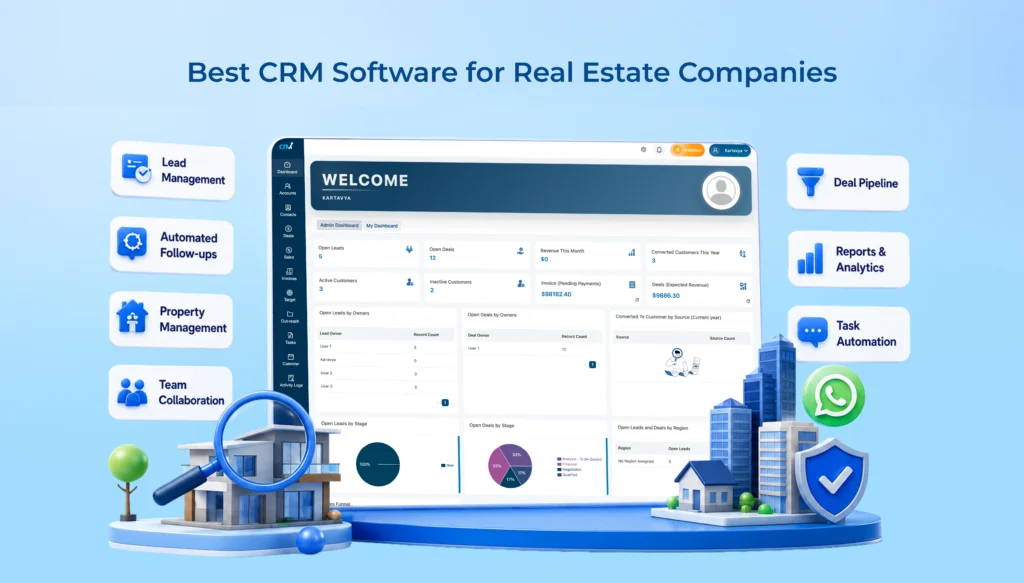
Real estate is all about relationships and speed. If a buyer doesn’t hear back within an hour, they’ll just call the next builder on the list. Most agencies learn this the hard way. Usually after losing a good lead because nobody updated the spreadsheet on time.
This is where CRM software for real estate comes in. It’s more than a nice-to-have. It’s the system that keeps your leads, your follow-ups, and your property details from getting missed.
In this guide, we’ll look at the 10 best CRM platforms for real estate teams in 2026, what each one does well, where it falls short, and how to pick the right one for you.
What Is Real Estate CRM Software?
A real estate CRM is a place to store your leads, client chats, and property details. Instead of switching between WhatsApp, Excel sheets, and sticky notes, your whole team works from one screen.
Good real estate CRMs also understand things regular sales tools don’t. Site visits, unit inventory, RERA rules, commission tracking for channel partners. A CRM built for, say, SaaS companies just won’t have any of that.
Why Real Estate Businesses Need CRM Software
- Managing Property Leads Efficiently: Leads come in from everywhere. 99acres, MagicBricks, Facebook ads, your own website, sometimes all on the same day. Without a CRM, someone has to manually pull these into one list. And that’s usually when duplicate entries and delays creep in. A CRM grabs leads from every source automatically and sends them straight to the right agent.
- Following Up with Prospective Buyers: Real estate deals take time. A buyer might take three months to decide. During that time, they need regular nudges, not silence. A CRM handles these follow-ups on its own, so no one gets forgotten during a busy week.
- Centralizing Client and Property Information: It is common for potential clients to call about properties that they viewed several weeks, months, or even years ago. You should not need to go through email threads from months back to respond to your client. With CRM software for real estate, all your previous communications, notes regarding your visits to the property, and your client’s preferences and budget are consolidated.
- Improving Team Collaboration: Sales, presales, and marketing teams usually operate separately. This can lead to a number of problems as leads change and are handed off from one function to another. When a shared CRM is built, everyone can work and access the most recent changes and updates to the client; they won’t be asked the same question multiple times by several representatives.
Must Read: Why Cloud Based CRM Software is Essential for Modern Businesses
List of Top 10 CRM Software for Real Estate
| CRM Software |
Best For |
Real Estate Lead Management |
Automation |
Integrations |
| WeekMate CRM |
SMBs & growing real estate teams |
✅ Strong |
✅ Yes |
✅ Multiple |
| Zoho CRM |
Small & mid-sized businesses |
✅ Strong |
✅ Yes |
✅ Extensive |
| HubSpot CRM |
Sales & marketing teams |
✅ Strong |
✅ Yes |
✅ Extensive |
| Salesforce |
Large real estate organizations |
✅ Advanced |
✅ Advanced |
✅ Extensive |
| Pipedrive |
Sales-focused teams |
✅ Strong |
✅ Yes |
✅ Extensive |
| Freshsales |
SMB sales teams |
✅ Strong |
✅ Yes |
✅ Good |
| Sell.Do |
Real estate developers & brokers |
✅ Specialized |
✅ Yes |
✅ Real-estate focused |
| LeadSquared |
High-volume lead management |
✅ Advanced |
✅ Advanced |
✅ Extensive |
| Farvision CRM |
Real estate developers |
✅ Specialized |
✅ Yes |
✅ Real-estate focused |
| Buildesk CRM |
Real estate sales teams |
✅ Specialized |
✅ Yes |
✅ Real-estate focused |
Here’s an honest look at what each platform offers, and who it’s really meant for.
1. WeekMate CRM
Best for: Growing real estate teams that want CRM software, task management, and HR tools without juggling five different apps.
WeekMate doesn’t stop at lead tracking. Real estate teams also need to manage site visits and back-office HR, and WeekMate handles all of it in one place. You get the usual lead capture and follow-up reminders, but also task assignments for site visits, team performance tracking, and attendance and payroll for your staff.
Why people like it:
- Everything like CRM, tasks, HR, is in one app. So teams stop switching between tools
- Simple interface; agents pick it up fast without much training
- Helps users schedule site visits and follow-ups using automatic reminders.
- They have a clear pricing model with no hidden additional costs.
Where it falls short: As it is newer than legacy CRMs, it has fewer ready-made integrations with property portals.
Pricing: Tiered, per-user pricing. Free trial available. Cost-effective for small and mid-sized agencies that do not want to spend large sums. It starts from $4.15/user/month.
Ready to stop losing real estate leads and speed up conversions?
WeekMate CRM will help you to gather leads, automate WhatsApp follow-up, and monitor your site visits from a single place.
💡 You can register for free to test it out, or book a live demo for a personalized walkthrough with our team.
2. Zoho CRM
Best for: Teams that use other Zoho tools and want to use a budget-friendly and highly customizable CRM.
Zoho CRM is one of the most flexible tools. It has automation, Zia (lead scoring AI assistant), and many other integrations.
Why people like it:
- You can customize pipelines, crm modules, and automation rules deeply
- Cheaper to start with than Salesforce or HubSpot
- Plenty of native integrations, especially if you’re using other Zoho apps
Where it falls short: There are so many settings and modules that smaller teams can feel lost. And real estate-specific stuff like inventory tracking needs to be built manually.
Pricing: A few hundred rupees per user per month for the basics and more costs for added automation and AI features. Starts around $8.3/user/mont.
3. HubSpot CRM
Best for: Agencies looking for a strong free plan with an easy upgrade path to real marketing automation.
HubSpot’s biggest selling point is that its core CRM is free, and actually usable. Unlike others that offer a ‘trial’ free version, HubSpot has a usable CRM. The more people HubSpot has, the more HubSpot you can add (to include the marketing and sales modules).
Why people like it:
- Free plan covers contact management, deal tracking, and email tracking
- Clean interface, barely any onboarding needed
- Solid marketing automation if you’re running paid campaigns
Where it falls short: Costs can skyrocket quickly with the purchase of additional hubs from the free plan. And it doesn’t have built-in real estate features like inventory or RERA tools.
Pricing: Free to begin, paid plans increase based on the number of contacts and which hubs are purchased. Starts from $43.28/user/month.
4. Salesforce
Best for: Large scale real estate companies with regional offices.
Salesforce is the mega giant. You can create a highly detailed sales forecast, manage thousands of agents, and run hundreds of other use cases. But, with power comes the real complexity of the system.
Why people like it:
- Infinite customization. Their add-on marketplace is unrivaled
- If you have large sales divisions, their reporting is clear
- Scales well if you’re operating across multiple regions
Where it falls short: You will have to dedicate time, money, and manpower to set it up, and maintain it for a medium to small-sized agency.
Pricing: On the upper scale, starting at $25 to $30 per month, per user for basic plans. Enterprise plans are beyond cost-prohibitive.
5. Pipedrive
Best for: Small sales teams or teams currently only looking for a simple visual pipeline.
The pipeline view is the core of Pipedrive, and it’s very straightforward to configure. For those only interested in tracking deals from enquiry to closing, with no frills or extras, this is it.
Why people like it:
- Easy drag-and-drop pipeline
- Easy to get up and running; low learning curve.
- For small teams, fairly priced
Where it falls short: No real estate specific features such as inventory tracking or scheduling site visits.
Pricing: Entry-level plans begin at less than $15 per user per month and increase with automation and reporting.
6. Freshsales
Best for: Companies looking for lead scoring that is powered by artificial intelligence but not overly expensive.
AI-powered Freddy is the Freshsales assistant in the Freshworks family, which categorizes leads and recommends what to do next. Helps your agents to reduce some uncertainty.
Why people like it:
- Inbuilt Artificial Intelligence with lead scoring and deal insights.
- Built-in phone and email support.
- More affordable than Salesforce or HubSpot (paid) plans
Where it falls short: No real estate modules out of the box. You’ll need to set up custom fields and workflows yourself.
Pricing: Tiered per user, with a free plan for very small teams. Starts from around $7.7/user/month.
7. Sell.Do
Best for: Indian real estate developers and brokers who want a CRM built specifically for this industry.
Sell.Do is made for real estate, and it shows. Lead capture, inventory management, channel partner tracking, even digital payments, all in one system. Teams are usually up and running within about a week.
Why people like it:
- Built specifically for real estate developers, builders, and brokers
- Manages inventory alongside leads and sales
- Cloud calling and call recording built in
- Handles channel partner management well
Where it falls short: Some users mention support can be slow to respond. It might also feel like too much for very small teams that just need basic lead tracking.
Pricing: Custom, based on team size and modules. Reportedly starts around $30 to $35 per user per month.
8. LeadSquared
Best for: Teams with a larger scale and/or a desire for robust marketing automation and sales tracking.
LeadSquared integrates lead capture with marketing automation, meaning you can run campaigns, follow up, nurture – it’s all in one place. It’s applied in all industries, and one of its main areas of application is the real estate sector.
Why people like it:
- Automatically captures leads from all online and offline sources
- Built-in dialer and workflow automation
- Good mobile app for agents out in the field
Where it falls short: It takes some time to get the hang of it, and it can be costly for smaller teams.
Pricing: Tiered, starting higher, closer to Salesforce than to Zoho or Pipedrive.
9. Farvision CRM
Best for: Large developers who want CRM connected directly to project accounting and ERP.
Farvision isn’t just a CRM. It’s part of a bigger real estate ERP that ties sales together with finance, inventory, and project work. Great if you’re tired of your CRM numbers not matching your accounts.
Why people like it:
- Locks inventory in real time, so the same unit doesn’t get sold twice
- Connects directly with accounting and project modules
- RERA and GST compliance is built right in
- Sends automatic follow-ups based on what the buyer actually does
Where it falls short: Best for larger developers with the budget and team to handle a full ERP rollout. Not ideal for small agencies.
Pricing: Custom, enterprise-level, based on modules and project scale.
10. Buildesk CRM
Best for: Brokers and telecalling-heavy teams that need tight call and lead management.
Buildesk is built for the everyday grind of real estate sales. Auto dialers, lead segmentation, commission tracking, plus a mobile app that agents actually use out in the field.
Why people like it:
- Auto dialer with call history linked to each lead
- Automatic commission tracking for brokers and agents
- WhatsApp integration for personalized follow-ups
- Captures site visits right from the mobile app
Where it falls short: Not built for large developers needing deep financial or ERP integration.
Pricing: Custom, based on user count and modules. Generally an affordable pick for brokerages.
Also Check: List of Top CRM Software for Manufacturing Companies
How to Choose the Right CRM for Real Estate Business?
There’s no single “best” CRM. Just the one that fits how your team actually works. Here’s a quick way to think it through and select the best CRM for your real estate business
|
Factor
|
What to look for
|
|
Team size
|
Small teams should keep it simple (WeekMate, Pipedrive); large teams need scale (Salesforce, Farvision) |
|
Lead volume
|
High lead volume needs strong automation and auto-routing (LeadSquared, Sell.Do) |
|
Budget
|
Tight budgets suit WeekMate, Zoho, or Pipedrive; bigger budgets open up Salesforce or Farvision |
|
Integrations
|
Check for property portals, WhatsApp, and accounting software before signing up |
1. Based on Team Size
A five-person brokerage doesn’t need what a 200-agent sales floor needs. Smaller teams do better with something like WeekMate or Pipedrive, tools that are quick to set up without needing a dedicated admin.
2. Based on Lead Volume
Getting hundreds of leads a week from different portals? Go for CRMs with strong auto-routing and lead scoring. Otherwise, your team ends up sorting leads instead of talking to buyers.
3. Based on Budget
Be honest about what you can actually afford every month, not just what looks good in a sales demo. Some tools seem cheap at first but add up fast once you need more users or automation.
4. Based on Required Integrations
List out the tools you already use, WhatsApp Business, accounting software, property portals, and check if the CRM works with them before you commit. A CRM that doesn’t talk to your other tools just becomes one more silo.
Also Read: Comparison of Top CRM Software Solutions in India
Real Estate CRM Software Best Practices
1. Respond to Leads Quickly
As statistics show, reacting within the first five minutes greatly increases the probability of lead conversion. So create reminders that your salespeople can rely upon when a new lead comes in.
2. Automate Routine Tasks
Reminders, follow-up emails, status updates, these shouldn’t depend on someone remembering to do them. Let your CRM handle the repetitive tasks, so your team can focus on actual conversations.
3. Segment Buyers and Investors
It is rare to meet a client having the same demands as someone else. A family house seeker thinks entirely differently from a landlord searching for a property to invest. So segment the customers in your CRM records so that you tailor your message to the buyer’s needs.
4. Track Every Customer Interaction
No matter if the contact took place over the phone, personally, or by mail, record it accurately every time if there was a customer communication. If for some reason a former customer returns after long and silent absence, the team should be able to resume the conversation right from where they ended it and not from an entirely fresh point.
Conclusion
Choosing a CRM isn’t about the longest feature list. It’s about finding the one your team will actually use every day, one that fits your budget, your lead volume, and how your sales process works. If you’re a growing agency that wants cloud-based CRM software and team management in one place, WeekMate is worth checking out. If you’re a large developer needing deep ERP integration, Farvision might be the better fit. Either way, the right CRM pays for itself the moment it saves your first lead.
Frequently Asked Questions
1. What is the best CRM software for real estate?
Depending on the size of your team and your needs. WeekMate is a great option for agencies looking for CRM and task management in one location. Salesforce or Farvision are usually used with larger and more complex operations.
2. Do small real estate agencies need a CRM?
Yes. Any agent, whether two or three, can improve their efficiency by having leads and follow-ups all in a single place, rather than in notebooks or phone contacts. Failure to follow up is expensive.
3. Can CRM integrate with property listing portals?
The vast majority of real estate CRM software, such as Sell.Do, LeadSquared, and WeekMate, partner with leading websites such as 99acres, MagicBricks, Facebook, Google Ads for lead generation, and more.
4. How much does real estate CRM software cost?
It varies a lot. WeekMate, Zoho or Pipedrive are budget-friendly choices that begin at $5 to $13 per user per month. However, enterprise platforms such as Salesforce or Farvision can come in at a much higher cost, based on customisation.
5. What features are essential in a real estate CRM?
Search for lead capture and auto-routing, follow-up automation, property or inventory tracking, mobile access for field agents and integration with WhatsApp or calling software. All other things are extras, not essentials.