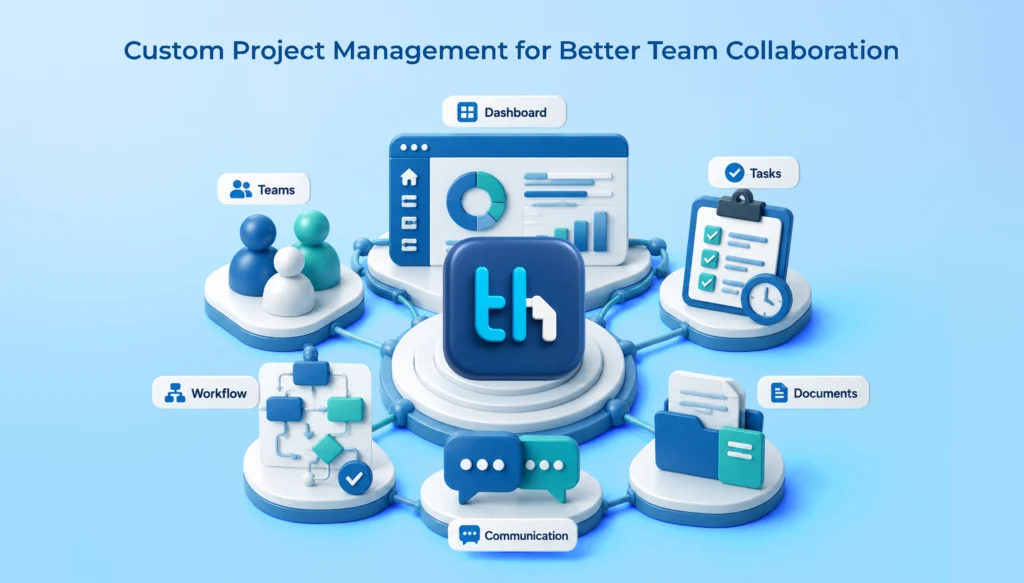
Every business requires an efficient solution for managing its projects, assigning tasks, monitoring their performance, and collaborating with different teams. Nevertheless, it is quite difficult to choose the best project management tool in today’s world, because business processes are becoming more complicated. Though ready-to-use SaaS project management software includes standard capabilities and is easy to set up, it might not always fit all business needs.
Custom project management software is a great alternative in such cases. It gives businesses an opportunity to develop their workflows, functionality, integrations, and reporting systems according to their specific needs. On the contrary, SaaS solutions offer pre-developed capabilities using cloud-based software that is usually simpler to deploy.
In this article, we will make a comparison between custom project management tools and SaaS project management tools in order to learn about their differences, benefits, disadvantages, and pricing. Also, we will tell you how WeekMate can help organizations manage their projects more effectively.
What Is Custom Project Management Software?
A custom project management software is an approach that entails the development or configuration of a project management system to suit the exact needs of a firm. The firm can tailor its project management system to suit all its existing processes, structures, and organizational objectives.
The customization of a project management software may involve the inclusion of capabilities like assignment of tasks, scheduling projects, allocation of resources, monitoring projects, notifications, reporting dashboards, and integration with existing business software.
Some firms will need project management software to be tailored to suit their specific needs. For instance, a manufacturing firm may want project tracking systems that can integrate with production scheduling, while software companies will have special needs like sprint planning, bug tracking, and release management systems.
Key Features of Custom Project Management Tools
Personalized workflows: Create workflows for project phases, approval, and task execution based on business process flow.
Flexible dashboards: Monitor project progress, deadlines, resource utilization, and team performance.
Business integrations: Connect project management with CRM, HRMS, ERP, accounting, or other systems.
Workflow automation: Automate repetitive activities, notifications, approvals, and task assignments.
Role-based access: Provide different permissions for administrators, managers, employees, and clients.
Scalable architecture: Extend functionality as teams, projects, and operational requirements grow.
In addition, custom software for project management would be especially useful in those situations where standard software is unable to meet the organization’s demands.
What Are SaaS Project Management Tools?
Tools for project management under SaaS are fully functional applications that can be accessed through the internet using the Software-as-a-Service delivery model. Firms normally gain access to these platforms through either a web browser or an app on the mobile phone, not through setting up the full software application platform.
Project management tools usually offer common functionalities including task management, project boards, calendar, collaboration, file exchange, alerts of deadlines, and reports.
Normally, most SaaS platforms utilize a subscription fee-based model based on the number of users, features, storage capacity, or other factors. This approach ensures that firms do not have to undergo a lengthy process of developing custom software programs.
Key Features of SaaS Project Management Tools
Quick implementation: Start managing projects using pre-built features and templates.
Cloud accessibility: Access project information from different locations and supported devices.
Team collaboration: Share updates, files, comments, and task assignments.
Standard automation: Use built-in rules to automate common project activities.
Software maintenance: The provider typically manages infrastructure, updates, and platform maintenance.
Subscription flexibility: Choose a plan based on the organization’s current requirements.
SaaS-based solutions work well for start-ups, SMEs, and even for people who simply require basic project management features without spending too much time on implementation.
Custom Project Management Software vs SaaS Tools Key Differences
Flexibility, control, implementation difficulty, and accountability can be regarded as the key distinctions between custom project management software and SaaS applications. The former is customized according to the needs of the organization, while the latter offers certain standardized functionality suitable for numerous customers.
Comparison Factor
Custom Project Management Software
SaaS Project Management Tools
Customization
Tailored to business requirements
Limited to available settings and features
Initial investment
Generally higher development cost
Usually lower upfront cost
Implementation
Requires planning, development, and testing
Typically faster to implement
Workflow management
Supports business-specific workflows
Uses predefined workflows and templates
Integrations
Can be designed for specific systems
Depends on available integrations and APIs
Maintenance
Managed internally or by a development partner
Generally managed by the provider
Pricing model
Development, hosting, and maintenance costs
Usually subscription-based
Scalability
Depends on system architecture and resources
Depends on provider plans and infrastructure
Feature updates
Planned according to business priorities
Determined largely by the provider
Data control
Depends on hosting, architecture, and agreements
Depends on provider policies and configuration
Best suited for
Businesses with specialized requirements
Businesses with standard project management needs
Neither solution works well for everyone. It depends on your financial situation, complexity of operations, technical capabilities within your organization, and your future plans.
Benefits of Custom Project Management Software
Custom project management software may be helpful for businesses that need to increase operational efficiency beyond basic task management. The key benefit of such software lies in the capability to match technology to real team practices.
1. Tailored Business Workflows
Every company has its own procedures when it comes to task assignment, task approval, resource management, and project delivery. The standard SaaS software could force companies to change their current processes to fit into the software.
With custom project management software, it is possible to develop workflows based on real needs. For instance, a certain agency would need a client’s approval to move a task into production phase, whereas a construction company would need several levels of inspection and approval. This could result in elimination of unnecessary stages.
2. Greater Integration Flexibility
Usually, companies implement several different software systems that are responsible for managing sales, customer relationship, information about employees, finance, and the delivery of projects. When such systems are independent from each other, people have to repeat the process of inputting similar data.
It is possible to create custom project management software that will work with currently implemented business software systems through proper integration.
3. More Relevant Reporting and Analytics
Standard dashboards may not necessarily contain all metrics that can be useful for evaluating project success. However, custom software solutions can help track such indicators as project profit, personnel productivity, resource management, completion of milestones, and timely deliveries.
This is where proper reporting can help to pinpoint bottlenecks.
4. Support for Business Growth
As the organization grows in size, it may require additional approval levels, departments, project types, or reporting options. But a good custom solution can allow for this through improvements.
But this is not something that happens automatically. The architecture, infrastructure, security, and maintenance approach should be built to support future growth.
5. Greater Control Over Development Priorities
Businesses using custom solutions can prioritize improvements according to their operational goals, subject to their development resources and agreements. They do not need to wait for a standard software provider to introduce every specialized feature they require.
SaaS project management tools remain a practical choice for many businesses, particularly those that want to begin managing projects without a large initial investment.
1. Faster Setup and Adoption
Most of the SaaS solutions offer pre-built templates for projects, task boards, calendars, and collaboration tools. No waiting for completion of any project to get started with organizing your activities. It makes the SaaS solution appealing for start-ups and small enterprises.
2. Predictable Subscription Plans
SaaS companies typically provide monthly or yearly subscription-based services. Firms will have the freedom to choose a service according to their requirements and need not incur initial development expenses for creating a whole new application.
On the other hand, the firms will have to take into consideration the cost of subscriptions, extra functionalities, more users, and integration.
3. Provider-Managed Maintenance
SaaS vendors typically handle updates, maintenance, and enhancements to the software platform itself. It minimizes the burden on the business of managing the software application itself.
However, companies must check the security policy, backup policy, SLAs, and support structure of the SaaS vendor.
4. Built-In Collaboration Features
Most project management applications for SaaS have comment sections, file sharing services, notification system, shared calendar, and progress tracking tools that assist in coordinating activities among team members.
5. Lower Technical Management Requirements
Many companies can implement SaaS solutions without necessarily having their own development team in place. In such a case, a provider takes care of the bulk of technicalities, while internal teams concentrate on project implementation.
Custom Project Management Software vs SaaS Tools Cost Comparison
Cost can be considered to be one of the critical elements in assessing project management solutions. However, firms need to go beyond just considering the cost element and also evaluate the total cost of ownership.
Cost Factor
Custom Software
SaaS Tools
Initial Cost
Higher, depending on scope
Usually lower
Recurring Fees
Hosting, support, and maintenance
Monthly or annual subscriptions
Additional Users
Depends on architecture and infrastructure
May increase subscription fees
Custom Features
Requires development investment
May require premium plans or add-ons
Integrations
Development and ongoing support may be needed
May be included or charged separately
Maintenance
Business or development partner responsibility
Generally provider-managed
Long-Term Cost
Depends on usage, maintenance, and enhancements
Depends on pricing, users, and plan changes
Which Option Offers Better ROI?
Custom project management software could prove to be more valuable in the long term for companies with complex workflow or many integration requirements. The SaaS solution might be more valuable for companies where features of the application fit their requirements perfectly.
Companies must calculate their ROI based on tangible results and not simply assume that one approach is more cost-effective.
A practical formula is:
ROI = Benefits − Total InvestmentTotal Investment × 100
Include development or subscription expenses, implementation, training, maintenance, integration, and the value of time saved when estimating the investment and benefits.
When Should Businesses Choose Custom Project Management Tools?
Custom project management tools are worth considering when standard applications no longer support the way your business operates.
Choose a custom solution if:
Your project workflows involve specialized approval processes or industry-specific requirements.
Your teams depend on spreadsheets and manual workarounds to fill gaps in existing tools.
You need deeper integration with internal business applications.
Your managers require reporting that standard dashboards cannot provide.
Multiple departments need a connected project management system.
Your business needs greater control over feature priorities and system behavior.
For example, a manufacturing business coordinating procurement, production, quality checks, and delivery may need workflows that are difficult to manage using a basic task board.
Before investing, document your requirements and determine whether configuration or integration of an existing platform could solve the problem at a lower cost.
When Are SaaS Project Management Tools the Better Choice?
SaaS tools are often the better option when speed, simplicity, and low initial investment are the main priorities.
Consider SaaS project management software if:
Your team needs standard task assignment and project tracking.
You want to implement a solution quickly.
Your business has a limited initial technology budget.
You do not have internal resources to manage software development.
Your team can work effectively with predefined workflows.
Your current tools already offer the required integrations and reports.
For startups and small businesses, SaaS can provide a practical starting point. As requirements evolve, the organization can reassess whether the existing platform remains suitable.
How to Choose the Right Project Management Solution for Your Business
Choosing between custom project management software and SaaS tools requires a clear understanding of your current operations and future plans.
1. Identify your project management requirements
List the features your teams need, such as task tracking, resource allocation, time tracking, approvals, reporting, and team communication. Separate essential requirements from optional features.
2. Evaluate your total budget
Compare subscription costs with the estimated cost of development, implementation, hosting, maintenance, and future enhancements. Consider a three-to-five-year period where practical.
3. Assess workflow complexity
Determine whether your business can adapt to standard templates or needs specialized processes, approval rules, and automation.
4. Review integration requirements
Check whether your project management system must exchange information with HRMS, CRM, ERP, accounting, or communication applications.
5. Plan for future growth
Consider expected team size, project volume, reporting needs, security requirements, and the resources available to maintain the solution.
The best project management solution is one that improves productivity without introducing unnecessary cost or complexity.
How WeekMate Supports Project and Workflow Management
WeekMate helps businesses manage their work through an integrated business software ecosystem, including TaskHub for project and task management.
For teams seeking a structured way to organize projects, WeekMate’sTaskHub project management solution is worth exploring as part of your software evaluation. Businesses can assess how its capabilities fit their requirements for task coordination, project visibility, and workflow management.
When assessing WeekMate or any project management tool, think about the ability of the application to address the day-to-day tasks of your team, reporting, collaboration, and future development.
A good project management tool should assist teams in identifying priorities, measuring progress, and coordinating their activities without adding any bureaucracy.
Can Businesses Combine Custom Software and SaaS Tools?
Yes. Companies do not always have to opt either for custom application development or SaaS solution.
Hybrid software integrates off-the-shelf applications for common enterprise tasks with custom integration or modules designed specifically for particular needs of businesses.
For instance, one organization could be using a SaaS application for project management and creating a custom integration module connecting projects to the ERP system. While another business uses a pre-existing collaboration suite and creates a custom reporting dashboard.
However, in order to apply the hybrid solution, one should consider issues of integration difficulty, maintenance costs, consistency of data, etc.
Conclusion
The selection of project management solutions whether custom or SaaS is based on how the organization currently functions and what its future expectations will be.
Custom project management solutions will give you the ability to tailor project management software to your specific processes. SaaS project management solutions will allow you fast deployment and standardized feature sets.
If you have simple project management processes within your organization, then SaaS will definitely be more feasible for you. If you have complex processes within your organization, then custom project management solutions could be more beneficial for you.
WeekMate provides tools for organizations to organize their projects and tasks with the help of TaskHub. Take into account your processes, budget and growth to decide on a project management solution.
Frequently Asked Questions
Custom project management software is designed to cater to particular business needs, whereas software-as-a-service project management solutions come with pre-set features through an online system.
Businesses must consider the needs of their workflow process, budget, integration, user-friendliness, security, reporting, scalability, and costs of maintenance.
Sure, especially if the small business has specific workflow needs. But small business project management software needs to be considered in light of its cost to develop, maintain, and subscribe to.
SaaS usually costs less at first. Custom software needs more money to start with, but could be worth the effort in the long run by cutting down on tool costs, manual efforts, and inefficiencies. It all depends on whether you save money or not.
Yes. It is possible to design custom solutions to work alongside applications like CRM, HRMS, ERP, and accounting software if proper integration techniques are available.
Project management workflow automation allows you to avoid performing routine administrative tasks as it automates processes like task assignment, notification, approval process, and status update process.