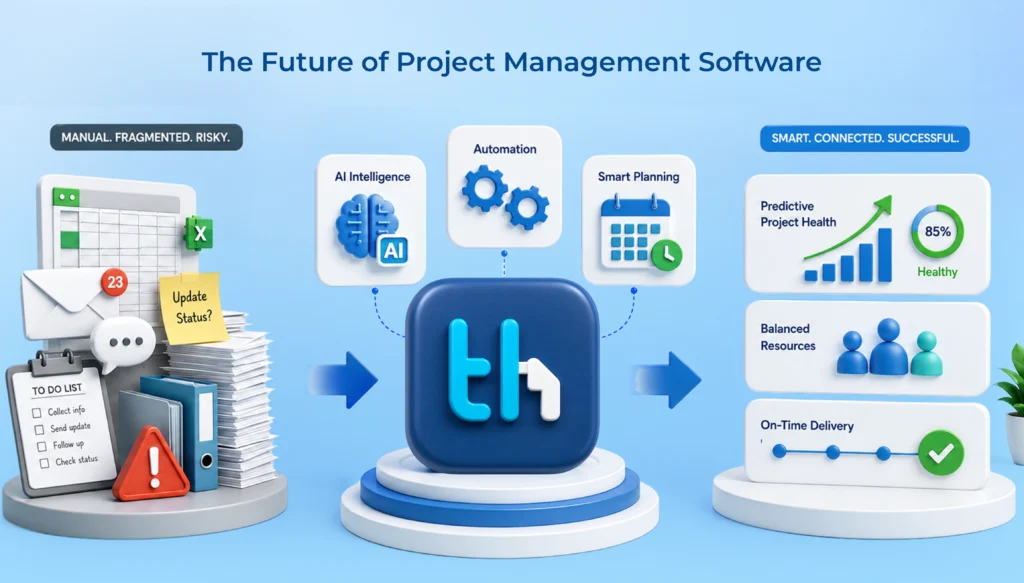
Ask a project manager where their week went. “Planning” almost never comes up. It’s follow-ups, spreadsheet updates, status pings, chasing approvals. Team members get hit too. Every “hey, any update on this?” costs a few minutes, and those minutes pile up faster than you’d think.
That’s the hidden cost of coordination. The work quietly swallows the actual work.
Project management automation is how teams fight back. Put those repetitive, rules-based tasks into the system: delegating work, reminders, status updates, compiling reports. You’ve gained time for planning and troubleshooting. And you gain transparency, stability, and the confidence that nothing is slipping through the cracks.
Goodproject management software is what makes it work in practice, and WeekMate’s TaskHub is built with that in mind. So let’s walk through what automation actually means, where the admin piles up, how to start, and how it grows into something bigger.
Key takeaways
Admin work quietly eats the time meant for planning and problem-solving.
Automation takes over the repetitive coordination: assignments, reminders, status tracking, approvals, recurring tasks, reports.
It needs a solid base. Project management software pulls your data into one place so the rules have something to work with.
Structured tasks (owners, deadlines, dependencies, statuses) are what make workflows automatable.
Start small. Pick repetitive, low-risk stuff, keep rules simple, then watch and adjust.
The biggest gains come from connecting processes across teams. That’s business process automation.
The goal isn’t to remove people. It’s to free them up for the work that needs them.
What Is Project Management Automation?
Think “if this, then that.”
A task gets marked done, so the next person gets pinged. A deadline is two days out, so the assignee gets a nudge. A milestone is hit, so the stakeholder report updates itself. Nobody remembers anything, types anything or chases anyone.
What it isn’t: a substitute for project managers, or a solution for a disorganized process. If your process is messy, automation simply accelerates that mess. What it can do though, is remove that second-by-second coordination “layer” so your employees are making decisions at the right level.
Why Administrative Work Becomes a Project Management Challenge
Admin work is sneaky. Nothing on the list looks big. But look at a normal week:
Manually assigning and updating tasks
Following up with team members
Sending reminders
Updating spreadsheets
Tracking deadlines
Collecting project status updates
Preparing progress reports
Managing approvals
Coordinating across teams
One quick reminder? Fine. A small spreadsheet tweak? Sure. But add it all up and it’s basically a second job.
Here’s the real problem. Admin tasks feel urgent, so they always win. The stuff that matters more, like strategy, risk planning and creative problem-solving, isn’t urgent, so it waits for “when things calm down.” They never calm down. Slowly, the project manager turns into a human notification system. And team members spend part of their day reporting on work instead of doing it.
How Project Management Automation Reduces Administrative Work
Seven places where it hands time back.
Automates Task Assignment
Manual assignment is a pain. You check who’s free, who has the right skills, who’s already drowning. Then you type it all out and hope it sticks.
With automation, rules can route tasks by role, workload or project type. A new client onboarding task lands with the right person automatically. No “wait, who’s handling this?” thread.
Automates Reminders and Notifications
Nobody likes being the nag. Nobody likes being nagged, either.
Automated reminders fix both. Deadline alerts, overdue flags and “this task just unblocked” notices go out when they matter. Managers stop chasing, and teammates get a timely nudge instead of an awkward message.
Simplifies Project Status Tracking
Plenty of status meetings only exist because status isn’t visible anywhere else. If progress updates as people work, the current state of a project is just there. Open the dashboard, see it. A surprising number of check-ins quietly disappear.
Streamlines Approvals
Approvals are where work goes to wait. A design sits unreviewed. An expense request gets buried in somebody’s inbox for a week.
Automated approval flows send the request to the right person, flag it if it stalls, and move things along the moment it’s signed off. Everyone can see where it stands, so nobody has to ask.
Automates Recurring Tasks
Weekly reports. Monthly reviews. Quarterly audits. If you’re recreating the same task by hand every cycle, that’s pure admin. Set it up once, and it shows up on schedule with the right owner and due date. Small things. Over a year, a lot of retyping you never have to do.
Reduces Manual Reporting
For plenty of managers, this is the big one. Pull numbers from three places, paste them into a deck, format it for stakeholders. Half a day gone, easily.
When task and project data lives in one system, the report can build itself. You review it and send it. Bonus: the numbers are fresher, because they come from live data instead of last Friday’s spreadsheet.
Improves Team Communication
Scattered communication is admin too. Context lives in email, in chat, in someone’s head, and people burn time hunting for it.
Automation helps by tying updates and discussions to the task itself. A status changes, the right people hear about it, and the conversation stays attached to the work. Less digging. Fewer misunderstandings.
Project Management Automation vs Manual Project Management
Quick side-by-side.
Area
Manual
Automated
Task assignment
Assigned and updated by hand
Routed by rules and roles
Follow-ups
Managers chase people
Reminders and alerts go out on their own
Status updates
Gathered through meetings and messages
Visible in real time
Approvals
Depend on inboxes and memory
Routed and tracked automatically
Recurring work
Recreated each cycle
Generated on schedule
Reporting
Built by hand from several sources
Compiled from live project data
Consistency
Varies by manager and team
Same process every time
Risk of delays
Higher, things get forgotten
Lower, timely triggers
Manual works fine for a tiny team with a handful of tasks. Honestly, it does. But as headcount, projects and handoffs grow, it starts to crack. The more moving parts you have, the more it costs you.
Role of Project Management Software in Automation
You can’t automate what lives in scattered spreadsheets, chat threads and personal to-do lists. Automation needs something solid underneath it.
That’s what project management software gives you: one place for tasks, workflows, deadlines, conversations and reporting. Once that structure exists, rules have something to grab onto, like clear owners, statuses and dates.
It’s also why a lot of businesses outgrow basic task lists. A list tells you what needs doing. A proper workflow tells the system what happens next, and who needs to know. If you’re still shopping around, ourproject management software buying guide covers what to look for.
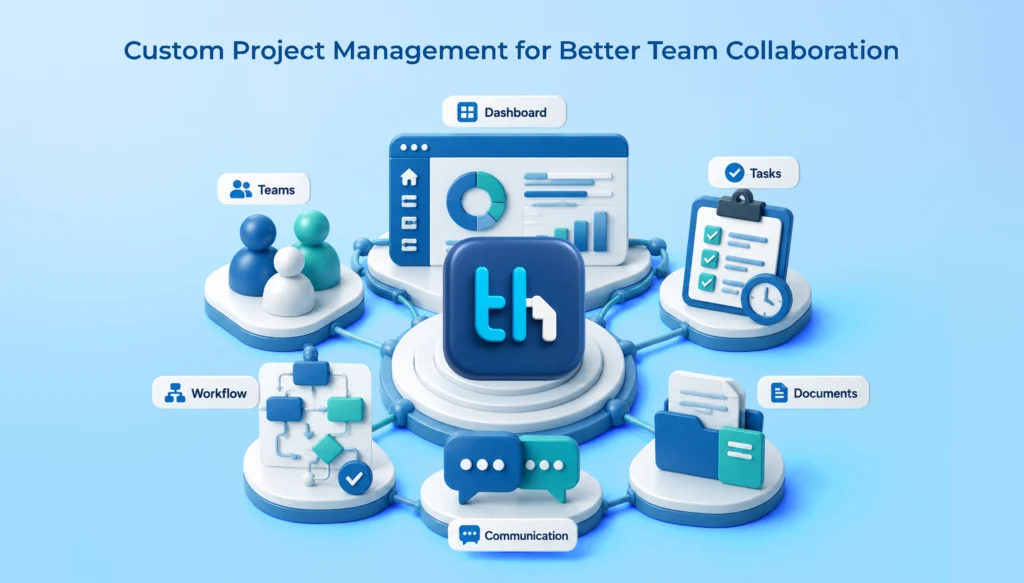
WeekMate’s TaskHub is one example. Projects, teams and resources share a single workspace, and things like automatic deadline tracking, live dashboards and automatic status reports are built in.
How Task Management Software Supports Automated Workflows
Task management software and project automation go hand in hand. Tasks are the building blocks, and the details on each one are what the automation reacts to. Here’s how the pieces fit:
Dependencies. If Task B can’t start until Task A is done, the system can alert the next person the moment A closes. No handoff message needed.
Priorities. They tell the system, and your team, what to surface first.
Assignees. One clear owner means the right person gets the right notification. Fuzzy ownership kills automation fast.
Deadlines. Dates drive reminders, overdue alerts and timeline views.
Status tracking. A status change is the signal that kicks off the next step, whether that’s a notification, a handoff or a report update.
Notifications. The delivery layer. Done well, people hear about what’s relevant to them and nothing else.
Recurring tasks. Repeating work gets created on schedule, not from memory.
The pattern is pretty simple. The more structure each task has, the more the software can take off your plate.
Business Benefits of Automated Project Management
What do you actually get? When teams adopt automated project management with some thought, you tend to see:
Less manual administrative work. The obvious one, and often the most appreciated.
Faster task coordination. Handoffs happen when work is done, not when someone remembers.
Fewer missed deadlines. Timely reminders and visible due dates catch trouble early.
Better project visibility. Leaders see progress without having to ask.
More consistent workflows. The process runs the same whether it’s your best manager or a new hire.
Reduced communication overhead. Fewer “just checking in” messages, fewer status meetings.
Improved accountability. Clear owners and visible deadlines make it obvious who’s on the hook.
Better use of project data. Clean, connected data means decisions rest on facts, not guesswork.
More time for strategic work. Which is kind of the whole point.
Nobody feels all of this at once. Most teams notice fewer follow-ups first. The rest builds from there. Curious where it’s all heading? Our piece on thefuture of project management software digs into that.
How to Implement Project Management Automation
Don’t automate everything on day one. Please. Go in phases.
Step 1: Identify repetitive tasks
List what eats your team’s time. Ask them directly. Look for anything done the same way, over and over, with little judgment involved. Reminders, status collection and report building usually top the list.
Step 2: Map existing workflows
Before you automate a process, write down how it really works today. Who does what, in what order, and where does it stall? You’ll often spot waste before you even open the software.
Step 3: Choose processes suitable for automation
Not everything should be automated. Good candidates are frequent, rule-based and low-risk. A touchy client decision? Keep that human. Start with one or two quick wins so the team sees it working.
Step 4: Configure automation rules
Set up the rules in your tool, and keep them simple. A basic trigger and action beats a clever rule nobody understands. Tell your team what’s changing and why, so automated messages don’t feel random.
Step 5: Monitor and optimize
It isn’t set-and-forget. Watch what happens. Are the reminders helpful or just noise? Are approvals actually moving faster? Tweak the rules, drop the ones that aren’t earning their keep, then expand. And if you hit bigger roadblocks along the way, our guide toproject management challenges and solutions might help.
Project Management Automation and Business Process Automation
This is where it gets interesting. Project automation rarely stays inside the project. It grows into business process automation, where workflows connect across departments instead of sitting in silos.
Some examples:
Sales to project handoff. A deal closes, and a project with the right tasks is set up automatically. No re-entering client details.
Project completion to invoicing. The final milestone is done, and billing kicks off instead of waiting for someone to notice.
Employee onboarding to task creation. A new hire gets added, and the onboarding checklist appears with owners and due dates.
Client approval to the next project stage. Sign-off lands, and the next phase starts on its own.
The real win isn’t automating one-off tasks. A reminder here, a template there, that helps a little. The big gains come from connecting processes end to end, so work moves from one team to the next without anyone relaying it by hand. That’s usually where delays and dropped handoffs hide.
How WeekMate Helps Reduce Project Administration
TaskHub is built on a simple idea: your team shouldn’t spend their days on coordination. Here’s what it offers for cutting down the admin:
One workspace. Projects, teams and resources sit together, so nobody’s hunting across tools.
Automatic deadline tracking. Notifications and reminders keep milestones moving without chasing.
Smart resource allocation. Assign work based on skills and current availability, not guesswork.
Task-level collaboration. Discussion threads and file sharing live on the task, so context doesn’t scatter.
Subtasks and dependencies. Break big projects into clear pieces with defined owners.
Live dashboards and automatic reporting. See project health at a glance and send stakeholder reports without re-entering data.
Customizable workflows. Boards, lists and automation rules shaped around how you actually work.
Time tracking, timesheets and expense approvals. Time logs, billing and project expenses stay connected to the work.
It’s aimed at teams like web agencies, dev teams, marketing teams and service firms. Different teams, same admin headache.
If your people spend more time managing work than doing it,take a look at TaskHub and see if it fits.
Frequently Asked Questions
It’s software handling the repetitive parts of running a project, like assigning work, sending reminders, tracking status and building reports. You set rules once, and the system does the rest.
Nope. It handles routine coordination. Planning, prioritizing, negotiating and dealing with people still need a human.
Go for the frequent, rule-based stuff: reminders, status updates, recurring tasks and routine reports. Low risk, quick payoff.
Not at all. Small teams often feel admin overhead more, since there’s less slack to absorb it. A few people juggling lots of tasks is exactly where automation helps.
A task list just records what needs doing. Automated project management acts on it: it notifies people, moves work along and updates reports without anyone lifting a finger.
Project workflows touch other teams, like sales, finance and HR. Link them up, say a closed deal creating a project, or a finished project triggering an invoice, and project automation becomes part of the bigger picture.
If your team keeps complaining about follow-ups, status meetings or reports, you’re probably ready. Map your workflow first, then start with one or two simple automations.