Managing projects today is not what it used to be. Teams are spread out, deadlines move fast, and there’s always something getting missed: missed updates, unclear responsibilities, or just too many tools doing too little.
And that’s exactly why choosing the best project management software isn’t just a “nice-to-have” anymore. It’s kind of foundational. Because when your projects run smoothly, everything else follows; your team works better, your timelines improve, and your business actually grows instead of constantly troubleshooting.
But here’s the catch: not all tools are built the same. And picking the wrong one? It can slow you down more than it helps.
So let’s break this down – simply, practically, and without unnecessary jargon.
Why Project Management Software Is Essential for Business Success
Running a business without project management software is like driving without a map. You will get to the right place. But along the way, you will waste a lot of money, fuel, and patience.
A good project management solution brings everything into one place. And that changes how your team works completely. Let’s see how.
Improving Team Collaboration
When communication is scattered, people miss context. And when that happens, mistakes follow. Good project management software centralizes that communication – messages, files, updates, tasks. No more digging through emails or asking, “Wait… where was that file again?”
Teams can:
- Share real-time updates
- Comment directly on tasks
- Access shared workspaces without confusion
Enhancing Team Productivity
A good tool helps your team figure out what to work on first. Task prioritization isn’t just a nice feature. It’s the difference between a team that’s only busy and a team that’s actually productive.
Workflow automation improves efficiency and takes it further. Repetitive stuff, like moving a task to “in review” once it’s marked done, happens on its own. And with built-in time tracking, you finally get a real picture of where hours are going, instead of guessing.
Better Project Visibility
Dashboards give you a full view of everything happening across your projects. No need to chase five people for updates. Just open one screen. You’ll know what’s on track, what’s delayed, and what needs attention today.
Key Factors to Consider When Choosing Project Management Software
Choosing software isn’t a generalized decision. What works for a marketing agency with 10 people might not be the case for a manufacturing company with 200 people.
Here’s what actually matters when you’re comparing options.
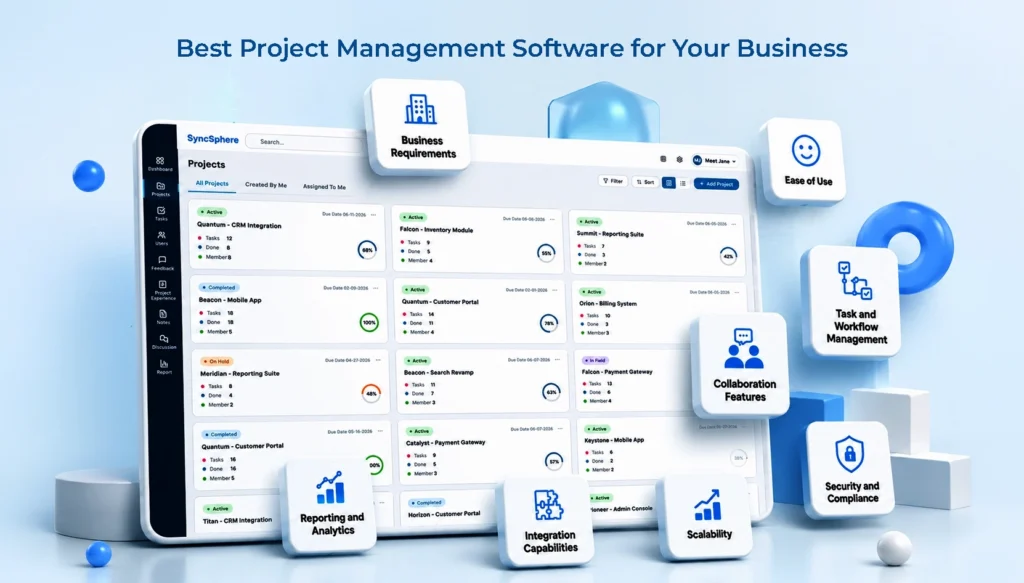
| Factor | Why It Matters |
| Business requirements | Team size, industry, and project complexity shape what features you actually need |
| Ease of use | If it’s hard to learn, your team simply won’t use it |
| Collaboration features | Messaging, shared workspaces, and notifications keep everyone aligned |
| Task and workflow management | Assigning tasks, setting dependencies, building custom workflows |
| Reporting and analytics | Performance metrics and resource reports help you make better calls |
| Integration capabilities | CRM, communication tools, and cloud storage should connect smoothly |
| Scalability | The tool should grow with you, not hold you back |
| Security and compliance | Data protection, access controls, and the right certifications |
Understand Your Business Requirements
Start here. Always. Ask yourself:
- How big is your team?
- What kind of projects do you handle?
- Are your workflows simple or complex?
A small marketing team and a large manufacturing company won’t need the same tool. And that’s okay. The goal is fit, not just features.
Ease of Use
This one gets mostly overlooked. Your team will not use a confusing tool. Simple. Go for something simple enough that has a quick onboarding process and minimal training requirements. Even the most powerful tool is useless if no one wants to use it.
Collaboration Features
Comments, shared workspaces, notifications, these small things add up. They’re what keeps a remote or hybrid team feeling connected instead of scattered.
Task and Workflow Management
This is really the core of any project management tool. Can you assign tasks easily? Are you able to set up dependencies so that work can happen in the right order? Can you build workflows that match how your team actually works?
Reporting and Analytics
Numbers tell the actual story. Performance metrics and reports help you spot hurdles before they turn into bigger problems. Custom dashboards allow each team to see the data that matters to them. It is not just a generic overview.
Integration Capabilities
Your project management tool shouldn’t live on an island. It needs to talk to your CRM, your communication apps, and your cloud storage. Otherwise, you’re just creating another silo.
Scalability
Think ahead. The software that fits your 15-person team today should still make sense when you’re at 50. Flexible pricing plans matter here — you don’t want to pay for capacity you don’t need yet, but you also don’t want to hit a wall in six months.
Security and Compliance
This one’s non-negotiable. Especially if you’re handling client data. Look for solid data protection measures, proper access controls, and relevant compliance certifications for your industry.
Different Types of Project Management Software
Not all tools are built the same. And honestly, choosing the right type matters just as much as choosing the tool itself.
Traditional project management tools
They follow a structured, step-by-step approach. Every task is planned out step by step, with a clear timeline from start to finish. It is good for industries like construction or manufacturing, where the order of the work really matters.
Agile project management solutions
They are built for teams that move fast and adapt often. Think sprint planning, kanban boards, and scrum support. Common in software development and product teams.
Collaborative work management platforms
They are somewhere in between. They’re built for cross-functional teams that need a bit of both. Some structure, some flexibility. This hybrid approach is honestly where most modern businesses land these days.
Common Mistakes Businesses Make When Selecting Project Management Software
A lot of businesses get this decision wrong, and it usually comes down to a handful of avoidable mistakes.
Choosing based only on price
Cheap tools can cost more in the long run. Through inefficiency, limitations, and poor adoption. Value matters more than cost.
Ignoring user experience
Adoption will be low if the user interface feels clunky. No matter how powerful the backend is.
Overlooking future growth
A tool that fits today might not fit in a year. Plan ahead.
Not evaluating customer support
When something breaks (and it will, eventually), you want a support team that actually responds.
Failing to test before purchase
Skipping the trial phase is probably the most common and most costly mistake.
How to Evaluate Project Management Software Before Making a Decision
So how do you actually make a smart choice? A few steps help a lot here.
Request a demo
Watch the tool in action. Ask about implementation – how long does setup take, and what kind of support do you get during onboarding?
Use free trials
Don’t just click around. Load in a real project, assign real tasks, and get feedback from the actual people who’ll use it daily.
Compare features
Build a simple scoring sheet. List out your must-haves, then score each tool against them. This removes a lot of the guesswork.
Review customer feedback
Reviews and testimonials tell you what the sales pitch won’t. Look for patterns, recurring complaints, or recurring praise; both matter.
Why Businesses Choose WeekMate for Project Management
The idea of WeekMate is very simple. Project Management shouldn’t be like additional work on the job.
Simplified project planning is the first thing they notice. It means that you don’t spend time worrying about the complicated setup to get your first project going.
In the end, strong collaboration tools that enable your team to be more linked without the hassle of a dozen different apps.
The ability to adjust the platform to fit your workflow, rather than the other way around.
Next there is actionable reporting and insights – dashboards that truly assist your decision-making and don’t just look pretty.
But since WeekMate is a scalable process for growing teams, you’re not confined to rebuilding your entire process every time you hire someone. WeekMate has a history of being adopted rapidly by businesses. Honestly, it is generally within the first week. This is quite a good indication in itself.
Signs You’ve Found the Best Fit for Your Organization
How do you know when you’ve picked the right tool? A few signs tend to show up pretty quickly:
- High team adoption rates, without you having to force it
- Improved project completion times
- Better communication and transparency across teams
- Reduced administrative workload
- Increased stakeholder satisfaction
You know that you have made the right choice if you see most of these within the first few months.
Best Practices for Successful Software Implementation
Even the best project management tool will not be useful if the software rollout is messy. A few things make implementation smoother.
Define clear objectives
Before you start, figure out exactly the problem that you are trying to solve. This keeps the whole rollout focused.
Train your team
You cannot expect people to pick it up on their own. A short training session is an important aspect. It is useful in the long run.
Establish usage guidelines
Set simple rules for how tasks get created, assigned, and updated. Make sure everyone follows the same process.
Monitor performance and adoption
Keep monitoring during the first few weeks. Small fixes early can ideally prevent bigger issues down the line.
Continuously optimize workflows
Keep tweaking your process as your team grows and your needs change over time. This keeps the workflow relevant.
Conclusion
You must understand your team, your workflows, and the direction of your business to select the right project management solution. Price definitely matters. But what also counts is ease of use, scalability, and support.
Take your time. Try a few options. Discuss with the team what to do. If you’re looking for an easy-to-use solution without sacrificing functionality, WeekMate is certainly worth considering. It’s designed for teams looking for more without the extra hassle.
FAQs
1. What’s the best project management software for a small business?
This is dependent on your team’s biggest pain point. In general, though, seek a solution that is simple to use, inexpensive, and truly collaborative rather than task-oriented.
2. Do small teams really need project management software?
Yes, sometimes even more than big teams do. Without an additional level of management, self-organization is even more relevant.
3. Will project management software actually save my team time?
It should, once everyone gets used to it. Most of the time you save comes from not chasing updates or digging through old emails to figure out what’s going on.
4. Can I connect this software with the tools I already use?
Most good platforms, WeekMate included, let you connect with things like your CRM, chat apps, and cloud storage. So you’re not starting from scratch.
5. How fast can my team get up and running with new software?
Usually within a couple of weeks, sometimes less. It really comes down to how much onboarding support the tool gives you at the start.