Business expansion leads to the emergence of new business opportunities. However, along with the development of a company, there are certain difficulties associated with organizing projects, teamwork, and business efficiency. As a company grows bigger, the needs in terms of project management become increasingly complicated. Solutions that work perfectly well for a team of five people do not necessarily work well for a team of fifty people.
Many businesses opt for purchasing a package of project management software at the beginning of their operation as it is easy to use and implement and gives access to a range of necessary tools. However, during the process of business development, regular software packages face some difficulties as they cannot deal with complicated workflow, approval process, reporting, and integration problems.
The issue is not in the fact that your current software package does not have a sufficient set of functions. The issue is in the fact that these functions may not correspond to the way your company operates.
Let’s talk about how off-the-shelf tools can limit business efficiency.
Key Takeaways
Ready-made project management tools may not accommodate specialized business workflows.
Limited customization can create operational inefficiencies as teams expand.
Disconnected applications and integration challenges can affect productivity.
Recurring subscription costs may increase with users and premium features.
Custom project management software offers flexibility to support changing business requirements.
Choosing the right solution can improve project visibility, collaboration, and workflow efficiency.
1. Your Business Workflows Don’t Fit Standard Software
Organizations have their own methods for managing projects; the task allocation, approval process, reporting, and team structure differ according to the type of industry and business approach.
But, ready-to-use project management tools typically follow some pre-defined structure that is made to meet the needs of all organizations.
In such cases, it becomes difficult for businesses having specific needs.
For example:
Manufacturing companies need to coordinate production activities, departments, operational tasks, and deadlines.
Construction companies require project scheduling, site-level coordination, resource allocation, and progress tracking.
Marketing agencies need campaign management, client approvals, content workflows, and deadline monitoring.
IT companies require sprint planning, development tracking, bug management, and release coordination.
However, when regular software is unable to support these processes, workers may resort to creating spreadsheets, using other programs, or handling certain operations manually.
Why custom project management software helps
With custom project management software, companies can set up workflows based on their unique operational needs. From process stages to approvals, team assignments, and project dashboards, the features of the software can revolve around the company’s operations.
2. Your Software Becomes Difficult to Scale as Teams Expand
Growth alters the approach to project management by firms. The need to coordinate more people, more departments, and various projects necessitates better coordination and tracking.
Software designed for a smaller team can be limiting for the expanded organization.
Common challenges include:
Managing multiple projects simultaneously.
Assigning responsibilities across departments.
Maintaining visibility into individual workloads.
Coordinating approvals between different management levels.
Monitoring deadlines across multiple teams.
Managing access for different employee roles.
Certain SaaS project management software may offer more sophisticated features, limitations on users, and administrative control under higher-level subscriptions.
A Scalable Solution’s Value
Scalable project management software allows for the creation of an approach to manage increasing numbers of employees, projects, departments, and workflows.
The business can design its software based on its future needs and not have to constantly change platforms.
3. You’re Paying for Features Your Business Doesn’t Need
Most commercial SaaS project management systems are based on subscription pricing models. The cost usually depends on whether companies pay monthly or annually, as well as how many users there are, what features are included, and what plans were chosen.
The problem is that companies can require only a few features but will have to buy an expensive package to get them.
Also, as businesses grow, their costs related to the use of such packages grow along with an increasing number of users.
For example, a company may require advanced approval processes and reporting tools but pay for other additional tools, which are never used.
A more flexible strategy of software investments
Custom solutions let businesses specify their requirements and do not depend on any fixed packages that may include unnecessary features.
Depending on the model of ownership and licensing, such an approach can ensure better control over software costs in the long run.
However, development, hosting, and maintenance fees must be taken into account as well.
4. Your Teams Are Switching Between Too Many Applications
It is quite normal to have different business applications, but having them separated may lead to some complexities.
For instance, there could be different applications for project management, communication, reporting using spreadsheets, and approval management.
As the applications do not talk to each other, information becomes dispersed.
This can lead to:
Repeated data entry across platforms.
Delays in sharing project updates.
Inconsistent project information.
Missed notifications and follow-ups.
Difficulty tracking overall project progress.
How integrated project management solutions work
Tailored project management software can integrate with the company’s current business tools using proper integration and API.
Such an approach allows companies to develop an interconnected workflow where project-related information can be transferred among the systems without too much effort.
Centralized project management environment also facilitates the ability of the employees to access important information.
5. Standard Reports Don’t Give You the Insights You Need
Project managers require more than just a collection of completed tasks and those still to be performed. The requirement of the hour is actionable information for the project manager to analyze how the project is performing and spot any issues before it impacts project delivery.
Nevertheless, reporting tools available by default might not deliver the precise metrics required by your business.
For instance, management may want to understand:
Which projects are falling behind schedule?
Which departments have the highest workloads?
How many tasks are overdue?
Where are approval delays occurring?
Which projects require additional resources?
How efficiently are teams completing assigned work?
Without this capability in your software, managers will need to invest more time in creating reports manually.
Customized Reporting for Better Decisions
Customized project management applications can feature dashboards and reports customized to the company’s key performance metrics.
Managers will be able to follow up on project schedules, tasks, workload, and any operational bottlenecks from the appropriate reporting framework.
Modern project management tools are also evolving beyond basic task tracking to support broader business requirements. Explorehow project management tools are expanding beyond task management to understand how automation, analytics, and integrated workflows are changing project management.
6. Limited Automation Is Increasing Manual Work
With an increase in the number of projects, repeated administrative activities may take up employees’ time.
Assigning tasks, following up on the completion status, reminding the team members, approving the tasks and tracking progress are some such activities which could be repeated.
While there may be many SaaS applications that facilitate automation features, their automation triggers and workflows may not be sufficient for every company.
Some companies may wish to automate notification to a department head if a certain task is at a certain point of completion or to initiate an approval process if a project milestone has been achieved.
In case the current platform does not help in automation of such processes, then it could be continued manually by the employees.
Workflow automation and its benefits
A custom-built project management software can facilitate automation of rules, notifications, task dependencies and approval workflows as per business needs.
7. You Have Limited Control Over Software Functionality
Off-the-shelf software is usually created and maintained by an external vendor. While using the functionalities offered by the vendor, businesses do not have total control over any modifications that can take place in the product or the development road map.
It can be difficult for businesses that require a certain functionality which the current platform cannot provide.
For example, a business may require:
Department-specific dashboards.
Customized task approval hierarchies.
Special notification rules.
Unique project status categories.
Different access permissions for internal and external users.
Increased flexibility via custom development
Custom project management systems allow increased flexibility concerning the way that the features and processes can be built.
Companies will have the ability to determine which features are most important for their processes and add new features when needed.
This increased flexibility will enable companies to develop a project management system that fits their work process rather than making their employees fit into the software.
8. Your Existing Software Cannot Keep Up with Changing Requirements
Requirements for businesses continue to evolve constantly. Businesses come up with new services, enter new markets, undergo organizational restructuring, or use new technologies.
This way, their requirements for project management will evolve too.
The initial platform might have been adequate, but now businesses require something more sophisticated.
For example, an organization may eventually require:
Additional project management modules.
New integrations with business applications.
More advanced reporting capabilities.
Customized employee and client access.
Automated multi-level approval processes.
Plan for Future Business Requirements
Custom project management software can be developed with flexibility in mind, allowing organizations to introduce additional modules, integrations, and workflows over time.
This reduces dependence on a software provider’s existing feature roadmap and gives businesses greater control over how their project management systems evolve.
To understand where the industry is heading, explorethe future of project management software, including emerging developments in AI, automation, and team collaboration.
Custom Project Management Software vs Off-the-Shelf SaaS Tools
The choice of pre-configured versus customized solutions will depend on the requirements of your company and its budget.
Here is a comparison of the two approaches:
Evaluation Criteria
Off-the-Shelf SaaS Tools
Custom Project Management Software
Implementation
Generally faster to implement
Requires planning and development
Customization
Limited to supported settings
Designed around specific requirements
Workflows
Standardized workflows
Business-specific workflows
Scalability
Depends on provider plans and architecture
Can be designed around growth requirements
Integrations
Depends on available integrations
Can support tailored integrations
Reporting
Standard reporting capabilities
Customized reporting and dashboards
Automation
Predefined automation options
Business-specific automation possibilities
Pricing
Usually recurring subscription fees
Development and ongoing ownership costs
Feature Control
Depends on the software provider
Greater control over functionality
Maintenance
Generally managed by the provider
Requires an agreed maintenance arrangement
Which approach is right for your business?
Off-the-shelf SaaS tools are often suitable for startups and small businesses with straightforward workflows and standard project management requirements.
However, organizations managing complex operations, specialized workflows, multiple departments, or unique integration requirements may find custom project management software more suitable.
The best decision should consider both immediate requirements and the total cost of operating the solution over time.
Signs Your Business Has Outgrown Its Existing Project Management Software
Not every organization needs to replace its existing software. However, certain recurring problems can indicate that your current platform is no longer meeting your requirements.
Look for these signs:
Frequent manual workarounds: Employees regularly use spreadsheets or separate applications to complete tasks that your software cannot support.
Increasing software expenses: Subscription costs continue to rise as your team grows or requires additional features.
Poor project visibility: Managers struggle to understand project progress, pending tasks, and team workloads.
Disconnected workflows: Different departments manage project activities using separate platforms.
Limited automation: Employees spend too much time on repetitive administrative activities.
Restricted customization: Your team cannot configure workflows and reports according to business requirements.
If these issues are affecting daily operations, it may be time to evaluate more flexible project management solutions.
How WeekMate Helps Businesses Simplify Project and Task Management
Managing projects efficiently requires more than assigning tasks and setting deadlines. Businesses need a centralized environment where employees can coordinate responsibilities, monitor progress, and keep project activities organized.
WeekMate offers TaskHub, an AI-powered project and task management solution designed to help businesses streamline their work management processes.
With WeekMate TaskHub, businesses can bring project and task management activities together in one platform.
Here is how it supports everyday project management:
1. Centralized Task Management
Organize project activities, assign responsibilities, and maintain visibility into pending and completed tasks. A centralized approach helps employees understand their priorities and stay aligned with project objectives.
2. Improved Project Tracking
Monitor ongoing project activities and follow task progress. Better visibility helps managers understand what has been completed and which activities require attention.
3. Better Team Coordination
Keep project-related responsibilities organized so employees can coordinate their work more effectively and maintain alignment across teams.
4. Streamlined Workflows
Organize everyday work activities through a structured approach to task and project management, helping teams maintain consistency in their operations.
5. AI-Powered Business Automation
WeekMate’s AI-powered approach supports businesses looking to simplify operations and improve the way they manage everyday work.
For businesses looking beyond disconnected task management applications, WeekMate provides an integrated business platform with solutions for HRMS and Payroll, CRM, communication, asset tracking, and other business requirements.
How to Choose the Right Project Management Solution for Long-Term Growth
Selecting project management software is an important business decision. The right platform should address current operational challenges while providing enough flexibility to support future requirements.
Before making a decision, consider these factors:
1. Understand Your Existing Workflows
Identify how your teams currently manage projects, assign tasks, track deadlines, and handle approvals. This helps determine which software capabilities are essential.
2. Evaluate Customization Requirements
Check whether the platform supports your preferred workflows, task structures, user permissions, and reporting requirements.
3. Review Integration Capabilities
Consider whether the software can connect with your existing HR, CRM, accounting, communication, and other business applications.
Choose a platform that can accommodate additional users, projects, departments, and changing business requirements.
6. Consider User Experience
Software should be easy for employees to understand and use. A complicated interface can reduce adoption, even when the platform offers advanced functionality.
7. Evaluate Security and Data Management
Review access controls, authentication, data protection, backup policies, and other security capabilities relevant to your organization.
A careful evaluation will help you select a solution that balances functionality, usability, flexibility, and long-term business value.
Conclusion
Off-the-shelf project management software is a practical choice for businesses with standard project management requirements. However, as organizations expand, limitations in customization, workflow automation, integrations, reporting, and scalability can make everyday project management more challenging.
The solution is not necessarily to purchase software with more features. It is to find a platform that supports your actual business processes.
Custom project management software provides an opportunity to align technology with organizational workflows, simplify operations, and accommodate changing business requirements.
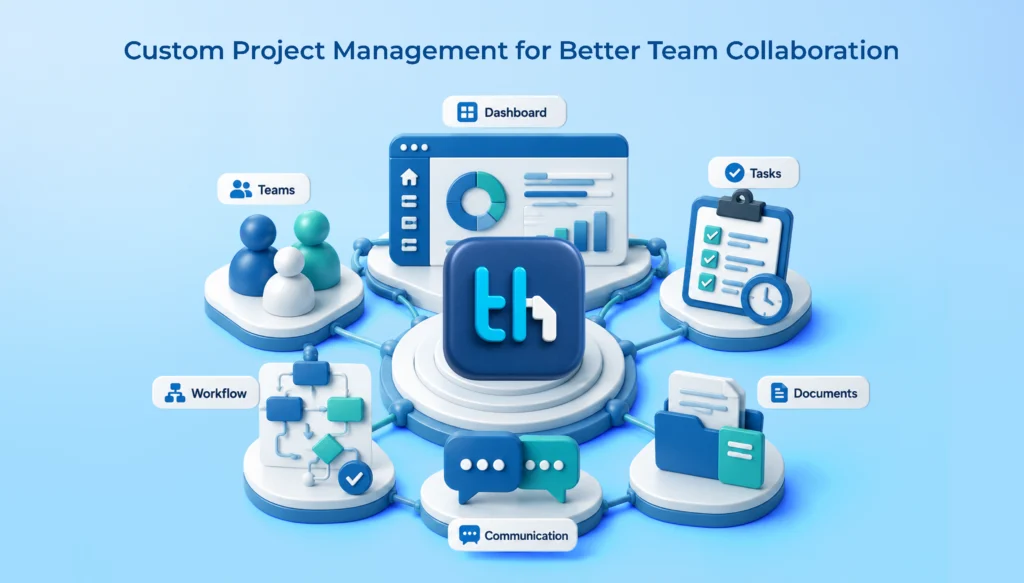
With WeekMate TaskHub, businesses can bring project and task management activities into a centralized environment while exploring an integrated platform for managing other business operations.
Ultimately, the right project management solution should do more than help your team complete tasks. It should make managing work easier, support collaboration, and provide the flexibility your business needs to move forward.
Frequently Asked Questions
Off-the-shelf project management software is a ready-made application designed to help businesses organize projects, assign tasks, monitor deadlines, and coordinate teams. It typically offers standardized features that serve common project management requirements.
Common limitations include restricted customization, predefined workflows, limited reporting flexibility, integration challenges, recurring subscription expenses, and dependence on the software provider for product changes.
Businesses should consider custom project management software when their existing tools cannot accommodate specialized workflows, complex approvals, unique reporting requirements, or integrations with other business systems.
Yes. Custom solutions can be developed to integrate with compatible HRMS, CRM, accounting, communication, and other business applications through APIs and supported integration methods.
Project management software helps businesses organize tasks, coordinate employees, monitor deadlines, and maintain project visibility. The right solution can reduce manual coordination and support more structured operations as teams expand.
WeekMate TaskHub is designed for businesses looking to manage projects and tasks through a centralized platform. Its project and task management capabilities help teams organize work and coordinate activities more efficiently.