HR News

EPF Withdrawal Rules 2026 : Eligibility, Claims & Latest Updates

Read the Latest Updates

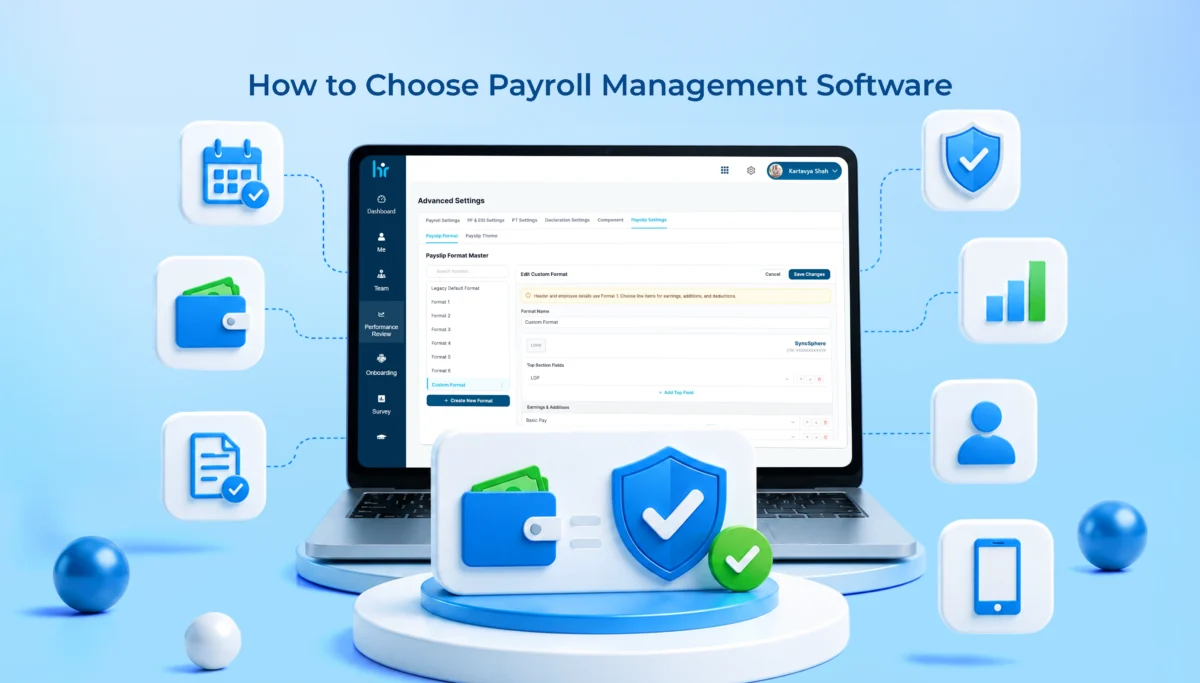
Payroll Management Software Features Every Business Needs and How to Choose the Right One

Payroll sounds simple until you’re the one running it. Then it’s spreadsheets breaking at 11pm, a PF calculation that’s slightly off, someone’s overtime not matching their attendance log. Most business owners don’t think about payroll until it goes wrong. By then it already costs them time, money, or an employee’s trust in HR.

That’s the whole point of payroll automation for businesses. Not just calculating salaries faster. A proper payroll management system pulls together attendance, tax deductions, compliance filings, payslips, and reporting into one place. Do it right and payroll stops being a monthly scramble.

So here’s what actually matters: the payroll management software features worth paying for, why payroll automation for businesses is worth the switch, and how to pick one without getting talked into features you’ll never use.

Why Modern Businesses Need Payroll Management Software

Manual payroll was fine when there were five employees and one shared Excel file. It stops being fine quickly. Add ten more people, a couple of shift patterns, one state-specific compliance rule, and cracks start showing.

Manual payroll means someone pulls attendance by hand, cross-checks deductions, applies tax slabs that change every financial year without any warning. One typo in a PF number and you’re looking at penalties. Miss a TDS filing, and you’ll hear about it.

Automated payroll pulls attendance straight from biometric devices or an app, applies current tax rules on its own, gives out compliant payslips without anyone touching a calculator.

And compliance in India isn’t getting any simpler. PF limits shift. ESI thresholds change. Professional tax slabs vary by state. TDS rules differ depending on the old or the new regimes. Doing all this manually across even 40 or 50 employees is basically asking for a mistake to happen.

The real win with payroll automation for businesses isn’t speed, though that helps. It’s fewer errors, lower compliance risk, and an HR team that gets its afternoons back.

Essential Payroll Management Software Features Every Business Needs

Not every payroll tool goes equally deep. Some stop at basic salary calculations. Others build in the operational layer that businesses actually need. Here’s the breakdown:

Automated Salary Processing

This is the core job, obviously, but it needs to go beyond a flat monthly figure.

A decent system handles monthly payroll runs, bonus and incentive payouts tied to performance data, overtime pulled from actual clock times, and multiple salary structures across roles or contract types.

One thing worth testing before you buy: how does it handle someone who joins or exits mid-month? A lot of platforms fumble prorated pay, and that’s usually where the first payroll complaint lands on someone’s desk.

Attendance and Leave Management Integration

Attendance and payroll shouldn’t sit in two different systems. When they do, someone’s manually reconciling spreadsheets every month, and that’s exactly where errors sneak in.

You want attendance syncing directly into payroll. Leave balances to be calculated automatically. Shift-based scheduling supported, not rushed on as an afterthought.

This is really why payroll software with attendance management is no longer optional. If attendance and payroll aren’t talking to each other in real time, you’re back to manual reconciliation. Just with extra steps and more room for error.

Tax Calculation and Statutory Compliance

This is where a lot of generic, imported payroll tools fall apart in the Indian market. What it needs to cover:

  • Automatic tax deductions based on current slabs
  • PF, ESI, professional tax, and TDS calculations that update as rules change
  • Compliance reporting ready for audits or statutory filings
  • Government rule changes reflected without you having to chase updates

Ask vendors directly: how often do statutory rules get updated, and is that automatic or something you have to request? That one question tells you more about a payroll platform than the entire sales deck.

Employee Self-Service Portal

Nobody should have to email HR for a payslip in 2026. A decent self-service portal lets employees download current and past payslips, submit tax declarations themselves, raise leave requests without paperwork, and update their own bank details or address.

Small features. But it quietly cuts HR ticket volume more than almost anything else on this list.

Automated Payslip Generation

Payslips should generate automatically after each cycle. Distribute by email or portal login. Stay locked behind secure employee access.

Simple enough on paper, but it has to work every single month, no exceptions. If your team’s still manually emailing PDF payslips one by one, that’s a sign you’re overdue for an upgrade.

Expense and Reimbursement Management

Travel claims, food, client entertainment, whatever it is, employee claims need an approval workflow tied back into payroll. Otherwise, reimbursements turn into a separate finance process that drags on for weeks.

Quick example. An employee files a travel claim on the 3rd. If reimbursement isn’t connected to payroll, that claim might just sit there until the next cycle. Sometimes longer. Integrated systems clear it in the same run as regular salary.

Multi-Location and Multi-Branch Payroll

Growing businesses might have multiple branches. Payroll software needs centralized processing, sure, but also department-wise and branch-wise breakdowns. Remote teams add another wrinkle too. Attendance tracking looks completely different when half the team isn’t working from a desk.

Customizable Payroll Policies

Every company has its own quirks in salary structure. Flexible components. Shift allowances. Variable pay tied to targets. Company-specific rules that don’t fit a generic template.

Red flag worth noting: if changing a minor policy means opening a support ticket every time, that tool won’t scale with you.

Payroll Reports and Analytics

Reporting needs to go past a monthly summary. Cost breakdowns by department. Tax reports ready for filing season. Historical data for budgeting decisions. Department-wise numbers that leadership can actually use.

This is usually where finance and HR finally stop arguing over whose spreadsheet is right.

Data Security and Role-Based Access

Payroll data is as sensitive as it gets. Bank account numbers, salary breakdowns, tax IDs. None of that should be visible to the entire team.

Check for encryption, both at rest and in transit. Role-based access controls. Audit logs that actually log something useful. Reliable cloud backups. This one gets overlooked during evaluation almost every time, and it’s usually the first thing people care about once something’s gone wrong.

Benefits of Payroll Automation for Businesses

Put the features together and here’s what you actually get. 

  • Payroll cycles become quick. Something that used to take days now takes hours.
  • Manual errors drop off because the system’s pulling data instead of someone retyping numbers at 9pm.
  • Compliance gets stronger since updates happen automatically instead of someone remembering to check a government notification.
  • Employees get accurate payslips on time, which sounds small until you’ve dealt with the alternative.
  • Costs come down over time too, even once you factor in the subscription.
  • HR gets its productivity back, since fewer hours go into repetitive number-crunching.

Most businesses notice the compliance win first. The productivity gain shows up a bit later, usually once the initial setup dust settles.

How to Choose the Right Payroll Management Software

This is where most buying decisions go sideways. A slick demo, a signed contract, and six months later, the tool doesn’t actually fit how the business runs.

Assess Your Business Size

A 15-person startup needs something completely different from a 500-person enterprise.

  • Startups want speed, not complexity. 
  • SMEs need a mix of automation and flexibility.
  • Enterprises need deep role-based access, multi-entity handling, and ERP integration.

Buying enterprise software as a 20-person team usually just means paying for features that’ll sit unused.

Check Compliance Capabilities

Confirm the platform updates statutory rules on its own, not manually after you flag it. Ask specifically about state-wise professional tax, since PT rates vary across Indian states. If a vendor can’t answer this clearly and confidently, that’s worth pausing over.

Look for Attendance Integration

Biometric devices, mobile check-ins, timesheet support – it depends entirely on your workforce. Field sales teams need mobile. Factory floors often rely on biometrics. Match the tool to how people actually clock in, not how the sales page describes it.

Evaluate Ease of Use

A clean dashboard and fast setup save weeks of onboarding pain. If your HR team needs a two-week training program just to run the first payroll cycle, that’s a hidden cost nobody mentioned upfront.

Consider Scalability

Ask directly. Can this handle double your current headcount? Can it add new branches without a full system overhaul? Can you add on modules later, like performance reviews or recruitment, without switching platforms entirely?

Review Customer Support

Live chat and phone support matter more in the first three months than at any other point. Check whether onboarding is included or billed separately. Look for training material that doesn’t require a support ticket for basic questions.

Compare Pricing and ROI

Subscription plans look clean until hidden costs show up. Implementation fees. Compliance update charges. Add-on modules that weren’t mentioned in the original quote. Get a full breakdown before signing anything, and always run a free trial or demo first. 

Payroll Software Buying Guide: Checklist Before You Buy

Here is a quick payroll buying checklist that you can consider before you buy:

✔ Payroll automation with accurate salary and overtime handling
✔ Attendance integration, biometric or mobile
✔ Leave management synced with payroll directly
✔ Compliance coverage for PF, ESI, PT, TDS with automatic updates
✔ Employee self-service for payslips and declarations
✔ Mobile access for remote or field-based teams
✔ Reports and analytics for cost and compliance tracking
✔ Data security with encryption and role-based access
✔ Integrations with accounting or HRMS tools already in use
✔ Support that includes actual onboarding help

If two or three of these are missing, that’s usually reason enough to keep looking elsewhere.

Common Mistakes to Avoid When Selecting Payroll Software

Picking based on price alone is the most common mistake, and often the most expensive one. Cheap plans tend to skip compliance depth, or charge extra later for things you assumed were already included.

Ignoring compliance features is second. A tool that can’t handle India’s statutory requirements properly isn’t saving anyone time. It’s just creating risk with a nicer interface.

Overlooking integrations causes headaches down the line, especially when payroll does not sync with your existing accounting software.

Not thinking about scalability means outgrowing the platform within a year, then dealing with a painful migration nobody wanted.

And skipping the free trial, understandable when you’re busy, almost always leads to surprises after the contract’s already signed.

Future Trends in Payroll Management Software

A few trends in payroll management software worth keeping an eye on. AI-powered payroll tools are beginning to spot issues early, helping prevent compliance problems instead of fixing them later.

Cloud-based systems remain the default for most businesses, given lower upfront costs and easier updates. 

Mobile-first payroll is becoming the norm as hybrid work sticks around. Predictive analytics is helping finance teams forecast payroll costs months ahead instead of reacting after the fact.

And deeper integration between HRMS, payroll, and accounting is closing gaps that used to keep these teams working in silos.

None of it replaces the basics, though. A payroll tool with flashy AI features but shaky compliance still isn’t worth using.

Conclusion

Choosing payroll management software isn’t really about finding the longest feature list. It’s about finding a tool that handles salary processing, attendance, compliance, and reporting accurately, without dumping more work on your team.

Payroll automation for businesses pays off through fewer errors, stronger compliance, and an HR team that finally has bandwidth for actual strategic work. Before committing to any platform, run it against the payroll software buying guide checklist above. If it holds up, you’ve probably found the right fit.

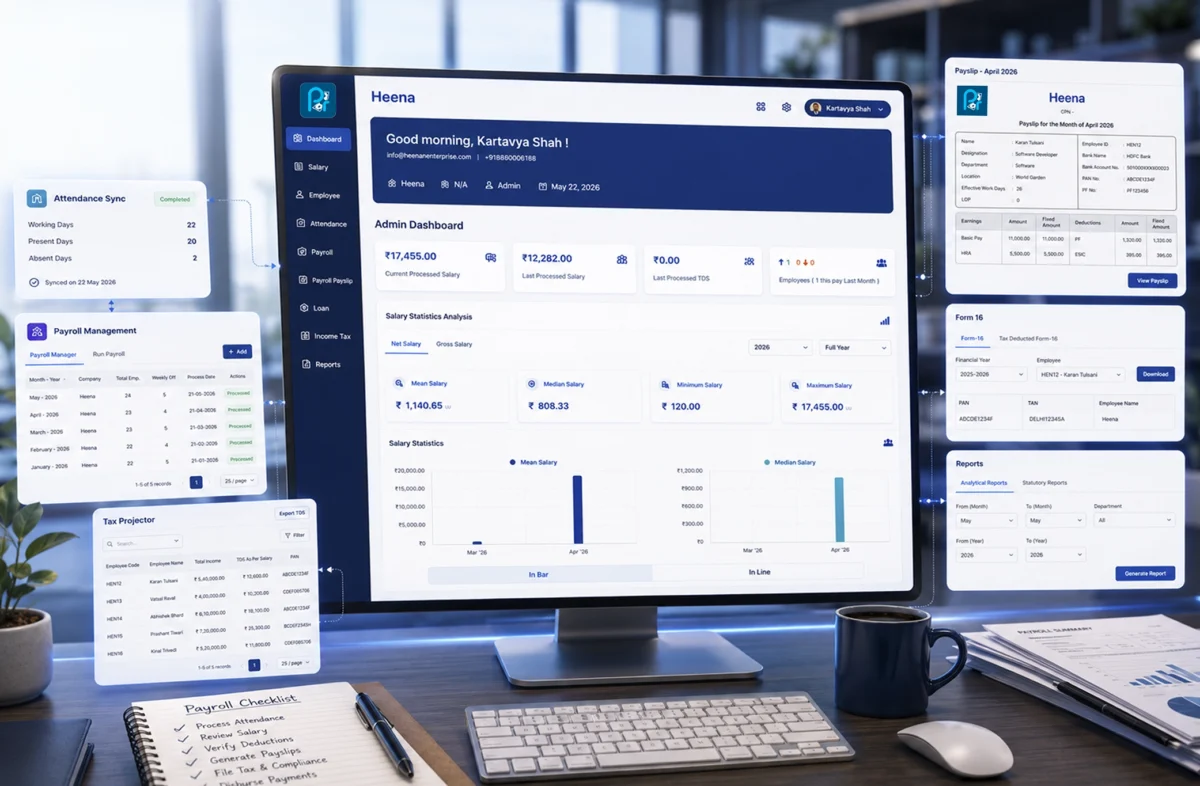
Are you comparing options? WeekMate’s payroll management software covers attendance sync, statutory compliance, and employee self-service in one place. Worth a look while you’re considering choices.

FAQs

1. What features should every payroll management software have?

At the very least, automated salary processing, attendance and leave integration, statutory compliance covering PF, ESI, PT, and TDS, employee self-service, payslip generation, and solid data security.

2. Is payroll software with attendance management necessary for small businesses?

Yes, even under 20 employees. Most calculation errors trace back to manual reconciliation between attendance and payroll, and that doesn’t matter how big the company is.

3. How much does payroll management software cost in India?

It costs around ₹50 to ₹150 per employee per month for cloud-based tools, but it varies depending on the services and features. In general, the cloud-based platform cost will increase if you go for a full enterprise package with compliance and HRMS at its core. Be sure to get an accurate quote by separating implementation and compliance update charges. These are common omissions in the quote.

4. Can payroll software handle multi-state compliance in India?

Most modern platforms can, but coverage isn’t identical across vendors. Confirm state-specific professional tax and labour law support for every state you actually operate in before signing anything.

5. How long does implementation usually take?

Basic installations of the software can get operational within a week. Though, companies with complicated pay and incentive structures, several business centers, or historical data transfer requirements need anywhere from two weeks to a month for the HRMS implementation to be smooth.

6. Should a startup use the same payroll software as an enterprise?

The answer is no, not really. Startups do better with simpler tools for basic needs and are deployed faster with less hassle. Enterprises need a deeper level of customization, multiple entities in the software at once, and role-based access controls stronger than those at any ordinary-level startups.
SAP vs WeekMate: Find the Best Workforce Management Software for Your Organization

Managing your workforce isn’t easy. You’re tracking attendance, planning shifts, handling leave, and running payroll – all at once. Miss a connection between these, and small mistakes turn into big headaches.

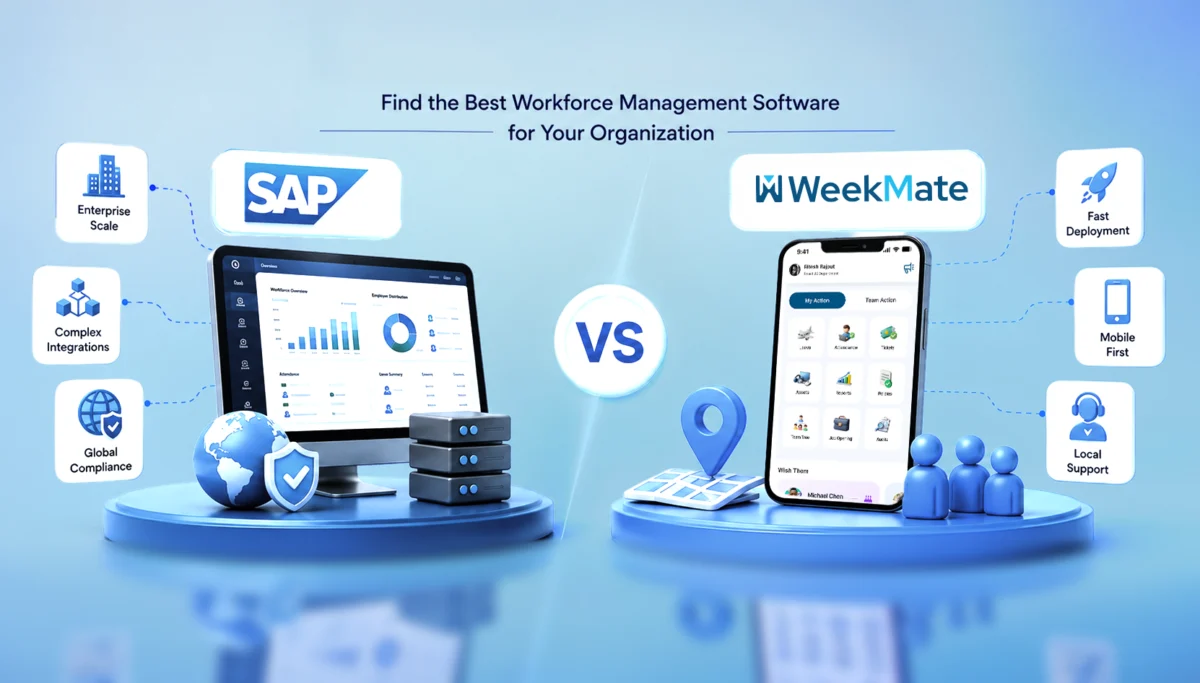
This is where the best workforce management software helps. Two names come up a lot: SAP and WeekMate. SAP is a large, global system. WeekMate is built for Indian businesses.

In this article, we’ll compare both SAP and WeekMate. You can pick what fits your business.

What Exactly Is Workforce Management Software?

A workforce management system helps you manage your people – when they clock in, where they’re working from, how shifts are planned, and how it all connects to payroll.

Most good platforms cover:

  • Tracking attendance (biometric, GPS, or app-based)
  • Shift scheduling
  • Leave management
  • Payroll integration
  • Workforce analytics, to spot things like absenteeism or overtime
  • Labour law compliance

Done right, this saves HR teams hours every week. And a wrong tool just adds more work.

SAP Workforce Management: A Quick Overview

As you all are mostly aware, SAP is one of the largest enterprise software companies in the world. Its workforce management tools usually come bundled with its broader SuccessFactors or ERP suite.

It’s built for large enterprises and multinationals – companies already running SAP for finance or HR at scale. It easily handles complex organizational structures and multi-country compliance. SAP really helps if you’ve got thousands of employees across many countries.

But for smaller businesses, it does not help much. Implementation takes months, costs add up fast, and the interface is not for very simple tasks. Like, someone just wants to mark attendance and move on.

It works best for companies with a dedicated IT team, a complex ERP already in place, and the budget for a long rollout.

WeekMate Workforce Management: A Quick Overview

WeekMate takes a different approach. It is an HRMS and payroll software in India built specifically for how businesses actually operate.

It is for SMEs, mid-sized companies, and growing businesses that need a system up and running fast, without hiring a small army of consultants.

Some of the features include attendance tracking (with GPS, geo-fencing, and face recognition included), shift scheduling, leave management, payroll sync, and a mobile app that works well for field and on-ground staff.

It’s mobile-first, so field employees and shift workers can mark attendance from wherever they’re working. Setup takes days, not months. And because it’s built with Indian compliance requirements in mind, HR teams don’t need to add on extra tools for statutory needs.

When something breaks or needs modifications, you have a local team to assist you. They understand the context, and you do not have to route a ticket through multiple time zones.

SAP vs WeekMate: Feature Comparison

Here’s the comparison between the two, feature by feature:

Feature SAP WeekMate
Employee Attendance Tracking Yes Yes
Shift Scheduling Yes Yes
Leave Management Yes Yes
Payroll Integration Yes Yes
Mobile App Yes Yes
GPS Attendance Limited, depends on the module Yes
Geo-fencing Limited Yes
Face Recognition Attendance Optional add-on Yes
Employee Self Service Yes Yes
HR Dashboard Yes Yes
Custom Reports Yes Yes
Ease of Use Moderate High
Setup Time Longer Faster
Customer Support Enterprise-level Dedicated local support
Pricing Higher Affordable

On paper, both check similar boxes. The real difference shows up in how fast you can get value out of it and how much it costs to get there.

Attendance Tracking: Where WeekMate Pulls Ahead

Attendance is where most workforce management tools either win or lose trust. SAP supports biometric and card-based attendance well, but GPS tracking and geo-fencing often depend on which module or add-on you’ve licensed, which means extra cost and extra configuration.

WeekMate builds these in from the start. GPS attendance, geo-fencing for site-based teams, and face recognition all come as part of the core offering. For businesses with field staff, delivery teams, or multiple work sites, this matters more than it sounds. It means real-time, proper attendance without combining separate tools.

Shift Scheduling and Workforce Planning

Both platforms handle rotational shifts, night shifts, overtime, and shift swapping. 

SAP’s scheduling engine is built for complex, rule-heavy setups such as union agreements or multi-shift factories with strict labour laws.

WeekMate keeps it simpler, without missing anything. Auto-scheduling, shift swaps, and forecasting are all there, just easier to use. For most mid-sized teams, that’s the right balance.

Payroll and HR Integration

This is where a disconnected system really lacks. If attendance doesn’t sync with payroll automatically, someone has to do the calculations manually. This is where mistakes happen.

Both SAP and WeekMate offer payroll integration, leave syncing, and centralized employee records. 

SAP’s strength is connecting payroll with a much broader ERP ecosystem: finance, procurement, inventory, all connected.

WeekMate focuses specifically on getting attendance-to-payroll automation right. For a business that isn’t running a full ERP, it is all that is needed.

User Experience and Implementation

SAP usually means an enterprise-level setup. Dedicated training and onboarding that can take weeks or months.

WeekMate is simple and quick to deploy. Training takes little time, and teams pick it up fast since it doesn’t feel like learning something new.

Which Businesses Should Choose SAP?

SAP makes sense if you’re:

  • A large enterprise or multinational
  • Already running other SAP modules and need tight integration
  • Operating across multiple countries with complex compliance needs
  • Backed by a large IT team that can manage ongoing configuration

Which Businesses Should Choose WeekMate?

WeekMate tends to be the better fit for:

  • SMEs and mid-sized companies
  • Startups that want to move fast without heavy IT support
  • Manufacturing, healthcare, retail, logistics, and education sectors
  • Field workforce and multi-location businesses that need mobile-first tracking

Pros and Cons at a Glance

Let’s take a look at some of the pros and cons:

SAP

Pros: Enterprise-grade capabilities, advanced integrations, strong global presence, extensive modules for large organizations.

Cons: Expensive, complex implementation, and a longer learning curve for everyday users.

WeekMate

Pros: Easy to use, affordable, fast deployment, strong attendance tracking, mobile-friendly, local support, and scalable as your team grows.

Cons: Fewer advanced ERP-level modules compared to SAP, though for most SMEs, this isn’t a gap that’s actually felt day-to-day.

Why WeekMate Is a Strong SAP Workforce Management Alternative

If SAP feels like overkill for where your business is right now, WeekMate is worth a serious look. It brings faster implementation, lower overall cost, a genuinely modern interface, and mobile workforce management that’s built for how Indian teams actually work on the ground.

Add in attendance automation that just works, and support that understands local compliance without you having to explain it every time.

Final Thoughts

SAP earns its reputation for a reason. It’s built for huge-scale businesses with complex ERP needs. But for startups, SMEs, and growing companies in India, that scale often adds more baggage than benefit.

WeekMate is simple, affordable, and grows with your business, without the long rollout or the high price tag.

Look at where your business actually is today. Not where it might be in five years. If you need something that gets your team running fast, WeekMate is worth a look.

FAQs

1. Can WeekMate handle growing or multi-location businesses?

Yes. WeekMate works well for SMEs, startups, and mid-sized businesses, including ones with multiple branches or field teams. It’s built to grow with your team, so you won’t need to switch systems later. Very large, multi-country enterprises may still prefer SAP, but for most growing businesses in India, WeekMate does the job well.

2. Does WeekMate support GPS and geo-fencing attendance?

Yes. GPS attendance and geo-fencing come built into WeekMate’s core offering, along with face recognition attendance. No separate add-ons needed.

3. How long does WeekMate take to implement compared to SAP?

WeekMate typically gets businesses up and running within days. Due to the scale and complexity, SAP implementations take several weeks to months.

4. Is WeekMate a good alternative to SAP for Indian businesses?

For businesses focused on the Indian market with mobile, field-based, or multi-location teams, WeekMate offers a faster, more affordable, and locally supported alternative to SAP’s workforce management capabilities.

5. Which is more cost-effective – SAP or WeekMate?

WeekMate is generally more affordable, especially for SMEs, since it avoids the licensing, consultant, and long-term maintenance costs. These costs are typically associated with SAP implementations.

5 Key Trends in Payroll Management Software Every Modern Business Should Know

Most businesses don’t think about payroll  until something goes wrong. And when it goes wrong, everyone notices. An employee gets paid late, a tax filing gets missed, a deduction is calculated incorrectly. What sounds like a minor administrative hiccup can very quickly become a trust issue. That’s exactly why payroll management software has gone from a nice-to-have to something businesses genuinely depend on.

Payroll automation has made it possible to handle wages, compliance, and employee payments without the manual back-and-forth that used to define the whole process. Platforms like WeekMate are part of this shift. WeekMate HRMS and other tools that connect payroll to the broader way modern businesses manage their people.

What is Payroll Automation?

Payroll automation is software doing repetitive payment calculation. No need for manual intervention and copying data from different systems. A good software connects with task management, Sales and other tools to integrate data and present accurate calculations.            

The key components most businesses care about include:

  • Salary and wage calculations tied directly to attendance or timesheet data
  • Tax deductions that stay aligned with current regulations without manual updates
  • Compliance filings processed automatically rather than manually tracked
  • Benefits adjustments handled without separate data entry each cycle

Together, these form the foundation of solid employee payroll management. When the system works, employees get paid correctly every time. When it doesn’t, you hear about it before the end of the day.

The shift away from legacy systems has been gradual but real. Traditional payroll relied on disconnected tools. It involved manual data entry. Teams focused on reactive fixes after something broke. Modern payroll solutions work differently. They’re proactive, integrated, and built to flag problems before they become actual payroll errors.

Why Businesses Are Adopting Payroll Automation?

The reasons are practical.

Processing payroll by hand takes a lot of time

HR and finance teams can spend an entire week per month on payroll-related tasks. Good software handles in an hour. So the time savings argument is compelling on its own, but it’s not the only one.

Manual entry makes mistakes

A business with 50 employees where someone accidentally inputs the wrong overtime rate for a busy holiday week? That single error can ripple through the entire pay cycle. It takes hours to untangle. Multiply that by several months. The cost adds up quickly. Not just in correction time but in eroded employee trust.

Labor laws and tax regulations change

Staying current with those changes is practically a part-time job. Automated systems absorb regulatory updates in the background, so compliance doesn’t depend on someone remembering to check.

For growing businesses, scalability matters

Going from 20 employees to 150 shouldn’t require rebuilding your entire payroll process from scratch. The right automation grows with you.

5 Key Trends in Payroll Automation

AI-Powered Payroll Processing

AI in payroll isn’t a future concept at this point. It’s already doing real work, and the applications are useful in ways that matter day-to-day.

  • The most practical use is error detection: AI systems can flag anomalies before payroll runs. It catches unusual hours or irregular deductions, or data inconsistencies that a human reviewer might miss.
  • Predictive analytics take it further: It lets finance teams model payroll costs against hiring plans or projected busy seasons.
  • Salary benchmarking angle: AI can surface compensation patterns across teams. Algorithms can identify equity gaps. It suggests adjustments based on available market data.

So it’s not just about processing payments faster. It’s about making better decisions using data you already have.

Cloud Based Payroll Systems

Cloud infrastructure changed what payroll software can actually do.

  • Remote access
  • Real-time data updates
  • Automatic backups
  • Security managed at the infrastructure level

These are now the baseline expectations for any modern payroll management software worth considering.

The rise of SaaS-based payroll management software brought that capability to businesses of all sizes. No more subscribing to expensive on-premise installations and ongoing IT overhead. Companies now subscribe to a platform that scales with them. No version upgrade headaches, no manual patch cycles.

WeekMate is built on this foundation. The platform connects payroll, scheduling, and attendance data in one place. Because it’s cloud-based, teams can access it from anywhere.

 For businesses managing distributed teams, that kind of accessibility is a practical requirement.

Real-Time Payroll and On-Demand Payments

The bi-weekly pay cycle made sense when payroll ran on paper and manual processing took days. It makes less sense now that technology can calculate and disburse payments in a fraction of that time.

A growing number of employees (hourly workers or freelance experts) want access to their earned wages when they need them. Not when the calendar allows.

On-demand pay addresses that genuine problem Financial stress between pay cycles is real. It affects how people show up at work.

You’ll notice this trend appearing first in industries with high turnover, like hospitality and logistics. Here flexible pay has become a retention tool. But it’s spreading. Offering access to earned wages turns out to be one of the more impactful improvements to employee experience that payroll automation trends have introduced.

Compliance Automation and Regulatory Updates

This is where automation does something manual processes genuinely cannot: stay current automatically.

Tax tables update. Minimum wage rates change. New statutory requirements come into effect. Keeping track of all of that across every location a business operates in is difficult.

And missing a change isn’t just inconvenient. It can mean penalties, incorrect payments, and corrections that need to go back several pay cycles.

Modern payroll systems handle regulatory changes in the background.

  • Tax calculations update
  • Filing deadlines are tracked
  • Compliance logic adjusts without the HR team manually implementing each change

That reliability is hard to quantify until something goes wrong and you realize the system caught it before it became your problem.

Integration with HR and Business Systems

Payroll doesn’t operate in isolation, even when it’s treated that way.

Think about what happens when payroll runs on a completely separate system from attendance tracking. Someone has to export hours from one tool. Import them into another. Check that the transfer worked correctly. And hope nothing got dropped.

That’s a workflow held together by manual handoffs. And manual handoffs create errors.

Integration removes those gaps. When payroll connects directly to your HRMS, time-tracking tool, and accounting software, data flows automatically between them.

  • New hires added to HR appear in payroll immediately.
  • Hours logged in scheduling sync directly into wage calculations.
  • Terminations trigger final settlement workflows without a manual hand-off.

The result is a unified approach to employee payroll management. It cuts down on friction and gives business leaders a complete picture of labor costs without pulling data from several different places.

Benefits of Adopting Modern Payroll Solutions

When you add it all up, businesses that move to automated payroll consistently see similar outcomes:

Benefit

What It Actually Means

Operational efficiency

HR and finance teams spend less time on admin and more on actual work

Improved accuracy

Fewer errors, fewer corrections, fewer conversations with frustrated employees

Cost savings

Less time on manual processing and compliance fixes adds up over time

Better reporting

Clear visibility into payroll costs, headcount data, and workforce trends

Employee trust

Getting paid correctly and on time, every time, is more powerful than it sounds

That last point is worth holding onto. Payroll errors feel personal to employees in a way that other operational hiccups don’t. Consistent accuracy builds quiet, steady trust. And trust is hard to rebuild once it’s gone.

How WeekMate Supports Payroll Automation?

WeekMate treats payroll as part of a larger workforce picture rather than a standalone function.

The platform connects payroll calculations directly to attendance and scheduling data. So payroll isn’t starting from a manual export. It’s pulling from live, up-to-date information.

Compliance management adjusts to relevant labor regulations automatically. Integration with HR and accounting tools keeps the data connected.

But what makes WeekMate different from older tools is the combination of usability and scalability. It’s designed for businesses that are actively growing. The platform handles growing complexity without requiring a large implementation project every time the business changes.

Choosing the Right Payroll Automation Tool

There’s no single right answer here, but there are a few questions worth asking before committing to any platform:

  • Scalability: A tool built for 30 employees should still work well at 200 without a major overhaul.
  • Ease of use: A powerful system that sits underused because it’s confusing isn’t solving anything.
  • Integration capability: The value of automation multiplies when it integrates with your HR, time-tracking, and accounting systems.
  • Compliance management: Make sure the platform stays current with regulations specific to your locations and industry.

Choosing the right payroll management software is really about operational fit. The most feature-rich platform available is only worth something if it works the way your business actually runs. A smaller, well-integrated tool will outperform a bloated one your team avoids.

Future of Payroll Automation

A few directions seem fairly clear from where things stand now.

AI will take on more of the analytical work, moving payroll systems from reactive processing toward genuinely predictive decisions. Salary modeling, cost forecasting, and anomaly detection will become standard rather than premium features. Personalization will increase too. Employees will have more say in how and when they access their compensation.

Global payroll capabilities will keep improving. As more businesses operate across borders, managing compliance in multiple countries from a single platform will stop being a specialized capability and become an expected one.

And the payroll automation trends that feel somewhat new today will be the baseline expectations within a few years. Businesses that build on modern infrastructure now won’t be scrambling to catch up when that shift fully arrives.

FAQs

1. What is payroll automation and how does it work?

Payroll automation uses software to calculate wages, apply tax deductions, handle compliance filings, and send payments without manual processing at each step. Most systems connect to attendance and HR data so the cycle runs with minimal input once it’s configured properly.

2. Why should small businesses invest in payroll management software?

Even small teams benefit from the reduction in errors, time savings, and compliance protection. SaaS platforms have made this accessible to businesses without large IT budgets. You don’t need to be a 500-person company to get reliable, automated payroll.

3. What are the main payroll automation trends businesses should follow?

The ones worth paying attention to right now are AI-powered processing, cloud-based platforms, on-demand pay, automated compliance management, and integration with HR and accounting systems. These aren’t trends in the speculative sense. They’re changes are already reshaping how businesses operate.

4. How does payroll automation improve employee satisfaction?

Accurate, on-time payments are foundational to how employees feel about their employer. Automation reduces errors and delays. On-demand pay gives employees more flexibility with earnings they’ve already worked for. Both have a measurable impact on retention, which businesses with high turnover tend to discover fairly quickly.

5. Is cloud-based payroll software secure?

Reputable platforms invest heavily in encryption, access controls, and compliance certifications. For most small and mid-sized businesses, cloud infrastructure offers stronger security than local on-premise systems, especially without a dedicated IT security team managing them.

6. How does WeekMate support workforce management technology?

WeekMate connects payroll with scheduling, attendance, and HR in one platform. Rather than managing separate tools that require manual data transfers between them, businesses get a unified view of their workforce and a payroll process that draws from live data automatically.

Payroll Management Explained: Process, Components & Best Practices

For most employees, payday is personal. It’s the moment their effort turns into something tangible: security, savings, and stability. For businesses, however, payroll management is a complex operational responsibility that requires accuracy, compliance, trust, and timely execution. One missed detail can lead to unhappy employees, legal trouble, or financial chaos.

At its core, payroll management ensures employees are paid correctly, on time, and in compliance with applicable laws. But it’s much more than transferring salaries. This guide will help you understand how payroll management works, why accuracy and compliance are vital, and what it takes to run payroll smoothly at scale. We will also analyze the payroll management process, discuss necessary tools, and share business insights from the real world.

In this blog, we break down what payroll management really involves, from understanding the complete payroll management process and key payroll components to exploring common challenges and practical payroll management best practices. You will also learn how an advanced payroll management system simplifies salary processing, enhances compliance, and improves the employee experience, enabling businesses to manage payroll with confidence and clarity.

What Is Payroll Management?

Payroll management is the process of calculating, paying, and managing employee wages, salaries, bonuses, and deductions while ensuring compliance with tax laws and labor regulations.

Most organizations entrust payroll to HR teams, finance departments, or payroll specialists. Small businesses usually do it as a shared responsibility. Regardless of ownership, administering payroll requires accuracy, repeatability, and a deep understanding of labor laws.

Beyond employee payments, effective payroll management supports budgeting, compliance reporting, and organizational trustworthiness.

Importance of Payroll Management

According to the 2024 Deloitte Global Payroll Survey, more than 70% of organizations recognize that payroll accuracy is a key factor in employee trust and retention. Doing payroll correctly is not just a back-office job; it directly affects the business’s health.

Accurate payroll is the primary way to ensure employees receive what they deserve, thereby building trust and minimizing conflicts. From a compliance perspective, it shields businesses from penalties for tax filings, provident fund contributions, and labor law violations.

On the other hand, from a financial perspective, on-track payroll systems enable leaders to estimate costs, plan cash flow, and produce reliable payroll reports for audits and strategic decision-making.

Payroll Management Process (Step-by-Step)

Understanding the steps involved in payroll management helps businesses eliminate confusion and errors. Clearly, the payroll management process provides structure to a task that can be quite overwhelming from a different perspective. Using a modern payroll solution like WeekMate HRMS Software further simplifies these steps by automating workflows and reducing manual intervention.

Step 1: Employee Data Collection

Employee information is the starting point for payroll. In addition to the employment contract, employee data must be collected, including addresses, tax information, and bank account details. Earnings depend on the role and branch, and on whether the person has a part-time or full-time contract, which is why this step is the basis of the entire payroll cycle.

Step 2:  Attendance, Leave & Time Tracking

Attendance figures directly impact the amount going to the employee’s account. Thus, the calculation is influenced by overtime, shifts, unpaid leave, and other factors. The connection is between the workforce activities and the payroll process for the employees.

Step 3:  Payroll Calculation

This is the moment when calculations bring satisfaction. An employee’s gross wage is calculated by combining basic pay, allowances, and incentives. The payroll calculation process must be followed and documented for any variable pay. Mistakes in this stage usually have a domino effect on the rest of the payroll cycle.

Step 4:  Deductions & Taxes

The deductions also include the mandatory ones, such as PF, ESI, professional tax, and income tax. A few voluntary ones may be in the form of loan instalments. Giving employees confidence by handling their deductions and allowances accurately is critical to compliance.

Step 5:  Salary Disbursement

Employee salaries are transferred to their respective bank accounts after approval. Pay slips are created, showing earnings, deductions, and net pay. It is the most straightforward outcome of payroll processing steps that employees generally see.

Step 6:  Payroll Reporting & Record Keeping

Listening to the sound of accurate records, audits, compliance checks, and future analysis is supported. Payroll reporting serves as a guardian of transparency and helps protect organizations during inspections or disputes.

Key Components of Payroll Management

ADP figures show that nearly 49% of payroll errors are due to manual data entry, underscoring the need for automation. By understanding the components of payroll management, businesses can assess the depth of their systems.

Employee information management involves maintaining personal and statutory records. Earnings are composed of basic pay, allowances such as HRA or DA, and performance bonuses. On the contrary, deductions consist of statutory obligations and internal recoveries.

Taxation and compliance ensure all filings are completed accurately and on time. Additionally, documentation such as pay slips, Form 16, and payroll summaries supports transparency and governance. When combined, these payroll elements act as the foundation for salary processing to be carried out lawfully and predictably.

Typical Issues in Payroll Processing

Even established businesses face payroll issues that can silently undermine accuracy, compliance, and employee confidence if not managed properly. Some of the biggest issues are:

  • Human errors and miscalculations from a spreadsheet-based or partially manual payroll process, adding to the possibility of erroneous salary payments
  • Frequent changes in compliance, such as tax laws and labour regulations, put pressure on the payroll administration team to stay up to date at all times.
  • Risks associated with data security arise from payroll processing systems that store sensitive employee information, including bank details, tax information, and salary records.
  • Complex payroll operations for distributed teams, where managing payroll across multiple locations, states, or time zones adds layers to the payroll cycle
  • Lack of process visibility makes it difficult to identify problems, obtain necessary approvals, and retrieve past payroll reports.

Best Practices In Payroll Management

Good payroll management is not so much about complexity as about establishing stable, dependable systems that scale with the business. With tools like WeekMate, organizations can implement reliable payroll workflows that grow alongside their operations. The good practice recommendations are:

  • Standardizing payroll workflows to ensure the same payroll processing steps are followed every payroll cycle, reducing dependency on individuals
  • Automating payroll calculations through a reliable system to minimize human errors and speed up the payroll calculation process
  • Staying updated with compliance laws by regularly reviewing statutory requirements, tax rules, and government notifications
  • Maintaining accurate employee records with periodic audits to ensure payroll components, deductions, and allowances are always correct
  • Ensuring data security and access control by limiting payroll system access and protecting sensitive information, supporting the management of payroll efficiently

Manual Payroll vs Automated Payroll Processing

Manual payroll relies on spreadsheet-based calculations and manual processing, which increases risk as organizations grow and payroll volume rises. Without a clearly defined payroll management process, missed entries, incorrect formulas, and compliance gaps can easily creep into day-to-day payroll administration.

By contrast, automated payroll is fully automated in the necessary payroll processing steps, with less reliance on manual work and more standardized calculations. When businesses automate the payroll calculation process, they can boost accuracy, compliance, and gain visibility in real-time throughout payroll cycles—enabling them to take a more secure, sustainable route in managing payroll.

A detailed understanding:

Feature

Manual Payroll

Automated Payroll Processing

Core Method Relies on spreadsheet-based calculations and heavy manual processing. Uses fully automated software to handle necessary processing steps.
Accuracy Prone to human error, including missed entries and incorrect formulas. High accuracy due to standardized, system-driven calculations.
Risk Level High: Risk increases significantly as the organization grows and payroll volume rises. Low: More secure and sustainable; reduces reliance on fallible manual work.
Compliance Susceptible to compliance gaps due to a lack of clearly defined processes. Boosts compliance by automatically adhering to regulatory standards.
Visibility Limited; often opaque during processing. Real-time visibility throughout the entire payroll cycle.
Scalability Difficult to scale; becomes chaotic without defined management processes. Scalable; designed to handle volume growth efficiently.

Significance of Payroll Management System

As organizations become increasingly complex, they rely more on a solid payroll management system to provide structure/reliability for their payroll process. A best-practices solution will automate salary calculations, manage statutory compliance, and minimize bottlenecks in the end-to-end payroll management process.

Going beyond automation, the best software integrates key payroll elements earnings, deductions, compliance filings, and reporting—into a single centralized solution. A well-executed payroll management system will serve as the foundation for an efficient payroll that enhances accuracy and scalability.

How Payroll Management Affects Employee Experience?

Although employees may never have visibility into the backend systems, they still see the benefits of good payroll management every pay cycle. A dependable payroll service enhances the experience of employees by:

  • Providing on-time and accurate salary payments, resulting in increased trust.
  • Providing transparent pay slips with clear explanations of payroll components.
  • Reducing disputes through a consistent payroll calculation process
  • Establishing trust with regimented, reliable payroll processes.

How to Find the Best Payroll Solution?

You need to consider your current needs versus your growth potential when choosing the right payroll service. Companies should consider solutions based on:

  • The complexity of their payroll management process and workforce size
  • Capacity to facilitate compliance with changing statutory regulations.
  • Scalability of the payroll management system as the organization grows
  • Alignment with proven payroll management best practices
  • Cost efficiency without adding to payroll administration burden.

The right solution should simplify payroll, not complicate it.

Final thoughts

Fundamentally, payroll management is about trust, compliance, and predictability. Businesses can have confidence in their ability to administer payroll as they grow by clearly defining the payroll management process, maintaining strong knowledge of critical payroll elements, and applying payroll best practices.

Whether you’re doing payroll manually or with an up-to-date payroll system, investing in robust, accurate processes and automation today will save you money on costly mistakes later. When payroll is successful, staff are engaged, and organizations develop enduring sustainability and trust.

Frequently Asked Questions (FAQs)

1. What is the payroll management process?

The payroll management process is a recurring cycle that includes collecting employee data, calculating salaries and deductions, processing payments, and generating payroll reports for every pay period.

2. What is included in payroll?

Payroll typically includes employee salary or wages, statutory and voluntary deductions, employee records, compliance filings, and payroll-related documents such as pay slips and reports.

3. What is the best frequency to do payroll?

Most companies process payroll on a monthly basis, while some organizations prefer weekly or biweekly payroll depending on workforce structure and business requirements.

4. Is there an automated way to manage payroll?

Yes. Automated payroll systems help reduce manual errors, ensure statutory compliance, and simplify salary processing, reporting, and record management.