No HRMS is meant to last forever. What worked for your team three years ago may not work well today. And that’s a natural part of business growth.
Right now, many companies using SAP SuccessFactors are asking a simple question: does this platform still fit the way we work? Is it still the best HRMS software in India for our needs? Maybe it’s become harder to manage. Maybe the costs no longer make sense. Or maybe your team simply wants something faster to set up and easier for employees to use.
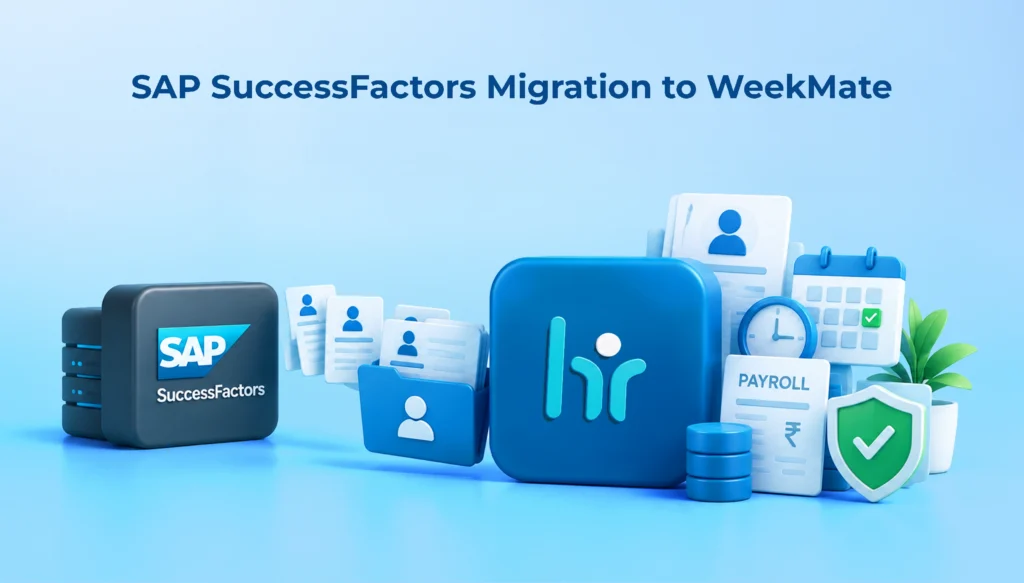
If any of that sounds familiar, you’re probably already looking into a SAP SuccessFactors migration. This guide covers why businesses make the switch, what actually goes into the process, and how WeekMate fits in as an option worth considering.
Why Businesses Consider Moving From SAP SuccessFactors
SAP SuccessFactors is a good enterprise HRMS solution. However, capability is not the same as fit. Here are a few reasons why businesses should consider other options.
- Increasing HR process complexity: As organizations use more of SuccessFactors’ modules, the configuration and maintenance process can become more involved, which may be too much for smaller HR teams.
- Licensing and cost issues: Enterprise-grade platforms frequently have enterprise-grade pricing. This cost may not be proportional to the value SMEs and mid-sized companies get out of it.
- Problems with the platform’s adaptability to specific needs: Some businesses may struggle to customize the platform to their specific workflows, particularly without support from third parties or comprehensive setup.
- Issues with user experience and employee adoption: When it is hard for employees to navigate the interface, self-service adoption decreases. And then HR teams must take care of requests manually anyway.
- Need to keep HR operations simple and implement faster: When companies are growing, they most likely want an HRMS that can be implemented within the shortest time and without a long project lifecycle.
Any of these factors on their own or in combination could be enough for a company to change its decision and consider alternatives to SAP SuccessFactors that better match its day-to-day activities.
What Is an HRMS Migration?
HRMS software migration is the process of moving your HR data, configurations, and workflows from one platform to another. It’s more than a simple export-import exercise.
A typical migration includes moving:
- Employee records and personal details
- Payroll-related information
- Attendance and leave history
- Performance and lifecycle data
- Organizational structure and role hierarchies
Also, it is important to understand the differences between data migration and complete HRMS implementation.
Data migration is basically ensuring that all information is transferred correctly. Implementation consists of a larger view: not only installing a new system but also creating procedures, detailing who approves what, and preparing your staff to effectively use the system.
Only when both migration and implementation are done the right way can a good transition be achieved.
When Should You Consider an HRMS Migration?
Not every business needs to migrate immediately. But certain signs suggest it’s time to evaluate options seriously:
- Your existing system no longer fits how your business actually operates
- Operational or software costs are rising without a corresponding increase in value
- Employees show poor adoption of self-service features
- The platform offers limited flexibility for your specific processes
- You need better automation and reporting than what you currently have
- Your business is expanding, or your HR requirements are changing faster than your current system can accommodate
If two or more of these apply to your organization, it’s a reasonable time to start evaluating a migration.
Benefits of Migrating From SAP SuccessFactors to WeekMate
1. Simplified HR Operations
Everything stays in one place. You don’t need to navigate between systems to retrieve employee information or update the same information in several systems. Onboarding, leave approvals, and other mundane tasks can be managed easily.
2. Better Fit for Growing Businesses
WeekMate is not for enterprise giants; it is designed with SMEs and scaling companies in mind. It is capable of growing at your pace and not bringing the added hassle of larger platforms.
3. Improved Employee Self-Service
Payslips, leave, and attendance can be viewed by employees independently. Less email and tickets in HR’s inbox, and more time available for some human interaction.
4. Streamlined Payroll and Compliance
All payroll, attendance, and leave are in one connected system, not three. This reduces the amount of back-and-forth that happens at the end of the month and helps to ensure statutory compliance.
Also Read: How HRMS Software Simplifies Labour Law Compliance
5. Better Cost Predictability
When businesses look into switching, ultimately they want to know what they are paying for. That’s what WeekMate’s pricing is designed around; no hidden extras or unexpected increases in rates when you use it.
6. Faster HR Decision-Making
Everything’s centralized, and reporting is built in, so leadership doesn’t have to run around for data at 5 different locations. Insights appear as ideas when they are needed.
SAP SuccessFactors Migration Checklist
A structured checklist helps keep the migration organized and reduces the risk of missed steps:
- Define migration objectives
- Audit existing HR data
- Identify required HR processes
- Map existing data fields
- Clean and validate employee data
- Decide which historical data needs to be migrated
- Map integrations and dependencies
- Configure the new HRMS
- Test migrated data
- Conduct user acceptance testing
- Train HR teams and employees
- Plan the go-live process
- Monitor the system after migration
Employee Data Migration Best Practices
Data quality determines how smooth your migration will be. Keep these practices in mind:
- Clean duplicate or outdated employee records before moving anything
- Standardize data formats across systems so fields match correctly
- Map fields carefully between the old and new systems
- Protect sensitive employee information throughout the process
- Validate migrated data before go-live, not after
- Maintain backups and a rollback plan in case issues arise
- Migrate only the historical information that’s actually relevant going forward
Skipping any of these steps is one of the most common reasons migrations run into trouble later.
HRMS Implementation Best Practices After Migration
Migrating the data is just a fraction of the job. Once the system is in place, it’s up to what happens after that to make the new system a valuable tool for HR.
- Do not replicate old HR workflows; begin with clearly defined ones instead.
- Set up the roles and access permissions as per the organization’s requirements
- Set up clear approval processes for leave, expenses, and other requests
- Thoroughly train HR admins before implementing on the broader team.
- Implement employee self-service slowly, instead of immediately, all at once.
- Keep track of adoption and system performance during the first few months.
- Continuously alter workflows based on employee feedback
Common Challenges in SAP SuccessFactors Migration
Migrations rarely go perfectly, and that’s fine as long as you know what to expect.
Incomplete or messy employee data is probably the most common snag. Fix it with a proper data audit and cleanup step before migration starts, not halfway through.
Data mapping issues trip people up too. A clear mapping document, built with someone who knows both systems, saves a lot of confusion later.
Integration dependencies can catch teams off guard. List out everything connected to your current HRMS, payroll processors, biometric devices, accounting tools, and check compatibility early.
Employees resisting the change is natural. Explain why it’s happening and bring people in early, instead of announcing a new system days before go-live.
Downtime worries a lot of businesses. Migrate in phases and time the cutover for a quieter period, ideally away from payroll cycles.
Skipping proper testing causes trouble down the line. Run parallel tests with real scenarios before fully switching over.
Not training people enough is an easy mistake to make. Build training into the timeline as a fixed step, not something squeezed in at the end.
WeekMate as a SAP SuccessFactors Alternative
WeekMate covers the core functions most businesses need from an HRMS:
- Centralized HR management
- Employee lifecycle management
- Attendance and leave tracking
- Payroll management
- Employee self-service
- HR reporting and analytics
- Scalable HR processes
The goal is not to position WeekMate as overall better than SAP SuccessFactors. Rather than being a general-purpose solution, the system caters to a specific set of enterprises, mostly those that desire operational ease of use, quick implementation, and a platform that evolves with the business without the need for complex customization for each new functionality. If an organization aligns well with this description, WeekMate is quite likely their ideal operational system.
💡 Related Guide: Trying to decide whether to stick with an enterprise giant or switch to a modern solution? Read our full breakdown: [SAP vs WeekMate comparison].
A Business That Made the Right Call Early
A mid-sized manufacturing firm was looking for a new HRMS. SAP SuccessFactors was on their list. It looked solid on paper. But once they looked closer, a few things stood out.
The implementation would take a while. The pricing felt built for a much bigger company. And it looked like their HR team would spend more time managing the platform than actually helping employees.
So they kept looking, and WeekMate came up next.
This felt like a better fit. Payroll, attendance, and leave all sat in one place instead of separate tools. Self-service looked simple enough that employees wouldn’t need help figuring it out.
They selected WeekMate, and it turned out to be as they hoped. From the outset, Payroll and attendance were linked, and there was no manual reconciliation. Staff were adept at using self-service for items such as leave applications and payslips. HR received clear reports without having to extract data from various locations.
It’s a good reminder for businesses comparing options today. Sometimes the answer isn’t switching away from a platform you’re already using. It’s spotting early that it was never quite the right fit, and choosing something that is.
How to Plan a Smooth HRMS Migration to WeekMate
A well-designed migration approach minimizes risk and maintains a controlled migration process:
- Evaluate: Assess the existing HRMS system, problems faced in the current system, and requirements of a new system.
- Plan: Have a realistic timeline, assign someone who is responsible, and define what success will look like.
- Clean: Before mapping employee data to the new system, audit and clean data.
- Map: Compare data fields and processes of old and new platforms.
- Configure: Configure WeekMate for your HR workflows and organization.
- Migrate: Transfer the cleaned, mapped data to the new system.
- Test: Test the migrated data and test scenarios to identify problems before go-live.
- Train: Train HR administrators and employees to use the new system confidently.
- Go Live: Launch the new system, ideally in a phased or low-disruption window.
- Optimize: Track usage and performance, and make adjustments to workflows as feedback is received.
Conclusion
The decision to move away from SAP SuccessFactors should be driven by what your company truly needs, not simply the attraction of a new solution. Take the right approach, and from the initial data audit to fine-tuning after implementation, most of the risk will have disappeared.
A good HRMS goes beyond being a storage of all employees’ names and digits. It should assist you in doing your HR operations efficiently and easily and also grow with your business. And the employees who are end-users of the system should make proper use of it. Organizations that have already decided to work through this shift are not just using some other software. Instead, they have found an easier method to manage HR, and that’s just one fewer thing for management to worry about.