Somewhere around the third invoice, most Indian businesses start Googling “HubSpot alternatives.” Not because HubSpot is bad software. It genuinely isn’t. But a tool built for the US mid-market doesn’t always translate cleanly to a 12-person sales team in Pune tracking IndiaMART leads and following up over WhatsApp.
It’s a pretty typical situation; you can just call it a HubSpot CRM scenario. A founder loves HubSpot’s free CRM, but when they want automation and a second pipeline or WhatsApp messaging, it’s a dead-end. Then, in addition to the free CRM, they receive a quote for a pro tier, an up-front registration fee, and the per-seat pricing wasn’t disclosed during signup. It’s when someone would typically go to a new tab and begin to compare.
This guide reviews ten CRMs worth comparing: what each one does really well, where it’s not good, its approximate pricing, and who it would be good for. One honest note before we dive in: SaaS pricing changes often, sometimes every quarter.
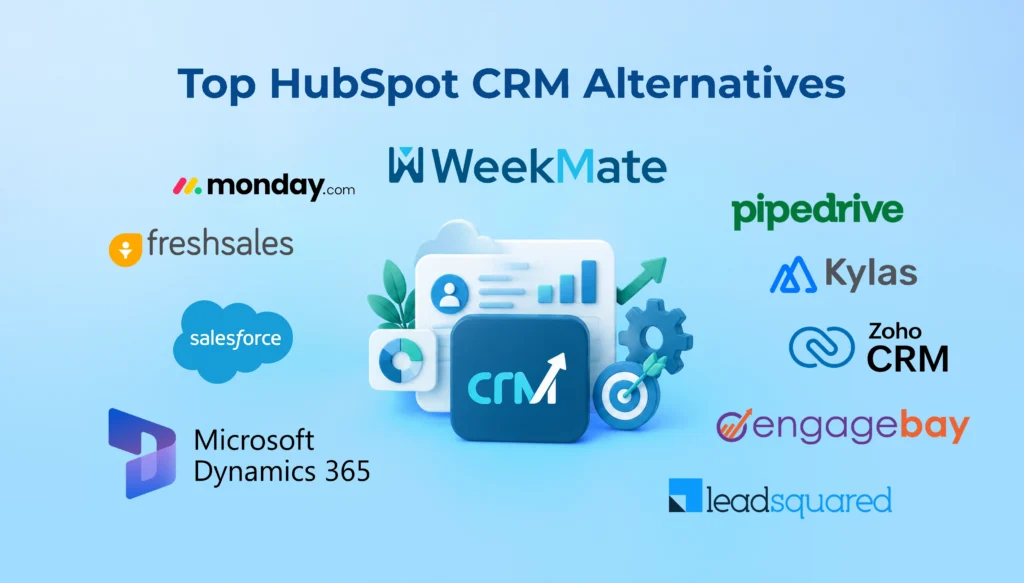
What Are the Best HubSpot Alternatives? (Quick Answer)
|
CRM |
Best For |
Starting Price (approx.) |
Rating |
|
WeekMate CRM |
Indian SMBs and service-led teams |
₹400/user/month |
4.6/5 |
|
Zoho CRM |
Growing businesses on a budget |
~₹1,330/user/month |
4.3/5 |
|
Freshsales |
Sales teams wanting built-in calling |
Free up to 3 users, then ~₹855/user/month |
4.5/5 |
|
Pipedrive |
Pipeline-first sales teams |
~₹1,330/user/month |
4.5/5 |
|
Salesforce Sales Cloud |
Enterprise and complex sales orgs |
~₹2,375/user/month |
4.4/5 |
|
monday CRM |
Project-driven, visual teams |
~₹1,140/seat/month (3-seat minimum) |
4.5/5 |
|
EngageBay |
Budget-conscious small teams |
~₹1,210/user/month |
4.6/5 |
|
Kylas CRM |
Indian startups wanting flat pricing |
₹12,999/month flat, unlimited users |
4.8/5 |
|
LeadSquared |
High lead-volume businesses |
~₹1,250/user/month |
4.7/5 |
|
Microsoft Dynamics 365 |
Large enterprises on Microsoft stack |
~₹6,175/user/month |
4.4/5 |
The ratings and prices mentioned above are averages taken from public review platforms and vendor websites as of late 2026. Actual prices can vary based on various factors such as the number of users, billing period, and region. So, before planning your budget, it is best to contact each vendor directly.
Why Businesses Switch from HubSpot
HubSpot rarely loses customers over one big complaint. It’s usually death by a thousand small ones.
- Rising Subscription Costs: The free CRM is genuinely useful, and Starter is reasonably priced. But the jump to Professional, especially on Marketing Hub, is steep. Teams that started at $20 a month often find themselves quoted well over $800 once they need real automation.
- Paying Extra for Automation: Basic workflows exist on Starter, but the automation most sales teams actually need, like lead scoring, sequences, and territory rules, sits behind Professional or Enterprise. That’s a common trigger for switching.
- Expensive Onboarding: Professional and Enterprise tiers often come with mandatory onboarding fees running into the thousands of dollars, on top of the monthly subscription. Not every business wants to pay that just to get started.
- Limited Customization on Lower Plans: Custom objects, advanced permissions, and deeper reporting are usually locked to Enterprise. Smaller teams end up either overpaying or working around the limitation.
- Better Local Support: Although the HubSpot support team is good, it is a mix of international and heavily self-service at lower levels. Businesses located in India, in particular those that predominantly depend on WhatsApp for their sales process, prefer a CRM software system tailored to that channel, not as an afterthought.
- Industry-specific Requirements: Pharmacy field reps, BPO agent tracking, manufacturing dealer networks. These aren’t HubSpot’s core use cases, and it shows in how much configuration they take to fit.
None of this makes HubSpot a poor product. It just means fit matters more than brand recognition, and for a lot of Indian SMBs, the fit isn’t quite right.
How We Evaluated These HubSpot Competitors
We looked at each CRM across ten practical criteria rather than marketing claims:
- Pricing, including hidden fees like onboarding and per-contact charges
- Ease of use and onboarding time
- Sales automation depth
- Marketing automation capability
- WhatsApp integration, native or third-party
- AI features and how usable they actually are
- Third-party integrations
- Customer support quality and availability
- Mobile app experience
- Scalability as the team grows
Where public pricing conflicted across sources, we noted the range rather than picking one number and pretending it’s fixed.
Top 10 HubSpot CRM Alternatives
1. WeekMate CRM
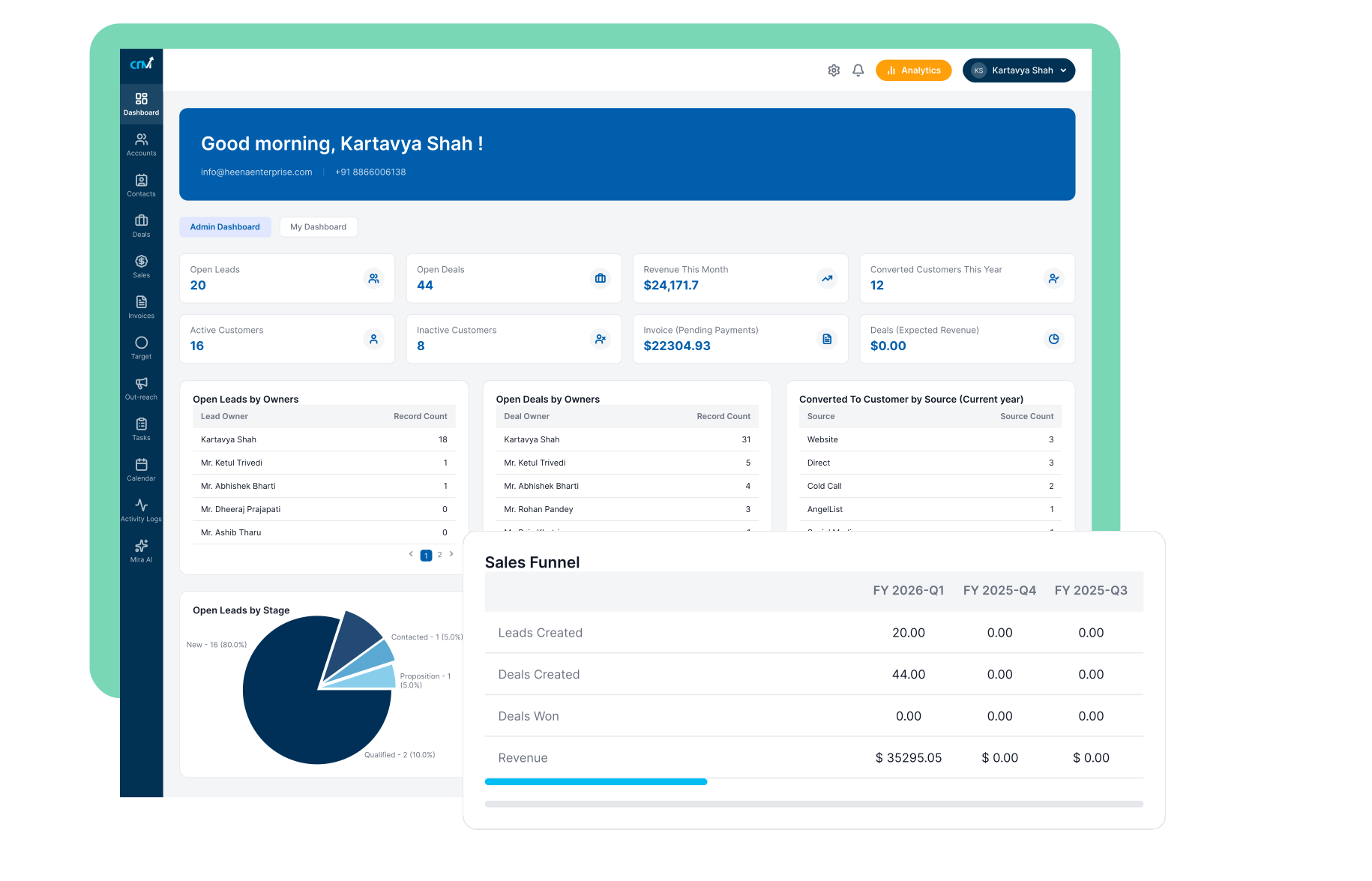
Best for: Indian SMBs and service-led teams that want WhatsApp, email, and pipeline management under one roof without enterprise pricing.
Unlike most of the companies on this list, WeekMate CRM takes an entirely different route in tackling issues. Instead of integrating a global CRM with regional add-ons, it was built around how Indian sales teams actually work. WhatsApp for follow-ups, IndiaMART and Meta Ads for lead capture, and a simple visual pipeline that doesn’t require a training manual.
Key Features
- Sales pipeline with multiple pipeline support for teams running more than one product or service line
- WhatsApp integration can be easily done into the CRM
- Workflow automation for follow-up reminders, assigning leads, and stage triggers
- Direct lead capture from Google Ads, Meta Ads, and IndiaMART
- Lead management with a full interaction timeline per contact
- Invoice and payment tracking inside the same platform
- Gmail and Outlook sync
- Real-time dashboards and reporting
- MIRA AI assistant for lead prioritization and follow-up nudges
Industry-specific workflows are already mapped out for pharmacy (MR visit tracking, sample logs), BPO (agent-wise lead assignment), accounting (document follow-up automation), and manufacturing (dealer pipeline management). That’s a level of vertical readiness most alternatives on this list don’t offer out of the box.
Pros
- WhatsApp, email, and calendar live in one CRM view, no context switching between apps
- Flat, transparent pricing model with an option for one-time licensing instead of recurring fees
- Built-in invoicing means sales and billing don’t need separate tools
- Fast onboarding with guided setup and training included
- Strong fit for pharmacy, BPO, accounting, manufacturing, and software/IT teams specifically
Cons
- Smaller third-party app marketplace than HubSpot or Salesforce
- Best suited to Indian market workflows. Global enterprises with complex multi-region needs may want a bigger platform
- It is newer compared to two-decade-old players like Salesforce
Pricing: It starts around ₹400 per user per month, with a one-time license option available for teams that prefer to avoid recurring subscription fees. Get exact current pricing here.
Who should choose WeekMate?
Startups and SMBs in India, especially in pharmacy, BPO, accounting, manufacturing, or software services, that want WhatsApp-first communication and don’t want to pay HubSpot-level fees for automation and lead capture that should be standard.
2. Zoho CRM
Best for: Growing businesses that want a wide feature set at a low price and don’t mind a slightly busier interface.
Zoho is the CRM most Indian businesses have tried at one time or another due to valid reasons. Not only is it cost-effective, but the free plan also covers up to three users in all. Paid tiers, on the other hand, will only be just over $25 per user for most of the functionality that an SMB really needs.
Key Features
- Lead and contact management with customizable pipelines
- Zia AI for lead scoring, deal predictions, and sentiment analysis
- Multichannel communication options like email, phone, live chat, and social
- Workflow automation and blueprint-based process enforcement
- Automated marketing and campaign management
- Deep integration across entire Zoho product suite (Books, Desk, Campaigns)
- Mobile app with offline access
Pros
- Enormous feature depth for the price point
- Free plan genuinely usable for very small teams
- Wide third-party and Zoho-ecosystem integration options
- Strong analytics and custom reporting even on mid-tier plans
Cons
- Interface feels dense; new reps often need more onboarding time than on lighter tools
- WhatsApp support comes through third-party connectors, not natively
- Support quality is inconsistent across regions and tiers
Pricing: Free for up to 3 users; paid plans start around ₹1300-1350 per user per month (roughly $14), scaling to about ₹2,185 per user for Professional.
Who should choose Zoho?
It would suit companies who want to get maximum features for their money and are willing to spend some time in the learning phase to achieve that.
Must Check: Top Zoho CRM Alternatives for Indian Businesses
3. Freshsales
Best for: Sales teams that want phone, email, and chat bundled into the CRM itself rather than stitched together from separate tools.
Freshsales, created by Freshworks, incorporates AI and internal call functions. The Growth plan is very affordable, but the trick is that the features that most teams really want are two levels up.
Key Features
- Built-in phone and live chat, no separate telephony integration needed
- Freddy AI for contact scoring, deal insights, and sales emails
- Visual sales pipeline with Kanban-style deal boards
- Sales sequences and territory management (Pro tier and above)
- Custom modules and field-level permissions (Enterprise)
- Workflow automation and auto-assignment rules
Pros
- Genuinely useful free tier for up to 3 users
- Calling and chat built in, cutting down on third-party tool costs
- AI features are practical rather than gimmicky once you’re on the right tier
Cons
- The advertised entry price doesn’t include the automation or AI features most teams actually want
- Freddy AI add-ons can push per-user cost well above the base plan
- Fewer India-specific workflows than local alternatives
Pricing: Free for up to 3 users; Growth from roughly ₹855/user/month; Pro from around ₹3,705/user/month; Enterprise near ₹5,605/user/month.
Who should choose Freshsales?
Freshsales is great for a bunch of sales-related features like calling, AI for making your sales tasks easier, but you need to bear with Pro plan instead of the cheaper plan that is advertised.
4. Pipedrive
Best for: Sales-only teams that want a clean, visual pipeline without marketing automation bundled in.
Pipedrive has become well-known due to pipeline visibility, which is its core feature. Even today, it continues to excel at this, surpassing many other products that cost twice as much. It isn’t trying to be a comprehensive solution. Simply put, a sales tool is what it offers.
Key Features
- Visual, drag-and-drop deal pipeline as the core interface
- Activity-based selling with reminders tied to next steps
- Email sync and template tracking
- Sales forecasting and revenue reporting
- Workflow automation on Advanced tier and above
- AI sales assistant for deal insights
Pros
- Very simple to onboard; reps are usually productive within days
- Best-in-class pipeline visualization for the price
- Transparent and predictable per-seat pricing
Cons
- Marketing automation and WhatsApp integration require third-party add-ons
- Reporting is not as deep as Zoho or Salesforce at comparable price points
- No free plan, only a 14-day trial
Pricing: Starts at around ₹1,330/user/month while the most expensive plan (Advanced/Professional) costs roughly around ₹3,230-3,705/user/month, which include more automated features.
Who should choose Pipedrive?
Teams mainly dealing with Sales and prefer simplicity rather than a feature-packed system, also if they don’t need their marketing activities being done on the same platform.
5. Salesforce Sales Cloud
Best for: Large, complex sales organizations with dedicated CRM admins and implementation budget.
Salesforce is the name all enterprise customers are familiar with, and for companies with the resources it takes to run successfully, it’s the answer they’re most satisfied with. You can customize it so much that no one else has offered a service even close to that level of customization.
Key Features
- Highly customizable objects, fields, and page layouts
- Einstein AI for lead scoring, forecasting, and next-best-action suggestions
- Advanced permission sets and role hierarchies
- AppExchange marketplace with thousands of add-ons
- Territory management and complex approval workflows
- Extensive reporting and dashboard builder
Pros
- Customization ceiling is higher than any other tool on this list
- Massive ecosystem of integrations and certified partners
- Scales cleanly from mid-market to global enterprise
Cons
- Implementation typically needs a certified partner, adding real cost and time
- Steep learning curve; most SMBs never use the majority of what they’re paying for
- Per-user and add-on costs escalate quickly at scale
Pricing: Starts around ₹2,375/user/month for entry tiers, scaling to ₹7,600-9,500+/user/month for Professional and Enterprise, plus implementation costs that vary widely by scope.
Who should choose Salesforce?
Enterprises with dedicated admins and implementation budget. Usually overkill for a 10-30 person Indian SMB sales team.
6. Monday CRM
Best for: Project-driven teams that want CRM and task boards inside one visual system.
Monday CRM basically borrows its board-based, highly visual interface from Monday.com’s larger work management platform. For example, if your team already uses Monday.com for project tracking, adding the CRM function will create a unified ecosystem with just one tool.
Key Features
- Customizable board-based pipeline view
- Two-way Gmail and Outlook integration
- Automation recipes for lead assignment and stage changes
- Quotes and invoice document management
- Sales analytics dashboards (Pro tier)
- Integration with monday’s broader work OS for cross-team visibility
Pros
- Highly visual, intuitive for teams already familiar with monday.com
- Flexible enough to double as a lightweight project tracker
- Unlimited free viewers on paid plans
Cons
- 3-seat minimum on all plans
- Meaningful automation locked behind Standard or Pro tiers
- Not a natural fit as a standalone, sales-only CRM
Pricing: Basic from around ₹1,140/seat/month (annual billing, 3-seat minimum), Standard around ₹1,615/seat/month, Pro around ₹2,660/seat/month.
Who should choose Monday CRM?
Teams already using monday.com for projects that want their sales pipeline living in the same visual system.
7. EngageBay
Best for: Small teams that want marketing and sales tools bundled together without HubSpot’s price tag.
EngageBay targets budget-focused small businesses and brings CRM, marketing, and basic helpdesk tools in a reasonably priced bundled package.
Key Features
- CRM, email marketing, and helpdesk in a single platform
- Marketing automation with landing pages and forms
- Live chat and basic ticketing
- Contact scoring and segmentation
- Appointment scheduling
- Free plan with core CRM functionality
Pros
- Genuinely affordable across all tiers compared to HubSpot equivalents
- Marketing, sales, and support tools bundled instead of sold separately
- Free plan is usable, not just a trial in disguise
Cons
- Automation and reporting are noticeably lighter on entry tiers
- Interface feels less polished than HubSpot or Zoho
- Smaller integration marketplace overall
Pricing: Free plan available; Basic around ₹1,210/user/month, Growth near ₹3,990/user/month, Pro around ₹8,075/user/month.
Who should choose EngageBay?
Small businesses that want marketing and sales bundled affordably and can live with lighter automation on the entry tiers.
8. Kylas CRM
Best for: Indian startups anticipating team growth who don’t want their CRM bill scaling linearly with headcount.
Kylas takes a genuinely different pricing approach: flat monthly cost, unlimited users. For a growing sales team, that math works out far cheaper than almost anything else on this list charging per seat.
Key Features
- Flat-rate pricing with unlimited user licenses
- Lead and deal management with customizable pipelines
- Email automation and built-in calling
- WhatsApp and Meta integration through connected apps
- Role-based access control and territory assignment
- Onboarding and training included by CRM experts
Pros
- Unlimited users on one flat fee makes cost predictable as the team grows
- Built specifically for Indian SMBs, INR pricing throughout
- Onboarding and training included rather than sold separately
Cons
- Flat pricing only pays off once the team is large enough to offset the base cost
- Fewer deep customization options than Zoho or Salesforce
- Reporting flexibility and mobile layout lag behind some competitors
Pricing: Elevate plan around ₹12,999/month flat for unlimited users; Exceed tier around ₹75,000/month for advanced needs.
Who should choose Kylas?
Startups expecting headcount growth who want predictable, flat pricing instead of a per-seat bill that climbs every time they hire.
9. LeadSquared
Best for: High lead-volume businesses in education, healthcare, or financial services that need serious lead qualification logic.
LeadSquared was built for sectors that generate hundreds of leads a day and need real distribution and scoring rules, not a general CRM stretched to fit.
Key Features
- Advanced lead scoring and distribution engine
- Marketing automation with drip campaigns
- Mobile CRM built for field sales and agent tracking
- Sales and marketing analytics dashboards
- Compliance and data governance tools built for regulated sectors
- API-driven integrations for high-volume lead sources
Pros
- Purpose-built for high lead volume rather than adapted from a general CRM
- Strong mobile experience for field-based and agent-driven sales teams
- Good fit for regulated sectors needing compliance features
Cons
- No free plan
- Pricing sits higher than most SMB-focused tools on this list
- Overkill for low lead-volume businesses outside its core sectors
Pricing: No free plan; starts around ₹1,250 per user per month.
Who should choose LeadSquared?
Edtech, healthcare, and financial services businesses managing high lead volumes with complex qualification and distribution needs.
10. Microsoft Dynamics 365 CRM
Best for: Large enterprises already deep in the Microsoft ecosystem needing CRM tightly integrated with existing IT infrastructure.
Dynamics 365 makes the most sense for organizations running on Azure, Office 365, and Power BI. Integration across those tools is genuinely seamless in a way competitors can’t replicate.
Key Features
- Native integration with Microsoft 365, Teams, and Power BI
- Power Platform extensibility for custom apps and automation
- AI-driven sales insights and forecasting
- Advanced enterprise security, compliance, and data governance
- Customizable entities and business process flows
- Omnichannel engagement across voice, chat, and email
Pros
- Deepest possible integration for organizations already on Microsoft’s stack
- Enterprise-grade security and compliance out of the box
- Highly customizable through the Power Platform
Cons
- Pricing starts high relative to the rest of this list
- Implementation typically requires a certified partner
- Rarely the right fit for a small or mid-sized Indian business without an existing Microsoft enterprise agreement
Pricing: Sales Professional around ₹6,175/user/month, Sales Enterprise around ₹9,025-9,975/user/month, Sales Premium around ₹12,825-14,250/user/month.
Who should choose Dynamics 365?
Large enterprises already running on Microsoft’s stack that need CRM data flowing natively into Teams, Power BI, and the rest of their Microsoft environment.
Also Check: List of Top CRM Solutions for Indian Businesses
Which HubSpot Alternative Is Best for Your Business?
- If you’re a startup: Kylas or WeekMate. Both keep costs predictable early on, and neither forces you into enterprise-grade complexity before you actually need it.
- If you’re a growing SMB: Zoho CRM or WeekMate. Zoho wins on raw feature breadth for the price. WeekMate wins if WhatsApp and India-specific workflows (IndiaMART, industry-mapped automations) matter more to your day-to-day than having every possible feature available.
- If you need marketing automation: EngageBay or HubSpot’s own Starter Customer Platform. Both bundle basic marketing and sales tools without the enterprise price jump.
- If you’re an enterprise: Salesforce Sales Cloud or Microsoft Dynamics 365, assuming you have the crm implementation budget and admin resources to actually use the customization depth.
- If you’re an Indian business: WeekMate or Kylas, specifically. Local pricing, WhatsApp-first design, and India-mapped industry workflows tend to matter more day-to-day than the broader feature checklist a global platform advertises.
Why Many Indian Businesses Prefer Local CRM Platforms
There’s a reason platforms built for the Indian market keep gaining ground against global incumbents, and it isn’t just price.
GST-friendly invoicing matters when your finance team is reconciling every month. Local support means a phone call gets answered during Indian business hours by someone who understands the market, not a support queue in a different time zone. WhatsApp integration isn’t a nice-to-have here; it’s often the primary channel customers actually respond on. IndiaMART lead capture matters enormously for B2B manufacturing and trading businesses that rely on the platform for inbound inquiries. Local, India-region pricing avoids the currency conversion markup that comes with paying in dollars for a rupee-earning business. And implementation tends to move faster when the vendor’s support and success teams already understand Indian sales cycles.
WeekMate fits naturally into this category. It isn’t the only India-built option worth considering, but its combination of WhatsApp-native design, IndiaMART integration, and industry-specific workflows for pharmacy, BPO, accounting, manufacturing, and software teams addresses exactly the gaps that push businesses away from global platforms in the first place.
HubSpot vs WeekMate
| Feature |
HubSpot |
WeekMate |
| Pricing |
Higher, escalates fast past Starter |
Affordable, flat or one-time license options |
| IndiaMART |
Not supported |
Native lead capture |
| Local Support |
Global, largely self-serve |
India-based |
| Setup Time |
Moderate to long on Professional+ |
Faster, guided onboarding included |
| Workflow Automation |
Yes |
Yes |
| Marketing Integrations |
Yes |
Yes |
The honest takeaway here: HubSpot has a broader global ecosystem and more third-party integrations overall. WeekMate wins specifically on cost predictability and India-market fit, WhatsApp, IndiaMART, GST-friendly invoicing, and faster local onboarding. Which one’s “better” really depends on whether your priority is ecosystem breadth or regional fit.
Final Verdict
There’s no single best HubSpot alternative. That’s not a dodge, it’s just true. Salesforce and Dynamics 365 make sense for enterprises with implementation budgets. Pipedrive and Zoho are solid, well-tested choices for teams that want a proven global tool at a reasonable price. Kylas is hard to beat on flat pricing for growing teams.
For Indian SMBs specifically, especially in pharmacy, BPO, accounting, manufacturing, and software services, WeekMate CRM is worth serious evaluation. WhatsApp follow-ups, IndiaMART lead capture, industry-mapped workflows, and pricing that doesn’t punish you for growing your team solve the exact problems that usually trigger the search for a HubSpot alternative in the first place.
Whichever you choose, run a trial before committing the budget. A demo call rarely reveals the same friction points a real sales rep hits during week two of actual use.
Frequently Asked Questions
1. Is there a cheaper alternative to HubSpot?
Yes, several. Zoho CRM, Freshsales, and Pipedrive all undercut HubSpot’s Professional pricing significantly, and Kylas offers flat, unlimited-user pricing that works out cheaper still for growing teams. WeekMate is also considerably more affordable than HubSpot’s Professional and Enterprise tiers, particularly for Indian businesses.
2. Which CRM is better than HubSpot?
“Better” depends entirely on what you need. HubSpot’s ecosystem and marketing automation depth are hard to match at scale. But for Indian SMBs prioritizing WhatsApp integration, local support, and predictable pricing, WeekMate and Kylas are often a better practical fit even if HubSpot wins on raw feature count.
3. What is the best HubSpot alternative for small businesses?
For Indian small businesses, WeekMate and Kylas typically come out ahead due to local pricing and support. Globally, Zoho CRM and Freshsales are strong budget-friendly options with large user bases and proven track records.
4. Which HubSpot alternative has WhatsApp integration?
WeekMate CRM offers native WhatsApp integration built directly into the platform. Zoho CRM and Freshsales support WhatsApp through connected apps or third-party integrations rather than as a native feature.
5. Is HubSpot worth it for startups?
The free CRM is genuinely useful for very early-stage teams. It stops being the obvious choice once you need real automation, since the jump to Professional pricing and the associated onboarding fees can be steep for a startup budget. Many founders start on HubSpot free and migrate once they hit that wall.
6. Which CRM is easiest to migrate to from HubSpot?
Pipedrive and Zoho CRM both offer straightforward, well-documented HubSpot migration tools. WeekMate also supports guided migration as part of its onboarding process, with a dedicated setup team handling data transfer rather than leaving it to self-service import tools.
7. Can I import HubSpot contacts into another CRM?
Yes. Most CRMs, including WeekMate, Zoho, Pipedrive, and Freshsales, support CSV export from HubSpot and CSV import on their end. For larger datasets or custom fields, it’s worth asking the new vendor’s onboarding team to handle the migration directly rather than doing it manually, to avoid mapping errors.