Ask any project manager where their week went. Almost nobody says “planning.”
It’s the follow-ups. The status calls. The spreadsheet that someone forgot to update. The task that sat with the wrong person for three days. Work like that eats hours, and none of it moves the project forward.
This is where AI in project management starts to matter. Not as some big robot takeover, but as a quiet helper that does the boring parts so people can think. Missed deadlines, messy resource planning, gaps in communication, endless manual updates. These are the problems teams have lived with for years, and AI agents are finally getting good at handling them.
So what are AI agents, really? Think of them as software that can read your project data, spot patterns, suggest what to do next, and in some cases do the task for you. They don’t get tired. They don’t forget the reminder.
That can mean better productivity, smoother teamwork, and projects that actually finish on time. At WeekMate, we build tools that help businesses plan and run work from one place, and we’ll show you where that fits in later. First, let’s get the basics right.
An AI agent is a piece of software that works toward a goal. You give it a job, and it figures out the steps.
In project management, that job might be “keep this project on schedule.” The agent looks at the tasks, checks the deadlines, notices who’s overloaded, and either tells you what to change or makes the change itself, depending on how you’ve set it up.
It does four things, basically. It collects information. It analyzes it. It makes recommendations. And it can carry out actions you’ve allowed it to take.
Now, you might be thinking, “Isn’t that just an AI-powered tool?” Fair question. The line is blurry, but here’s a simple way to see it. A regular AI tool waits for you. You ask, it answers. An AI agent keeps watching and nudges you before you ask. One is a calculator. The other is more like a sharp assistant who’s always in the room.
And agents can help at every stage of a project. Planning at the start, assigning work in the middle, reporting at the end.
How Do AI Agents Work?
It’s not magic. It’s a loop, and it goes roughly like this.
First, the agent gathers project information. Tasks, deadlines, team availability, past projects, whatever it can see.
Then it tries to understand the goal and what each task needs. It figures out which tasks depend on others, and what should come first.
Next comes the useful part. It recommends an action, or does it, based on the instructions you gave it. Maybe it flags a task that’s about to slip. Maybe it moves a deadline.
After that, it watches what happens. Did the delay get fixed? Did the new plan work? It adjusts and tries again.
Collect, think, act, check. Repeat.
How AI Agents Are Transforming Project Management
Let’s get into the real changes. Six areas, and each one fixes a headache you probably know well.
Automated Project Planning and Scheduling
Building a project plan by hand is slow. You list the tasks, guess the timelines, then rework everything when the client changes their mind.
AI agents can draft a plan from your goals and deadlines. They spot which tasks depend on each other and point out scheduling clashes before they turn into problems. They also suggest timelines that look realistic, not hopeful.
And when requirements change, which they always do, the agent can update the schedule instead of making you start over.
Intelligent Task Assignment and Resource Allocation
Who should take this task? Most managers answer that from gut feeling and memory.
An AI agent looks at the facts. Skills, availability, current workload. It can suggest the right person for the job and show you when someone’s already stretched too thin. It also catches the quieter issues, like a skill shortage nobody’s talking about yet or one team member carrying twice the load of everyone else.
The result is fairer work distribution and fewer people quietly burning out.
Real-Time Project Monitoring and Progress Tracking
You shouldn’t have to ask “where are we on this?” five times a day.
AI agents keep an eye on task completion and milestones all the time. They flag delays early and point to bottlenecks. They can also write up progress updates on their own, which means managers see what’s happening without chasing people for it.
Better visibility, less nagging. Everybody wins.
Predictive Risk Management and Decision-Making
Traditional project management is reactive. Something breaks, then you fix it.
AI flips that a little. By looking at past and current project data, an agent can see signs of trouble, like a likely delay or a budget that’s drifting. It can then suggest a fix before things get ugly.
That doesn’t mean it predicts the future perfectly. It doesn’t. But a warning two weeks early beats finding out on deadline day.
Automated Team Communication and Collaboration
Half of all project problems are communication problems. Someone didn’t know. Someone assumed. Someone was on leave.
AI agents help by writing status summaries, sending reminders and notifications, and helping people find the information they need without digging through old chats. They close the gaps between departments, too, because everyone sees the same picture.
Here’s a small thing that adds up fast. Someone finishes a task, and then someone else has to be told. Then an approval is needed. Then the status changes. Then a follow-up goes out.
Project workflow automation handles all of that. When a milestone is hit, related tasks update on their own. Approvals move along without a chase. Different parts of a project get connected through automated flows, so people stop acting as the glue.
So what do you actually get out of all this? Here’s the short version.
Benefits
Business Impact
Increased productivity
Cuts down repetitive manual work
Better resource utilization
Spreads workload more evenly
Faster project delivery
Helps catch delays and bottlenecks early
Improved decision-making
Backs choices with data
Reduced operational costs
Trims unnecessary project spend
Better collaboration
Keeps teams lined up with project goals
Greater project visibility
Makes tracking and reporting easier
None of these are shocking on their own. Together, though, they change how a team feels at work. Less chaos. More control.
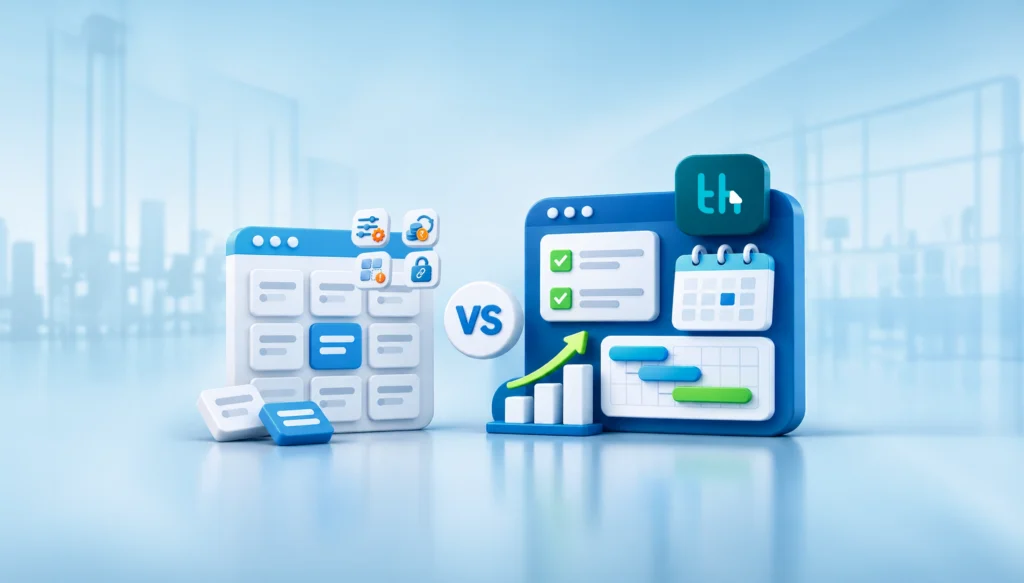
AI Agents vs Traditional Project Management Software
Old-style project management software isn’t bad. It’s just passive. It stores what you type in and shows it back to you.
AI-enabled software does a bit more. Here’s how they compare.
Comparison Factor
Traditional Project Management Software
AI-Powered Project Management
Task assignment
Manual task allocation
Intelligent task recommendations
Project planning
Manager-driven planning
AI-assisted planning
Progress tracking
Manual status updates
Automated monitoring and insights
Risk management
Reactive problem-solving
Predictive risk identification
Reporting
Manually prepared reports
AI-generated summaries
Workflow management
Rule-based automation
Intelligent workflow assistance
The big idea is simple. AI agents don’t replace your project management software. They sit on top of it and make it smarter. You still get your boards, lists, and timelines. You just also get predictions, suggestions, and workflows that need less hand-holding.
Real-World Applications of AI Agents Across Industries
Different teams use this in different ways. A few examples.
IT and Software Development
Dev teams juggle sprints, bugs, and releases all at once. AI can help plan sprints, rank tasks by priority, track how development is going, and warn you when a delivery date looks shaky.
Manufacturing
Production work has a lot of moving parts. AI helps coordinate tasks, keep an eye on schedules, and plan resources better so machines and people aren’t sitting idle.
Construction
Construction projects live and die by milestones. AI can track them, catch scheduling clashes, and watch resource needs so materials and crews show up when they should.
Marketing Agencies
Campaigns have a lot of deadlines and a lot of creative people. AI can manage campaign timelines, spread tasks across the creative team, and track deliverables so nothing gets lost between design and approval.
Professional Services
Consultants, accountants, and legal teams juggle many client projects at once. AI helps coordinate those projects, balance employee workloads, and automate the reports and follow-ups that clients expect.
How AI Agents Support Employee Productivity and Performance Monitoring
This part needs a careful touch, so let’s take it slowly.
AI can help managers see how tasks are moving and how work is spread across the team. Automated activity tracking gives a clearer picture of what’s happening on a project. And it can reveal patterns, like a step in your workflow that always slows things down, or a time of the week when output drops.
That’s useful. But it only works when people trust the system.
Transparency matters. Tell your team what’s being tracked and why. Respect privacy. Use the data to fix workflows, not to catch people out. Monitoring done in the open feels like support. Monitoring done in secret feels like surveillance, and it can wreck morale fast.
Challenges of Implementing AI Agents in Project Management
Let’s be honest. It’s not all smooth. Before you jump in, think about these.
Data security and privacy. Your project data can include client details and money matters. You need to know where it’s stored and who can see it.
Integration. The new tool has to work with what you already use. If it doesn’t, you’ll end up with yet another silo.
Cost. There’s the price of the software, and then there’s the time spent on setup and training. Don’t forget the second one.
Data quality. AI is only as good as the information it gets. Messy data in, messy advice out.
Adoption. People resist change, even good change. If the team doesn’t use it, it doesn’t matter how smart it is.
Human oversight. An AI agent can suggest and even act, but someone still has to be accountable for the outcome. Always.
How to Choose the Right AI-Powered Project Management Software
There’s a lot of noise in this space. Every tool says “AI-powered” now. So here’s what to actually look for in project planning and management software.
AI-powered task management
Automated project planning and scheduling
Intelligent resource allocation
Project workflow automation
Real-time project tracking and reporting
Team collaboration features
Customization and scalability
Integration capabilities
Data security and access controls
Don’t try to tick every box on day one. Pick the three or four that fix your biggest problems and test those hard.
Where WeekMate TaskHub Fits
If you’re after something that keeps things in one place, take a look at WeekMate TaskHub. It’s a project and task management platform built to help businesses organize tasks, coordinate teams, and manage project workflows from a single workspace.
A few things it offers that connect to everything above. You can break big projects into smaller subtasks with clear owners and dependencies. It assigns people to work based on their skills and current availability. AI-driven reminders help keep deadlines on track. Live dashboards show where projects and bottlenecks stand, and status reports are built automatically, so nobody has to type them up. You can also set up your own boards, lists, and automation rules to match how your team already works.
There’s more, like Gantt chart views, time tracking, and built-in discussions linked to each task. It also offers an on-premise deployment option for teams that want more control over their data.
The Future of AI Agents in Project Management
Where is all this heading? A few trends look likely.
Projects will be coordinated more and more on their own, with agents handling the small stuff. Predictive analytics will get sharper, so forecasts get less foggy. Resources will be matched to work more smartly. Workflows will connect themselves across tools. Recommendations will feel more personal to each team and each project. And reporting and forecasting will largely write themselves.
But the most important trend is the quiet one. Human and AI working side by side.
As agents take on the repetitive operational stuff, project managers get to spend more time on what only people can do. Strategy. Leadership. Tough calls. Talking to a worried client. Keeping a team motivated when things get hard. That’s the job anyway. The software is finally catching up.
Conclusion
AI agents are changing how projects get planned, how tasks get handed out, how resources are used, and how workflows run. The change isn’t loud. It shows up as fewer follow-ups, fewer surprises, and more time to think.
But keep this in mind. AI works best with human judgment, not instead of it. The best results come when smart software and experienced people work together.
Frequently Asked Questions
It means using artificial intelligence to help plan, run, and track projects. That can include suggesting timelines, assigning tasks, spotting risks, and writing progress reports. The goal is to cut manual work and help teams make better decisions.
An AI agent is software that works toward a goal on its own. It reads your project data, thinks about what needs to happen, and then recommends or takes action. Unlike a basic tool, it keeps watching and speaks up before you ask.
No. They take over repetitive tasks like reminders, status updates, and scheduling. Project managers still lead the team, make big decisions, and handle people. The job shifts toward strategy, not away from existence.
Traditional software stores your data and waits for you to act. AI-enabled software looks at that data and helps. It can recommend who should take a task, warn you about delays, and write reports for you.
It can be, if you choose carefully. Check how your data is stored, who can access it, and what security controls the software gives you. Also keep a human in charge of important decisions.
Start small. Pick one problem, like missed deadlines or messy task assignment, and try a tool that fixes that. Get your team comfortable first, then add more features as you go.
It handles repeat tasks like status updates, approvals, and follow-ups. Your team spends less time on admin and more on real work. It also cuts down on mistakes that come from manual handoffs.