HR News

EPF Withdrawal Rules 2026 : Eligibility, Claims & Latest Updates

Read the Latest Updates

Talent Development in HRMS: From Skill Gaps to Career Growth

Growth doesn’t always require a new job. Sometimes, it simply calls for the right skill sets, places to learn and a clear direction to the next role.

In this example, the Marketing Executive might be great at executing campaigns but they would require to develop their analytical and people management skills before taking on the role of a Marketing Manager.

HR faces the challenge of figuring out exactly what the employee is capable of today, the next role requirements, and what the intervening steps are.

This is where talent development plays a role. Instead of a singular annual training event, organizations can integrate skills and skill gaps, learning, and careers into a single process.

This article will discuss what talent development is, why talent development process is important, and how organizations can leverage talent development practices to build their people and business at the same time.

What Is Talent Development?

What is talent development? It’s about growing people to develop the skills, knowledge, and capabilities they need to do their current job and get ready to move into the next stage of their careers.

It starts with understanding two things:

  • What does the role require?
  • What can the employee do today?

Such as a company expecting a Marketing Executive to be at Level 3 Digital Marketing when the employee is at Level 2.

A skill gap exists between these two levels.

When HR got the gaps, the onboarding process then took HR a step further and showed the person the relevant learning, the development opportunities and the relevant career paths.

This results in talent development being more than just providing training and ties the employees’ skills to what the organization might require down the road.

What Is Talent Development in HR?

So, what is talent development in HR?

HR talent development is centered around assessing the skills of employees, enhancing their talent, and getting individuals ready for the position they’ll take on in the future.

HR teams may use talent development to:

  • Identify employee skills
  • Define role requirements
  • Assess proficiency levels
  • Find skill gaps
  • Connect skills with learning
  • Create career growth paths
  • Evaluate career readiness

A Competency Framework In Action

For example, HR can tell the employee that he/ she needs to work on his/ her leadership skills. HR can describe the competency needed and gauge the competency of an employee, define the level, determine the gap and link it with a suitable development.

This develops a more geared employee development plan.

How Does the Talent Development Process Work?

An effective talent development process will link employees’ skills to development and career opportunities.

It can follow a simple flow:

Define Assess Identify Develop Plan Evaluate

Here’s how it would play out.

1. Define the Skills Your Organization Needs

Every role has different expectations.

The organization can also create skill categories like Marketing, Sales, HR, Development, and Finance, and then establish a list of skills for each category.

For example:

Marketing

  • Digital Marketing
  • Content Marketing
  • SEO
  • Analytics

HR can also develop competency levels in these skills to provide a standard for comparing employees.

2. Define Skills for Each Role

With skills established, HR can then put requirements to each role.

For example:

Marketing Executive

  • Digital Marketing Level 3
  • Analytics Level 2
  • Content Marketing Level 3

So now we have an idea about what managers are earning.

Provide a specific example of how to use the language for identifying staff skills saying “this employee needs to improve their marketing skills”. They can name the skill and the level.

3. Assess Employee Skills

The best place to start is to figure out where your workforce is.

Employees are evaluated according to required skills and proficiency levels.

This allows HR and managers to get a better picture of the employees’ present skills.

What Is Skill Gap Analysis?

What is a skill gap analysis? The practice of evaluating where an employee’s skills currently stand with the skills and levels of competency required.

For example:

  • Required Level: 4
  • Current Level: 2
  • Skill Gap: 2

This gives HR precisely where development is required.

The conversation changes from:

“You need to improve your skills.”

to:

“You have to progress from Level 2 to Level 4 for your target role.”

Thus the planning is more specific and measurable.

How Can HR Turn Skill Gaps Into Development?

Spotting a skills gap is just the start.

The next question is:

How can the employee close that gap?

WeekMate HRMS has an ability to do the following:- Course Skill Mapping – The learning or training can be mapped to the skills.

For example:

  • Skill: Digital Marketing
  • Mapped Course: Advanced Digital Marketing

This links the employee’s development requirement to appropriate learning.

Rather than providing the same training to everybody, companies can tailor upskilling around the competencies that their staff actually require.

What Is a Talent Development Strategy?

What is a talent development strategy? Talent development strategy is a systematic approach to developing employee skills and capabilities based on the needs of the organization now and in the future.

A practical talent development strategy can include:

Identify Skills

Understand what skills different roles require.

Assess Capabilities

Measure where employees currently stand.

Find Skill Gaps

What is the gap between the current and target state?

Develop Employees

Link skill gaps to learning and development.

Plan Career Growth

Define possible career paths and future roles.

Measure Readiness

Consider if your team is ready for the challenge ahead.

You want their development to be aligned with the needs of the individual’s actual role and future business demands.

How Does Talent Development Support Career Growth?

Employees also want to know:

“What can I become next?”

A good talent development plan doesn’t only improve the individual’s role, it should also link their skills to potential career tracks.

Turn Employee Potential Into Career Growth
Identify skill gaps, support learning, and help employees prepare for their next career move with WeekMate HRMS.

Career Paths

With WeekMate HRMS, an organization can set up “Career Growth Paths”.

For example:

Developer Senior Developer Technical Lead

Or:

Marketing Executive Marketing Manager Senior Marketing Manager

These routes show a clearly laid out progression in career.

Employee Career Paths

HR may predict a future role for an employee that is typical of someone in their current role or within their development career.

For example:

  • Current Role: Marketing Executive
  • Next Role: Marketing Manager

This then can be viewed in relation to the following role.

Employee Career View

Career View for Employees provides a personal view of career development.

It can show:

  • Current Role
  • Possible Next Roles

This provides both employees and managers with clearer information on where the employee can progress and what development might be needed.

How Can You Tell If an Employee Is Ready for the Promotion?

Having a pathway to advancement does not necessarily mean that an employee is prepared for the next level.

For instance, an employee might have great marketing skills but still lack experience in managing the team until he or she is promoted to Marketing Manager.

What are the benefits of Career Readiness? Career Readiness assists HR and managers to assess an employee against skills, competencies and levels of proficiency needed for a position you are considering them for.

For example:

Target Role: Marketing Manager

  • Digital Marketing – Level 4
  • Analytics – Level 3
  • Campaign Management – Level 4
  • Team Management – Level 2

The employee might be good at many things, but still lacks team management.

This provides HR a better insight into what needs to be done before the career move.

Talent Development Strategies for Business Growth

It’s all very well investing in the talents of your staff, but talent development is just not limited to individual employees.

Organizations can grow their business by aligning skill development of employees to those skill sets required in the future.

It’s not just about the individual. When developing talent, it’s also about the business.

For instance, if HR is working on scaling its digital marketing team, it can determine the skills that are needed, check among current employees, identify any gaps and then build internal talent before hiring externally.

Likewise, pinpointing individuals with high potential for management positions may assist companies in developing a solid future pipeline.

This creates a connection between:

Business Goals Needed Skills Employee Development Future Talent

How WeekMate HRMS Supports Talent Development

Skills & Career Development is connected to your entire workflow with WeekMate HRMS.

Skills Matrix

View Employees with Certain Skills. And their skill level.

Organization Skill Inventory

Get insights into skill allocation by level of employment, department and team.

Skill Gap Analysis

Match employee skills to those needed for the position.

Course Skill Mapping

Link needed skills with learning opportunities.

Career Growth Paths

Explain what the implications are for working in an unsafe environment.

Career View For Employees

Provide insight into an employee’s present position and future roles.

Career Readiness

Assess if the staff are ready to grow into the roles, should they become available.

Employee Competencies

Training and assessments of competencies for the role and employee development.

The End-to-End Talent Development Process

These features combine to provide a connected development journey:

  • Define Role Requirements
  • Assess Employee Skills
  • Determine Skill Gaps
  • Map Learning & Development
  • Define Career Paths
  • Evaluate Competencies
  • Check Career Readiness
  • Help Career Development

For instance, an individual who wanted to progress from Developer to Technical Lead, would be measured against the competencies and skills required for the position of a Technical Lead.

HR can spot the gaps, link them back to learning, and assess how far the employee is progressing towards the goal role.

This adds some structure to career development than just the annual review or coming to you without an appointment.

Why Talent Development Matters for HR Teams

Talent development is not just training employees.

It helps HR in answering three key questions:

  • Where is the employee today?
  • What do they need to develop?
  • Where can they grow next?

If all these questions are linked using skills, levels, competencies, learning and career paths, then it makes it easier to design and manage employee development.

Employees have a clearer view of their development, managers are able to have more targeted development conversations, and HR has a better understanding of current and future talent within the organisation.

Build a Clearer Path From Skills to Career Growth With WeekMate

Employee growth is not a step process.

It begins with assessing existing skills, analyzing gaps, building those capabilities and linking them to the opportunities of tomorrow.

HRMS WeekMate These activities are unified by Talent Development in WeekMate HRMS in this way: Journeys out of skills and learning Journeys on to career progress.

Know the skills you possess today. Learn what needs to grow. And guide employees on what’s next.
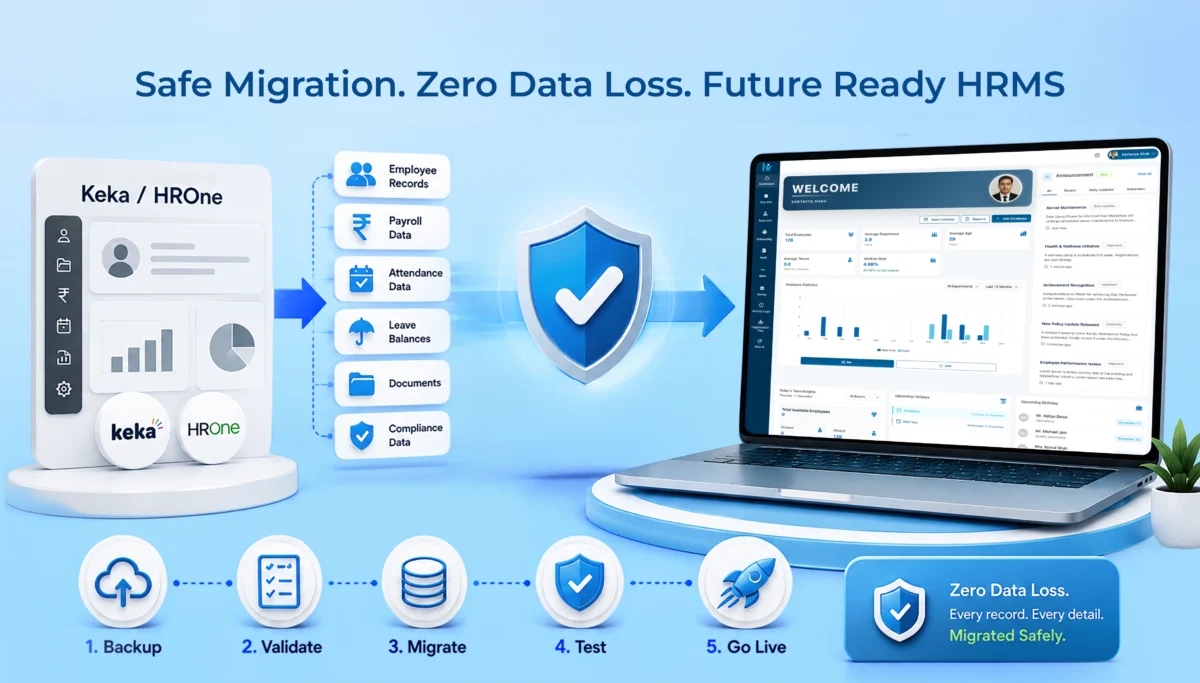
HRMS Migration Guide: How to Move from Keka or HROne Without Data Loss

If you’re reading this now, your HRMS likely isn’t performing like it should. You might have payroll getting stuck. Maybe your HR department is being forced to do things manually that software promised to fix years ago. Or you have grown beyond the capabilities of Keka or HROne and wonder whether changing is worth it at all.

The truth is: switching HR software is quite painful but you don’t necessarily have to take risks. The most common business concern is having the data lost during the switch. Employee files accumulated over many years, payroll data, vacation leaves, etc. All that information seems too important to risk.

This HRMS migration guide walks you through exactly why companies move away from Keka and HROne, what to look for in a replacement, and how a proper migration to WeekMate HRMS actually works, step by step, without losing a single record along the way.

Why Companies Migrate from Keka or HROne

Nobody switches HR software on a whim. There’s usually a build-up of small frustrations that eventually becomes too big to ignore.

Business Growth Requires More Flexible HR Software

What worked for a 50-person company often breaks down at 200 or 500 employees. Approval chains get messier. Reporting structures change. And a lot of businesses find that their existing HRMS just wasn’t built to flex with that kind of growth. You end up working around the software instead of the software working for you.

Need for Better Payroll & Attendance Integration

This one comes up a lot. Payroll and attendance are supposed to talk to each other seamlessly. When they don’t, HR teams end up manually cross-checking attendance sheets against payroll runs every single month. That’s hours of work that shouldn’t exist in 2026.

Cost Optimization

Higher pricing tiers on some platforms don’t always bring you more value. Businesses find out late that they have been paying for modules they aren’t even using whilst still missing some core features that they actually require. After some time, it would be a much more economical decision to switch than to keep subscribing.

Better Employee Experience and Self-Service

Modern-day employees expect to access their pay slips, apply for a leave, make changes to their details, without the need to send an email to HR every time. And if your current system is outdated, it is a real productivity loss, not simply a minor inconvenience.

Improved Customer Support and Faster Implementation

It’s really important but gets overlooked. For example, if a pay system stops working at 5 minutes to payday, you are really in trouble if the technical support isn’t fast enough to find a solution. A very slow support system results in even an unimportant break turning into a really big problem.

Signs It’s Time to Upgrade Your HRMS

Not sure if you’re actually at the point of switching? Here are the signs that usually show up first:

  • Manual HR work keeps increasing instead of decreasing
  • Payroll processing takes longer each cycle
  • Attendance discrepancies keep popping up, and no one can pinpoint why
  • Customization requests get met with “that’s not possible right now”
  • Reports feel basic, or take too much manual effort to build
  • Integrations with other tools you use just don’t work smoothly

If two or three of these sound familiar, it’s probably worth exploring your options.

Keka vs WeekMate HRMS: Feature Comparison

Let’s get into specifics. Here’s how WeekMate stacks up against Keka across the areas that matter most day to day.

Employee Database

Both platforms offer centralized employee records, but WeekMate is built to handle custom fields and document types more flexibly, which matters a lot for businesses with varied compliance or industry needs.

Payroll Processing

Keka’s payroll is solid for standard use cases. WeekMate takes it further with tighter attendance-payroll sync, so there’s less manual reconciliation before every payroll run.

Attendance & Leave Management

This is one of the areas businesses complain about most with their existing tools. WeekMate’s attendance module is designed to catch discrepancies early, rather than surfacing them only at month-end.

Performance Management

Both offer performance review workflows. WeekMate’s version leans toward simpler, more customizable review cycles, useful for companies that don’t want a rigid one-size-fits-all process.

Recruitment & Onboarding

Keka has a mature recruitment suite. WeekMate’s onboarding flow focuses on getting new hires functional faster, with document collection and role setup happening in parallel instead of one after another.

Employee Self-Service Portal

Both platforms offer self-service. The difference tends to show up in day-to-day usability, WeekMate’s interface gets fewer complaints about being confusing for non-tech-savvy employees.

Mobile App

Both have mobile apps for attendance and leave requests. WeekMate’s app is built with a lighter, faster experience in mind, which matters more than people expect once employees are using it daily.

Pricing & Scalability

This is often the deciding factor. WeekMate’s pricing structure is generally more transparent, without the tier creep that catches growing businesses off guard.

Customer Support

Support responsiveness is one of the top reasons companies leave Keka. WeekMate is built around dedicated support access, especially during critical periods like payroll runs.

Feature

Keka

WeekMate

Employee Database

Centralized, standard fields Centralized, flexible custom fields
Payroll Processing Reliable, standalone

Tightly synced with attendance

Attendance & Leave

Good, month-end reconciliation needed Real-time discrepancy detection
Performance Management Structured, less flexible

Customizable review cycles

Recruitment & Onboarding

Mature recruitment suite Faster, parallel onboarding
Self-Service Portal Available

Simpler, more intuitive

Mobile App

Functional Lightweight, faster
Pricing & Scalability Tiered, can grow quickly

Transparent, scalable

Customer Support

Standard support

Dedicated support access

HROne vs WeekMate HRMS: Feature Comparison

HROne is a different comparison altogether, since its strengths and gaps aren’t quite the same as Keka’s.

Core HR

HROne covers the basics well. WeekMate adds more flexibility around how HR data is structured and reported.

Payroll Automation

HROne automates payroll reasonably well for standard structures. WeekMate is built to handle more complex payroll scenarios without needing manual overrides.

Attendance Tracking

Both track attendance, but WeekMate’s system is designed to reduce the back-and-forth between attendance logs and payroll teams.

Workflow Automation

HROne offers decent workflow automation for approvals. WeekMate lets you customize these workflows more deeply, which matters for businesses with layered approval chains.

Reports & Analytics

This is a common gap companies mention with HROne, reports often need extra manual work to get into a usable format. WeekMate’s reporting is built to be usable out of the box.

Mobile Experience

Both platforms have mobile access. WeekMate’s mobile experience is generally rated as more intuitive for everyday tasks like leave requests.

Pricing

Pricing between the two is competitive, but WeekMate tends to offer more clarity on what’s included at each tier, so there are fewer surprises later.

Implementation Time

This is where WeekMate stands out. Implementation is typically faster, which matters a lot if you’re trying to avoid a long stretch of running two systems in parallel.

Feature

HROne

WeekMate

Core HR

Standard coverage Flexible data structure
Payroll Automation Good for standard payroll

Handles complex payroll well

Attendance Tracking

Reliable Reduces manual reconciliation
Workflow Automation Decent approval flows

Deep customization

Reports & Analytics

Often needs manual work Usable reports out of the box
Mobile Experience Functional

More intuitive

Pricing

Competitive Clearer tier structure
Implementation Time Moderate

Faster

HRMS Migration Checklist for Businesses

Before you touch anything, get organized. This checklist saves you from the panic of realizing something’s missing halfway through HRMS migration.

Audit Existing HR Data

Start by understanding exactly what data you have, employee records, payroll details, attendance logs, all of it, before you even think about moving anything.

Clean Duplicate Records

Old systems tend to accumulate duplicate entries over time, especially if employees were ever re-added or updated manually. Clear these out before export, not after.

Backup Employee Data

Always keep a full backup before starting, no exceptions. Even a well-planned migration should have a fallback in place.

Review Payroll History

Old payroll runs need to be accurate before they’re transferred. Any errors sitting in your current system will just carry over if they’re not caught now.

Export Attendance Records

Pull historical attendance data in a format your new system can actually read. This step is easy to rush, and that’s usually where gaps show up later.

Verify Leave Balances

Make sure current leave balances are correct at the point of export. Mismatched balances are one of the first things employees notice after a switch.

Collect Employee Documents

IDs, contracts, and other files need to be gathered and organized ahead of time, rather than chased down mid-migration.

Review Compliance Records

PF, ESI, tax details, anything compliance-related deserves a second look. These aren’t the kind of records you want to get wrong.

Identify Required Integrations

List out every tool your current HRMS connects with, payroll software, biometric devices, accounting tools, so nothing gets missed in the new setup.

Prepare User Access Roles

Decide who needs access to what before the new system goes live. Setting this up in advance avoids access issues on day one.

Step-by-Step HRMS Migration Guide Without Data Loss

This is the part most people are actually here for. Here’s how a clean migration typically plays out.

Step 1: Assess Current HRMS

Start by understanding what’s working and what isn’t in your current setup. This shapes your entire migration plan.

Step 2: Define Migration Goals

Are you migrating just to fix payroll issues, or is this a full overhaul? Knowing this early keeps the process focused.

Step 3: Prepare Data

Organize employee records, payroll data, and attendance history into a structure that’s easy to work with.

Step 4: Export Existing Data

Pull all relevant data out of Keka or HROne in the formats your new system can actually accept.

Step 5: Validate & Clean Data

This step gets skipped too often, and it’s usually where data loss actually happens. Check for missing fields, duplicate entries, and formatting mismatches before moving forward.

Step 6: Import into WeekMate

Once data is clean, it gets imported into WeekMate, ideally in batches so errors are easier to catch and fix.

Step 7: Configure Payroll & Attendance

Set up your payroll structure, tax rules, and attendance policies to match how your business actually operates.

Step 8: Test Data Accuracy

Run test payroll cycles and compare them against your old system’s numbers. Everything should match before you go live.

Step 9: Employee Training

Even the best software fails if employees don’t know how to use it. A short training session goes a long way here.

Step 10: Go Live

Once testing checks out and your team is comfortable, you’re ready to fully switch over.

How WeekMate Ensures HRMS Migration Without Data Loss

This is really the core of what businesses want to know, will their data actually survive the move intact.

WeekMate assigns a specialized migration team to every project meaning that the responsibility is shared and both parties don’t have to speculate. Data is transferred via secure channels, and the payroll history, balance of leaves, and attendance data are transferred as entire records rather than as partial exports.

Employee records get transferred together with everything else, and the user’s role-based access is granted before the launch of the system rather than after. The validation check is a compulsory step right before launching the system, thereby spotting possible mismatch earlier than later, when the employees have already been using the new system. And, once you are up and running, support won’t just fade away. Post-migration assistance is part of the whole process, not one that comes at the end.

Common HRMS Migration Challenges and Solutions

Even well-planned migrations run into hiccups. Here’s what usually comes up, and how HRMS migration without data loss gets handled.

Challenge Solution
Data duplication Thorough data validation before import
Missing employee records Multiple verification checks during migration
Payroll mismatches Parallel payroll testing before go-live
Attendance inconsistencies Historical reconciliation against old records
User adoption Structured employee training sessions
Downtime Phased implementation instead of a single cutover

Best Practices for a Successful HRMS Migration

A few habits separate smooth migrations from stressful ones.

Plan early, ideally weeks before your actual switch date, not days.

Involve both HR and IT teams from the start, since migration issues are rarely just one department’s problem.

Run a pilot migration with a small employee group first, it catches issues before they affect everyone.

Test payroll thoroughly before going live, this is the one area where mistakes get noticed immediately.

Keep backups throughout the process, not just at the beginning.

Train employees before go-live, not after they’ve already hit a wall.

And keep an eye on the system for a few weeks post-launch, since some issues only show up once real usage begins.

Why Businesses Choose WeekMate

At this point, the pattern is probably clear. Businesses moving away from Keka or HROne tend to land on WeekMate because implementation is quicker, onboarding doesn’t drag on for months, and pricing stays predictable as the business grows.

Payroll compliance is handled without constant manual checking, attendance runs on automation instead of spreadsheets, and employees get a self-service experience that doesn’t need a manual to figure out. Add dedicated support on top of that, and it’s a setup built to scale as the business does, not something you’ll outgrow again in a year or two.

Conclusion

Deciding whether to migrate HRMS is probably seen as making a big change, and yes, it is. Even so, when properly planned with data audited, cleaned, and validated stage by stage, there is no chance left for something valuable to be lost. Typically speaking, it’s the business that rushed migration that had lots of problems, not the one that switched.

If you’re currently on Keka or HROne and starting to feel the friction, it might be worth having a proper conversation about what a move to WeekMate would actually look like for your team. Schedule a demo with the WeekMate team, walk through your specific setup, and see exactly how the migration would play out before committing to anything.

FAQs

1. Will we lose any data during migration to WeekMate?

No. With proper backup, validation, and testing at each stage, a WeekMate migration is designed to move every record over intact, including payroll history, attendance, and leave balances.

2. How long does a typical HRMS migration take?

It depends on company size and data complexity, but most businesses complete migration within a few weeks, including testing and training.

3. Can we run our old HRMS and WeekMate in parallel during the switch?

Yes, and it’s actually recommended. Running both briefly, especially during payroll testing, helps confirm accuracy before fully switching over.

4. Does WeekMate support businesses migrating from platforms other than Keka or HROne?

Yes. While this guide focuses on Keka and HROne, WeekMate’s migration process is built to handle data from most existing HR systems.

5. What happens if we find an error after going live?

WeekMate’s post-migration support is there specifically for this. Issues found after launch are addressed as part of ongoing support, not treated as a separate cost.

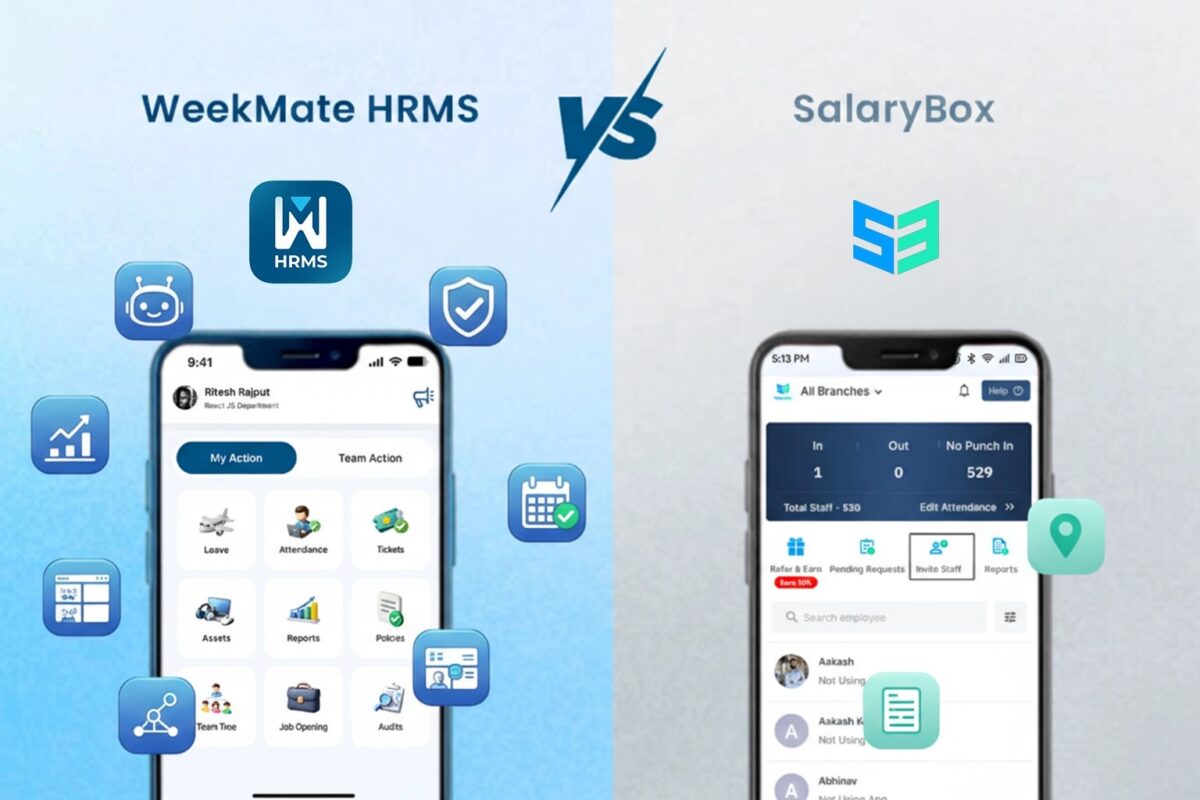
WeekMate HRMS vs SalaryBox: Choosing the Right HRMS for Modern Businesses

SalaryBox does one thing well. Attendance and payroll for a mobile-first team, run mostly from a phone, quickly. If your team is 15 people, half of them on the shop floor or on the road, and you were still tracking attendance on WhatsApp last quarter, that’s a real upgrade. The trouble starts when you need more than that. Employee performance reviews, structured onboarding, engagement pulses, or just a proper HR platform your desk-based staff can operate from a browser. That’s where a mobile payroll app starts to feel undersized.

WeekMate is built as a full hrms and payroll software platform, not a mobile payroll app with HR features layered on top. Cloud-based, desktop and mobile equally capable, with clear feature tiers that unlock the deeper HR toolkit as you grow. This piece walks through what each platform genuinely does, where SalaryBox earns its place, and why WeekMate is the smarter call for a business that’s outgrown the phone-first approach.

WeekMate HRMS vs SalaryBox: Quick Comparison

Category WeekMate HRMS SalaryBox
Best For Growing SMBs and mid-market teams needing a full HR platform, not just payroll and attendance Micro-businesses and MSMEs with deskless or field-first workforces running on mobile
Product Type Full-suite cloud HRMS with desktop and mobile both fully featured Mobile-first payroll and attendance app, lighter desktop experience
Pricing Model Fixed monthly tier price for a 50-user bucket, published on site Per-employee per-month billing, no base fee (Starter tier), exact rates for higher tiers behind a calculator or sales quote
Depth of HR Coverage End-to-end: hiring, onboarding, payroll, performance, engagement, exit (deeper tiers unlock more) Payroll and attendance-first, with lighter modules beyond that
Interface Focus Desktop-first HR platform with a full mobile app alongside Mobile-first (phone-based operation), designed for teams without desktop access
Setup Time Guided onboarding with configuration support, built for accuracy at scale Fast to start, but limited to basic mobile setup with little customization

WeekMate HRMS Overview

Key Features

  • Full HRMS covering the whole employee lifecycle, tiered from Starter through Enterprise
  • Cloud-based platform with desktop and native mobile both fully capable
  • Core HR, Attendance, Leave, Payroll and Statutory Compliance included from Starter tier
  • Onboarding, Offboarding, Performance Management, Surveys and Expense Management unlock at Growth tier
  • Mira AI, Asset Tracking, LMS, Multi-Entity Support and Custom Workflows sit at Enterprise tier
  • Sits alongside CRM, TaskHub, proposals, email marketing and field sales on the same account
  • Native mobile app for iOS and Android with WFH check-ins, comp-off and full self-service

Who Is It Best For?

WeekMate suits businesses that have outgrown a mobile payroll app and want a proper HR platform. That’s typically growing SMBs and mid-market teams where employees use desktop as much as mobile, where HR needs to run structured onboarding and performance reviews (not just payroll), and where the business would benefit from having best hr management software that connects with CRM and task management on one account. Companies scaling from 25 to 150 employees tend to hit this transition point.

Pros and Cons

Pros

  • Full HRMS depth available through clear tier upgrades, not a payroll app trying to be an HR platform
  • Desktop and mobile experience are both fully featured, no mobile-first compromise
  • Fixed monthly tier price up to 50 users, so hiring within a tier doesn’t touch the invoice
  • Transparent published pricing on the website, no calculator or sales gate for the standard tiers
  • Wider WeekMate suite (CRM, TaskHub, proposals, field sales) on one login
  • Structured HR workflows scale from 15 employees to 300 without a re-implementation

Cons

  • Mobile UX is a companion to the desktop platform, not a mobile-native experience the way SalaryBox is
  • Performance, engagement and onboarding sit at Growth tier, so Starter alone doesn’t cover full HR lifecycle
  • Overkill for a 6-person micro-business that just needs mobile attendance and payroll basics
  • 50-user tier ceiling means larger orgs move to a custom enterprise conversation

SalaryBox Overview

Key Features

  • Mobile-first attendance with selfie check-in, GPS geofencing and three-factor authentication (Punch + Selfie + Location)
  • Automated payroll for different wage types (monthly, weekly, hourly, output-based)
  • Statutory compliance including PF, ESI, TDS automated at Business tier and above
  • Multi-location live visibility for teams spread across sites
  • Employee self-service via mobile app for payslips, leave and attendance
  • 3-day free trial with a ₹1 refundable verification charge to start
  • Positioned specifically for India’s MSME segment and deskless workforces

Who Is It Best For?

SalaryBox fits micro-businesses, MSMEs and small teams (5 to 20 users on Starter, up to 200 on Business) with a mobile-first or deskless workforce. It’s particularly strong for owner-run businesses currently tracking attendance on paper, WhatsApp or spreadsheets and looking for a mobile app that replaces all of that in one go. Field teams, retail outlets, blue-collar workforces and multi-location operations that need live attendance visibility from a phone get real value from it.

Pros and Cons

Pros

  • Mobile-first design that works genuinely well for deskless and field-based teams
  • Purpose-built for India’s MSME segment, which shows in language and defaults
  • Payroll processing time cut from days to minutes, per the vendor
  • Three-factor attendance authentication (Punch + Selfie + Location) reduces fraud on shared devices
  • Supports multiple wage types including hourly and output-based, useful for blue-collar teams
  • Trusted by 246,000+ Indian businesses across 3.5 million employees

Cons

  • Exact pricing for Business and Enterprise tiers sits behind an interactive calculator or a sales conversation
  • Desktop experience is lighter than the mobile app, less suitable for desk-based HR teams
  • Depth beyond payroll and attendance (performance, engagement, recruitment) is limited
  • Integrations are fewer than a full-suite HRMS, harder to fit into a wider tool stack
  • Statutory compliance depth requires moving up to the Business tier
  • Better suited to under-200 headcount before you outgrow the mobile-first approach

WeekMate HRMS vs SalaryBox: Detailed Feature Comparison

Capability WeekMate HRMS SalaryBox
Employee Records & Document Management ✅ Advanced, searchable database with custom fields and secure, version-controlled document storage ⚠️ Basic staff directory profiles with simple document uploads, available from Business tier only
Onboarding Workflows ✅ AI-guided, integrated onboarding ⚠️ Digital onboarding included, but setup is more manual
Lifecycle Tracking ✅ Full employee lifecycle automation ⚠️ Limited lifecycle tracking
GPS/Biometric Attendance ✅ Multi-method attendance, including face recognition ✅ Selfie, GPS and QR-based attendance with geofencing
Shift Scheduling ✅ Dynamic, AI-optimized scheduling ⚠️ Manual shift scheduling, multi-shift handling from Business tier
Leave Policies & Approvals ✅ Customizable, automated leave policies ⚠️ Standard leave request templates; accrual policies and approval flow from Business tier
Real-Time Attendance Tracking ✅ Comprehensive live dashboards ⚠️ Basic attendance reports
Payroll Processing, Tax & Payslips ✅ AI-driven payroll, Pan-India tax compliance and instant customizable payslips included in every tier ❌ Not available on Starter; one-click payroll, core deductions and payslip generation included from Business tier only
Statutory Compliance & Labor Law Updates ✅ Automated PF, ESI, PT and TDS with real-time compliance alerts in every tier ❌ ESI, EPF, PT and LWF plus compliance filing reports included from Business tier only; none on Starter
Audit Readiness ✅ Built-in audit tools ⚠️ Basic reporting, deeper insights only on Enterprise
Reporting ✅ Advanced analytics dashboards ⚠️ Standard exports; actionable insights dashboard is Enterprise-only
Performance & Productivity Analytics ✅ Custom KPI tracking, appraisal workflows and AI-powered productivity trends included ❌ Not part of the core plan
Integrations ✅ Bundled CRM, TaskHub and proposal tools on the same account ❌ API access and Tally integration limited to the Enterprise tier

WeekMate HRMS vs SalaryBox: Pricing Comparison

WeekMate HRMS Pricing

WeekMate publishes three subscription tiers on its pricing page. Pricing is per number of employees, so whether your team is 18 people or 47, the number stays the same:

  • Starter: ₹3,999/month, up to 50 users, covers Core HR, Attendance, Leave, Payroll and Statutory Compliance, Employee Self-Service, Workforce Analytics and Standard Reports
  • Growth: ₹4,999/month, up to 50 users, adds Onboarding and Offboarding, Performance Management, Surveys, Expense Management, Employee Helpdesk and Advanced Reporting
  • Enterprise: from ₹5,999/month, up to 50 users, adds Mira AI, Asset Tracking, LMS, Multi-Entity Support, Third-Party Integrations, Custom Workflows and a Dedicated Account Manager, with custom pricing above 50 users

That single design choice is what makes budgeting genuinely simple with WeekMate as your payroll management software.

SalaryBox Pricing

SalaryBox runs three tiers, Starter, Business and Enterprise, all subscription-based with per-employee-per-month billing and no base platform fee. A 50-employee business lands roughly between ₹1,750 per month (Starter) and ₹5,000 per month (higher tiers):

  • Starter: ₹35 per employee per month, as specified on SalaryBox’s own published rate, includes AI selfie attendance, GPS tracking, geofencing, biometric integration and automated payroll, built for small teams (5 to 20 users)
  • Business: exact per-employee rate not published on SalaryBox’s own pricing page, calculated through the interactive calculator or a sales conversation, higher than Starter to include statutory filings, multi-location visibility and payroll consolidation, aimed at growing organizations (20 to 200 staff)
  • Enterprise: custom pricing, requires a sales conversation, for larger organizations needing dedicated support and configuration

SalaryBox offers a 3-day free trial with a ₹1 refundable verification charge to confirm the payment method.

How Pricing Changes as You Scale

If you have under 30 employees, SalaryBox Starter is easily the cheaper pick at ~₹700/month for a 20-person team. As you grow past 30 employees and need advanced HR features, WeekMate becomes much more cost-effective. You get a flat rate of ₹3,999/month for up to 50 users, including performance and onboarding tools. Past 50 staff, WeekMate’s custom enterprise plans keep your software costs predictable, while SalaryBox continues to charge per head.

WeekMate HRMS vs SalaryBox: Key Differences

1. Difference in Pricing Model

WeekMate publishes fixed monthly per-tier pricing on its website, with each tier priced for a 50-user bucket. SalaryBox charges per employee per month with no base fee at Starter (₹35 per head), then moves to per-employee rates for Business and Enterprise that require the calculator or sales conversation. WeekMate suits buyers who want to price the product before speaking to sales; SalaryBox suits buyers happy to enter their headcount and get a tailored quote. Both offer free trials, but only WeekMate publishes the full HRMS tier price list without needing input.

2. Difference in Feature Availability

WeekMate bundles Core HR, Attendance, Leave and Payroll into Starter, then unlocks Onboarding, Performance and Engagement at Growth, and Mira AI, Multi-Entity and Custom Workflows at Enterprise. SalaryBox focuses on payroll and attendance as the core across every tier, with statutory compliance moving up to Business. If you need structured performance reviews, engagement pulses or full employee lifecycle workflows, WeekMate Growth or Enterprise has them built in. If you need mobile attendance and payroll processed fast, SalaryBox Starter does that one thing very well at a low per-employee rate.

3. Difference in Scalability

The two platforms scale in different shapes. WeekMate is flat: one price, up to 50 users, full feature set from day one, then a custom quote past that. SalaryBox is banded: Starter covers 5 to 20 users with attendance only, Business covers 20 to 200 with payroll and compliance added, and Enterprise picks up anything larger through sales. That means a SalaryBox customer growing from 18 to 25 employees has to jump plans just to keep payroll running, while a WeekMate customer making the same move sees no change at all.

4. Difference in Integrations

WeekMate connects with accounting, ERP and CRM systems via APIs, and reduces the need for external integrations by bundling CRM, TaskHub, proposals, email marketing, visitor management and field sales into the same account (Third-Party Integrations sit at the Enterprise tier). SalaryBox’s integration surface is smaller, focused on payroll-adjacent tools and biometric hardware. For a business running multiple SaaS tools, WeekMate’s native breadth cuts the integration count meaningfully. For a business that only needs attendance and payroll and nothing else, SalaryBox’s leaner surface is not a problem.

5. Difference in Interface and Workforce Fit

This is the sharpest split. SalaryBox is mobile-first because its target user (the MSME owner or a deskless team) lives on a phone. That design decision drives everything about how the product feels. WeekMate is a desktop-first HR platform with a full mobile app alongside, built for HR teams that manage their day from a laptop and employees who use both. If your workforce is field-heavy and phone-only, SalaryBox’s mobile-native design wins. If your workforce is mixed or desk-based, WeekMate’s desktop platform is the more capable environment.

Is WeekMate HRMS the Better SalaryBox Alternative?

For most businesses that have outgrown a mobile payroll app, yes. SalaryBox is a strong product for what it’s designed to be: a mobile-first payroll and attendance tool for India’s MSME segment, particularly deskless workforces. That’s a real market and it serves it well. It just isn’t a full HRMS, and if you need structured performance reviews, employee lifecycle workflows, engagement programs or a proper desktop platform for your HR team, you’ll hit its ceiling.

WeekMate is the more practical hrms and payroll software india alternative for growing SMBs and mid-market teams that want a full HR platform, published tier-based pricing, and the option to fold CRM and task management into the same account. If you’re a micro-business with a fully deskless team under 20 people, SalaryBox remains the easier fit. Above that, WeekMate’s fuller HR coverage and predictable tier pricing tends to justify the switch.

Ready to Move Past Mobile-Only Payroll?

SalaryBox works when your entire operation fits on a phone. But if your HR team runs from a laptop, if you need performance reviews and structured onboarding, or if you’ve hit the ceiling of what a payroll-and-attendance app can do, it’s time to look at a proper HR platform. WeekMate gives you the full HRMS stack (hiring to exit) on a real desktop platform with a full mobile app alongside, flat published pricing per tier, and no calculator or sales gate between you and the number.

Bring your current SalaryBox tier and the features you find yourself wishing were there. Ten minutes on WeekMate’s desktop platform is usually enough to see whether the switch is worth planning for now or in six months’ time.

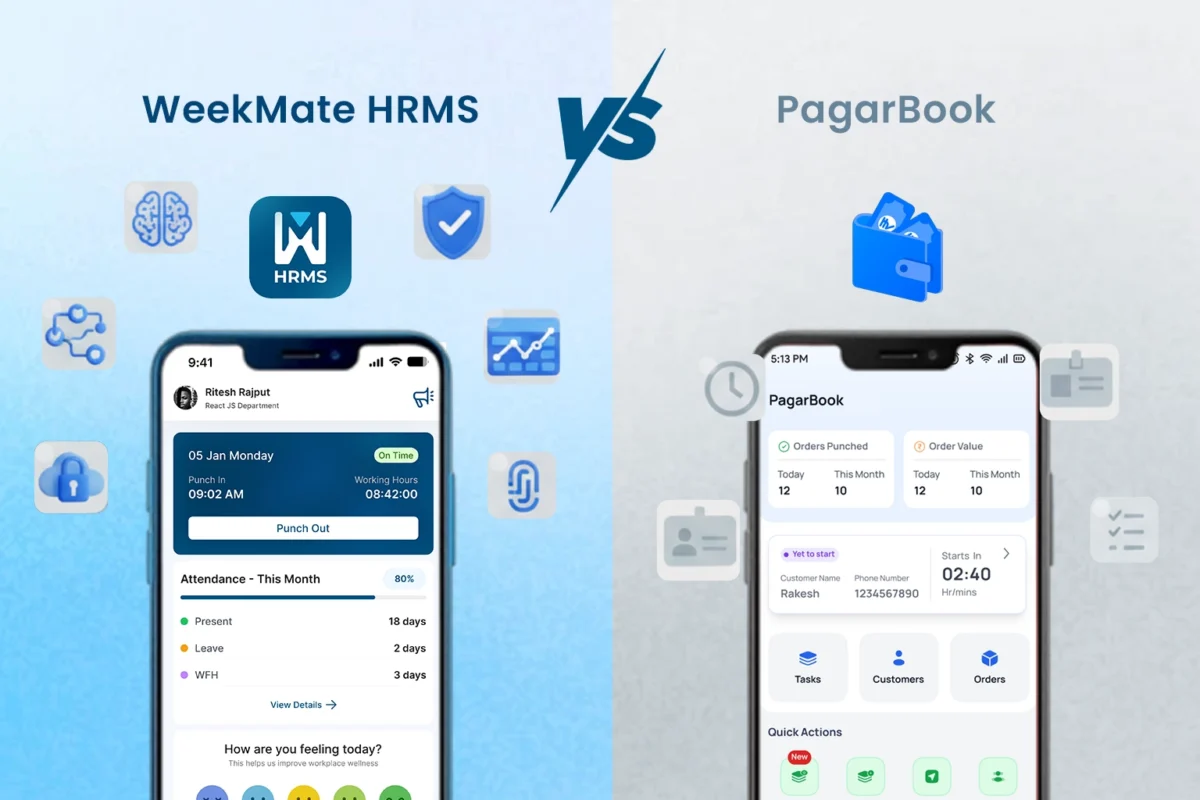
WeekMate HRMS vs PagarBook: Workforce Digitization Platforms Compared

In the fast-growing business environment of India, workforce digitization platforms India have become a need of the hour for boosting operational efficiency. The shift from manual to automated HR processes mitigates compliance-related challenges and administrative burdens, enabling organizations to focus on strategic initiatives. This transition is especially relevant for small and medium enterprises (“SMEs”) that are struggling with labor laws and workforce dynamics.

This WeekMate HRMS vs PagarBook is an HR software comparison India companies should consider. The analysis of these two software products is intended to help SMEs find the best employee management software in India by evaluating their features, UI, and usability. Finally, the comparison shows that one solution offers much greater scalability and a deeper feature set in this payroll and attendance software comparison.

Highlights of Workforce Digitization in India

Workforce digitization platforms India include a set of digital software and tools that covers end to end human resource functions like hiring, payroll, and performance management via SaaS and mobile-enabled platforms. This is driven by several factors from the Indian perspective.

The rise of remote and hybrid work means there needs to be a robust system in place to monitor employees in other locations. Also, the confusing maze of compliances, such as provident fund and tax deductions, must be accurately automated, or penalties may result. The growing adoption of digital tools among SMEs contributes another layer to this trend, along with national programmes encouraging technological integration.

Payroll and attendance software play an important role in this system by providing automation that can reduce errors by as much as 90%. The Indian HRMS market is anticipated to reach a value of USD 870.46 million by 2025 and is expected to grow at a CAGR of 17.34% to around USD 1.2 billion by 2027 from 2020. In a country having more than 74.7 million MSMEs that provide jobs to over 328 million people, these platforms are crucial for growth that is not just rapid but sustainable.

Platform Overview
WeekMate HRMS – Company & Product Snapshot

WeekMate HRMS is designed for SMEs and startups and is also relevant for large enterprises in need of customizable HR solutions. It is cloud platform-based software with Web and Mobile Interfaces, offering on-the-go accessibility. As powerful employee lifecycle management software, it processes everything from talent acquisition to separation, applying artificial intelligence along the way for smarter decision-making.

PagarBook – Company & Product Snapshot

PagarBook caters to the needs of micro, small and medium enterprises primarily in the retail and on-site business. Its emphasis on mobile accessibility facilitates quick management for dispersed teams. It has found favor with industries that benefit from simple worker oversight and payroll management, though it is more concentrated on basic functions.

Feature-by-Feature Comparison

Employee Database & Lifecycle Management

Having records centralized digitally makes it easier to search for data, and securely storing important documents keeps them safe. Onboarding and offboarding automation to reduce paperwork.

In this HR software comparison India, WeekMate exceeds PagarBook in terms of intelligent automation-based employee lifecycle management software.

Feature

WeekMate HRMS

PagarBook

Digital Records Advanced database with customizable attributes and deep employee history. Standard profiles with basic contact and identity options.
Document Storage Encrypted cloud with versioning, role-based access, and tracking history. Elementary file uploads for basic compliance and ID proofing.
Onboarding/Exit Streamlined automation including digital signatures and asset tracking. Primarily manual procedures with minimal checklist support.
Depth of Utility Complete cycle coverage: Recruitment, payroll, performance, and offboarding. Limited scope: Focused primarily on attendance and wage calculations.

Attendance and Timesheet Management

Options such as biometric, location-based, or app-based tracking ensure accuracy, while roster management and overtime control promote equal treatment.

WeekMate offers more features in terms of timesheet and productivity tracking with analytics tools, while PagarBook is basic in its functionalities.

Feature

WeekMate HRMS

PagarBook

Attendance Methods Multiple, including facial recognition and geolocation Photo and position-based basics
Shift Scheduling Intelligent, adaptive planning Standard manual setup
Overtime Tracking Rule-based automation Hands-on computations
Productivity Tracking Interactive visuals and metrics Minimal overviews

Leave Management System Comparison

Flexible policy configurations, automatic balance updates, and unified calendars make administration effortless. Approval processes and self-initiated requests enhance efficiency.

The leave management system comparison shows that WeekMate is more advanced than PagarBook.

Feature

WeekMate HRMS

PagarBook

Policy Configuration Extensive tailoring for various scenarios Preset formats
Accrual Automation Dynamic, adjusted calculations Fundamental tracking
Approvals/Requests App-enabled reviews and submissions Limited application features
Integration Linked to compensation and insights Independent operation

Payroll Processing Automation

Dynamic salary components, real-time computations, and transaction processing ensure accurate disbursements and error-free documents.

WeekMate’s payroll processing automation is also more reliable thanks to native validations.

Feature

WeekMate HRMS

PagarBook

Structures Versatile element designs Fixed patterns
Calculations Smart batch handling Guideline-driven, less agile
Deductions/Reimbursements Dedicated modules for claims Essential management
Payslips Tailored distributions Uniform layouts

Compliance & Statutory Payroll

Contributions management (e.g., ESI) and Taxes Compliance, Localization, and Reports.

WeekMate proved to be superior in compliance and statutory payroll consistency.

Feature

WeekMate HRMS

PagarBook

Statutory Handling Thorough automatic support Selective, often manual
State Support Nationwide, with updates Core coverage
Filings/Reports Direct submission links Exportable formats

Employee Self-Service Portal

Access securely using your phone, check your records, download your documents, update your details, and get in touch internally.

WeekMate’s employee self-service portal offers broader functionality.

Feature

WeekMate HRMS

PagarBook

Mobile Access Extensive application tools Core utilities
Views/Downloads Detailed interfaces Restricted displays
Updates/Communication Editable info and messaging Simple modifications

HR Analytics & Reporting

Ready-made reports, your own views and trends, and actionable workforce insights.

WeekMate delivers more advanced HR analytics and reporting.

Feature

WeekMate HRMS

PagarBook

Reports/Dashboards Bespoke, intelligence-enhanced Conventional summaries
Insights/Analytics Forward-looking evaluations Elementary data

User Experience & Interface

WeekMate features a user-friendly design, multilingual support, and fast setup, and is accessible on all devices with equal ease. PagarBook robs the desktop of any bells and whistles you could ask for, instead focusing on convenience and features that would fit minimal needs.

Integrations & Ecosystem

WeekMate is easily integrated with financial systems, verification hardware and open APIs for custom applications. PagarBook is not as integratable with other products, though it does have some very narrow connections to transaction services.

Customer Support & Implementation

WeekMate comes with a guided, intuitive, educational setup process, and you will also receive our friendly, active support across multiple channels. PagarBook offers in-app support, but answers to complex issues might take longer.

Security & Data Privacy

Both subscribe to industry standards, but WeekMate introduced enhanced security, access control and recovery measures to keep data protection on a higher level.

Use-Case Suitability

When selecting an employee management software India, the scale and vision of an organization generally matter. WeekMate is great for growing businesses.

  • Best for micro & small businesses: PagarBook does basic monitoring. 
  • Best for scaling SMEs: WeekMate provides comprehensive automation.

Industry fit:

  • Software & IT: WeekMate’s metrics.
  • Manufacturing: WeekMate’s scheduling.
  • BPO: WeekMate’s compliance tools.
  • Pharmacy: The full management of WeekMate.
  • Accounting: WeekMate’s integrations.

Which Platform is Better for SMEs?

WeekMate is favoured in the WeekMate HRMS vs PagarBook comparison for its cost-effectiveness, support for growing teams, compliance requirements, and process complexity. For a growing company with 50 employees looking to get productive, WeekMate offers end-to-end support; PagarBook accommodates smaller, mobile businesses.

Final Thoughts

This HR software comparison India focuses on highlighting the pros of WeekMate in workforce digitization platforms India. Go with WeekMate HRMS for holistic, futuristic offerings; go with PagarBook for bare-bones, basic needs. The development of payroll and attendance software comparison indicates futuristic, AI-powered systems such as WeekMate will drive the evolution of HR solutions in India.

FAQs

1. Why is WeekMate HRMS better suited for SMEs as compared to PagarBook?

WeekMate HRMS is better suited for SMEs, as it provides a comprehensive platform for handling all aspects of HR, payroll, attendance, and productivity management. Whereas PagarBook is more appropriate for small businesses that want to manage payroll and staff records with basic functionality.

2. Do WeekMate HRMS and PagarBook provide statutory payroll compliance in India?

Yes, Indian Statutory compliances such as PF, ESI, TDS, and professional tax calculations are supported on both platforms. While WeekMate includes more automated compliance updates, comprehensive audit trails, and multi-layered reporting that help reduce errors.

3. How do their attendance and leave management systems compare?

WeekMate offers advanced attendance features, including biometric integration and shift scheduling, as well as more detailed timesheets and productivity reports. PagarBook does have basic attendance and leave management, but no advanced workforce analytics.

4. Is there an employee self-service portal for both platforms?

Both provide employee self-service portals that allow employees to view payslips and leave balances. WeekMate has a more comprehensive portal that includes features such as document management, performance insight, and real-time notifications.

5. Can WeekMate HRMS and PagarBook be integrated with other business apps?

WeekMate offers a number of third-party and API integrations to sync with your accounting, CRM, and productivity applications. The complexity of integration in PagarBook is higher, so growing companies may find it more challenging to automate their business.

6. What are the benefits of WeekMate?

WeekMate is simplifying the complex HR processes by bringing payroll, attendance, compliance and performance management under one roof. It eliminates manual errors, increases productivity, enables monitoring, and boosts employee experience with self-service and automation solutions.

WeekMate HRMS vs Monday.com: The Best Monday.com Alternative for 2026?

When businesses compare HRMS with Monday.com, the decision often comes down to a simple question: What does your organization actually need specialized HR automation or flexible work management?

WeekMate HRMS is built specifically for HR teams that require payroll processing, compliance management, and complete employee lifecycle automation.
Monday.com, on the other hand, suits smaller teams looking for collaborative task management and customizable workflows.

If you’re evaluating Monday.com competitor, searching for sites like Monday.com, or simply trying to find the best Monday.com alternatives, this guide will help you determine which platform fits your 2026 business needs.

HRMS Vs. Monday.com: What Sets These Platforms Apart?

HRMS: Built for HR Teams

HRMS platform handles the complex workflows of human resources. It helps with advanced end-to-end HR tasks, through:

  • Payroll calculations that factor in overtime, holiday pay, and tax withholdings.
  • Compliance tracking that keeps companies out of legal trouble.
  • Employee databases that store everything from emergency contacts to performance reviews.

HRMS eliminates manual processes and provides a centralized, secure platform for all HR operations making it a powerful Monday.com alternative for enterprises.

Monday.com: Basic HR and Work Management

Monday.com takes a different path. It’s a work management platform that can be shaped into almost anything—project tracking, team collaboration, or yes, basic HR processes.

Monday.com offers HR templates and customizable workflows. But it’s fundamentally a project management tool adapted for HR, so it’s not a purpose-built HR software.

This flexibility makes Monday.com appealing to teams wearing multiple hats. The same platform handling product launches can also track job candidates.

HRMS & Monday.com: Feature-by-Feature Breakdown

HRMS Features: How HRMS Supports Growing & Established Businesses?

WeekMate HRMS delivers comprehensive HR functionality designed for modern workspaces:

  • Payroll Automation: Handle complex payroll calculations, tax deductions, and direct deposits without manual intervention.
  • Leave and Attendance Management: Track employee hours, manage leave requests, handle comp-offs, and WFH approvals.
  • Employee Performance Tracking: Set personal goals, maintain team targets, conduct performance reviews, and manage employee rankings.
  • Compliance & Policy Management: Ensure adherence to labor laws, manage organization policies, and handle audit requirements.
  • Employee Records & Lifecycle Tracking: Centralized employee database managing everything from hiring to separation details.
  • AI-driven Insights and Analytics: Generate real-time HR insights, user reports, and predictive analytics for workforce management.

Additional features include biometric punching, asset management, bill reimbursements, ticket management, and the Waffle recognition system—all designed specifically for HR teams.

Monday.com’s HR Toolkit

Monday.com approaches HR differently:

  • Customizable workflows: Let teams design their own hiring processes. Visual kanban boards show candidates moving through interview stages.
  • Dashboard views: Provide quick overviews of team projects and employee assignments. Everything stays visual and easy to digest.
  • Collaboration features: File sharing, comments, and @mentions keep everyone connected.
  • Template library: Includes pre-built HR processes, though these require significant customization to match specific company needs.
  • Basic automation: Handles simple tasks like sending reminder emails or moving tasks between columns.

However, these features require extensive manual setup and customization to function effectively for HR purposes.

This is why many teams research Monday.com competitors that provide deeper HR capabilities.

HRMS vs. Monday.com: Side-by-Side Comparison

Aspect HRMS (WeekMate) Monday.com
Core Focus Dedicated HR automation from hire to exit General work management with HR templates
Payroll & Compliance Native payroll, compliance, and policy support No built-in payroll; requires third-party integrations
Employee Records Centralized, secure employee database with lifecycle tracking Employee data stored in custom boards
Performance Management Goal-setting, rankings, structured reviews, team targets Limited HR templates; manual setup needed
Collaboration HR-focused communication & Waffle recognition features Strong collaboration tools across teams
AI Analytics Predictive HR insights, real-time reports, user analytics Project and workflow analytics
Pricing Model One-time license, no monthly subscription fees Monthly per-user subscription model
Best Fit For Enterprises and growing organizations needing full HR suite SMBs needing flexible workflows and basic task management

The Money Question: Pricing Reality

HRMS: No Monthly Fees or Per-User Cap

WeekMate HRMS doesn’t need monthly subscriptions. Companies pay upfront and avoid monthly subscription fees that add up over time. This approach works particularly well for growing businesses that don’t want costs to scale with headcount.

Example: A company with 100 employees might pay $1,200 monthly for Monday.com’s standard plan. That’s $14,400 annually, every year. HRMS licensing often costs less than two years of Monday.com subscriptions.

Monday.com’s Subscription Model

Monday.com charges per user monthly:

  • Basic: $9/user/month for simple boards and workflows
  • Standard: $12/user/month, adding automations and dashboards
  • Pro: $19/user/month with advanced features
  • Enterprise: Custom pricing for large organizations

Small teams initially find these prices reasonable. The trouble starts when companies grow. A 50-person team on the Standard plan costs $600 monthly or $7,200 yearly.

When to Choose Which SaaS Platform?

HRMS Makes Sense When:

  • Companies deal with complex payroll requirements.

Multiple pay grades, overtime calculations, and various deduction types create complexity that general work platforms can’t handle well.

  • Compliance matters significantly.

Industries with strict labor regulations need systems designed for HR compliance, not general project management tools adapted for HR use.

  • Employee data security is critical.

HRMS platforms build security around sensitive employee information from the ground up. HRMS serves as one of the best Monday.com alternatives.

The team size justifies the use of dedicated HR software like HRMS. Once companies hit 25–50 employees, HR tasks become substantial enough to warrant specialized tools.

Monday.com Works Better When:

  • Teams need flexibility above specialization.

Startups and small businesses often prefer platforms that adapt to changing needs rather than deep functionality in one area.

  • HR processes remain relatively simple.

Basic hiring workflows and simple employee tracking don’t require enterprise-grade HR systems.

  • Budget constraints favor monthly payments.

Some companies prefer spreading costs over time rather than making larger initial purchases.

The same platform needs to handle multiple business functions. Teams managing projects, marketing campaigns, and basic HR from one dashboard appreciate Monday.com’s versatility.

Quick Decision Guide

  • Choose HRMS when your company needs comprehensive payroll processing, compliance management, and dedicated HR automation. Best for enterprises.
  • Choose Monday.com when your team values flexibility, cross-functional collaboration, and simple HR workflows. Best for SMBs with limited HR requirements.

FAQs

Can Monday.com handle payroll management?

Monday.com doesn’t do payroll. You’ll need to connect it to tools like Gusto or ADP, which means using multiple platforms and paying for separate services. WeekMate HRMS handles payroll directly—calculating wages, taxes, deductions, everything. No bouncing between different systems during busy payroll weeks.

Is Monday.com suitable for HR management in large enterprises?

Monday.com works well for task management and small HR teams. But enterprises often prefer a tool that supports scalability, compliance, and cost efficiency. HRMS is one of the greatest alternatives to Monday.com.

Why do businesses prefer HRMS over Monday.com for workforce management?

HRMS presents a complete HR management solution. It comes with payroll, compliance, and employee lifecycle management in one place. No need for integrations. Monday.com requires integrations and manual setup for similar functions. And that quickly becomes complex and costly.

Is WeekMate HRMS a good Monday.com alternative?

Yes. WeekMate HRMS is one of the best Monday.com alternatives for businesses that need:

  • Built-in payroll processing
  • Compliance management
  • Employee records and lifecycle tracking
  • Automated attendance & leave
  • Performance management
  • HR-specific analytics

This makes WeekMate one of the strongest Monday.com competitors for HR automation.

What are the best Monday.com competitors?

The top Monday.com competitors for HR automation are WeekMate HRMS, BambooHR, Zoho People, Rippling, and Zenefits. WeekMate HRMS is the strongest option for payroll, compliance, and workforce management.

Making the Right Choice

The HRMS vs. Monday.com decision ultimately depends on two things: What functions do you need today, and where is your company heading? Small teams with simple needs might thrive with Monday.com’s flexibility. Growing companies with serious HR requirements will likely find the WeekMate HRMS platform delivering better long-term value and functionality.