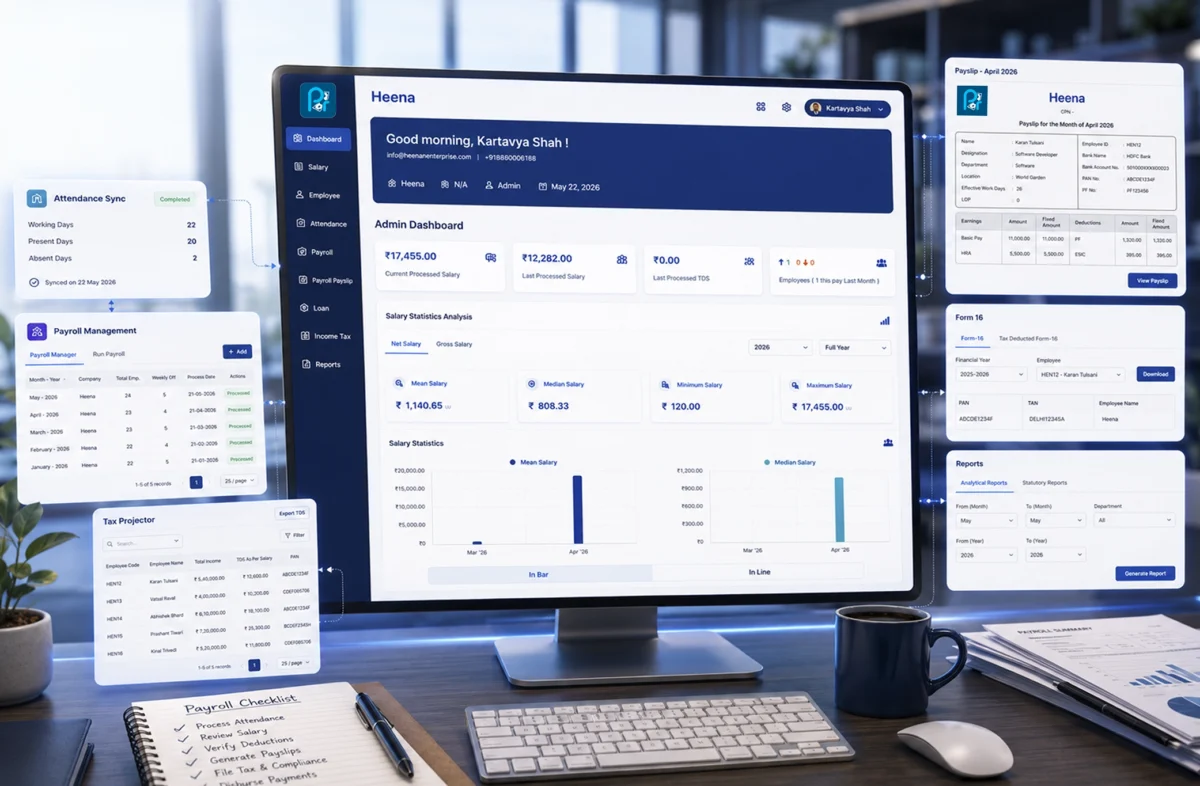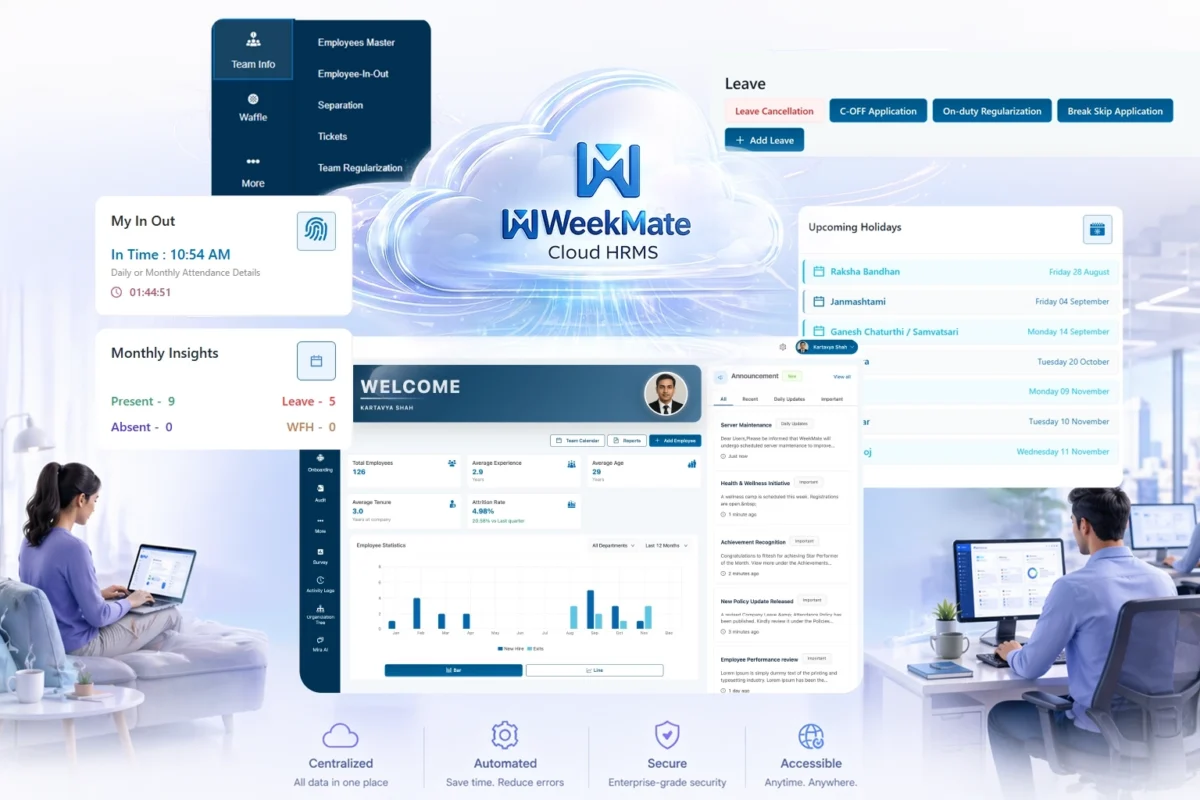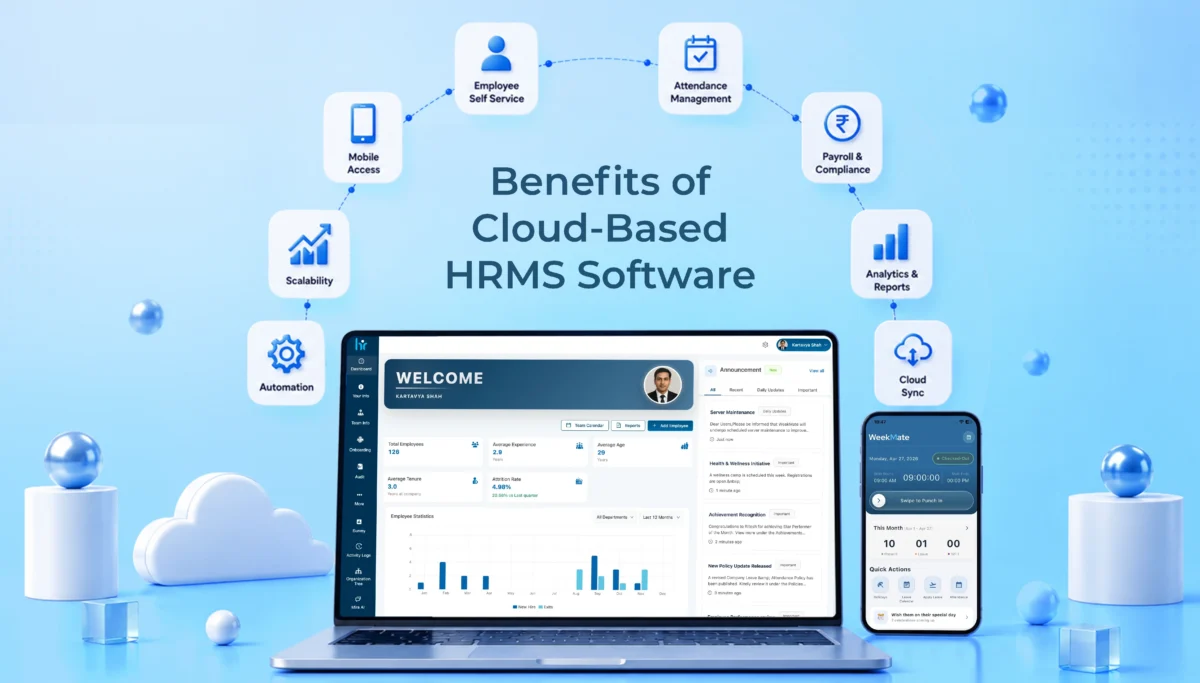
Benefits of Cloud-Based HRMS Software and How to Select a Secure Solution

HR isn’t the paper-based file system and spreadsheets anymore. That’s a thing of the past in most businesses.

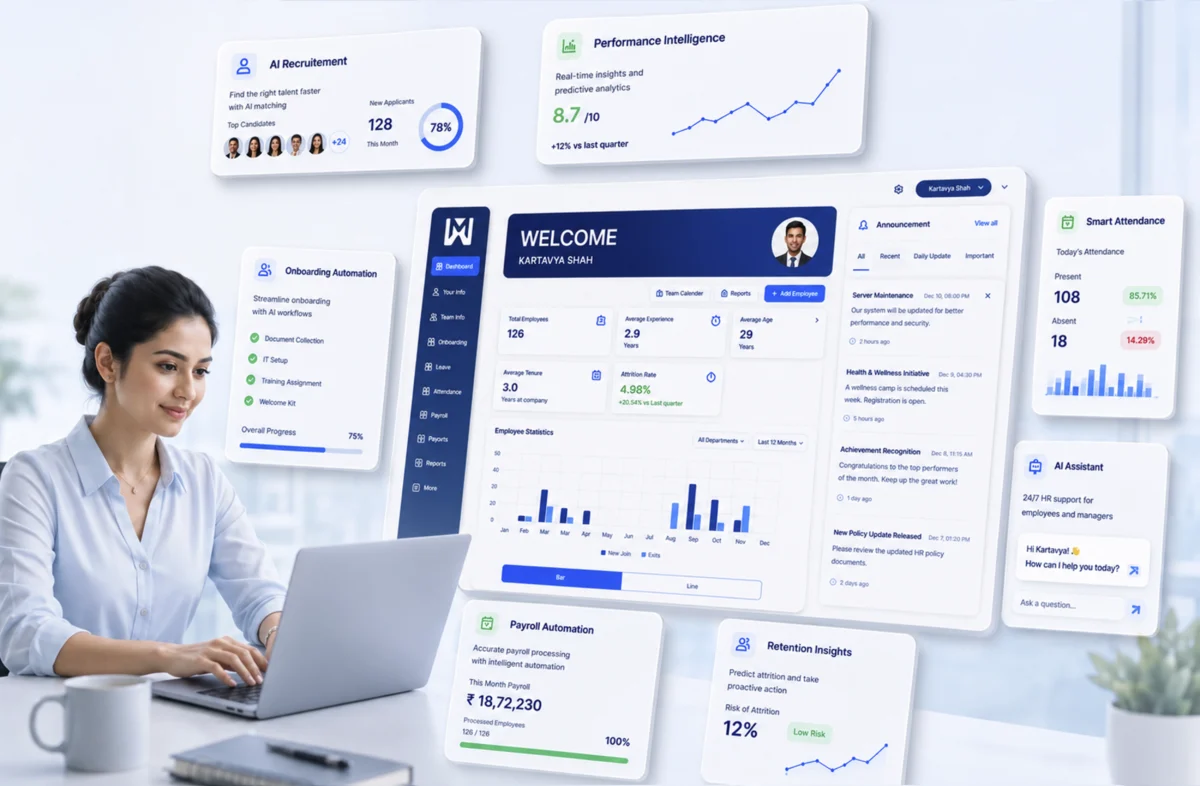
More companies are shifting from traditional, on-premise HR systems to cloud-based HRMS software. It’s not a fad. It addresses real-world challenges such as slow processes, fragmented data, and IT departments grappling with server maintenance.

This article will explain what exactly cloud HRMS is, its benefits, and how to determine whether or not it’s secure enough to send your employee data.

What Is Cloud-Based HRMS Software?

Definition of Cloud HRMS

An HRMS, or Human Resource Management System, is software that handles the day-to-day work of managing people. Things like payroll, attendance, leave, onboarding, and performance reviews.

Adding ‘cloud technology’ just means this software runs over the internet instead of being installed on your own machines. You’re not setting up anything on local servers. You’re using a service hosted somewhere else.

How Cloud HRMS Works

The vendor hosts the software on their own servers, and you access it through a web browser or a mobile app – no installation needed on your end. Whether you’re at your desk or halfway across the country, the system works the same way.

Pricing is usually subscription-based, billed monthly or annually depending on your employee count. You’re not paying for infrastructure. You’re paying to use the service.

Cloud HRMS vs On-Premise HRMS

The key distinction is the ownership and operation of infrastructure. Cloud-based HRMS means the vendor will manage servers, deployment and updates. With on-premise HRMS, your internal IT team manages it.

Another difference is accessibility. Cloud systems are designed to be accessed from all places and on all gadgets. On-premise systems may only be able to be used within your internal network, making them somewhat restrictive for remote or hybrid teams.

Costs are also different. Typically, cloud-based HRMS software has a cheaper initial cost and a recurring cost that is fixed. On-premise HRMS typically demands a bigger startup investment in hardware and licenses, plus maintenance expenses.

Cloud vs On-Premise HRMS: The Honest Trade-Offs

Advantages of Cloud HRMS

Implementation is faster- you’re often up and running in days or weeks, not months. Upfront investment is lower since there’s no infrastructure to buy. You get anywhere access, which matters a lot more now than it used to. And updates happen automatically, so you’re not stuck on outdated software waiting for your IT team to schedule an upgrade.

Advantages of On-Premise HRMS

That said, on-premise isn’t obsolete. It gives you greater control over your infrastructure, which some industries and larger enterprises genuinely need. There’s also more customization flexibility in certain cases, and some businesses simply prefer hosting sensitive data internally rather than handing it to a third party.

Potential Limitations of Cloud HRMS

Cloud HRMS depends on internet connectivity – no connection, no access, at least temporarily. There are ongoing subscription costs instead of a one-time purchase. And you’re relying on the vendor’s reliability and roadmap, which introduces a degree of vendor dependency you don’t have with an in-house system.

Potential Limitations of On-Premise HRMS

On the flip side, on-premise systems come with higher setup and maintenance expenses. You need dedicated IT resources to keep things running. And upgrades tend to move slower, since your team has to plan, test, and schedule them manually instead of getting them pushed automatically.

Comparison Table

Factor

Cloud HRMS

On-Premise HRMS

Cost

Lower upfront, ongoing subscription

Higher upfront, lower recurring

Security responsibility

Shared between vendor and business Entirely with internal IT
Scalability Easy, add users anytime

Requires infrastructure changes

Maintenance

Handled by vendor

Handled by internal team

Accessibility

Anywhere, any device

Usually limited to internal network

Upgrade process

Automatic

Manual, scheduled

The Real Benefits of Cloud HRMS for Indian Businesses

Let us go through some benefits of cloud HRMS that Indian businesses can experience:

Lower Total Cost of Ownership

No servers to buy, no dedicated hardware refresh cycles, and lower IT maintenance costs overall. Pricing is predictable too – a monthly or annual fee instead of unpredictable maintenance bills showing up when something breaks.

Easy Scalability

Adding new employees doesn’t mean adding new infrastructure. Whether you’re a startup adding your first ten hires or an enterprise scaling into new markets, the system flexes with you instead of requiring a rebuild.

Support for Remote and Hybrid Workforces

There are self-service portals that let employees check their own leave balance or update their details without emailing HR. Further, mobile attendance and leave management let employees check in from wherever they’re working. And access from multiple locations just works, without extra setup.

Automatic Updates and Compliance Support

Regular feature enhancements roll out without you doing anything. Payroll and statutory compliance updates happen automatically as rules change, which matters a lot in India where tax and compliance requirements shift fairly often. That alone reduces a huge chunk of administrative burden.

Improved Employee Experience

Self-service capabilities mean employees aren’t waiting on HR for basic requests. HR processes move faster overall. And there’s better transparency. People can see their own records, requests, and approvals without having to ask.

Centralized HR Data Management

Everything sits in one system instead of scattered spreadsheets and files. That means less manual record keeping and better reporting since all the data is already in one place.

Faster Decision-Making

Real-time dashboards give you workforce insights as they happen, not a week later in a static report. That means HR planning becomes something you do with current data, not last month’s.

Is Cloud HRMS Secure? What to Verify Before You Trust a Vendor

Understanding Cloud Security Myths

There’s a common assumption that cloud automatically means less secure. In practice, it’s often the opposite. Most vendors invest more in security infrastructure than a typical mid-sized company could build on its own. Security works on a shared responsibility model: the vendor secures the platform itself, while you’re responsible for managing access properly on your end.

Security Certifications to Look For

Look for ISO 27001 and SOC 2 certifications at minimum. If you’re dealing with any international employee data, check for GDPR readiness tool. And ask about the certifications held by the actual data centers the vendor uses, not just the software company itself.

Data Protection Measures

Encryption should cover data both at rest and in transit. Ask how backups are secured and how often they run. And confirm there’s an actual disaster recovery plan, not just a vague assurance that it’s handled.

Access Control Features

Role-based permissions should be standard, so employees only see what’s relevant to them. Multi-factor authentication and single sign-on aren’t extras anymore. They’re baseline expectations for any serious HRMS vendor.

Data Storage and Residency Considerations

Know exactly where your employee data physically sits. This matters for compliance with Indian data protection regulations, and it’s a reasonable thing to ask any vendor directly rather than assume.

Vendor Transparency Checklist

Before confirming, check if the vendor is upfront about their security policies, uptime guarantees, incident response process, and whether they maintain audit logs and active monitoring. A vendor who’s not clear on any of these is worth a second look.

Questions to Ask Before Signing

A few worth asking directly: How often are backups performed? What happens if the service is interrupted? How exactly is customer data protected? And what support is available if a security incident actually happens?

Must-Have Features in a Cloud HRMS Solution

Core HR Management

An employee database, digital document management, and organizational charts should be the baseline, not an add-on.

Payroll and Compliance

Make sure that automated payroll processing, accurate tax calculations, and statutory compliance support get updated as regulations change.

Attendance and Leave Management

Attendance tracking, shift scheduling, and leave workflows that don’t require manual approval chains over email.

Employee Self-Service (ESS)

Employees should be able to update personal information, request leave, and access payslips. There should be no need for the HR to do it for them.

Recruitment and Onboarding

Applicant tracking, digital onboarding workflows, and offer management that don’t rely on printed paperwork.

Performance Management

Goal setting, structured performance reviews, and space for continuous feedback rather than a once-a-year formality.

Learning and Development

Training management, skill tracking, and certification monitoring are mostly useful for industries with heavy compliances.

Analytics and Reporting

HR dashboards, workforce metrics, and the ability to build custom reports without needing a data analyst on standby.

Mobile Accessibility

A mobile app that actually works well, plus manager approvals that can happen on the go instead of piling up.

Integrations

Support for connecting with accounting software, ERP systems, biometric devices, and collaboration tools your team already uses. Platforms like WeekMate bundle a lot of this natively, which cuts down on the number of separate tools you need to manage.

How to Choose the Right Cloud HRMS for Your Size and Growth

Assess Your Current HR Challenges

Start honestly. Are you dealing with manual processes eating up time? Compliance risks you’re not fully on top of? Gaps in employee experience that keep coming up in feedback? Your priorities should follow from your actual pain points.

Define Business Requirements

Before you begin your search, make sure you understand your business needs in terms of employees, location and any industry specific requirements. It is not the same thing that a 30-person start-up and a 3,000-person manufacturer are buying.

Evaluate Scalability

Imagine where your workforce will be in 2-3 years – not now. If expansion to multiple locations is planned for, look into it; if it isn’t, check what additional modules are available as the business expands.

Compare Security and Compliance Standards

Don’t take a feature sheet’s word for it. Leverage the certification standards directly compared, data privacy controls, and the audit options to each vendor you have on your short list, and ask the questions from section 5.7.

Review User Experience

Test the system to see how easy it is to use, because, no matter how powerful the system is, if your workers aren’t able to use it, it will not get used. Focus in particular on mobile, as much of daily usage is there.

Consider Vendor Support

Look at implementation assistance, available customer support channels, and whether training resources are actually good or just a PDF nobody reads.

Analyze Total Cost

Don’t limit yourself to a subscription price. Take into account implementation charges, integration expenses, and directly inquire about possible concealed charges that can emerge later.

Request a Product Demo

Request to test critical workflows for your business – not the vendor’s showpiece walk-throughs. Confirm reporting functionality and test its day-to-day manageability to understand how easy it is.

Create a Vendor Evaluation Checklist

Make a side-by-side comparison of shortlisted vendors in terms of features, security, pricing, scalability, support, and integrations. This is something that is simple to do, but it would be great to have it written down to make it less subjective.

Common Mistakes to Avoid

Choosing based solely on price, without weighing what you’re giving up on features or security. Skipping proper security due diligence because a demo looked polished. Overlooking future scalability because current needs feel manageable. Failing to involve both HR and IT stakeholders in the decision. And not testing the platform properly before committing to a contract.

Each of these feels minor at the moment. They rarely stay that way.

Conclusion

Cloud HRMS solution offers real flexibility, scalability, and operational efficiency. This isn’t just marketing language; it’s a genuine shift in how HR functions day to day. But security isn’t something to assume by default. It comes down to choosing the right vendor and actually verifying their protections instead of taking their word for it.

The best HRMS solution is the one that fits your current requirements while leaving room for where your business is headed next. A structured evaluation process – clear requirements, proper security checks, real demos, and honest cost comparisons – helps you get the most out of your investment while keeping risk low.

FAQs

1. Is cloud HRMS suitable for small businesses?

Yes. Cloud HRMS is suitable for small businesses, as they do not have to come up with a large sum of money to buy the on-premise system. They have smaller teams and hence can function with a cloud HRMS.

2. How long does it take to implement a cloud HRMS?

Most implementations take a few days to a few weeks, depending on the vendor and size of the company, as compared to the on-premise implementation where most implementations take a few months.

3. Can cloud HRMS integrate with existing accounting or ERP systems?

Many cloud HRMS systems, along with WeekMate, can integrate with popular accounting software, enterprise resource planning (ERP) systems and biometric devices. This makes it easy for organisations to function.

4. What happens to our data if we switch vendors later?

Trustworthy vendors offer an option to export the data. Be sure to verify this in the vendor evaluation process, before signing on the dotted line.
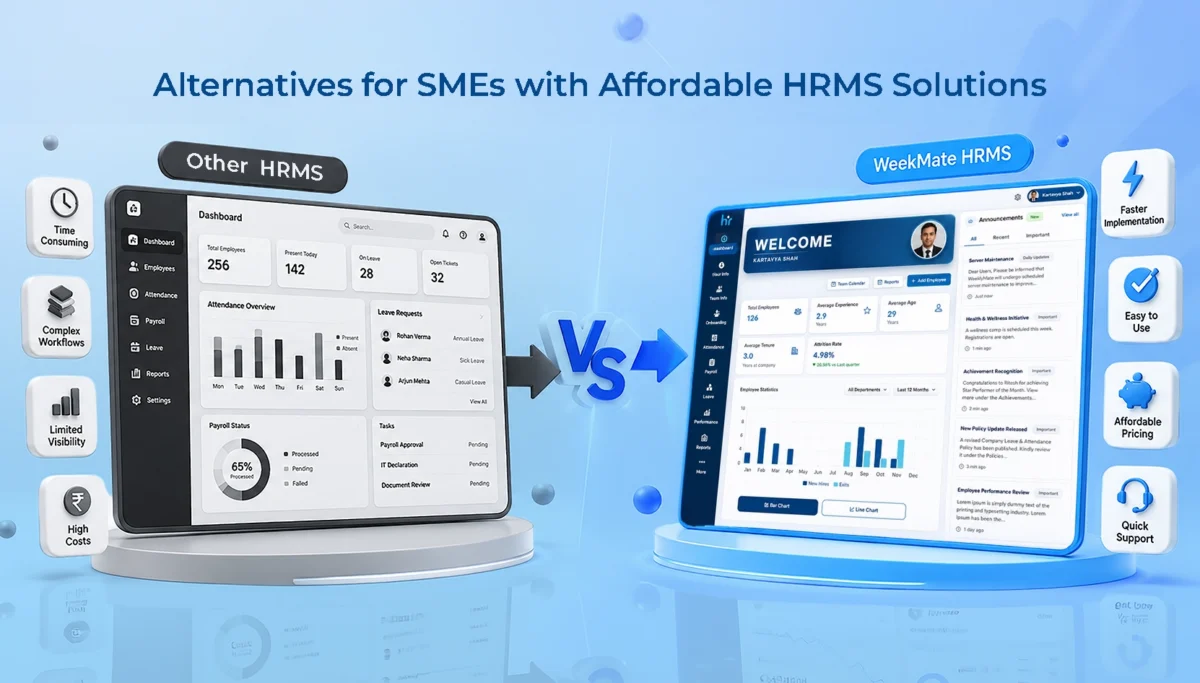
Best Keka Alternatives for SMEs with Affordable HRMS Solutions

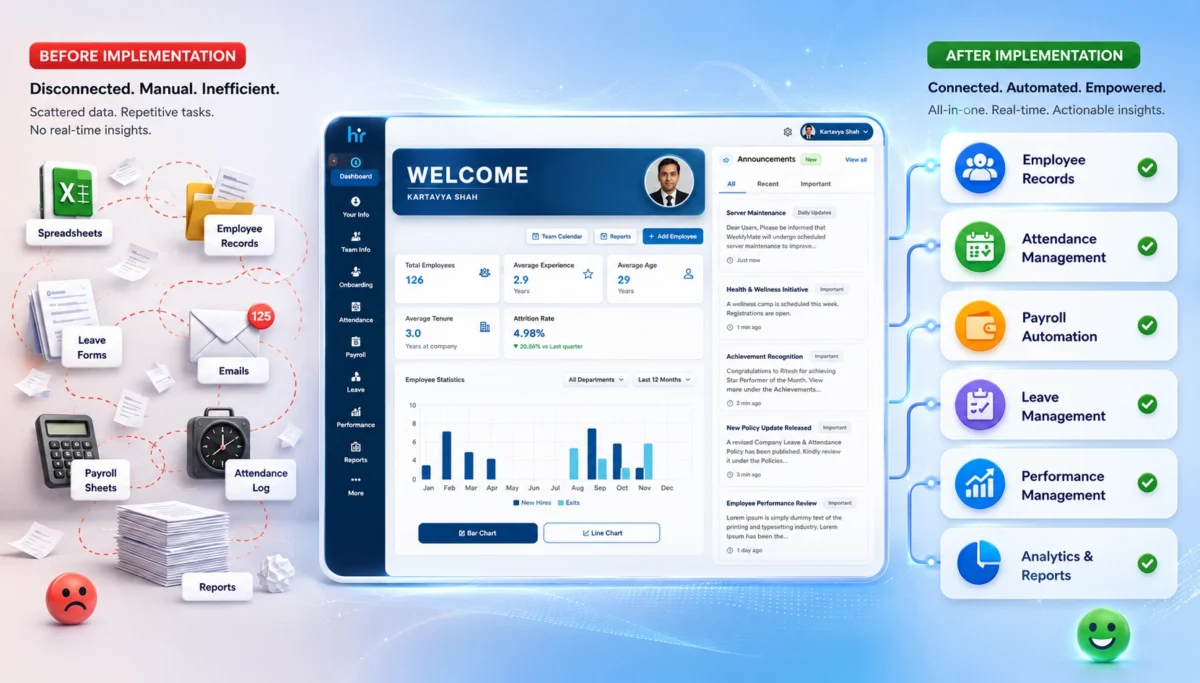
If you run a small or mid-sized business, you probably understand this. Your HR person is switching around spreadsheets, a WhatsApp group for leave requests, and a payroll calculation that eats up a full day every month. At this point, HR automation isn’t a nice-to-have. It’s survival.

Keka has built a solid name for itself here. It brings core HR functions into one system, and it works well for growing businesses that need payroll accuracy and better control over operations. Fair enough. But solid doesn’t always mean right for you. A lot of SMEs start looking elsewhere once they hit certain walls – usually pricing, setup, or just using way less of the platform than they’re paying for.

This piece covers why that happens and where a cloud-based HRMS solution, WeekMate, fits in as a genuine option for Keka alternatives.

Why SMEs start looking at Keka alternatives

Let’s understand why SMEs start looking at alternatives to Keka.

Rising HR Automation Needs

HR isn’t a once-a-month payroll run anymore. As teams grow, even a lean 20-person company starts feeling pressure points that used to only bother large enterprises.

Workforce management gets harder to keep up with – attendance, leave, shift changes, and employee records stop being manageable on spreadsheets once headcount crosses a certain point.

On top of that, compliance and payroll complexities add real risk. Tax rules, statutory filings, and salary structures often change so much that tracking them manually isn’t just inconvenient; it’s a liability waiting to happen.

Common Reasons SMEs Explore Alternatives

Most SMEs don’t leave a platform because it’s bad. They leave because it doesn’t quite fit where they are right now.

Budget constraints are usually the first trigger – paying for enterprise-tier pricing when you’re a 25-person team rarely makes sense long term. Feature requirements play a part too, since some teams need less than what’s on offer while others find something specific missing that Keka doesn’t prioritize.

Scalability concerns show up later, when a system that worked fine at launch doesn’t flex easily as the team grows. Ease of implementation matters just as much, especially for teams without a dedicated HR ops person, since heavy configuration and long onboarding timelines eat into time they don’t have.

And customer support expectations tend to be the deciding factor for a lot of SMEs – slow response times or generic ticket-based support feels a lot more painful when there’s no internal bandwidth to troubleshoot things alone.

What Actually Matters in an Affordable HRMS

Before comparing anything, it helps to know what “good enough” looks like for a growing team. A few things genuinely move the needle:

Payroll Management

Payroll management includes salary processing, tax calculations, statutory compliance – this needs to run quietly in the background without someone manually double-checking every payslip.

Attendance and Leave Management

Whether it’s biometric integration, shift scheduling, or simple leave tracking, employees should be able to use it without a training session.

Employee Self-Service Portal

Payslips, leave requests, attendance history – if employees can pull this up themselves, your HR team gets hours back every week.

Performance Management

Performance management tasks like goal setting, appraisals, and feedback are all ongoing processes and are not done like a once-a-year checkbox exercise.

Recruitment and Onboarding

Candidate tracking and digital onboarding save a surprising amount of chaos, especially when you’re hiring in bulk.

Reporting and Analytics

Dashboards and custom reports should help you make a decision, not just look nice in a screenshot.

Keka vs WeekMate HRMS: Feature Comparison

Here’s how the two stack up on the essentials in the Keka vs WeekMate HRMS comparison.

Feature

Keka

WeekMate HRMS

Payroll Automation

Yes, with strong compliance tools

Yes, built for Indian statutory compliance

Attendance Management

Biometric, geo-fencing, mobile punch-in

Biometric and mobile-based, straightforward setup

Leave Management

Comprehensive, some clicks to navigate

Simple, self-serve leave workflows

Performance Management

Advanced OKRs and appraisal cycles

Goal tracking and feedback, without the complexity

Employee Self-Service

Strong, well-reviewed

Strong, built for quick daily use

Mobile App

Available, occasional sync lag reported

Available, lightweight and responsive

Recruitment

Full ATS with resume parsing

Core hiring and onboarding tools

Expense Claims

Yes

Yes

Workflow Automation

Deep, customizable

Focused on what SMEs actually use

Pricing

Higher entry point, scales with tiers

Built with SME budgets in mind

Best For

Mid-size to large teams needing depth

SMEs wanting speed, simplicity, and value

It’s worth saying this plainly: Keka isn’t a lesser product. It’s just built with a broader net in mind – enterprise depth, more modules, more customization. WeekMate is built the other way around, starting from what a lean team actually uses daily and cutting out the rest.

Detailed Comparison: Keka vs WeekMate HRMS

Pricing & Affordability

This is usually the first thing SMEs check, and for good reason. Keka’s subscription costs follow a tiered structure that climbs as you add features like performance reviews and custom workflows. It means you often end up paying for modules you won’t touch for another year or two. There’s also a setup fee to factor in Keka’s case.

WeekMate keeps this simpler, with pricing built around what a small team actually needs right now rather than where it might be in three years, which tends to translate into better real value for SMEs working with tighter budgets.

Payroll Processing

Both platforms handle payroll automation reasonably well, covering salary calculations and tax compliance without much manual intervention. The difference shows up in how much setup it takes before things run smoothly.

Keka’s compliance support is thorough, particularly for larger, more complex payroll structures. WeekMate leans toward a lighter configuration process, which matters when your HR team is one or two people, and it handles salary revisions and adjustments without needing a lot of back-and-forth to get it right.

Employee Attendance and Payroll Software

Keka’s attendance tracking includes strong options like geo-tagging and biometric integration, along with shift management and overtime calculations for more complex scheduling needs.

WeekMate covers the same core ground – attendance tracking, shift management, and overtime calculations – with a simpler setup that’s easier for smaller teams to configure and maintain without dedicated technical support.

Performance Management

Keka offers a fairly advanced performance management suite, with KPI tracking, continuous feedback loops, and structured performance reviews suited to teams that want detailed appraisal cycles.

WeekMate covers the same fundamentals, but keeps the process more straightforward, so goal tracking and feedback don’t turn into a once-a-year exercise that eats up everyone’s time.

Employee Experience

Keka’s interface gets a lot of praise for being clean and easy to use, with good mobile access and self-service options for things like payslips and leave requests.

WeekMate handles the same everyday actions, but with fewer clicks along the way. That matters more than it sounds like, especially for employees who just want to check something quickly during work instead of digging through menus.

Customer Support & Implementation

This is often where SMEs notice the biggest difference. Keka’s setup process is smooth, but reviews suggest response times and training support can be inconsistent depending on the request.

WeekMate offers a quicker setup process with more hands-on onboarding and ongoing support that’s easier to reach when something needs fixing. It matters a lot for teams without a dedicated in-house HR ops person.

Top Keka Alternatives for SMEs

WeekMate HRMS

WeekMate integrates payroll automation, attendance and leave tracking, performance management, and employee self-service into a single platform. It does not pile up unnecessary features that most SMEs never use.

It’s best suited for small and mid-sized teams that want core HR functions handled well, without a long onboarding process or enterprise-level pricing. The pros are fairly clear – affordable pricing, quick setup, and a system employees can pick up without training.

On the potential limitations side, teams looking for very deep customization or highly complex enterprise workflows might eventually want something with more advanced configuration options as they scale further.

Other Popular Alternatives

A few other names tend to come up alongside WeekMate when SMEs are comparing options.

GreytHR is known for its straightforward payroll focus, with core strengths in statutory compliance and simple attendance tracking, making it a solid fit for smaller teams that mainly need payroll sorted out.

Zoho People works well for businesses already using other Zoho products, offering strong core strengths in integration and ease of use, and suits teams of almost any size that are already inside that ecosystem.

HROne offers a bit more flexibility for growing mid-market teams, with strengths around workflow customization. It tends to work better once a company starts scaling past the smallest team sizes.

Darwinbox is compatible with larger and more complex organizations. Its strengths are enterprise-grade analytics and deep customization. This makes it a better fit for bigger businesses than for early-stage SMEs.

Benefits of Choosing the Right HR Software for Small Businesses

Getting this decision right isn’t just about saving money on a subscription. It actually shows up in day-to-day operations – less manual data entry, fewer payroll errors, better compliance records, and HR staff who spend time on people instead of paperwork.

Analytics that are easy to read also mean better hiring and retention decisions down the line, instead of guesswork based on gut feeling.

How to Choose the Right Affordable HRMS Software for SMEs

When choosing the right HR software for small businesses, ask yourself the following questions. It is not only about features:

  • How many people are actually on your team, and where do you expect to be in two years?
  • What’s your real monthly budget, not the ideal one?
  • Do you need this to integrate with existing accounting or communication tools?
  • Will your team actually use it, or will it sit half-configured like the last one?

If possible, always take the free trial or demo before signing anything. A platform can look great in a sales deck and still feel clunky the first week your team logs in.

Why WeekMate Can Be a Smart Choice for SMEs

WeekMate was built around a fairly simple idea. SMEs don’t need every enterprise feature; they need the right ones, priced fairly, and easy enough that adoption doesn’t require a training rollout. That shows up in the pricing, in how quickly teams get set up, and in the fact that payroll, attendance, and performance tracking all live in one place without extra complexity layered on top.

It’s not about being “cheaper Keka.” It’s a different starting point – built for the size and pace of an SME, not scaled down from an enterprise product.

Wrapping up

Keka is a genuinely strong HRMS. For larger, more complex organizations, it earns that reputation. But strong doesn’t always mean right-sized.

If you’re an SME considering cost against capability, it’s worth looking at platforms like WeekMate HRMS that are built with your scale in mind from the start, not adjusted to fit it later.

Whatever you end up choosing, don’t skip the demo. Numbers on a comparison table only tell half the story. The rest shows up once your team actually starts using it.

FAQs

1. Is WeekMate cheaper than Keka?

Generally, yes. Especially if you’re a smaller team. Keka’s pricing is built around tiers that add more features as you go up. It can get expensive fast if you’re only using the basics. WeekMate is priced with SME budgets in mind from the start, so you’re not paying for modules you won’t use anytime soon.

2. Can WeekMate handle payroll compliance for Indian businesses?

Yes. It’s built to handle statutory payroll requirements specific to India, including things like tax calculations and compliance filings, so you don’t have to manage that separately or worry about staying updated on changing rules.

3. How long does it take to set up WeekMate?

Most SMEs find the rollout quicker than with bigger, more enterprise-heavy platforms. Less configuration is needed upfront. The onboarding process is more hands-on, so teams are usually up and running without needing a dedicated HR ops person to manage the setup.

4. Does WeekMate offer a free trial?

Yes. You can try a demo or trial before committing to anything, which gives you a chance to see how it actually works for your team before you make a decision.

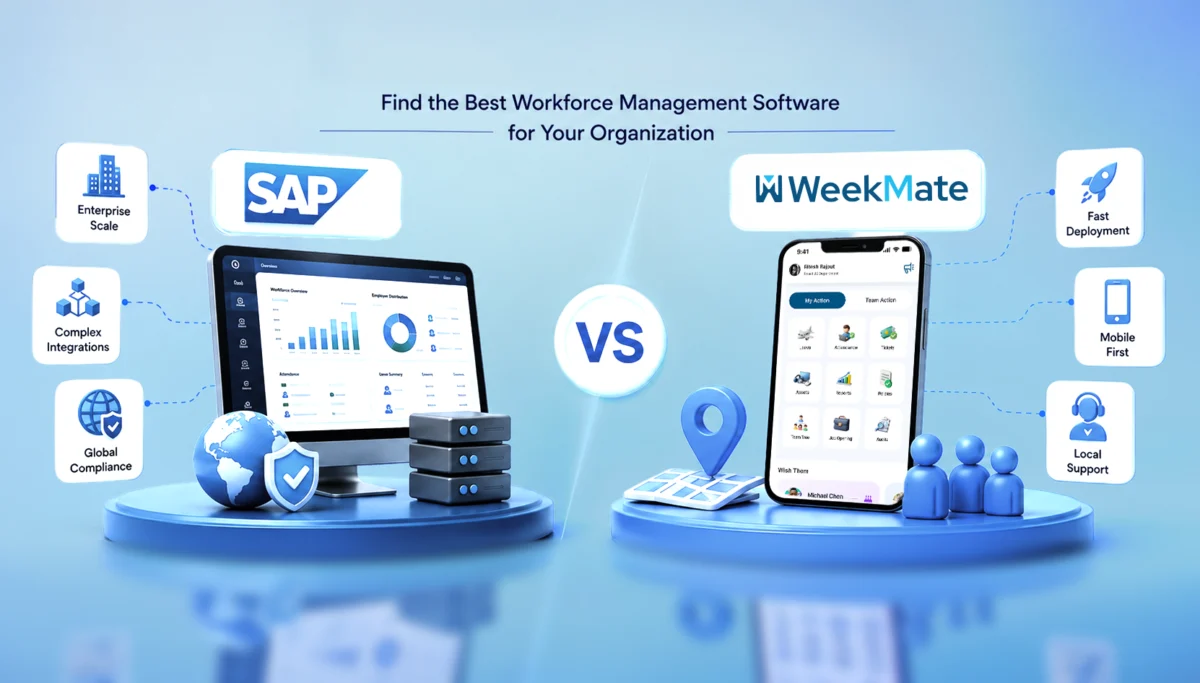
SAP vs WeekMate: Find the Best Workforce Management Software for Your Organization

Managing your workforce isn’t easy. You’re tracking attendance, planning shifts, handling leave, and running payroll – all at once. Miss a connection between these, and small mistakes turn into big headaches.

This is where the best workforce management software helps. Two names come up a lot: SAP and WeekMate. SAP is a large, global system. WeekMate is built for Indian businesses.

In this article, we’ll compare both SAP and WeekMate. You can pick what fits your business.

What Exactly Is Workforce Management Software?

A workforce management system helps you manage your people – when they clock in, where they’re working from, how shifts are planned, and how it all connects to payroll.

Most good platforms cover:

  • Tracking attendance (biometric, GPS, or app-based)
  • Shift scheduling
  • Leave management
  • Payroll integration
  • Workforce analytics, to spot things like absenteeism or overtime
  • Labour law compliance

Done right, this saves HR teams hours every week. And a wrong tool just adds more work.

SAP Workforce Management: A Quick Overview

As you all are mostly aware, SAP is one of the largest enterprise software companies in the world. Its workforce management tools usually come bundled with its broader SuccessFactors or ERP suite.

It’s built for large enterprises and multinationals – companies already running SAP for finance or HR at scale. It easily handles complex organizational structures and multi-country compliance. SAP really helps if you’ve got thousands of employees across many countries.

But for smaller businesses, it does not help much. Implementation takes months, costs add up fast, and the interface is not for very simple tasks. Like, someone just wants to mark attendance and move on.

It works best for companies with a dedicated IT team, a complex ERP already in place, and the budget for a long rollout.

WeekMate Workforce Management: A Quick Overview

WeekMate takes a different approach. It is an HRMS and payroll software in India built specifically for how businesses actually operate.

It is for SMEs, mid-sized companies, and growing businesses that need a system up and running fast, without hiring a small army of consultants.

Some of the features include attendance tracking (with GPS, geo-fencing, and face recognition included), shift scheduling, leave management, payroll sync, and a mobile app that works well for field and on-ground staff.

It’s mobile-first, so field employees and shift workers can mark attendance from wherever they’re working. Setup takes days, not months. And because it’s built with Indian compliance requirements in mind, HR teams don’t need to add on extra tools for statutory needs.

When something breaks or needs modifications, you have a local team to assist you. They understand the context, and you do not have to route a ticket through multiple time zones.

SAP vs WeekMate: Feature Comparison

Here’s the comparison between the two, feature by feature:

Feature SAP WeekMate
Employee Attendance Tracking Yes Yes
Shift Scheduling Yes Yes
Leave Management Yes Yes
Payroll Integration Yes Yes
Mobile App Yes Yes
GPS Attendance Limited, depends on the module Yes
Geo-fencing Limited Yes
Face Recognition Attendance Optional add-on Yes
Employee Self Service Yes Yes
HR Dashboard Yes Yes
Custom Reports Yes Yes
Ease of Use Moderate High
Setup Time Longer Faster
Customer Support Enterprise-level Dedicated local support
Pricing Higher Affordable

On paper, both check similar boxes. The real difference shows up in how fast you can get value out of it and how much it costs to get there.

Attendance Tracking: Where WeekMate Pulls Ahead

Attendance is where most workforce management tools either win or lose trust. SAP supports biometric and card-based attendance well, but GPS tracking and geo-fencing often depend on which module or add-on you’ve licensed, which means extra cost and extra configuration.

WeekMate builds these in from the start. GPS attendance, geo-fencing for site-based teams, and face recognition all come as part of the core offering. For businesses with field staff, delivery teams, or multiple work sites, this matters more than it sounds. It means real-time, proper attendance without combining separate tools.

Shift Scheduling and Workforce Planning

Both platforms handle rotational shifts, night shifts, overtime, and shift swapping. 

SAP’s scheduling engine is built for complex, rule-heavy setups such as union agreements or multi-shift factories with strict labour laws.

WeekMate keeps it simpler, without missing anything. Auto-scheduling, shift swaps, and forecasting are all there, just easier to use. For most mid-sized teams, that’s the right balance.

Payroll and HR Integration

This is where a disconnected system really lacks. If attendance doesn’t sync with payroll automatically, someone has to do the calculations manually. This is where mistakes happen.

Both SAP and WeekMate offer payroll integration, leave syncing, and centralized employee records. 

SAP’s strength is connecting payroll with a much broader ERP ecosystem: finance, procurement, inventory, all connected.

WeekMate focuses specifically on getting attendance-to-payroll automation right. For a business that isn’t running a full ERP, it is all that is needed.

User Experience and Implementation

SAP usually means an enterprise-level setup. Dedicated training and onboarding that can take weeks or months.

WeekMate is simple and quick to deploy. Training takes little time, and teams pick it up fast since it doesn’t feel like learning something new.

Which Businesses Should Choose SAP?

SAP makes sense if you’re:

  • A large enterprise or multinational
  • Already running other SAP modules and need tight integration
  • Operating across multiple countries with complex compliance needs
  • Backed by a large IT team that can manage ongoing configuration

Which Businesses Should Choose WeekMate?

WeekMate tends to be the better fit for:

  • SMEs and mid-sized companies
  • Startups that want to move fast without heavy IT support
  • Manufacturing, healthcare, retail, logistics, and education sectors
  • Field workforce and multi-location businesses that need mobile-first tracking

Pros and Cons at a Glance

Let’s take a look at some of the pros and cons:

SAP

Pros: Enterprise-grade capabilities, advanced integrations, strong global presence, extensive modules for large organizations.

Cons: Expensive, complex implementation, and a longer learning curve for everyday users.

WeekMate

Pros: Easy to use, affordable, fast deployment, strong attendance tracking, mobile-friendly, local support, and scalable as your team grows.

Cons: Fewer advanced ERP-level modules compared to SAP, though for most SMEs, this isn’t a gap that’s actually felt day-to-day.

Why WeekMate Is a Strong SAP Workforce Management Alternative

If SAP feels like overkill for where your business is right now, WeekMate is worth a serious look. It brings faster implementation, lower overall cost, a genuinely modern interface, and mobile workforce management that’s built for how Indian teams actually work on the ground.

Add in attendance automation that just works, and support that understands local compliance without you having to explain it every time.

Final Thoughts

SAP earns its reputation for a reason. It’s built for huge-scale businesses with complex ERP needs. But for startups, SMEs, and growing companies in India, that scale often adds more baggage than benefit.

WeekMate is simple, affordable, and grows with your business, without the long rollout or the high price tag.

Look at where your business actually is today. Not where it might be in five years. If you need something that gets your team running fast, WeekMate is worth a look.

FAQs

1. Can WeekMate handle growing or multi-location businesses?

Yes. WeekMate works well for SMEs, startups, and mid-sized businesses, including ones with multiple branches or field teams. It’s built to grow with your team, so you won’t need to switch systems later. Very large, multi-country enterprises may still prefer SAP, but for most growing businesses in India, WeekMate does the job well.

2. Does WeekMate support GPS and geo-fencing attendance?

Yes. GPS attendance and geo-fencing come built into WeekMate’s core offering, along with face recognition attendance. No separate add-ons needed.

3. How long does WeekMate take to implement compared to SAP?

WeekMate typically gets businesses up and running within days. Due to the scale and complexity, SAP implementations take several weeks to months.

4. Is WeekMate a good alternative to SAP for Indian businesses?

For businesses focused on the Indian market with mobile, field-based, or multi-location teams, WeekMate offers a faster, more affordable, and locally supported alternative to SAP’s workforce management capabilities.

5. Which is more cost-effective – SAP or WeekMate?

WeekMate is generally more affordable, especially for SMEs, since it avoids the licensing, consultant, and long-term maintenance costs. These costs are typically associated with SAP implementations.

HRMS Implementation Explained: Steps, Checklist, Common Mistakes & Best Practices

Implementing an HRMS sounds very easy on paper. It’s just a matter of a few steps. Select a tool, transfer data and educate users. It’s done. However, in reality it’s not as easy as it sounds.

Businesses invest in HR management software with the hope that it will help them become more efficient and streamlined. However, they will initially experience confusion, resistance and poor workflow.

Believe it or not, it’s not the software’s responsibility. It’s the implementation.

This guide will introduce you to some frequent HRMS Implementation mistakes, their causes, and an easy approach to rectify them.

What is HRMS Implementation?

HRMS implementation is the adoption and configuration of an HRMS within an organization. It includes:

  • Setting up employee data
  • Customizing workflows (such as attendance, payroll, leave and so on).
  • Integrating systems
  • Training employees
  • Testing and live time of the SWCD.

Sounds structured, right? However, implementation is where most of the issues start to arise from the “planned” to the “actual”.

Why HRMS Implementation Matters for Modern Businesses

That is not the only thing HR is about these days. It’s about data management, compliance and experience. HRMS comes in handy in the following ways:

  • Eliminate repetitive HR tasks using automation.
  • Improve payroll accuracy
  • Obey the labour regulations
  • Enhance employee self-service
  • Deliver real-time analytics

However, if the implementation turns out to be less successful:

  • Rather increase the work, don’t decrease it.
  • Create payroll errors
  • Frustrate employees
  • Slow down operations

Yes, implementation is not only imperative, it is important. It’s everything.

Common HRMS Implementation Mistakes

Let’s touch upon the actual issues. These aren’t hypothetical. It is these things that prove to be the real problem in most HR software implementation projects.

1. Lack of Clear HR Objectives

At this point, it all begins. Or, where it unobtrusively starts to drop.

When companies begin their implementation process, the objective or objectives are not specific. There’s excitement, perhaps even pressure – it’s an urgency of leadership. But clarity? Not always there.

Instead, they ask questions such as what the issues are that they are looking to resolve, what the slow or inefficient HR processes are, and what they hope to achieve when the process is finally completed.

When the answers are not available, the system doesn’t do fixes.

2. Choosing the Wrong HR Management Software

Because, not all HRMS systems go well with all businesses, and even though they seem a great fit in a demo can’t be taken for granted.

Some decisions are made quickly and/or the price is a factor. It is also likely to rely on the equipment used by the competitors. What works for one company doesn’t necessarily mean it works for another company.

You’ll often see patterns like:

  • Selecting a tool just because it’s cheaper 
  • Ignoring whether it can scale as you grow
  • Overlooking how easy (or difficult) it is for employees to use
  • Not checking if it integrates smoothly with existing systems

And over time, the mismatch starts to seep in with regular activities. Little issues turn into big issues.

3. Poor Data Migration Planning

It’s one of those things you know that you can’t do but then you do!

Data from previous systems is generally not clean. It is disjointed, illogical, out-of-date and, if carried out without due regard, is likely to cause issues from the get-go.

Typical problems are:

  • Duplicate employee records
  • Data lacking in or incomplete information.
  • Payroll/compliance information that is inaccurate
  • The unorganized formats which are not attached with the new system.

That bad data comes with all the other components on which it relies, including reports, payroll and analytics-when it arrives in the new HRMS!

4. Ignoring Employee Training

It allows the adoption of the most advanced HRMS solution. If people aren’t familiar with it, however, they may not use it after all.

Often training is not adequately attended to. It is hurried, often has too much technical detail and is sometimes not specific to each of the roles within the organization.

What usually happens:

  • Employees feel overwhelmed
  • They are not completely knowledgeable about the system
  • Go back to the Old Ways. Get back to the old tools, e.g. spreadsheets, emails, tracked manually.

After that, the number of adoptions slowly drops. Not that the system is bad, it’s the way that people were not brought along properly.

5. Overcomplicated Workflows

There’s the need to automate everything at once. All approvals, processes, and small steps.

However, complexity can have adverse effects – particularly at the outset.

Over-engineered workflows tend to:

  • Help newcomers to the fuzz;
  • Increase the chances of errors
  • Minimize rates of processes

Sometimes, simplicity is better. At least in the beginning, until people are comfortable and the system settles in.

6. Lack of Stakeholder Involvement

While HRMS may be managed by HR, it can’t just be HR.

It has an impact on various aspects of the organization, Think about it:

  • Payroll is crucial to the financial sector.
  • IT is responsible for integrations, system stability, etc.
  • Self-service features are a part of the employees’ everyday usage.
  • The use of reports and insights as the foundation of leadership.

Absence of these stakeholders from the early stages contributes to lack of alignment. Later resistance manifests itself in subtle ways. 

7. No Post-Implementation Support

This one doesn’t always get noticed immediately, but it builds over time.

Many people think that the work is complete once the system is up and running. Though the prospect is just the start though.

After implementation:

  • New problems begin to arise with use of the system.
  • The system needs to be assisted with the use of features.
  • Business Processes change and adjustment is needed.

Issues persist when support isn’t given or doesn’t continue. The effects of these over time influence the perception and use of the system. Choices for adoption are not made in a rush. It slowly fades. 

Consequences of Failed HRMS Implementation

HRMS implementation does not go well then it creates a disruption in daily activities, payroll and trust of employees. Little errors can cause great trouble and result in poor performance of the overall business.

1. Payroll Errors and Compliance Risks

The first to be affected when HRMS implementation fails is usually the payroll. If there are any mistakes in data entry or if the end user sets it up wrong, the wrong salary might be calculated or the payments delayed or even compliance problems could arise.

2. Employee Frustration

No one can see problems as quick as employees. Frustration accumulates when there are incorrect leave balances, payslips are confusing or the portals are not functioning correctly. This will eventually trickle down to a lack of trust in the system and the organization.

3. Reduced Productivity

If you opt for a poorly implemented HRMS, it can actually end up creating more work, not saving time. HR teams find themselves having to troubleshoot, resolve routine inquiries and deal with workaround solutions. Staff also take additional time in sorting out problems. The result? Slower rate of processes and lowered overall productivity.

4. Increased Operational Costs

Things that are meant to save money can end up costing you quite a bit of money. Reworking, reconfiguring, hiring consultants or even replacing platforms: it costs money! These would be too high costs.

5. Poor HR Data Accuracy

The primary feature of any HRMS is “Data”. However, if the setup is not good, data will be unreliable. The task of reporting is difficult because of duplicate records, missing information, and inconsistencies. Where decisions are based on poor data… they’re poor decisions.

6. Low Software Adoption

No matter how cutting-edge a HRMS is, without people using it, it won’t produce any outcome. If employees are not having to rely on the system, they fall back into old practices – spreadsheets, emailing or manual tracking. Adoptees are lost and the whole idea of adoption fades away.

A quick glance:

Impact Area What Happens
Payroll Errors, delays, compliance risks
Employee Experience Frustration, low trust
Productivity Slower processes
Costs Increased operational expenses
Data Accuracy Inconsistent and unreliable data
Adoption Employees avoid using the system

Step-by-Step Process for HRMS Implementation 

Let us understand the step-by-step process for HRMS implementation. Instead of trying to get everything perfect on the first attempt, focus on how clear and easy to use the newly implemented system is. Eventually, it can get better.

Step 1: Define HR Goals

Discover the Requirements of How You Want to Use Your HRMS We would automate jobs, correct payroll mistakes or enhance employee experience. Ensure the objectives are simple and quantifiable so that you can monitor progress in future.

Step 2: Audit Existing Processes

Look at what you are doing in your HR workflows to discern what is working and what can be improved? Which will prevent you from bringing inefficient processes into the new system.

Step 3: Select the Right HRMS Vendor

Do not make this choice based on budget alone, select a vendor that will suit your business needs. Choose an option that is easy to use, scalable and well supported so you can be sure to grow with it.

Step 4: Plan Data Migration

Prepare and clean your existing data before you put in the new system. Proper data management organizes the information, ensures correct functioning, and does not face similar mistakes later.

Step 5: Configure Workflows

The first thing for you is to set up the workflows that will reflect your business processes but those must be simple initially. As your team gets more comfortable, you can always refine and automate. 

Step 6: Train HR Teams & Employees

Give context, practical, role based training so users know how to navigate the system. Training ensures a higher level of adoption with minimal confusion. 

Step 7: Test the System

Testing using real life scenarios such as payroll processing, leave approvals etc. to see if everything functions smoothly? Testing helps find issues before going live. 

Step 8: Go Live and Monitor Performance

Go live, and track both user activity and errors with the system. Feedback is going to help you make improvements and optimize the system in real time. 

HRMS Implementation Checklist

A simple checklist to guide your HRMS implementation process. It helps ensure key steps are covered without overcomplicating things.

1. Pre-Implementation

Before starting the HRMS implementation, it’s important to lay a strong foundation by clearly defining what you want to achieve. This phase involves selecting the right software that fits your business needs, cleaning and organizing existing data to avoid errors later, and ensuring all key stakeholders are aligned. Taking time here helps prevent confusion, reduces risks, and makes the entire implementation process smoother and more effective.

  • Define goals
  • Choose software
  • Clean data
  • Align stakeholders

2. During Implementation

This phase is about establishing the HRMS system based on the business requirements and workflows. It includes setting up modules, transferring the data (clean and accurate) and integration with existing tools. Close teamwork for testing aspects of the functionality and resolving issues at an early stage. Appropriate training is also offered to ensure seamless integration within departments.

  • Configure workflows
  • Migrate data
  • Train users
  • Test processes

3. Post-Implementation

The initial part of this phase starts after the HRMS has been activated and involves ensuring its smooth operation. It’s about tracking system performance, solving problems, and troubleshooting issues to help users adjust to the new workflows. Feedback collection is done regularly to highlight areas for improvement and gaps. The system is optimized on an ongoing basis, and this ensures its evolution in accordance with business needs while maintaining high adoption rates.

  • Monitor performance
  • Provide support
  • Collect feedback
  • Optimize workflows

Best Practices for Successful HRMS Implementation

Some things just… work better. Here are some HRMS implementation best practices:

1. Start with Core HR Modules

Start with core HR functionalities such as employee records, attendance and payroll. Trying to tackle everything in a single go can result in teams being overwhelmed and make adoption harder. Begin with the small which builds confidence and is a brief transition before scaling to advanced features. 

2. Keep Workflows Simple Initially

You want to eliminate processes through automation immediately… but that will often just complicate everything. Simple workflows are easier to comprehend, validate and maintain. After users get used to it, you can add even more complexity slowly without affecting operations. 

3. Prioritize Employee Experience

A good HRMS should make life easier for employees, not more complicated. Emphasis on very friendly UI, time efficacy and self services? Adoption improves naturally when employees find the system easy to use. 

4. Ensure Mobile Accessibility

With the more modern work environment, employees want access on the go. With their HRMS being mobile-friendly, they can listen to attendance, leave applications and payslip details from anywhere at anytime! Having that flexibility increases engagement and experience overall.

5. Integrate Payroll & Attendance

This often causes errors due to the use of disconnected systems for business processes, requiring manually checking every workflow and causing unnecessary work. Automating payroll with attendance helps avoid calculation of manual effort, and compliance risk. It also accelerates the payroll, processing a great deal quicker.

6. Conduct Regular Training

Training shouldn’t stop after implementation. Routine sessions are intended to keep the worker up with the new highlights and methodologies. It also minimizes a dependence on HR for menial tasks.

7. Use Cloud-Based HRMS Solutions

Cloud applications provide easy adaptability, scalability as well as maintenance. They also allow for quicker updates and improved performance which fits with modern desires for better speed and availability. Well yes…but what really makes most sense for most businesses today…is cloud.

By the way, cloud systems also contribute to improving core web vitals faster load times and higher accessibility by providing a seamless user experience with optimum interaction between devices.

Must Read: How Can Cloud HRMS Solve Small Business HR Problems

How to Choose the Right HRMS Software?

Your choice of system will therefore eliminate most HRMS implementation challenges upfront. But this is not just about a tool with many features… it’s about pairing something actually fitted to the way your business works today and how that might change for you tomorrow.

1. Scalability

Scalable — Your HRMS growth with you. Something that works for a 50-person team may break at 500. Seek systems that can accommodate rising employee data (big data), more locations, and changing HR needs without being bogged down by slow performance or overly complicated.

2. Ease of Use

If it is difficult to use, folks simply will not. All of this leads to an easy interface, reduced learning curve and as such higher adoption. Sometimes… simpler really is better.

3. Workflow Automation

Automation needs to drive down manual work, not inject more of it. It needs to automate repetitive processes — everything from leave approvals to onboarding tasks but should allow room for flexibility when necessary.

4. Payroll Integration

Mistakes on payroll can be incredibly expensive: financially, but also legally. An HRMS should easily integrate with payroll systems, allowing for accurate calculations and compliant processing in a timely manner.

5. Customization

Every business has its quirks. Your Human Resource Management System (HRMS) must be malleable enough that with minimal tech support, you can change workflows, fields and processes at will. Overly rigid…and it speeds down the road of frustration fast.

6. Compliance Features

Labor laws change, and keeping up manually is tough. Built-in compliance features help ensure your processes stay aligned with regulations, reducing risks and penalties.

7. Customer Support

Things will go wrong at some point—it’s normal. What matters is how quickly they get fixed. Reliable, responsive support can make implementation and ongoing usage much smoother.

8. Reporting & Analytics

Data is only useful if you can actually understand it. Look for systems that offer clear dashboards, real-time insights, and customizable reports to support better decision-making.

Here’s a quick comparison:

Feature Why It Matters
Scalability Supports business growth
Ease of Use Improves adoption
Workflow Automation Reduces manual work
Payroll Integration Ensures accuracy
Customization Fits business needs
Compliance Features Avoids legal risks
Support Helps during and after implementation
Analytics Enables better decisions

HRMS Implementation Challenges And Solutions

A quick look at the most common challenges businesses face during HRMS implementation. Also, practical ways to overcome them.

1. Employee Resistance

Resistance from employees may be hidden. The indicators are that people aren’t logging in, they are not completing the data entry, or they simply don’t want to make the switch from the old systems.

This is typically when staff are either not fully aware of the benefits or are feeling the pressure of change. 

Solution: Clear communication and practical training. Describe how they find it easier to do their work with HRMS. Provide practical sessions, short guides, and support to allow them to feel able to use the system.

2. Data Migration Errors

Transferring data can be a messy process. Inaccurate duplication of data, missing data fields or stale data entering the new system. Such errors can have an impact on payroll, reporting, and compliance. 

Solution: Prepare and verify your data prior to migration. Perform multiple checks, deduplicate and standardize formats. Although it may sound like a lot of work, it will save you lots of hassle when it comes time to put it to bed.

3. Integration Problems

Typically, integration problems occur when the HRMS system doesn’t integrate seamlessly with other existing systems, such as payroll, accounting, or attendance management. This results in “data silos” and manual workarounds.

Solution: Select software that has robust API features and test software integration early in the process. Don’t wait until go-live – problems are more difficult to correct at that time.

4. Budget Constraints

Limited budgets may limit features, slow down implementation or necessitate compromises. However, attempting to do it all at once can result in overspending. 

Solution: Begin with basic hrms modules such as core HR, payroll, attendance etc. and grow step-wise. This is a gradual process, which means that costs are kept under control and yet, value is provided.

5. Compliance Concerns

One place where this could be costly is compliance. Labour laws, tax regulations and reporting requirements vary from region to region.

Solution: HRMS software with built-in compliance features is a way to mitigate risk. Your processes remain up to date with regulations, and you don’t have to manually check them, because of regular updates, automated calculations, and audit trails.

Challenge Practical Solutions
Employee Resistance Communicate benefits early, train properly
Data Migration Errors Clean and validate data before migration
Integration Problems Choose systems with strong APIs
Budget Constraints Start with essential modules
Compliance Concerns Use software with built-in compliance features

Cloud HRMS vs On-Premise HRMS Implementation

Cloud HRMS is a web-based solution, so you can access it from anywhere it goes, and is typically more affordable to implement.

On-premise HRMS will be installed on the company’s servers, which will provide greater control but also require more set-up, maintenance and IT support. 

Factor Cloud HRMS On-Premise HRMS
Setup Time Faster Slower
Cost Subscription-based High upfront cost
Maintenance Vendor-managed In-house
Scalability High Limited
Accessibility Anywhere Location-based

This table shows that cloud HRMS solutions offer faster deployment, lower costs, and greater flexibility than on-premise systems.

For most modern businesses, especially those growing or working remotely, a cloud-based HRMS is the more practical choice.

Looking at the current scenario, the cloud is usually the better choice. Not always. Mostly.

HRMS Implementation Timeline: How Long Does It Take?

HRMS implementation usually depends on complexity, but here’s a rough idea:

Business Size Timeline
Small Business 2–4 weeks
Mid-sized Company 1–3 months
Large Enterprise 3–6 months

Rushing this process often leads to mistakes. So take your time where it matters.

Modern HRMS Trends You Shouldn’t Ignore

The current developments to keep your HRMS up with the times are.

HRMS is a rapidly maturing capability. A few trends that are driving implementations these days:

  • AI-driven HR analytics
  • Employee self-service portals
  • Mobile-first HR systems
  • Attendance taking is achieved using Facial Recognition Systems (FRS).
  • Real-time payroll processing

The ability to connect with productivity applications. If executed properly, these trends can enhance both performance and users’ experience.

Simplify HRMS Implementation With WeekMate

Here’s the truth. The common failure rate of most HRMS deployment strategy is that they attempt too much too early; they aren’t complicated, just difficult to do.

Start small. Stay focused. Keep improving.

This is where the right system comes in handy. The idea of tools such as WeekMate HRMS is to make things easy in the initial stages. It gives teams a chance to get the fundamentals up and moving in the beginning without getting too much into it.

It does not have to be done all at once! It’s about creating a system that expands along with the processes!

Conclusion

Implementing HRMS is more than just a technical project. It’s a business changeover.  As with any change, it may get a bit messy. However, when done properly, it:

  • Saves time
  • Reduces errors
  • Improves employee experience
  • Enables smarter decisions

Before embarking on putting in or upgrading HR software, consider taking a step back. Start by working on the strategy.

Frequently Asked Questions

1. How long does HRMS implementation take?

It normally takes a few weeks to months. Actually it relies on business size and complexity.

2. What are common HRMS implementation mistakes?

Common HRMS migration challenges involve not planning, data migration issues, insufficient training, and selecting the wrong software.

3. Why do HRMS projects fail?

The most common reasons that HRMS projects fail are: goals are not clearly defined, users are not used to working with HRMS software, and no stakeholders are involved in the process.

4. What is the cost of HRMS implementation?

There is a large variation in the implementation cost depending on business size, customization and software.

5. How can businesses ensure successful HRMS deployment?

Prioritizing clear objectives, effective planning, staff training, and ongoing improvement.

HR Automation: The Complete Guide for Modern Businesses in 2026

HR teams today aren’t struggling because they lack effort. They’re struggling because they’re buried in repetition.

Spreadsheets. Manual approvals. Endless email chains. And somewhere in between all that, actual “people management” gets lost.

That’s exactly where HR automation starts to matter; not as a trend, but as a necessity.

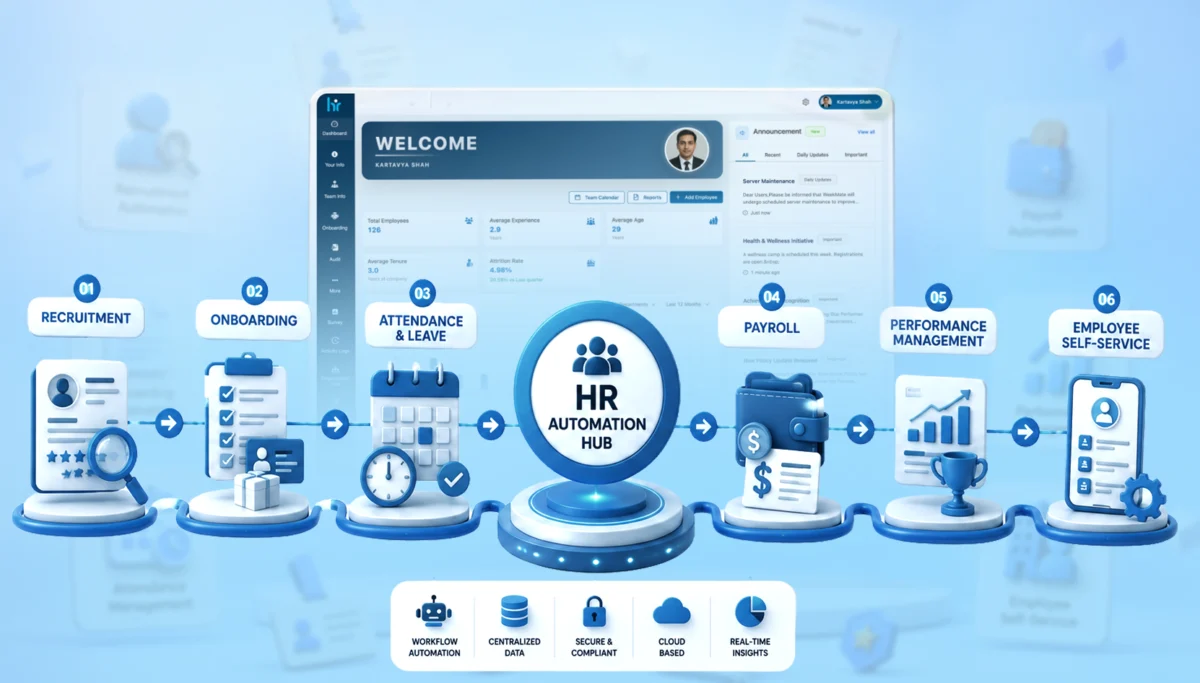
Through this blog, we’ll explain what HR automation really means, how it works, where businesses go wrong, and how you can actually implement the usage of HR management software without turning your operations upside down.

What is HR Automation?

HR automation is the process of using technology to handle repetitive, rule-based HR tasks without constant human intervention.

Instead of manually sending onboarding emails → the system triggers them.
Instead of calculating payroll in spreadsheets → the system processes it automatically.
Instead of chasing approvals → workflows move things forward.

Basically, HR automation is about:

  • Reducing manual effort
  • Improving accuracy
  • Speeding up HR workflows
  • Giving HR teams time to focus on strategy (not admin work)

It’s not about replacing HR teams. It’s about freeing them up.

Why is HR Automation Important in 2026

Things have changed. Quite a bit. Employee expectations are higher. Compliance requirements have become stricter. And businesses are scaling faster than ever.

Here’s what’s driving HR automation in 2026:

  • Remote & hybrid work environments
  • Real-time employee data expectations
  • Increasing compliance complexity
  • Need for faster hiring cycles
  • Pressure to improve employee experience

Also, AI is no longer “new.” It’s embedded. 

So the question isn’t “Should you automate HR?” It’s more like, “How much are you already behind if you haven’t?”

Key Benefits of HR Automation Workflows

Before we get into the details, let’s look at the benefits that HR automation offers. Let’s break this down practically.

1. Reduced Manual Work

Repetitive tasks get automated. Like data entry, approvals, documentation and others. That means fewer errors and fewer late nights fixing them.

2. Faster Employee Onboarding

New hires don’t wait for emails anymore. Everything – documents, training, system access – can be triggered instantly.

3. Better Payroll Accuracy

Automation reduces calculation errors, missed deductions, and compliance risks. This, honestly, saves you from uncomfortable conversations.

4. Better Employee Experience

Employees can apply for leave, access payslips or update details without chasing HR. This actually matters more than you think. You don’t have to contact the HR every now and then.

5. Better HR Compliance

Automated systems keep records updated and aligned with regulations. Less risk. More confidence.

6. Centralized Employee Data

Everything sits in one place. No more “Which file is the latest version?” chaos.

Core Technologies Behind HR Automation

HR automation isn’t one tool. It’s an ecosystem. It’s a mix of technologies working together in the background.

1. HRMS Software

This is the foundation of everything. It stores employee data, manages payroll, tracks attendance, and connects different HR functions into one system. Without it, automation feels scattered.

2. AI-Powered HR Tools

These tools bring intelligence into the process – screening resumes, answering employee queries, even predicting hiring needs. It’s less about replacing decisions and more about speeding them up.

3. Workflow Automation Engines

Think of these as the “flow managers.” They move tasks from one step to another, like sending a leave request to a manager or triggering onboarding tasks, without anyone having to follow up manually.

4. Employee Self-Service Portals

These give employees control over their own basic HR tasks. Applying for leave, downloading payslips, updating personal info, all without needing HR to step in every time.

5. Cloud-Based HR Systems

Everything runs online, which means access from anywhere. This becomes especially important with remote teams, real-time updates, and scaling operations without heavy infrastructure.

6. Attendance & Biometric Integrations

These systems track employee working hours through biometric devices or apps. The data feeds directly into payroll and compliance systems, reducing errors and manual corrections.

Let’s take a quick glance at these:

Technology

What It Does

Why It Matters

HRMS Software

Central system for employee data

Foundation of automation

AI-Powered Tools

Resume screening, chatbots

Speeds up decision-making

Workflow Automation Engines

Approval flows, triggers

Removes manual coordination

Employee Self-Service Portals

Employee access systems

Reduces HR dependency

Cloud-Based HR Systems

Remote access, scalability

Supports modern teams

Attendance & Biometric Systems

Time tracking

Accurate payroll & compliance

If your systems don’t “talk” to each other, automation breaks. Simple as that.

Examples of HR Automation Processes

Once you start looking closely, you’ll realize that a big chunk of HR work is repetitive. And that’s what makes it perfect for automation. You don’t need to automate everything at once. Start with high-impact areas.

1. Recruitment Automation

Hiring usually involves a lot of back-and-forth – screening resumes, scheduling interviews, tracking candidates. Automation takes care of these steps, so HR teams can focus more on choosing the right people, not just managing the process.

2. Employee Onboarding Automation

Instead of manually sending documents, reminders, and instructions, everything gets triggered automatically once a candidate is hired. It creates a smoother first experience and avoids those awkward “Did you get the email?” moments.

3. Attendance & Leave Management

Leave requests, approvals, attendance tracking – all of it can run without constant supervision.
Employees apply, managers approve, and the system keeps everything updated in real-time.

4. Payroll Processing

Payroll is probably one of the most sensitive areas. Automation ensures salaries, deductions, and taxes are calculated accurately and on time.

5. Performance Management

Tracking goals, collecting feedback, and running reviews. These processes become structured and consistent with automation. Which makes performance discussions a lot more meaningful.

6. Employee Exit Process

When someone leaves, there are multiple steps, clearances, documentation, and final settlements. Automation ensures nothing gets missed and the process stays smooth, even at the end.

Some quick examples:

Process

Examples

Recruitment Automation

Resume screening,

Interview scheduling,

Candidate tracking

Employee Onboarding

Document collection,

Welcome emails,

Task assignments

Attendance & Leave Management

Leave approvals,

Holiday tracking,

Attendance logs

Payroll Processing

Salary calculations,

Tax deductions,

Payslip generation

Performance Management

Review cycles,

Goal tracking,

Feedback collection

Employee Exit Process

Clearance workflows,

Final settlements,

Documentation

A Simple HR Automation Workflow Example

Let’s say a new employee joins.

Without automation:

  • HR sends emails manually
  • IT sets up accounts after reminders
  • The manager assigns tasks late

With automation:

  • Offer letter accepted
  • System triggers onboarding workflow
  • Documents requested automatically
  • IT receives a system setup request
  • Manager gets task assignment notification
  • Employee receives onboarding kit

Everything moves without chasing.

Step-by-Step HR Automation Strategy for Businesses

Here’s where most businesses mess up. They jump straight to tools. Don’t. Let’s understand what needs to be done:

1. Identify Repetitive Tasks

The first step is to observe what your HR team keeps doing over and over again. Tasks like attendance tracking, leave approvals, onboarding paperwork, payroll calculations, or interview scheduling usually eat up a lot of time. These are the tasks that don’t really need human judgment every time. 

2. Audit Existing HR Processes

Before jumping into tools, take a close look at how your current HR processes actually work. You’ll often find delays, unnecessary approvals, spreadsheet dependencies, or people following different methods for the same task. 

3. Select the Right HRMS Software

Now comes the tool selection, and this is where many businesses go wrong. The goal isn’t to pick the most feature-heavy HRMS. It’s to pick the one that fits your workflows. A good system should comfortably handle payroll, attendance, recruitment, and performance management, while also letting you set automation rules easily. 

4. Create Approval Workflows

Once your system is in place, the next step is defining how approvals should move. Who approves leave requests? What happens when a new hire is approved? How do expense claims move up the chain? Instead of relying on emails and reminders, you set clear rules inside the system. With this, requests are automatically directed to the right people. 

5. Train HR Teams

Automation only works when people actually use it properly. That’s why training is critical. HR teams should feel confident navigating the system, handling exceptions, checking dashboards, and managing workflows.

6. Monitor and Optimize Automation

Finally, remember that automation isn’t a “set it and forget it” setup. Once things go live, you need to keep an eye on how they’re performing. Over time, you refine the system so it keeps getting smoother and more efficient.

Challenges in HR Automation

Let’s not pretend it’s all smooth. Come, take a look at the challenges:

1. Employee Resistance

One of the first hurdles you’ll likely face isn’t the software; it’s people. Employees and even HR teams are often comfortable with the way things already work, even if it’s slow or manual. So when automation is introduced, there’s usually some hesitation. 

2. Poor Data Migration

A lot of automation projects struggle here. It looks easy to move HR data from old systems, spreadsheets, or scattered files into a new HRMS. But it rarely is. You often discover missing information, duplicate employee records, or inconsistent formats. 

3. Integration Issues

HR doesn’t work in isolation. It connects with payroll, accounting, attendance tools, and sometimes even project management or CRM systems. When these tools don’t integrate properly, teams end up switching between platforms or manually transferring data again.

4. Security & Compliance Concerns

HR systems store some of the most sensitive company data: salary details, personal employee information, performance records, etc. So naturally, security becomes a serious concern. Also, companies need to stay aligned with labour laws and data protection rules. 

5. Lack of HR Training

Even the best HR automation system won’t help much if people don’t know how to use it properly. Without proper training, HR teams stick to old habits or use only basic features, leaving the real benefits. 

Best Practices for Successful HR Automation

Some things just work better.

  • Start with one department or process
  • Clean your data before automation
  • Keep workflows simple initially
  • Choose scalable tools
  • Focus on employee experience (not just efficiency)

And one underrated tip. Don’t over-automate. Some human touch should stay.

How to Choose the Right HR Automation Software

There’s no “best” tool. Only the right fit. Here’s a quick comparison:

Factor

What to Look For

Ease of Use

Minimal learning curve

Integrations

Works with existing tools

Customization

Flexible workflows

Scalability

Grows with your business

Security

Strong data protection

Support

Reliable customer service

If it feels complicated during the demo, it’ll feel worse after purchase.

HR Automation Trends in 2026

This is where things get interesting.

  • AI-driven hiring decisions
  • Predictive employee analytics
  • Hyper-personalized employee experiences
  • Voice-enabled HR assistants
  • Deeper integration with business systems

Also, speed matters more now. Businesses that automate faster, scale faster.

Automate Your HR Operations with WeekMate HRMS

If you’re still managing HR on spreadsheets. That’s not just inefficient, it’s risky.

A structured HR automation system like WeekMate HRMS helps you:

  • Centralize employee data
  • Automate workflows
  • Improve employee experience
  • Reduce manual workload

And more importantly, it gives your HR team time to focus on what actually matters – people.

Conclusion

HR automation isn’t about technology. It’s about clarity. Speed. Consistency. If your HR team is constantly firefighting, automation isn’t optional anymore.

Start small. Fix one process. Then build from there. That’s how real transformation happens.

Start by identifying one process you can automate this week. Just one. You’ll feel the difference almost immediately.

Frequently Asked Questions

1. How does HR automation work?

Instead of manually tracking attendance, sending onboarding emails, or calculating payroll again and again, the system just does it automatically. You set up workflows once, and the software takes over the repetitive parts. It connects different data points, triggers actions, sends reminders, and updates records.

2. What processes should HR automate first?

If you’re just starting, don’t try to automate everything at once. Begin with the obvious, high-volume stuff. Payroll, attendance and onboarding. These are the areas where errors happen easily, and time gets drained. Once these are running smoothly, you can move to more layered processes.

3. Is HR automation suitable for small businesses?

Actually, yes. Small teams often don’t have a big HR department, so a lot falls on just a few people. Automation balances that out. It removes the constant back-and-forth and the manual follow-ups. It’s not about replacing people. It’s more about giving them space to focus on things that actually need human attention.

4. Which software is used for HR automation?

There isn’t just one answer here. Some businesses go for full HRMS platforms that handle everything end-to-end. Others prefer combining tools like payroll software, workflow automation tools, and even AI-based systems layered on top. The right choice depends on how complex your processes are and how much flexibility you want.

5. How much does HR automation software cost?

It varies. Some tools charge per employee, some have monthly plans, and others charge based on features. For a small business, it could be quite affordable. But as your team grows and your needs get more advanced, the cost can increase.

6. Can HR automation improve employee experience?

It can. Faster onboarding, fewer payroll errors, quicker responses to requests. These things matter more than we think. Employees notice when systems just work. When they don’t have to chase HR for updates or wait days for simple approvals. It creates a smoother experience overall.

How Agentic AI in HRMS is Replacing Manual HR Workflows in 2026

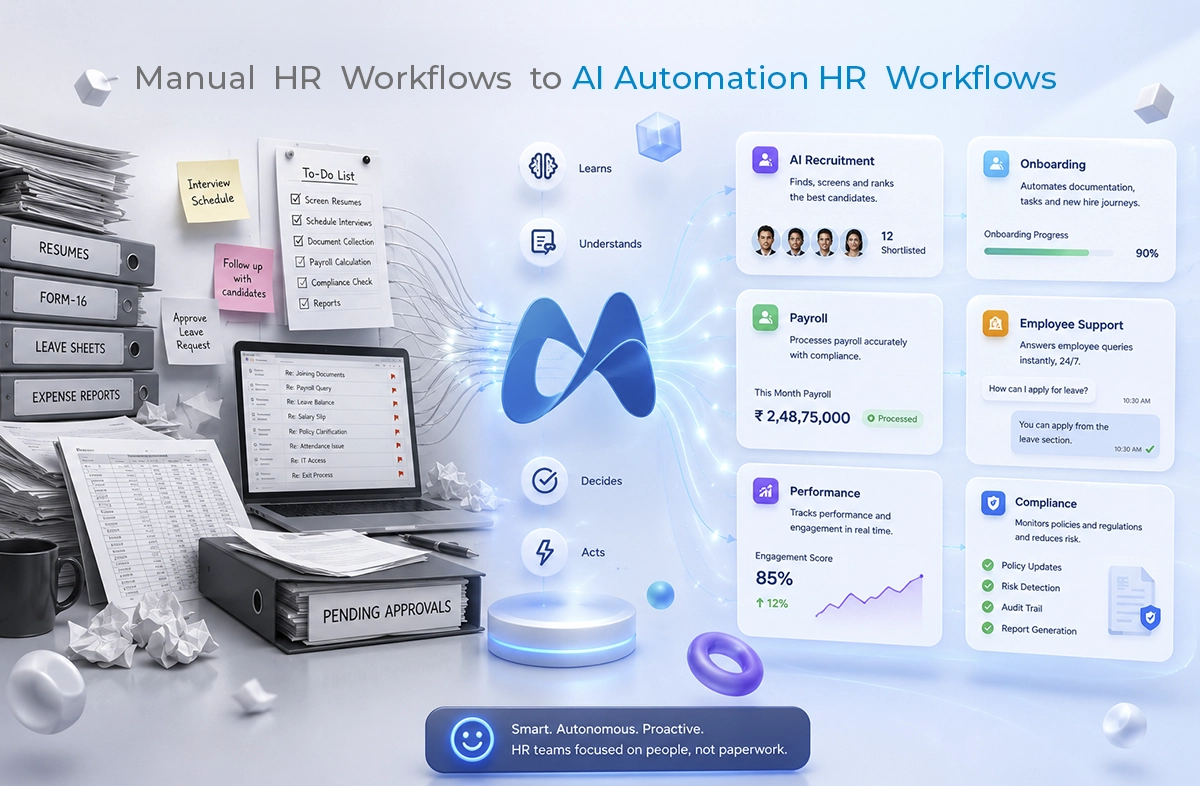
HR was never exhausting. But somewhere along the way, it just became repetitive: screening resumes, chasing approvals, fixing payroll errors, answering the same employee questions over and over. Then gradually, automation came in. It certainly helped, but not much. Now in 2026, things are shifting in a very noticeable way.

We’re moving from “automating HR” to something far more interesting. We’re building HR systems that can think, decide, and act on their own. And that’s where Agentic AI in HRMS comes into the picture.

Businesses today are not just worried about reducing the workload. They are working to make HR processes smarter. That’s because the best HR management software isn’t just tools anymore. They’re becoming partners.

What is Agentic AI in HRMS?

Defining Agentic AI

Agentic AI is an automated system that does not work on standard rule-based automation. So traditional AI follows instructions. But, agentic AI independently sets goals, makes decisions, and executes tasks. It almost works like a digital teammate.

So instead of saying, “Screen these resumes,” you’re saying, “Find the right candidate.” And the system figures out how to get there. It analyzes, decides, adjusts and then executes.

In HR, that means:

  • It can prioritize hiring needs without being told.
  • It can flag employee issues before they become problems.
  • It can even suggest decisions you didn’t realize needed to be made.

How Agentic AI Works Inside a Modern HRMS Platform

Inside a modern HRMS, agentic AI doesn’t sit in one corner doing one job. It connects everything.

Recruitment, payroll, attendance, and engagement are part of a continuous loop of data and decision-making. The AI agent continuously learns from patterns like employee behavior, team performance, and historical HR data. Based on all this, it starts predicting what might happen next. So instead of reacting to problems, it tries to prevent them.

Why This Shift Matters So Much in 2026

Work has changed a lot. Teams are no longer sitting in the same office. Hiring is global. Expectations are higher. And decisions must happen fast and sometimes instantly.

Manual HR processes just can’t keep up with that pace anymore. Even traditional automation struggles because it’s rigid. It doesn’t adapt well.

Agentic AI changes that. It brings flexibility, speed, and something HR systems have always lacked: awareness.

The Evolution of HR Automation

There was a time when HR automation felt something great. You could automate emails, schedule interviews, generate reports, and that was enough.

When you think about it, you realise that those systems were still dependent on humans to guide every step.

But now, in 2026, HR systems are becoming responsive in a much deeper way. Not just executing tasks, but shaping them.

From Rule-Based Systems to Something More Fluid

Earlier systems worked like this: “If X happens, do Y.” It was simple, predictable, but limited.

Because real-world HR isn’t that straightforward. Now, systems adjust based on context. They learn from outcomes. They improve with time. They now understand intent more than just following instructions.

Key Trends Driving HR Automation in 2026

When you notice closely, you will see a few patterns in those companies that are adopting advanced HR systems:

  • Conversational AI is replacing traditional HR helpdesks
  • Predictive analytics is guiding hiring and retention
  • AI-driven employee lifecycle management
  • Autonomous compliance tracking

Industries Rapidly Adopting Next-Gen HR Technology

Not surprisingly, industries dealing with complexity are moving first.

IT & SaaS: High hiring volume, remote team

Healthcare: Compliance-heavy operations

Manufacturing: Workforce scale and shift management

Startups: Need for scalable HR

Major Manual HR Tasks Being Replaced by Agentic AI

This is probably the most visible change. Tasks that once took hours are now handled in the background. They are not completely removed; just redefined.

Recruitment and Candidate Screening

Resume screening used to be very time-consuming. Now, it happens almost instantly.

It’s not just about speed. AI systems are matching candidates based on skills, behavior patterns, and even cultural alignment. Interviews get scheduled automatically, and follow-ups happen without reminders.

Employee Onboarding and Documentation

New employees often feel overwhelmed on day one. Too many forms, too many policies, not enough clarity. Agentic AI changes that.

It creates structured onboarding paths, explains policies in simple language, and ensures nothing gets missed.

Payroll and Attendance Management

Payroll errors used to be stressful. But now, systems handle calculations, deductions, and compliance all in real time with their payroll automation systems.

Further, attendance tracking adapts to hybrid work models and leave management becomes seamless.

Employee Support and HR Helpdesks

Instead of waiting for HR responses, employees now interact with AI assistants. They ask questions, get answers and move on.

And over time, these systems get more accurate, more helpful and more human-like.

Performance Management and Engagement

Annual reviews feel outdated now. Systems track performance continuously. Feedback is generated in real time. Patterns are analyzed quietly in the background.

Managers no longer have to rely on memory.

Compliance and Policy Management

Regulations change. Policies evolve. Risks appear unexpectedly.

Earlier, HR teams reacted to these changes. Now, systems continuously monitor HR statutory compliance. They flag risks early, suggest actions and even generate audit reports.

Benefits of Reducing Manual HR Tasks Using AI

This is where things come together. Because it’s not just about replacing tasks. It’s about changing outcomes.

Efficiency Gains

Tasks have become faster. But more importantly, they’re lighter. HR teams aren’t overloaded anymore. They have space to think, plan, and focus on people instead of processes.

A Better Employee Experience

When systems respond instantly and accurately, employees feel supported. Not because someone is constantly checking on them. But because the experience just works.

Data Accuracy and Compliance

Mistakes are reduced, and reports become cleaner. Hence, the decisions become more reliable.

Cost Savings and Scalability

Less manual work means fewer resources spent on repetitive tasks. And scaling has become easy.

HR Becomes Strategic

This is probably the biggest shift. HR isn’t just executing anymore. It’s guiding decisions, shaping culture, influencing growth. And that changes how businesses operate at a deeper level.

The Future of HRMS with Agentic AI

Autonomous HR Departments

Not fully autonomous, but close. Systems handle operations. Humans focus on strategy. It’s a balance, and when done right, it works beautifully.

Employee Experiences That Feel Personal

Every employee gets a different journey. Learning paths, benefits, engagement strategies—all tailored. It doesn’t feel generic anymore.

Ethical AI Becomes Non-Negotiable

With power comes responsibility. And this is where companies need to be careful. Bias needs to be addressed. Decisions need to be transparent, and data needs to be protected.

Humans + AI, Working Together

This isn’t about replacement. It’s about collaboration. AI handles repetition. Humans handle judgment, empathy, and leadership. And together they create something far more effective.

Choosing the Best HR Management Software for Agentic AI

Important Features to Look For

  • Workflow automation
  • Predictive analytics
  • Employee self-service tools
  • Seamless integrations

Questions You Should Ask Vendors

  • Can the AI be customized?
  • How secure is the data?
  • Will this scale with our growth?

Common Mistakes to Avoid

Some things to watch out for:

  • Ignoring integration challenges
  • Overlooking employee adoption
  • Choosing outdated systems

It’s not just about features, it’s about fit.

Challenges of Implementing Agentic AI in HRMS

Let’s not ignore this. Implementing agentic AI isn’t frictionless.

  • Data quality can slow things down.
  • Employees might resist change.
  • Too much automation can feel impersonal.
  • Regulations still need careful handling.

But with the right approach, these are manageable.

Final Thoughts

One thing is clear in 2026, that HR is no longer just a support function. It’s becoming a strategic driver and decision-making force.

And Agentic AI in HRMS is playing a big role in that transformation. From reducing manual work to enabling intelligent workflows, the shift is real. And businesses that embrace it early? They’re not just keeping up. They’re moving ahead.

So if you’re exploring ways to modernize your HR operations, it might be time to look into the best HR management software built for this new reality.

FAQs

1. What is Agentic AI in HRMS?

Agentic AI is an automated system that does not work on standard rule-based automation. It lets systems make decisions, handle HR tasks, and improve workflows independently.

2. How is it different from traditional automation?

Traditional automation only works by following a set of rules. Whereas Agentic AI can adapt, learn from experience, and respond to different situations by itself.

3. Is it suitable for growing businesses?

Yes. Agentic AI is especially helpful for companies that want to grow without adding more work for their HR teams.

4. Does it replace HR teams?

No, it does not replace humans. It actually helps by automating repetitive tasks so people can focus on more strategic work.

5. Is Agentic AI safe to implement?

Yes, Agentic AI is safe to use when companies make data security, transparency, and responsible AI practices a priority.

Top AI Features Every Modern HR Management Software Must Have

Modern organisations are changing in every way because of artificial intelligence. Finance teams are forecasting smarter, marketing is completely personalised, and operations are in sync like never before. So here is a fair question: why should the HR department be left behind? The truth is, it should not be left behind, and the best companies are making sure it is not.

This is where HR management software comes in. To be honest, the way we handle human resources has changed more in the last five years than it did over the previous two decades. The reason for this change is simple: ‘artificial intelligence’. AI is changing how companies take care of their people, processes, and performance.

So if you are still using the simple HR software, you are probably missing out on great advantages. The best platforms that we have today come with intelligent features that learn, adapt, and help the team on a daily basis.

Choosing appropriate HR management software features can change the way your company hires new people, retains existing employees, or develops its team. From automating repetitive daily tasks to enabling predictive decision-making, AI is reshaping what HR can do across every sector of work.

10 AI Features To Look For In A Modern HR Management Software

Let’s take a look at the most important AI features that any modern HR platform should have. If you are an HR manager at a growing startup or a CHRO at a large company, this list will help you know what to look for:

1. AI-Powered Recruitment and Hiring Tools

Hiring today is not only about manually filtering the candidate resumes. It is about selecting the right people accurately and consistently. And we all know that this process is lengthy and very time-consuming. But we have a key. In these scenarios, AI solutions for hiring and recruitment can really help you. Here’s how they do it:

Instead of going through individual resumes manually, AI tools help you to quickly scan, rank, and shortlist candidates from vast databases based on their skills, experience, and how well they fit the role. It is further enhanced by the use of machine learning models that match candidates based on successful past hiring decisions and outcomes.

In addition, AI-powered chatbots can carry on initial conversations, answer basic questions, and schedule interviews in real time. This relieves teams and also enhances the candidate experience.

Further, AI takes into consideration only skills and qualifications, which removes bias or the influence of other factors that sometimes unintentionally occur.

Here’s an example. An AI-powered HRMS can significantly reduce the time to hire. This gives an edge to the companies. Since top candidates often get several offers in a week, moving quickly can be a crucial factor for hiring a standout or losing them to another company.

2. Intelligent Performance Tracking Systems

Traditional performance reviews are often irregular and slow. Modern HR software for performance tracking with AI focuses on ongoing, real-time feedback throughout the year.

AI-enabled systems provide live performance dashboards that allow managers to track progress and fix issues as and when they occur. Also, predictive analytics can help identify trends in future performance, making it easier to recognise top performers and support those who may need help.

A key benefit is personalised feedback. Employees are assessed based on their actual performance rather than standard or generic comments, leading to greater engagement and motivation. Goals are also automatically assigned to align individual KPIs with team and company goals.

Another often ignored benefit is fairness. Human managers may unintentionally bring hidden biases into reviews. AI can show clear performance data along with personal feedback, giving everyone a balanced view. It does not replace the manager’s judgement, but it helps make discussions more focused on facts.

In the end, using AI for productivity tracking creates a culture of transparency, accountability, and continuous improvement.

3. Smart Attendance and Workforce Monitoring

Most people don’t like to track attendance, but it’s a necessary part of work. Traditional methods like punch cards, sign-in sheets, and simple biometrics often miss key details, especially in today’s hybrid and remote work environment.

A modern AI attendance tracking system offers a simple, accurate and efficient process with real-time updates. It uses tools like facial recognition and biometrics to verify who is present. Further, GPS-based attendance makes remote and field teams more flexible and reliable.

These systems also reduce admin work by automating shift scheduling and leave management. HR teams can now easily identify attendance patterns and know who is present.

4. Predictive Analytics for Employee Retention

Nowadays, retaining employees has become difficult for modern workplaces. These days, smart companies don’t just wait for people to quit; they try to predict when they might leave.

There are AI-driven retention tools that use predictive analytics and large data to detect early signs of disengagement. Some of these signs are:

  • Less participation in team meetings or chat platforms.
  • A sudden decrease in performance metrics.
  • Decreased use of paid time off.
  • Less participation in internal training or development opportunities.

It further allows organisations to implement targeted retention strategies such as personalised engagement programmes, career growth options, and better compensation.

5. Automated Employee Onboarding

Onboarding is the first actual experience employees have in an organisation. This phase greatly affects what follows in their professional journey.

From the moment documents are checked, processes move faster because machines handle setup tasks one after another. New joiners receive guided steps, automated reminders, and an onboarding procedure dedicated to their specific roles. Each stage adjusts quietly behind the scenes, ensuring relevance without manual input.

This reduces chaos and helps employees become familiar and productive faster. But more than that, it creates a positive first impression.

It also lightens the workload for HR teams, thereby improving the overall employee experience. A well-executed onboarding process leads to higher engagement, faster productivity, and less attrition.

6. Conversational AI and HR Chatbots

Much of an HR team’s day is often spent answering the same questions over and over. This can result in slow progress while staff wait for answers. Efficiency improves when automated conversations handle routine requests instead. As a result, dependence on HR decreases.

AI chatbots provide quick, 24/7 support to employees. It promptly answers standard questions on leave, salary details or company policies. They are connected thoughtfully to human resources platforms and pull information from policy documents and employee records. It leads to accurate replies since it comes from live data rather than guesswork.

There’s another benefit: chatbots keep track of the most common employee questions. Patterns begin emerging when multiple queries cluster around one topic.

For example, a lot of people might ask about remote work policies in a single week. This repetition suggests either unclear guidelines or weak message delivery from management. Insight grows as data accumulates across weeks. Clarity gaps become visible only after repeated concerns surface. A shift in internal communication could follow such observations.

7. Learning and Development Recommendations

Generic training programmes now feel dull, failing to engage. In a dynamic work environment, growth continues without pause. Thanks to artificial intelligence, skill-building adapts closely to individual needs, gaining stronger results.

Through analysis of worker abilities, artificial intelligence detects missing competencies while guiding suitable education plans based on personal needs. Learning routes shaped by these insights follow professional ambitions instead of standard course packages meant for broad groups.

This method enhances efficiency while shaping a team prepared for what comes next. It creates a genuine culture of continuous learning and not a compliance-driven programme.

8. Payroll Automation and Compliance Management

Dealing with payroll often brings challenges that require careful attention. Where manual methods are used, mistakes tend to appear more frequently, along with compliance issues.

With automation through artificial intelligence, number handling becomes smoother, and everything is in line with the rules.

It calculates salaries without any manual inputs; deductions and taxes are identified using the current rules and employee data. It also stays up to date with changing regulations, ensuring compliance across different regions.

9. Integration with Digital HR Transformation Tools

A major difficulty in HR is fragmented systems failing to communicate together. When different software handles individual functions, information often becomes isolated, reducing overall effectiveness.

Here, digital HR transformation tools play a critical role.

Data moves freely across various departments, as modern HR platforms can be connected easily with ERP, CRM and other systems. This creates a single hub for managing employee information.

Because information flows without interruption, decisions are quicker yet hold greater precision. Leaders get a complete picture instead of scattered reports across multiple tools.

10. Advanced Data Security and Privacy Features

Because HR systems manage confidential staff information, security matters most. Examples include social security numbers, salary figures, medical records, performance reviews, etc. One incident involving unauthorised access may damage confidence while leading to significant regulatory penalties. Thus, modern HR platforms use artificial intelligence to strengthen their security.

Below are the key features you should consider:

  • Unusual access behaviours are identified instantly through artificial intelligence systems.
  • Fraud prevention tools that spot manipulated payrolls or fake employee records.
  • Secure employee information through full encryption pathways
  • GDPR, CCPA, HIPAA, and other relevant compliances.
  • Role-based access controls.

Why WeekMate Stands Out

True artificial intelligence tools are rare among systems that claim to have them. Yet actual usefulness often depends on alignment with daily human resources workflows. WeekMate was built to fill this gap.

It brings together every function described earlier. Not only recruitment, but also performance tracking, along with daily attendance controls. Onboarding processes link directly to training modules, while learning records update automatically. Payroll calculations integrate seamlessly, supported by consistent data flow. Security measures apply throughout, embedded within each section. Artificial intelligence operates quietly inside all components, enhancing tasks without disruption.

Is your organisation seeking a constructive shift in digital HR practices? You are at the right place. WeekMate offers an initial step that can evolve as your needs change.

Final Thoughts

AI is not a future concept in HR anymore. It forms part of everyday human resources tasks. What matters most is selecting the right HR management software features, which are not just limited to basic automation but offer support in making better judgments.

AI in HRMS is quietly reshaping HR tasks like hiring, growth tracking, retention, and more. A noticeable change is occurring as we move from manual work to intelligent systems and from waiting for issues to arise to planning in advance.

And for organisations that aim to stay ahead, choosing the right HR management software has become a necessity, not a choice.

Here’s something worth noting: replacing every system immediately isn’t required. Start instead with a single function, recruitment or tracking attendance, and build slowly over time. Tools such as WeekMate turn gradual shifts into smooth progress without strain.

Now might be the moment to consider changes in how human resources work, especially when technology can reshape processes. Shifting towards AI-driven solutions could support stronger adaptability within company structures.

FAQs

1. Is AI in HR software replacing HR professionals?

Not quite. Artificial intelligence does not remove human resources staff from their roles. Rather, duties across these teams begin evolving quietly. Application filtering becomes automated. Payroll documentation updates itself without intervention. Simple employee questions receive instant replies through AI. This turns the attention towards meaningful work: shaping long-term plans, strengthening team bonding, and building the work culture.

2. How long does it take to implement AI-powered HR software?

Implementation duration varies by system complexity. Usually, it can happen within several weeks. But in some cases, it can extend beyond a month. Factors like data readiness affect timing. Custom features could also slow deployment. WeekMate and similar tools offer guided onboarding to speed this up.

3. Is AI-driven HR software safe for sensitive employee data?

Yes, provided the platform you choose has proven credibility. Security is not compromised if the application uses full encryption, complies with regulations such as GDPR or HIPAA, and implements access controls based on user roles. It should also integrate artificial intelligence for spotting risks. However, human supervision cannot be removed, despite high-level defences.

4. Can small businesses benefit from AI HR features?

Absolutely. Small businesses, indeed, tend to benefit the most. With limited staff handling personnel matters, minor shifts, like streamlining routine steps, can free up significant effort.

5. What is the difference between an HRMS and an AI-powered HR platform?

A traditional HRMS is used to store and manage employee data. Beyond storage, AI-powered platforms interpret data to forecast outcomes and guide choices. What defines such tools is their ability to process rather than just hold facts. Simple databases lack these dynamic functions found in advanced setups.

5 Key Trends in Payroll Management Software Every Modern Business Should Know

Most businesses don’t think about payroll  until something goes wrong. And when it goes wrong, everyone notices. An employee gets paid late, a tax filing gets missed, a deduction is calculated incorrectly. What sounds like a minor administrative hiccup can very quickly become a trust issue. That’s exactly why payroll management software has gone from a nice-to-have to something businesses genuinely depend on.

Payroll automation has made it possible to handle wages, compliance, and employee payments without the manual back-and-forth that used to define the whole process. Platforms like WeekMate are part of this shift. WeekMate HRMS and other tools that connect payroll to the broader way modern businesses manage their people.

What is Payroll Automation?

Payroll automation is software doing repetitive payment calculation. No need for manual intervention and copying data from different systems. A good software connects with task management, Sales and other tools to integrate data and present accurate calculations.            

The key components most businesses care about include:

  • Salary and wage calculations tied directly to attendance or timesheet data
  • Tax deductions that stay aligned with current regulations without manual updates
  • Compliance filings processed automatically rather than manually tracked
  • Benefits adjustments handled without separate data entry each cycle

Together, these form the foundation of solid employee payroll management. When the system works, employees get paid correctly every time. When it doesn’t, you hear about it before the end of the day.

The shift away from legacy systems has been gradual but real. Traditional payroll relied on disconnected tools. It involved manual data entry. Teams focused on reactive fixes after something broke. Modern payroll solutions work differently. They’re proactive, integrated, and built to flag problems before they become actual payroll errors.

Why Businesses Are Adopting Payroll Automation?

The reasons are practical.

Processing payroll by hand takes a lot of time.

HR and finance teams can spend an entire week per month on payroll-related tasks. Good software handles in an hour. So the time savings argument is compelling on its own, but it’s not the only one.

Manual entry makes mistakes.

A business with 50 employees where someone accidentally inputs the wrong overtime rate for a busy holiday week? That single error can ripple through the entire pay cycle. It takes hours to untangle. Multiply that by several months. The cost adds up quickly. Not just in correction time but in eroded employee trust.

Labor laws and tax regulations change.

Staying current with those changes is practically a part-time job. Automated systems absorb regulatory updates in the background, so compliance doesn’t depend on someone remembering to check.

For growing businesses, scalability matters.

Going from 20 employees to 150 shouldn’t require rebuilding your entire payroll process from scratch. The right automation grows with you.

5 Key Trends in Payroll Automation

AI-Powered Payroll Processing

AI in payroll isn’t a future concept at this point. It’s already doing real work, and the applications are useful in ways that matter day-to-day.

  • The most practical use is error detection: AI systems can flag anomalies before payroll runs. It catches unusual hours or irregular deductions, or data inconsistencies that a human reviewer might miss.
  • Predictive analytics take it further: It lets finance teams model payroll costs against hiring plans or projected busy seasons.
  • Salary benchmarking angle: AI can surface compensation patterns across teams.Algorithms can identify equity gaps. It suggests adjustments based on available market data.

So it’s not just about processing payments faster. It’s about making better decisions using data you already have.

Cloud-Based Payroll Systems

Cloud infrastructure changed what payroll software can actually do.

  • Remote access
  • Real-time data updates
  • Automatic backups
  • Security managed at the infrastructure level

These are now the baseline expectations for any modern payroll management software worth considering.

The rise of SaaS-based payroll management software brought that capability to businesses of all sizes. No more subscribing to expensive on-premise installations and ongoing IT overhead. Companies now subscribe to a platform that scales with them. No version upgrade headaches, no manual patch cycles.

WeekMate is built on this foundation. The platform connects payroll, scheduling, and attendance data in one place. Because it’s cloud-based, teams can access it from anywhere.

 For businesses managing distributed teams, that kind of accessibility is a practical requirement.

Real-Time Payroll and On-Demand Payments

The bi-weekly pay cycle made sense when payroll ran on paper and manual processing took days. It makes less sense now that technology can calculate and disburse payments in a fraction of that time.

A growing number of employees (hourly workers or freelance experts) want access to their earned wages when they need them. Not when the calendar allows.

On-demand pay addresses that genuine problem Financial stress between pay cycles is real. It affects how people show up at work.

You’ll notice this trend appearing first in industries with high turnover, like hospitality and logistics. Here flexible pay has become a retention tool. But it’s spreading. Offering access to earned wages turns out to be one of the more impactful improvements to employee experience that payroll automation trends have introduced.

Compliance Automation and Regulatory Updates

This is where automation does something manual processes genuinely cannot: stay current automatically.

Tax tables update. Minimum wage rates change. New statutory requirements come into effect. Keeping track of all of that across every location a business operates in is difficult.

And missing a change isn’t just inconvenient. It can mean penalties, incorrect payments, and corrections that need to go back several pay cycles.

Modern payroll systems handle regulatory changes in the background.

  • Tax calculations update
  • Filing deadlines are tracked
  • Compliance logic adjusts without the HR team manually implementing each change

That reliability is hard to quantify until something goes wrong and you realize the system caught it before it became your problem.

Integration with HR and Business Systems

Payroll doesn’t operate in isolation, even when it’s treated that way.

Think about what happens when payroll runs on a completely separate system from attendance tracking. Someone has to export hours from one tool. Import them into another. Check that the transfer worked correctly. And hope nothing got dropped.

That’s a workflow held together by manual handoffs. And manual handoffs create errors.

Integration removes those gaps. When payroll connects directly to your HRMS, time-tracking tool, and accounting software, data flows automatically between them.

  • New hires added to HR appear in payroll immediately.
  • Hours logged in scheduling sync directly into wage calculations.
  • Terminations trigger final settlement workflows without a manual hand-off.

The result is a unified approach to employee payroll management. It cuts down on friction and gives business leaders a complete picture of labor costs without pulling data from several different places.

Benefits of Adopting Modern Payroll Solutions

When you add it all up, businesses that move to automated payroll consistently see similar outcomes:

Benefit

What It Actually Means

Operational efficiency

HR and finance teams spend less time on admin and more on actual work

Improved accuracy

Fewer errors, fewer corrections, fewer conversations with frustrated employees

Cost savings

Less time on manual processing and compliance fixes adds up over time

Better reporting

Clear visibility into payroll costs, headcount data, and workforce trends

Employee trust

Getting paid correctly and on time, every time, is more powerful than it sounds

That last point is worth holding onto. Payroll errors feel personal to employees in a way that other operational hiccups don’t. Consistent accuracy builds quiet, steady trust. And trust is hard to rebuild once it’s gone.

How WeekMate Supports Payroll Automation?

WeekMate treats payroll as part of a larger workforce picture rather than a standalone function.

The platform connects payroll calculations directly to attendance and scheduling data. So payroll isn’t starting from a manual export. It’s pulling from live, up-to-date information.

Compliance management adjusts to relevant labor regulations automatically. Integration with HR and accounting tools keeps the data connected.

But what makes WeekMate different from older tools is the combination of usability and scalability. It’s designed for businesses that are actively growing. The platform handles growing complexity without requiring a large implementation project every time the business changes.

Choosing the Right Payroll Automation Tool

There’s no single right answer here, but there are a few questions worth asking before committing to any platform:

  • Scalability: A tool built for 30 employees should still work well at 200 without a major overhaul.
  • Ease of use: A powerful system that sits underused because it’s confusing isn’t solving anything.
  • Integration capability: The value of automation multiplies when it integrates with your HR, time-tracking, and accounting systems.
  • Compliance management: Make sure the platform stays current with regulations specific to your locations and industry.

Choosing the right payroll management software is really about operational fit. The most feature-rich platform available is only worth something if it works the way your business actually runs. A smaller, well-integrated tool will outperform a bloated one your team avoids.

Future of Payroll Automation

A few directions seem fairly clear from where things stand now.

AI will take on more of the analytical work, moving payroll systems from reactive processing toward genuinely predictive decisions. Salary modeling, cost forecasting, and anomaly detection will become standard rather than premium features. Personalization will increase too. Employees will have more say in how and when they access their compensation.

Global payroll capabilities will keep improving. As more businesses operate across borders, managing compliance in multiple countries from a single platform will stop being a specialized capability and become an expected one.

And the payroll automation trends that feel somewhat new today will be the baseline expectations within a few years. Businesses that build on modern infrastructure now won’t be scrambling to catch up when that shift fully arrives.

FAQs

1. What is payroll automation and how does it work?

Payroll automation uses software to calculate wages, apply tax deductions, handle compliance filings, and send payments without manual processing at each step. Most systems connect to attendance and HR data so the cycle runs with minimal input once it’s configured properly.

2. Why should small businesses invest in payroll management software?

Even small teams benefit from the reduction in errors, time savings, and compliance protection. SaaS platforms have made this accessible to businesses without large IT budgets. You don’t need to be a 500-person company to get reliable, automated payroll.

3. What are the main payroll automation trends businesses should follow?

The ones worth paying attention to right now are AI-powered processing, cloud-based platforms, on-demand pay, automated compliance management, and integration with HR and accounting systems. These aren’t trends in the speculative sense. They’re changes are already reshaping how businesses operate.

4. How does payroll automation improve employee satisfaction?

Accurate, on-time payments are foundational to how employees feel about their employer. Automation reduces errors and delays. On-demand pay gives employees more flexibility with earnings they’ve already worked for. Both have a measurable impact on retention, which businesses with high turnover tend to discover fairly quickly.

5. Is cloud-based payroll software secure?

Reputable platforms invest heavily in encryption, access controls, and compliance certifications. For most small and mid-sized businesses, cloud infrastructure offers stronger security than local on-premise systems, especially without a dedicated IT security team managing them.

6. How does WeekMate support workforce management technology?

WeekMate connects payroll with scheduling, attendance, and HR in one platform. Rather than managing separate tools that require manual data transfers between them, businesses get a unified view of their workforce and a payroll process that draws from live data automatically.

Why Every Hybrid Company Needs a Cloud HRMS System

The way we work is now forever changed. In India and around the world, hybrid work models are no longer a trend, but they’ve become the way of working. Teams divide their time among office desks, home setups, and, occasionally, co-working spaces in different cities. That flexibility is great for morale and recruiting, but it also introduces real headaches for HR and leadership: fragmented attendance records, payroll confusion, communication gaps, and the ever-present nagging worry about compliance.

This is where the modern cloud-based HRMS software solution becomes the game-changer. It consolidates everything you need to manage a hybrid workforce into a single, secure, and accessible platform. Whether you are leading a growing IT services company in Bengaluru, a manufacturing business with field staff, or a startup with remote developers, digital HR solutions such as WeekMate HRMS can help you maintain organization and compliance, and grow your business without dealing with daily firefighting.

What is a Cloud HRMS System?

A cloud-based HRMS software is a web-hosted human resource management system that provides comprehensive functionalities for end to end management of human resource activities, and you can use it at any time from anywhere on your computer or mobile device.

Unlike the old HR systems, where documents were kept on Excel sheets or on desktops, and even physical files were stored in on-premises facilities, digital HR solutions are much more dynamic and automated.

Core modules typically include:

  • Centralized employee records
  • Automated payroll management system
  • Performance tracking and appraisals
  • Leave and attendance management
  • Recruitment and onboarding tools

For instance, WeekMate HRMS integrates these with AI-powered automation, along with the flexibility of cloud and on-premises deployment, which is ideal for Indian enterprises cautious about data privacy and compliance.

Understanding Hybrid Workforce Management

A hybrid work environment offers employees the option to work in the office, remotely, or a combination of both. Companies in India are embracing this to improve work-life balance, access wider talent pools (especially from Tier-2 and Tier-3 cities), and save on real estate costs. However, hybrid workforce management comes with unique challenges:

  • Communication gaffes between on-site and remote teammates.
  • Hard to track productivity without micromanaging.
  • Managing attendance, leaves, and shifts for employees in different locations and time zones
  • Ensuring fair performance evaluation across varied work setups.

Without the proper resources, these problems could swiftly lead to disengagement, mistakes, and even compliance risks under Indian labor regulations.

Key Challenges Without an HRMS in Hybrid Workplaces

Many businesses are still using unintegrated tools or manual processes. The result?

  • Endless back-and-forth for attendance and leave approvals.
  • Mismatched timesheets and holiday calendars lead to payroll mistakes.
  • Compliance shambles with PF, ESI, TDS, and state labor laws. 
  • The unavailability of centralized data makes it difficult to generate reports with ease or forecast workforce needs.

Leave and attendance management gets difficult, especially with some employees clocking in via biometric scans at the office and others working remotely. These inefficiencies consume HR time and disappoint employees.

Advantages of Cloud-Based HRMS for Hybrid Business

Migration to cloud HRMS software brings immediate and long-term benefits.

Employee Management in a Central Location

You have a unified database that serves as your powerful employee management software. HR, managers, and employees can all get up-to-date, accurate information from anywhere, whether in Mumbai or a hill station. No more searching through email or shared drives.

Streamlined Payroll Processing

An automated payroll management system computes salaries, deductions, taxes and produces payslips within minutes. It remains compliant with the latest Indian statutory requirements and helps avoid errors and payment delays that break employees’ trust.

Leave and Attendance Tracking 

Real-time leave and attendance management system supporting multiple modes. This includes biometrics for office staff, GPS/selfie-based for field force, and web login for remote workers. Approvals are faster through self-service portals, and WFH or comp-off tracking becomes effortless.

Enhanced Collaboration & Communication

Employees access self-service portals to view their records, request leave, or obtain payslips. Integrated engagement features and notifications ensure everyone is on the same page and minimize miscommunication in hybrid setups.

Improved Efficiency for the Organization

With cloud-based HRMS software eliminating manual work, HR teams are now free to focus on strategic activities. Data-driven insights using organizational efficiency tools help leaders make smarter decisions on hiring, promotions, and resource allocation.

The result of WeekMate HRMS is happier teams, fewer compliance risks, and tangible productivity gains. Many Indian SMEs claim to save 15-30 hours a month on routine HR tasks.

Features to Look for in the Best HRMS for Hybrid Workforce Management

There are several features to consider when searching for the best HRMS for hybrid workforce management:

When evaluating solutions for your needs, consider obtaining (or looking for) the following capabilities to help identify the best HRMS for hybrid workforce management:

  • Full cloud-based with excellent mobile access.
  • Automation of routine tasks such as paying employees and sending reminders.
  • Seamless integration with current software (time and attendance devices, accounting software, etc.).
  • Customizable dashboards and reports.
  • Data security at multiple levels, compliance, and role-based access.

WeekMate HRMS excels in this domain with its AI-based automation, support for remote/hybrid/office teams, and diverse configuration options.

Here’s a quick comparison table:

Feature

Traditional HR Systems

Cloud-Based HRMS (e.g., WeekMate)

Accessibility

Office-bound, desktop only Anytime, anywhere via cloud & mobile
Payroll Automation Manual calculations, high errors

Automated payroll management system with compliance

Leave & Attendance

Spreadsheets & registers Real-time tracking with multiple punch options
Scalability Limited, expensive upgrades

Grows easily with your team

Data Security & Compliance

Risk-prone Enterprise-grade with audit trails
Hybrid Workforce Support Poor

Excellent for remote + office teams

How Cloud HRMS Can Help You Grow Your Business?

And when your business grows, your cloud-based HRMS software grows with you. It enables advanced workforce planning, detects skill gaps using performance data, and enhances the overall employee experience, which is key to retaining employees in high-demand Indian markets.

When organizations adopt digital HR solutions like WeekMate, they advance their digital transformation. Instead of being a purely administrative function, HR today is a strategic partner in organizational productivity.

Real-World Use Cases

Remote Hiring: On the first day of work, a new employee in a different city or state can complete paperwork, sign documents online, and gain access to the system, all without ever setting foot in a physical office.

Multi-Office Payroll Processing: An organization with offices in Delhi and Hyderabad, along with remote teams, processes salaries smoothly in a single run, managing different state compliances like a breeze.

Distributed Teams Performance: Managers monitor goals and provide real-time feedback, ensuring that appraisals are fair whether an employee works from home or on the factory floor.

Such scenarios are all too familiar to Indian enterprises making the move to hybrid models after the pandemic.

Tips For Finding The Right HRMS

Assess your existing challenges and what you aim to accomplish in the future.

  1. Compare features, including hybrid workforce management and leave and attendance management.
  2. Review pricing and opt for clear models that don’t punish growth.
  3. Review user comments, the quality of support, and how easy it is to implement.
  4. Make sure the system meets Indian statutory requirements and provides a high level of data security.
  5. A brief demo or trial can say a lot about how easy the platform really is.

For more details, refer to this blog on How Cloud HRMS solves HR problems.

Final Thoughts

In today’s hybrid work world, old-school ways of working just aren’t cutting it. Good cloud-based HRMS software, such as WeekMate, is crucial for managing hybrid workforces, keeping operations running smoothly, and ensuring your employees are happy. It gives strength to a digital HR solution that automates payroll management, simplifies complex employee management tasks, and provides a framework for organizational efficiency tools to any business looking to grow.

By selecting the right system to invest in today, Indian companies can reduce risk, save time and money, and cultivate a workforce that is more engaged and productive, preparing them to meet the challenges of tomorrow. The benefits in terms of compliance, efficiency, and employee satisfaction are well and truly worth it. If your company is trying to figure out how to manage hybrid work, this is a great time to look into how a modern HRMS can revolutionize your people operations.

FAQs

1. What is cloud-based HRMS software, and why is it suitable for hybrid teams?

Cloud-based HRMS is software that can be accessed securely from anywhere via the internet. It’s perfect for hybrid businesses because it allows remote attendance, provides real-time updates, and keeps data centralized without the need for physical infrastructure.

2. How does an HRMS payroll management system comply with Indian regulations?

An automated payroll system accurately deducts PF, ESI, TDS, professional tax, and other statutory deductions. It produces compliant reports and payslips, minimizing errors and Audit risks for businesses across states.

3. Can cloud HRMS track leave and attendance for in-house & work-from-home employees?

Yes. Today’s solutions come with flexible leave and attendance management features, such as biometric on-site tracking, GPS/selfie for field workers, and web login for WFH, to ensure tracking is fair and accurate.

4. Is WeekMate HRMS the best HRMS for hybrid workforce management?

WeekMate HRMS is tailor-made for hybrid, remote, and in-office configurations. It includes AI automation, payroll, attendance, and employee lifecycle management, with adaptable cloud- and on-premises deployment, ideal for Indian SMEs and expanding organizations.

5. What are the advantages of digital HR solutions in hybrid work models?

Digital HR solutions lead to enhanced efficiency, reduced manual errors, improved employee experience through self-service, and actionable, data-led insights for stronger decision-making and organizational efficiency tools.

6. What is the time frame to deploy a cloud-based HRMS?

All but the earliest type of modern platform, including WeekMate, offer fast onboarding in the order of days to a few weeks, thanks to user-friendly interfaces, data import utilities, and dedicated customer support.

7. Can cloud HRMS boost employee engagement in hybrid working models?

Definitely. Self-service portals, transparent leave and payroll policies, and real-time communication tools make for more engaged and appreciated employees, even when they are dispersed geographically.

Become A Partner