HR News

EPF Withdrawal Rules 2026 : Eligibility, Claims & Latest Updates

Read the Latest Updates

Payroll Management Software Features Every Business Needs and How to Choose the Right One

Payroll sounds simple until you’re the one running it. Then it’s spreadsheets breaking at 11pm, a PF calculation that’s slightly off, someone’s overtime not matching their attendance log. Most business owners don’t think about payroll until it goes wrong. By then it already costs them time, money, or an employee’s trust in HR.

That’s the whole point of payroll automation for businesses. Not just calculating salaries faster. A proper payroll management system pulls together attendance, tax deductions, compliance filings, payslips, and reporting into one place. Do it right and payroll stops being a monthly scramble.

So here’s what actually matters: the payroll management software features worth paying for, why payroll automation for businesses is worth the switch, and how to pick one without getting talked into features you’ll never use.

Why Modern Businesses Need Payroll Management Software

Manual payroll was fine when there were five employees and one shared Excel file. It stops being fine quickly. Add ten more people, a couple of shift patterns, one state-specific compliance rule, and cracks start showing.

Manual payroll means someone pulls attendance by hand, cross-checks deductions, applies tax slabs that change every financial year without any warning. One typo in a PF number and you’re looking at penalties. Miss a TDS filing, and you’ll hear about it.

Automated payroll pulls attendance straight from biometric devices or an app, applies current tax rules on its own, gives out compliant payslips without anyone touching a calculator.

And compliance in India isn’t getting any simpler. PF limits shift. ESI thresholds change. Professional tax slabs vary by state. TDS rules differ depending on the old or the new regimes. Doing all this manually across even 40 or 50 employees is basically asking for a mistake to happen.

The real win with payroll automation for businesses isn’t speed, though that helps. It’s fewer errors, lower compliance risk, and an HR team that gets its afternoons back.

Essential Payroll Management Software Features Every Business Needs

Not every payroll tool goes equally deep. Some stop at basic salary calculations. Others build in the operational layer that businesses actually need. Here’s the breakdown:

Automated Salary Processing

This is the core job, obviously, but it needs to go beyond a flat monthly figure.

A decent system handles monthly payroll runs, bonus and incentive payouts tied to performance data, overtime pulled from actual clock times, and multiple salary structures across roles or contract types.

One thing worth testing before you buy: how does it handle someone who joins or exits mid-month? A lot of platforms fumble prorated pay, and that’s usually where the first payroll complaint lands on someone’s desk.

Attendance and Leave Management Integration

Attendance and payroll shouldn’t sit in two different systems. When they do, someone’s manually reconciling spreadsheets every month, and that’s exactly where errors sneak in.

You want attendance syncing directly into payroll. Leave balances to be calculated automatically. Shift-based scheduling supported, not rushed on as an afterthought.

This is really why payroll software with attendance management is no longer optional. If attendance and payroll aren’t talking to each other in real time, you’re back to manual reconciliation. Just with extra steps and more room for error.

Tax Calculation and Statutory Compliance

This is where a lot of generic, imported payroll tools fall apart in the Indian market. What it needs to cover:

  • Automatic tax deductions based on current slabs
  • PF, ESI, professional tax, and TDS calculations that update as rules change
  • Compliance reporting ready for audits or statutory filings
  • Government rule changes reflected without you having to chase updates

Ask vendors directly: how often do statutory rules get updated, and is that automatic or something you have to request? That one question tells you more about a payroll platform than the entire sales deck.

Employee Self-Service Portal

Nobody should have to email HR for a payslip in 2026. A decent self-service portal lets employees download current and past payslips, submit tax declarations themselves, raise leave requests without paperwork, and update their own bank details or address.

Small features. But it quietly cuts HR ticket volume more than almost anything else on this list.

Automated Payslip Generation

Payslips should generate automatically after each cycle. Distribute by email or portal login. Stay locked behind secure employee access.

Simple enough on paper, but it has to work every single month, no exceptions. If your team’s still manually emailing PDF payslips one by one, that’s a sign you’re overdue for an upgrade.

Expense and Reimbursement Management

Travel claims, food, client entertainment, whatever it is, employee claims need an approval workflow tied back into payroll. Otherwise, reimbursements turn into a separate finance process that drags on for weeks.

Quick example. An employee files a travel claim on the 3rd. If reimbursement isn’t connected to payroll, that claim might just sit there until the next cycle. Sometimes longer. Integrated systems clear it in the same run as regular salary.

Multi-Location and Multi-Branch Payroll

Growing businesses might have multiple branches. Payroll software needs centralized processing, sure, but also department-wise and branch-wise breakdowns. Remote teams add another wrinkle too. Attendance tracking looks completely different when half the team isn’t working from a desk.

Customizable Payroll Policies

Every company has its own quirks in salary structure. Flexible components. Shift allowances. Variable pay tied to targets. Company-specific rules that don’t fit a generic template.

Red flag worth noting: if changing a minor policy means opening a support ticket every time, that tool won’t scale with you.

Payroll Reports and Analytics

Reporting needs to go past a monthly summary. Cost breakdowns by department. Tax reports ready for filing season. Historical data for budgeting decisions. Department-wise numbers that leadership can actually use.

This is usually where finance and HR finally stop arguing over whose spreadsheet is right.

Data Security and Role-Based Access

Payroll data is as sensitive as it gets. Bank account numbers, salary breakdowns, tax IDs. None of that should be visible to the entire team.

Check for encryption, both at rest and in transit. Role-based access controls. Audit logs that actually log something useful. Reliable cloud backups. This one gets overlooked during evaluation almost every time, and it’s usually the first thing people care about once something’s gone wrong.

Benefits of Payroll Automation for Businesses

Put the features together and here’s what you actually get. 

  • Payroll cycles become quick. Something that used to take days now takes hours.
  • Manual errors drop off because the system’s pulling data instead of someone retyping numbers at 9pm.
  • Compliance gets stronger since updates happen automatically instead of someone remembering to check a government notification.
  • Employees get accurate payslips on time, which sounds small until you’ve dealt with the alternative.
  • Costs come down over time too, even once you factor in the subscription.
  • HR gets its productivity back, since fewer hours go into repetitive number-crunching.

Most businesses notice the compliance win first. The productivity gain shows up a bit later, usually once the initial setup dust settles.

How to Choose the Right Payroll Management Software

This is where most buying decisions go sideways. A slick demo, a signed contract, and six months later, the tool doesn’t actually fit how the business runs.

Assess Your Business Size

A 15-person startup needs something completely different from a 500-person enterprise.

  • Startups want speed, not complexity. 
  • SMEs need a mix of automation and flexibility.
  • Enterprises need deep role-based access, multi-entity handling, and ERP integration.

Buying enterprise software as a 20-person team usually just means paying for features that’ll sit unused.

Check Compliance Capabilities

Confirm the platform updates statutory rules on its own, not manually after you flag it. Ask specifically about state-wise professional tax, since PT rates vary across Indian states. If a vendor can’t answer this clearly and confidently, that’s worth pausing over.

Look for Attendance Integration

Biometric devices, mobile check-ins, timesheet support – it depends entirely on your workforce. Field sales teams need mobile. Factory floors often rely on biometrics. Match the tool to how people actually clock in, not how the sales page describes it.

Evaluate Ease of Use

A clean dashboard and fast setup save weeks of onboarding pain. If your HR team needs a two-week training program just to run the first payroll cycle, that’s a hidden cost nobody mentioned upfront.

Consider Scalability

Ask directly. Can this handle double your current headcount? Can it add new branches without a full system overhaul? Can you add on modules later, like performance reviews or recruitment, without switching platforms entirely?

Review Customer Support

Live chat and phone support matter more in the first three months than at any other point. Check whether onboarding is included or billed separately. Look for training material that doesn’t require a support ticket for basic questions.

Compare Pricing and ROI

Subscription plans look clean until hidden costs show up. Implementation fees. Compliance update charges. Add-on modules that weren’t mentioned in the original quote. Get a full breakdown before signing anything, and always run a free trial or demo first. 

Payroll Software Buying Guide: Checklist Before You Buy

Here is a quick payroll buying checklist that you can consider before you buy:

✔ Payroll automation with accurate salary and overtime handling
✔ Attendance integration, biometric or mobile
✔ Leave management synced with payroll directly
✔ Compliance coverage for PF, ESI, PT, TDS with automatic updates
✔ Employee self-service for payslips and declarations
✔ Mobile access for remote or field-based teams
✔ Reports and analytics for cost and compliance tracking
✔ Data security with encryption and role-based access
✔ Integrations with accounting or HRMS tools already in use
✔ Support that includes actual onboarding help

If two or three of these are missing, that’s usually reason enough to keep looking elsewhere.

Common Mistakes to Avoid When Selecting Payroll Software

Picking based on price alone is the most common mistake, and often the most expensive one. Cheap plans tend to skip compliance depth, or charge extra later for things you assumed were already included.

Ignoring compliance features is second. A tool that can’t handle India’s statutory requirements properly isn’t saving anyone time. It’s just creating risk with a nicer interface.

Overlooking integrations causes headaches down the line, especially when payroll does not sync with your existing accounting software.

Not thinking about scalability means outgrowing the platform within a year, then dealing with a painful migration nobody wanted.

And skipping the free trial, understandable when you’re busy, almost always leads to surprises after the contract’s already signed.

Future Trends in Payroll Management Software

A few trends in payroll management software worth keeping an eye on. AI-powered payroll tools are beginning to spot issues early, helping prevent compliance problems instead of fixing them later.

Cloud-based systems remain the default for most businesses, given lower upfront costs and easier updates. 

Mobile-first payroll is becoming the norm as hybrid work sticks around. Predictive analytics is helping finance teams forecast payroll costs months ahead instead of reacting after the fact.

And deeper integration between HRMS, payroll, and accounting is closing gaps that used to keep these teams working in silos.

None of it replaces the basics, though. A payroll tool with flashy AI features but shaky compliance still isn’t worth using.

Conclusion

Choosing payroll management software isn’t really about finding the longest feature list. It’s about finding a tool that handles salary processing, attendance, compliance, and reporting accurately, without dumping more work on your team.

Payroll automation for businesses pays off through fewer errors, stronger compliance, and an HR team that finally has bandwidth for actual strategic work. Before committing to any platform, run it against the payroll software buying guide checklist above. If it holds up, you’ve probably found the right fit.

Are you comparing options? WeekMate’s payroll management software covers attendance sync, statutory compliance, and employee self-service in one place. Worth a look while you’re considering choices.

FAQs

1. What features should every payroll management software have?

At the very least, automated salary processing, attendance and leave integration, statutory compliance covering PF, ESI, PT, and TDS, employee self-service, payslip generation, and solid data security.

2. Is payroll software with attendance management necessary for small businesses?

Yes, even under 20 employees. Most calculation errors trace back to manual reconciliation between attendance and payroll, and that doesn’t matter how big the company is.

3. How much does payroll management software cost in India?

It costs around ₹50 to ₹150 per employee per month for cloud-based tools, but it varies depending on the services and features. In general, the cloud-based platform cost will increase if you go for a full enterprise package with compliance and HRMS at its core. Be sure to get an accurate quote by separating implementation and compliance update charges. These are common omissions in the quote.

4. Can payroll software handle multi-state compliance in India?

Most modern platforms can, but coverage isn’t identical across vendors. Confirm state-specific professional tax and labour law support for every state you actually operate in before signing anything.

5. How long does implementation usually take?

Basic installations of the software can get operational within a week. Though, companies with complicated pay and incentive structures, several business centers, or historical data transfer requirements need anywhere from two weeks to a month for the HRMS implementation to be smooth.

6. Should a startup use the same payroll software as an enterprise?

The answer is no, not really. Startups do better with simpler tools for basic needs and are deployed faster with less hassle. Enterprises need a deeper level of customization, multiple entities in the software at once, and role-based access controls stronger than those at any ordinary-level startups.
HRMS Migration Guide: How to Move from Keka or HROne Without Data Loss

If you’re reading this now, your HRMS likely isn’t performing like it should. You might have payroll getting stuck. Maybe your HR department is being forced to do things manually that software promised to fix years ago. Or you have grown beyond the capabilities of Keka or HROne and wonder whether changing is worth it at all.

The truth is: switching HR software is quite painful but you don’t necessarily have to take risks. The most common business concern is having the data lost during the switch. Employee files accumulated over many years, payroll data, vacation leaves, etc. All that information seems too important to risk.

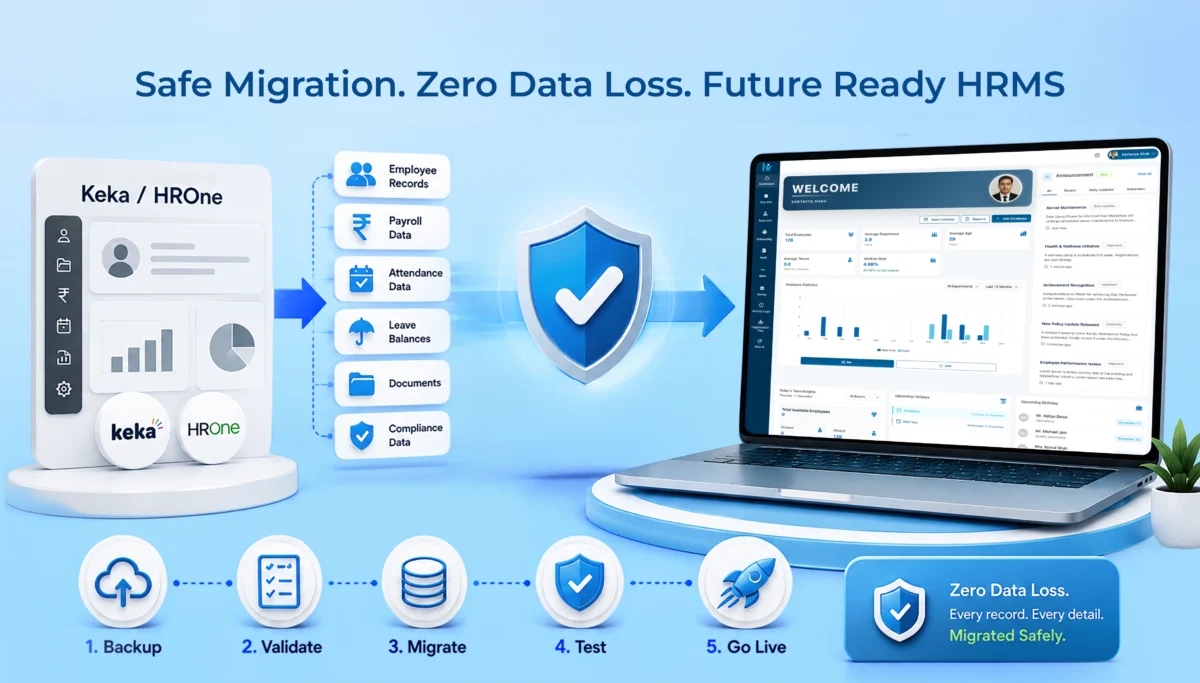
This HRMS migration guide walks you through exactly why companies move away from Keka and HROne, what to look for in a replacement, and how a proper migration to WeekMate HRMS actually works, step by step, without losing a single record along the way.

Why Companies Migrate from Keka or HROne

Nobody switches HR software on a whim. There’s usually a build-up of small frustrations that eventually becomes too big to ignore.

Business Growth Requires More Flexible HR Software

What worked for a 50-person company often breaks down at 200 or 500 employees. Approval chains get messier. Reporting structures change. And a lot of businesses find that their existing HRMS just wasn’t built to flex with that kind of growth. You end up working around the software instead of the software working for you.

Need for Better Payroll & Attendance Integration

This one comes up a lot. Payroll and attendance are supposed to talk to each other seamlessly. When they don’t, HR teams end up manually cross-checking attendance sheets against payroll runs every single month. That’s hours of work that shouldn’t exist in 2026.

Cost Optimization

Higher pricing tiers on some platforms don’t always bring you more value. Businesses find out late that they have been paying for modules they aren’t even using whilst still missing some core features that they actually require. After some time, it would be a much more economical decision to switch than to keep subscribing.

Better Employee Experience and Self-Service

Modern-day employees expect to access their pay slips, apply for a leave, make changes to their details, without the need to send an email to HR every time. And if your current system is outdated, it is a real productivity loss, not simply a minor inconvenience.

Improved Customer Support and Faster Implementation

It’s really important but gets overlooked. For example, if a pay system stops working at 5 minutes to payday, you are really in trouble if the technical support isn’t fast enough to find a solution. A very slow support system results in even an unimportant break turning into a really big problem.

Signs It’s Time to Upgrade Your HRMS

Not sure if you’re actually at the point of switching? Here are the signs that usually show up first:

  • Manual HR work keeps increasing instead of decreasing
  • Payroll processing takes longer each cycle
  • Attendance discrepancies keep popping up, and no one can pinpoint why
  • Customization requests get met with “that’s not possible right now”
  • Reports feel basic, or take too much manual effort to build
  • Integrations with other tools you use just don’t work smoothly

If two or three of these sound familiar, it’s probably worth exploring your options.

Keka vs WeekMate HRMS: Feature Comparison

Let’s get into specifics. Here’s how WeekMate stacks up against Keka across the areas that matter most day to day.

Employee Database

Both platforms offer centralized employee records, but WeekMate is built to handle custom fields and document types more flexibly, which matters a lot for businesses with varied compliance or industry needs.

Payroll Processing

Keka’s payroll is solid for standard use cases. WeekMate takes it further with tighter attendance-payroll sync, so there’s less manual reconciliation before every payroll run.

Attendance & Leave Management

This is one of the areas businesses complain about most with their existing tools. WeekMate’s attendance module is designed to catch discrepancies early, rather than surfacing them only at month-end.

Performance Management

Both offer performance review workflows. WeekMate’s version leans toward simpler, more customizable review cycles, useful for companies that don’t want a rigid one-size-fits-all process.

Recruitment & Onboarding

Keka has a mature recruitment suite. WeekMate’s onboarding flow focuses on getting new hires functional faster, with document collection and role setup happening in parallel instead of one after another.

Employee Self-Service Portal

Both platforms offer self-service. The difference tends to show up in day-to-day usability, WeekMate’s interface gets fewer complaints about being confusing for non-tech-savvy employees.

Mobile App

Both have mobile apps for attendance and leave requests. WeekMate’s app is built with a lighter, faster experience in mind, which matters more than people expect once employees are using it daily.

Pricing & Scalability

This is often the deciding factor. WeekMate’s pricing structure is generally more transparent, without the tier creep that catches growing businesses off guard.

Customer Support

Support responsiveness is one of the top reasons companies leave Keka. WeekMate is built around dedicated support access, especially during critical periods like payroll runs.

Feature

Keka

WeekMate

Employee Database

Centralized, standard fields Centralized, flexible custom fields
Payroll Processing Reliable, standalone

Tightly synced with attendance

Attendance & Leave

Good, month-end reconciliation needed Real-time discrepancy detection
Performance Management Structured, less flexible

Customizable review cycles

Recruitment & Onboarding

Mature recruitment suite Faster, parallel onboarding
Self-Service Portal Available

Simpler, more intuitive

Mobile App

Functional Lightweight, faster
Pricing & Scalability Tiered, can grow quickly

Transparent, scalable

Customer Support

Standard support

Dedicated support access

HROne vs WeekMate HRMS: Feature Comparison

HROne is a different comparison altogether, since its strengths and gaps aren’t quite the same as Keka’s.

Core HR

HROne covers the basics well. WeekMate adds more flexibility around how HR data is structured and reported.

Payroll Automation

HROne automates payroll reasonably well for standard structures. WeekMate is built to handle more complex payroll scenarios without needing manual overrides.

Attendance Tracking

Both track attendance, but WeekMate’s system is designed to reduce the back-and-forth between attendance logs and payroll teams.

Workflow Automation

HROne offers decent workflow automation for approvals. WeekMate lets you customize these workflows more deeply, which matters for businesses with layered approval chains.

Reports & Analytics

This is a common gap companies mention with HROne, reports often need extra manual work to get into a usable format. WeekMate’s reporting is built to be usable out of the box.

Mobile Experience

Both platforms have mobile access. WeekMate’s mobile experience is generally rated as more intuitive for everyday tasks like leave requests.

Pricing

Pricing between the two is competitive, but WeekMate tends to offer more clarity on what’s included at each tier, so there are fewer surprises later.

Implementation Time

This is where WeekMate stands out. Implementation is typically faster, which matters a lot if you’re trying to avoid a long stretch of running two systems in parallel.

Feature

HROne

WeekMate

Core HR

Standard coverage Flexible data structure
Payroll Automation Good for standard payroll

Handles complex payroll well

Attendance Tracking

Reliable Reduces manual reconciliation
Workflow Automation Decent approval flows

Deep customization

Reports & Analytics

Often needs manual work Usable reports out of the box
Mobile Experience Functional

More intuitive

Pricing

Competitive Clearer tier structure
Implementation Time Moderate

Faster

HRMS Migration Checklist for Businesses

Before you touch anything, get organized. This checklist saves you from the panic of realizing something’s missing halfway through HRMS migration.

Audit Existing HR Data

Start by understanding exactly what data you have, employee records, payroll details, attendance logs, all of it, before you even think about moving anything.

Clean Duplicate Records

Old systems tend to accumulate duplicate entries over time, especially if employees were ever re-added or updated manually. Clear these out before export, not after.

Backup Employee Data

Always keep a full backup before starting, no exceptions. Even a well-planned migration should have a fallback in place.

Review Payroll History

Old payroll runs need to be accurate before they’re transferred. Any errors sitting in your current system will just carry over if they’re not caught now.

Export Attendance Records

Pull historical attendance data in a format your new system can actually read. This step is easy to rush, and that’s usually where gaps show up later.

Verify Leave Balances

Make sure current leave balances are correct at the point of export. Mismatched balances are one of the first things employees notice after a switch.

Collect Employee Documents

IDs, contracts, and other files need to be gathered and organized ahead of time, rather than chased down mid-migration.

Review Compliance Records

PF, ESI, tax details, anything compliance-related deserves a second look. These aren’t the kind of records you want to get wrong.

Identify Required Integrations

List out every tool your current HRMS connects with, payroll software, biometric devices, accounting tools, so nothing gets missed in the new setup.

Prepare User Access Roles

Decide who needs access to what before the new system goes live. Setting this up in advance avoids access issues on day one.

Step-by-Step HRMS Migration Guide Without Data Loss

This is the part most people are actually here for. Here’s how a clean migration typically plays out.

Step 1: Assess Current HRMS

Start by understanding what’s working and what isn’t in your current setup. This shapes your entire migration plan.

Step 2: Define Migration Goals

Are you migrating just to fix payroll issues, or is this a full overhaul? Knowing this early keeps the process focused.

Step 3: Prepare Data

Organize employee records, payroll data, and attendance history into a structure that’s easy to work with.

Step 4: Export Existing Data

Pull all relevant data out of Keka or HROne in the formats your new system can actually accept.

Step 5: Validate & Clean Data

This step gets skipped too often, and it’s usually where data loss actually happens. Check for missing fields, duplicate entries, and formatting mismatches before moving forward.

Step 6: Import into WeekMate

Once data is clean, it gets imported into WeekMate, ideally in batches so errors are easier to catch and fix.

Step 7: Configure Payroll & Attendance

Set up your payroll structure, tax rules, and attendance policies to match how your business actually operates.

Step 8: Test Data Accuracy

Run test payroll cycles and compare them against your old system’s numbers. Everything should match before you go live.

Step 9: Employee Training

Even the best software fails if employees don’t know how to use it. A short training session goes a long way here.

Step 10: Go Live

Once testing checks out and your team is comfortable, you’re ready to fully switch over.

How WeekMate Ensures HRMS Migration Without Data Loss

This is really the core of what businesses want to know, will their data actually survive the move intact.

WeekMate assigns a specialized migration team to every project meaning that the responsibility is shared and both parties don’t have to speculate. Data is transferred via secure channels, and the payroll history, balance of leaves, and attendance data are transferred as entire records rather than as partial exports.

Employee records get transferred together with everything else, and the user’s role-based access is granted before the launch of the system rather than after. The validation check is a compulsory step right before launching the system, thereby spotting possible mismatch earlier than later, when the employees have already been using the new system. And, once you are up and running, support won’t just fade away. Post-migration assistance is part of the whole process, not one that comes at the end.

Common HRMS Migration Challenges and Solutions

Even well-planned migrations run into hiccups. Here’s what usually comes up, and how HRMS migration without data loss gets handled.

Challenge Solution
Data duplication Thorough data validation before import
Missing employee records Multiple verification checks during migration
Payroll mismatches Parallel payroll testing before go-live
Attendance inconsistencies Historical reconciliation against old records
User adoption Structured employee training sessions
Downtime Phased implementation instead of a single cutover

Best Practices for a Successful HRMS Migration

A few habits separate smooth migrations from stressful ones.

Plan early, ideally weeks before your actual switch date, not days.

Involve both HR and IT teams from the start, since migration issues are rarely just one department’s problem.

Run a pilot migration with a small employee group first, it catches issues before they affect everyone.

Test payroll thoroughly before going live, this is the one area where mistakes get noticed immediately.

Keep backups throughout the process, not just at the beginning.

Train employees before go-live, not after they’ve already hit a wall.

And keep an eye on the system for a few weeks post-launch, since some issues only show up once real usage begins.

Why Businesses Choose WeekMate

At this point, the pattern is probably clear. Businesses moving away from Keka or HROne tend to land on WeekMate because implementation is quicker, onboarding doesn’t drag on for months, and pricing stays predictable as the business grows.

Payroll compliance is handled without constant manual checking, attendance runs on automation instead of spreadsheets, and employees get a self-service experience that doesn’t need a manual to figure out. Add dedicated support on top of that, and it’s a setup built to scale as the business does, not something you’ll outgrow again in a year or two.

Conclusion

Deciding whether to migrate HRMS is probably seen as making a big change, and yes, it is. Even so, when properly planned with data audited, cleaned, and validated stage by stage, there is no chance left for something valuable to be lost. Typically speaking, it’s the business that rushed migration that had lots of problems, not the one that switched.

If you’re currently on Keka or HROne and starting to feel the friction, it might be worth having a proper conversation about what a move to WeekMate would actually look like for your team. Schedule a demo with the WeekMate team, walk through your specific setup, and see exactly how the migration would play out before committing to anything.

FAQs

1. Will we lose any data during migration to WeekMate?

No. With proper backup, validation, and testing at each stage, a WeekMate migration is designed to move every record over intact, including payroll history, attendance, and leave balances.

2. How long does a typical HRMS migration take?

It depends on company size and data complexity, but most businesses complete migration within a few weeks, including testing and training.

3. Can we run our old HRMS and WeekMate in parallel during the switch?

Yes, and it’s actually recommended. Running both briefly, especially during payroll testing, helps confirm accuracy before fully switching over.

4. Does WeekMate support businesses migrating from platforms other than Keka or HROne?

Yes. While this guide focuses on Keka and HROne, WeekMate’s migration process is built to handle data from most existing HR systems.

5. What happens if we find an error after going live?

WeekMate’s post-migration support is there specifically for this. Issues found after launch are addressed as part of ongoing support, not treated as a separate cost.