HR News

EPF Withdrawal Rules 2026 : Eligibility, Claims & Latest Updates

Read the Latest Updates

Cross-Team Communication: A Practical Guide for Growing Teams

Picture this. A sales rep tells a client the delivery will reach them by Friday. Ops finds out on Thursday afternoon, and only because the client called to ask where the shipment is. Nobody was lazy here. The update had been posted in a WhatsApp group that ops was never added to. If you run a growing business, you’ve probably seen this exact thing, or something close to it.

Miro surveyed 6,148 knowledge workers for its 2025 Momentum at Work report, and 63% of them said information and data were held across too many fragmented tools. Another 51% said functional silos got in the way of true collaboration between departments. So it’s not just you.

Most of the time people aren’t ignoring each other on purpose. Each team ends up with its own tools, its own to-do list, its own view of what’s urgent. The gap widens a little every month and nobody notices until something slips.

Here we’ll go through what cross team communication actually is, where it breaks, nine habits that fix most of it, some examples from different departments, and how to pick a team communication app that your people will really use. 

Key takeaways

  • Cross-team communication is the flow of information between teams to make them aware of what other teams are working on and why. Cross-team collaboration, on the other hand, is teamwork on a particular project. Silos are the biggest barrier.
  • Miro’s 2025 Momentum at Work survey of 6,148 knowledge workers found that 63% said information and data were spread across too many tools, and 51% said functional silos hindered cross-functional collaboration.
  • Six common challenges break cross-team communication: departmental silos, scattered tools, unclear ownership, missed updates, conflicting priorities, and remote or hybrid gaps.
  • Best practices for cross-team communication include agreeing on reply times, sharing goals, naming owners for handoffs, and holding weekly check-ins.
  • A good communication application for teams needs to have four features: a searchable message history, tool integrations, notifications/permissions controls, and scalability of pricing.
  • WeekMate Connect is a team communication app for Indian SMBs. It combines messaging, calls and file sharing, and syncs with WeekMate HRMS, TaskHub and CRM.

What Is Cross-Team Communication?

Cross team communication is information moving between separate teams or departments. The aim is simple: everyone knows what the others are up to, and why. Sales warns operations about a big order. HR tells managers the leave policy changes next month. Support mentions the bug forty customers have already written about.

Some people call it interdepartmental communication, or communication between teams. Different names, same thing.

Cross-Team Communication vs. Cross-Functional Collaboration

People swap these two terms all the time, and they do sit close together. Communication is the stream of updates, questions and decisions passing between teams, even when their work has little to do with each other. Collaboration is when people from several departments work on one project, say marketing, product and sales putting together a launch plan for a single feature.

You can have good communication without much collaboration. Going the other way rarely works. The table below breaks down the key differences between cross-team communication and cross-functional collaboration.

Cross-Team Communication Cross-Functional Collaboration
What it is Sharing updates, questions and decisions between teams Teams from different departments working together on one project
Goal Keep everyone informed and aligned Deliver a shared outcome
Scope Ongoing, across the whole company Tied to a specific project or timeline
Example HR tells managers about a leave policy change Marketing, product and sales build a launch plan for one feature
Typical tools Chat, email, shared channels Task boards, shared docs, project meetings

Why Is Cross-Team Communication Important?

Most leaders will tell you communication matters. Fewer have worked out what it costs when it’s missing.

1. Keeps Departments Aligned on Business Goals

Marketing can easily spend a month pushing a feature that product moved to next quarter without telling anyone. If teams can see each other’s plans, that gets caught early. Usually a two line message does it, no review meeting needed.

2. Reduces Misunderstandings and Delays

Go back through the last few delays on your projects. Chances are one of them started with an approval nobody confirmed, or a deadline that changed for one team and not the other. Small stuff. Easy to fix too, as long as the update lands where the people involved will actually see it.

3. Improves Team Productivity and Decision-Making

A lot of the working day goes on waiting for answers. When people can search old chats and files themselves instead of messaging three colleagues, decisions speed up. That alone is a good reason to use team collaboration software. 

4. Creates a More Consistent Employee Experience

If finance hears about a policy change on Monday and the warehouse hears on Friday, people notice. Telling everyone at once seems like a tiny thing, but it does a lot for trust.

Common Cross-Team Communication Challenges

You’ll probably recognise a few of these. One or two might sting.

1. Departmental Silos and Limited Information Sharing

Nobody decides to build a silo. A team gets busy and keeps its notes in its own folder. Six months on, accounts is asking why sales keeps offering a discount finance never approved.

2. Scattered Conversations Across Multiple Tools

The decision happens on email. The follow up goes into a WhatsApp group. The final file sits in somebody’s Google Drive. Ask where the latest version is and you’ll get three answers, all of them confident.

3. Unclear Roles, Responsibilities, and Ownership

A request lands between two teams and neither owns it. So it just sits there, and each side figures the other one has it covered.

4. Missed Updates and Delayed Responses

By lunchtime on a busy day half the notifications are muted. A question from another department can wait two or three days for an answer, and whatever it was blocking waits too.

5. Different Priorities Across Teams

Sales wants the custom quote out today. Finance wants the month end close done first. Both are right, which is the whole problem. A Forrester study commissioned by Atlassian found that 82% of professionals say aligning teams behind shared goals is important, yet only 30% feel their organization fully supports cross-team collaboration.

6. Remote and Hybrid Communication Gaps

You have half your staff in Pune, half in Ahmedabad, and the hallway problem-solving chat was eliminated. Remote teams require a little more structure in cross team communication, such as mutually agreed-overlap hours and handoffs documented. That is the way to get better remote team communication without having one more call per day. 

9 Best Practices to Improve Cross-Team Communication

None of this needs a big budget. Someone has to decide, write it down, and keep at it for a few weeks.

1. Set Clear Communication Expectations

Decide how quickly people should answer other teams, and say it out loud. Try something like “a request from another department gets a reply the same working day”. It clears up a lot of guessing.

2. Establish Shared Goals and Priorities

If the warehouse doesn’t know the company wants faster festive season deliveries, it can’t plan for them. Share quarterly goals with every team, not only the heads, so people see why another team’s request matters.

3. Choose the Right Communication Channels

Quick yes or no questions go in chat. A pricing change should be a written note people can find again. Two managers disagreeing? Get them on a call. Matching the channel to the message keeps the important stuff from sinking under small talk, which is really the point of having the right internal communication channels. 

4. Create Dedicated Channels for Teams and Projects

Every department gets its own space. Projects that involve more than one team get their own channel too. A new joiner can scroll back and understand what’s going on without bothering ten people.

5. Keep Important Updates Accessible to Everyone Who Needs Them

Decisions made in private messages tend to go away. Place them within the line of sight of the teams involved and tack the ones that people will be looking for. 

6. Define Ownership and Escalation Processes

Label each handoff with a name. If it gets stuck, there should be someone to go to next so they don’t stand around and wait. Conduct periodic cross-team check-ins.

7. Schedule Regular Cross-Team Check-Ins

Most of the time 15 minutes a week or two, between teams that rely on one another is adequate. Use it on blockers. Status reports can be readily put in writing.

8. Encourage Feedback and Open Communication

If one of the supporters in the support group believes that the sales handoff is in trouble, the supporter must have the ability to voice those concerns without it getting political. That’s an effective way to tear down departmental silos than any organisational realignment.

9. Review Communication Gaps and Improve Processes

Discuss with each team how they wasted time waiting on another department each quarter. The same handful of responses continually come back and they tell you where you need to start to improve the way you communicate across a team.

Cross-Team Communication Examples Across Departments

Theory only goes so far. Here’s roughly how these cross team communication best practices look on a normal Tuesday.

1. Sales and Marketing: Sharing Leads and Campaign Updates

Marketing posts next week’s campaign and offer code in a shared channel. A few days later sales comes back with which leads closed and which went quiet. The next campaign is a bit smarter for it.

2. HR and Department Managers: Communicating Employee Updates

A new accountant is joining on Monday. HR posts the start date, the laptop request and the onboarding plan once. The finance manager doesn’t have to chase anyone.

3. Customer Support and Product: Sharing Customer Feedback

Support keeps seeing the same complaint about invoice downloads. They put the pattern in a product feedback channel, with a few ticket examples attached. It ends up on the roadmap instead of buried in a spreadsheet.

4. Product and Engineering: Coordinating Changes and Deadlines

Plans change, that is a normal thing. What matters is that engineering hears a feature has been pushed to the next sprint and learns the reason, so nobody continues to add the old feature to the product.

5. Operations and Sales: Aligning Orders, Delivery, and Customer Commitments

So the sales reps confirm the availability and dispatch capacity with operations and commit 500 units before the end of the month. Five minutes. It is one of those awkward phone calls. This is often that kind of cross functional communication – boring, which is okay.

Which Tools Help Improve Cross-Team Communication?

Tools won’t fix a culture where people don’t share. They can make sharing much less effort though, and most companies end up with a mix of the workplace communication tools below.

1. Team Messaging and Chat Platforms

This is where day to day cross team collaboration really happens. Quick questions, department channels, “is this approved yet?”. Everyone knows Slack, but there are plenty of affordable Slack alternatives for team communication, and they work fine for 30 people or 300. 

2. Project Management and Task Tracking Tools

Boards and task lists answer “who’s doing what, and by when?” so nobody has to ask in a meeting.

3. Video Conferencing and Virtual Meetings

Good for conversations that need real back and forth, like settling clashing priorities between two teams. Not good as a stand in for a written update.

4. Shared Documents and Knowledge Management Tools

Process docs, pricing sheets, onboarding checklists. Most cloud collaboration tools let several people edit the same file at once, so nobody ends up working from last month’s version without knowing it. 

5. Integrated Communication Platforms

These put chat, calls, files and sometimes tasks in one app. You pay for fewer subscriptions and people check fewer places. A lot of the best team collaboration software now works this way. 

How to Choose the Right Cross-Team Communication Tool

Demos always go smoothly. Monday mornings don’t. Before signing up for anything, test it on how your teams actually work.

1. Look for Organized Conversations and Searchable History

Can someone find the pricing decision from July without asking around? If search is poor, or old messages vanish after a few months, people will keep asking the same questions again and again.

2. Check Integrations With Existing Workflows

It should seamlessly connect into the tools you already use, like your HR system, CRM, and task boards. If it doesn’t, people transfer updates between applications manually, and eventually, they give up.

3. Evaluate Notifications, Permissions, and Ease of Use

Too many notifications and people switch the app off inside a week. Permissions matter too, because not every channel should be open to everyone. Then there’s ease of use, which you can’t skip. If you want good communication in the workplace, the warehouse supervisor has to find the tool as easy as the marketing team does. 

4. Compare Pricing, Scalability, and Team Requirements

Don’t stop at the starting price. Find out what the free plan leaves out, how the bill grows as headcount does, and whether you’ll be shopping for a replacement next year.

How WeekMate Connect Supports Cross-Team Communication

Plenty of the Indian SMBs we speak to coordinate day to day through WhatsApp groups, email chains and the odd shared spreadsheet. It’s fine until the company reaches 30 or 40 people. Then updates start slipping through.

Designed for this very purpose, WeekMate Connect is here. Real-time one-on-one and group messaging, personal channels for each department or project, and on-demand audio and video calls all can be opened directly from the chat window. Files are stored in a secure workspace, an old message or file can be retrieved quickly using intelligent search, and the iOS and Android app ensure that field teams and remote employees stay abreast of what’s happening, as if they were in the office.

The greater good is the interplay with the rest of WeekMate. Employee records will sync automatically from WeekMate HRMS, thus keeping the contact list in Connect up to date. Updates from TaskHub and the CRM show up in the chat where people already are. When a deal closes or a project deadline shifts, the right people know, and nobody has to CC an email.

There’s an India based support team too, plus help moving over from other chat tools, so switching is less painful than most people expect.

Ready to bring every team into one conversation? Start your free WeekMate trial or explore WeekMate Connect.

10 Budget-Friendly Flock Alternatives to Cut Software Costs

According to Microsoft’s 2025 Work Trend Index special report, the average employee now gets around 153 Teams messages every single weekday. That’s more chat than most of us would care to admit, and it shows just how much of our working day now happens inside messaging apps, and it’s a big reason so many teams are now comparing flock alternatives.

So it makes sense that tools like Flock became so popular with growing teams. A quick message in a shared channel can settle what used to need a long email thread or a meeting nobody wanted to attend in the first place.

But as your team grows, Flock can start to feel a little tight (the free plan in particular fills up fast), and you might be wondering whether there’s something better suited to where your business is headed.

That’s exactly why we put together this list.

Below, we’ll walk you through 10 affordable flock alternatives, from well known names like Slack and Microsoft Teams to budget friendly team chat apps like Pumble and other team communication software such as WeekMate Connect. You can compare their best features, limitations and pricing side by side and pick the one that fits your team.

Key takeaways

  • Flock works well for small teams, but its free plan limits tend to push growing businesses toward other options.
  • Slack is still the go to choice for teams that rely on lots of app integrations.
  • If you just want a simple swap, Pumble and Zoho Cliq feel the most familiar to Flock users.
  • Already paying for Microsoft 365 or Google Workspace? You probably own a chat tool already.
  • WeekMate Connect and Chanty bring chat and task tracking together in one place.
  • Teams that need full control over their data usually lean toward Rocket.Chat.
  • Remember to export your Flock history before you cancel, since it won’t move over on its own.

Why Look for a Flock Alternative in 2026?

For most teams, the search for flock chat alternatives starts the day the free plan stops keeping up. You can only add a limited number of members, there’s a single admin, and older messages eventually drop out of search (which isn’t ideal when someone asks, “Didn’t we already decide this last month?”).

Upgrading fixes some of that, but price isn’t the only reason people move on. Growing teams usually want a few more things from their chat app:

  • Better integrations with the CRM, HR and project tools they already use every day
  • Private channels and admin roles that actually match how their departments are set up
  • Larger video meetings for company town halls and client calls
  • Stronger data controls, especially for Indian businesses handling client data under the DPDP Act
  • Fewer subscriptions, with chat, files, calls and tasks living in one place

That last point is a bigger deal than it sounds. Zylo’s 2026 SaaS Management Index found that companies use only about half of the software licenses they pay for. Bringing chat, files and tasks into one place is one of the biggest benefits of team collaboration software, and it’s usually where those savings begin.

For a lot of Indian SMBs, the trigger is even simpler. They’re already paying for an HRMS or a CRM, so adding one more standalone chat app on top feels like money they don’t need to spend.

How We Evaluate the Best Flock Alternatives?

The whole point of a team chat app is to help people talk to each other without slowing the work down. (In other words, nobody should need a 30 minute meeting to answer a question that fits in two lines of chat.)

So instead of ranking tools by how famous they are, we looked at official pricing pages, help docs and recent user reviews, and checked each tool against the things that matter most to a team moving off Flock:

  • Ease of use: New team members, including nontechnical staff, should be able to start chatting on day one without a training session
  • Free plan limits: We looked at how many members, how much history and how much storage you actually get before you have to pay
  • Channels and threads: Not every conversation needs to involve the whole company. Separate internal communication channels let teams discuss project updates, share files, and coordinate tasks in one place, while threads keep related replies together.
  • Calls and meetings: A good tool lets you jump from a message to a voice or video call without opening another app
  • Integrations: The best collaboration software works alongside your CRM, HR and project management tools instead of sitting on its own
  • Task management: It helps a lot when a conversation can turn into a tracked task
  • Security and admin controls: Encryption, user roles and clear data residency policies all count here
  • Mobile apps: Especially important for affordable messaging apps for remote teams and field staff
  • Migration from Flock: We checked whether you can bring your old messages and files along

No tool scores perfectly across the board. Even among the best team collaboration tools, some low cost workplace communication tools keep prices down by skipping extras, while premium apps charge for features smaller teams may never use. We’ve called out both in the reviews below.

10 Affordable Flock Alternatives to Consider

Not sure where to start? Here’s a quick snapshot of every tool on our list before we get into the details.

Software Best For Free Plan Starting Price*
WeekMate Connect Indian SMBs already using HRMS, CRM or project tools Free trial ₹350/month for up to 5 users
Slack Teams that run on integrations Yes, limited history ₹245.25 per user/month
Pumble Teams wanting the cheapest like for like swap Yes, unlimited users and history $2.49/user/month
Zoho Cliq Zoho users and free plan seekers Yes ₹350/month for up to 25 users
Chanty Small teams wanting chat plus tasks Yes, very small teams $3/user/month
Microsoft Teams Companies already on Microsoft 365 Limited free tier ₹115/user/month
Google Chat Teams already on Google Workspace Bundled with Workspace Workspace from $7/user/month
Rocket.Chat Teams needing data sovereignty Yes, self hosted Quote based
Ryver Small teams wanting one flat bill No, trial only $34.5/month flat for up to 12 users
Fleep Email heavy teams with outside partners No, trial only €5/user/month

*Annual billing, before tax, checked as of today. Prices change often, so please confirm current rates with each vendor.

1. WeekMate Connect

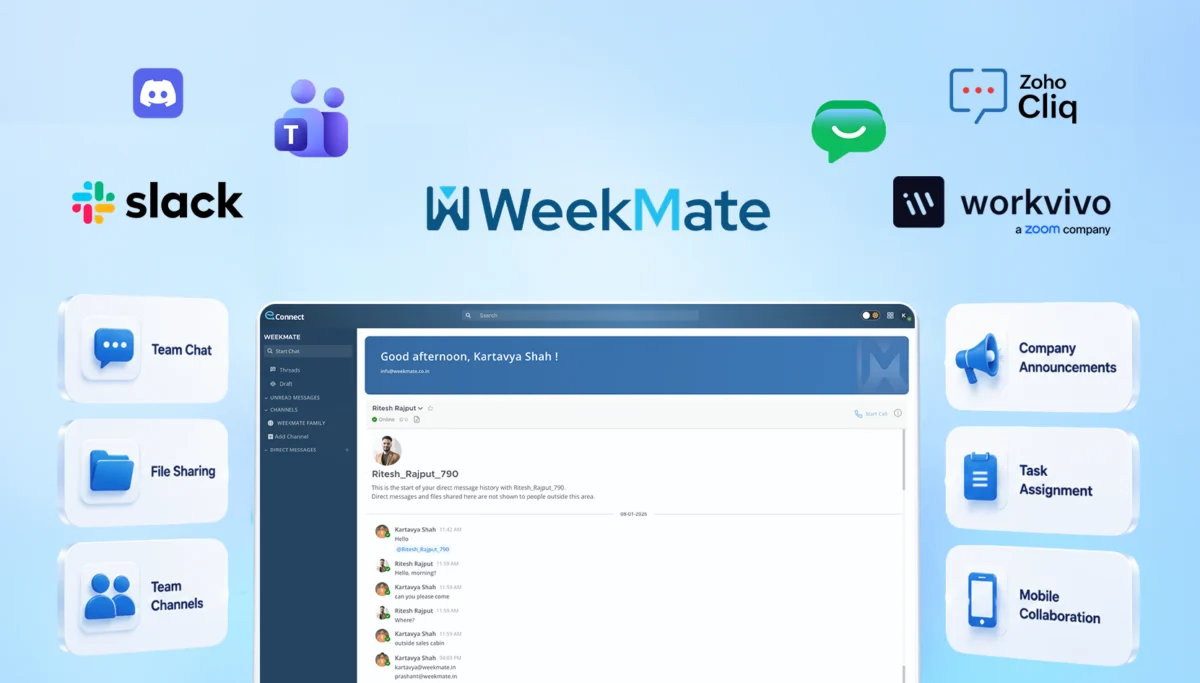
WeekMate Connect is the team chat app inside WeekMate, an all in one business suite built for Indian companies. Along with everyday messaging, it connects directly to WeekMate HRMS and payroll, CRM and TaskHub, so your chat isn’t cut off from the rest of the work your team is doing.

If you already manage attendance, leave or projects in WeekMate, this is where it really pays off. Employee records show up in your contact list automatically, and task updates appear right in the conversations your team is already having.

Key features:

  • Chat one to one or in department channels
  • Jump into audio and video calls from any conversation
  • Share files securely with encrypted storage
  • Find old messages and files quickly with smart search
  • Stay connected on the go with iOS and Android apps

Limitations:

  • It has fewer third party integrations than Slack
  • You’ll get the most value when you use it alongside other WeekMate modules

Pricing:

  • Free trial available
  • Paid plans: From ₹350/month for up to 5 users, plus ₹60/month per additional user.

2. Slack

Slack is the tool that made workplace chat mainstream, and it’s still the benchmark most other apps get measured against. It’s especially popular with product, engineering and agency teams who rely on dozens of connected apps to get their work done.

The free plan is where many teams hit a wall, though, since it only lets you see the last 90 days of messages.

Key features:

  • Connect thousands of apps through the Slack Marketplace
  • Start quick voice chats with huddles
  • Talk with clients and partners in shared channels using Slack Connect
  • Automate routine tasks with Workflow Builder

Limitations:

  • Costs add up quickly as your team grows
  • Many AI features are reserved for higher paid plans

Pricing:

  • Free
  • Pro: ₹245.25/user/month.

Must Check: 8 Best Slack Alternatives for Better Team Communication

3. Pumble

Pumble is by CAKE.com, the people behind the time tracker Clockify, and is most likely the nearest thing to a straight replacement for Flock. The interface is similar, with channels, threads, and direct messages, so your team can get up and running relatively quickly.

The thing that really sets Pumble apart is the free plan that gives you unlimited users and unlimited message history.

Key features:

  • Keep your entire message history, even on the free plan
  • Add as many users as you need without paying
  • Organize conversations with channels and threads
  • Hold group meetings and share your screen on paid plans

Limitations:

  • It offers fewer integrations than Slack or Microsoft Teams
  • Features like guest access and SSO are only available on higher plans

Pricing:

  • Free
  • Pro: $2.49/user/month, billed annually

4. Zoho Cliq

Zoho Cliq is a business messaging app from Zoho, and it’s a natural fit if your company already uses Zoho Mail, Zoho CRM or Zoho People. Updates from those apps can show up in your chats, so you don’t have to keep switching between tabs.

Its free plan is quite generous with storage and meetings, although message search has a cap, similar to Flock’s.

Key features:

  • Bring Zoho CRM and Zoho People updates straight into chat
  • Run video meetings and share your screen
  • Build simple bots and automations for repetitive tasks
  • Pay in INR, which helps Indian businesses avoid currency swings

Limitations:

  • The mobile app isn’t quite as polished as the desktop version
  • It works best for businesses already inside the Zoho ecosystem

Pricing:

  • Free
  • Paid plans: Start around ₹350/month for up to 25 users.

5. Chanty

Chanty is a simple team chat app with a built in Kanban board, which makes it a good pick for small teams that want messaging and light task management in the same place. Its Teambook hub keeps your conversations, files and tasks organized in one view.

One handy detail: Chanty can import Flock export files directly, so moving your message history over is easier than with most other tools.

Key features:

  • Turn messages into tasks on the Kanban board
  • Keep unlimited message history, even on the free plan
  • Make audio and video calls with your team
  • Import your existing Flock workspace

Limitations:

  • The free plan only suits very small teams
  • It has fewer advanced admin controls than larger competitors

Pricing:

  • Free
  • Business: $3/user/month.

6. Microsoft Teams

Microsoft Teams is best known for video meetings, and it’s sometimes included in the Microsoft 365 packages your company already invests in. If your staff spend most of the day on Outlook, Word, and Excel, then review your licences before you make any new purchases.

Teams is great for large meetings and webinars, but as a dedicated chat app it can be a little on the heavy side when compared to Flock.

Key features:

  • Host large meetings, webinars and town halls
  • Work on Word, Excel and PowerPoint files together inside a chat
  • Get meeting recaps and transcripts
  • Create private channels for specific teams or projects

Limitations:

  • The interface can feel cluttered for smaller teams
  • Copilot AI features cost extra

Pricing:

  • Free version with basic chat and meetings
  • Teams Essentials: ₹115/user/month, paid yearly

7. Google Chat

Google Chat is the messaging tool inside Google Workspace. Most companies don’t buy it on its own; they sign up for Workspace for Gmail and Drive, and Chat simply comes along with it.

That’s also why it works so well for Workspace users. Your chats sit right next to your email and documents, so there’s very little new to learn, which is why it shows up on most lists of cloud collaboration tools.

Key features:

  • Organize team conversations in Spaces
  • Open Docs, Sheets and Slides without leaving the chat
  • Start a Google Meet call in one click
  • Catch up faster with Gemini message summaries

Limitations:

  • It’s not available as a standalone product
  • It has fewer bots and third party apps than Slack

Pricing:

  • Included with Google Workspace, from $7/user/month on an annual plan

8. Rocket.Chat

Rocket. Chat is an open source chat platform that you host yourself on your servers. That means it’s a favorite among healthcare, finance, and government teams that are granular about where their data goes.

Supports External messaging it also goes beyond internal messaging, with an omnichannel inbox that lets support teams reply to customers from the same app.

Key features:

  • Host everything on your own servers for full data control
  • Customize the platform through its open API
  • Manage customer conversations alongside team chat
  • Set detailed permissions for different user groups

Limitations:

  • Setup and maintenance need in house technical skills
  • Paid plans are quote based, which can slow down buying decisions

Pricing:

  • Starter: Free for smaller self hosted teams
  • Paid plans: Contact sales for pricing

9. Ryver

Ryver combines chat, topic based forums and task management in one app. Its flat monthly pricing appeals to small teams that would rather not calculate costs seat by seat.

That said, the product doesn’t seem to be changing much these days. Several listings still label voice and video as beta, and some reviewers mention frequent pricing changes.

Key features:

  • Run open forums and private team conversations
  • Assign and track tasks without leaving the app
  • Connect other tools through Zapier

Limitations:

  • There’s no free plan, only a trial
  • The cost per user ends up higher than Pumble or Chanty

Pricing:

  • Starter: $34.50/month for up to 12 users

10. Fleep

Fleep is a chat app that also works with email, so outside partners can join a conversation straight from their inbox without signing up for an account. That makes it handy for agencies and consultancies that work with lots of different clients.

Fleep is still available, but the product looks to be in maintenance mode, so it’s a good idea to ask about their roadmap before committing.

Key features:

  • Send and receive emails from inside your chats
  • Pin important plans to a shared Pinboard
  • Track team tasks on a Taskboard
  • Get generous file storage for every user

Limitations:

  • There’s no free plan
  • It has a smaller user base and fewer integrations

Pricing:

  • Business: €5/user/month, billed annually

How to Choose the Right Affordable Chat Tool

The easiest way to choose is to start with your team’s situation rather than a long list of features. Here’s how we’d think about it:

  • Small businesses: If budget is the main concern, Pumble or Zoho Cliq will handle everyday chat without any trouble. If you’re tired of switching between separate HR and project apps, WeekMate Connect keeps chat, attendance and tasks behind one login.
  • Startups: Early teams usually want free first and features later, which is where Pumble’s free plan really shines.
  • Remote and hybrid teams: Mobile apps and call quality matter most here, and Microsoft Teams, Google Chat and WeekMate Connect all do a good job. Our tips on how to improve remote team communication will help whichever one you choose.
  • Growing companies: As you start adding employees, integrations, and admin controls become critical, so look at how apps will connect to the other tools you are already using before committing to a lengthy contract.
  • Regulated industries: Healthcare, finance, or government organizations tend to use Rocket. Chat if they want self hosting, or Microsoft Teams if their IT team is already on a Microsoft standard.

No matter, which one you choose, export your Flock data, and pilot the new app in one department for a couple of weeks. You’ll discover a lot more from how your team actually interacts with the new app than from any feature list.

Final Recommendation

When your team needs a quick response, a great chat app can free you from overflowing email threads and back-to-back meetings. But, which one is best for you will depend on how your business operates.

Looking for an affordable, contemporary alternative to Flock? Pumble & WeekMate are a great choice. Use your existing chat app if you’re already paying for Google Workspace or Microsoft 365. Slack remains the top pick for teams who rely heavily on integrations, while Rocket. Chat is the right answer when you want to keep control of your data. We’d suggest holding off on long contracts with Ryver or Fleep unless one of their features is a must have for you.

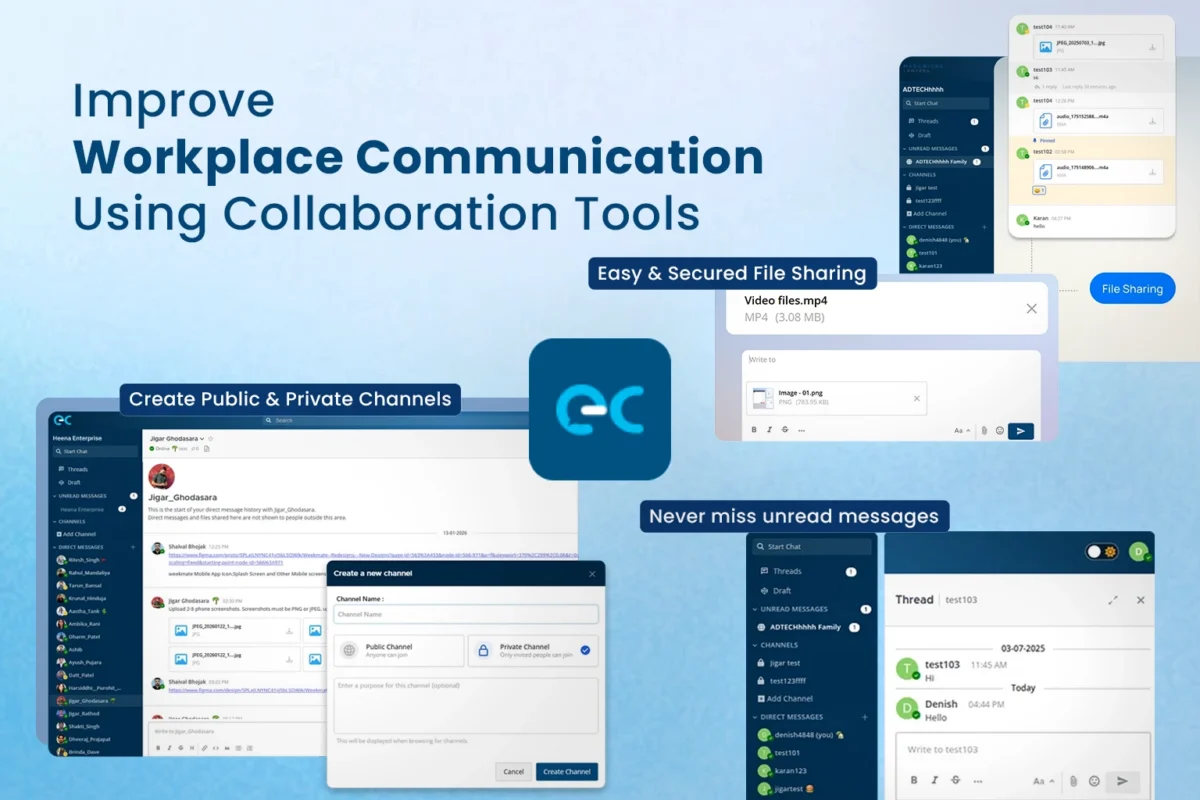
And if you’re an Indian business already running HR, payroll or projects, WeekMate Connect gives you something the others don’t: chat that works hand in hand with TaskHub and the rest of your WeekMate tools, all under one login. For more ideas on getting the most out of whichever app you choose, take a look at our guide to workplace communication with collaboration tools.

8 Best Cloud Collaboration Tools for Modern Teams (2026 Edition)

Your team most likely is not even in the same room any longer. Some work at home, some work in the office, some work in a completely different city. And through it all, everyone still needs the same file, the same answer, the same deadline.

That’s what makes cloud collaboration tools invaluable. The right one allows conversations, documents, tasks, and calls to stay accessible. The wrong one crowds the screen with one more tab.

We examined eight of the top cloud collaboration software tools for today’s business teams. Each tool addresses a different challenge, so this page discusses their strengths and weaknesses as well as prices and gives you a general idea of how to get started without a buyer regretting it a few months down the line.

What Are Cloud Collaboration Tools?

Cloud collaboration tools: these are web-based collaboration tools that enable teams to communicate, share documents, and do work on a task from any given device that has an internet connection. Nothing stays on someone’s laptop. Everything is in the cloud, so the entire team has access to the latest version.

The category is wide. Some tools focus on chat, like Slack. Others focus on documents, like Google Workspace. Some handle projects and tasks, and a few try to do everything at once. You’ll also see them called team collaboration tools, online collaboration tools, or collaboration software for teams. Same idea, different labels.

Most of them share a few core pieces:

  • Real-time messaging and channels
  • File sharing and co-editing
  • Task and project tracking
  • Video or audio calls
  • Search, notifications, and integrations

Not every tool covers all five. That’s the whole point of comparing them.

Cloud Collaboration Tools: A Quick Comparison

Here’s a quick side-by-side. Prices are approximate, listed in USD per user per month on annual billing, and they change often. Always confirm on the vendor’s site before you buy.

Tool Best For Standout Strength Starting Price (approx.)
WeekMate Connect Team chat plus HR, CRM and task links Connected with the wider WeekMate suite Free tier, paid plans vary, starting from ₹350/month
Microsoft Teams Microsoft 365 Teams Deep Office integration Free, paid from about ₹145
Slack Chat and integrations Huge app directory Free, Pro about ₹680
Google Workspace Live document work Real-time co-editing Starter costs around ₹270
Asana Project and task tracking Clear workflows and timelines Free; paid from about ₹1,030
ClickUp All-in-one work management 15+ views, high flexibility Free; paid from about ₹660
Notion Knowledge sharing Wiki plus database in one page Free; paid from about ₹940
Zoom Workplace Video-first teams Reliable meetings Free; Pro starts from ₹1,147

8 Best Cloud Collaboration Tools for Modern Teams

1. WeekMate Connect: Best for Team Communication and Workplace Collaboration

Best suited for: Small and mid-sized teams who wish to have chat, calls, and file sharing all on one platform. If you are already running HR, CRM, and projects using WeekMate, the puzzle pieces fit even tighter.

Features:

  • Real-time chat, peer-to-peer messages, and multi-channel conversations
  • File sharing, plus audio and video calling
  • Quick search and a people finder, so you’re not hunting for old messages or the right person
  • Announcements that don’t get buried in random threads
  • Encrypted messaging and mobile apps
  • AI-driven message routing and suggested replies
  • Links with WeekMate’s HRMS, TaskHub, and CRM, so a client conversation can sit next to the deal

Pros and limitations: The upside is simplicity. One suite means fewer logins, fewer subscriptions, and fewer “which tool was that in?” moments. The trade-off? It’s younger than Slack or Teams, so its third-party app directory is smaller. If your workflow depends on hundreds of external integrations, check that your must-haves are covered first.

Pricing: WeekMate keeps communication costs predictable and offers a one-time licence option instead of a recurring per-user fee. It starts at ₹350/month for up to 5 employees. Further, additional users can be added at ₹60/user/month.

Want to bring all your team chat and calls into one simple place?

WeekMate Connect keeps your team messages, file sharing, and project channels organized in one clean platform without context switching or endless notifications.

Register for Free to try it with your team, or Book a Live Demo to see how easy it is to set up.

2. Microsoft Teams: Best for Microsoft 365-Based Teams

Best suited for: Companies already living in Outlook, Word, and Excel. If that’s you, Teams feels like home from day one.

Features:

  • Chat, channels, meetings, and calls in one app
  • File storage and co-editing right inside conversations
  • Meetings for up to 300 participants on business plans
  • Strong admin, security, and compliance controls
  • Bundled business email and 1 TB of OneDrive storage per user on Microsoft 365 plans

Pros and limitations: It’s hard to beat the value if you need email, Office apps, and chat together. But licensing can get confusing, and add-ons like Teams Phone and Copilot push the bill up quickly. Some new users also find the interface busy.

Pricing: Microsoft 365 Business Basic (with Teams) costs ₹145 per user per month on an annual plan. Business Standard, which adds desktop Office apps, costs ₹770. Both exclude 18% GST, and monthly billing costs roughly 20 percent more. There’s also a free version with limits.

3. Slack: Best for Team Communication and Integrations

Best suited for: Tech-savvy and remote-first teams that live in chat and want their other tools plugged straight into it.

Features:

  • Channels organised by project, client or topic
  • Threads that keep side talk out of the main discussion
  • Huddles for quick voice chats
  • Thousands of app integrations, from Google Drive to Jira to Salesforce
  • Workflow automation, plus AI summaries and search on higher plans

Pros and limitations: Slack is the easiest way to keep conversations organised, and its integrations are hard to match. The cost is the sticking point. Every active member needs a paid seat, and the free plan only keeps 90 days of message history. That’s usually what pushes teams to upgrade.

Pricing: Slack bills in US dollars. Pro is $7.25 per user per month on annual billing, which is about ₹680 at current rates. Business+ is $15, about ₹1,410. Rupee amounts shift with the exchange rate, and GST applies on top. A free plan is available.

Must Check: Top Slack Alternatives for Better Team Communication

4. Google Workspace: Best for Real-Time Document Collaboration

Best suited for: Document-heavy teams and anyone already on Gmail and Drive.

Features:

  • Docs, Sheets, and Slides with live co-editing and comments
  • Gmail with your own domain, Calendar, Drive, Meet, and Chat
  • Version history that rescues you when someone deletes a paragraph
  • Gemini AI features built into the plans
  • Meeting recording on Standard and above

Pros and limitations: It’s well-known, browser-based, and reliable. Yet, Google Chat is not as smooth as Slack when it comes to active channels and also has basic project tracking features. As a result, most teams may combine it with other software.

Pricing: In India, Starter costs ₹270 per user per month and Standard costs ₹1,080 on an annual plan, excluding 18% GST. Flexible monthly billing costs more, around ₹325 for Starter. Google also lists an India-only Base plan at ₹99. Reseller prices vary, so check the current rate before you buy.

5. Asana: Best for Project and Task Management

Best suited for: Marketing teams, agencies, and any group juggling cross-functional work where “who’s doing what, by when?” needs a clear answer.

Features:

  • Tasks, subtasks, boards and calendars
  • Timeline and Gantt views
  • Dashboards and reporting
  • Forms, custom fields and automation
  • Goals, portfolios and workload views on the Advanced plan

Pros and limitations: Managers get real visibility without chasing status updates. But Asana isn’t a chat tool, so you’ll want something for daily conversation. Useful features like portfolios and goals sit behind the pricier plan.

Pricing: Asana bills in US dollars. Starter is $10.99 per user per month on annual billing, about ₹1,030. Advanced is $24.99, about ₹2,350. Monthly billing costs more, and GST applies. The free Personal plan covers up to two people.

6. ClickUp: Best for All-in-One Work Management

Best suited for: Teams that want to replace half their software stack and have someone who enjoys configuring tools.

Features:

  • Tasks, docs, chat, whiteboards and goals in one workspace
  • 15+ views, including list, board, Gantt, calendar and workload
  • Time tracking and dashboards
  • Automations and 1,000+ templates
  • AI features available as a paid add-on

Pros and limitations: The flexibility is the big draw, and so is the price. The catch is a real learning curve. Some teams report a few weeks before the setup feels right, and large workspaces can feel slow.

Pricing: ClickUp bills in US dollars. Unlimited is $7 per user per month on annual billing, about ₹660. Business is $12, about ₹1,130. GST applies on top, and AI is usually extra. A free plan is available.

7. Notion: Best for Knowledge Sharing and Collaborative Workspaces

Best suited for: Teams that need a shared brain for wikis, meeting notes, processes, and onboarding guides.

Features:

  • Flexible pages that combine docs, databases, and project boards
  • Team wikis and linked notes
  • Multiple database views, such as table, board, calendar, and timeline
  • Templates and simple automations
  • AI features mainly on the higher plan

Pros and limitations: You can build almost anything. But somebody has to build it, and without structure, a workspace turns into a maze fast. Real-time chat is also light compared to dedicated tools.

Pricing: Notion bills in US dollars. Plus is $10 per user per month on annual billing, about ₹940. Business is $18, about ₹1,690. GST applies on top. A free plan is available for individuals and very small teams.

8. Zoom Workplace: Best for Video-First Collaboration

Best for: Teams conducting client calls, interviews, webinars, and training sessions anywhere the quality of the video is THE most important aspect.

Features:

  • Reliable video meetings with breakout rooms and recording
  • Team chat, mail, calendar, and whiteboards
  • AI Companion for meeting summaries
  • Meetings of up to 30 hours on paid plans
  • SSO and managed domains on the Business plan

Pros and limitations: Guests join easily, and the calls just work. But it’s video-first, so task tracking and document work depend on integrations. The free plan also cuts group meetings at 40 minutes, which is the top reason teams pay.

Pricing: In India, Pro is ₹1,147 per user per month (₹13,760 a year), and Business is ₹1,666 per user per month (₹19,990 a year), billed annually and excluding 18% GST. Business needs a minimum of 10 licences. Zoom Phone is a separate licence, at about ₹945 per user per month. A free plan is available.

Must Read: Learn How to Improve Workplace Communication with Collaboration Tools.

How to Choose the Right Cloud Collaboration Tool

No tool wins every category. So don’t ask “which is best?” Ask “which is best for us?” These steps make that easier.

1. Identify Your Team’s Main Collaboration Problems

Start with the pain, not the product. Are messages getting lost? Are deadlines slipping? Do people keep asking for the latest file? Write down the top three problems. A chat-heavy problem points to Slack or WeekMate Connect. A task-visibility problem points to Asana or ClickUp.

2. Consider Your Existing Software Stack

If the team is already happily working in Microsoft 365, then Teams and its ecosystem will be a natural continuation. If you live in Gmail & Drive, Google Workspace is the natural choice. Fighting your existing stack will cost you time and patience.

3. Check Integration Capabilities

Your new system must ‘play nice’ with your existing systems: CRM, accounting, calendars, storage. Check the integration list before you get tempted by the demonstration. Also, don’t get dazzled by the pre-loaded features. Find out what’s embedded in the basic package and what costs extra.

4. Evaluate Security and Access Controls

Watch out for encryption, role-based permissions, single sign-on, and audit logs. Also investigate the data storage locations, mainly if compliance is an industry concern, like in India, where a vendor’s management of personal data is subject to the DPDP Act.

5. Compare Pricing and Scalability

A cheap starter plan can get expensive at 50 seats. Add up the cost for your team today and for double its size. And read the fine print on add-ons like AI, phone calling, and extra storage.

6. Test the User Experience Before Switching

Test on a pilot group for a week or two. Even if it has a bazillion features, if nobody uses the tool, then what’s the point? Adoption is the key.

7. Consider AI and Automation Capabilities

AI summaries, smart search, and automated workflows may save actual hours. But they’re not ‘free’ everywhere. Check the plan it’s included in, and whether it’s right for you.

Benefits of Using Cloud Collaboration Tools

Cloud collaboration tools do more than move your files online. They change how a team talks, tracks work, and makes decisions every day. Here are some cloud collaboration tool benefits that teams tend to gain once the right tool is in place.

1. Work From Anywhere

Cloud access means the office is wherever there’s Wi-Fi. Remote, hybrid, and on-site teams all work from the same place, on any device.

Related Guide: Struggling with miscommunication across time zones? Learn how to optimize remote team communication in 12 practical ways.

2. Reduce Communication Gaps

Fewer forwarded emails. Fewer “did you get my message?” moments. Channels and threads keep conversations in context, so nobody has to piece together a story from six inboxes.

3. Centralize Team Information

Files, decisions, and updates sit in one place. That helps when someone’s on leave, or a new person joins and needs to catch up quickly.

4. Improve Project Visibility

Managers can see progress without a status meeting. Team members know what’s next. Bottlenecks show up early, when they’re still cheap to fix.

5. Reduce App Switching

Every switch between tools breaks concentration a little. A connected platform trims that wasted effort. It adds up over a week.

Must Check: Internal Communication Channels That Improve Team Collaboration

6. Support Faster Decision-Making

Having the right people, files, and history in one thread makes things happen faster. You spend less time looking for context and more time making decisions.

7. Improve Team Productivity

Put it all together, and teams spend less time coordinating and more time doing. That’s the real payoff of team productivity tools. Not more features, just less friction.

Final Thoughts

There is no right or wrong here, no single winner, and that is fine. Teams will be best for those already immersed in the Microsoft world, or a similar bunch. Slack for chat and integrations. Asana, ClickUp, and Notion for projects and information. Zoom for video.

If you want seamless, easy-to-use communication that integrates smoothly with HR, CRM, and your task manager, then WeekMate Connect is an option to consider seriously. But easy to use and simple to start with a single team for a few weeks to see how many people use it.

For me, the best cloud collaboration tool is the one that your team opens up in the morning without even being asked.

10 Internal Communication Channels That Improve Team Collaboration

Most workplace communication friction doesn’t come from bad ideas or lazy employees. It comes from information sitting in the wrong place at the wrong time. Someone shares an update in an email thread nobody opens. A decision was made on a call that half the team missed. A new joiner asks a question that’s been answered forty times already, just never written down anywhere findable.

The gap is called poor internal communication. And it’s expensive. McKinsey’s research on connected teams revealed up to 20-25 percent productivity gains for organisations with good internal communication. For India, hybrid work is no longer just a momentary trial. According to NASSCOM’s research, Future of Work, almost 70 percent of the Indian tech industry is already in the Hybrid model, and the tools that teams use to communicate with one another are becoming as important as the tools they use to do the work.

This guide walks through 10 internal communication channels worth knowing, how to pick the right mix for your team, mistakes to avoid, and where a unified platform like WeekMate Connect fits into all of it.

What Are Internal Communication Channels?

Internal communication channels refer to the mediums or methods by which a company shares information with other employees, teams, and leadership within the company. Email, chat apps, video calls, intranets, project boards, it all adds up.

Here’s a subtle difference that people overlook: channel and strategy are not one and the same. For example, Slack represents a channel, whereas strategy is deciding that project updates are placed in Slack, and HR policies are displayed on the employees’ portal. Companies that fail to differentiate their channels by allowing content to be distributed everywhere often find themselves in the very situation that this resource wants to protect you from.

Why Effective Internal Communication Is Important

Skip this section if you already believe communication matters. For everyone else, here’s what’s actually on the line.

  • Better collaboration: Teams that can see what others are working on stop duplicating effort and start building on it instead.
  • Faster decision-making: Decisions stall when the right person doesn’t see the question in time. Clear channels fix that lag.
  • Higher employee engagement: People who feel informed tend to feel involved. That’s not a soft metric; it shows up in retention numbers too.
  • Fewer communication gaps: Fewer things falling through the cracks between departments, shifts, or time zones.
  • Improved productivity: Less time spent hunting for information, more time spent doing the work that information supports.
  • Stronger company culture: Culture is mostly built through thousands of small, visible interactions. Weak communication starves it.

None of this is controversial. What’s harder is actually picking the right channels for your team’s size, structure, and workflow. That’s the next section.

Also Read : Advantages of Collaboration Platform for Internal Teams

10 Internal Communication Channels Every Business Should Use

Not every business needs all ten. But most growing teams end up using a version of each, whether they planned for it or not.

1. Instant Messaging Platforms

Quick questions don’t need an email chain. Instant messaging platforms exist for the “got two minutes?” conversations – a clarification, a status check, a heads-up before a meeting.

The catch: messaging apps without clear organization will quickly become nothing but a mess of noise. Group chats expand in no time, important messages get hidden under all sorts of GIFs, and by the third day, someone may be wondering, “Wait, did we choose this? ” You may think of channels or topic-based conversations as a solution, but they are only a solution if the team is making consistent use of them.

2. Email

Email can still be used for some situations, such as formal announcements, communication with the outside world, and anything that requires a paper trail. It’s not going away soon.

What email can’t do: speed, discoverability, or anything that requires rapid back and forth. Although a significant proportion of this email is never accessed or is of little significance, around 39% of businesses still rely on email as their main communication tool within the organisation. When you’re answering an internal question with “I’ll send an email,” it’s most likely not the email that is the issue; it’s the entire communication stack.

3. Video Conferencing

Useful for remote interviews, cross-location meetings, and any discussion where tone and body language actually change the outcome. Negotiations, sensitive feedback, first meetings with a new hire, video beats text here, every time.

Overusing it is its own problem. Not every update needs a 30-minute call. A well-written message often does the same job in two minutes.

4. Team Collaboration Platforms

These combine the advantages of chat, files, and project context in a single place, eliminating the need to switch between 5 apps. The advantage is for cross-functional projects – marketing, product, and support all have the same thread to follow without having to send screenshots back and forth.

What it solves

What it doesn’t solve

Scattered context across tools

Poor communication habits within the team

Slow handoffs between departments

Lack of clear ownership of tasks

Repeated status-check meetings

Documentation that nobody maintains

Must Check: List of Best Team Collaboration Platforms for Remote & Hybrid Teams

5. Employee Intranet

Think of this as the company’s reference shelf – policies, org charts, benefits information, onboarding material. It’s not built for real-time chat. It’s built so someone doesn’t have to ask HR the same question for the fifth time this month.

A stale intranet is worse than no intranet. If policies are six versions out of date, employees stop trusting them and go back to asking around, which defeats the purpose entirely.

6. Project Management Tools

Assigning communication to a particular task and due date helps to prevent conversations from going off track. Comments remain attached to the work so that no one needs to scroll through a chat history to find out why a decision was made.

Note: project tools and chat tools are sometimes used for the same conversations, so nothing is complete and up to date in either tool. Select one as the source of truth for discussing tasks.

7. Company Announcement Boards

For news that applies to everyone, like policy changes, leadership updates, and company milestones. A dedicated board (physical or digital) means important updates don’t get lost in the scroll of a busy group chat.

8. Knowledge Bases & Wikis

A good knowledge base cuts down repeated questions dramatically. New joiners ramp up faster. Existing employees stop pinging the same senior colleague for the same answer every quarter.

The honest catch here: wikis rot. Someone has to own updating them, or they quietly become useless within a year. Assign ownership before you build one, not after it’s already outdated.

9. Employee Feedback Channels

Surveys, suggestion boxes, pulse polls, anonymous feedback forms. These are important because many times leadership is unaware of the problem until it is pointed out to them in question form. And when you ask directly and anonymously, it is in the form of ideas that never get discussed in a regular team meeting.

The only way a feedback channel can work is if people take action following the feedback. It is better to ask than to leave it at the collection of responses without doing anything. It’s a lesson that teaches workers that feedback is just a formality.

10. Mobile Employee Communication Apps

For anyone who isn’t sitting at a desk with Slack open all day, such as a field team, delivery staff, or retail employees. A mobile-first communication app means that the frontline employees get the message – not when they’re at work.

One of the most underutilized categories for Indian businesses that have distributed field and/or on-site teams is the one where a portion of the staff has never touched a company laptop. Examples of such companies are manufacturers, logistics companies, retail chains, etc.

Also Read : How to Improve Remote Team Communication

How to Choose the Right Internal Communication Channels

There is no right or wrong answer here. That which works in a 15-employee startup typically collapses at 150, and a fully remote team can work in a factory setting only with a good bit of adjustment. There are a couple of factors to consider before signing on a tool:

1. Company size

For small teams, one messaging app and a shared drive will do. However, larger organisations require a more robust system of structure and permission controls.

2. Remote vs on-site workforce

Fully remote teams rely more on async tools and video. For on-site/ hybrid teams, they should have channels that reach those who are not in the office.

Must Read: How to Improve Workplace Communication with Collaboration Tools

3. Communication frequency

A high frequency of communication requires real-time tools. No need for urgency with occasional company-wide announcements.

4. Security requirements

If a tool is used by regulated industries or businesses to process sensitive HR data or client information, the security requirements must be assessed.

5. Integration needs

If your HRMS, CRM, or project systems are not talking to each other and integration is needed, it is simply an additional silo.

6. Ease of adoption

The best tool on paper is useless if your team avoids opening it. Simplicity usually wins over feature lists.

7. Budget

Per-user pricing increases with user count and can quickly become costly for expanding businesses. The sign-up price is worth checking the long-term cost for.

Common Internal Communication Mistakes to Avoid

A short list, because these patterns repeat across nearly every company that struggles here:

  • Relying only on email, even for things that need a reply within the hour. Urgent questions get stuck in an inbox behind fifty other unread messages. By the time someone opens it, the moment to act on it has usually already passed.
  • Running too many disconnected tools, so nobody’s sure where the real answer lives. One team uses Slack, another swears by WhatsApp, and a third only checks email. Nothing lines up, and every new hire has to guess where information actually gets shared.
  • Poor documentation, where decisions exist only in someone’s memory. A decision gets made on a call or in a hallway chat, and it’s never written down anywhere. Three months later, nobody can explain why things are set up the way they are.
  • No feedback channel at all, so leadership hears about problems only once they’ve grown teeth. Small frustrations pile up quietly because there’s no safe, anonymous way to raise them early. By the time leadership finds out, it’s usually already a retention problem.
  • Inconsistent communication, arriving in bursts instead of on a rhythm people can actually rely on. Updates go quiet for weeks, then flood in all at once. Employees stop expecting anything regular, so they stop paying close attention even when something important does go out.
  • Information overload, where every channel pings constantly until the important message drowns in the noise. When everything is marked urgent, nothing actually is. People start skimming or muting notifications altogether, and that’s exactly when something genuinely important gets missed.

Most of these aren’t really tool problems. They’re habits. Tools can reinforce bad ones or help break them, but they don’t fix them on their own.

How Team Communication Software Brings These Channels Together

Ten separate tools for ten separate purposes, this seems to be just as it should be. In reality, it results in wasted real-time by employees figuring out where a conversation should take place. Typically, that’s when the business considers a unified communication platform rather than another standalone application.

WeekMate Connect combines chat, announcements, file sharing, group discussion, notifications, and search in one workspace, keeping all conversations by project or department, not spread across 5 different logins. Teams can collaborate across locations or shifts, in real time, and admins have the visibility to maintain structured communication, instead of being chaotic.

It’s capable of being used in remote, hybrid, and in-office environments, which is important because of the number of Indian organisations using some mix of the three. If your business is already utilizing any of WeekMate’s HRMS, CRM, or project management solutions, the ability to have communication in the same ecosystem will reduce tool switching and save on your workday.

Conclusion

There’s no single “best” internal communication channel. The businesses that get this right usually run a deliberate mix: fast tools for quick conversations, structured tools for documentation, and a clear understanding of what’s supposed to live where. Get that mix wrong, and you end up with the exact problems this guide opened with – missed updates, buried decisions, and employees who stop trusting the system enough to actually use it.

Start by auditing what your team already uses, cut what’s redundant, and build from there.

Frequently Asked Questions

1. What are internal communication channels?

The internal communication channel consists of a range of tools that a business uses to exchange messages within the organisation. These could be, for instance, messaging applications, emails, video conferencing solutions, intranet, and online project control tools, among others.

2. What is the best internal communication channel?

There is no single tool that fits all situations. Instant messaging can keep things moving quickly if used for small updates; emails will be appropriate for a formal announcement, while the use of platforms like WeekMate Connect can greatly benefit teams that prefer to have all their tools at once so that they don’t spend time switching between different apps. All of the mentioned employee communication channels are appropriate, so the choice will depend entirely on the company’s needs and the work culture.

3. Which communication channel is best for remote teams?

A mix of Instant messaging, video conferencing, and a collaboration platform is a great combination for working with a remote team. This combination enables both short messages and lengthy, real-time conversations when it is appropriate.

4. How many internal communication channels should a business use?

The number should be just enough to handle different needs without having overlap. Most small and medium-sized companies usually have around 3 to 5 main channels, each with a clearly defined and mutually acknowledged purpose.

5. What’s the difference between communication channels and communication tools?

A communication channel refers to a method or way office communication is conducted, for instance, via instant messaging or video calls. Then again, internal communication tools are software through which the communication actually takes place, like WeekMate Connect for messaging or a particular video call app.

8 Best Slack Alternatives in 2026 (Free and Paid Options)

Slack made group chat feel normal at work. Fair enough. But a lot of teams outgrow it, or just get tired of paying for it and start looking around. If that’s you right now, you’re in the right place.

We looked at eight team communication tools that regularly come up as Slack alternatives, from the big Microsoft and Google suites to smaller, cheaper, India-friendly options like WeekMate Connect, which is a cloud-based team communication software. Below, you’ll find honest pros and cons, real pricing (checked recently, though SaaS pricing moves fast), and a quick breakdown of who each tool actually suits.

The best Slack alternatives in 2026 are WeekMate Connect for Indian SMBs already using an HRMS or CRM, Pumble for a free plan with unlimited history, Microsoft Teams for Microsoft 365 users, Google Chat for Google Workspace teams, Zoho Cliq for low cost, and Mattermost or Rocket.Chat for self-hosting.

Why Businesses Look Beyond Slack

With the free plan of Slack, your conversation history will be deleted after a certain period of time. This fact alone convinces a lot of small teams to switch to another tool. When you start to use a paid Slack plan, the price per user accumulates, mainly when crossing the threshold of 20 or 30 staff members.

There’s more to it than price, though. Growing teams usually want:

  • Deeper integrations with the tools they already use, not just Slack’s own marketplace
  • Stronger data controls, especially if they handle client information or fall under India’s DPDP Act
  • One place for chat, files, and calls instead of five separate subscriptions
  • Support that doesn’t disappear once you’re not paying enterprise rates

Honestly, for a lot of Indian SMBs, the real trigger is simpler: they’re already paying for an HRMS or a CRM, and adding a fourth or fifth SaaS subscription just for chat starts to feel wasteful.

Top 8 Slack Alternatives : Quick Comparison Table

Software Best For Standout Feature Starting Price*
WeekMate Connect Indian SMBs and growing teams already on WeekMate HRMS, CRM or TaskHub that want chat, calls and announcements in one tool Built into the WeekMate suite: department channels, encrypted file sharing, internal announcements and Waffle recognition under one login ₹350/month for 5 users, then ₹60/extra user; free trial
Microsoft Teams Companies on Microsoft 365 that need large meetings, webinars and enterprise admin controls Co-edit Word, Excel and PowerPoint inside chat; strong video at scale Limited free tier; ~₹125/user/month + GST
Google Chat Teams on Gmail, Docs and Meet that want zero learning curve Tight Docs, Sheets and Meet integration; bundled with Workspace Bundled with Workspace; from ~₹270/user/month + GST
Zoho Cliq Budget-conscious teams and Zoho CRM or Zoho One users Free plan with unlimited users, channels, and video with screen sharing Free plan; ~$1 to $2/user/month
Flock Small teams wanting a Slack-like feel at a lower price Slack-style interface with built-in to-dos and 40+ integrations Free plan; ~$3 to $4.50/user/month
Mattermost DevOps, engineering and regulated teams that need full data control Open-source, self-hosted, with workflow automation Free self-hosted Starter; ~$10/user/month (quote-based)
Rocket.Chat Teams needing data sovereignty and customer-facing support chat Self-hosted with omnichannel live chat Free up to 50 users (self-hosted); ~$8/user/month
Pumble Startups and small teams wanting free chat with no history limits Unlimited users and message history on the free plan Free plan; ~$2.49/user/month

*Pricing changes often, and most vendors add local tax on top. Confirm current rates directly before you budget.

How We Selected These Slack Alternatives

We didn’t just rank tools by name recognition. Each option here was checked against ten practical criteria:

  • Ease of use for non-technical staff
  • Pricing, including free plan limits
  • Core team chat features
  • Video meeting quality
  • File sharing and storage
  • Third-party integrations
  • Mobile app quality
  • Security and compliance
  • Scalability for growing teams
  • AI-assisted features, where relevant

Some tools score high on price and low on polish. Others go the opposite way. We’ve flagged both.

8 Best Slack Alternatives for Better Team Communication

1. WeekMate Connect

Best for: Indian SMBs, startups and growing teams already running WeekMate HRMS, CRM or TaskHub, who want chat, calls, announcements and file sharing under one login.

WeekMate Connect isn’t trying to out-feature Slack. It’s solving a narrower, arguably more useful problem for Indian businesses: stop juggling a chat app that has nothing to do with your HR system, your CRM, or your project boards.

The chat side covers the basics well. Real-time messaging, one-on-one and group video calls, department-based channels, and file sharing sit behind encrypted storage. There’s a smart search function for digging up an old message or file without scrolling for ten minutes, and the mobile app works across iOS and Android for teams that aren’t all sitting in one office.

What actually sets it apart, though, is what happens when you’re already using Weekmate’s HRMS, project management tool, or CRM. Employee records sync straight into your contact list. Project updates and CRM activity can trigger notifications inside the same chat window your team already lives in. That’s one login, one vendor relationship, and one less integration to babysit.

Pros

  • Works inside the WeekMate suite (HRMS, CRM, TaskHub), so chat sits next to the tools your team already uses, under one login
  • Department and project channels, one-to-one and group chat, forwarding and pinned messages keep conversations organized
  • Encrypted messaging and file sharing, with role-based access, user access management and Single Sign-On for admin control
  • Built-in HD video and audio calls, plus a smart search across messages, links and shared files
  • Internal announcements for company-wide or department-level updates, and Waffle, a built-in recognition feature that Slack and most alternatives here don’t offer
  • Guided rollout with migration support and team training, so switching from Slack or email threads doesn’t mean downtime
  • iOS, Android and desktop apps, so remote and hybrid teams can use it from anywhere

Cons

  • Younger in the market than Slack or Teams, so brand awareness is lower
  • No permanent free plan, only a free trial, unlike Pumble or Zoho Cliq
  • Most value shows up when it’s paired with WeekMate’s other modules, as a pure standalone chat app, it’s good but not dramatically different from Flock or Pumble

Pricing: Starts from ₹350/month (for up to 5 employees) + ₹60/month per additional user. You can get started with a Free Trial.

2. Microsoft Teams

Best for: Mid-size and large organizations already paying for Microsoft 365 that need large webinars, town halls, co-editing in Word and Excel, and strong admin controls.

Teams is the clear choice for companies that run Outlook, Word, and Excel. It is included with most Microsoft 365 Business plans, and for many customers, the choice of email service provider was determined before they even started considering Microsoft 365 Business.

The interface is a little bit clunkier than Slack. However, video calling is excellent, and when you have big webinars or town halls, Microsoft Teams can really be scaled to a much higher level than most Slack alternatives here.

Pros: Deep Office 365 integration, solid video conferencing at scale, familiar to most enterprise IT teams.

Cons: The interface can feel cluttered for smaller teams. AI features (Copilot) cost extra, on top of an already-tiered pricing structure.

Pricing: Standalone Teams Essentials starts around ₹125 per user per month; full Microsoft 365 bundles (which most Indian businesses actually buy) start closer to ₹136 to ₹770 per user per month, plus 18% GST through an authorised reseller.

3. Google Chat

Best for: Teams that live in Gmail, Docs, Sheets and Meet and want chat that works with no setup or training, as part of Google Workspace.

Google Chat is the silent one in the Google Workspace family. Rather than being showy, it quietly does its bit without making a fuss. It has proven itself very well when it quietly blends into the background when you’re working with tools you are already familiar with. If your team works from Gmail and Google Docs, then Chat is a natural extension of that and not something you have to learn.

Still, it is rarely purchased as a standalone product. Practically no one more exactly signs up to “Google Chat”; they buy Google Workspace for email and storage, then Chat is a rider along the journey.

Pros: Zero learning curve for Workspace users, tight Docs/Sheets/Meet integration, reliable uptime.

Cons: Weak as a standalone product. Advanced admin controls and AI features are locked to higher Workspace tiers.

Pricing: Bundled with Google Workspace, which starts around ₹270 per user per month for the Starter plan and ₹1,080 for Standard, both before GST.

4. Zoho Cliq

Best for: Budget-conscious teams and Zoho CRM or Zoho One users who want a generous free plan with unlimited users and very low paid pricing, including INR billing.

If your business already runs on Zoho’s CRM or Zoho One, Cliq is worth a serious look before you pay for anything else.

The free plan is unusually generous, with unlimited users, core messaging, channels, and video meetings with screen sharing included at no cost. Paid tiers add call recording, external channels, and task management for not much money at all.

Zoho Cliq users on G2 and Capterra keep mentioning the same fact: this messenger comes with features that closely resemble Slack’s, and on top of that, you end up paying way less, particularly when considering INR billing for Indian customers.

Pros: Very low cost, strong free tier, deep Zoho ecosystem integration.

Cons: The mobile app can feel a step behind the desktop version. The interface isn’t as polished as Slack’s.

Pricing: Free plan available. Paid plans run roughly $1 to $2 per user per month, depending on tier, noticeably cheaper than most names on this list.

5. Flock

Best for: Small teams moving away from Slack that want a familiar, Slack-like interface at a lower price, with built-in to-dos and a decent integration library.

In general, teams that are looking for something that looks and feels like Slack will gravitate toward Flock. It is created by an Indian-founded company, and it can be seen in the simplicity with which the onboarding is done.

The Free plan is valid for up to 20 users. The Pro tier then provides you with the option of storing unlimited messages, searching them, and making group video calls once you outgrow it.

There’s something to note: some users have found that the interface is somewhat outdated in terms of some of the newer Slack competitors, and customization of the sidebar is also less extensive than what Slack or Pumble provide.

Pros: Slack-like UX, budget-friendly, decent integration library (40+ apps).

Cons: Free plan caps out at 10,000 searchable messages. UI feels less modern next to competitors.

Pricing: Free up to 20 users. Pro plans run roughly $3 to $4.50 per user per month, billed annually. Enterprise is custom quoted.

Must Check: Best Affordable Flock Alternatives for Smart Teams

6. Mattermost

Best for: DevOps, engineering and security-conscious teams with in-house technical skills that need to host chat on their own servers and keep full control of their data.

Mattermost is designed for users who prefer to have control over their communication platform. It is suitable for DevOps, security, and regulated industries. 

It is an open-source, self-hosted by default, which implies that a company/team has full control over who hosts the platform and what data is stored on their servers. This can be an advantage for organizations that have compliance requirements, but a disadvantage for less technically proficient users who lack hosting expertise.

Pros: Full self-hosting and data control, strong workflow automation for engineering teams, generous free Starter tier for smaller deployments.

Cons: Requires technical setup and maintenance. Paid tiers are quote-based, not self-serve, which slows down procurement.

Pricing: The Starter plan is free. Professional runs around $10 per user per month, billed annually per activated seat. Enterprise pricing is custom.

7. Rocket.Chat

Best for: Organizations that need data sovereignty and want customer-facing live chat and team chat on one self-hosted platform, with a free plan for up to 50 users.

Rocket.Chat occupies a pretty niche area with Mattermost, as both are open-source and self-hostable tools that organizations use when they want to keep their data safely within their own network of servers or hardware.

It makes itself stand out in the omnichannel support it brings and the types of messages and chats it handles. The channels of communication include live chat support and a customer-facing messaging system, plus the normal team chat facility.

Pros: Free self-hosted plan for up to 50 users, strong data sovereignty story, omnichannel support for customer-facing teams.

Cons: Interface feels less streamlined than Slack or Pumble. Heavier to maintain than fully managed SaaS tools.

Pricing: Free for up to 50 users, self-hosted. Pro plan runs around $8 per user per month, billed annually. Enterprise is custom.

8. Pumble

Best for: Startups and small teams that want a Slack-like experience for free, with unlimited users and unlimited message history, and no budget for chat yet.

Pumble’s whole pitch is simple: give teams a genuinely usable free plan, unlike Slack’s, which hides your history after a certain point.

The free tier includes unlimited users and unlimited message history. That alone makes it one of the more attractive picks for early-stage startups that don’t want to pay anything until they actually need to.

Pros: Unlimited history and users on the free plan, low-cost paid tiers, responsive customer support even on free accounts.

Cons: Fewer third-party integrations than Slack or Teams. Advanced admin features only unlock on higher tiers.

Pricing: Free plan available. Pro starts around $2.49 per user per month (billed annually), Business around $3.99, Enterprise around $6.99.

Also Check: Best Team Collaboration Tools for Remote & Hybrid Teams

Which Slack Alternative Is Right for Your Business?

1. Best for Small Businesses

For smaller companies with fewer than 20 people, where budget is their major constraint, Pumble, Zoho Cliq, or Flock’s free versions will be more than enough for day-to-day communication and collaboration. If you are using separate HR/CRM software and are fed up with changing tabs or windows to reach the required one to perform an action, then WeekMate Connect can be a good option. With this solution, you don’t need to have multiple logins. You can just chat as much as you need while being engaged in your main tasks using a single-screen interface.

2. Best for Startups

Early-stage teams usually want zero cost first, features second. Pumble’s unlimited free history and Zoho Cliq’s generous free plan both fit here well.

3. Best for Remote Teams

Video quality and mobile reliability matter more than anything else once your team is spread across cities. Microsoft Teams, Google Chat, and WeekMate Connect all handle this comfortably, each tied to a different ecosystem depending on what you already use.

Also Read: How to Improve Remote Team Communication

4. Best for Growing Companies

When the range is from 30 to 150 people, the focus shifts to integrations and administrative control. This is really when WeekMate Connect’s integration with HRMS and CRM data becomes a time saver. It also makes sense to use Microsoft Teams or Google Chat as alternatives if you already rely heavily on their ecosystems. 

5. Best for Enterprises

In the case of large corporations with strict compliance requirements, most often, they go for self-hosting options like Mattermost or Rocket.Chat. However, Microsoft Teams is also a common choice if the company’s IT has already chosen the Microsoft suite.

Features to Look for in Team Communication Software

Not every feature matters equally. Here’s what’s actually worth checking before you commit to a team communication software:

  • Instant messaging and channels: basic, but check message history limits on free plans specifically
  • Threaded conversations: keep busy channels readable instead of one long scroll
  • Voice and video calls: check participant caps, not just “video calling: yes”
  • Search: a chat tool without fast search becomes useless once history builds up
  • File sharing: confirm storage limits per user, not just “unlimited files”
  • Task integrations: Does it connect to your project management tool, or does it try to replace it?
  • Notifications: customizable enough that people don’t mute the whole app within a week
  • Admin controls: who can create channels, remove users, or see private messages
  • Security: encryption in transit and at rest, plus how the vendor handles data residency
  • Mobile access: test it yourself before buying; app store reviews are often more honest than the vendor’s own claims

If you’re operating in India, it’s also worth asking any vendor directly how they handle data under the DPDP Act, especially around where servers are located and how long messages are retained.

Conclusion

There is no single “best” alternative to Slack. Teams that use those ecosystems can get the most out of Microsoft Teams and Google Chat. Mattermost and Rocket.Chat are for teams that need complete control of their data. For small teams getting started, Pumble, Zoho Cliq, and Flock are the most cost-effective solutions.

For Indian SMBs that are already running an HRMS, CRM, or project management tool, though, WeekMate Connect solves a slightly different problem: it stops chat from being yet another disconnected subscription. If that sounds like where your business is right now, it’s worth a look.

Frequently Asked Questions

1. What is the best alternative to Slack?

There isn’t one universal answer. Microsoft Teams and Google Chat suit teams already on those platforms. Pumble and Zoho Cliq are strong picks on price. WeekMate Connect works well for Indian businesses that want chat tied into their HRMS or CRM data instead of running as a separate tool.

2. Which Slack alternative is free?

Pumble, Zoho Cliq, Flock, Mattermost (Starter), and Rocket.Chat all offer free plans, though limits vary. Pumble’s free plan stands out for including unlimited message history and unlimited users, which is rare among competitors.

3. Which Slack alternative is best for small businesses?

For small teams watching their budget closely, Zoho Cliq or Pumble’s free tiers are hard to beat. If you’re already using WeekMate for HR or CRM, WeekMate Connect keeps everything under one roof instead of adding a separate vendor.

4. Which Slack alternative is best for Indian businesses?

WeekMate Connect is built with Indian SMBs specifically in mind, including local support and integration with HRMS, payroll, and CRM tools already common among Indian companies. Zoho Cliq is also popular locally given Zoho’s Indian roots.

5. Can I migrate from Slack without losing messages?

Most tools on this list, including WeekMate Connect, Microsoft Teams, and Rocket.Chat, offer migration tools or support for importing message history and files from Slack. It’s worth confirming the exact scope of what transfers before you commit to a switch, since some platforms only migrate channels and files, not full message threads.

6. What features should team communication software include?

At minimum: reliable instant messaging, channels, searchable history, file sharing, video calling, and admin controls. For growing businesses, task integrations and data security features (like encryption and clear data residency policies) matter just as much as day-to-day usability.

12 Top Benefits of Team Collaboration Software for Growing Businesses

Most growing companies encounter the same obstacle at an employee count of approximately 20 to 50. Email communication stops being efficient. Slack channels increase so fast that it is impossible to keep them under control. People constantly ask, “Hey, was that decided somewhere?” It is really not a matter of the people. It is about the lack of proper tools, and the situation is usually resolved (or neglected) around the time a business is entering rapid growth.

Team communication software exists to fix exactly that gap. When implemented correctly, it replaces scattered email threads and missed messages with one connected system. The information actually reaches the people who need it.

Below are 12 real, practical team collaboration software benefits, not vague ones, that explain why so many growing companies are making the switch.

What Is Team Communication Software?

Team communication software is a digital platform that enables employees to communicate, share documents, make announcements, and collaborate, all in one place and in real time. They often consist of a combination of channels, direct messages, and connects various tools. If you need to communicate a lot with your team, you might consider tools like Slack or Microsoft Teams. Unlike email, which is designed mainly for one-to-one or formal letters, this software caters to continuous, multi-group conversations.

Why is Effective Communication Important for Business Growth

Growth exposes weak communication fast. A five-person team can survive on Slack DMs and hallway chats. A hundred-person team can’t.

  • Impact on productivity: Each minute wasted chasing documents or awaiting replies is a minute taken from productive work. With centralized communication, much of this idle time can be eliminated.
  • Employee engagement and retention: Employees are most loyal to organizations that keep them well-informed and let their voices be heard. There’s a strong indication that a lack of interaction within a team makes people disengage more quickly from work, resulting finally in increased staff turnover.
  • Collaboration across departments and locations: Expansion is often accompanied by new departments, new people, maybe also new time zones. The way such diverse groups use communication software ultimately defines whether they are a team or not.

12 Benefits of Team Collaboration Tool

After understanding the importance, let’s now take a look at some team communication software benefits:

1. Faster Information Sharing Across Teams

Real-time messaging means your updates get straight to you the very second they are delivered rather than getting lost hours later in a stack of emails. Announcements, changes to the project, or urgent client requests? With a chat tool, you get it done right there, no more waiting while your messages are getting in line. The very fact that one aspect was changed alone has eliminated almost all communication delays that secretly were causing teams to drag their feet in one way or the other. Frankly, the advantage of using chat for work that you can’t miss at all is most obvious to your average business right after changing your messaging tool to a chat tool, typically by the second week.

2. Improved Team Collaboration

Cross-functional work inevitably leads to some confusion unless we have a common space for discussion. Communication platforms, on the other hand, give groups a space to brainstorm, upload and share files in real time or mid-conversation, and keep project-related threads in their own little boxes (called channels). The result? Improved collaboration and less “I didn’t know that was happening. “

Must Read: How to Improve Workplace Communication with Collaboration Tools

3. Reduced Email Overload

Email is not a tool for continuous back-and-forth communication, as we can see. Conversations in one channel result in fewer lost messages and quick replies. After making the switch, most of the teams reported a significant decrease in the amount of email received every day after a couple of months. Of course, we don’t eliminate all emails. We are just reducing unnecessary noise.

4. Enhanced Employee Engagement

When people have the opportunity to really get involved, exchange opinions, interact with your changes, ask doubts or request clarifications without waiting for a formal meeting, it generally makes engagement a natural next step. It is not magic; it’s the same principle that makes us feel a closer bond with someone when the relationship is not one-way. So, it is easier to establish a sense of belonging with the company through communication channels.

5. Better Communication for Remote and Hybrid Teams

Distributed teams very much depend on these tools. Collaboration in real-time makes an employee at home or at a location that is miles away from the workplace have to share the same level of visibility as their colleagues who physically sit in the main office. Today, this is more critical than five years back, as hybrid working setups are here to stay and are not going anywhere.

Must Read: Ways to Improve Remote Team Communication

6. Centralized Internal Communication

A single source of company information is what everyone relies upon. Everything from major company announcements to small team changes and long ongoing chats can all be found in one searchable place. No need to hunt through emails, sticky notes, or the random communication tool someone decided to use for the meeting or update that day.

7. Increased Productivity and Efficiency

  • Decisions can be taken quickly, since the issues are solved in a very short time.
  • Fewer communication barriers that used to make the approvals take a long time.
  • Cross-functional team daily operations are more consistent 

Any one of these reasons alone shouldn’t be taken too seriously. But it is a real saving of hours of working time when the reasons are put together over 12 months.

8. Stronger Cross-Department Collaboration

Silos build up naturally as companies grow. Sales doesn’t talk to product. Support doesn’t talk to engineering. Communication software breaks that pattern by giving departments an easy way to loop each other in, which usually means better coordination and fewer projects that stall out from miscommunication.

9. Greater Transparency Across the Organization

Open communication is a straightforward way to build trust between people. When leaders are transparent about updates, and the company’s information is easily available, it makes sense for employees to stop wondering and rely on the work being done. That’s not just a soft advantage. People’s trust in the company for being directionally confident.

10. Better Knowledge Sharing and Retention

Scenario: A new hire joins in month three of a project. Instead of chasing down five people for context, they search the channel history and find the whole conversation trail, decisions included. That’s the difference good communication software makes for onboarding. Documents, past conversations, and decisions stay accessible instead of disappearing into someone’s inbox the day they leave the company.

11. Stronger Company Culture

Culture isn’t built in an all-hands meeting once a quarter. It’s built in the small stuff: recognition posts, casual channels, quick check-ins. Communication software gives that a home. Teams that use it well end up feeling more connected, even across offices or time zones.

12. Scalable Communication for Growing Businesses

This is the thread that connects everything said so far. For example, a team of 15 can work with a tool that still allows 150 to work equally well. The best messaging platform is one that continues being effective as more members are added, maintaining streamlined procedures and assisting further developments. But without a major system upgrade. Scalability is the prime reason that growing businesses choose to go ahead with investing in this type of solution.

Key Features to Look for in Team Communication Software

Not every platform is built the same way, and picking based on brand name alone is usually a mistake. Worth checking for:

Feature Why it matters
Instant messaging Core function, but check speed and reliability under load
Group channels Keeps conversations organized by team, project, or topic
File sharing Cuts down on emailing attachments back and forth
Announcements Company-wide updates need their own dedicated space
Mobile accessibility Non-negotiable for hybrid or field-based teams
Employee directory Helps larger teams find the right person fast
Integrations Connects with CRM, project management, and HR tools
AI-powered communication tools Summaries, smart search, draft assistance, increasingly standard

Skip platforms that check every box but feel clunky to use daily. Adoption matters more than feature count.

How to Choose the Right Team Communication Tool?

Start first with the company size, and whether the employees are working from home or the office. A completely in-office team of 100 people has very different requirements versus a hybrid team of 1000 working out of different locations. Apart from that, look at how the new solution can be tied to your current system (payroll, project management, CRM), what the cost per seat is, etc., and how difficult it is to use/learn.

No single platform is the “best”; it is the one that aligns well with how a particular team works. Usually, testing with a small pilot group before company-wide rollout will save time, effort, and frustrations later.

Also Check: List of Best Team Collaboration Software for Businesses

Why Are Businesses Replacing Traditional Communication Methods?

The problems of email become very clear when the scale grows: real time visibility is lacking, emails cannot be easily searched, and urgent messages have a habit of getting buried under routine ones. Having to use different programs for chat files, announcements, and so on causes fragmentation of the digital tools. The desire for real time collaboration is rising mostly from younger workforces who were previously used to instant messaging in their personal lives. Because of this, the change of the traditional way from which many of us are used to makes sense.

Team communication software isn’t a nice-to-have anymore for businesses planning to scale. It’s closer to infrastructure. The 12 benefits above- faster information flow, stronger collaboration, better retention, real scalability- compound over time in ways that are hard to notice week to week but obvious a year later. Companies that invest in a solid platform at the right time will find that there’s a lot less friction in their development than if they had stuck with email only or used unrelated software applications.

Don’t you want to give up on time wasted because of scattered emails and updates you have forgotten to check? See how using a quality team communication platform will make your growing company well-connected with each other; request a demo today.

Frequently Asked Questions

1. How does team collaboration tool improve employee engagement?

It gives employees an easy, low-friction way to participate, share feedback, and stay in the loop on company updates, which builds a stronger sense of connection than one-way email announcements ever could.

2. Is team communication software suitable for small businesses?

Yes. Smaller teams benefit early since good habits (organized channels, centralized updates) are much easier to build before the company scales, rather than retrofitting them later.

3. What is the difference between team communication software and employee communication software?

Team communication software focuses on day-to-day collaboration and project conversations. Employee communication software leans more toward company-wide announcements, HR updates, and engagement initiatives. Many modern platforms blend both.

4. How does team collaboration tool support remote teams?

It replaces the visibility lost when people aren’t in the same office, giving remote employees the same real time access to conversations, files, and updates as anyone working on-site.

12 Ways to Improve Remote Team Communication

Third missed update of the week. Someone finally asks, out loud, “Wait, who’s actually handling this?” Nobody answers right away. That silence is the answer. The work is getting done, more or less. The communication around it isn’t. And that one gap, more than the tool or talent, usually determines whether a remote team delivers on time.

Here’s the thing nobody tells you when you go remote: a chat app being open all day means almost nothing on its own. Remote team communication is really about getting the right information to the right person at the right moment, minus the three follow-up pings and the missed deadline that usually comes with it. 

Ask any team lead in Bengaluru running client calls across three shifts, or an ops manager in Ahmedabad juggling a BPO floor with half the team working from home. Time zones inside India are small, sure. But shift patterns, hybrid schedules, and back-to-back client calls still open up gaps just as wide.

So here are 12 ways to close that gap. Tested, not theoretical.

Why Do Businesses Need a Team Communication App for Remote Teams?

Most teams don’t know how much a scattered setup is costing them. Not until someone actually measures it. Emails buried three folders deep. Updates that live and die in someone’s personal WhatsApp. A decision made on one call that never makes it to the other half of the team.

A proper team communication app fixes four things, usually all at once:

  • Improved collaboration: Everyone works off the same thread. Not five different ones with five different versions of the truth.
  • Faster information sharing: Updates land in minutes. Not after the next standup, when it’s already too late to matter.
  • Better employee engagement: People feel considered instead of guessing what changed overnight.
  • Increased productivity: Less time spent hunting for context. More time spent, well, actually working.

There’s a real cost when this goes wrong, and it’s not just a productivity line item. McKinsey’s hybrid work research found that a large share of employees never got a clear picture of how their organization expected hybrid work to actually function day to day. This isn’t only an efficiency problem. It hits morale too, and morale is a lot harder to fix than a Slack channel structure.

Also Read: Improve Workplace Communication with Collaboration Tools

12 Effective Ways for Remote Team Communication

1. Adopt a Team Communication Software

Everything else on this list sits on top of this one. Skip it, and remote teams default to a patchwork of email, personal messaging apps, and whatever tool one particular manager happens to like that week. That patchwork is exactly where information quietly dies.

A good team communication tool pulls messaging, file sharing, and updates into one place. Doesn’t need to be fancy. Needs to be consistent, that’s really it. Teams that skip this step almost always end up patching the gap with more meetings later, which, ironically, defeats the entire point of getting this right in the first place.

2. Establish Clear Remote Communication Guidelines

Not every message needs an instant reply. Not every question needs a full meeting either. Skip the guidelines, and people guess. And guessing tends to swing one of two ways: constant over-communication, or dead silence. Both cause friction, just in different ways.

A few basic rules, set early, go a long way:

  • Which channel is for what (urgent versus everything else)
  • Expected response time per channel
  • When to just pick up the phone instead of typing it out

Sounds obvious written down like this. In practice? Often the single most skipped fix on this entire list.

3. Schedule Regular Virtual Team Meetings

Meetings have a bad reputation in remote circles, and honestly, fair enough. Badly run ones waste everyone’s time. But a short, predictable meeting rhythm does one thing async tools genuinely can’t replace: it gives people a shared moment to ask a question out loud, in real time, without drafting a message first.

Keep it tight. A 15 minute daily check in plus one 30 minute weekly review usually covers more ground than three hour long calls scattered across the week.

4. Encourage Asynchronous Communication

Not everything needs to happen live. Forcing it to is a fast way to burn people out, whether they’re across time zones or just on a different shift a few floors down.

Slack’s Future Forum research on async communication found that teams relying more on asynchronous updates reduce meeting time meaningfully and freed up real, focused deep work time in return. 

That’s the difference between a team that gets interrupted every twenty minutes and one that can actually sit with a problem long enough to solve it. Recorded video updates. Written status docs. Shared task boards. All of it supports async well. Save live time for the genuinely complex or sensitive stuff.

5. Use Real-Time Messaging for Faster Collaboration

That said, async isn’t a synonym for slow. When something’s time-sensitive, real-time messaging wins every time. A question that would eat four email exchanges over two days often gets settled in under two minutes over chat.

Balance is the actual skill here. Real time for speed, async for depth. Teams that lean entirely on one or the other tend to struggle, and it usually shows up first in missed deadlines.

6. Create Dedicated Channels for Teams and Projects

Picture a 40-person company running every single conversation through one shared group chat. Client updates next to IT tickets next to birthday shoutouts next to an urgent deadline flag, all in the same scrolling feed. Nobody can find anything. Important messages get buried within the hour, sometimes faster.

Dedicated channels, split by team, department, or project, fix this almost overnight. Small structural change. Outsized impact on how fast people find what they actually need.

7. Leverage Video Communication Strategically

Not every interaction needs a camera on. Treating every single exchange like a video call is exhausting, frankly, and it wears people down faster than most managers realize. Save video for onboarding, feedback that’s sensitive, brainstorming that needs energy, or moments where tone genuinely can’t be trusted to a text message. For a quick status check? Text wins, every time.

8. Document and Share Knowledge Centrally

Ask a brand new remote hire where the onboarding checklist actually lives. If the honest answer involves pinging three different people to find out, that’s a documentation problem and not a communication problem.

A shared knowledge base, a wiki, a shared drive, or something built right into the communication platform, cuts down repeated questions fast. Onboarding speeds up too, sometimes by a lot.

9. Promote Transparent Leadership Communication

Nobody needs every single detail behind a leadership decision. What people do need: what’s changing, why it’s changing, and how it lands on their desk specifically. Go quiet during an uncertain stretch and speculation fills the void almost instantly. Speculation, in case it needs saying, is rarely kind to anyone involved.

Even brief, regular updates from leadership build a reserve of trust. That reserve gets spent, usefully, during the harder conversations down the road.

According to Forbes Advisor, 54% of remote employees say poor communication hurts their trust in leadership specifically. That’s a big number, and it says a lot about how much weight leadership communication carries when a team isn’t sharing a physical office.

10. Foster Employee Engagement Through Social Communication

Remote work quietly strips out the hallway chats that build real relationships. Also, nobody wants an awkward virtual happy hour on a Friday evening. Think smaller. A channel for wins. A shared interest group. A quick shoutout post. Small, optional spaces where people show up as people, not just as task owners checking boxes.

11. Enable Mobile Communication for Remote Employees

Field staff. Sales reps. Hybrid employees bouncing between a client site and home. Not everyone’s parked at a laptop all day. If the communication tool only really works on desktop, a meaningful part of the workforce misses real time updates entirely.

A mobile ready app means someone catches an urgent message between client visits, instead of finding out two hours later that the plan changed at 11 am.

12. Measure and Improve Remote Communication Effectiveness

Most teams skip this one entirely. Which is a shame, because it’s arguably the one that pays off longest. Track response times. Track message volume by channel. Track how often a decision gets revisited simply because someone missed the context the first time around.

A channel nobody uses isn’t a mystery; it’s data sitting right there. Use it to fix the guidelines. Don’t just shrug and accept the friction as the cost of doing business remotely.

Best Remote Team Communication Tools Features

Not every platform needs an identical feature set. But a handful of capabilities separate the tools that genuinely help from the ones that just add another tab nobody wants to check.

Instant messaging is the baseline. Handles the quick, time sensitive stuff without waiting on an email thread to refresh. Team channels matter almost as much, since they’re what keeps conversations organized by project instead of dumped into one endless scroll.

A few more, quickly:

  • File sharing, so nobody’s hunting through a week-old email for an attachment
  • Announcements, giving leadership one clean way to broadcast without spamming every channel
  • Mobile accessibility, because field and hybrid staff aren’t glued to a laptop

Here’s a small warning worth flagging before signing anything: watch for per-user pricing that creeps upward as headcount grows. That’s rarely obvious in a demo. It shows up eleven months later, on an invoice nobody budgeted for.

WeekMate Connect happens to check this whole list: messaging, calling, file sharing, and channel-based organization in one interface, built specifically for remote and hybrid teams, without adding recurring per-user costs as the team scales.

Must Check: List of Top Team Collaboration Software for Businesses

Conclusion

Fixing remote team communication rarely takes one big change. Usually it’s a handful of small, boring, consistent habits. The right tool. Clear guidelines. A meeting rhythm that doesn’t eat the whole week. And, honestly, the discipline to actually measure what’s working instead of just assuming it is.

Teams that consider communication as primary and not an afterthought move faster. They also never argue about who said what and when. From the above list, pick one or two to start with. Not all twelve at once. Momentum beats a perfect rollout, every time.

Frequently Asked Questions

1. What is the best way to improve remote team communication?

Start by pairing one centralized team communication app with clear, written guidelines on which channel gets used for what. Tools on their own rarely fix the gap without agreed on rules sitting behind them.

2. How often should remote teams have virtual meetings?

Most distributed teams settle into a rhythm of a short daily check in, around 10 to 15 minutes, plus one 30 minute weekly review. Past that, extra meetings are usually better handled as async updates instead.

3. What is asynchronous communication in remote teams?

It’s how team members share updates, decisions, and progress without needing an immediate live response, think recorded videos, written status docs, or a shared task board. Done well, it cuts down meeting load and protects time for focused work.

4. What features should a team communication app have?

A team communication app should at least have instant messaging, dedicated team channels, file sharing, announcement broadcasts, and mobile access. Additional features like mentions and follow-ups can be beneficial.

5. Why is remote team communication harder than in-office communication?

This is because remote work removes the spontaneous talks that happen naturally in a physical office. Without structured channels and clear guidelines, information that would’ve traveled in a thirty second conversation just doesn’t reach the people who need it.

Top 7 Collaboration Tools for Remote & Hybrid Teams (2026)

If you’ve ever spent twenty minutes digging through five different apps just to find one file someone shared, you already get why collaboration tools exist.

At this point, it’s not even a “nice-to-have” thing anymore. It’s kind of the difference between teams actually getting work done and teams just talking about getting work done.

A few years ago, email plus a shared drive felt enough. It worked. Mostly. But now? Teams are scattered, half remote, half in-office, sometimes across time zones, and suddenly you’ve got tabs everywhere, notifications everywhere, and no real center to anything.

So yeah, one thing’s become pretty clear – businesses need a single place where conversations, files, and actual work can live together.

This guide walks through seven of the best team collaboration tools right now. What they’re good at, where they fall short, and honestly, who they’re actually right for.

What is Team Collaboration Tool?

Team collaboration software helps people chat, share files, and get tasks done without everyone needing to sit in the same room

Instead of bouncing between email, a chat app, and some random task tracker, it puts most of that in one spot. Messaging, files, tasks, video calls, sometimes even company announcements, all together.

And really, the goal isn’t to hand your team one more app to deal with. It’s actually to minimise the chaos of using five different apps or tools. If your team is remote or in various time zones, this kind of software just makes everyday work less of a headache.

7 Best Collaboration Tools for Teams

Let’s get into the actual tools. Starting with one that’s been quietly picking up traction.

Tool Best For Pricing Style Standout Feature
WeekMate Connect Small-mid teams wanting chat + tasks combined Free tier + affordable paid plans Task assignment directly from chat
Slack Integration-heavy workflows Per-user, scales with team size Massive app directory
Microsoft Teams Microsoft 365 users Bundled with M365 or standalone Deep Office integration
Google Chat Google Workspace users Bundled with Workspace Simplicity and speed
Workvivo by Zoom Large orgs, employee experience Enterprise pricing Engagement + culture tools
Discord Startups, creative teams Mostly free Casual voice channels
Zoho Cliq Existing Zoho customers Affordable, per-user Slack-style chat at a lower cost

1. WeekMate Connect

WeekMate Connect is made for businesses that want one platform to do the work of three or four. It’s designed to be simple from day one. Teams can get started within a day, not after a week of onboarding calls.

What makes it stand out is the mix of real-time chat with actual structure. You’re not only messaging people. You know what got decided, who’s handling it, and when it’s due. All in the same conversation. 

Key Features

  • Real-time messaging with threaded conversations so context is not lost.
  • Built-in task assignment directly from chat messages
  • Centralized announcement boards for company-wide updates
  • Document collaboration with version history
  • Mobile app that actually feels built for mobile, not a shrunken desktop version

Pros

  • Clean, intuitive interface; minimal learning curve for new employees
  • Strong balance between communication and task management in one place
  • Reasonably priced for small and mid-sized teams
  • Responsive customer support (a rarity, honestly)

Cons

  • Smaller third-party integration library compared to bigger players like Slack.
  • Some advanced reporting features are still being rolled out

Pricing

WeekMate Connect offers flexible plans for growing teams, starting with a Professional Plan at $3.66/month for up to 5 employees. For larger teams, additional users can be added for just $0.63/user/month, making it one of the most cost-effective solutions for small to mid-sized businesses.

Best Use Case

It is good for small to mid-sized businesses that want chat and basic project tracking in one place. No need for the cost or hassle of using five different apps.

Want to simplify your team’s workflow without the app overload?

WeekMate Connect gives growing teams threaded messaging, real-time message sync, and company-wide announcement boards without the enterprise price tag or complicated onboarding.

👉 Try for Free to claim your workspace, or Contact for Demo to see it in action.

2. Slack

Slack has actually defined the meaning of team chat. It’s still one of the most reliable options. Channels, DMs, a huge app directory, it fits almost any workflow. Integrations are the best part. Whatever tool your business already uses, there’s probably a Slack plugin for it.

Key Features

  • Public and private channels organised by team, project, or topic
  • Quick voice or video check-ins without a formal meeting
  • Workflow Builder for simple no-code automations
  • One of the largest third-party app directories of any collaboration tool

Pros

  • Flexibility is the best part of Slack. It aligns easily with every team structure. It has the best integrations with CRMs, dev tools, and project platforms. 
  • It also reduces the onboarding time because most new hires already know how to use it.

Cons

  • Costs climb fast once you scale past a certain headcount
  • Notification overload is a real thing if channels aren’t managed well
  • It does not help much with task management, so most teams end up using a separate tool.

Pricing

Slack offers a limited free plan. Paid plans are priced per active user per month. It starts with $3.12/user/month. Costs scale quickly for larger teams, especially on higher plans with extended message history and admin controls.

Best Use Case

Mid-sized to large businesses that rely heavily on third-party tools and want a chat hub that connects everything together.

👉 Also Check: Top Slack Alternatives for Team Communication

3. Microsoft Teams

If your business is already running on Microsoft 365, then Teams would be the clear choice. It plugs straight into Outlook, SharePoint, and Office apps, so document collaboration feels easy. It’s a bit heavier than Slack, but for teams already in the Microsoft world, it pays off pretty quickly once people settle in.

Key Features

  • Native to Outlook, Word, Excel, and SharePoint
  • Video meetings with background blur, recording, live captions
  • Channel chats where people can co-edit files in real time
  • The Premium version comes with AI meeting summaries and recaps
  • Built-in enterprise-level security and compliance

Pros

  • Best integration for businesses already using Microsoft 365
  • Strong security and admin controls suited to larger enterprises

Cons

The interface can feel cluttered at first, mostly for smaller teams that do not use all the features. It’s not a good option if your business isn’t already running on Microsoft 365. Also, the performance can lag on older devices.

Pricing

Teams comes jointly with most Microsoft 365 business plans. Also, as a standalone subscription, that starts with $1.21/user/month(paid yearly) + GST. Enterprise plans with AI features and advanced compliance cost more per user.

Best Use Case

Larger organizations already using the Microsoft ecosystem, who want communication and document collaboration tightly connected together.

4. Google Chat

Google Chat is the quieter one in the Google Workspace lineup, but it’s become a genuinely solid tool. It integrates seamlessly with Gmail, Docs, Sheets, and Meet. Teams already on Workspace barely notice they’ve switched. It feels like the same system.

Key Features

  • Direct messages and topic-based spaces for team conversations
  • Native integration with Gmail, Docs, Sheets, and Google Meet
  • Smart compose and AI-assisted replies

Pros

It feels effortless for teams already on Google Workspace, with a clean interface and a short learning curve. Search across messages, files, and spaces is also surprisingly strong — better than a lot of people expect from a “simple” chat tool.

Cons

  • Fewer third-party integrations outside the Google ecosystem
  • Lacks advanced task management or workflow automation
  • Not much reason to adopt it if your team isn’t already on Workspace

Pricing

Google Chat is included with all Google Workspace business plans at no extra cost, with pricing tied to the overall Workspace subscription. It starts with $1.04/user/month

Best Use Case

Businesses already running on Google Workspace that want simple, no-fuss communication without adding another standalone app.

5. Workvivo by Zoom

Worth a quick note here: Workplace from Meta, which used to sit in most “best collaboration tools” lists, officially shut down in 2026 after Meta wound the platform down over the past couple of years. Businesses that relied on it have largely moved to Workvivo, which Zoom acquired and has positioned as the direct replacement. Workvivo leans heavily into employee experience – company news feeds, recognition shoutouts, engagement surveys; layered on top of solid chat and video tools, thanks to the Zoom backbone underneath.

Key Features

  • Company-wide social feed for announcements and recognition
  • Native Zoom video integration for meetings and town halls
  • Employee engagement surveys and pulse checks
  • Mobile-friendly design for frontline and distributed teams

Pros

  • Genuinely strong focus on culture, engagement, and recognition
  • Solid video quality, backed by Zoom’s infrastructure
  • Built with large, dispersed workforces in mind

Cons

Pricing inclines toward larger organizations, so it’s not the most natural fit for small teams. It’s noticeably less focused on day-to-day task management. The migration path for former Workplace users is also still fairly new, so expect a few rough edges.

Pricing

Workvivo uses enterprise-style pricing based on employee count, typically quoted directly through sales rather than a self-serve checkout.

Best Use Case

Large or distributed organizations, especially those migrating off Workplace from Meta, that prioritize employee engagement and internal culture alongside communication.

6. Discord

It started as a gaming chat app, but plenty of businesses have adopted it for internal communication. Voice channels, low cost (often free), and a casual vibe make it appealing for teams that don’t want corporate stiffness in every interaction.

Key Features

  • Drop-in voice channels with no scheduling required
  • Text channels organized by topic or project
  • Custom bots and integrations for light automation

Pros

It’s mostly free, even for fairly large communities. There’s a casual, low-friction feel that smaller teams enjoy. The voice channels make quick syncs easy without needing to schedule a formal meeting for every little thing.

Cons

  • Not built for enterprise compliance or formal admin controls
  • Lacks native task or project management features
  • Can feel too informal for traditional corporate environments

Pricing

Discord is free for core features. There is an optional Nitro subscription for individuals that boosts upload limits and perks rather than unlocking business-specific tools. It starts from $2.99/month.

Best Use Case

Startups, online communities, and creative teams that want a low-cost, informal space to communicate.

7. Zoho Cliq

Zoho Cliq is built around channels, threads and calls. It does not use a feed-style layout like some tools. This works great if you are already using Zoho One or Zoho apps. Zoho Cliq is still solid on its own if you just want a good simple team chat.

Key Features

  • Channels and threads, organized by team or project
  • Audio and video calls with screen sharing built in
  • Schedulers and bots that handle repetitive tasks for you
  • Connects easily with other Zoho apps like Mail, CRM, Projects, and Desk

Pros

  • Zoho Cliq costs a lot less than Slack. It covers most of the same features.
  • It is a win if you are already using other Zoho tools.
  • A few users like the column layout. This makes it easier to keep track of chats at once.

Cons

Calls aren’t quite as smooth as Slack or Teams, and some users mention occasional lag or delayed notifications on mobile. There’s also a character limit per message, which catches people off guard sometimes.

Pricing

There’s a free plan for small teams, and paid plans run about $2 to $18 per user, per month. If you’re already paying for Zoho One, it’s included at no extra cost.

Best Use Case

Great for small to mid-sized businesses, especially ones already using Zoho, who want Slack-like chat without the Slack-like price.

Benefits of Team Collaboration Solutions

The benefits are quite obvious. It further adds up once a team actually adopts the right tool properly.

Understanding the key benefits of team collaboration software helps you evaluate which feature set actually fits your team’s workflow before picking a tool.

  • Quicker internal communication: Messages get answered within minutes. No more waiting for someone to read their email.
  • Better employee engagement: People feel more connected when updates, wins, and announcements are visible to all, not just stay in a CC email chain.
  • Better cross-team collaboration: Marketing coordinating with product, sales talking to support; it happens naturally when there’s a common space for it.
  • Reduced email dependency: Honestly, this is the best part. Fewer “just following up” emails moving around.
  • Centralized announcements: A common space for company news instead of five different group chats with misleading information.
  • Remote team coordination: Different time zones are no longer a nightmare. Delayed communication actually works in the right way.
  • Improved workplace productivity: With all the information available at your fingertips, less time is spent searching for information. This results in more time actually doing the work.

All of this does not happen automatically. The software you choose needs to meet how your team already works. Otherwise, it just becomes another thing people forget about.

Essential Features to Look for in Team Collaboration Platform

It becomes much easier to select the right tool once you know what matters and what does not. Some of the most important features to consider in team collaboration platform are as follows:

  • Real-Time Team Communication: This is the minimum standard. There should be no delay in the messages between the sender and the receiver. Collaboration software improves workplace communication and must feel seamless and natural.
  • Group Channels and Discussions: Topic-based channels help keep conversations organized. It’s better than one big group chat. Team-based channels work too.
  • File Sharing and Document Collaboration: Sharing documents is easy. You can comment on them without switching apps. This actually saves a lot of time.
  • Employee Announcements: We need a space for company updates. This way important news isn’t lost in chats.
  • Task and Workflow Collaboration: Assigning tasks and tracking them isn’t hard. It would be great if it connects to the conversation.
  • Video Meeting Integration: Video calls should be built-in. At least work well with other apps. No one wants to switch apps for a five-minute call.
  • Mobile Accessibility: A mobile app should be easy to use. Not frustrating, for people who want to check messages on the go.
  • Role-Based Permissions: This is crucial as teams grow. Not everyone needs to see everything.
  • Third-Party Integrations: The tool should connect with existing ones. Like CRM, calendar and project management. No manual work needed.

How to Choose the Right Collaboration App?

There is no best tool for this. It really depends on your business. A few things to think about are:

  • Team size: A small startup with ten people and a big company with five hundred people have different needs. Do not overbuy.
  • Remote work needs: If your team works from home or different time zones, finding effective ways to improve remote team communication becomes essential. You need tools that keep work moving even when people aren’t online together.
  • Communication workflows: Does your team prefer structured channels or more free-flowing conversation? Match the tool to existing habits.
  • Integration requirements: Check what tools you already rely on and make sure the software aligns with them.
  • Employee engagement goals: If culture and engagement are a priority, lean toward tools built with that in mind, not just messaging.
  • Budget considerations: Make sure you consider your budget well. Per-user pricing adds up fast while growing. Keep that in mind, not just current headcount.

A good thing is to try the tool with a group of people first. Most tools have free versions. There is no better way to see than to use it every day. Your business and the tool you choose are important, so take your time and think about what your business needs from the tool.

Future Trends in Team Collaboration Tools (2026)

Collaboration tools aren’t standing still, and a few shifts are worth keeping an eye on.

AI-powered workplace communication is showing up everywhere now. Think smart summaries of long chat threads, auto-suggested replies, and meeting notes that write themselves. It’s no longer a gimmick; it’s actually saving people time.

Smart collaboration workflows are also gaining ground, where tools start predicting what needs to happen next based on conversation context, instead of waiting for someone to manually create a task.

Unified communication platforms are becoming the norm too. Businesses are tired of juggling separate apps for chat, video, and tasks, and vendors know it. Expect more all-in-one offerings.

Employee experience tools are getting more attention as companies realize engagement isn’t just an HR initiative. It’s tied directly to retention and productivity.

Hybrid work optimization continues to shape feature roadmaps, with more tools building specifically for the in-office-some-days, remote-other-days reality most businesses now operate in.

And voice & video collaboration keeps growing, with platforms investing in lower-latency calls and more natural-feeling virtual meeting spaces.

Improve Workplace Communication with WeekMate Connect

If you’re trying to decide and don’t want to overcomplicate things, WeekMate Connect is honestly a solid place to start.

It gives you chat, tasks, and structure in one place, without feeling heavy or expensive.

Try the free version, get your team in for a few days, see how it feels. You’ll know pretty quickly if it fits or if it doesn’t. And that’s really what this comes down to. Not the “best” tool on paper; just the one your team will actually use.

Frequently Asked Questions

1. Which collaboration software is best for businesses?

It depends on your team size and needs. WeekMate Connect works well for small to mid-sized teams, while Slack and Microsoft Teams are good for larger organizations.

2. What features should collaboration tools include?

Look for messaging, file sharing, task tracking, video calls, and mobile access. As teams grow, integrations and user permissions become more important.

3. Is collaboration platform useful for remote teams?

Yes, it is. It keeps communication clear, stores files in one place, and makes it easier to track tasks when teams work from different locations.

4. What is the difference between communication tools and collaboration software?

Communication tools focus on chatting. Collaboration software includes chat but also adds task management, file sharing, and workflow tracking.

5. Which collaboration app is best for employee engagement?

Workvivo by Zoom is great for engagement. For smaller teams, tools like WeekMate Connect can also support communication and recognition without high costs.

How to Improve Workplace Communication: 6 Best Practices

Workplace communication plays a vital role in keeping teams aligned, productive, and engaged. As businesses adopt remote and hybrid work models, collaboration tools help streamline communication, reduce information gaps, and improve teamwork across departments.

In this post, we will discuss actionable ways to improve workplace communication, common pain points, and how the best team communication software, like WeekMate Connect, can genuinely help ease daily operational stress and prevent workflow bottlenecks.

Why Workplace Communication Matters

Good communication is the foundation upon which any successful team is built. It has a significant impact on productivity, employee morale, decision-making, and even customer satisfaction. Clear communication within teams accelerates projects, reduces mistakes, and makes people feel more connected to the work and their colleagues.

Effective business communication strategies help align everyone, from the sales team chasing goals to the development team delivering the project. Without clear strategies, teams face duplicated effort, delayed responses, and reduced morale.

Since Indian companies are expected to cater to both local and global clientele across different time zones, communication gaps can be quite frustrating and stressful in such workspaces. But teams with defined channels report higher engagement and better results.

What Are Collaboration Tools?

Collaboration tools are platforms or software that teams use to share information, collaborate in real time, and stay organized, regardless of location.

They typically offer:

  • Messaging and chat for informal discussions
  • Video calling for appointments
  • File sharing and co-editing

Project management software for managing tasks and deadlines.

These tools greatly support remote team communication by bringing everything under one roof, rather than forcing people to jump between multiple apps.

5 Common Workplace Communication Challenges

There are some practical challenges for Indian offices going hybrid today:

  • Disjointed tools and diffuse conversations: The latest news gets lost amid email, WhatsApp, Teams, and shared Google Drives.
  • Poor virtual team collaboration: Meetings take longer than they should, and they miss key background information for those working remotely.
  • No accountability & no follow-ups: Discussions happen, but tasks are forgotten without proper tracking.
  • Conflicting priorities between departments: Sales and operations might have different priorities and not realize it.
  • Communication issues in remote work: Time zone differences with offshore clients or teammates in different cities make on-the-fly collaboration difficult.

And these concerns don’t just slow work down; they sap team spirit, especially in the run-up to festivals or when working with teams across India.

6 Benefits of Collaboration Tools in the Workplace

Using the right tools delivers clear benefits of collaboration software in workplace:

  • More clarity and transparency: Everyone has the same information.
  • Faster communication and speedier decisions: No more waiting for email responses.
  • Better team coordination: Tasks and discussions stay connected.
  • More efficient work with team productivity tools: You’ll waste less time switching from app to app.
  • Better collaboration for hybrid and remote teams: People feel included whether they’re in the office or working from home.
  • Scale your growing Indian businesses with ease: The platform scales with your team without complicating things.

Many companies in India have seen noticeable improvements in speed and team satisfaction after adopting integrated tools.

Challenge Traditional Approach With Collaboration Tools Result
Scattered messages Email + multiple chat apps Centralized hub Faster responses, less confusion
Missed follow-ups Verbal notes or loose threads Linked tasks and discussions Higher accountability
Poor visibility Department silos Shared channels and real-time updates Better alignment across teams
Time wasted on context switching 10+ apps open Unified platform More focus and higher productivity

Why Choose WeekMate Connect?

WeekMate is an Indian productivity platform that unites HR, projects, and communication. With its powerful communication capabilities, WeekMate Connect serves as a secure, all-in-one team chat and collaboration hub.

WeekMate Connect includes real-time chat, file sharing, groups, and simple task and process integration. It is a practical tool for Indian business requirements among the best team communication software. Cost-effective, trusted by millions of users, and easy to onboard without a steep learning curve.

How WeekMate Connect Solves Workplace Communication Challenges?

Here’s how WeekMate Connect makes your day-to-day work simpler:

  • Centralized Communication: It unifies all your teams’ communications and collaboration in a single application. We’re not digging through group chats or emails.
  • Real-Time Collaboration: Real-time messaging and updates allow teams to make quicker decisions and enhance virtual team collaboration, whether team members are all in one city or working remotely from multiple states.
  • Enhanced Transparency: Shared channels ensure everyone has visibility, reducing “I wasn’t informed” moments and miscommunication.
  • Integration with Workflows: WeekMate Connect links directly into project management software and tasks, so conversations stay tied to the actual work.
  • Boosts Productivity: It’s a great team productivity tool, as so much time is wasted switching between apps; it lets teams concentrate on delivery and output.

The WeekMate Connect platform is easy to use, accessible on mobile devices, and designed to connect hybrid teams based in India. It provides robust security, is highly customizable and scalable, which is why it’s a realistic option for startups and small businesses.

6 Best Practices for Using Collaboration Tools

To make the best out of it:

  • Define clear communication guidelines so everyone knows which channel to use for what.
  • Use the appropriate internal channels for the right type of content to reduce noise.
  • Engage everyone in the conversation.
  • Plan brief but regular meetings (daily stand-ups or weekly syncs).
  • Don’t over-communicate. Make your messages simple and succinct.
  • Begin with a pilot in a single department, collect feedback, and then expand it team-wide.

How To Measure Team Communication Improvement?

You’ll see progress if you monitor the following simple indicators:

  • Average team response time.
  • Task completion rates.
  • Employee engagement and satisfaction levels.

Basic reporting and dashboards are standard features of platforms such as WeekMate Connect, making it simple to monitor progress.

The Future of Workplace Communication

We are entering an age of AI-enabled collaboration, intelligent automation, and the truly unified platform. WeekMate Connect and similar tools are beginning to integrate communication with tasks and workflows, enabling Indian companies to keep up in an increasingly demanding external work environment.

Final Thoughts

Better workplace communication isn’t about more apps. It’s about the right digital collaboration tools that bring clarity, speed, and connection to your team. With thoughtful business communication strategies and a platform like WeekMate Connect, your teams can stay aligned, reduce stress, and deliver better results, whether in the office, at home, or anywhere in India.

If scattered messages and outdated information are getting in your team’s way, it’s time to do something about it. Discover WeekMate Connect now and learn how easy, safe communication can change the way your people collaborate.

FAQs

1. What are the best characteristics of a team communication software for Indian companies?

The best team communication software provides secure messaging, file sharing, mobile access, and seamless integration with your local workflows. It should be cost-effective, tiered, and able to cater to hybrid teams across multiple cities and time zones.

2. How do digital collaboration tools enhance communication within remote teams?

They consolidate all chats, files, and tasks into one location, allowing you to stop shuffling between apps and lose fewer hours to confusion and delays. Features such as live chat and shared channels enable team members to stay in touch despite being in different locations.

3. What are the major advantages of collaboration software in the workplace for Indian enterprises?

Self-assisted and transparent workflows are among the other advantages of workplace collaboration software that help Indian businesses and employees make faster & better decisions, build an accountable workforce, reduce email overload, and improve team morale, which eventually results in higher productivity.

4. Will I need a communications tool if I have project management software?

Not completely. While many project management software include chat, a dedicated solution like WeekMate Connect offers deeper real-time interaction, with better-organized channels for daily team discussions.

5. How does WeekMate Connect enable virtual team collaboration?

WeekMate Connect provides centralized channels, instant messaging, file sharing, and task integration. It makes virtual team collaboration smooth and inclusive–both for office and remote employees.

6. What are some good business communication practices with the use of collaboration tools?

WeekMate Connect offers centralized channels, instant messaging, file sharing, and seamless task integration. It makes virtual team collaboration smooth and inclusive for both office and remote employees.

7. How do team tools like WeekMate Connect contribute to team productivity?

Instead of wasting time toggling between platforms, by connecting conversations to tasks within the same app, these team productivity tools enable teams to save time, reduce errors, and focus on delivering actual work.