7 Best Team Collaboration Software for Businesses

If you’ve ever spent twenty minutes digging through five different apps just to find one file someone shared, you already get why collaboration tools exist.

At this point, it’s not even a “nice-to-have” thing anymore. It’s kind of the difference between teams actually getting work done and teams just talking about getting work done.

A few years ago, email plus a shared drive felt enough. It worked. Mostly. But now? Teams are scattered, half remote, half in-office, sometimes across time zones, and suddenly you’ve got tabs everywhere, notifications everywhere, and no real center to anything.

So yeah, one thing’s become pretty clear – businesses need a single place where conversations, files, and actual work can live together.

This guide walks through seven of the best team collaboration tools right now. What they’re good at, where they fall short, and honestly, who they’re actually right for.

What is Team Collaboration Software?

Team collaboration software helps people chat, share files, and get tasks done without everyone needing to sit in the same room

Instead of bouncing between email, a chat app, and some random task tracker, it puts most of that in one spot. Messaging, files, tasks, video calls, sometimes even company announcements, all together.

And really, the goal isn’t to hand your team one more app to deal with. It’s actually to minimise the chaos of using five different apps or tools. If your team is remote or in various time zones, this kind of software just makes everyday work less of a headache.

Benefits of Team Collaboration Software

The benefits are quite obvious. It further adds up once a team actually adopts the right tool properly.

  • Quicker internal communication: Messages get answered within minutes. No more waiting for someone to read their email.
  • Better employee engagement: People feel more connected when updates, wins, and announcements are visible to all, not just stay in a CC email chain.
  • Better cross-team collaboration: Marketing coordinating with product, sales talking to support; it happens naturally when there’s a common space for it.
  • Reduced email dependency: Honestly, this is the best part. Fewer “just following up” emails moving around.
  • Centralized announcements: A common space for company news instead of five different group chats with misleading information.
  • Remote team coordination: Different time zones are no longer a nightmare. Delayed communication actually works in the right way.
  • Improved workplace productivity: With all the information available at your fingertips, less time is spent searching for information. This results in more time actually doing the work.

All of this does not happen automatically. The software you choose needs to meet how your team already works. Otherwise, it just becomes another thing people forget about.

7 Best Team Collaboration Tools in 2026

Let’s get into the actual tools. Starting with one that’s been quietly picking up traction.

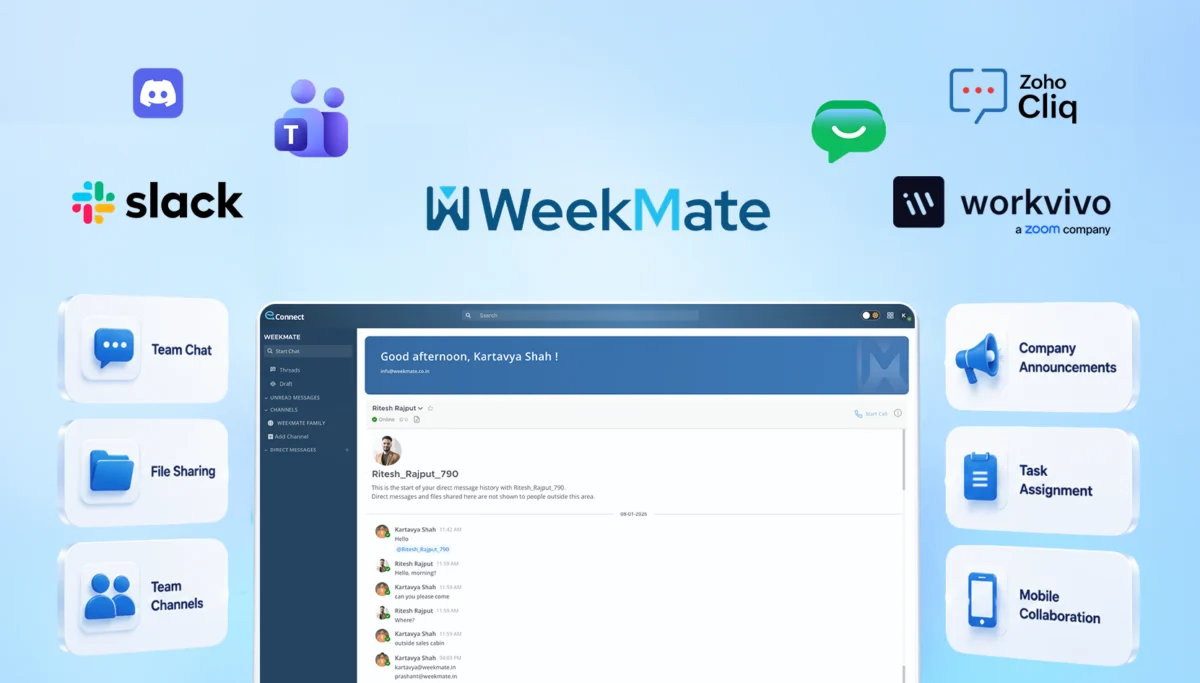
WeekMate Connect

WeekMate Connect is made for businesses that want one platform to do the work of three or four. It’s designed to be simple from day one. Teams can get started within a day, not after a week of onboarding calls.

What makes it stand out is the mix of real-time chat with actual structure. You’re not only messaging people. You know what got decided, who’s handling it, and when it’s due. All in the same conversation. 

Key Features

  • Real-time messaging with threaded conversations so context is not lost.
  • Built-in task assignment directly from chat messages
  • Centralized announcement boards for company-wide updates
  • Document collaboration with version history
  • Mobile app that actually feels built for mobile, not a shrunken desktop version

Pros

  • Clean, intuitive interface; minimal learning curve for new employees
  • Strong balance between communication and task management in one place
  • Reasonably priced for small and mid-sized teams
  • Responsive customer support (a rarity, honestly)

Cons

  • Smaller third-party integration library compared to bigger players like Slack.
  • Some advanced reporting features are still being rolled out

Pricing

WeekMate Connect offers a free tier for small teams, with paid plans scaling based on team size and feature needs. It starts with $42.39/month for 50 users. Most businesses find the mid-tier plan covers what they need without overpaying for the enterprise plan.

Best Use Case

It is good for small to mid-sized businesses that want chat and basic project tracking in one place. No need for the cost or hassle of using five different apps.

2. Slack

Slack has actually defined the meaning of team chat. It’s still one of the most reliable options. Channels, DMs, a huge app directory, it fits almost any workflow. Integrations are the best part. Whatever tool your business already uses, there’s probably a Slack plugin for it.

Key Features

  • Public and private channels organised by team, project, or topic
  • Quick voice or video check-ins without a formal meeting
  • Workflow Builder for simple no-code automations
  • One of the largest third-party app directories of any collaboration tool

Pros

  • Flexibility is the best part of Slack. It aligns easily with every team structure. It has the best integrations with CRMs, dev tools, and project platforms. 
  • It also reduces the onboarding time because most new hires already know how to use it.

Cons

  • Costs climb fast once you scale past a certain headcount
  • Notification overload is a real thing if channels aren’t managed well
  • It does not help much with task management, so most teams end up using a separate tool.

Pricing

Slack offers a limited free plan. Paid plans are priced per active user per month. It starts with $3.12/user/month. Costs scale quickly for larger teams, especially on higher plans with extended message history and admin controls.

Best Use Case

Mid-sized to large businesses that rely heavily on third-party tools and want a chat hub that connects everything together.

3. Microsoft Teams

If your business is already running on Microsoft 365, then Teams would be the clear choice. It plugs straight into Outlook, SharePoint, and Office apps, so document collaboration feels easy. It’s a bit heavier than Slack, but for teams already in the Microsoft world, it pays off pretty quickly once people settle in.

Key Features

  • Native to Outlook, Word, Excel, and SharePoint
  • Video meetings with background blur, recording, live captions
  • Channel chats where people can co-edit files in real time
  • The Premium version comes with AI meeting summaries and recaps
  • Built-in enterprise-level security and compliance

Pros

  • Best integration for businesses already using Microsoft 365
  • Strong security and admin controls suited to larger enterprises

Cons

The interface can feel cluttered at first, mostly for smaller teams that do not use all the features. It’s not a good option if your business isn’t already running on Microsoft 365. Also, the performance can lag on older devices.

Pricing

Teams comes jointly with most Microsoft 365 business plans. Also, as a standalone subscription, that starts with $1.21/user/month(paid yearly) + GST. Enterprise plans with AI features and advanced compliance cost more per user.

Best Use Case

Larger organizations already using the Microsoft ecosystem, who want communication and document collaboration tightly connected together.

4. Google Chat

Google Chat is the quieter one in the Google Workspace lineup, but it’s become a genuinely solid tool. It integrates seamlessly with Gmail, Docs, Sheets, and Meet. Teams already on Workspace barely notice they’ve switched. It feels like the same system.

Key Features

  • Direct messages and topic-based spaces for team conversations
  • Native integration with Gmail, Docs, Sheets, and Google Meet
  • Smart compose and AI-assisted replies

Pros

It feels effortless for teams already on Google Workspace, with a clean interface and a short learning curve. Search across messages, files, and spaces is also surprisingly strong — better than a lot of people expect from a “simple” chat tool.

Cons

  • Fewer third-party integrations outside the Google ecosystem
  • Lacks advanced task management or workflow automation
  • Not much reason to adopt it if your team isn’t already on Workspace

Pricing

Google Chat is included with all Google Workspace business plans at no extra cost, with pricing tied to the overall Workspace subscription. It starts with $1.04/user/month

Best Use Case

Businesses already running on Google Workspace that want simple, no-fuss communication without adding another standalone app.

5. Workvivo by Zoom

Worth a quick note here: Workplace from Meta, which used to sit in most “best collaboration tools” lists, officially shut down in 2026 after Meta wound the platform down over the past couple of years. Businesses that relied on it have largely moved to Workvivo, which Zoom acquired and has positioned as the direct replacement. Workvivo leans heavily into employee experience – company news feeds, recognition shoutouts, engagement surveys; layered on top of solid chat and video tools, thanks to the Zoom backbone underneath.

Key Features

  • Company-wide social feed for announcements and recognition
  • Native Zoom video integration for meetings and town halls
  • Employee engagement surveys and pulse checks
  • Mobile-friendly design for frontline and distributed teams

Pros

  • Genuinely strong focus on culture, engagement, and recognition
  • Solid video quality, backed by Zoom’s infrastructure
  • Built with large, dispersed workforces in mind

Cons

Pricing inclines toward larger organizations, so it’s not the most natural fit for small teams. It’s noticeably less focused on day-to-day task management. The migration path for former Workplace users is also still fairly new, so expect a few rough edges.

Pricing

Workvivo uses enterprise-style pricing based on employee count, typically quoted directly through sales rather than a self-serve checkout.

Best Use Case

Large or distributed organizations, especially those migrating off Workplace from Meta, that prioritize employee engagement and internal culture alongside communication.

6. Discord

It started as a gaming chat app, but plenty of businesses have adopted it for internal communication. Voice channels, low cost (often free), and a casual vibe make it appealing for teams that don’t want corporate stiffness in every interaction.

Key Features

  • Drop-in voice channels with no scheduling required
  • Text channels organized by topic or project
  • Custom bots and integrations for light automation

Pros

It’s mostly free, even for fairly large communities. There’s a casual, low-friction feel that smaller teams enjoy. The voice channels make quick syncs easy without needing to schedule a formal meeting for every little thing.

Cons

  • Not built for enterprise compliance or formal admin controls
  • Lacks native task or project management features
  • Can feel too informal for traditional corporate environments

Pricing

Discord is free for core features. There is an optional Nitro subscription for individuals that boosts upload limits and perks rather than unlocking business-specific tools. It starts from $2.99/month.

Best Use Case

Startups, online communities, and creative teams that want a low-cost, informal space to communicate.

7. Zoho Cliq

Zoho Cliq is built around channels, threads and calls. It does not use a feed-style layout like some tools. This works great if you are already using Zoho One or Zoho apps. Zoho Cliq is still solid on its own if you just want a good simple team chat.

Key Features

  • Channels and threads, organized by team or project
  • Audio and video calls with screen sharing built in
  • Schedulers and bots that handle repetitive tasks for you
  • Connects easily with other Zoho apps like Mail, CRM, Projects, and Desk

Pros

  • Zoho Cliq costs a lot less than Slack. It covers most of the same features.
  • It is a win if you are already using other Zoho tools.
  • A few users like the column layout. This makes it easier to keep track of chats at once.

Cons

Calls aren’t quite as smooth as Slack or Teams, and some users mention occasional lag or delayed notifications on mobile. There’s also a character limit per message, which catches people off guard sometimes.

Pricing

There’s a free plan for small teams, and paid plans run about $2 to $18 per user, per month. If you’re already paying for Zoho One, it’s included at no extra cost.

Best Use Case

Great for small to mid-sized businesses, especially ones already using Zoho, who want Slack-like chat without the Slack-like price.

Quick Comparison of the Best Collaboration Tools for Teams

Tool Best For Pricing Style Standout Feature
WeekMate Connect Small-mid teams wanting chat + tasks combined Free tier + affordable paid plans Task assignment directly from chat
Slack Integration-heavy workflows Per-user, scales with team size Massive app directory
Microsoft Teams Microsoft 365 users Bundled with M365 or standalone Deep Office integration
Google Chat Google Workspace users Bundled with Workspace Simplicity and speed
Workvivo by Zoom Large orgs, employee experience Enterprise pricing Engagement + culture tools
Discord Startups, creative teams Mostly free Casual voice channels
Zoho Cliq Existing Zoho customers Affordable, per-user Slack-style chat at a lower cost

Essential Features to Look for in Team Collaboration Software

It becomes much easier to select the right tool once you know what matters and what does not. Some of the most important features to consider in team collaboration software are as follows:

  • Real-Time Team Communication: This is the minimum standard. There should be no delay in the messages between the sender and the receiver. Collaboration software improves workplace communication and must feel seamless and natural.
  • Group Channels and Discussions: Topic-based channels help keep conversations organized. It’s better than one big group chat. Team-based channels work too.
  • File Sharing and Document Collaboration: Sharing documents is easy. You can comment on them without switching apps. This actually saves a lot of time.
  • Employee Announcements: We need a space for company updates. This way important news isn’t lost in chats.
  • Task and Workflow Collaboration: Assigning tasks and tracking them isn’t hard. It would be great if it connects to the conversation.
  • Video Meeting Integration: Video calls should be built-in. At least work well with other apps. No one wants to switch apps for a five-minute call.
  • Mobile Accessibility: A mobile app should be easy to use. Not frustrating, for people who want to check messages on the go.
  • Role-Based Permissions: This is crucial as teams grow. Not everyone needs to see everything.
  • Third-Party Integrations: The tool should connect with existing ones. Like CRM, calendar and project management. No manual work needed.

How to Choose the Right Collaboration Software?

There is no best tool for this. It really depends on your business. A few things to think about are:

  • Team size: A small startup with ten people and a big company with five hundred people have different needs. Do not overbuy.
  • Remote work needs: If your team works from home or different time zones, you need tools that let you work, even when you are not online at the same time. This is more important for teams that’re not in the same office.
  • Communication workflows: Does your team prefer structured channels or more free-flowing conversation? Match the tool to existing habits.
  • Integration requirements: Check what tools you already rely on and make sure the software aligns with them.
  • Employee engagement goals: If culture and engagement are a priority, lean toward tools built with that in mind, not just messaging.
  • Budget considerations: Make sure you consider your budget well. Per-user pricing adds up fast while growing. Keep that in mind, not just current headcount.

A good thing is to try the tool with a group of people first. Most tools have free versions. There is no better way to see than to use it every day. Your business and the tool you choose are important, so take your time and think about what your business needs from the tool.

Future Trends in Team Collaboration Software (2026)

Collaboration tools aren’t standing still, and a few shifts are worth keeping an eye on.

AI-powered workplace communication is showing up everywhere now. Think smart summaries of long chat threads, auto-suggested replies, and meeting notes that write themselves. It’s no longer a gimmick; it’s actually saving people time.

Smart collaboration workflows are also gaining ground, where tools start predicting what needs to happen next based on conversation context, instead of waiting for someone to manually create a task.

Unified communication platforms are becoming the norm too. Businesses are tired of juggling separate apps for chat, video, and tasks, and vendors know it. Expect more all-in-one offerings.

Employee experience tools are getting more attention as companies realize engagement isn’t just an HR initiative. It’s tied directly to retention and productivity.

Hybrid work optimization continues to shape feature roadmaps, with more tools building specifically for the in-office-some-days, remote-other-days reality most businesses now operate in.

And voice & video collaboration keeps growing, with platforms investing in lower-latency calls and more natural-feeling virtual meeting spaces.

Improve Workplace Communication with WeekMate Connect

If you’re trying to decide and don’t want to overcomplicate things, WeekMate Connect is honestly a solid place to start.

It gives you chat, tasks, and structure in one place, without feeling heavy or expensive.

Try the free version, get your team in for a few days, see how it feels. You’ll know pretty quickly if it fits or if it doesn’t. And that’s really what this comes down to. Not the “best” tool on paper; just the one your team will actually use.

Frequently Asked Questions

1. Which collaboration software is best for businesses?

It depends on your team size and needs. WeekMate Connect works well for small to mid-sized teams, while Slack and Microsoft Teams are good for larger organizations.

2. What features should collaboration tools include?

Look for messaging, file sharing, task tracking, video calls, and mobile access. As teams grow, integrations and user permissions become more important.

3. Is collaboration software useful for remote teams?

Yes, it is. It keeps communication clear, stores files in one place, and makes it easier to track tasks when teams work from different locations.

4. What is the difference between communication tools and collaboration software?

Communication tools focus on chatting. Collaboration software includes chat but also adds task management, file sharing, and workflow tracking.

5. Which collaboration software is best for employee engagement?

Workvivo by Zoom is great for engagement. For smaller teams, tools like WeekMate Connect can also support communication and recognition without high costs.
Why Most IT Companies Struggle With Operational Visibility and How to Fix It

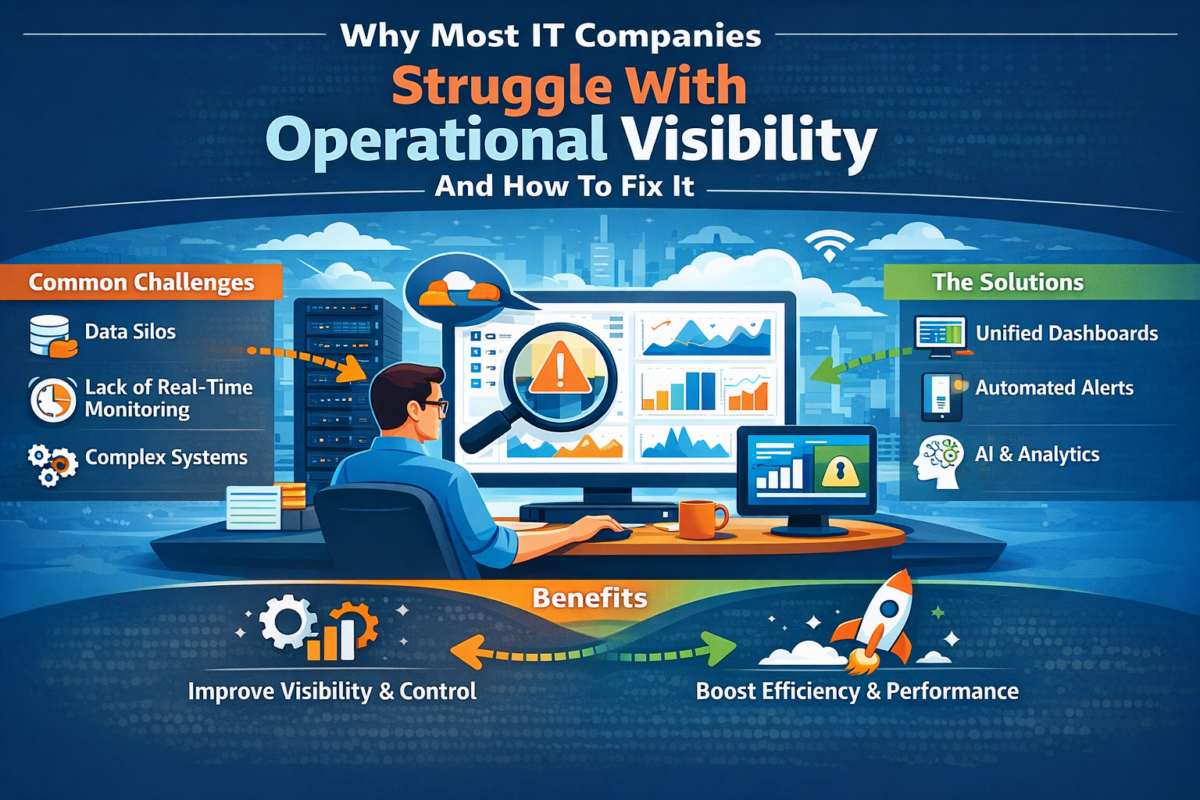
Imagine this: It’s 9 PM in a busy IT firm in Ahmedabad. Your project manager is still refreshing three different applications to try and determine why the deadline for the client from the US has slipped yet again. The dev team is chatting in Slack, the ops lead is neck deep in Excel sheets, and leadership wants a status report “yesterday.” Sound familiar? It’s not just frustrating it’s costly. Indian IT firms are expanding at an unprecedented rate, but their infrastructure hasn’t kept pace. So what’s the result? Lost hours, missed opportunities, frustrated teams.

That’s why we’re seeing smart leaders turn to one simple concept: one platform, one source of truth. When everything projects, tasks, resources and reporting is housed in one place, magic happens. Transparency replaces guesswork. Speed replaces delays. And before you know it, your IT operations management software turns into the source of your company’s vitality, rather than the source of a headache.

In this blog, we will explore the visibility challenges that IT teams are struggling with day in and day out, how the lack of visibility silently inhibits growth, and how the right IT management software for companies can change everything. Keeping it practical and real-world, and no jargon. By the end, you’ll understand why making the jump to a software project management platform like WeekMate isn’t just a good move, it’s necessary for any expanding IT company in India.

What Is Operational Visibility in IT Operations?

Operational visibility simply means knowing exactly what’s happening across your teams, projects, and resources right now, not yesterday. It’s the difference between “I think the team is on track” and “Here is the live dashboard that tells us we’re 87% done with two blockers flagged.” In today’s hybrid work world, real-time insights are more valuable than ever. A postponed server migration in Hyderabad can trigger a client escalation in Mumbai within hours. When you don’t have transparency, working becomes guessing. Leaders can detect risks earlier, allocate resources immediately, and celebrate victories the moment they occur.

This is exactly when the software platform for managing IT operations and projects comes into its own. It consolidates all those disparate updates into one neat view, so no one will have to don a detective hat again.

What Are The Top Causes IT Companies Lack Operational Visibility?

Most IT companies don’t wake up to shattered processes one day the disruption sneaks up on them as the company scales.

Disconnected Tools and Fragmented Workflows

You’ve probably heard of this situation: you have one team using Jira, another one swearing by Trello, finance doing its thing with Excel, and HR managing leaves in Google Sheets. The result? Data silos everywhere Like information stored in Excel and email. Information is copied and pasted and lost. It’s no surprise that teams spend hours just trying to find the most up-to-date version of a document.

If this rings a bell, you’re not alone.

Our recent post on Why SaaS Is Replacing Spreadsheets dives deeper into how fragmented tools quietly drain productivity. A unified software management system eliminates this madness by connecting everything under one roof.

Poor Project Tracking and Resource Allocation

In the absence of oversight, projects drift. Resources get double-booked. Senior developers burn out, and juniors sit and wait. Deadlines slip quietly until the client is screaming.

The fix? A centralized project management system that shows real-time capacity, dependencies and progress in real-time. No more “where did that task go?” moments.

Reduced Team Sharing Between Departments

Testers, developers, account managers, and ops people often feel like they’re speaking different languages. One tiny miscommunication and a critical bug go unnoticed for days.

That’s why team collaboration software for IT companies is important. When you’re all editing the same live document, updates are seamless and accountability increases.

Lack of Real-Time Reporting and Dashboards

Weekly reports that arrive on Friday afternoon are nothing but history books. Leaders should know today whether a sprint is in trouble, not next week.

An enterprise software management platform, such as WeekMate, with live dashboards turn reactive firefighting into proactive leadership.

How Poor Operational Visibility Impacts IT Companies?

The costs aren’t just annoying they hit the bottom line hard.

Missed deadlines result in angry clients and penalties. Cost overruns nibble into already-thin margins. You waste talent if the best engineers spend more time updating tools than writing code. Worst of all, accountability disappears because no one can see the whole story.

These problems are scalability killers, particularly for fast-growing Indian IT companies. A 50-person team can manage with WhatsApp groups and shared drives, but a 150-person team can’t.

That’s why IT operations software India is witnessing huge growth businesses over here are looking for solutions that are compatible with local conditions, such as multi-city operations, limited budgets, and rapid expansion.

How IT Operations Management Software Increases Visibility?

Here’s the silver lining: the right tool not only fixes problems it stops them.

Centralized Oversight of Operations and Projects

From client updates to activities, resources, tasks, and projects, everything is under one roof with IT operations management software. You have one source of truth that updates in real time. Enough with those “Let me look into that and I’ll get back to you” emails.

Simplified Project Development and Management

A strong software project management platform makes planning a breeze. Drag-and-drop timelines, automated reminders, and smart resource allocation help keep projects on track without the need for constant manual chasing. Indian companies fondly recommend software project management tools for Indian companies because these tools cater to our unique blend of onsite, offshore and hybrid teams.

Improved Transparency and Collaboration

Live comments, @mentions, file sharing, full activity history, and live status updates make isolated departments work as one high-performing team. Everyone is looking at the same truth and that builds trust more quickly than any team-building offsite ever could.

Key Features of Today’s IT Management Software

Not all products are created equal. Look for these must-haves in any serious IT management software for companies:

Feature

What It Does

Real Benefit for IT Teams

Unified Dashboards

Live view of all projects & metrics Instant decisions instead of weekly reports

Workflow Automation

Auto-assign tasks, reminders, and approvals Saves 10–15 hours per person every month

Resource Planning

See who’s free, overloaded, or on leave No more double-booking top talent

Real-Time Reporting

Custom reports with one click Leadership gets answers in seconds

Mobile Access & Notifications

Work from anywhere Perfect for teams across multiple cities

Client Portals

Share progress without exposing internals Happier clients, fewer status calls

These capabilities transform a simple enterprise software management platform into the nervous system of your company.

Why Growing IT Companies Demand a Consolidated Software Platform?

Expansion is fantastic until your tools begin cracking under the stress. Suddenly, one unified software management system is a must-have. Early implementation of IT operations management software for growing IT firms helps companies avoid the painful “we’ve outgrown everything” situation many corporations encounter at the 80-150 employee mark.

Moving sooner to a single platform that can scale eases your path. You avoid migration nightmares down the road and you develop good habits from day one.

Choosing The Best IT Operations Software in India

Indian IT firms face only one challenge: meeting the unique demands of GST, multi-currency projects, data residency, and budget-friendly solutions. When you are comparing, ask yourself:

  • Does it scale without surprise price increases?
  • During Indian working hours, is support responsive?
  • Is it equipped for multinational, remote /distributed teams working from around the globe?
  • Is there room to grow over the next 3-5 years?

An all-in-one IT management software for enterprises that meets all those requirements isn’t a luxury; it’s survival gear in today’s cutthroat market.

Closing: How to Get Full Operational Visibility with the Appropriate Tools

Operational visibility isn’t about fancy dashboards or buzzwords. And it means every team member has clarity, every leader has confidence, and every client has peace of mind. The pain points we talked about, disjointed tools, poor tracking, and weak collaboration, are real, but they’re also 100% solvable.

By selecting a single-source-of-truth project management system that serves as your IT operations management software, you’ll scale with it as your company grows. You replace chaos with serenity. You make great teams, unbeatable ones.

At WeekMate, we made precisely this kind of platform because we know how it feels. Our software project management platform merges robust IT management software for companies with the simplicity that Indian teams actually enjoy. From real-time dashboards to seamless collaboration, WeekMate is helping growing IT firms across India move faster, deliver better, and sleep easier at night.

Ready to stop guessing and start knowing? Discover how WeekMate’s unified software management system can revolutionize your operations today. One platform. One truth. Endless growth.

FAQs

1. What is the key advantage of IT operations management software?

It lets you see every project and team member in real time, taking the guesswork and waiting out of it. With the help of centralized dashboards, automated alarms, and live performance monitoring, managers can identify bottlenecks immediately and re-dispatch resources. This results in faster delivery and improved accountability for IT teams.

2. What makes WeekMate special compared to other software project management tools?

WeekMate has been designed with the needs of Indian IT companies in mind. It is cost-effective, scalable, and brimming with homegrown features such as GST invoicing and multi-city team collaboration.

3. Is a small IT company capable of buying an enterprise software management platform?

Of course. Sophisticated solutions like WeekMate offer one-time pricing models that grow with you, rather than penalizing success too quickly. Startups and mid-sized IT firms can now access enterprise-class capabilities without incurring enterprise-class costs, as modern platforms are designed to scale. So, digital transformation is achievable even for lean teams.

4. Do IT operations software in India really understand local challenges?

The best ones do. Opt for platforms made in India, for India, that include compliance, support, and pricing relevant to India’s unique landscape. Such solutions usually include GST compliance, India-specific data hosting requirements, localized customer support services, and the business processes of Indian IT service providers doing business with global clients.

5. How long does it take to see results after switching to a unified software management system?

Most teams report increased visibility and a reduction in status meetings within a couple of weeks. Teams generally report faster communication, fewer missed deadlines, and more task ownership in the first month or so. The long-term efficiencies, such as better forecasting and resource utilization, become sharper after a quarter.

6. Is team collaboration software for IT companies really necessary?

Yes, especially when your team spans developers in Bangalore, testers in Pune, and clients in the US. Collaboration tools help eliminate communication gaps across time zones; they bring discussion threads into a centralized place and allow users to document them all. This allows for smoother sprint cycles and faster approvals, while keeping clients happier.

7. What if my team is reluctant to change tools?

Opt for a simple-to-use software solution to track IT work and projects, such as WeekMate. Clean design, fast onboarding, and overall user experience usually turn even the biggest skeptics within days.

AI-Powered Employee Monitoring Tools That Improve Team Focus and Productivity

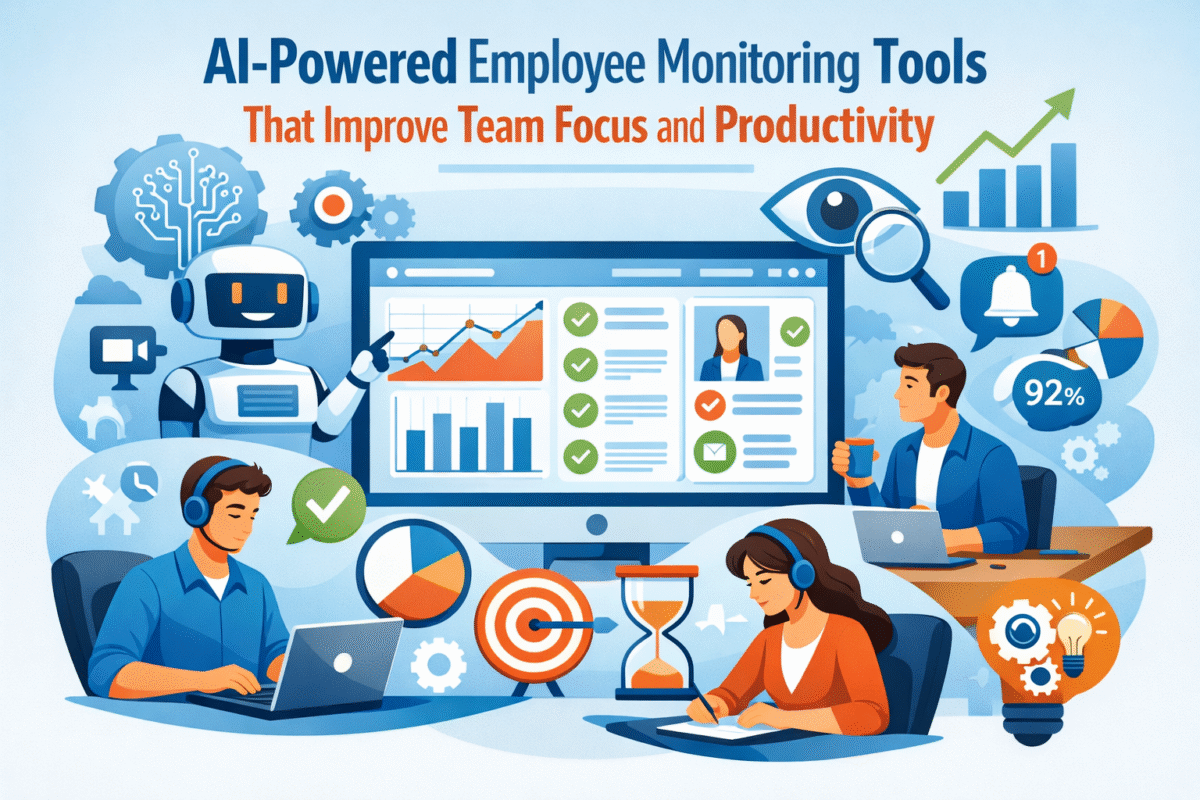
Modern organizations are reconsidering how productivity is measured, supported, and enhanced. Traditional time-tracking methods and manual supervision simply cannot keep pace with the speed and complexity of today’s work. With teams becoming more and more distributed and knowledge-driven, AI-powered productivity tools and AI productivity software for teams are taking over to provide a more intelligent, human, centric way of staying focused and productive.

The change is not simply about automation; it’s about getting insights. Managers are now less interested in the number of hours someone has worked and more interested in how work is done efficiently. Interruptions, disjointed communication, constant context switching, and an inability to observe actual work habits are making it harder to maintain productivity.

Here, the discussion shifts to AI-enabled workforce productivity software.

Instead of reactive watching, AI-powered productivity management enables active observation of work patterns that anticipate team slowdowns, while providing guidance on where to focus on the right things without micromanagement.

What Are AI-based Employee Monitoring Tools?

AI-powered workforce productivity software solutions use machine learning and behavioural analysis to understand how work is done within teams. An AI-driven work productivity platform doesn’t just count hours or take screenshots; it also analyzes workflows, tool usage, focused work time, and output models to highlight key insights.

Unlike traditional surveillance software, which operates on static rules and reports, AI-powered platforms continuously learn. They use automation to learn from patterns across roles, teams, and projects, thereby significantly reducing administrative work and removing guesswork.

The real value is in the interpretation. AI is not only a data collector; it also identifies the relationship between activities and outcomes. Leaders are now in a position to facilitate performance improvement without the need for constant check-ins or subjective evaluations.

Common Productivity Challenges in Modern Teams

Limited Visibility into Work Patterns

Most organisations are unsure how workflow actually works. A glance at employee productivity analytics software often shows that effort and output are not always aligned. Managers can only view completed tasks; they are unaware of the hidden inefficiencies that frequent app switching, meeting overload, or lack of focus slow teams down.

Lack of visibility into the situation as it unfolds makes productivity decisions reactive and, most of the time, based on assumptions rather than facts.

Productivity Gaps in Remote and Hybrid Work Models

The new norm of working from home has increased the need for productivity tools for remote teams. The lack of a set routine, time zone differences, and fewer informal communications can, almost unnoticed, lead to declines in both concentration and responsibility. It is particularly difficult for hybrid teams to manage the different productivity expectations that in-office and remote employees face.

AI-assisted data can support equitable decision-making by providing standardized, measurable insights for all locations.

Manual Reporting and Biased Performance Evaluation

Manual productivity tracking is not only laborious but also prone to bias. Performance evaluations often reflect visibility rather than impact, leading people to feel disconnected and frustrated. When reliable data are unavailable, managers struggle to make sound, winning decisions that support both performance and well-being, guided by fairness, timing, and compatibility.

How AI-Powered Employee Monitoring Instruments Facilitate Productivity?

Intelligent Work Activity Tracking

Intelligent work productivity tools for teams combine AI-powered employee productivity tracking with analysis of work processes, application usage, and concentration patterns. Through intelligent work activity insights, teams can see clearly where their time goes minus the unwarranted surveillance.

The highlight is on patterns rather than individuals. Using AI to identify productivity rhythms, peak focus hours, and common interruptions helps teams adjust their work methods rather than limiting behaviour through a system of rules.

Data-Driven Productivity Analytics 

Using the latest employee productivity analytics software, a leader sees a visual summary of the situation, showing changes over time. These revelations would provide a foundation for better decisions on human resources, operations, and technical innovation.

Beyond guessing why deadlines slip or workloads feel uneven, managers can now base their actions on actual data.

Focus Optimization and Distraction Reduction

AI, for one, is an expert at uncovering hidden inefficiencies that reduce productivity. By identifying meetings that are too frequent, too many tools, or too scattered schedules, AI helps teams organize their workdays more intentionally and preserve time for deep work—the most precious and least available resource in today’s organizations.

Remote and Hybrid Workforce Productivity AI Tools

AI tools for hybrid workforce productivity aim to provide flexibility without sacrificing accountability. For productivity tools for remote teams, real-time visibility enables managers to focus on results rather than on the activity level.

AI builds trust when implemented transparently. Employees understand how the metrics are used, and managers become more confident in the absence of constant oversight. Achieving this equilibrium is essential to maintaining performance in distributed environments.

According to a 2024 Gartner report, 75% of companies that use AI-driven workforce analytics report accelerated decision-making and improved team productivity.

Top Characteristics of a Work Productivity Platform Powered

  • A mature AI-driven work productivity platform typically includes AI-based activity analysis, smart alerts, and productivity scoring that adapts to different roles.
  • Context-aware productivity scoring, with benchmarks that adapt by job function, team, and task complexity instead of neutral “one-size-fits-all” scoring systems.
  • Smart notifications and recommendations to detect threats to productivity, work overload, or inefficiencies in the system before they become problems!
  • Relevance-first insights – designed so that teams and leaders can focus on meaningful information instead of getting lost in raw activity logs.
  • Predictive analytics and forecasting enable leaders to anticipate when they may face increased risk of burnout, reduced productivity, or constrained resources.
  • Seamless integration with task management software ensures insights align directly with real work, not isolated metrics.

Advantages of Implementing AI-Driven Productivity Software for Your Team

Organisations adopting AI productivity software for teams often see improvements that go beyond output:

  • More defined priorities and better focus, because AI identifies where work delivers the most value and where it is scattered.
  • More even workloads to help teams keep hidden overload at bay and use capacity strategically across roles.
  • Objective, data-driven performance insights reduce bias from visibility-based or subjective assessments.
  • Early recognition of burnout indicators enables proactive, rather than reactive, intervention when productivity declines.
  • Better employee experience, fewer last-minute escalations, clearer expectations and more consistent support.
  • Stronger leadership confidence: resource, timeline, and performance decisions are supported by real data.

A 2025 McKinsey study found that companies using AI for workforce optimisation achieved 20–30% productivity gains in knowledge-based roles.

Integrating AI Productivity Tools with Existing Work Systems

AI productivity tools realise their full potential only when they are seamlessly integrated into current work routines. Linking the data to a project management tool is a good way to keep daily work aligned with the strategic objectives. Once a connection to the project management software is established, it is easier to proactively manage timelines and meet milestones.

By integrating with team collaboration software, productivity insights can be used to improve communication without adding complexity. What is achieved is a cohesive overview of the work, conducive to large-scale performance.

Ethical and Transparent AI Employee Monitoring Tools

Ethical implementation is key. Productivity monitoring should be about coaching, not spying. Thoughts are tracked; why it matters and how data is used foster trust and acceptance.

Best practices include anonymised insights where feasible, role-based benchmarks, and employee access to their own data. When AI is presented as a support system rather than a control tool, it strengthens culture rather than undermining it.

How To Select The Best AI-Powered Workforce Productivity Tool?

  • Scalability for mid-market and enterprise expansion to ensure the platform keeps pace as the team, projects, and data volumes grow. 
  • Depth and accuracy of insights, with an emphasis on actionable, not shallow, activity-based tracking.
  • Integrates easily, allowing the platform to be naturally embedded within current systems and workflows without disrupting work.
  • Good support for remote or hybrid teams, providing predictable visibility and accountability regardless of location.
  • Transparency, ethics-based design to build trust, built with clear metrics, explainable insights, and employee-centric deployment.
  • Focus on alignment with employee experience: productivity gains should not make employees work harder; they should support their well-being, not just their output targets.

Conclusion: AI for Smarter Productivity, Not Employee Surveillance

The future of work is all about smarter systems, not tighter control. AI-powered productivity tools and AI-powered workforce productivity software allow companies to raise focus, fairness, and performance without the need for micromanagement.

Instead of shifting the focus from watching to understanding, AI changes the meaning of productivity from a checked activity to a shared outcome. WeekMate is an example of this approach: smart features that enable teams to be more effective rather than work longer hours.

As data-driven focus turns into the new productivity norm, those organisations that adopt ethical, AI-led productivity management will be the ones to succeed in the ever more complicated work environment.

FAQs

1. Do AI-powered employee monitoring tools equal employee surveillance?

No. Advanced AI-powered productivity tools primarily focus on identifying work patterns, not on monitoring individuals. They focus on analyzing aspects such as the time devoted to concentration, equity of the workload, and efficiency of the work process rather than storing private content or micromanaging. When used ethically, these tools can support both performance improvement and employee well-being.

2. How do AI productivity tools enable remote and hybrid teams to work while keeping trust?

AI productivity software for teams fosters trust-building transparency through objective, role-based insights rather than through frequent employee check-ins. By focusing on what teams have accomplished and the patterns of their work, rather than their mere presence, teams become clear and accountable without losing their autonomy, which is very important for remote and hybrid work models.

3. What type of information do AI-powered workforce productivity platforms reveal?

An AI-powered workplace productivity platform provides a wide range of insights, including changes in concentration levels, how work is shared, peak efficiency times, collaboration patterns, and early signs of exhaustion. Such findings give managers the freedom to make decisions on matters such as staffing, the duration of different stages, and the overall approach, reducing their dependence on guesswork.

4. How quickly can organizations realise benefits from AI productivity software?

Typically, mid-market and enterprise customers gain significant insights within the first couple of weeks. As the system gets familiar with the team’s behavior over a period of time, the precision and worth of the recommendations on productivity will get fine-tuned, thus paving the way for data-driven decisions to be made more rapidly and for the benefits in productivity to be maintained.

Become A Partner