How Payroll Software Improves Business Efficiency and Accuracy?

There are times in your company when you feel like payroll will be easy, and then there are times when it’s not. As businesses scale, tracking employee salaries, taxes, compliance, and records of employment can become more difficult. Even a small mistake can result in an unhappy workforce, fines for noncompliance, or financial loss.

That is why the need to be precise and efficient in payroll processing is more important than ever. This is where payroll management software comes in. It helps companies simplify procedures, minimize mistakes, and save time.

For SMEs and startups, choosing the best payroll management software in India can be truly transformative. Payroll systems, when integrated with workforce management software and supported by business efficiency software, make the heart of an organization a robust, intelligent machine that enables you to operate smarter and make smarter decisions.

What is Payroll Management Software?

Payroll management software is an automation tool used to handle all the activities related to payroll of a company. It eliminates spreadsheet work and manual calculations by introducing well-organized, automated workflows.

Core Functions:

  • Employee salary management, such as wages, bonuses, and deductions
  • Tax computations and filings are automated.
  • Statutory compliance management
  • Generation of payslips and reporting

Where manual payroll and automated payroll systems differ most is in speed and accuracy. While manual processes are slow and prone to errors, software applications ensure consistency and accuracy.

To understand how payroll software improves efficiency, you first need to recognize how it frees you from performing menial tasks and from making complex computations.

The Importance of Payroll Software for Businesses

Payroll has become far more complex than it used to be. Companies have to deal with various pay scales and tax laws, and the list keeps growing.

Compounding the complexity for companies doing business in India is the need to comply with PF, ESI, and TDS regulations. This is why many organisations are turning to the best payroll management software in India to stay compliant and efficient.

As teams double and triple in size, manual systems don’t scale. A good payroll system for SMEs is essential for businesses to grow without increasing the admin burden.

How is Efficiency Increased in Payroll through Software?

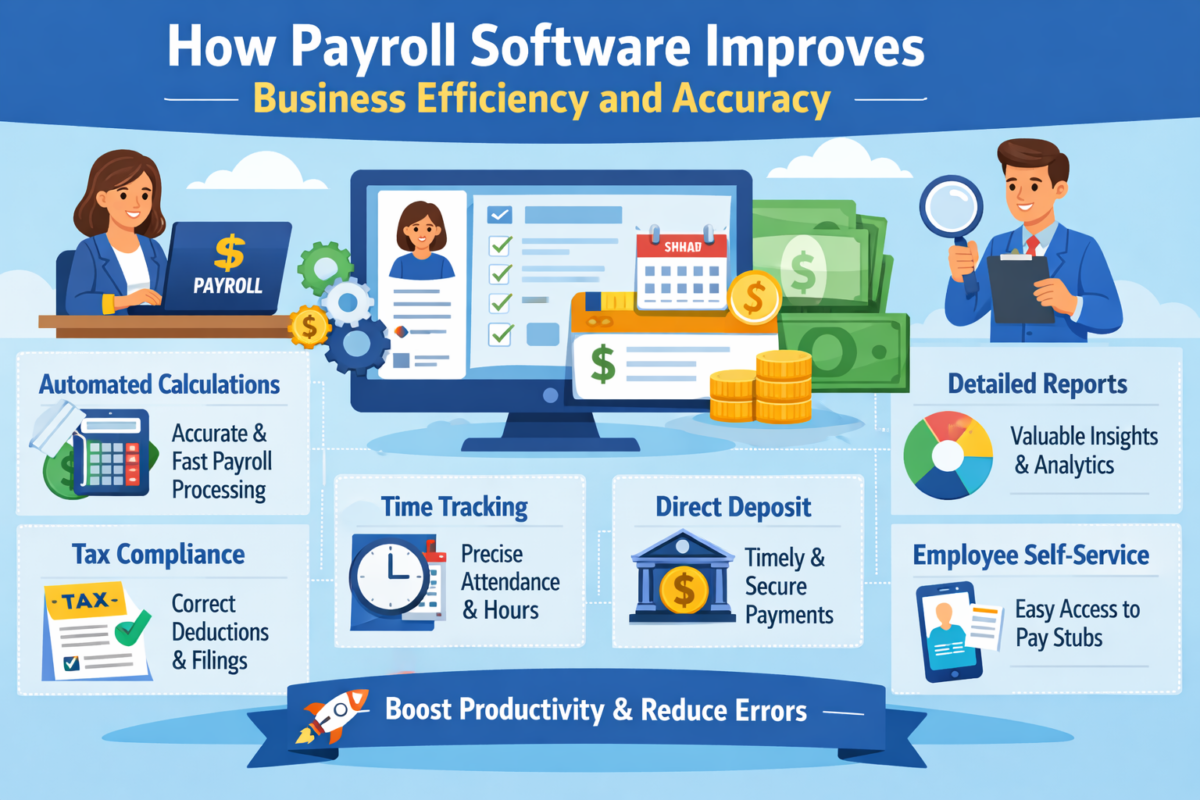
Automation is recognised as one of the major benefits of payroll management software. Things that used to take hours, such as calculating salaries, deducting taxes, and generating reports, are now done in minutes.

Here’s how payroll software improves efficiency:

  • Automates repetitive payroll tasks.
  • Less reliance on manual calculations.
  • Accelerates the pace of payroll processing.
  • It works well with workforce management software.

When used in conjunction with business efficiency software, the entire organization will have a better experience, as payroll systems also improve workflow.

Improving Accuracy through Payroll Automation

Precision is very important in payroll. Even the smallest of mistakes can cause compliance problems and employee disgruntlement.

Such companies can utilize automation to solve the problem of workforce management by:

  • Human error is significantly reduced. 
  • Automatically calculate taxes and deductions.
  • Performing real-time validation of data.
  • Offering audit trails for transparency.

Many organizations wonder how to minimize payroll errors with software, and the answer is automation. By removing manual intervention, companies can ensure consistent and accurate payroll processing.

Essential Elements for An Effective Organization

Time and Attendance Monitoring

Embedded time and attendance tracking offers true payroll calculations. Whether it is a biometric system or any other digital hardware, this feature allows for the capture of work hours, overtime, and leave information in real time.

Managing Employees’ Income

Efficient employee salary management ensures timely and accurate payments. plays a vital role in timely payments. Through simple automation of many of the repetitive tasks, a finger can be saved from the payroll slip generation to the bonus calculations.

Management of Compliance

Regulations are hard to keep up with. Today, payroll processing software includes built-in monitoring features  that ensure compliance rules are updated in a timely manner, enabling companies to keep pace with changes in the law.

Reports and Analytics

Payroll reports provide valuable insights into costs and workforce trends. This is where business efficiency software plays a big role in turning raw data into actionable insights.

Benefits of Payroll Automation for Businesses

The benefits of payroll automation for businesses extend beyond convenience:

  • Huge time savings.
  • Save operational costs.
  • Increased employee satisfaction.
  • Better security of data.
  • More scalability.

Automation enables companies to focus on growth rather than  administrative duties.

Small Business Payroll System: Why It’s Important?

The reality is that small- to medium-sized businesses are busy with less to go around. You can’t keep track of everything in your head and on paper at the same time.

A solid payroll system for SMEs will have:

  • Cost-effective and flexible solutions.
  • Simplified HR processes.
  • Added accuracy and compliance.
  • Competitive advantage in workforce management.

To sum up, purchasing the best payroll management software in India is the best way to go if you are an SME/SMB and want to set your company up for success.

How to Select the Best Payroll Software in India?

Making the right software choice is vital to long-term success. Here is a brief checklist:

Feature Why It Matters
Ease of Use Ensures quick adoption by teams
Compliance Features Keeps business legally compliant
Integration Works with Workforce management software
Customer Support Resolves issues quickly
Scalability Supports business growth

The advantages of selecting the best payroll software in India are that it helps you work efficiently and accurately, and you get long-term value from it.

For more information, please visit this useful resource on payroll management.

Integration with Workforce Management Software

Workforce management software payroll integration brings collaboration to the HR processes.

Here are the advantages:

  • Consolidated employee information
  • Increased efficiency
  • More effective workforce planning

This integration enhances the overall impact of business efficiency software by providing end-to-end solutions that seamlessly align with payroll best practices.

Mistakes to Avoid in Executing Payroll Software

You can have the best systems, and they can still be undermined by poor execution. Don’t make these mistakes:

  • Not training enough
  • Inadequate data migration
  • Not attending to the required updates on compliance
  • Purchasing the wrong software

Understanding how to reduce payroll errors using software also involves avoiding these pitfalls during implementation.

Future of Payroll Systems

Rapid advancements are being made in payroll technology. Here are some of the major ones:

  • AI-driven automation
  • Payroll systems on the cloud
  • Real-time payroll processing

These innovations will further enhance employee salary management and improve business efficiency.

Summary

Payroll has evolved from being purely an administrative task to a business essential. Accuracy and efficiency directly impact employees and their performance.

By implementing payroll management software, organizations can simplify processes, reduce errors, and enhance compliance. Along with workforce management software and business efficiency software, payroll is a powerful tool for development.

Investing in the best payroll management software in India, such as WeekMate, ensures long-term success and helps businesses stay competitive in an increasingly complex environment.

FAQs

1. What is payroll management software?

This includes salary processing, tax calculations, challan submission and other compliance related to salary. It replaces manual processes, enabling faster, more accurate, and better payroll management.

2. How does payroll software contribute to efficiency?

It eliminates the need to manually run repetitive processes, such as calculations and reporting. This is how payroll software can make an organization more efficient by saving time and increasing overall productivity.

3. Why should businesses automate their payroll?

Benefits of payroll automation for business include reduced errors, faster processing, and better compliance. It also enhances employee satisfaction by paying them on time.

4. What is the SME payroll system?

A SME payroll system is tailored to the needs of a small business. It provides cost-effective, scalable solutions to streamline HR and payroll processes.

5. How to minimize payroll errors with software?

By automating calculations, validating data in real time, and maintaining audit trails, companies can avoid manual errors in payroll. This guarantees that payroll is run consistently and accurately.

6. Can payroll software be integrated with other systems?

Yes, the majority of today’s payroll solutions are integrated with HR and workforce management software. With this, you gain a smooth process flow and improved data integrity.

7. What are some benefits of automated payroll for companies?

Among the many advantages of automating payroll for business are time savings, reduced costs, enhanced data security, and scalability. It enables organizations to bring in more business rather than deal with paperwork.
How Can Cloud HRMS Solve Small Business HR Problems?

Small and medium enterprises constitute the majority of India’s economy, but they face human resource management challenges as they expand. What starts as informal process management by the founder or an individual manager quickly becomes unmanageable when the team size exceeds 20-30 employees. Founders are trying to prioritise, recruit, run payroll, handle compliance filings, and answer employee questions while just trying to keep the business afloat.

This shift poses new HR challenges for small businesses. Manual processes are labor-intensive and error-prone, which introduces the risk of non-compliance that can harm business growth and reputation. The HR workload in small businesses increases, and one of two things happens: either the process slows down, or employees become dissatisfied.

Thankfully, cloud-based HRMS software offers a viable, adaptable solution. With these systems, routine work is automated and data are centralized, allowing small companies to elevate their HR function in a cost-effective and timely manner. In this article, we will review the top small business HR management challenges, the operational and financial impacts on business profitability, and how the latest HR systems can provide targeted relief.

Overview of HR Management for Small Business and SMEs

In big corporations, HR is a department with a talent acquisition team, a compensation team, a compliance team, and an employee relations team. By comparison, in most SMEs, HR duties are delegated to owners, operations managers, or administrators who work part-time and have little or no formal training or specialised tools.

Such a configuration often means that HR management issues in SMEs are underestimated until trouble blows up. Due to small staff and tight budgets, common HR problems in small companies like erratic record-keeping and reactive compliance have a habit of quietly piling up, leaving them vulnerable during audits, employee disputes, or periods of rapid growth.

The Hidden Costs of Doing Your Own HR in Small Business

Using spreadsheets, paper files, and email to perform HR functions incurs high hidden costs. The problems with manual HR management also steal time: payroll itself can be three or more days of manual work at month’s end. Managing employee records manually increases the risk of duplicate entries, stale information, and even data loss due to hardware failures or misfiling.

This is other than wasting time. Deductions or statutory filing mistakes can invite penalties, whereas late payslips or leave approvals lead to loss of employee trust. Over time, this translates into employee churn, lower employee productivity, and less focus on strategic business initiatives.

What are the Key HR Management Challenges Faced by Small Businesses?

1. Manual Management of Employee Records

Employee data joining letters, salary revisions, performance reviews, personal documents is stored in different folders across drives and spreadsheets. Accessing past records for appraisals or separations is error-prone and time-intensive.

This challenge ranks among the most persistent common HR problems in small companies, leading to inconsistencies that affect payroll accuracy, compliance reporting, and employee experience.

2. Compliance Challenges in HR for SME

Indian SMEs have to comply with a myriad of regulations, such as Provident Fund (PF), Employees’ State Insurance (ESI), Tax Deducted at Source (TDS), Professional Tax, gratuity, bonus, and certain state-level labour regulations. Manually monitoring due dates, calculations for contributions, and filing returns is error-prone and time-consuming.

The HR compliance challenges for SMEs face leave them vulnerable to financial penalties, legal notices, and harm to their reputation especially when scrutinized during audits or inspections.

3. The Challenge of Payroll Management in Small Businesses

Manual payroll processing has to calculate not only wages and salaries but also allowances, overtime, deductions, incentives, and taxes applicable to each employee. Variations such as late joiners, partial months, or variable pay further increase the complexity and the likelihood of errors.

Payroll management challenges in small businesses are common and can lead to late paychecks, inaccurate pay stubs, employee complaints, and a general lack of trust, all of which can disrupt business operations.

4. Issues of Employee Sign-in/out and Leave Management

Attendance management via registers, WhatsApp, or individual biometric machines can lead to discrepancies, particularly in hybrid or remote environments. Leave applications typically do not go through formal approval processes, leading to disputes over balances and entitlements.

Employee attendance and leave management issues lead to payroll errors, affect workforce planning, and compromise peace of mind.

5. Increasing HR Workloads With Very Little Resources

As the number of people you manage grows, so do your HR duties: recruiting, onboarding, enforcing policies, monitoring performance, conducting exit interviews, and handling grievances, all without additional resources.

An increasing HR workload in small businesses causes those responsible for completing these functions to burn out, service quality to decline, and strategic HR activities, such as talent development, to be overlooked.

6. Challenges Scaling HR Processes

What worked when your team needed only three people doesn’t work for nine people. Ad-hoc methodologies are harder to standardize, making it difficult to achieve uniformity across departments/branches.

Difficulties in scaling HR operations and digital HR management challenges limit expansion potential and increase operational risk during growth phases.

For an early adopters’ perspective on the benefits, see our related article: Why Small Businesses Need HR Management Software.

Why Traditional Approaches No Longer Work at Scale?

Spreadsheets and other disconnected tools lack the necessary framework to accommodate growing complexity. More employees mean more variables such as different leave policies, multi-state regulations, and varying payroll schedules. Digital HR management challenges multiply, increasing the risk of non-compliance, inaccurate data, and process failures.

How Cloud-Based HRMS Software Solves These Issues?

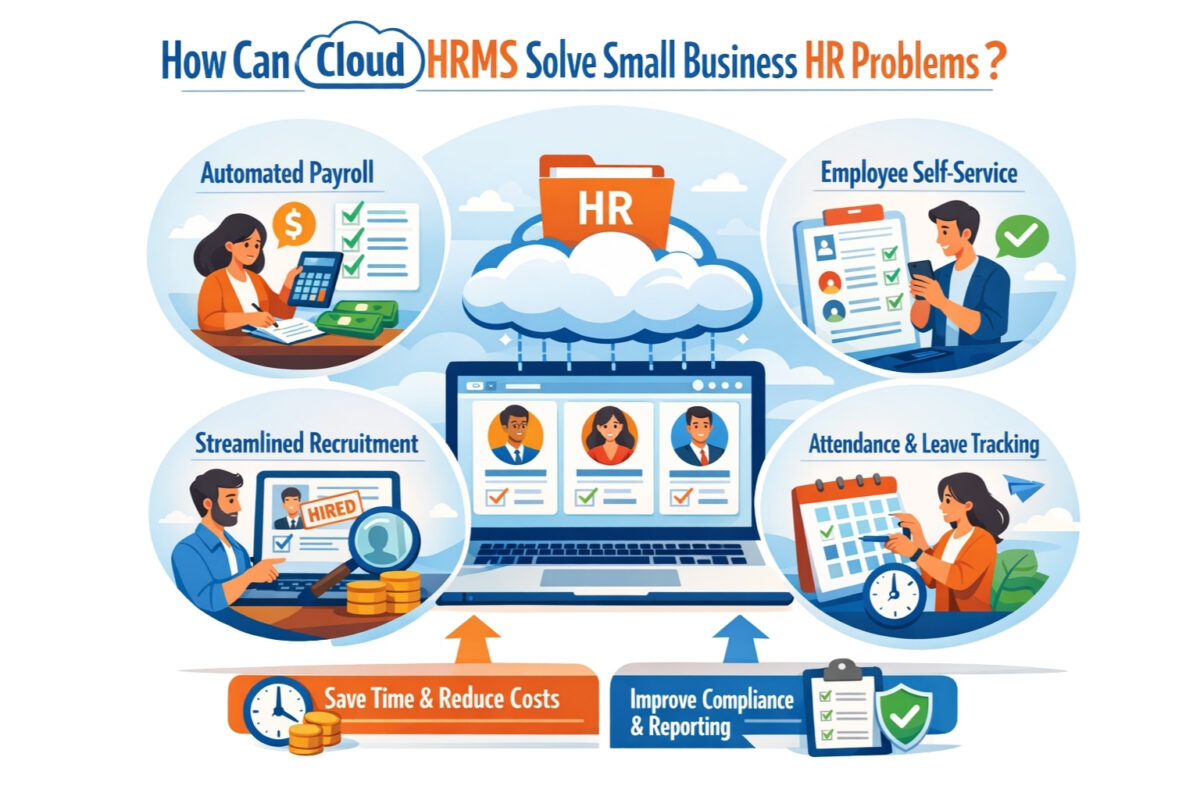
Today’s cloud-based HRMS software turns HR from a reactive, administrative drag into a streamlined, strategic function.

Centralized Employee Records

All employee data is stored in a single secure repository, along with version history, search capabilities, and role-based access. This removes redundancies and yields clean, accurate data throughout both processes.

Automated Payroll, Attendance, and Leave Control

Workflows enable these modules to automatically calculate payroll using live attendance and authorized leave. Self-service platforms like WeekMate empower employees to access their payslips, submit requests, and check their balances, making life easier for administrators.

Simplified Compliance Management

Statutory adherence, automated reminders, and pre-configured reports enable compliance with cycle filings, during audit, and on time. Regulatory changes are reflected in system updates, allowing manual processing to be avoided.

Reduced Workload and Enhanced Efficiency

Automation frees HR staff to focus on recruiting, engaging, and developing talent rather than performing tedious, repetitive work. Reporting dashboards provide actionable insights that tell you what to do. 

Scalable Operations for Growth

Cloud infrastructure is designed to support a growing workforce and expand across geographies without requiring infrastructure upgrades. Capabilities are designed for multi-location teams, remote access, and customizable workflows.

The table below are the comparison between manual processes and cloud HRMS:

Aspect Manual/Traditional Approach Cloud-Based HRMS Approach
Data Storage Scattered files and spreadsheets Centralized, secure database
Payroll Processing Manual calculations, high error risk Automated with statutory compliance
Compliance Tracking Manual reminders, prone to oversights Automated alerts and audit-ready reports
Attendance & Leave Inconsistent tracking, frequent disputes Real-time integration and self-service
Scalability Limited; breaks beyond 30–50 employees Seamless growth with no infrastructure cost
Monthly Time Savings Minimal 20–40+ hours per administrator

Key Things to Consider for Cloud HRMS Software Selection

  • Prioritize intuitive interfaces to ensure quick adoption by non-technical users
  • Ensure strong support for Indian statutory regulations (PF, ESI, TDS, Professional Tax, gratuity, bonus, etc.)
  • Consider modular integration, such as payroll, work schedule, leave management, and core HR modules
  • Evaluate scalability to ensure the business can grow without the need for a giant system upgrade.
  • Request mobile access for employees and managers who are out of the office.
  • Ensure robust data security, such as encryption, regular back-ups, and pertinent compliance certifications
  • Provide responsive support during Indian business hours.

How WeekMate HRMS Empowers Small Business HR functions?

  • Solves small business-specific HR challenges with an easy-to-use, India-centric application
  • Bring all your employee records under one roof, a centralized, secure, and accessible database
  • Streamlines payroll processing with statutory compliance.
  • enables real-time seamless attendance and leave monitoring
  • Offers easy-to-use self-service (payslips, leave applications, working documents) for employees and managers who administrate teams
  • It is scalable, specifically developed for SMEs, and designed to grow with you.
  • Offers economical service and speed of delivery to reduce the chance of disruption
  • Allows growing organizations to maintain control, ensure compliance, and support expansion without proportional increases in HR overhead

Conclusion: Transitioning from HR Chaos to Structured Control

WeekMate HRMS addresses the specific HR challenges outlined above for small businesses through a user-friendly, India-centric platform. Compliance regulations such as labor laws, the need to manually keep records, the risk of compliance breaches, payroll errors, pressure from doing too much work, and limits on growth: these are common problems, but they’re ones that can be solved. 

SMEs achieve precision, efficiency, transparency, and strategic capacity after implementing cloud-based HRMS software. Proactive investments in contemporary HR solutions ensure the business achieves more predictable outcomes and positions it for scalable growth. WeekMate provides a trusted path to simplified HR, empowering leaders to focus on people and performance – not paperwork!

FAQs

1. What are the key challenges in HR for small businesses in India?

Manual operations, statutory compliance, payroll accuracy, attendance monitoring, and fatigue-related workload are symptoms of understaffing. Increasingly, small businesses are burdened by spreadsheets or combinations of tools, which heighten the risk of miscalculations and missed deadlines. A small HR team can be pulled in many directions when it comes to tracking employee records, monitoring leave , and staying compliant with the government.

2. How does cloud-based HRMS software lessen the HR load in small businesses?

It eliminates the repetition and tedium of tasks like approving leave, payroll, and reporting, and can save 20–40 hours per month. HR teams can now break out of the cycle of repetitive work and manual calculations by consolidating employee data and workflows into a single platform. Automation also increases precision, allowing HR managers to focus on staff engagement and strategy development.

3. Is WeekMate HRMS suitable for fewer than 20 users?

Yes, flexible pricing and essential features make it a great choice for startups and small teams. WeekMate offers payroll, attendance, and employee record management tools that small businesses can scale up or down as needed, without having to purchase a complex enterprise system. You can add more features as your team grows, no need to switch platforms.

4. Does cloud-based HRMS guarantee automatic compliance with Indian laws?

Trusted platforms like WeekMate come with built-in modules for PF, ESI, TDS, gratuity, etc., with auto-updates. So, businesses can rest easy knowing they’re keeping pace with regulatory changes without having to monitor policy updates daily . Automatic compliance calculations also mitigate the risk of fines that may occur from reporting errors and/or filing penalties.

5. What is the biggest benefit of digital HR management?

Increased accuracy, happier employees, reduced risk of non-compliance and more time to work on growing the business. Digital HR solutions accelerate communication, provide clear employee records, and generate on-the-fly reports to support decision-making. Eventually, this translates into an efficient workforce and organizational management.

6. Is employee data secure in Cloud HR software?

Leading solutions leverage encryption, regular backups, access controls, and compliance with data protection regulations. Modern HRMS solutions also include role-based permissions that restrict who can view specific information. This approach to layered security secures employee data while making it easily accessible to HR teams.

7. What is the average time to implement a solution like WeekMate HRMS?

Most small businesses are fully up and running within 1-4 weeks, depending on whether you need to move data. During this time, you import and set up employee records, payroll information, and attendance rules. As soon as it’s installed, you and your team can begin managing HR processes from a single digital platform.

WeekMate HRMS vs SalaryBox: Choosing the Right HRMS for Modern Businesses

In an era where agility defines success, HRMS platforms have become the backbone for efficient workforce handling. These platforms handle everything from hiring to payroll, enabling executives to spend time on innovation rather than paperwork. India is also witnessing digital disruption in employee management with a workforce of more than 500 million and remote working is gaining ground. Companies often compare WeekMate HRMS vs SalaryBox to evaluate products that meet their future growth and compliance needs.

This WeekMate vs SalaryBox comparison appreciates the importance of such assessments for HRMS for modern businesses. Readers will have a better understanding of the features, usability, and scalability of top HRMS software to choose the best one. In the end, the review positions WeekMate as an unbeatable SalaryBox alternative for those enterprises looking ahead.

What Is HRMS Software?

An HRMS, or Human Resource Management System, is a suite of integrated applications that allows you to manage essential employee data, including payroll, performance, and compliance. It offers attendance management, leave management, and reporting features, all accessible from a single location.

HRMS is essential for startups, SMEs, and enterprises to overcome the talent shortage and complex regulations. Among broader business productivity tools, it streamlines workflows, enhancing administrative task productivity by 40 per cent. In India’s fast-changing labour law landscape, HRMS delivers compliance and enhances employee engagement.

Overview: WeekMate HRMS vs SalaryBox

WeekMate HRMS at a Glance

WeekMate HRMS is a natural outcome of the philosophy of scalable business solutions. It is aimed at SMEs, startups, and expanding businesses that want total control.

It is cloud-based, mobile-compatible, and stands out with one-time pricing, AI-powered automation, and full HR coverage. This helps it to be an outstanding HRMS software India, giving you complete ownership without any recurring expenses.

SalaryBox at a Glance

Founded in 2020 by Nikhil Goel and Peeyush Goyal under Cresce Technology, SalaryBox is a super-friendly payroll software for small businesses in India. It is headquartered in Gurugram and empowers MSMEs with mobile-first solutions.

Marketed as an inexpensive payroll and attendance product, it is notable for its biometric authentication and simple HR features. But the subscription-based pricing and generally shallow solutions are suitable for entry-level HR solutions in the competitive HRMS software India market.

Feature-by-Feature Comparison

Employee Management

Good employee management starts with solid databases and workflows that automate your day-to-day.

In this best HRMS software comparison, WeekMate offers superior customization and automation.

Feature

WeekMate HRMS

SalaryBox

Employee Database

Advanced, searchable with custom fields Basic profiles

Document Management

Secure, version-controlled storage Simple uploads

Onboarding Workflows

AI-guided, integrated Manual setup

Lifecycle Tracking

Full cycle automation Limited tracking

Attendance & Leave Management

Runaway tracking ensures productivity from day one, with no arguments in any field team.

WeekMate has the advantage when it comes to flexible integrations, while SalaryBox beats it in real-time features.

Feature

WeekMate HRMS

SalaryBox

GPS/Biometric Integrations

Multi-method, including face recognition Selfie and GPS basics

Shift Scheduling

Dynamic, AI-optimized Manual

Leave Policies & Approvals

Customizable, automated Standard templates

Real-Time Tracking

Comprehensive dashboards Basic reports

Payroll Management

WeekMate vs SalaryBox payroll features expose levels of automation. WeekMate flawlessly handles the growing pains for you.

Feature

WeekMate HRMS

SalaryBox

Automated Processing

AI-driven bulk handling Rule-based

Tax Calculations & Deductions

Pan-India compliance Core deductions

Payslip Generation

Customizable, instant Standard

Indian Payroll Laws

Full integration Partial support

HR Compliance Management

HR compliance management is vital in India’s regulatory environment. WeekMate lets you jam right up to the deadline; it’s got that edge.

Feature

WeekMate HRMS

SalaryBox

Statutory Compliance

Automated PF/ESI/PT/TDS Selective handling

Labor Law Updates

Real-time alerts Manual checks

Audit Readiness

Built-in tools Basic

Reporting

Advanced analytics Standard exports

Performance & Productivity Tools

With the inclusion of business productivity tools, HR becomes more than just the basics. The analytics behind WeekMate’s insight go even further than SalaryBox.

Feature

WeekMate HRMS

SalaryBox

KPI Tracking

Custom metrics Limited

Appraisal Workflows

Automated cycles Basic reviews

Productivity Analytics

AI-powered trends Simple overviews

Integrations

Extensive Minimal

Mobile App & Accessibility

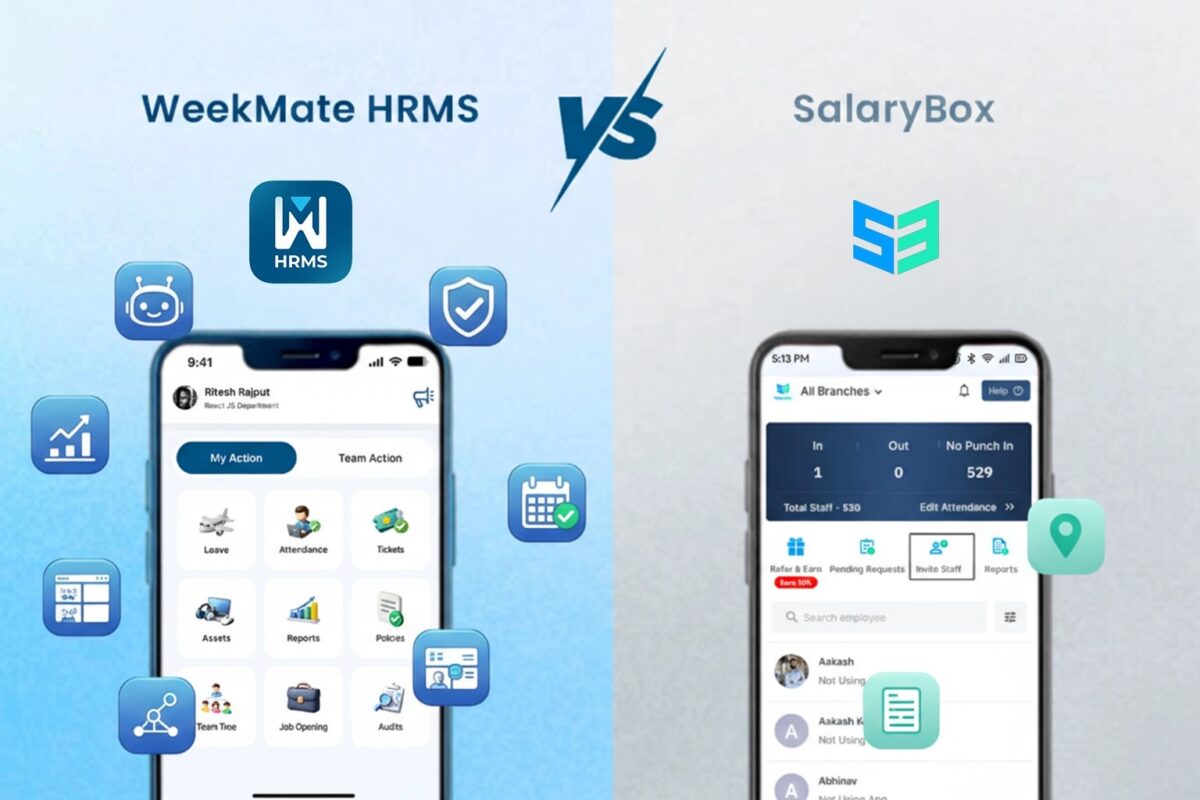
In the case of HRMS with mobile app India, the access translates into usability in a mobile-friendly country. WeekMate’s app provides full capabilities for employees and managers to manage remotely. SalaryBox specializes in attendance but offers less depth in self-service and dashboards, so WeekMate is the better option for hybrid setups.

User Experience & Interface

Ease of use lowers training time and mistakes.

WeekMate boasts customizable dashboards and easy navigation. It enables multilingual interfaces for multinational companies. 

SalaryBox’s mobile-first interface is simple compared to other payroll solutions but less flexible on desktops, optimal for small operations.

Integrations & Scalability

Growth requires scalable solutions.

WeekMate connects to accounting, ERP, and CRM systems via APIs, growing seamlessly without additional costs. SalaryBox has a very small number of integrations, which can’t really scale to support large teams.

Best Use Cases

In an employee management software comparison, fit varies by scale.

  • Startups: WeekMate’s a simple one-time charge and good automation for bootstrapped growth.
  • SMEs: WeekMate makes it easier to get greasy.
  • Enterprises: WeekMate’s scalability wins.
  • Field Workforce: Both are acceptable, but WeekMate has superior tracking capabilities.
  • Remote/Hybrid: WeekMate’s robust mobile features dominate.

WeekMate as a SalaryBox Alternative

For those seeking a SalaryBox alternative WeekMate, switch when needing deeper automation and cost savings. WeekMate bridges the gaps in analytics and integrations, delivering greater ROI through ownership — potentially saving 50% over the long term vs. subscriptions. Its scalability enables bold growth without tying the customer to a vendor.

HRMS Software in India: Market Outlook

Adoption of HRMS for modern businesses in India surges, with the market projected at USD 1.2 billion by 2027. Compliance challenges, like varying state laws, drive demand for reliable tools.

In employee management software comparison, businesses prioritize India-specific features amid a 17% annual growth in digital HR. The future sees AI integration dominating, favoring versatile platforms.

Decision Checklist: How to Choose the Right HRMS?

Review based on:

  • Company Size: WeekMate illustrating why it’s perfect for scaling.
  • Payroll Complexity: WeekMate’s automation.
  • Compliance Standards: WeekMate’s updates.
  • Cost: WeekMate’s single payment.
  • Integration Requirements: APIs for WeekMate.
  • Mobile Needs: HRMS with mobile app India similar to WeekMate.

Final Verdict: WeekMate vs SalaryBox

WeekMate offers unmatched depth with no recurring fees. Its one-time licensing model delivers predictable costs and true ownership and is significantly more cost-effective for growing organizations over time.

The basic needs of very small companies and startups, focused on simple time and payroll, can be well met by SalaryBox with its mobile-first application and low per-employee subscription. But any comprehensive WeekMate vs SalaryBox comparison will highlight WeekMate as more scalable, with deeper analytics and full end-to-end capabilities to grow with customers – without vendor lock-in, or ever-increasing fees.

Reviewers constantly give preference to WeekMate as the best HRMS software comparison winner due to its comprehensive, future-proof design that enables HRMS for contemporary companies to deliver enhanced efficiency, compliance, and productivity in the changing HR tech landscape of India.

FAQs

1. How do WeekMate HRMS and SalaryBox differ?

WeekMate is a one-time fee system that provides advanced HRMS features, including AI-powered payroll automation, productivity monitoring, and compliance management. SalaryBox is a subscription-based platform geared toward  basic payroll and attendance needs.

2. Is WeekMate a better option than SalaryBox for small businesses?

Yes, WeekMate can be a better alternative for growing companies, as it offers a scalable architecture and long-term cost effectiveness. It’s integrated with broader HR and productivity features that grow with you, with no recurring subscription fees.

3. When it comes to payroll, which platform is superior – WeekMate or SalaryBox?

WeekMate HRMS has more advanced payroll features such as AI-enabled calculations, automated statutory compliances and comprehensive reporting. SalaryBox addresses the basic needs of payroll, but with less automation and analytics than more advanced solutions offer.

4. Can I get a mobile app for employees with WeekMate HRMS and SalaryBox?

Both have mobile applications where employees can attend, see payslips and request leave. On the other hand, the WeekMate app offers much richer HR compliance features and more robust self-service capabilities.

5. Which HRMS is best for Indian small buyers?

For the most part, WeekMate HRMS is a better fit for small businesses that need an all-in-one solution due to its productivity management capabilities. It is a powerful alternative to SalaryBox that helps you manage payroll, compliance, and workforce analytics through a single unified platform.

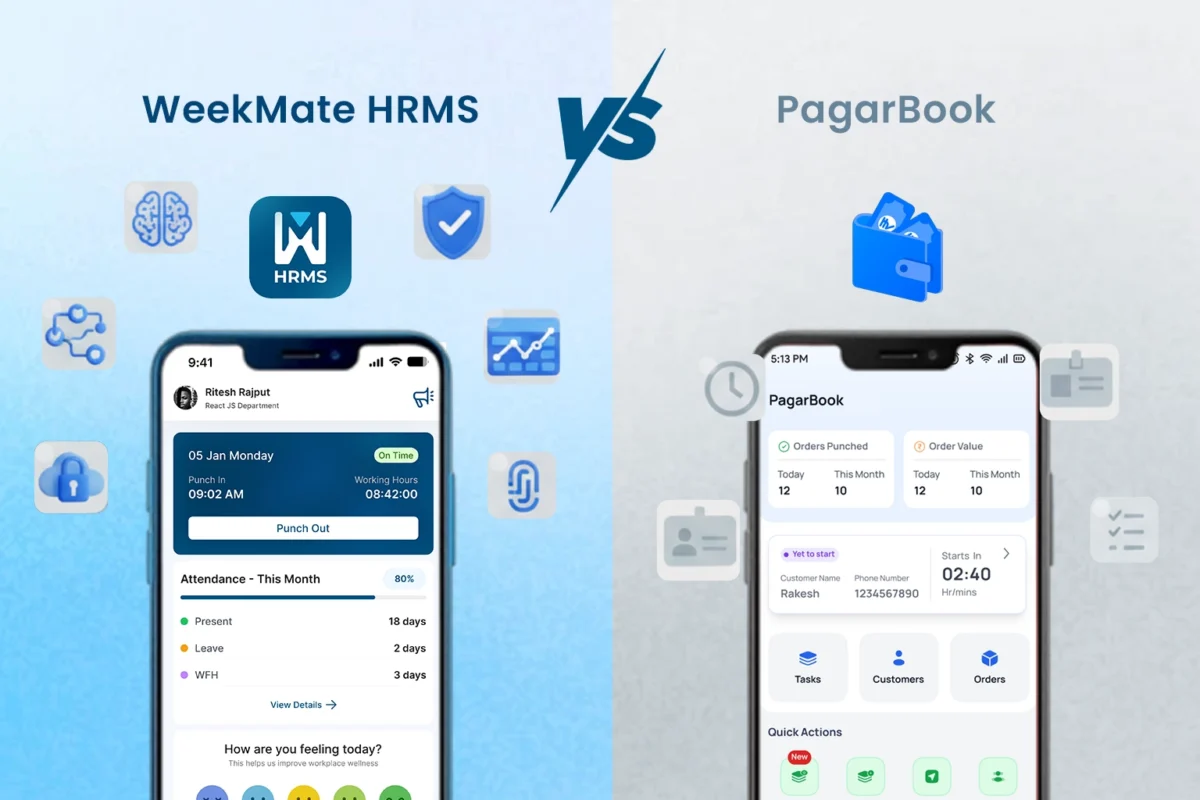
WeekMate HRMS vs PagarBook: Workforce Digitization Platforms Compared

In the fast-growing business environment of India, workforce digitization platforms India have become a need of the hour for boosting operational efficiency. The shift from manual to automated HR processes mitigates compliance-related challenges and administrative burdens, enabling organizations to focus on strategic initiatives. This transition is especially relevant for small and medium enterprises (“SMEs”) that are struggling with labor laws and workforce dynamics.

This WeekMate HRMS vs PagarBook is an HR software comparison India companies should consider. The analysis of these two software products is intended to help SMEs find the best employee management software in India by evaluating their features, UI, and usability. Finally, the comparison shows that one solution offers much greater scalability and a deeper feature set in this payroll and attendance software comparison.

Highlights of Workforce Digitization in India

Workforce digitization platforms India include a set of digital software and tools that covers end to end human resource functions like hiring, payroll, and performance management via SaaS and mobile-enabled platforms. This is driven by several factors from the Indian perspective.

The rise of remote and hybrid work means there needs to be a robust system in place to monitor employees in other locations. Also, the confusing maze of compliances, such as provident fund and tax deductions, must be accurately automated, or penalties may result. The growing adoption of digital tools among SMEs contributes another layer to this trend, along with national programmes encouraging technological integration.

Payroll and attendance software play an important role in this system by providing automation that can reduce errors by as much as 90%. The Indian HRMS market is anticipated to reach a value of USD 870.46 million by 2025 and is expected to grow at a CAGR of 17.34% to around USD 1.2 billion by 2027 from 2020. In a country having more than 74.7 million MSMEs that provide jobs to over 328 million people, these platforms are crucial for growth that is not just rapid but sustainable.

Platform Overview
WeekMate HRMS – Company & Product Snapshot

WeekMate HRMS is designed for SMEs and startups and is also relevant for large enterprises in need of customizable HR solutions. It is cloud platform-based software with Web and Mobile Interfaces, offering on-the-go accessibility. As powerful employee lifecycle management software, it processes everything from talent acquisition to separation, applying artificial intelligence along the way for smarter decision-making.

PagarBook – Company & Product Snapshot

PagarBook caters to the needs of micro, small and medium enterprises primarily in the retail and on-site business. Its emphasis on mobile accessibility facilitates quick management for dispersed teams. It has found favor with industries that benefit from simple worker oversight and payroll management, though it is more concentrated on basic functions.

Feature-by-Feature Comparison

Employee Database & Lifecycle Management

Having records centralized digitally makes it easier to search for data, and securely storing important documents keeps them safe. Onboarding and offboarding automation to reduce paperwork.

In this HR software comparison India, WeekMate exceeds PagarBook in terms of intelligent automation-based employee lifecycle management software.

Feature

WeekMate HRMS

PagarBook

Digital Records Advanced database with customizable attributes and deep employee history. Standard profiles with basic contact and identity options.
Document Storage Encrypted cloud with versioning, role-based access, and tracking history. Elementary file uploads for basic compliance and ID proofing.
Onboarding/Exit Streamlined automation including digital signatures and asset tracking. Primarily manual procedures with minimal checklist support.
Depth of Utility Complete cycle coverage: Recruitment, payroll, performance, and offboarding. Limited scope: Focused primarily on attendance and wage calculations.

Attendance and Timesheet Management

Options such as biometric, location-based, or app-based tracking ensure accuracy, while roster management and overtime control promote equal treatment.

WeekMate offers more features in terms of timesheet and productivity tracking with analytics tools, while PagarBook is basic in its functionalities.

Feature

WeekMate HRMS

PagarBook

Attendance Methods Multiple, including facial recognition and geolocation Photo and position-based basics
Shift Scheduling Intelligent, adaptive planning Standard manual setup
Overtime Tracking Rule-based automation Hands-on computations
Productivity Tracking Interactive visuals and metrics Minimal overviews

Leave Management System Comparison

Flexible policy configurations, automatic balance updates, and unified calendars make administration effortless. Approval processes and self-initiated requests enhance efficiency.

The leave management system comparison shows that WeekMate is more advanced than PagarBook.

Feature

WeekMate HRMS

PagarBook

Policy Configuration Extensive tailoring for various scenarios Preset formats
Accrual Automation Dynamic, adjusted calculations Fundamental tracking
Approvals/Requests App-enabled reviews and submissions Limited application features
Integration Linked to compensation and insights Independent operation

Payroll Processing Automation

Dynamic salary components, real-time computations, and transaction processing ensure accurate disbursements and error-free documents.

WeekMate’s payroll processing automation is also more reliable thanks to native validations.

Feature

WeekMate HRMS

PagarBook

Structures Versatile element designs Fixed patterns
Calculations Smart batch handling Guideline-driven, less agile
Deductions/Reimbursements Dedicated modules for claims Essential management
Payslips Tailored distributions Uniform layouts

Compliance & Statutory Payroll

Contributions management (e.g., ESI) and Taxes Compliance, Localization, and Reports.

WeekMate proved to be superior in compliance and statutory payroll consistency.

Feature

WeekMate HRMS

PagarBook

Statutory Handling Thorough automatic support Selective, often manual
State Support Nationwide, with updates Core coverage
Filings/Reports Direct submission links Exportable formats

Employee Self-Service Portal

Access securely using your phone, check your records, download your documents, update your details, and get in touch internally.

WeekMate’s employee self-service portal offers broader functionality.

Feature

WeekMate HRMS

PagarBook

Mobile Access Extensive application tools Core utilities
Views/Downloads Detailed interfaces Restricted displays
Updates/Communication Editable info and messaging Simple modifications

HR Analytics & Reporting

Ready-made reports, your own views and trends, and actionable workforce insights.

WeekMate delivers more advanced HR analytics and reporting.

Feature

WeekMate HRMS

PagarBook

Reports/Dashboards Bespoke, intelligence-enhanced Conventional summaries
Insights/Analytics Forward-looking evaluations Elementary data

User Experience & Interface

WeekMate features a user-friendly design, multilingual support, and fast setup, and is accessible on all devices with equal ease. PagarBook robs the desktop of any bells and whistles you could ask for, instead focusing on convenience and features that would fit minimal needs.

Integrations & Ecosystem

WeekMate is easily integrated with financial systems, verification hardware and open APIs for custom applications. PagarBook is not as integratable with other products, though it does have some very narrow connections to transaction services.

Customer Support & Implementation

WeekMate comes with a guided, intuitive, educational setup process, and you will also receive our friendly, active support across multiple channels. PagarBook offers in-app support, but answers to complex issues might take longer.

Security & Data Privacy

Both subscribe to industry standards, but WeekMate introduced enhanced security, access control and recovery measures to keep data protection on a higher level.

Use-Case Suitability

When selecting an employee management software India, the scale and vision of an organization generally matter. WeekMate is great for growing businesses.

  • Best for micro & small businesses: PagarBook does basic monitoring. 
  • Best for scaling SMEs: WeekMate provides comprehensive automation.

Industry fit:

  • Software & IT: WeekMate’s metrics.
  • Manufacturing: WeekMate’s scheduling.
  • BPO: WeekMate’s compliance tools.
  • Pharmacy: The full management of WeekMate.
  • Accounting: WeekMate’s integrations.

Which Platform is Better for SMEs?

WeekMate is favoured in the WeekMate HRMS vs PagarBook comparison for its cost-effectiveness, support for growing teams, compliance requirements, and process complexity. For a growing company with 50 employees looking to get productive, WeekMate offers end-to-end support; PagarBook accommodates smaller, mobile businesses.

Final Thoughts

This HR software comparison India focuses on highlighting the pros of WeekMate in workforce digitization platforms India. Go with WeekMate HRMS for holistic, futuristic offerings; go with PagarBook for bare-bones, basic needs. The development of payroll and attendance software comparison indicates futuristic, AI-powered systems such as WeekMate will drive the evolution of HR solutions in India.

FAQs

1. Why is WeekMate HRMS better suited for SMEs as compared to PagarBook?

WeekMate HRMS is better suited for SMEs, as it provides a comprehensive platform for handling all aspects of HR, payroll, attendance, and productivity management. Whereas PagarBook is more appropriate for small businesses that want to manage payroll and staff records with basic functionality.

2. Do WeekMate HRMS and PagarBook provide statutory payroll compliance in India?

Yes, Indian Statutory compliances such as PF, ESI, TDS, and professional tax calculations are supported on both platforms. While WeekMate includes more automated compliance updates, comprehensive audit trails, and multi-layered reporting that help reduce errors.

3. How do their attendance and leave management systems compare?

WeekMate offers advanced attendance features, including biometric integration and shift scheduling, as well as more detailed timesheets and productivity reports. PagarBook does have basic attendance and leave management, but no advanced workforce analytics.

4. Is there an employee self-service portal for both platforms?

Both provide employee self-service portals that allow employees to view payslips and leave balances. WeekMate has a more comprehensive portal that includes features such as document management, performance insight, and real-time notifications.

5. Can WeekMate HRMS and PagarBook be integrated with other business apps?

WeekMate offers a number of third-party and API integrations to sync with your accounting, CRM, and productivity applications. The complexity of integration in PagarBook is higher, so growing companies may find it more challenging to automate their business.

6. What are the benefits of WeekMate?

WeekMate is simplifying the complex HR processes by bringing payroll, attendance, compliance and performance management under one roof. It eliminates manual errors, increases productivity, enables monitoring, and boosts employee experience with self-service and automation solutions.

How Workflow Automation Helps Pharmacies Stay Compliant & Focused?

Running a pharmacy today is tough. You deal with strict rules on one side. On the other side, customers want fast service with zero errors.

Manual work creates chaos everywhere. Your staff wastes hours on paperwork. Billing drags on forever. Inventory numbers go wrong. Prescription tracking turns into a mess during audits.

Recent healthcare and pharmacy industry studies highlight growing pressure on pharmacies to stay compliant while maintaining service quality. Operational inefficiencies, billing errors, and slow customer service continue to drive complaints and strain pharmacy teams.

Here is where pharmacy automation software steps in.

These systems handle boring tasks without human mistakes. They track every prescription. They monitor each transaction. They record inventory changes as they happen. Your team quits chasing papers. They start doing what actually matters, taking care of patients and following the rules.

WeekMate delivers this change to pharmacies of any size. It covers billing and staff scheduling. It builds workflows that keep your business safe and your customers happy. Now let’s get started:

Why Manual Processes Limit Pharmacy Efficiency?

Most pharmacies stick with old methods. Spreadsheets handle inventory. Paper logs track controlled substances. Staff schedules sit in notebooks or shared documents.

These systems break down fast.

Picture this scene. Your pharmacist fills a prescription. They forget to mark it in the inventory sheet. Two weeks have passed. You run out of that medication during your busiest hours. A customer who desperately needs it leaves angry and empty-handed.

Think about compliance audits too. Inspectors want prescription records from six months back. Your team digs through filing cabinets. They search digital folders for hours. Finding everything takes multiple days.

Manual billing brings more headaches. Staff enter insurance codes by hand. Mistakes happen constantly. Processing refunds eats up valuable time. Customers stand at the checkout way too long.

Staff management falls apart as well. Nobody has automated scheduling. Someone gets stuck working surprise overtime. Others miss shifts because reminders never went out.

These problems wreck your pharmacy’s reputation. Customers stop trusting you. Regulatory bodies start asking questions. Your team burns out from stress.

Pharmacy management software fixes all these issues from the ground up.

What Pharmacy Workflow Automation Really Means?

Workflow automation goes beyond simple software. It transforms how your entire pharmacy runs.

See it as a connected system. Billing communicates with inventory. Inventory speaks to suppliers. HR coordinates with staff schedules. Everything moves without anyone typing manually.

Check out what automation handles:

  • Task assignments – Staff get instant alerts. They know when prescriptions need filling. They see when the stock drops low.
  • Approval workflows – Controlled substance requests flow through the correct channels. The system does this by itself.
  • Notifications – Expiry dates trigger warnings. Reorder points send alerts. Compliance deadlines pop up automatically.
  • Record keeping – Every single action creates a digital trail. Auditors can review it whenever needed.
  • Pharmacy workflow automation kills the stress of managing multiple systems. Your team operates from one platform. Data stays accurate across every operation.

You stop wondering about updates. You quit asking who approved orders. The system tracks all of it. It alerts the right people at exactly the right moment.

Customer experience gets better right away. Prescriptions get filled faster. Billing wraps up without delays. Stock numbers show the truth.

Your pharmacy turns into a smooth machine. It stops being a stress factory.

Ensuring Compliance Through Automated Workflows

Compliance keeps pharmacy owners up at night. One missing document can trigger penalties. It might even cause license reviews.

HIPAA-compliant pharmacy software ends this worry.

Automated systems build digital audit trails. They capture every action that happens. When your pharmacist gives out a controlled substance, the system logs specific details:

  • Exact date and time
  • Patient information
  • Doctor who prescribed it
  • Pharmacist who filled it
  • Dosage and quantity

Nobody has to remember writing this stuff down. The pharmacy operations management software grabs it automatically.

Here is how automation protects compliance:

Compliance Feature

How Automation Helps

Controlled Substance Tracking Real-time logging with automated alerts for unusual patterns.
Expiry Date Management Automatic notifications 60, 30, and 15 days before expiration.
Patient Privacy (HIPAA) Role-based access control and encrypted data storage.
Prescription Monitoring Digital records prevent duplicate dispensing and fraud.
Regulatory Reporting One-click export of audit reports in required formats.

Automated alerts stop violations before they start. Is someone trying to refill a prescription too early? The system flags it immediately. A medication nears its expiry date? Inventory managers get notified fast.

Regulatory updates push straight to your dashboard. You never miss new requirements. You catch every compliance standard change.

Pharmacy compliance software flips your biggest risk into your strongest advantage. You get clean records. You breeze through audits. You sleep better.

Improving Customer Experience With Workflow Automation

Customers judge pharmacies on two things. Speed and accuracy. They want prescriptions ready quickly. They expect billing done right. They need medications available when promised.

Manual systems fail at all three.

Pharmacy automation software gives customers what they really want.

  • Billing wraps up in seconds. The system pulls insurance details automatically. It figures out copays without errors. Customers get digital receipts through email or text.
  • Stock availability shows real numbers instantly. Someone calls asking about medication? Your staff checks the system. They give an answer right then. No guessing games. No ten-minute searches in the back room.
  • Automated reorders prevent stockout nightmares. The system watches usage patterns closely. It knows which medications fly off shelves. Reorder alerts go out before you hit zero.

Look at these improvements:

Customer Pain Point Automation Solution
Long wait times Faster prescription processing and billing.
Billing errors Automatic insurance verification and copay calculation.
Medications out of stock Predictive reordering based on usage trends.
Inconsistent service Standardized workflows across all staff members.
No purchase history access Patient profiles with medication and transaction history.

Personalization opens up too. The system remembers each customer’s medication history. It stores their preferences. Someone picks up a monthly prescription regularly? The software sends refill reminders without being asked.

Your pharmacy quits being just another store. It becomes somewhere customers feel understood and valued.

Pharmacy billing software manages the technical work. Your team focuses on actual human connections.

Streamlining Inventory and Supplier Management

Inventory management creates more problems than almost anything else. Too much stock locks up your cash. Too little stock makes customers angry.

Pharmacy inventory management software discovers the sweet spot.

The system tracks items from arrival to dispensing. Barcodes or RFID tags link physical products to digital records. Someone dispenses medication? Inventory counts update that second.

Automated reorder alerts work like having a smart assistant. The medical store management system or software looks at several factors:

  • Current stock levels
  • Average daily usage
  • Seasonal demand patterns
  • Supplier lead times

It uses this data to suggest perfect reorder amounts and timing. You stop guessing. You work with accurate predictions instead.

Supplier management gets simpler too. The platform stores vendor details. It saves pricing history and delivery schedules. Multiple suppliers carry the same medication? You compare costs and pick the best option.

Check this example of automation logic:

Example: Automated Reorder Logic

IF (current_stock < reorder_point) AND (pending_orders = 0)

THEN generate_purchase_order(supplier, quantity)

SEND notification_to_purchasing_manager

FIFO automation stops waste. First In, First Out happens automatically. The system makes sure older stock gets used before newer batches. Expiry dates stay visible on every dashboard.

Prescription tracking software links to inventory systems. Does a prescription need specific medication? The software checks stock right away. Levels sitting low? It triggers a priority reorder immediately.

Your pharmacy runs lean. You never run out. Cash flow improves. Waste drops. Customer satisfaction climbs.

Optimizing Staff Scheduling and Task Assignment

Staff scheduling in pharmacies gets messy fast. You need the right mix during peak hours. Pharmacists, technicians, support staff – all balanced perfectly. Too few people? Service slows down. Too many people? You waste money.

Pharmacy staff scheduling software cracks this puzzle automatically.

The system studies historical data. It spots your busy periods. Monday mornings need more coverage than Wednesday afternoons. Flu season demands different staffing than summer months.

Automated scheduling weighs multiple factors:

  • Employee availability and what they prefer
  • Required certifications (not every technician handles controlled substances)
  • Labor laws and mandatory break requirements
  • Peak traffic patterns

The schedule generates and staff get notifications. Shift changes happen through the platform. Time-off approvals process there. Swap requests go through it. No more phone tag. No more missed messages.

Task assignment becomes crystal clear. Prescriptions need filling? Available pharmacists get notified. Inventory counts come due? Assigned staff see alerts. Controlled substance audits happen? The right people know instantly.

See how scheduling improves:

Scheduling Challenge Automation Benefit
Last-minute callouts Automatic alert to backup staff with one-click shift coverage.
Overtime management Real-time tracking with alerts before overtime thresholds.
Peak hour coverage AI-based scheduling that matches staff to predicted traffic.
Compliance with labor laws Built-in break reminders and maximum hours tracking.

Accountability jumps up because every task carries a timestamp. It shows who did what. Something goes wrong? You trace exactly what happened and when it occurred.

Pharmacy workflow automation turns chaotic scheduling into smooth operations. Your team stresses less. Customers get consistent quality service.

Data-Driven Decisions and Analytics

Running a pharmacy on gut feelings worked years ago. Today you need actual data to compete and grow.

Pharmacy management software turns operations into usable information.

Dashboards display metrics that truly matter:

  • Daily, weekly, and monthly sales trends
  • Top sellers and medications that sit too long
  • Insurance claim success rates
  • Staff productivity numbers
  • Customer retention rates

You catch problems before they explode. A medication’s sales suddenly drop? You investigate the cause. Billing errors spike on certain days? You identify why it happens.

Multi-location pharmacies gain even bigger advantages. Centralized reporting lets you compare stores directly. Which location turns inventory fastest? Which one needs better staff training? Where should expansion money go?

Real-time data kills the monthly report waiting game. You pull out your phone. You see today’s performance right there. Decisions get made from current reality. Not from numbers that are already a month old.

Check this sample dashboard:

Sample Dashboard Metrics:

Today’s Performance

Prescriptions Filled: 247

Revenue: $12,340

Average Wait Time: 8 minutes

Inventory Alerts: 3 items low

Staff Utilization: 87% 

Forecasting becomes accurate and reliable. The system predicts medication demand increases. It bases predictions on historical patterns and current trends. You stock up before the rush arrives.

Pharmacy reporting and analytics software hands you advantages that competitors lack. Smart decisions replace costly mistakes.

About WeekMate

WeekMate delivers automation tools for growing businesses. Our platform handles HR, operations, billing, and customer management. No monthly subscription fees exist. More than 700 users across 5+ countries trust WeekMate. They use it to simplify their workflows daily. We believe in ownership-first software. It scales with your success.

How WeekMate Helps Pharmacies Automate Workflows?

WeekMate gets pharmacy operations. We built our platform around real challenges you face daily.

Our system unifies everything into one place. Sales, inventory, billing, HR, and compliance – all there together. Your team quits switching between five different applications. All data lives in a secure cloud environment.

Key features for pharmacies:

  • Real-time prescription tracking – Connects directly to billing and inventory
  • Automated compliance reporting – Handles controlled substances and HIPAA requirements
  • Intelligent inventory management – Uses predictive reordering
  • Staff scheduling tools – Optimizes coverage based on actual traffic patterns
  • Customer relationship features – Tracks medication history and individual preferences

Security matters with patient data. WeekMate uses enterprise-grade encryption. Role-based access controls protect information. Only authorized staff view sensitive details.

The platform grows with your pharmacy. Start with one location. Expand to ten locations. The system handles growth without breaking. No per-user fees mean adding staff costs nothing extra.

We support high-volume operations. Regulatory standards remain maintained. Need to fill 50 prescriptions daily or 500? WeekMate keeps everything running smoothly either way.

Your pharmacy becomes efficient and customer-focused at once. Staff work faster. Customers leave happier. Compliance stops causing headaches.

Conclusion: Workflow Automation as the Key to Compliance and Customer Satisfaction

Pharmacies get pressure from everywhere. Regulators want perfect documentation. Customers demand instant service. Staff juggle way too many tasks.

Manual processes cannot keep pace anymore. They create errors. They slow operations down. They build compliance risks.

Workflow automation changes everything completely.

Automated systems handle billing without mistakes. They track inventory as events happen. They schedule staff based on real demand. They create audit trails that satisfy regulators.

Most importantly? They free your team. Staff focus on patients instead of endless paperwork.

Pharmacies adopting pharmacy automation software gain a real competitive edge. They deliver superior service. They keep spotless compliance records. They make decisions from data instead of hunches.

The future belongs to pharmacies embracing efficiency. They refuse to sacrifice quality. Automation stopped being optional. It became the foundation for sustainable growth.

WeekMate makes this transformation reachable. Our platform brings enterprise-level automation to any pharmacy size. No monthly subscription traps exist. No hidden costs appear. Just powerful tools that actually work.

Your pharmacy can run better starting right now. Compliance becomes automatic. Customer satisfaction goes up. Your team feels less overwhelmed every day. That is what modern pharmacy management should look like.

Want to see WeekMate transform your pharmacy operations? Start your free trial today.

FAQs

1. What is pharmacy workflow automation?

Pharmacy workflow automation means systems handling repetitive tasks without manual input. This covers billing, inventory tracking, prescription management, and staff scheduling. The software cuts human errors way down. It speeds up operations significantly. Teams can focus on customer care instead of pushing papers.

2. How does automation help pharmacies stay compliant?

Automated systems create digital records for every transaction. They create records for every action too. They track controlled substances as events happen. Expiry date alerts prevent giving out expired medications. Built-in audit trails satisfy HIPAA requirements. They meet other regulatory demands. The software flags potential violations before they actually occur.

3. Can workflow automation improve customer service?

Yes, it improves service dramatically. Automation speeds up billing and prescription filling. Customers wait less time. Accurate inventory tracking prevents running out of stock. The system sends refill reminders automatically. It tracks complete medication history. This builds more personalized experiences. Staff members get more time for actual face-to-face interactions.

4. Does workflow automation integrate with existing pharmacy software?

Most enterprise-grade platforms integrate smoothly. WeekMate connects with HRMS, billing systems, inventory tools, and CRM software. APIs allow data to flow between applications seamlessly. You do not need to replace everything at once. Integration rolls out in phases based on what you prioritize first.

5. Can pharmacy workflow automation scale for multiple stores?

Yes, it scales excellently. Centralized dashboards provide visibility across all locations. You compare performance easily. You share inventory between stores. You standardize workflows everywhere. Multi-location pharmacies benefit from consolidated reporting. Operations stay consistent. The system grows with your business. Major overhauls never become necessary.

6. How secure is the data in automated pharmacy systems?

Enterprise pharmacy software like WeekMate uses military-grade encryption. This covers data storage and transmission. Role-based access control ensures proper information protection. Only authorized staff view sensitive details. Audit logs track who accessed what data. They record when access happened. Cloud hosting includes automatic backups. Disaster recovery stays built in. Patient privacy is protected at every single level.

Proof of Investment Explained: Meaning, Purpose & Importance

Every year, as the financial year comes to a close, salaried employees all over India are reminded by HR of a very familiar task: “Please submit your Proof of Investment.” For a large number of people, it is just another administrative task that gets done and forgotten. However, Proof of Investment (POI) is the major player in the background in deciding how much tax you pay, as well as how your payroll runs.

Quite simply, what is proof of investment? It is the evidence of the tax, savings investments, or the expenses for which you have claimed, and which actually exist. For employees, it is a direct effect on take-home pay. For employers, it is the guarantee of payroll accuracy and compliance with income tax laws.

This guide will help you understand what a POI declaration means, why proof of investment is important, walk you through the Income tax proof submission process, and demonstrate how POI is related to payroll and tax calculations without any confusion.

What Is Proof of Investment (POI)?

Proof of Investment refers to the documents that substantiate an employee’s tax claims, savings investments, and expenses for a given financial year. These documents are the evidence in your proof of investment for income tax and the means by which employers arrive at the correct tax deductions.

POI is an integral part of payroll, as it determines the amount of tax deducted each month. Employers are required to deduct tax at higher rates if employees fail to provide valid proof of investment, even if the employee initially declared a lower rate.

Purpose of Proof of Investment

The proof of investment purpose goes beyond documentation—it ensures fairness and accuracy in taxation.

First, it enables employers to determine the exact tax burden by reviewing the employee’s declared investments. It also helps account for income tax regulations, ensuring employees and organizations are protected from fines. Lastly, POI avoids mismatches between declared income and actual tax liability, ensuring no surprises at tax filing.

In a nutshell, POI facilitates trust and transparency among employees, employers, and tax authorities.

Why Proof of Investment Is Important

Importance for Employees

An employee can directly notice the importance of proof of investment in their monthly salary.

The correct POI results in the proper tax calculation, and TDS is deducted at source only to the necessary extent. If employees do not have valid documents, their take-home pay may be reduced, and they may need refunds when filing returns. A POI also facilitates filing income tax returns, reducing the risk of mismatches and notices from the tax authorities.

Importance for Employers

From an employer’s perspective, proof of investment is essential for accurate payroll processing. It is the means by which all tax deductions can be verified as legal, uniform, and hence, audit-friendly. Submission of POI in time is also a way to lessen the risk of non-compliance and safeguard the organization from fines or even ‘visits’ from the fiscal department during payroll audits.

Proof of Investment in Payroll Processing

POI is an integral part of the payroll cycle and is mainly associated with tax months. In the beginning, employers rely on employee investment declaration as the basis to estimate tax liability. Then, in the course of the year, actual documents are cross-checked via proof of investment submission.

This verification directly affects monthly TDS deductions and final TDS calculation with POI. This is the TDS data, which is finally linked to Form 16, on which yearly income, along with any tax-saving investments, is reported.

In short, how proof of investment works in payroll determines whether salary processing is accurate or error-prone.

Common Types of Proof of Investment

Section 80C Investment Proofs

These are the most attractive tax-saving options, including life insurance premiums, PPF deposits, ELSS mutual funds, EPF contributions, and NSC certificates. These are the investment proof documents that most employees submit.

Section 80D & Other Deductions

Health insurance premium receipts under Section 80D, education loan interest certificates, and home loan interest statements are examples of this group. These tax-saving investment proof documents often result in significant tax savings.

HRA & Other Allowance Proofs

To claim HRA and other allowances, rent receipts, rental agreements, and travel allowance bills are required. These documents are a critical part of the proof of investment documents.

Proof of Investment Submission Process

Declaration vs Actual Proof Submission

At the beginning of the year, employees submit an estimated POI declaration outlining the investments they plan to make. Near the end of the year, actual documents are submitted to validate the claims, including proof of investment for employees.

POI Submission Timeline

Most organizations open a POI window from January to March. Knowing when to submit proof of investment is crucial, as missed deadlines often lead to higher tax deductions.

Accepted POI Documents

Employers may accept documents in either digital or physical formats, depending on the internal policy. Most of the time, digital uploads via HRMS portals are used nowadays, which makes payroll investment proof verification very easy.

What Are The Consequences Of Not Submitting Proof Of Investment?

According to a 2024 ClearTax report, over 65% of salaried taxpayers face higher TDS deductions due to delayed or incorrect POI submission.

Not submitting a POI may result in higher TDS deductions, loss of tax benefits to which the individual may be eligible, and additional adjustments when filing the tax return. Although refunds can be claimed later, the process is lengthy and can be avoided by submitting income tax proofs on time.

Common Mistakes in POI Submission

Employees, even those well-intentioned, may inadvertently make minor errors when submitting POIs, which in turn affect salary and tax calculations. The common issues are:

  • Submitting documents that are incomplete, unclear, or invalid, and do not meet the requirements of verification.
  • Missing employer-defined POI submission deadlines results in higher TDS deductions.
  • Claiming deductions or exemptions that are ineligible and under incorrect sections.
  • Uploading mismatched documents that do not correspond to the original POI declaration.
  • Not retaining the supporting investment proof documents for future reference or audit.

Such mistakes lead to POI rejections, incorrect tax deductions, and unnecessary filing adjustments when filing income tax returns.

Role of HRMS & Payroll Software in POI Management

HRMS and payroll software make POI management easier by providing a framework for accuracy and transparency. These systems help with POI management in the following ways:

  • Automated POI collection through employee self-service portals.
  • Verification workflows that are built-in and thus leave fewer exceptions for errors or manual review.
  • Direct integration with payroll ensures accurate TDS calculation for POI.
  • On-time tracking of submission status for employees and HR teams.
  • Seamless Form 16 generation by using verified payroll investment data.

By digitizing POI workflows, organizations not only reduce compliance risks but also make the process more convenient for employees and payroll teams.

Final Words

Proof of Investment is not just a set of documents; it is the basis for fair taxation and correct payroll. Understanding the definition, necessity, and importance of proof of investment enables employees to save tax appropriately and employers to remain compliant.

Timely and accurate proof of investment for income tax is key to seamless payroll processing, accurate tax deductions, and financial year-end closings with no issues. As companies expand, integrating digital POI management into HRMS and payroll solutions is no longer an option; it is the way of the future.

1. What is proof of investment in payroll?

Proof of investment in payroll refers to the documents employees submit to verify their tax-saving investments and eligible expenses. These documents help employers calculate accurate taxable income and deduct the correct amount of TDS from salary.

2. Is POI mandatory for all employees?

POI is mandatory only for employees who wish to claim tax deductions or exemptions under income tax laws. If proof is not submitted, employers are required to deduct tax at higher applicable rates.

3. When should proof of investment be submitted?

Proof of investment is usually submitted between January and March, as defined by the employer’s payroll policy. Submitting POI within this window ensures correct tax calculation and avoids excess TDS deductions.

4. Can proof of investment be submitted online?

Yes, most organisations now allow proof of investment to be submitted online through HRMS or payroll portals. Digital submission makes verification faster, reduces errors, and ensures better payroll compliance.

How Overtime Is Calculated in India: Step-by-Step Explanation

An HR manager at a manufacturing unit in Pune recently underwent a labor inspection that identified overtime payment discrepancies. The problem? Overtime was calculated on the entire salary, when it should have been calculated on basic wages only. In this case, underpayment of the workers is the direct consequence. Moreover, such minor negligence was bound to result in heavy fines and a loss of trust among employees.

If you perform payroll or HR duties in India, the notion of overtime calculation in India shouldn’t be just about compliance but also about fairness, transparency, and preventing legal issues. It doesn’t matter whether you are paying factory workers or staff working in shifts overtime is a very important matter.

A 2024 report by the Ministry of Labour & Employment reveals that more than 68% of labor violations at registered establishments are related to incorrect wage calculation, including overtime. Hence, overtime pay calculation India becomes a must-have skill for any employer.

What is Overtime According to Indian Labour Laws?

Overtime refers to the hours that an employee works on his or her own time after the regular working hours have been completed. Under Indian labour laws, particularly the Factories Act, 1948, and state-level Shops and Establishments Acts, overtime is well defined and regulated.

The core idea is quite straightforward: employees should get retributed at a higher rate, in most cases double their standard hourly rate, if they work for more hours than the ones fixed by law. This is not an optional policy the company can decide on; it’s a legal requirement imposed to protect workers’ safety and ensure they receive adequate remuneration for their long hours.

How overtime is calculated in India depends on the category your employees fall under. The Factories Act applies to factory workers, whereas different state laws apply to office staff and commercial establishments. Nevertheless, the calculation method follows the same principles and is similar across categories.

Overtime Relevant Legislation In India

A handful of labour law provisions govern overtime in India, with the Factories Act, 1948, as the primary legal framework. According to Section 59 of this Act, a worker should not be engaged in work for more than 48 hours per week or 9 hours per day. Any time spent outside these working hours is considered overtime, and the worker is entitled to double the wage rate.

Every state has its own Shops and Establishments Act that regulates the working hours and overtime in commercial establishments. For example, most states require 8-9 hours of work per day and 48 hours per week. Under India’s overtime rules, employers must compensate employees for overtime at a rate at least twice the normal wage rate; however, some states may have different provisions.

The Payment of Wages Act, 1936, guarantees that overtime remuneration is given on time and that no unauthorized deductions are made. A 2024 study by TeamLease Services found that approximately 42% of the organized sector workforce in India is entitled to overtime benefits, even though many employers struggle to calculate overtime accurately.

Who Qualifies For Overtime Pay In India?

Just because an employee works outside their usual hours does not automatically entitle them to statutory overtime pay. It is crucial to understand employee overtime eligibility to prevent both situations of underpayment and overpayment.

Employees covered by the Factories Act automatically receive overtime pay. Here, the Act refers to blue-collar workers, machine operators, factory-floor supervisors, and most employees directly involved in manufacturing processes. Likewise, employees in retail and commercial establishments, as well as some service-sector employees, are covered by state laws.

Factory overtime calculation applies when these workers exceed daily or weekly hour limits. Shift-based employees, contract workers, and temporary staff are generally eligible if they fall under the purview of applicable labour laws.

However, managerial, administrative, and supervisory employees earning above certain salary thresholds are often exempt from overtime provisions. Senior executives, managers with discretionary powers, and employees in confidential positions normally do not get statutory overtime. However, organizations may offer compensatory time off or additional benefits to these employee groups.

Standard Working Hours in India

Knowing when overtime really starts is essential before the overtime calculation formula India. The Factories Act sets the baseline: 48 hours per week and 9 hours per day (inclusive of breaks). As for overtime provisions for shops and establishments, most states set a daily limit of 8-9 hours and a weekly limit of 48 hours.

Over time is triggered by working more than 9 hours a day or 48 hours a week for factory workers. Employees are entitled to receive at least one day off a week. If an employee works on the day they finish work, that period is generally considered overtime and is typically paid at a higher rate.

Workers also need to take their proper breaks during a shift, and that time is not counted as working hours. Recognizing these limits helps you determine the right amount of overtime salary calculation India accurately.

Overtime Pay Rate in India

The overtime pay rate in India is calculated as twice the normal rate of wages.

Overtime is calculated in factories when workers’ hours exceed the daily or weekly limit. Employees working on a shift basis, contract employees, and temporary employees are usually eligible, provided they fall within the applicable labour laws.

Nevertheless, those in managerial, administrative, and supervisory roles who have exceeded specified salary thresholds are typically not covered by the overtime rules. But is the “ordinary rate” really what it means? Many employers get this part wrong.

The ordinary rate of wages is generally considered to be basic salary and dearness allowance only. However, it excludes other components such as house rent allowance, conveyance, medical reimbursements, and special allowances. This is an important factor because if gross salary is mistakenly used as basic wages, the calculation base will be unnecessarily increased.

For overtime wages in India calculation, firstly, you need to derive the hourly rate by dividing the monthly basic wages by the total number of working hours in that month. Then, for overtime hours, the double-rate multiplier applies.

Step-by-Step Process to Calculate Overtime in India

Let us walk through the overtime calculation step by step, a must-have skill for every HR professional.

Step 1: Identify Eligible Overtime Hours

The first step is to determine the exact number of hours an employee has worked beyond normal limits. e.g., if an employee works 10 hours when only 9 hours were set as the limit, 1 hour is overtime. Attendance documentation, including accurate records of the employee’s time, must be kept and signed by both the employee and the manager. Many companies now use biometric systems or digital time-tracking tools to ensure accuracy in working hours and overtime India.

Step 2: Determine the Applicable Overtime Rate

Check the multiplier rate applicable to your business location.

In addition to the standard overtime rate, which is double the normal rate, certain situations (for example, working on national holidays) may be paid at even higher rates, depending on company policy or collective agreements.

Step 3: Calculate Hourly Wage Rate

Hourly Rate = (Monthly Basic Wage) ÷ (Total Working Hours in Month)

If an employee earns ₹15,000 as basic wage monthly and works 26 days at 8 hours per day, their hourly rate is:

  • ₹15,000 ÷ (26 × 8) = ₹72.11 per hour

Step 4: Apply the Overtime Formula

The overtime calculation formula India is:

  • Overtime Pay = Hourly Rate × 2 × Number of Overtime Hours
  • If the same employee works 10 overtime hours in a month:
  • Overtime Pay = ₹72.11 × 2 × 10 = ₹1,442.20

Step 5: Verify Compliance Before Payroll Processing

Don’t finalize payroll without first verifying calculations with labour law requirements. Double-check that you have sourced the correct wage components and that overtime payment compliance is maintained. Inspect the attendance registers, recalculate, and maintain accurate records for the next audit.

Overtime Calculation Illustration (With Numbers)

Let’s take a closer look at payroll overtime calculation through very relatable figures.

Example 1: Monthly Salaried Factory Worker

Rajesh works in a textile factory with a monthly basic wage of ₹18,000. The factory operates 26 days per month, 8 hours daily. In March, Rajesh worked an additional 15 hours beyond his regular schedule.

First, calculate his hourly rate:

  • ₹18,000 ÷ (26 × 8) = ₹86.54 per hour

Now apply the overtime formula:

  • Overtime Pay = ₹86.54 × 2 × 15 = ₹2,596.20
  • Rajesh’s total March salary = ₹18,000 + ₹2,596.20 = ₹20,596.20

Example 2: Shift-Based Worker

Priya works in a retail warehouse on a shift basis. Her basic monthly wage is ₹12,000, paid for 24 working days at 9 hours per day. She worked 8 extra hours this month.

  • Hourly rate: ₹12,000 ÷ (24 × 9) = ₹55.56 
  • Overtime pay: ₹55.56 × 2 × 8 = ₹888.96

Typical Errors Made in Overtime Calculation

Many employers unknowingly commit errors in overtime calculation for employees in India.

Using gross salary instead of basic wages, or failing to apply the mandatory double-rate multiplier, can result in incorrect overtime amounts and disputes.

Manual calculations often cause errors, especially with multiple employees and varied shifts, and ignoring eligibility rules creates compliance risks.

Poor record-keeping is a major risk; missing attendance and overtime records can result in penalties for incorrect overtime calculation, like fines, back wages, or legal action during inspections.

Overtime Calculation for Different Scenarios

Overtime rules work differently when special cases are involved, such as:

  • Weekly offs: Generally, overtime rates are paid along with weekly offs
  • Night shifts: Additional hours qualify as overtime even at night
  • Holidays: Most states pay double the rate for holidays
  • Contract workers: The responsibility of the principal employer covers them

Each instance must comply with applicable overtime laws.

Statutory Compliance & Record-Keeping for Overtime

It is not an option; it is a legal requirement to comply with statutory overtime.

Employers are required to maintain registers of daily attendance, working hours, overtime hours, and wages paid. The Factories Act and different Shops and Establishments Acts, in particular, prescribe the formats for these registers.

Accurate shops and establishments overtime tracking requires recording clock-in and clock-out times, meal breaks, overtime hours, and overtime wages separately. These documents must be retained for a minimum of three years and made available for a labour inspection.

Thanks to digital attendance systems, it has become much easier to comply with the regulation; however, the employer remains responsible for ensuring accuracy.

Conducting regular internal audits helps identify discrepancies before they lead to legal issues.

How HRMS Software Simplifies Overtime Calculation

Modern HRMS (Human Resource Management System) solutions, such as WeekMate HRMS Management Software, have revolutionized payroll processing and overtime management. These systems automatically track attendance through integrated biometric or digital clock-in tools, calculate overtime based on predefined labour law rules, and generate fully compliant payslips.

Automated systems help perform calculations accurately and consistently, reducing errors that manual calculations can introduce in the organization. They are also capable of handling complex scenarios, such as shift rotations, multiple overtime rates, and different eligibility criteria, without confusion. Rule-based engines embedded in HRMS software automatically carry out the correct overtime pay calculation India formulas.

The great benefit is a compliance guarantee. Excellent HRMS products are synchronized with the latest labour law amendments, keep the necessary registers digitized, and produce audit-ready reports. This significantly reduces the administrative workload for HR teams and increases accuracy.

Final Words

Understanding how overtime is calculated in India is essential for both employees and employers. Each step counts – from determining the hours for which an employee is entitled to overtime, getting the correct rate, to checking that everything is done according to the law. Precise overtime calculation in India not only protects employees’ rights and ensures payroll accuracy but also helps organizations avoid legal issues. It is no longer just an option for organizations to employ automated systems and maintain compliance; it is a requirement.

You may want to consider an automated payroll solution that handles overtime calculations without issues. Investing in robust systems and training at the outset will pay off in the future through fewer mistakes, greater compliance, and greater confidence in achieving goals. After all, your employees should be compensated for the extra effort they make, and your organization should be protected against compliance failures that can be costly.

FAQs

1. What is the maximum amount of overtime allowed under law in India?

Under the Factories Act, total working hours including normal working hours and overtime must not exceed 10 hours per day or 60 hours per week. Overtime is generally limited to 12 hours per week or 50 hours per quarter, and exceeding these limits may attract penalties.

2. Do I get overtime pay if I work more than 48 hours in India?

Not in all cases. Overtime pay is commonly applicable to factory, shop, and establishment workers. Employees working in managerial, administrative, or supervisory roles, especially those earning above prescribed wage limits, are usually exempt from overtime provisions.

3. Is it possible to calculate overtime on gross salary?

No. Overtime must be calculated based on basic wages plus dearness allowance. It should not be calculated on gross salary, as gross pay includes HRA and other allowances that are excluded from overtime calculations.

Statutory Compliance: A Complete Guide for HR & Businesses

What happens when a workplace policy silently considers unpaid overtime as “normal”?

What Is Statutory Compliance in HR?

Statutory compliance in HR refers to adhering to labor laws, payroll regulations, employee benefits, and workplace safety laws mandated by government authorities.

Hidden Compliance Risks: When Workplace Policies Violate Labor Laws

An established Indian company once had a policy requiring employees in certain roles to work beyond standard hours without additional pay. It was called flexibility and commitment, and even appointment letters and policy manuals documented it. The organization looked superficially compliant. In reality, the practice conflicted with statutory compliance laws related to wages, working hours, and overtime key aspects of labour law compliance and employment law compliance.

Financial and Operational Risks of Non-Compliance

The problem was unnoticed internally for a long time. This changed when, during a routine labour inspection, the authorities pointed out the policy as a violation of statutory compliance requirements. The company had to make backdated overtime payments and was financially penalised. Employee trust declined, internal morale weakened, and the organization’s approach to HR legal compliance was questioned; these were among the consequences beyond the immediate cost.

This instance underscores why statutory compliance in HR should not be treated as a mere formality or a one-time exercise. If internal HR policies are not aligned with legal requirements for employers, they will notwithstand regulatory scrutiny or evolving employee expectations.

This blog explains the concept of statutory compliance, emphasizing its importance in HR, outlining the principal legal obligations businesses must fulfill, and showing how HR teams, with the right systems and tools, can navigate compliance efficiently.

Understanding Statutory Compliance in India

For startups, SMEs, and large organizations alike, statutory compliance for businesses is essential. Such compliance acts as a shield, protecting organizations from potential legal and financial risks, maintaining the integrity of payroll statutory regulations, and, at the same time, granting employee rights and regulations a stronger foothold in daily operations. The HR teams are at the forefront of this initiative, translating complex laws into actionable policies and ensuring uniform HR statutory compliance across the organization.

India’s rapidly expanding business ecosystem further underscores this obligation. At present, the country has more than 118,000 DPIIT-recognized startups, making it the world’s third-largest startup hub (Source: startupindia.gov).

As organizations grow at an unprecedented pace, compliance is no longer a choice. Robust statutory compliance enables business to remain legally safe, operationally stable, and ethically responsible to society. This manual provides a concise, up-to-date perspective on statutory compliance in India for 2025, including HR, payroll, labour laws, and governance, enabling organizations to expand with certainty and transparency.

What Is Statutory Compliance?

Statutory vs Non-Statutory Compliance

Aspect Statutory Compliance Non-Statutory Compliance
Nature Legally mandatory Voluntary internal policies
Enforcement Government authorities Internal management
Penalty Fines, lawsuits, legal action Internal consequences
Examples PF, ESI, Minimum Wage Company code of conduct

Statutory compliance is the legal framework that outlines the mandatory rules businesses must follow under central and state government regulations. These rules, among other things, are set to regulate employment conditions, wages, safety, taxation, and corporate conduct.

Statutory rules are legally enforceable, whereas non-statutory obligations, such as internal policies or voluntary codes, are not. Non-compliance can result in fines, lawsuits, licence cancellations, or even imprisonment.

Governments impose statutory regulations to protect public interest, ensure fair labour practices, and maintain economic stability. Examples are minimum wage laws, provident fund contributions, maternity benefits, and professional tax deductions. Every organization, regardless of size, is subject to statutory compliance requirements applicable to its industry and workforce.

Why Statutory Compliance Is Necessary for Organizations?

Compliance is not simply about avoiding legal penalties. It determines how a company operates and how society sees it.

From a legal perspective, it serves as a shield against disputes, audits, and punitive measures. For instance, in India, non-compliance with labour laws may incur heavy fines of several lakhs, along with backdated payments and interest.

Trust is equally important. Employees are more comfortable and feel respected when their wages, working hours, and benefits align with employee rights and regulations. The fairness experienced directly affects retention and morale.

Financial security was also a consideration. Cash flow can be affected by payroll errors, non-compliance, or over-deductions. Investors and partners also evaluate statutory compliance for businesses as a signal of operational maturity and risk management.

Statutory Compliances in Human Resource

Statutory Compliance in HR is the intersection where the law meets everyday work life. The Human Resources team must interpret legislation and incorporate it into policies, payroll, and people practices.

The main compliance areas relate to paying wages in line with minimum wage laws, adhering to regulated working hours, paying overtime, and granting leave in accordance with the law. Health, safety, and welfare standards are also very important, especially in manufacturing, construction, and service industries.

This is where HR statutory compliance gets tricky. Laws differ at the state level, as well as by employee type and business size. Handling this manually can increase the risk of errors you can afford to make, so this is another process that definitely needs technology-based systems.

Today’s HRMS solutions, such as WeekMate, enable HR teams to stay compliant while keeping pace with the changing needs of the organization – and not get buried in paperwork.

Key Statutory Compliance Laws Every Company Needs to Know

Indian businesses are subject to a comprehensive set of labour and employment laws, including the Factories Act, the Shops and Establishments Acts, and the Industrial Relations Code. These laws serve as the foundation for labour law compliance as well as employment law compliance.

Payroll obligations consist of provident fund, ESI, professional tax, TDS, and gratuity; together, these are governed by payroll statutory regulations. Mistakes in this area have a direct impact on employee compensation and the employer’s liability.

Data protection and privacy are coming to the forefront. Employee data, biometric information, and salary details must be stored, processed, and secured to comply with developing HR legal compliance standards.

These days, the HR team struggles to keep track of statutory compliance in general, and specific sectors such as IT, manufacturing, and healthcare also have industry-specific requirements.

Statutory Compliance Checklist for HR in an organization

A good statutory compliance checklist can help keep HR teams organized. It begins during onboarding with the monitoring of offer letters, contracts, identity documents, and documented interview records for compliance, especially when structured screening methods such as one-way video interview software are used during recruitment.

The payroll service needs to calculate statutory deductions correctly and pay on time. Regular tax filings and government returns are not optional. Leave, attendance, and working hours records are kept transparently and auditable.

Periodic internal audits and updated policies mitigate the risk of last-minute panic and ensure you remain on track with evolving statutory compliance requirements.

Typical Statutory Compliance Issues in HR

One of the biggest challenges is the pace of regulatory change. Laws can often be amended, consolidated, or judicially interpreted, making manual tracking impractical.

Paper-based systems can lead to errors and missed deadlines. This becomes even more difficult for companies running businesses in 2 or more states, each with its own local rules.

Another neglected problem is awareness. When directors and staff aren’t familiar with mandatory HR laws for companies, they unwittingly break them—and they often do so at the policy or team level.

What Role Does HRMS Software Play In Ensuring Statutory Compliance?

Comparison: Statutory vs Non-Statutory Compliance in HR

Feature Manual Process WeekMate HRMS Solution
Payroll Calculation Spreadsheet/manual Automated & accurate
Statutory Deductions Error-prone Rule-engine driven
Compliance Alerts Manual Real-time notifications
Reporting Delayed, fragmented Audit-ready & centralized
Scalability Difficult
Handles multi-state & growing workforce


Automation has become a game-changer. HRMS software calculates payroll, statutory deductions, and government contributions using rule engines that are updated to reflect changes in law.

They offer real-time alerts, centralized document management, and audit-ready reports. This diminishes the reliance on spreadsheets and manual verifications.

Software such as WeekMate HRMS Software enables HR to spend less time on compliance firefighting and more time on people strategy, while still meeting all legal requirements for employers.

Best Practice to Keep Statutory Compliances 

Compliance is most effective when it is proactive and woven into the fabric of day-to-day HR activities.

  • Conduct compliance audits regularly to identify gaps well in advance of inspections or litigation.
  • Provide ongoing HR training for your staff to keep them informed about evolving laws and legal interpretations.
  • Leverage automation and HRMS solutions to reduce human errors and to enable successful statutory filing.
  • Consult external compliance professionals when dealing with complex matters or rapid business growth.

Conclusion

Statutory compliance should not be viewed as merely a legal formality; it is the foundation of a workplace that is both stable and ethically sound. Statutory compliance requirements, such as those related to payroll and leave policies, safety, and benefits, directly affect employee trust and business continuity. For HR teams, HR statutory compliance refers to maintaining consistent compliance with statutory requirements while ensuring that the organization’s internal policies align with statutory requirements and that employee rights and regulations are upheld.

Companies that view statutory compliance as a continuous process rather than a one-time task are better positioned to manage risks, comply with legal obligations, and grow with confidence. When an organization is properly equipped with the right systems, has sufficient awareness, and uses automation, statutory compliance can become a business advantage rather than an operational challenge.

Frequently Asked Questions

1. What is the meaning of statutory compliance?

Statutory compliance refers to an organization’s obligation to follow the laws, rules, and regulations that are applicable to its business operations.

2. What are the three types of compliance?

The three main types of compliance are statutory compliance, regulatory compliance, and internal or policy-based compliance.

3. What is statutory non-compliant?

Statutory non-compliance occurs when an organization fails to meet legally mandated requirements, which may lead to penalties, fines, or legal action.

4. What are the statutory requirements?

Statutory requirements are mandatory legal obligations defined under government acts and related regulations that businesses must adhere to.

Payroll Management Explained: Process, Components & Best Practices

For most employees, payday is personal. It’s the moment their effort turns into something tangible: security, savings, and stability. For businesses, however, payroll management is a complex operational responsibility that requires accuracy, compliance, trust, and timely execution. One missed detail can lead to unhappy employees, legal trouble, or financial chaos.

At its core, payroll management ensures employees are paid correctly, on time, and in compliance with applicable laws. But it’s much more than transferring salaries. This guide will help you understand how payroll management works, why accuracy and compliance are vital, and what it takes to run payroll smoothly at scale. We will also analyze the payroll management process, discuss necessary tools, and share business insights from the real world.

In this blog, we break down what payroll management really involves, from understanding the complete payroll management process and key payroll components to exploring common challenges and practical payroll management best practices. You will also learn how an advanced payroll management system simplifies salary processing, enhances compliance, and improves the employee experience, enabling businesses to manage payroll with confidence and clarity.

What Is Payroll Management?

Payroll management is the process of calculating, paying, and managing employee wages, salaries, bonuses, and deductions while ensuring compliance with tax laws and labor regulations.

Most organizations entrust payroll to HR teams, finance departments, or payroll specialists. Small businesses usually do it as a shared responsibility. Regardless of ownership, administering payroll requires accuracy, repeatability, and a deep understanding of labor laws.

Beyond employee payments, effective payroll management supports budgeting, compliance reporting, and organizational trustworthiness.

Importance of Payroll Management

According to the 2024 Deloitte Global Payroll Survey, more than 70% of organizations recognize that payroll accuracy is a key factor in employee trust and retention. Doing payroll correctly is not just a back-office job; it directly affects the business’s health.

Accurate payroll is the primary way to ensure employees receive what they deserve, thereby building trust and minimizing conflicts. From a compliance perspective, it shields businesses from penalties for tax filings, provident fund contributions, and labor law violations.

On the other hand, from a financial perspective, on-track payroll systems enable leaders to estimate costs, plan cash flow, and produce reliable payroll reports for audits and strategic decision-making.

Payroll Management Process (Step-by-Step)

Understanding the steps involved in payroll management helps businesses eliminate confusion and errors. Clearly, the payroll management process provides structure to a task that can be quite overwhelming from a different perspective. Using a modern payroll solution like WeekMate HRMS Software further simplifies these steps by automating workflows and reducing manual intervention.

Step 1: Employee Data Collection

Employee information is the starting point for payroll. In addition to the employment contract, employee data must be collected, including addresses, tax information, and bank account details. Earnings depend on the role and branch, and on whether the person has a part-time or full-time contract, which is why this step is the basis of the entire payroll cycle.

Step 2:  Attendance, Leave & Time Tracking

Attendance figures directly impact the amount going to the employee’s account. Thus, the calculation is influenced by overtime, shifts, unpaid leave, and other factors. The connection is between the workforce activities and the payroll process for the employees.

Step 3:  Payroll Calculation

This is the moment when calculations bring satisfaction. An employee’s gross wage is calculated by combining basic pay, allowances, and incentives. The payroll calculation process must be followed and documented for any variable pay. Mistakes in this stage usually have a domino effect on the rest of the payroll cycle.

Step 4:  Deductions & Taxes

The deductions also include the mandatory ones, such as PF, ESI, professional tax, and income tax. A few voluntary ones may be in the form of loan instalments. Giving employees confidence by handling their deductions and allowances accurately is critical to compliance.

Step 5:  Salary Disbursement

Employee salaries are transferred to their respective bank accounts after approval. Pay slips are created, showing earnings, deductions, and net pay. It is the most straightforward outcome of payroll processing steps that employees generally see.

Step 6:  Payroll Reporting & Record Keeping

Listening to the sound of accurate records, audits, compliance checks, and future analysis is supported. Payroll reporting serves as a guardian of transparency and helps protect organizations during inspections or disputes.

Key Components of Payroll Management

ADP figures show that nearly 49% of payroll errors are due to manual data entry, underscoring the need for automation. By understanding the components of payroll management, businesses can assess the depth of their systems.

Employee information management involves maintaining personal and statutory records. Earnings are composed of basic pay, allowances such as HRA or DA, and performance bonuses. On the contrary, deductions consist of statutory obligations and internal recoveries.

Taxation and compliance ensure all filings are completed accurately and on time. Additionally, documentation such as pay slips, Form 16, and payroll summaries supports transparency and governance. When combined, these payroll elements act as the foundation for salary processing to be carried out lawfully and predictably.

Typical Issues in Payroll Processing

Even established businesses face payroll issues that can silently undermine accuracy, compliance, and employee confidence if not managed properly. Some of the biggest issues are:

  • Human errors and miscalculations from a spreadsheet-based or partially manual payroll process, adding to the possibility of erroneous salary payments
  • Frequent changes in compliance, such as tax laws and labour regulations, put pressure on the payroll administration team to stay up to date at all times.
  • Risks associated with data security arise from payroll processing systems that store sensitive employee information, including bank details, tax information, and salary records.
  • Complex payroll operations for distributed teams, where managing payroll across multiple locations, states, or time zones adds layers to the payroll cycle
  • Lack of process visibility makes it difficult to identify problems, obtain necessary approvals, and retrieve past payroll reports.

Best Practices In Payroll Management

Good payroll management is not so much about complexity as about establishing stable, dependable systems that scale with the business. With tools like WeekMate, organizations can implement reliable payroll workflows that grow alongside their operations. The good practice recommendations are:

  • Standardizing payroll workflows to ensure the same payroll processing steps are followed every payroll cycle, reducing dependency on individuals
  • Automating payroll calculations through a reliable system to minimize human errors and speed up the payroll calculation process
  • Staying updated with compliance laws by regularly reviewing statutory requirements, tax rules, and government notifications
  • Maintaining accurate employee records with periodic audits to ensure payroll components, deductions, and allowances are always correct
  • Ensuring data security and access control by limiting payroll system access and protecting sensitive information, supporting the management of payroll efficiently

Manual Payroll vs Automated Payroll Processing

Manual payroll relies on spreadsheet-based calculations and manual processing, which increases risk as organizations grow and payroll volume rises. Without a clearly defined payroll management process, missed entries, incorrect formulas, and compliance gaps can easily creep into day-to-day payroll administration.

By contrast, automated payroll is fully automated in the necessary payroll processing steps, with less reliance on manual work and more standardized calculations. When businesses automate the payroll calculation process, they can boost accuracy, compliance, and gain visibility in real-time throughout payroll cycles—enabling them to take a more secure, sustainable route in managing payroll.

A detailed understanding:

Feature

Manual Payroll

Automated Payroll Processing

Core Method Relies on spreadsheet-based calculations and heavy manual processing. Uses fully automated software to handle necessary processing steps.
Accuracy Prone to human error, including missed entries and incorrect formulas. High accuracy due to standardized, system-driven calculations.
Risk Level High: Risk increases significantly as the organization grows and payroll volume rises. Low: More secure and sustainable; reduces reliance on fallible manual work.
Compliance Susceptible to compliance gaps due to a lack of clearly defined processes. Boosts compliance by automatically adhering to regulatory standards.
Visibility Limited; often opaque during processing. Real-time visibility throughout the entire payroll cycle.
Scalability Difficult to scale; becomes chaotic without defined management processes. Scalable; designed to handle volume growth efficiently.

Significance of Payroll Management System

As organizations become increasingly complex, they rely more on a solid payroll management system to provide structure/reliability for their payroll process. A best-practices solution will automate salary calculations, manage statutory compliance, and minimize bottlenecks in the end-to-end payroll management process.

Going beyond automation, the best software integrates key payroll elements earnings, deductions, compliance filings, and reporting—into a single centralized solution. A well-executed payroll management system will serve as the foundation for an efficient payroll that enhances accuracy and scalability.

How Payroll Management Affects Employee Experience?

Although employees may never have visibility into the backend systems, they still see the benefits of good payroll management every pay cycle. A dependable payroll service enhances the experience of employees by:

  • Providing on-time and accurate salary payments, resulting in increased trust.
  • Providing transparent pay slips with clear explanations of payroll components.
  • Reducing disputes through a consistent payroll calculation process
  • Establishing trust with regimented, reliable payroll processes.

How to Find the Best Payroll Solution?

You need to consider your current needs versus your growth potential when choosing the right payroll service. Companies should consider solutions based on:

  • The complexity of their payroll management process and workforce size
  • Capacity to facilitate compliance with changing statutory regulations.
  • Scalability of the payroll management system as the organization grows
  • Alignment with proven payroll management best practices
  • Cost efficiency without adding to payroll administration burden.

The right solution should simplify payroll, not complicate it.

Final thoughts

Fundamentally, payroll management is about trust, compliance, and predictability. Businesses can have confidence in their ability to administer payroll as they grow by clearly defining the payroll management process, maintaining strong knowledge of critical payroll elements, and applying payroll best practices.

Whether you’re doing payroll manually or with an up-to-date payroll system, investing in robust, accurate processes and automation today will save you money on costly mistakes later. When payroll is successful, staff are engaged, and organizations develop enduring sustainability and trust.

Frequently Asked Questions (FAQs)

1. What is the payroll management process?

The payroll management process is a recurring cycle that includes collecting employee data, calculating salaries and deductions, processing payments, and generating payroll reports for every pay period.

2. What is included in payroll?

Payroll typically includes employee salary or wages, statutory and voluntary deductions, employee records, compliance filings, and payroll-related documents such as pay slips and reports.

3. What is the best frequency to do payroll?

Most companies process payroll on a monthly basis, while some organizations prefer weekly or biweekly payroll depending on workforce structure and business requirements.

4. Is there an automated way to manage payroll?

Yes. Automated payroll systems help reduce manual errors, ensure statutory compliance, and simplify salary processing, reporting, and record management.

Become A Partner