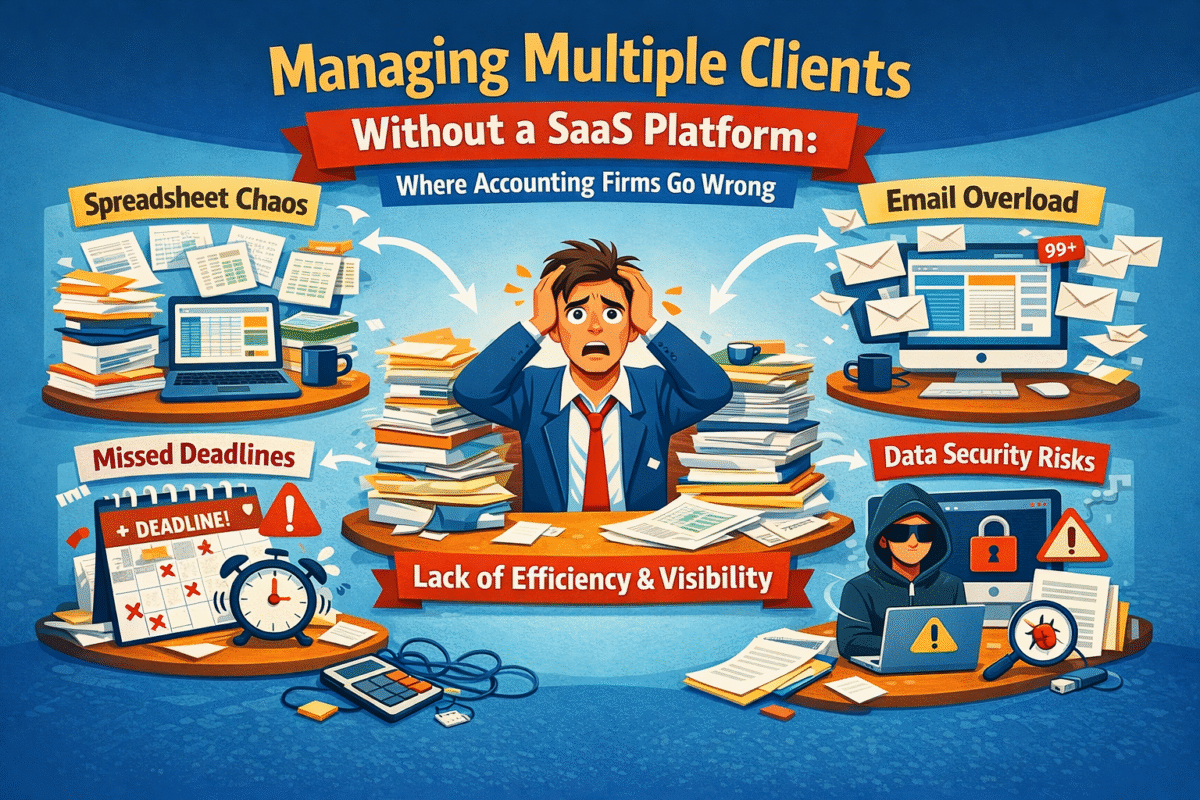
Managing Multiple Clients Without a SaaS Platform: Where Accounting Firms Go Wrong

Accounting firms and CA practices in India are increasingly confronting a challenging business environment, one where merely keeping the books will no longer suffice. Clients today expect strategic insights, faster turnaround times, proactive compliance updates, and clear communication. Simultaneously, firms must contend with compliance deadlines, evolving tax laws, GST complexities, payroll requirements, and a continuously growing client base. The old ways of working, depending on spreadsheets, email chains, standalone desktop software, and isolated tools, are almost failing under this strain.

This article explores the limitations of traditional methods, why they are inefficient at scale, and how firms can realign by leveraging smarter tools, such as an accounting management system, to become more client-centric and competitive.

The Reality of Accounting Firms In India

Some firms have long thought that accounting was only about number crunching. However, in 2026, accounting services are workflow-driven, collaborative, and require timing, accuracy, and accountability, in addition to the final balance sheet; these are very important aspects. 

Research indicates that more than 78% of medium-sized companies currently use SaaS accounting solutions, primarily for remote access, scalability, and process automation. At the same time, cloud adoption has increased significantly worldwide, indicating a major shift toward digital accounting practices.

The situation in India is even more intense. With over millions of MSMEs and a rapidly changing regulatory environment influenced by GST, e-invoicing, and compliance tracking, companies are rethinking client management solutions. No more manual bookkeeping and desktop systems. What is required is a new generation of accounting software for firms in India platforms that unite data, automate monotonous tasks, streamline collaboration, and reduce risk. Accounting SaaS software can be an answer to that, providing not only a ledger but also a workflow backbone for modern CA firms.

How Accounting Firms Handle Multiple Clients Without SaaS?

Many accounting firms in India and worldwide still rely on manual and semi-digital workflows. In a situation where different teams handle dozens, if not hundreds, of client accounts at the same time, the most typical tools are:

  • Spreadsheets: these were used to keep track of unfinished tasks, bookkeeping records, and ad-hoc data, shared with teams via email.
  • Email threads: usages include approvals, client correspondence, reminders, and document exchange.
  • Shared folders or local drives: used for storing client invoices, receipts, tax documentation, and compliance files.
  • Standalone desktop accounting software: these were locally installed on individual PCs and updated manually, thereby creating version-control issues.

These are not integrated systems. One software application tracks billing, a second handles payroll, and a third manages tax returns, with no automatic communication among them. Staff may need to transfer data manually from one software application to another, thereby re-entering the data and increasing the risk of transcription errors.

To a large extent, here are the ways in which many firms still manage multiple clients: accountants maintain separate files for each client. They manually copy figures into return templates, send reminders via calendar apps, and continue to rely on memory, sticky notes, or informal chats for follow-ups. It is a set of tools assembled through human effort rather than an engineered workflow system.

Guess what? This system, although presently perfect for a small number of clients, will not stand the test of time when the workload and intricacies increase – as we shall see in the next section.

The Core Challenges of Managing Multiple Clients Without a SaaS Platform

Lack of Centralized Client Visibility

A modern platform with a single dashboard summarizing all client work at a glance is exactly what seems to be missing most profoundly and severely undermines a firm’s functionality and performance. Imagine the difficulty of tracking the tax filing status of 30 clients, whose information is scattered across spreadsheets and email chains, when you don’t have a central view of deadlines, approvals, or outstanding items. When there is no centralized accounting management system, it is practically impossible to figure out who is responsible for what, when deliverables are due, and what is awaiting review.

Such fragmentation leads to confusion:

  • Missed deadlines as reminders are not automated.
  • The ownership of the task becomes unclear when accountability is not centrally tracked.
  • Partners depend on team members for file updates, resulting in delays and possible misalignment

By contrast, on platforms where every client’s key tasks GST, payroll, TDS returns, audit preparation appear on a unified dashboard, with clear status indicators and alerts.

The Case of Workflow Inefficiencies and Manual Processes

Manual data entry consumes significant time. At the end of each month, accountants must re-enter transaction data from bank statements into spreadsheets, perform manual balance reconciliations, and duplicate work across tools. Approvals are sent via email, where files can get lost, mislabeled, or hidden in casual conversation threads.

Firms without modern accounting workflow software for Indian firms often repeat tasks that should be automated: reconciliation, classification, notifications, reminders, data exports, and report generation. Instead of focusing on value-added tasks, the teams have to spend their time chasing updates.

The cumulative cost? Several hours are lost every week that could have been spent on advisory work, client engagement, and review.

Missed Deadlines and Compliance Risks

India has a very strict compliance calendar. GST filings, income tax returns, TDS deadlines, audit submissions, and payroll cut-offs each have strict deadlines and penalties for non-compliance. Trying to manage all that for multiple clients with manual systems often results in:

  • Frantic last-minute efforts
  • Errors in tax codes or entries by humans
  • Late submissions
  • Costly fines that reduce client trust

Without automated reminders and structured workflows, critical compliance tasks get overlooked – a risk that can damage both clients and the firm’s reputation.

Poor Team Coordination and Accountability

In firms without integrated software, internal communication is primarily through meetings, WhatsApp groups, and ad hoc emails. There is little accountability when tasks are not formally assigned or tracked. One team member thinks another has updated the client records, only to find out they are week-old stale numbers.

This lack of coordination reduces productivity and morale because accountants spend time determining who should do what rather than doing the work.

Where Accounting Firms Go Wrong Without SaaS

Scaling Headcount Instead of Systems

Many companies hire additional staff to cope with work overload. The logic is simple: more people, more work. However, if there are no proper systems in place, the strategy becomes counterproductive: every new employee adds complexity, increased onboarding, additional communication overhead, and greater coordination.

Thus, overall productivity is not the mere sum of employee numbers in the absence of basic processes.

Using Tools Not Designed for Multi-Client Management

A common mistake is applying single-client accounting tools across multiple clients. A desktop accounting package may work fine for one business’s books but when replicated across dozens of clients, it becomes a management nightmare. Importing and exporting data between systems, managing licences, and consolidating outputs introduce friction that SaaS tools eliminate by design.

This approach fails even harder for CA firms and knowledge processing organisations (KPOs) that need:

  • Consistent workflows
  • Standardized reports
  • Cross-client comparisons
  • Team access control

And without these, it is hardly possible to imagine anything other than a complete disarray.

Not Applying Standardization Across Different Client Workflows

Each accounting professional tends to work in the way they prefer. If there is no one way to follow a certain work process:

  • Some clients are reconciled weekly, while others are reconciled monthly.
  • Approvals are done in different ways.
  • Document naming conventions are very different.

Inconsistencies always lead to lower quality, more rework, and longer review periods.

Delayed Reporting and Limited Insights

When data is distributed across multiple files and systems, it is impossible to provide real-time financial visibility into clients. Therefore, firm partners either make decisions based on stale data without realizing it, or they spend a significant portion of their day manually compiling reports.

This scenario hampers strategic oversight and undermines the firm’s agility to proactively respond to clients’ needs.

The Hidden Business Costs of Not Using Accounting SaaS Software

Not utilizing the most up-to-date tools comes at a cost that is certainly higher than mere inconvenience; it is a strategic disadvantage:

  • Lower productivity: Manual, repetitive work reduces time available for high-value advisory work.
  • Employee burnout: Accountants are so overloaded with administrative work that some give up.
  • Compliance exposure: When you rely on manual processes, you are more prone to mistakes and thus, more liable to sanctions.
  • Client dissatisfaction: Trust and referrals are gradually lost through delays and inaccuracies.
  • Competitive disadvantage: Tech-enabled firms not only deliver faster and smarter insights, but they also get a bigger slice of the market.

This is the main reason why transitioning to accounting SaaS software and accounting management software is not a matter of choice but a necessity.

Why Accounting SaaS Software Is Built for Multi-Client Firms?

Modern accounting SaaS software was created not just as an additional tool but rather to address multi-client issues, most of which were outlined above.

Centralized Client and Workflow Management

Such platforms help partners and teams to access a single dashboard for:

  • Viewing task statuses across all clients
  • Compliance deadlines
  • Next steps and bottlenecks

Such visibility is extremely valuable; it transforms chaos into order.

Automation of Routine Accounting Tasks

SaaS solutions automate:

  • Phone bank feeds and reconciliation
  • Invoice processing
  • GST and TDS tracking
  • Report generation

As a result, it reduces manual labor and increases accuracy.

Real-Time Collaboration and Audit Trails

Teams use a common platform with automated documentation and audit trails. The system captures, timestamps, and indexes each action. This not only improves coordination but also simplifies audits and client reviews.

Scalability Without Complexity

By using SaaS, companies can acquire more clients without complicating the situation. They increase capacity rather than complexity, which is ideal for rapidly growing CA firms and KPOs. For example, adopting an all-in-one accounting SaaS platform makes it easier to manage increasing workloads with precision and confidence.

Key Features to Look for in Practice Management Software for CA Firms

While assessing software, firms should put primary emphasis on:

  • Multi-client workflow support: Ability to manage diverse client needs simultaneously.
  • Compliance tracking and reminders: Built-in alerts for GST, returns, TDS, and audits.
  • Real-time dashboards and reporting: Instant insights for partners and clients.
  • Access controls and audit logs: Ensure security and accountability.

Therefore, this is the main reason practice management software for CA firms is a necessity, not a luxury.

Accounting SaaS Adoption in India: What Firms Should Consider

Basically, when deciding on IT solutions, Indian firms should account for:

  • Data security and regulatory compliance especially around GST and e-invoicing.
  • Ease of team adoption, lower learning curves speed up implementation.
  • Cloud scalability: Solutions that grow with your firm.

Evaluations should include CA firm management software India and cloud accounting software India preferences tailored to local compliance needs.

How Exactly Can An Appropriate Accounting Software Help A Business Operate More Effectively?

The changes brought about by an ideal system cannot be negated:

  • Standardised workflows across clients – delivering consistency and quality.
  • Improved accuracy and faster delivery – fewer errors, faster turnaround.
  • Better client communication and retention – clients see value in timely, transparent reporting.

Firms that invest in the best software to manage multiple accounting clients position themselves as trusted advisors, not just number keepers.

Conclusion: From Manual Management to Scalable Control

It is no longer advisable to manage multiple clients using spreadsheets, email, and siloed tools alone. Firms that resist change and continue to use outdated methods will face the triple problem of inefficiency, compliance risk, and client dissatisfaction. In fact, today’s accountants and auditors are professionals who deserve and require tools that support them, not ones that hinder or hold them back.

Accounting software for firms in India and modern accounting SaaS software are the solutions in such cases. They convert messy workflows into smooth, manageable, and scalable processes. They give teams the power to produce timely, accurate work confidently. They also provide partners with operational transparency and a real-time understanding of client portfolios.

One way a unified system can elevate work quality while reducing stress and risk is through solutions like WeekMate, allowing firms to focus on strategy, advisory, and growth rather than firefighting routine tasks.

If your firm is still using disparate systems, now is the perfect time to switch to a centralized, scalable accounting management system. The future of efficient, client-centric accounting is here – grab it now.


FAQs

1. How can an accounting firm complete bookkeeping efficiently for many clients and still make deadlines?

Accounting firms that rely on spreadsheets and email can struggle to track deadlines. Top-notch firms are leveraging Accounting SaaS tools with integrated compliance calendars, automated reminders, and centralized dashboards to monitor all client deadlines.

2. Why don’t CA firms use traditional accounting software, and how do they manage multiple clients?

Traditional or single-user accounting software cannot be used for multi-client users. They don’t have centralized visibility, standardized processes, or collaboration capabilities - none of which are necessary for CA firms running dozens of clients concurrently.

3. What is the greatest risk if you do not have accounting management tools?

The largest risk is non-compliance. Failing to submit your GST on time, a delayed audit, or an incorrect tax filing can put you in legal trouble, resulting in penalties, reputational damage, and loss of client trust. These risks are mitigated so dramatically by accounting management software through automation and real-time monitoring.

4. How do CA firms scale their business with accounting SaaS software?

Accounting SaaS software enables firms to increase the number of clients they serve without proportionally increasing headcount. Increased automation, streamlined processes, and improved team communication enable firms to continue growing profitably without sacrificing quality work or customer service.
Audit-Ready Accounting: How SaaS Platforms Ensure Client Compliance

Accounting firms and KPOs cannot view compliance as a one-time task; it is rather a daily obligation multiplied by the number of clients they handle. Every client is different and brings along different tax rules, payroll cycles, reporting standards, and audit expectations. Going manual with this management, or using disconnected tools, makes compliance a dangerous juggling act. Even experienced teams will get frustrated when they face overlapping deadlines, documents in email, and audit trails scattered across various systems.

Spreadsheets and legacy tools undoubtedly still dominate many accounting operations; however, they have never been capable of supporting audit readiness at scale. You can get penalties, disgruntled clients, or scary last-minute audit scrambles if you miss an approval or lose a document. The more firms grow and the more clients they get under tighter regulatory scrutiny, the higher the pressure.

Modern SaaS accounting platforms are making a difference in the field. Instead of making an audit-ready accounting system for something done at the last minute, they turn it into a built-in feature by centralising workflows, approvals, documents, and reporting. Firms don’t prepare for audits; they’re always ready.

A cloud platform, powered audit, and ready accounting give the team a sense of being able to go about their work stress-free, as they are completely sure that each transaction, change, and approval has already been recorded, is traceable, and is compliant for every client they handle.

Why Manual Accounting Processes are Non-Compliant?

Most people think manual accounting processes fail because staff lack expertise. However, the real culprit is that these systems are not designed to be integrated. Tax declarations are stored in one application, salaries in another, invoices in Excel, and audit papers in either shared folders or email threads. This quilt approach makes it hard to keep a full compliance record for every client.

It gets riskier when the backlog of work builds up. The margin for mistakes gets smaller when you forget to upload a document, miss a tax regulation change, or forget to get an approval for a document. An audit trail is intended to demonstrate the workflow of a process, that is, the process activities (who did what and when). Yet traces are regularly left incomplete or conflicting, especially when multiple team members access the same documents.

The impact of these actions can be felt in reality. In a 2024 Thomson Reuters survey, 64% of accounting professionals agreed that manual operations increase audit risk and heighten anxiety about compliance during the busiest filing periods.

Besides the fines, inefficiencies demoralise and bind up valuable time. Teams are spending more time correcting mistakes than adding value to their clients. Reactive mode thus translates into gradually losing trust, both internally and with clients who expect accuracy, transparency, and reliability.

That’s why businesses are moving away from manual processes toward accounting automation software that integrates compliance into the core of day-to-day operations.

How SaaS Accounting Platforms Alter the Audit-Readiness Paradigm

Unified compliance environment: A modern SaaS accounting platform brings all customer data, financial transactions, and documents into one secure, closed system built specifically for accountability.

Single source of truth: Teams no longer need to chase information across multiple tools. Every record lives in one place, reducing errors and saving time during reviews and audits.

Built-in audit management: When audit management software is integrated, every transaction from input and approval to reconciliation is automatically logged without manual effort.

Automated digital audit trails: All activities are time-stamped, securely stored, and instantly available, making it easy to present clear evidence when auditors request it.

No manual evidence gathering: The system captures and records data in real time, eliminating the need to piece together information from scattered sources.

Role-based access control: Sensitive financial data is restricted to authorised users, ensuring strong data security and controlled visibility.

Auditor-friendly access: Auditors can be granted read-only access, allowing them to review records without disrupting daily accounting operations.

Clear compliance visibility: Compliance dashboards highlight deadlines, required approvals, and filing statuses, helping teams stay organised and avoid missed obligations

The evidence of the result is significant. According to a 2023 Deloitte report, organizations that adopted cloud-based accounting and compliance platforms reduced audit preparation time by up to 30%.

Audit readiness is no longer a last-minute panic; it is ingrained in the firm’s everyday operations.

Efficiently Managing Multi-Client Compliance

Compliance issues for a single customer can be sorted out without any hassle. After all, handling the tax issues for 50 or 500 accounts is where the complexity really hits the ceiling. Multi-client accounting software is the answer in such a scenario, as it is programmed to provide a firm with a single dashboard for the compliance status of the entire client portfolio.

Instead of group members having to keep deadlines in their heads, they can all see upcoming tax filing deadlines, payroll cycles, and statutory submissions from a single pane of glass. Things stay on track with automated reminders, ensuring documents are requested, reviewed, and approved on time. Standardised workflows create consistency, so whether the client is large or complex, each can be compliant with the same discipline.

The true value lies in the management having real-time visibility. They can therefore, without delay, distinguish the clients who are fully compliant from those who require their help and identify the point of congestion in the workflows. Instead of managing fires, proactive teams can prioritize their work effectively, especially during peak times.

Bringing Payroll, Tax, and Financial Reporting Together

Compliance issues are not your concern alone, and your systems should not be isolated either. Cutting-edge software platforms unify payroll and compliance software, tax workflows, invoicing, and Accounting reporting and analytics software under one roof.

Such an integration ensures that payroll data is used directly to prepare financial reports, tax assessments are based on real-time transactions, and compliance records are in sync at all levels. Audit-ready reports, along with the supporting documentation and approval histories, can be produced without delay for each client.

By minimizing manual handoffs across tools, firms can drastically reduce errors and duplication. The outcomes go beyond cleaner audits; the firms also experience their daily operations running very smoothly, easily scalable without causing disorder.

Data Security and Regulatory Compliance

Trust is at the heart of the accounting profession, and security is a significant part of it. Cloud-based accounting automation software employs encryption, access controls, and continuous monitoring to safeguard highly sensitive client data. Thorough audit trails ensure that every system interaction is recorded, helping both internal and external audits. 

Leading platforms are designed to comply with global and regional requirements, such as GDPR and AICPA standards. Such built-in compliance allows firms to remain audit-ready without having to manually supervise or frequently check their systems. In this way, security and compliance are established as core necessities rather than optional extras.

How WeekMate Takes the Hassle Out of Auditing Your Books

  • All-in-one accounting management software for accounting firms/KPOs that serve multiple clients with complex compliance requirements
  • Integrate tax, payroll, reporting, and compliance workflows in a single, cloud-based platform that offers full operational transparency
  • Eliminates manual monitoring in favor of automated processes, helping to minimize errors and compliance steps that get overlooked
  • Features real-time dashboards that instantly inform managers and auditors of client compliance status
  • It automatically records every transaction and document, providing a complete and trustworthy audit trail.
  • Delivers a uniform record of compliance across all clients, with no extra manual work
  • Allows firms to be audit-ready all year long, not just in audit season

Conclusion: How to Achieve Compliance Without Compromise

Manual accounting practices not only increase the probability of non-compliance but also make it unnecessarily difficult, especially if the firm has to manage several clients under stringent regulatory requirements. It is very difficult to conduct an error-free, stress-free audit when using disjointed tools.

SaaS platforms are very different, as they combine several workflows into a single platform, making work easier, creating comprehensive audit trails, and helping eliminate manual processes. Accounting automation software, as the engine of a firm, enables the firm to grow without worry while remaining fully compliant at every step.

Audit-ready accounting is not about working harder, but about creating and using efficient systems that, at every step, facilitate accuracy, transparency, and confidence.

FAQs

1. What is audit-ready accounting?

Audit-ready accounting is the process of maintaining digital records, approvals, and reports in a manner that meets compliance requirements at all times, so financial information can be audited at any time without scrambling during month-end or year-end closing.

2. How does a SaaS platform facilitate audit compliance across multiple clients?

It consolidates all client information, automatically tracks every transaction and approval, and delivers real-time compliance and audit reports at the client level.

3. Can multi-client accounting software lead to error-free audits?

Yes, automation reduces manual data entry, standardizes workflows, and provides a full, consistent audit trail for each and every client.

4. Does audit-ready accounting software also include payroll and tax management?

Today’s platforms are providing these features – payroll, tax filings, invoices, reporting – in a single system, thus aligning and ensuring the consistency and compliance across the functional areas.

5. How secure is client data in cloud-based, audit-ready platforms?

Enterprise SaaS platforms use encryption and role-based access controls and comply with regulatory requirements to protect their clients’ sensitive information.

Why SaaS Platforms Are Replacing Custom Spreadsheets in IT Operations?

Spreadsheets have been the backstage hero of IT operations for several years. They have quietly been the tool for tracking incidents, managing deployments, etc., thus becoming, in many ways, the unofficial control centre for the teams. At the initial stages of IT environments, the use of spreadsheets for such purposes felt quite reasonable. There were fewer people on the teams, the systems were quite simple, and spreadsheet-based IT management was considered flexible enough to allow the work to continue without interruption.

Spreadsheets had a big advantage: they were familiar. It was common knowledge how to operate them. They were very affordable, could be set up in no time, and could be customized to any extent. When there was a problem, the team members found a way to add a new column. A process change required an adjustment to the formula. It was good enough for a while.

However, IT operations have changed drastically from how they were ten years ago. The present-day environment is influenced by such factors as cloud infrastructure, agile development cycles, DevOps pipelines, remote teams, and continuous releases. Everything happens at a much faster pace; thus, the risks are greater, and the need for visibility becomes even more important. Manual tracking cannot be effective.

To address challenges today, SaaS platforms for IT operations have been introduced. It has turned from a mere enhancement to a necessity. Instead of logging the work after it has been finished, SaaS solutions can run IT workflows in real time. The refusal to use spreadsheets is not motivated by a desire to get rid of simplicity, but rather by a desire for control, reliability, and scale.

In fact, more and more IT leaders are acknowledging that using SaaS platforms for IT operations is no longer a matter of choice; they have to rely on them.

The Traditional Role of Spreadsheets in IT Operations

Spreadsheets became the default IT management tool for one simple reason: they solved immediate problems with minimal friction. If teams required an IT task tracking system, a spreadsheet was the fastest solution. No procurement process. No training. No approvals. Just opening a file and starting tracking.

Teams were using spreadsheets for different purposes: incident logging on shared sheets, manual deployment tracking, resource allocation across projects, and release planning in colour-coded tabs. For quite a while, spreadsheet based IT management seemed to be a good idea as it gave teams complete freedom.

Indeed, spreadsheets had their merits. They were versatile enough to implement almost any work process. Besides, they cost very little, required no special software, and were compliant across departments. What was most important, however, was that everybody understood how they were working. Such a level of familiarity lowered the barriers to change and made adoption easier.

Nevertheless, the same traits that initially attracted users to spreadsheets became their downfalls. The great flexibility they enabled led to inconsistencies. Going from unfamiliarity to familiarity also led to complacency. As IT environments have become increasingly sophisticated, spreadsheets face the challenge of maintaining accuracy, ownership, and visibility.

It is quite common for what was considered control to now feel more like guessing. In fact, the updates became outdated versions at odds. Decisions of high importance were quite frequently made based on data that was no longer valid. The tools remained the same, but the IT operations requirements had changed.

The Growing Complexity of Modern IT Operations

IT operations today are incredibly complex, and there is significant pressure to perform quickly and efficiently. For starters, the various teams no longer work in the same office or follow linear release cycles. Working with distributed teams, remote work, and handling global time zones is standard practice these days. Implementing Agile development and DevOps programs requires shorter feedback loops and continuous delivery.

On the other hand, the bar has been raised when it comes to security and compliance. IT managers require up-to-the-minute visibility into digital systems, incident alerts, and workload information, rather than yesterday’s snapshot. This is exactly when conventional toolsets come up short.

Spreadsheets demand to be manually updated. The problem is that they depend on someone to remember to change a cell, update a status, or upload the newest version. Version control is a nightmare, especially when multiple people are editing at the same time. Reporting gets delayed, collaboration suffers, and it becomes unclear who is responsible.

This is the main reason why several teams have switched to IT operations management software that is made for live environments. In contrast to spreadsheets, the latest software operations management tools are deliberately designed to show reality as it unfolds. They are not only self-updating but also provide a single source of truth, giving managers an instant understanding of what is good and what is not.

Gartner’s research indicates that in 2025, 70% of companies will adopt SaaS-based platforms for managing their IT operations, whereas in earlier years, this figure was less than 40%.

The complexity issue still remains and increases, in fact. And spreadsheets are just not the tool for handling such an increase.

Key Limitations of Using Custom Spreadsheets for IT Operations

Let’s break down the key challenges of relying on custom spreadsheets for IT operations.

Lack of Real-Time Visibility

Because they are static, spreadsheets only display the information that was last entered. Even if online sharing is allowed, such as with Google Docs, it is still the last update that is being seen, not the current state. Based on previously known data, IT managers have to make decisions, which leads to missed incidents, slower responses, and ultimately greater downtime.

No Workflow Automation

Every change to a spreadsheet has to be made by hand. Changes in the status of tasks, staff-to-staff communication, and approvals all rely solely on human intervention. Consequently, without IT workflow automation, teams waste valuable time updating cells rather than solving issues. Moreover, this increases the risk of human error.

Poor Accountability & Ownership

Another shortcoming of spreadsheet use is that it is difficult for them to demand the owners of a particular job or task. They become the reason some tasks may not get done, why there is confusion over who is responsible, or why there is no structured method to track who did what and when. This directly impacts IT team productivity tools and weakens accountability.

Limited Scalability

Spreadsheets become highly vulnerable to change when teams are large. Having more users means more mistakes. More projects also mean more files. And at some point, the whole system breaks down under the load of its own complexity. After a success with five people, the formula does not work with fifty.

What SaaS Platforms Bring to IT Operations

Let’s see what SaaS platforms bring to the table for modern IT teams.

Centralized IT Operations Platform

Using a centralized IT operations platform is like having a single source of truth rather than scattered files. Tasks, incidents, workflows, and reports live in one system accessible to everyone.

Automated Workflows

SaaS platforms bring the real IT workflow automation to the forefront. Tasks are automatically forwarded when a certain condition is met, the proper people are notified immediately via alerts, and repetitive work is completely eliminated. It cuts down on manual effort and at the same time makes it more reliable.

Role-Based Access & Control

Today’s SaaS applications include granular permissions, so only the appropriate people can access the data they need. Besides enhancing security, this also makes the audit process easier and generates clear accountability.

Real-Time Collaboration

People collaborate in real time, which means that any changes are immediately visible, communication is in context, and problems are resolved rapidly. This is why SaaS tools for IT teams are becoming the operational backbone of modern organizations.

How SaaS Improves IT Team Productivity & Reliability?

The biggest difference between spreadsheets and SaaS is not the features but the outcomes. SaaS platforms enable teams to deliver work faster, respond more quickly, and improve coordination among development, DevOps, and IT operations.

Spreadsheets monitor work. SaaS platforms operate workflows.

Using suitable task management software for IT teams, incidents can be resolved more quickly, downtime is minimized, and handovers between teams are much smoother. Workflow management for software teams is an effective way to ensure that all issues are properly tracked.

According to a recent McKinsey study, companies that use workflow automation tools increase operational efficiency by as much as 30%.

Example Scenarios – SaaS vs Spreadsheets in Real IT Situations

In incident management, using a spreadsheet means that issues are logged after the incidents. On the other hand, SaaS platforms can send alerts as soon as an issue happens and follow up on the resolution in real time.

For sprint and deployment tracking, spreadsheets need to be updated manually, whereas SaaS tools display progress, dependencies, and blockers in real time.

The allocation of resources in a spreadsheet is fixed and outdated very quickly. SaaS, however, can generate dynamic, real-time workload views.

Management reporting with spreadsheets takes hours. With SaaS, dashboards update automaticallyno manual effort required. This is where software operations management really stands.

Reasons IT Leaders No Longer Favor Spreadsheets

IT leaders are focusing on predictability, reducing risk, and establishing operational discipline. The inefficiency cost, such as unrecorded incidents, releases that are delayed, and employee exhaustion, is way higher than the investment in the right tools.

Hence, IT operations management software is no longer only a technical decision but has also become a strategic one. SaaS platforms for IT operations enable scalable growth without losing control or management.

How Platforms Like WeekMate Contribute To This Change

Platforms like WeekMate are an excellent match for this change. They provide a unified ecosystem for IT and software teams, thus clearing the clutter of tool sprawl. In addition to acting as a centralized IT operations platform, WeekMate enables visibility, accountability, and controlwithout adding complexity.

Its main focus is to support growing IT operations departments by providing structure rather than creating friction. Also, it allows the teams to grow without repeating the cycle of operational chaos.

Final Thoughts: From Spreadsheets to Scalable IT Operations

Spreadsheets were a good helper for IT teams back when systems were simple and teams were small. Nowadays, modern IT prioritizes structure, automation, and reliability. SaaS platforms for IT operations are tools that can help bring transparency and speed to environments.

The change is not about giving up simplicity but upgrading discipline with technology. Therefore, for IT teams who want to scale effectively, a SaaS is not a future solution but a present one.

FAQs

1. Why are spreadsheets no longer suitable for modern IT operations?

Spreadsheets were effective when IT operations were simple and teams were small. Modern IT environments involve continuous deployments, distributed teams, and real-time incident handling. Spreadsheets lack automation, real-time visibility, and structured accountability, making them inefficient and risky for today’s IT operations.

2. How do SaaS platforms improve IT operations compared to spreadsheets?

SaaS platforms provide centralized dashboards, automated workflows, real-time updates, and role-based access control. Unlike spreadsheets that only store data, SaaS platforms actively manage IT workflows and help teams execute tasks faster with fewer errors.

3. Are SaaS platforms secure for managing IT operations data?

Yes. Most SaaS platforms are built with enterprise-grade security features such as data encryption, access controls, audit logs, and compliance support. These security measures are far more robust than spreadsheet files shared through email or cloud storage.

4. Can SaaS platforms replace spreadsheets completely in IT teams?

In most operational use cases, yes. SaaS platforms handle task tracking, incident management, reporting, and collaboration more effectively. Spreadsheets may still be used for quick analysis, but core IT operations are better managed through structured SaaS systems.

5. How does SaaS help improve accountability in IT operations?

SaaS platforms assign clear ownership to tasks, track progress in real time, and maintain detailed activity logs. This ensures transparency and accountability across development, DevOps, and IT operations teams—something spreadsheets struggle to enforce.

6. What types of IT teams benefit most from moving to SaaS platforms?

Software development teams, DevOps teams, IT support teams, and growing IT departments benefit the most. Any team managing multiple projects, workflows, or users gains better visibility and control with SaaS platforms.

7. Is migrating from spreadsheets to SaaS platforms complex?

Most modern SaaS platforms offer easy onboarding, data import options, and guided setup. IT teams can migrate gradually by starting with a single workflow, ensuring minimal disruption to existing operations.

8. How do SaaS platforms support workflow automation in IT operations?

SaaS platforms automate repetitive tasks such as ticket routing, approvals, alerts, and reporting. This reduces manual effort, minimizes errors, and allows IT teams to focus on higher-value work instead of administrative tasks.

Modern Hospitality Management Platform for Seamless Service

Hospitality companies are currently operating in a highly demanding, highly competitive environment, making the delivery of excellent guest experiences more difficult than before. Apart from that, hotels, restaurants, and resorts also face challenges in managing their mostly unstable workforce, providing instant responses, maintaining service standards, and ensuring effective coordination among different units while simultaneously pursuing cost saving efforts.

Unfortunately, many hospitality brands still rely on disparate, unconnected systems for communication, HR, guest management, operations, and marketing. These isolated tools make it almost impossible to keep up with the pace of work, resulting in delays, poor workflow integration, and irregular guest experiences.

The problems of fragmented hospitality businesses and inefficient workflows can be solved with an all in one hospitality management software that integrates operational, human, and customer aspects into a single digital ecosystem.

WeekMate’s 360° unified hospitality operations system that integrates communication, CRM, marketing automation, HR, and task management in a single platform to help hospitality companies provide a seamless service experience from back office to guestroom.

The Challenge: Fragmented Systems and Inefficient Workflows

The hospitality industry is a complex one that depends on collaboration among different teams, changing work schedules, customer demands, and high standards of service available 24/7. Without proper integration, the whole operation is likely to turn into a mess very quickly.

Typically, the company struggles with:

  • The poor interconnectivity of HR, CRM, and communication tools
  • Slow response times internally
  • Using siloed data has led to inconsistencies in guest experiences.
  • High workforce turnover and challenging shift scheduling

Enterprises today are urging for a unified hospitality operations system that can eliminate fragmentation and consolidate everything in one place. This is where the integrated SaaS for hospitality truly becomes game changing.

The WeekMate Advantage: One Platform, Complete Control

WeekMate integrates five robust modules like HRMS, TaskHub,WeekMate Connect, CRM, and email marketing tool into a single hospitality management software suite.

Its central idea: raise business process transparency, accelerate communication, automate daily tasks, and enhance guest service.

Managing People: HRMS for the Modern Hospitality Workforce

Handling staff in the hospitality industry is quite a challenge because it requires dealing with rotating shifts, casual workers, and multiple departments. The WeekMate program simplifies all these by providing a dedicated HRMS for hospitality industry operations module.

Some of the essential features are:

  • Fully automated attendance, leave, and payroll management
  • Shift scheduling and manpower planning for multiple locations
  • Employee performance management and compliance monitoring

Example:

With WeekMate HRMS, hotel managers can efficiently plan 24/7 staffing without manual spreadsheets or missed shift updates.”

This workforce management automation additionally facilitates workforce scheduling software for hotels, where the correct number of staff for each shift is always ensured.

Managing Operations: TaskHub for Efficient Daily Execution

TaskHub improves operational efficiency by automating task management.

Use cases include:

  • Housekeeping, maintenance, and F&B staff task assignments
  • Automation of service request and room inspection workflows
  • Progress and bottleneck tracking in real time

Example:

The problem with a guest room initiates an automatic TaskHub event, thereby informing the personnel through WeekMate Connect so that no one is overlooked.”

In addition, WeekMate TaskHub is the proper instrument for task management for hotels, which really assures that all operations are done at the right ‍‌time.

Managing Communication: WeekMate Connect for Seamless Coordination

Hospitality teams require instant coordination. WeekMate Connect brings together communication from all units so that each department is updated.

Main methods:

  • Direct and immediate communication between the front office, housekeeping, kitchen, and management
  • Abandonment of disjointed emails, chats, and calls
  • Faster escalation, updates, and announcements

Since it is well planned, it is one of the best internal communication tools for restaurants and hotels.

Managing Guests: WeekMate CRM for Personalized Service and Relationship Building

Guest experience soars to new heights when staff have a single source of guest data. WeekMate CRM accomplishes this through its powerful guest engagement software features.

Main features:

  • Complete data of the client and his/her history of stay, preferences, and feedback
  • Reminder messages, loyalty communication, and follow up letters are all automated
  • Integration of operations for instant data flow

For instance:

“Staff is provided with guest preference data by WeekMate CRM when a repeat guest comes, enabling personalized service that drives loyalty.”

This strengthens guest relationship management, a major driver of repeat bookings.

Managing Engagement: Email Marketing for Loyalty and Retention

With the WeekMate Email Marketing tool, hospitality brands can keep their existing customers in continual contact.

Some of the functionalities are:

  • Automated pre arrival, in stay, and post stay emails
  • Focused advertisement campaigns
  • Segmentation of the guest list for the most successful campaigns

Regular communication leads to guest satisfaction and thus supports long term retention.

The Power of Integration: How WeekMate Connects It All

In contrast to traditional software, WeekMate links all the modules to form a seamless ecosystem:

  • HRMS clocks in workers
  • WeekMate TaskHub hands them duties
  • WeekMate Connect brings the news to the teams without delay
  • WeekMate CRM tracks customer interactions
  • Email Marketing renews relations

This serves as the core of hospitality automation software, acting as the digital command center for operations.

Benefits of a Unified SaaS Platform for Hospitality

The use of a unified hospitality operations system brings about several advantages that are pretty obvious:

  • Quicker Response Times: With shared visibility, teams can make instant reactions
  • Guest Experience Improvement: Personalized, regular, and on time
  • Cost Reduction: No need to have multiple software tools
  • Productivity Enhancement: Automation frees employees from routine tasks and errors
  • Scalable for Chains: Perfect for multi property hotel management

These advantages are the direct answer to the search phrase: benefits of unified hospitality ‍‌software.

Real-World Example: A Hotel Using WeekMate for 360° Operations

Here is how a standard hotel workflow runs with WeekMate:

  • HRMS responsible for scheduling teams across different shifts
  • TaskHub takes care of assigning the housekeeping and maintenance tasks
  • WeekMate Connect coordinates the departments at the moment of the interaction
  • WeekMate CRM records and communicates the customer preferences
  • Email Marketing sends out the automated thank you cards and offers

The result: More motivated employees, shorter wait times, and stronger customer loyalty.

The Future of Hospitality Management

The future belongs to hospitality digital transformation, where system continuity and intelligent automation are the main features.

Close to reality, we find these innovations:

  • AI-driven personalization
  • Predictive workforce planning
  • Automated guest lifecycle management
  • Unified analytics for better decision making

The long term plan is secured by a platform that not only connects but also integrates everything.

Why WeekMate Is the Ideal 360° Solution?

WeekMate stands out as the best SaaS for hotels and resorts because:

  • It combines all the necessary hospitality modules
  • It is internet based, roomy, and effortless to handle
  • It is made solely for hotels, restaurants, and resorts
  • By disclosing fragmented tools, it has saved the day
  • By elevating the speed, correctness, and guest happiness, it has won the crown

WeekMate is not merely software it is the interlinked framework that energizes every impeccable hospitality experience.

Conclusion: A Unified Platform for Hospitality Excellence

The best hospitality management software is the one that integrates the people, processes, and customer experiences into a single workflow and this is what WeekMate does. Instead of a patchwork of tools, hotels can now manage HR, operations, communication, CRM, and marketing through a single robust ecosystem.

Revamp your hospitality operations learn how WeekMate can make your work easy and efficient while helping you deliver incredible experiences day in and day out.

FAQs

What is WeekMate, and how does it help the hospitality industry?

WeekMate is an all in one SaaS platform built for the hospitality industry. It unifies HR, operations, communication, and guest engagement into a single ecosystem, enabling seamless workflows, better coordination, and a smooth, customized migration process.

How does WeekMate HRMS simplify workforce management for hotels and restaurants?

WeekMate HRMS automates attendance tracking, payroll processing, and shift scheduling while ensuring labor law compliance. It reduces manual effort and improves staff coordination across departments.

Can WeekMate TaskHub improve housekeeping and maintenance efficiency?

Yes. WeekMate TaskHub streamlines task delegation and real time monitoring for housekeeping and maintenance teams, ensuring faster execution, full transparency, and zero task miscommunication.

How does WeekMate Connect enhance communication between hospitality teams?

WeekMate Connect centralizes all real time communication in one place, enabling instant updates, alerts, and collaboration between departments without delays or information gaps.

What benefits does WeekMate CRM offer for managing guest relationships?

WeekMate CRM builds complete guest profiles, automates communication, and enables personalized experiences, helping hospitality brands deliver consistent and memorable service at every touchpoint.

Manufacturing 360: One Platform for Workforce, Clients & Tasks

Today’s manufacturing is much more complex than it used to be. Complex supply chains, hybrid teams, changing compliance requirements, and demanding customers are among the challenges manufacturers must address simultaneously.

Despite that, the majority of factories continue to rely on disconnected tools such as multiple HR systems, standalone CRMs, manual spreadsheets, and unlinked communication channels.

This disintegration hampers workflow, narrows the scope for seeing things from a higher perspective, and causes errors that could be easily prevented.

The solution is integrated SaaS for manufacturing a 360° approach that connects the workforce, operations, tasks, clients, and communication in a single, digitally linked environment.

Weekmate offers manufacturers the power of a single, integrated platform that combines HRMS, WeekMate CRM, WeekMate Connect, and TaskHub to not only facilitate production but also business management.

The Problem: Disconnected Tools that Lead to Disjointed Operations

Manufacturers have a hard time when their systems are not compatible with each other:

  • HR systems operate independently of production and maintenance activities.
  • Communication is happening in parts through emails, spreadsheets, and chat apps.
  • CRM tools cannot access production schedules or delivery updates.
  • Supervisors use paper and pencil to keep track of attendance, tasks, and deadlines.
  • Teams do not have a merged view of operations and customer expectations.

This fragmentation results in miscommunication, slower decision making, and an increased manual workload.

A unified manufacturing platform eliminates these barriers by integrating HR, operations, CRM, and communication into a single digital ecosystem.

The Actual Meaning of “Manufacturing 360°”

Manufacturing 360 is a comprehensive, data centric approach that integrates people, processes, equipment, and customers into a single network. Unlike standalone manufacturing management software, this concept emphasizes:

  • Uninterrupted view
  • Instant collaboration
  • Integrated automation
  • Unbroken information flow

It is not just about supplementing the factory with manufacturing automation tools, but about building an interconnected space in which the software serves as the factory’s “nerve center.”

A proper 360° manufacturing solution brings clarity, efficiency, and accountability to every workflow.

The Four Pillars of Manufacturing 360° (Powered by Weekmate)

a) HRMS: The Fabric of Manufacturing Workforce

Workforce management is among the top problems in the manufacturing industry.

WeekMate HRMS is a manual labor saving tool for factories. It automates:

  • Attendance and biometric integration
  • Shift scheduling and multi shift rostering
  • Payroll accuracy and compliance
  • Workforce analytics and performance tracking

It serves as a single workforce management for manufacturing solution that is perfect for the management of contract labor, shop floor teams, and supervisory staff. Through automation, factories become more efficient and can eliminate errors caused by spreadsheet use.

b) TaskHub: Executing Manufacturing Strategies

TaskHub is the platform’s operational engine. With WeekMate TaskHub, manufacturers can:

  • Assign production, maintenance, and quality tasks
  • Track deadlines and progress through dashboards
  • Automate approvals and updates
  • Ensure uniform workflows across departments

TaskHub facilitates task automation for production teams; as a result, delays will be reduced and communication gaps will be avoided. Whether it is a maintenance request or a dispatch task, supervisors receive complete visibility.

c) WeekMate Connect: Streamlining Internal Communication

Fast and reliable communication is a must for a modern factory.

WeekMate Connect serves as a central hub that helps consolidate fragmented email threads and scattered chat conversations.

It facilitates collaboration through:

  • Central messaging for operations, HR, and admin
  • Prompt notifications and alerts
  • Communication at the department level
  • Live communication for production and quality teams

It functions as a factory communication system that is very efficient in keeping employees aligned from the office to the shop floor.

d) WeekMate CRM: Managing Client Relationships and Orders

In manufacturing, client management is the lifeline, especially in B2B environments.

WeekMate CRM brings together:

  • The client database and communication
  • Order details and delivery schedules
  • Invoices, feedback, and interaction history
  • Sales pipeline forecasting

This eliminates the distance between sales, operations, and dispatch. As robust manufacturing CRM software, it ensures both teams are on the same page from the first inquiry to the final delivery.

How Integration Creates Operational Synergy?

The main strength of WeekMate is its integration. The single workflow smoothly moves from one module to another in the following way:

  • WeekMate CRM records the details of a new client
  • TaskHub creates the necessary tasks automatically
  • WeekMate HRMS figures out the available staff and their skills
  • WeekMate Connect announces the updates and sends notifications
  • The progress is followed live

Such a system creates a connected manufacturing ecosystem that provides departments with a single source of truth, eliminating manual coordination, errors, and delays.

Benefits of a 360° Platform for Manufacturers

A single unified system delivers enormous value to the production line:

Realtime Visibility

The user gets instant access to workforce data, production tasks, and client updates.

Improved Collaboration

By using internal communication tools within factories, teams can share information seamlessly.

Increased Productivity

Teams share information seamlessly using internal communication tools for factories.

Error Reduction

By integrating the systems, there is no need to enter data twice, and inconsistencies are eliminated.

Scalability

It is very easy to add new team members, processes, or even new plants.

These advantages greatly enhance operational efficiency in factories and act as a catalyst for digital adoption.

Case Example: A Day in a Smart Factory Using Weekmate

Morning

HRMS automatically records attendance and assigns shifts. Supervisors open TaskHub to allocate morning production tasks.

Afternoon

Maintenance work is initiated, and WeekMate Connect immediately sends the corresponding notification. The team is kept up to date on machine status via realtime communication.

Evening

Client delivery schedules stored in WeekMate CRM are linked with dispatch activities. The team confirms readiness and communicates updates without delay.

Result: Fewer errors, quicker communication, higher productivity, and a connected workflow that is complete.

The Future of Integrated Manufacturing Systems

The shift in manufacturing to a new era of AI, IoT connectivity, and predictive analytics will see integrated SaaS platforms evolve into more advanced systems.

  • Factories will be heavily dependent on:
  • Condition monitoring of machines using IoT
  • Intelligent production scheduling software
  • Maintenance performed based on prediction
  • Automation of HR processes in connection with HR automation for manufacturing

This shift to a digital first approach marks the beginning of a complete manufacturing digital transformation; thus, factories will be future ready.

How Weekmate Delivers the Manufacturing 360 Vision

Weekmate is a single software that combines the power of automation, integration, and simplicity in one all in one software for factories. Its portfolio HRMS, WeekMate Connect, TaskHub, and WeekMate CRM gives the power to manufacturers to:

  • Control operations from start to finish
  • Enhance task transparency
  • Strengthen customer relationships
  • Improve labor management
  • Speed up decision making

The platform is a pretty flexible one in addition to being scalable and intuitive thus, it is among the best SaaS for manufacturing companies that are looking for digital modernization.

Conclusion: Building the Connected Factory of Tomorrow

Unified platforms are the new standard of operational excellence in an industry where every second and each workflow matters. A 360° manufacturing platform leads to better collaboration, higher accuracy, and seamless efficiency.

Moreover, it addresses crucial questions such as what a manufacturing management platform is, how to automate manufacturing operations, the benefits of integrated factory software, and how HR, CRM, and task systems improve production.

Put your factory in charge of a connected future learn how Weekmate can synchronize your workforce, clients, and communication into one formidable ‍‌system.

Frequently Asked Questions

1. What modules does WeekMate offer?

WeekMate is a complete suite that includes WeekMate HRMS, TaskHub, WeekMate Connect, WeekMate CRM, and an Email Marketing tool. These modules help you manage HR, tasks, internal communication, customer relationships, and marketing with seamless, custom migrations.

2. Does WeekMate charge per user or monthly?

WeekMate follows a one-time licence model and also offers HRMS & Payroll at ₹2,250 per month (up to 25 employees) + ₹90 per additional employee, with no hidden subscription costs, making it a highly cost-effective and scalable solution for growing businesses.

3. Is WeekMate suitable for manufacturing teams and factories?

Yes, WeekMate is an excellent fit for manufacturing enterprises. Its modular SaaS tools help streamline employee management, task operations, internal communication, and client management, making it ideal for production focused environments.

4. How secure is WeekMate, and what uptime can I expect?

WeekMate is built with enterprise grade security, including data encryption and role based access control. It delivers a 99.9% uptime SLA along with 24×7 technical support for uninterrupted operations.

Integrated Finance SaaS Suite: Payroll, Billing & Compliance

What is Integrated SaaS for Finance?

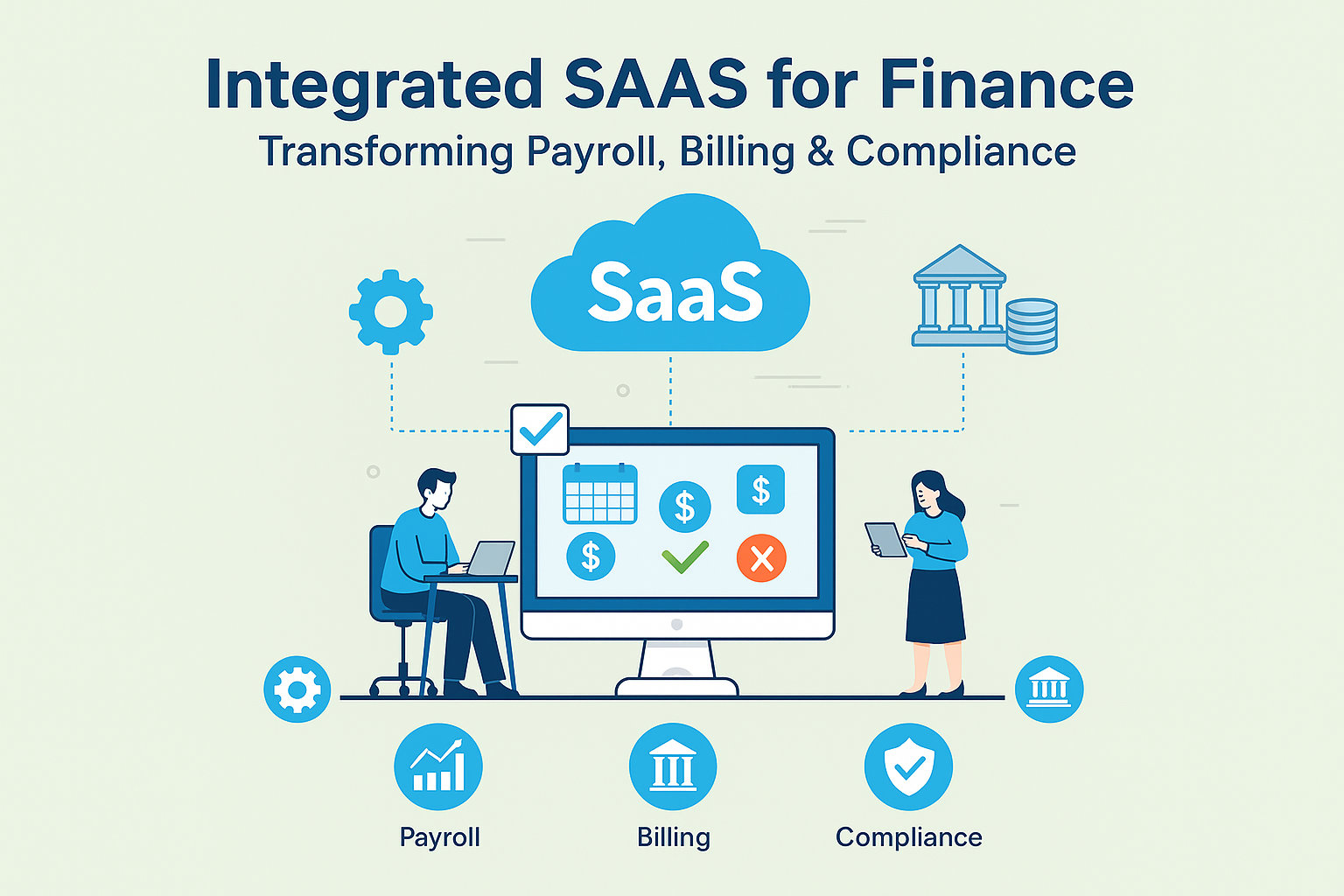
Integrated​‍​‌‍​‍‌​‍​‌‍​‍‌ SaaS for finance is essentially a harmonized, cloud-based software ecosystem that combines HR, CRM, task management, payroll, billing, reporting, and compliance into one centrally automated platform. An integrated SaaS suite syncs every finance workflow across the organization to keep data accurate, processes automated, and the organization fully visible, rather than using disconnected tools.

Why Do Finance Teams Need Unified Platforms?

Finance departments are increasingly seeking integrated systems that eliminate manual processes, reduce human errors, and ensure consistent compliance across HR, payroll, billing, and client management. A single integrated SaaS solution can enable real-time financial data flow, speed up approval processes, automate recurring tasks, and improve collaboration between HR, finance, and client-facing teams. As a result, final reports can be completed faster with greater accuracy, and overall business management becomes more efficient.

Integrated SaaS for finance is revolutionizing team operations nowadays. By integrating HR, CRM, task management, and workflow automation into a single system, companies are becoming more efficient while operating at lower operational risk.

Automation that unifies HR, CRM, and operations systems, such as WeekMate, increases efficiency, accuracy, and compliance and is the next step for finance.

The Problem: Fragmented Finance Technology Stacks

When finance technology is spread across various platforms, finance teams encounter multiple operational issues:

  • Separate HR software for accounting and invoicing
  • Unconnected billing or reporting for CRMs
  • Manual spreadsheets that cause both delays and errors
  • Repetitive data entry across tools
  • Low visibility of payroll, compliance, and client cycles
  • High risk of audit problems due to the poor synchronization of records

These issues not only slow down the workflow but also increase the necessity for manual interventions. The challenges of disconnected finance tools make it hard for teams to develop, generate new ideas, and keep up with regulations.

Fragmentation results in increased time, cost, and operational complexity, which, in turn, lead to lower accuracy and accountability levels.

WeekMate offers solutions, such as their WeekMate HRMS, that help automate HR, payroll, and compliance in one system.

Feature Fragmented Tools Integrated SaaS
Data Entry Manual, repeated Automated, unified
Compliance High risk Automated tracking
Payroll Disconnected Linked to HRMS
Billing Separate systems CRM-linked billing
Visibility Low Real-time dashboards
Cost High Optimized

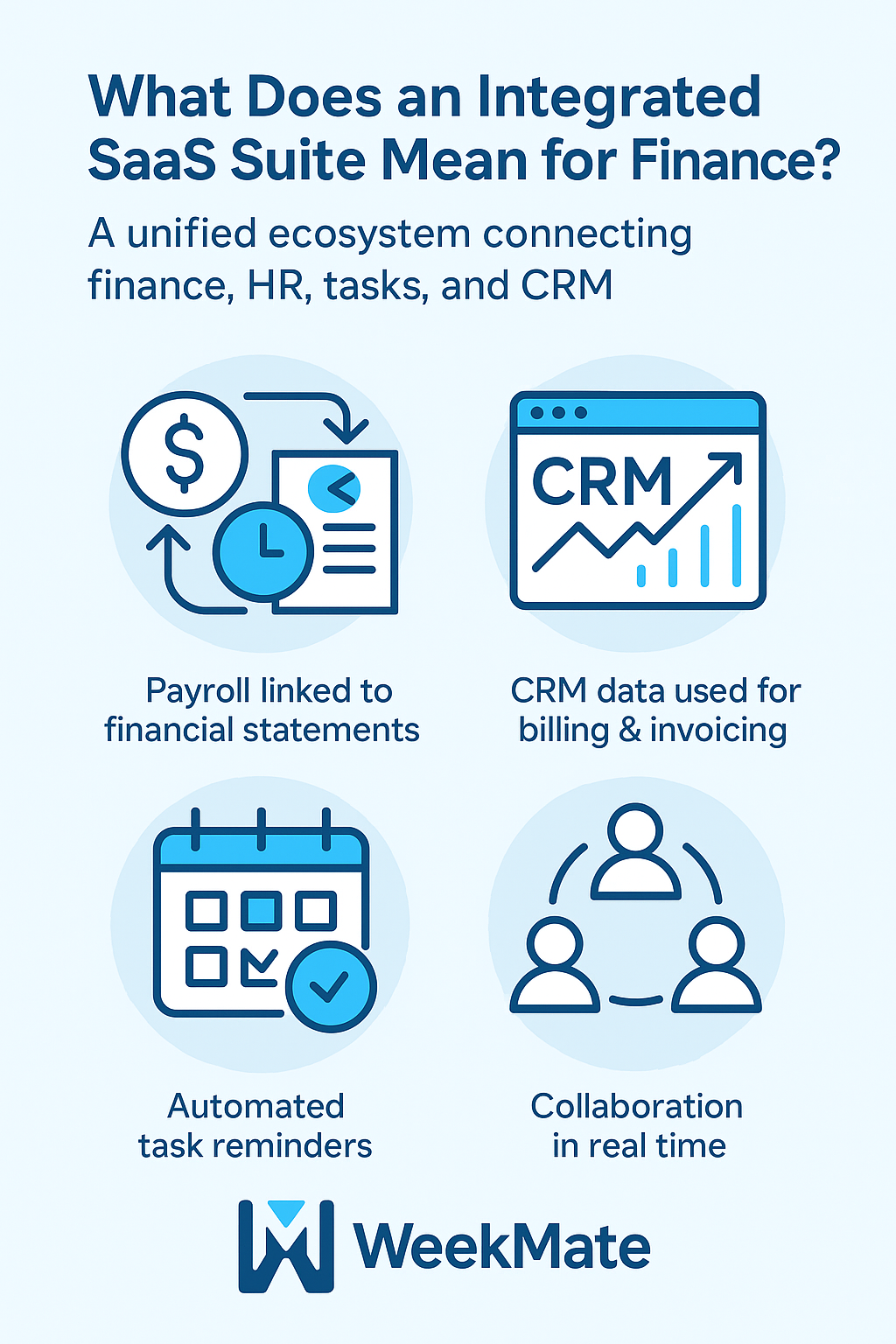
What Does an Integrated SaaS Suite Mean for Finance?

An integrated SaaS suite is a unified finance management software ecosystem that connects HR, CRM, tasks, communication, and finance workflows into one system.

For financial operations, such an integration implies:

  • Payroll and attendance are automatically linked to financial statements
  • CRM records are being directly utilized for billing, invoicing, and revenue forecasting
  • Completely automated task reminders for audit, taxation, and compliance deadlines
  • The cooperation of finance, HR, and client-facing teams in real-time

The platform delivers finance operations automation by eliminating manual data entry and ensuring that work is consistent. This kind of integration fosters transparency and helps control the entire financial lifecycle.

It is the solution to the question: What is an integrated SaaS for finance.

What Does an Integrated SaaS Suite Mean for Finance

Why the Shift Toward Unified Platforms Is Accelerating?

Several industry trends are guiding finance organizations towards integrated systems:

  • More complex regulations
  • A growing number of cloud-based finance solutions
  • Requirement for quicker reporting and real-time visibility
  • Implementation of fintech innovations
  • CFOs are under pressure to give accurate, connected insights
  • Savings achieved through software consolidation

Finance departments do not need only tools they require a unified business management suite capable of end-to-end workflow automation and compliance.

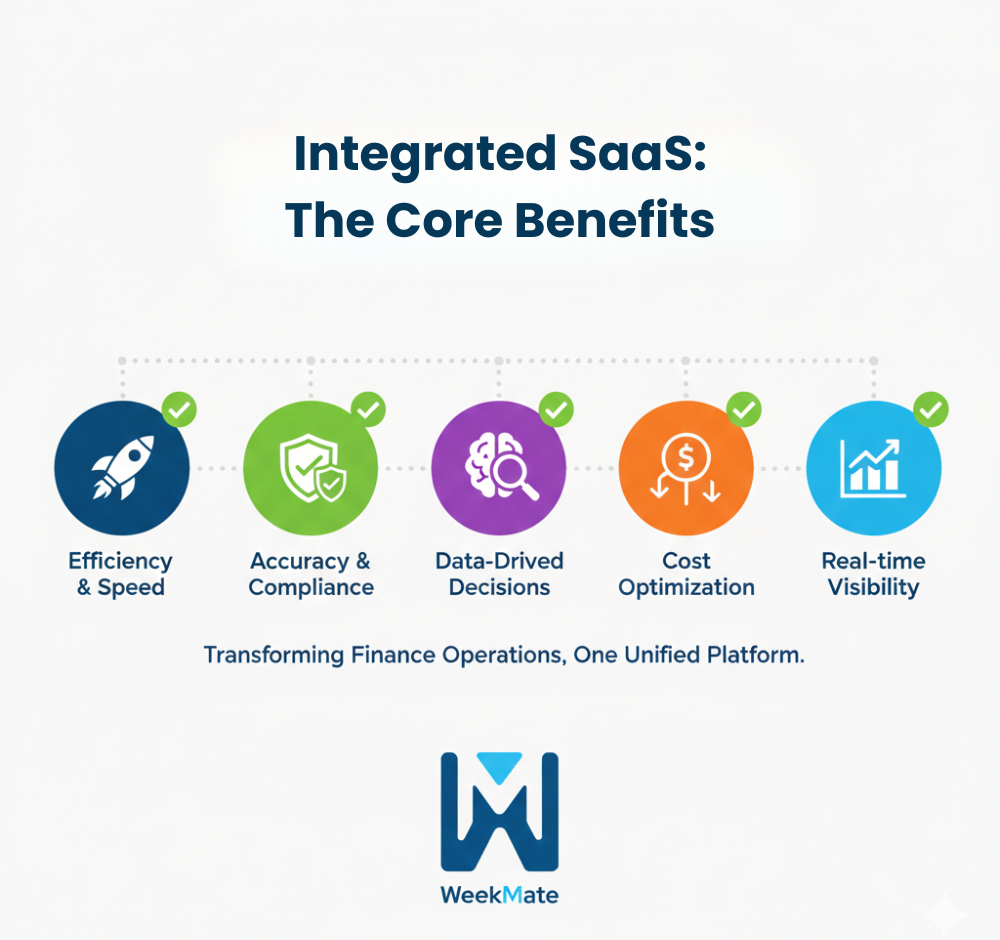
Key Benefits of Integrated SaaS for Finance Operations

Improved Accuracy

By linking data, human errors are reduced, and consistent numbers from HR, CRM, and finance are ensured.

Quicker Decision-Making

Unified dashboards such as WeekMate CRM provide immediate, real-time visibility into payroll, billing, tasks, and compliance.

Compliance Automation

The integration of a compliance management system eases audits, document tracking, and reporting.

Operational Efficiency

Thanks to finance workflow automation, employees spend less time switching tools and can devote more time to strategic analysis.

Cost Optimization

Using fewer tools reduces licensing costs and the administrative workload.

These benefits support data-driven financial operations at scale.

Integrated-SaaS-The-Core-Benefits

Practical Use Cases in Finance Departments

1. Payroll & HR Automation

With automated payroll processing, finance teams can check approvals, upload compliance documents, and meet deadlines.

2. Client Management & Billing

CRM-linked billing ensures invoices align with the services provided, which is the main factor in improving revenue accuracy. A great example of this is the WeekMate Email Marketing tool.

3. Auditing & Compliance

Task workflows enable finance teams to check approvals, upload compliance documents, and meet deadlines.

4. Financial Forecasting

Merged data sets enhance finance predictions, expense planning, and revenue modeling using finance analytics and dashboards.

The Future of Financial Automation

The finance department is undergoing an evolution that will eventually lead to the creation of intelligent and interconnected ecosystems.

Some of the most critical changes to expect are:

  • Automation of reconciliation and anomaly detection through AI
  • Use of predictive analytics for increased accuracy of forecasts
  • Centralized risk management within integrated platforms
  • Implementation of modern cloud-based finance solutions in place of legacy ERPs
  • Enhanced security and compliance frameworks
  • Collaboration across departments with HR, sales, and operations

This transformation to the digital world is a step towards complete digital finance transformation, which is beneficial not only for enterprises but also for accounting firms.

How WeekMate Enables Unified Finance Operations?

WeekMate is a robust SaaS platform for accounting firms and finance teams looking for complete operational control. Its linked modules are:

  • WeekMate HRMS for attendance, payroll, and workforce management
  • WeekMate TaskHub for audit workflows, finance tasks, approvals, and deadline tracking
  • WeekMate Connect for internal communication and collaboration
  • WeekMate CRM for client management, billing alignment, and follow-ups
  • WeekMate Email Marketing tool for client communication and outreach

This network facilitates HR integration, CRM connectivity, and operations automation — thereby enabling seamless HR CRM integration for finance.

For example:

A finance team that uses WeekMate HRMS handles payroll, client billing, task assignments, and compliance tracking from a single dashboard. Thus, they save time each week and significantly reduce the chances of reporting errors.

WeekMate enables financial process management; thus, it is the unifier that synchronizes all departments into an automated flow.

This is exactly how to automate finance operations and how SaaS is transforming accounting firms today.

Conclusion: A Single Source of Truth for Financial Success

Modern finance teams can’t afford to use disconnected, manual methods. Integrated platforms provide the clarity, automation, and precision modern financial operations require.

The benefits of unified finance platforms are evident: up-to-the-minute insights, drastically reduced errors, highly improved compliance, and lower operational costs.

Unified SaaS technology is the way forward, and WeekMate is facilitating this transition with its complete suite.

Make an overhaul of your finance operations by implementing unified SaaS technology explore Weekmate’s integrated suite today.

Ecommerce Automation: HR, CRM & Tasks All-in-One Suite ProAI

Ecommerce has expanded substantially in the last ten years, mainly due to the increasing demand for online shopping, the rise of digital payments, and the development of global fulfillment networks. The growth of this business sector also deepens its complexity. To that effect, companies are not only expected to take care of customers but also to manage internal teams and run operations in an orderly manner, most of the time with scarce resources. It is at this point that ecommerce automation appears as a crucial winning factor.

The three major areas comprehended by modern ecommerce operations are:

  • HR‍‌ (Human Resources) – refers to the control and management of people, talents, and business operations.
  • CRM (Customer Relationship Management) – the management and control of customers, sales, and communication.
  • Task Management – scheduling of daily activities across the teams

An enterprise single, unified automation platform that combines the functional interactions of HR, CRM, and task management will make business operations more efficient. It will also scale it and prepare it for a future where AI-powered tools and automated technologies will dominate.

At present, leading brands are adopting an ecommerce management suite that combines HR, CRM, and task management features into a single, seamlessly integrated automation platform. The adoption of such a strategy is a step toward increased operating efficiency, higher accuracy, and long-term scalability.

The Growing Need for Ecommerce Automation

With the changes piling up fast in the e-commerce world, the company is facing numerous challenges, such as:

  • Customers’ increasing expectations for speedy delivery and customized experiences
  • A large number of orders calling for the establishment of scalable systems
  • The management of customer data on different platforms
  • The coordination of employee tasks in the fulfillment, support, and marketing departments

To overcome these hurdles, businesses are moving towards automated ecommerce operations equipped with advanced technologies such as AI in ecommerce, workflow automation, and integration dashboards.

Automation is a must for:

  • Decreasing common manual errors
  • Giving better speed and accuracy
  • Supporting ecommerce growth and scalability
  • Enabling data-driven decision-making

HR Automation in Ecommerce: Streamlining Talent Management

HR is at the very heart of e-commerce: from recruiting warehouse workers to managing the customer support team. Ecommerce HR automation enables businesses to execute HR processes quickly and effectively, even at scale.

Main HR activities facilitated by automation:

HR Function

How Automation Helps

Recruitment Automated filtering, scheduling, and applicant tracking
Onboarding Digital forms, instant training modules, and employee onboarding software
Payroll Error-free calculations and timely payments
Attendance Automated time tracking for remote and on-site staff

Automation helps HR teams by lightening their workload and enhancing the employee experience. Some of the benefits of HR automation in the ecommerce industry are that it leads to better compliance, quicker hiring, and more accurate data ‌management.

What Will Be The Future Trends In HR Automation?

  • Talent acquisition with AI support
  • Workforce management using the prediction model
  • Employee morale system

A tool such as WeekMate HRMS gives ecommerce businesses a great chance to make their HR work more efficient and gather workforce data in one place.

CRM Automation in Ecommerce: Enhancing Customer Relationships

What is CRM in ecommerce?

CRM software enables web-based businesses to track user actions, manage communication, segment audiences, and increase customer loyalty.

Keys CRM duties automated in ecommerce

  • Transforming targeted marketing through customer segmentation and lead scoring
  • Personalized and sequenced email marketing campaigns
  • Customer-support chatbots
  • AI-powered recommendations and responses

Customer data automation via integrated ecommerce + CRM workflows

By leveraging effective CRM automation, companies can elevate retention, drive more repeat purchases, and deliver personalized experiences that foster loyalty.

Where will CRM automation be in the future?

The implementation of AI in the ecommerce industry will go on and play an increasingly important role in predictive sales insights, behavior forecasting, and ultra-personalized communication.

WeekMate CRM, together with the WeekMate Email Marketing tool, is an excellent way for ecommerce brands to link their stores to customer data for a 360-degree customer view.

Task Management Automation: Boosting Productivity Across Teams

Task management is at the core of activities such as order processing, inventory management, packaging, and customer communication.

Ways in which automation enhances task management:

  • Auto-assign work based on free time, skill, or importance
  • Automate the repetitive workflows, like order updates or inventory alerts
  • Instant sync with HR and CRM systems
  • Real-time dashboards for tracking KPIs and performance

Having a great task management tool means easier work, quicker turnaround, and better collaboration.

WeekMate TaskHub and similar tools provide visual pipelines, automated task flows, and seamless collaboration.

Advantages of Integrating Three Modules: HR, CRM, and Task Management in a Single Suite

The primary advantages of a unified system, such as an ecommerce management suite are:

Main Benefits

Streamlined workflows

The need for different tools is eliminated; data sharing becomes effortless.

Improved accuracy

Data from CRM, HR, and tasks are harmonized throughout the company.

Enhanced insights

Access to up-to-the-minute analytics on the workforce, customers, and tasks.

Better employee and customer experiences

Quick responses, transparent communication, and process automation.

Lower costs

A single suite provides the functionality of 4–6 separate software subscriptions.

High scalability

Designed for the expansion of stable e-commerce brands.

A scope for such integration facilitates workflow optimization and aligns teams around shared goals.

For example, TaskHub and HR work seamlessly together. Employees punch in and out via TaskHub, and all working hours are instantly synced with HR for accurate tracking and payroll. If the working hours are not completed, a system-automated reminder will be mailed to complete the remaining hours.

The Future of Ecommerce Automation: What to Expect

The following wave of ecommerce technology innovations will be shaped ‍‌by:

Main Trends

  • Advanced machine learning for predictive analytics
  • AI-supported workforce and customer management
  • Extensive CRM and HR integration 
  • Tightening of data security and compliance requirements
  • Uninterrupted integration with marketing, logistics, and finance tools
  • Expansion of integrated business management software

As a result, the leaders who invest in the ecommerce business automation tools will be ahead of their rivals and build a stable, sustainable business model for the future.

Case Studies and Examples

Mid-Size Fashion Brand

  • Integration of HR, CRM, and task management
  • Onboarding time cut by 40%
  • Repeat customer rate increased by 22%
  • Marketing automation saved 15 hours per week

Electronics Retailer

  • Automated order workflows
  • Improved inventory updates through synced task management
  • Customer support response time improved by 35%

Beauty & Wellness Ecommerce Store

  • Automated segmentation and email campaigns
  • Staff productivity increased by 30%
  • Faster customer resolution through CRM-linked tasks

These case studies demonstrate what motivates the best ecommerce automation platforms to integrate various business functions into a single hub, such as WeekMate Connect for communication and collaboration.

Conclusion

The use of automation in HR, CRM, and task management is a key factor driving the momentum of change in ecommerce. The whole operation, from employee onboarding to customer engagement and daily task coordination, becomes more efficient with the help of ecommerce automation.

An ecommerce company looking to scale must consider an ecommerce management suite that combines workforce management, customer relations, and task workflows. Such a consolidated approach will not only streamline operations efficiently but also minimize errors and enable the company to grow further in the long term.

By the time automation reaches its next stage of development, those firms that decide to equip themselves with smart, connected solutions will find themselves in a much stronger position to expand and prosper in a fiercely competitive market. 

Free vs Paid SaaS Tools – What’s the Difference?

Should you start with a free SaaS tool or pay for one? Free SaaS tools give quick access with zero cost, while paid plans unlock advanced features, integrations, and priority support.

In 2025, the global SaaS market is projected to exceed $300 billion, making choices overwhelming. This blog will break down key features in free and paid plans, show when to upgrade, explain how to do a SaaS pricing comparison, and offer practical examples to help you make an informed decision. So, let’s get started:

What Features Can You Expect in Free SaaS Tools?

Free SaaS tools work well for beginners or small teams. They cover essential functions and do not require any upfront investment. Startups, solopreneurs, and small project teams often begin with free plans to understand workflow compatibility.

Key features include:

  • Basic Functionality – Handles daily tasks effectively.
  • Limited Storage – Usually 1–5 GB; enough for small projects but may restrict growth.
  • Small Team Support – Ideal for solopreneurs or teams under five.
  • Basic Integrations – Connects to apps like Gmail, Slack, or Zoom.
  • Community Support – Online forums instead of dedicated help desks.

Example Table: Free SaaS Features

Feature Typical Availability
Core Functions Yes
Storage Capacity 1–5 GB
Users Supported 1–5
App Integrations 2–5
Customer Support Community forum

Free SaaS tools let you test software without financial risk. They help evaluate workflow fit and app compatibility. Small businesses can explore multiple SaaS options while keeping overhead low. Keep in mind that as teams grow, limitations may appear, signaling it is time to consider paid plans.

Which Features Do Paid SaaS Plans Offer and How Do They Compare to Free Versions?

Paid SaaS tools are made to grow with your business. They offer more than basic features. Teams can access advanced functionality, handle larger workloads, and enjoy better security. Businesses that need automation, analytics, and multiple integrations often move to paid plans. These plans help teams work smarter and scale easily.

Core benefits are as follows:

  • Advanced Features – Automation, analytics, custom dashboards.
  • More Storage & Users – Supports larger teams and data.
  • Priority Support – Fast email, chat, and phone help.
  • Full Integrations – Connect CRMs, payment gateways, and marketing apps.
  • Security & Compliance – SOC 2, GDPR, and encryption standards.

Example Table: Paid SaaS Features

Feature Typical Availability
Advanced Functionality Yes
Storage Capacity 50–500 GB depending on plan
Users Supported 10–Unlimited
App Integrations 10–30+ apps
Customer Support Email, chat, 24/7 phone support
Security & Compliance SOC 2, GDPR, enterprise-level encryption

Free SaaS vs. Paid SaaS Plans — Which One Should You Choose?

Free and paid SaaS plans serve different purposes. Free plans help you start without risk. They work well for learning, testing, or small projects. Paid plans give you all features, better support, and room to grow. The right choice depends on your budget, team size, and goals.

Aspect Free Plan Features Paid Plan Features Best For
Cost $0 per month Starts from a monthly subscription fee Individuals on a budget or testing tools
Access to Features Basic tools only Full access to premium and advanced tools Teams that need complete functionality
User Limits Small number of users or seats Higher or unlimited users Growing teams or multiple departments
Storage Capacity Limited space Larger or unlimited space Businesses handling large amounts of data
Support Availability Community forum or slow email replies Priority support by email, chat, or phone Businesses that can’t afford long downtime
Customization Options Minimal personalization Advanced customization and integrations Companies with unique workflows
Security & Compliance Basic protections Enterprise-grade security and compliance standards Industries with strict regulations or sensitive data

Summary – When to Use Free SaaS vs. Paid SaaS?

  • Choose Free if you are trying a tool for the first time. It works if you work alone or run a small personal project.
  • Choose Paid if your work brings in revenue. It suits teams that need more features, higher limits, faster support, or stronger security.

Final Decision Rule: If missing features or delays can cost you money, choose the paid plan.

Quick Pros vs Cons

Free Plan

Pros

  • No cost to use
  • Simple to try and set up
  • Works well for small or personal projects

Cons

  • Limited tools and features
  • Small storage capacity
  • Slow or no dedicated support

Paid Plan

Pros

  • Access to the full set of features
  • Higher limits for storage and users
  • Fast, priority customer support

Cons

  • Requires a monthly or yearly subscription fee
  • May include tools that are not immediately useful

In short, free plans are perfect for testing and light use, while paid plans are designed for growth, scalability, and professional needs.

When Should You Upgrade From Free to Paid SaaS Plans?

Upgrading at the right time keeps your business running smoothly. It prevents slowdowns and avoids missed opportunities.

1. You’ve hit storage limits

Free plans often come with very little storage. You may need to delete files to make room. This is a clear sign to upgrade. Paid plans give you more or even unlimited space.

2. Your team is bigger than your plan

Free versions limit how many people can use the tool. A growing team will quickly hit that limit. Paid plans allow everyone to work together without restrictions.

3. You need advanced tools

Automation, analytics, and reporting are often locked behind paid tiers. These features save time and improve how you track and manage work.

4. You need more integrations

Free plans rarely connect with all your other tools. Paid versions integrate with CRMs, marketing software, and project management apps. This creates a smooth workflow.

5. You can’t wait for support

Free users often wait days for help. Paid plans offer faster and priority support. Quick help can prevent costly delays.

Compare the cost to the benefits before upgrading. Choose a paid plan if it helps you work faster. Upgrade if it gives you more space or prevents lost opportunities.

Note: WeekMate uses a one-time license fee model instead of monthly SaaS subscriptions. This gives lifetime access with a predictable annual maintenance cost. It also avoids per-user fees, making budgeting easier for teams that expect to grow.

Practical Example: Free SaaS vs Paid SaaS

A small marketing agency started with a free project management tool. At the beginning, it was fine. One manager and two interns could keep tasks in order without much trouble. The free plan seemed like a cost-saving win.

But as projects grew, the cracks showed.

Challenges with the free plan:

  • File storage limits: The tool capped storage at a few gigabytes. Files had to be deleted or stored elsewhere. This slowed down access and caused delays.
  • Team collaboration issues: The free plan only allowed basic sharing. Real-time editing and multiple user comments often didn’t sync.
  • Limited reporting features: They couldn’t track ROI or compare campaign performance over time.

The turning point:

The manager noticed that manual updates and switching between different tools were wasting time. Client reports took hours to compile. The decision was made to upgrade to the paid plan.

After upgrading, results came fast:

  • Workflow automation removed the need for manual task tracking, saving about 30% of work hours.
  • 100 GB extra storage eliminated file juggling. Everything stayed in one place.
  • Advanced integrations with their CRM and analytics tools improved reporting accuracy and project oversight.

Key takeaway:

The difference between free SaaS and paid SaaS isn’t about price. It’s about fit. Before choosing, think about:

  • How many people will use it
  • How your team works day-to-day
  • The goals you need to achieve

How to Make an Effective SaaS Pricing Comparison?

Step-by-step comparison saves money.

  1. List all tools.
  2. Identify current and future feature needs.
  3. Note free limits versus paid options.
  4. Evaluate security, integrations, and support.
  5. Score each criterion with Yes/No.
  6. Highlight tools meeting at least 80% of your needs.

Side-by-Side Comparison Example

Feature Tool A Free Tool A Paid Tool B Free Tool B Paid
Core Functionality Limited Full Limited Full
Storage Capacity 5 GB 100 GB 10 GB 200 GB
Automation No Yes No Yes
Users Supported 1–5 50 1–3 30
Integrations 3 apps 20 apps 2 apps 15 apps
Support Forum 24/7 Forum Email
Security Basic Advanced Basic Advanced

Wrapping Up

To choose the right SaaS, follow this simple process:

  • Identify core business needs.
  • Check free plan limits.
  • Compare features, integrations, storage, and support.
  • Test with real workflows.
  • Look at pricing and upgrade options.

This approach keeps your choice informed, cost-effective, and growth-ready. You save time, avoid bottlenecks, and reduce unnecessary costs. Choosing the right tool now keeps operations smooth today and scalable tomorrow.

Find the SaaS Tools That Work for You

Schedule a Demo

FAQs

Should I use a free SaaS tool or pay for one?

Free SaaS plans are suitable for early-stage businesses or small teams testing a tool. They come with limits on features, storage, and users. Paid plans offer more functionality, better security, and support, making them ideal as your team and workflows grow.

How do I run a SaaS pricing comparison?

Start by defining your requirements. Compare tools based on features, storage, user limits, integrations, support, and security. Shortlist options that meet at least 80% of your needs and offer flexible pricing for future growth.

Can a free SaaS tool grow with my business?

Free plans can support initial growth but often have scaling limitations. Paid SaaS plans provide higher limits, automation, and advanced features needed for long-term business expansion.

Are there hidden costs in free SaaS tools?

Yes. Free plans may charge for extra storage, users, integrations, or advanced features. Always review pricing details and upgrade conditions to avoid unexpected costs.

The Hidden Costs of SaaS – And How to Avoid Them

SaaS hidden costs are unexpected expenses that come with software subscriptions beyond the advertised price. Hidden costs can eat into your business funds and cause budget overruns.

In fact, many businesses find software investment inflation of around 30 to 50% annually due to undisclosed subscription charges.

If you’ve ever wondered, “What hidden costs should I watch out for with SaaS?” — this guide is for you. Keep reading to get direct, clear answers and practical strategies to control them.

The worldwide SaaS market is projected to exceed $300 billion in 2025. Businesses and companies of all sizes — from startups to enterprises — are using SaaS. It helps with HR workflows, CRM, project management, email marketing, and more. But when you don’t know the hidden costs, these tools can become more expensive than planned.

8 Common Hidden Costs in SaaS

Hidden costs often come from features, usage, and contract terms you may not notice upfront. Here are the most common SaaS hidden costs to watch for:

Over-licensing

Paying for user accounts that are inactive or underused. For example, a business may buy 100 licenses for a task management system, but only 70 users actively log in.

Storage Overages

Costs for exceeding data limits are particularly problematic with document management systems, HRMS software handling employee records, or CRM platforms storing customer data and communication histories.

Premium Feature Upgrades

The base plan of tools mostly contains access to basic features. Premium and essential tools like advanced reporting or automation features require additional integration charges for upgradation to a more premium plan.

API Call Charges

You might need to connect multiple business systems, like an employee monitoring platform with a project management module. These integrations require extra charges and may exceed monthly limits.

Integration Fees

Connecting SaaS tools with existing platforms or custom connector development requires additional investment.

Early Termination Penalties

When you opt for monthly or annual subscription models, contract cancellation charges may include only partial refunds or no refunds at all.

Onboarding & Training Costs

First-time consultation fees are free. However, migration service fees and post information implementation training are usually billed separately.
SaaS Hidden Costs vs. Transparent Pricing

Factor Hidden Costs Model Transparent Pricing Model
Price Clarity Low base price; extras not disclosed. All costs listed upfront.
User Fees Charges per extra user. Clear per-user or unlimited pricing.
Integrations API & tool links cost extra. Included in plan.
Support Paid premium for help. Support included.
Data Limits Storage/export fees apply. Generous or unlimited storage.

💡 Example:
WeekMate TaskHub includes task tracking, collaboration, and dashboards in one package without extra feature fees — a clear, transparent pricing model.

How to Audit SaaS Expenses? A Step-by-Step Guide

Implementing systematic SaaS cost management strategies requires a methodical approach to identifying and addressing expense inefficiencies:

Inventory All SaaS Tools

Create a complete list of every SaaS platform your company uses — from major tools like WeekMate HRMS to niche apps.

Check Usage Reports

Identify unused or low-use accounts and remove them. Many SaaS providers offer built-in reports.

Review Invoices

Look for extra charges such as data overages, premium add-ons, or service fees.

Compare Pricing Plans

You might be overpaying for features you don’t use. Sometimes switching to a smaller plan is more cost-effective.

Consolidate Vendors

If multiple SaaS tools overlap in function, replace them with an all-in-one alternative. For instance, WeekMate HRMS covers payroll, attendance, and performance — eliminating the need for three separate apps.

Top 6 Cost-Saving Tips for SaaS

Smart SaaS pricing tips can cut annual software costs without losing important features:

  • Right-Size Licenses – Only pay for users who actually need access. Check regularly for inactive accounts. Remove licenses when employees leave or change roles. This simple step prevents wasted spending on unused seats.
  • Negotiate Better Renewal Terms – Companies with good payment records often get discounts. Multi-year deals usually cost less per month. Mention competitor pricing during renewal talks. Vendors want to keep existing customers happy.
  • Scalable Costs – Some platforms, like WeekMate, offer HRMS & Payroll at ₹2,250 per month (up to 25 employees) with ₹90 per additional employee, helping businesses avoid per-user cost escalations and maintain predictable expenses.
  • Choose Annual Payment Plans – Yearly payments typically save 10-20% compared to monthly billing. The upfront cost pays off through lower total expenses. Cash flow becomes more predictable, too.
  • Set Up Usage Monitoring – Track how much each tool gets used. Built-in analytics show spending patterns. This prevents surprise overage charges. Early warnings help teams stay within budget limits.
  • Bundle Services Together – Single platforms that handle multiple needs cost less than separate tools. Look for solutions combining project management, email marketing, and exam management features. Fewer vendors mean less complexity.

Regular planning and smart choices help businesses reduce SaaS costs while keeping operations running smoothly.

The WeekMate Advantage: Transparent Pricing, Hidden Cost Elimination

WeekMate suite shows how careful SaaS selection can reduce hidden costs:

  • WeekMate HRMS – Combines attendance, payroll, leave management, and employee recognition in one platform — eliminating multiple tool subscriptions.
  • WeekMate TaskHub – Provides team task management without costly per-user upgrades common in other project management tools.
  • WeekMate CRM – Avoids integration chaos by providing built-in customer management tools instead of multiple disconnected platforms.

Conclusion

SaaS hidden costs can wreck budgets when businesses don’t plan for them. Companies that ignore these costs often face budget overruns. The money saved can fund growth instead of covering surprise bills.

Schedule a Demo

FAQs

What hidden costs should I watch out for with SaaS?

SaaS platforms often have costs beyond the advertised price. Over-licensing happens when companies pay for unused accounts. Storage fees kick in when data limits are exceeded. Premium features cost extra on top of basic plans.
API calls can trigger additional charges. Integration with other tools may require paid connectors. Early contract termination usually comes with penalties. Training and setup often cost more than expected. These hidden expenses can boost total software costs by 30-50%.

How can I audit my SaaS expenses effectively?

Begin with a complete list of all software subscriptions. Check usage reports to spot inactive user accounts. Monthly invoices reveal surprise charges and add-ons.
Compare current plans with actual usage patterns. Many businesses pay for features they don’t use. Look for chances to combine tools. Platforms like WeekMate bundle multiple functions together. This reduces both complexity and costs.

What are the best tips for reducing SaaS costs?

Remove licenses for users who no longer need access. Annual payments usually offer better rates than monthly billing. Scalable pricing model eliminate recurring fees entirely.
Set up tracking to monitor usage patterns. This prevents overage charges. Negotiate better terms at renewal time. Companies with good payment history often get discounts. Consolidating vendors reduces management overhead and integration costs.

How do integrated SaaS suites help reduce hidden costs?

Single platforms handle multiple business needs. This eliminates fees for connecting separate tools. Vendor management becomes simpler with fewer contracts to track.
Pricing stays predictable across all functions. Training costs drop since teams learn one system instead of many. Support comes from a single source. WeekMate’s approach combines HR, CRM, project management, and marketing tools. This prevents the surprise costs that come with managing multiple vendors.

When should I consider switching from subscription to Scalable pricing model?

Calculate total subscription costs over expected usage time. Factor in price increases that typically happen with subscriptions. Flexible pricing model access protects against inflation and eliminates budget uncertainty.

Become A Partner