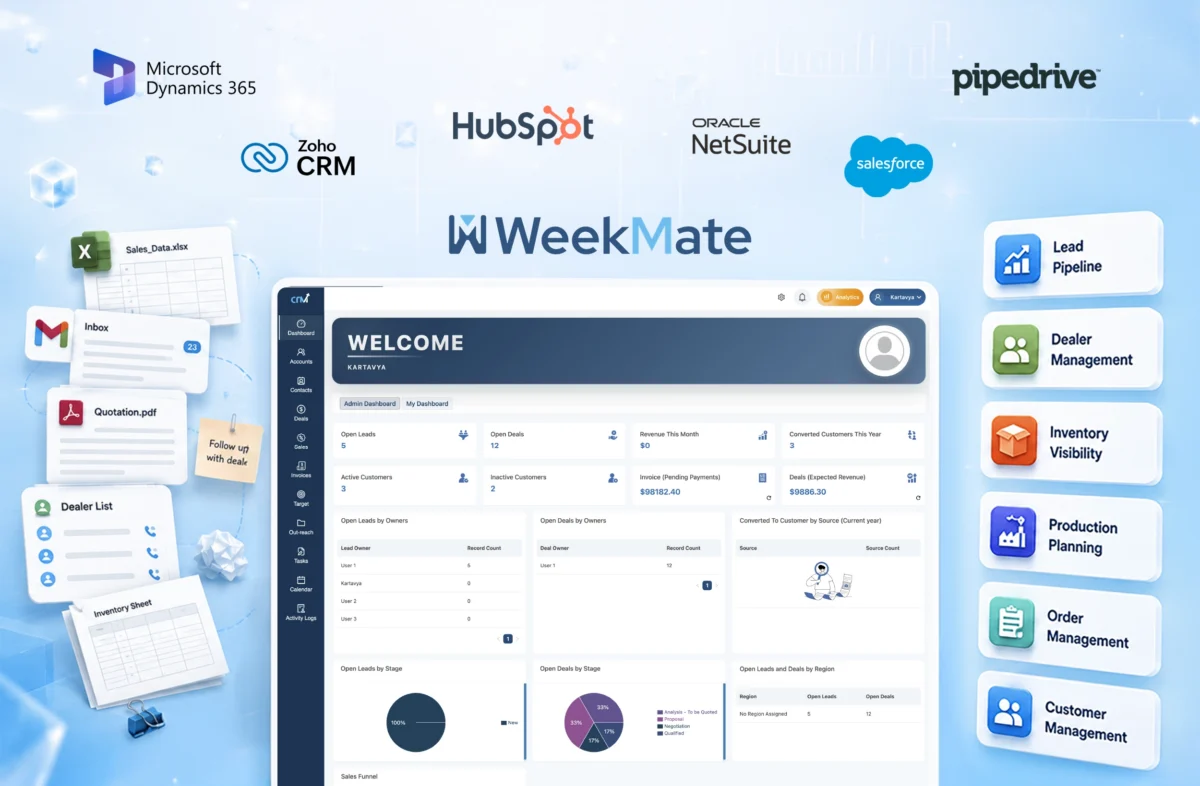
Top 7 CRM Software for Manufacturing Companies in 2026

Manufacturing firms previously used spreadsheets, manual entries, and scattered communication across emails and calls. That was the norm. And it worked. 

But things changed.

As competition increased and customer expectations grew, the previous methods became outdated. This led to delayed quotations, missed follow-ups, and unclear inventory visibility.

Then came integrated CRM software for manufacturing industry. And now, businesses were not just managing data. They were streamlining it. 

Today, manufacturing companies that wish to stay ahead cannot just rely on outdated processes. They need an all-in-one CRM software that brings sales, operations, and customer relationships into one flow. 

But not every CRM is built for manufacturing. And honestly, picking the wrong one can slow you down more than help. At the same time, picking the right one can be a smart investment for your business.

So let’s break this down clearly, practically, without fluff.

What is Manufacturing CRM?

A CRM for manufacturing companies is not only a tool to manage contacts and a simple database. It’s more than that. It’s a system made to handle complex sales cycles, distributor networks, inventory management, and quotation workflows, all in a single place.

Unlike the usual CRM tools, industrial CRM software focuses on:

  • Multi-level sales pipelines
  • Dealer and distributor tracking
  • ERP and inventory systems integration
  • Real-time quotation and order management

Think of it as the bridge between your sales team and your production floor, because in manufacturing, those two can’t operate in silos.

Benefits of CRM Software for Manufacturing Industries

Let’s be real. Most manufacturing companies don’t lose deals because of poor products. They lose them due to slow follow-ups, messy communication, or lack of visibility. A good CRM fixes that. Here are some reasons why you need them.

1. Better Sales Pipeline Visibility

You can track every lead, every deal stage, and every interaction. No more guessing what’s stuck and why.

2. Distributor & Dealer Management

Manufacturers often rely on networks. CRM helps manage relationships, track performance, and maintain consistency.

3. Faster Quotation Management

Delays in quotations mean lost deals. A CRM can speed up this process with quick templates, automation, and approvals.

4. Improved Inventory Coordination

When CRM connects with inventory systems, sales teams don’t overpromise or underdeliver.

5. Better Customer Retention

Follow-ups, reminders, service history, everything is tracked. Customers feel remembered.

Must Read: How Custom CRM Solutions Improve Customer Retention?

6. Production and Sales Alignment

This one’s underrated. When both teams work with synced data, operations become smoother.

7. Workflow Automation

Manual work reduces. Errors reduce. Teams actually focus on what matters.

Must Read: Benefits of Custom CRM Software for Growing Businesses

Top 7 CRM Software for Manufacturing Industry

Here’s a quick comparison before we take a detailed look:

Software Best For Pricing Free Trial
WeekMate CRM SMEs & growing manufacturers Affordable Yes
Salesforce Manufacturing Cloud Large enterprises Premium Yes
Zoho CRM Customization & flexibility Mid-range Yes
HubSpot CRM Marketing + CRM combo Freemium Yes
Microsoft Dynamics 365 Enterprise integration Premium Yes
Pipedrive Sales-focused teams Mid-range Yes
Oracle NetSuite CRM Full-suite ERP + CRM Premium Yes

1. WeekMate CRM

WeekMate CRM is an all-in-one CRM platform that is built for growing businesses. It simplifies sales, operations, and team workflows without dealing with unnecessary complexity.

Key Features

  • Lead and sales pipeline tracking
  • Task and workflow automation
  • CRM + HR + operations in one platform
  • Real-time reporting

Pros

  • Easy to use
  • Affordable for SMEs
  • All-in-one approach reduces tool overload

Cons

  • Not as deep as enterprise CRMs (yet)

Pricing

Budget-friendly, designed for growing teams. Starting from ₹3999 / Month for 50 users.

Best Use Case

It is a good fit for small- to mid-sized manufacturing businesses looking to move away from spreadsheets without excessive complexity.

2. Salesforce Manufacturing Cloud

Salesforce Manufacturing Cloud is made for large-scale manufacturers. It offers deep visibility into sales, forecasting, and operations. It’s powerful, but not very easy to use, as it needs some learning before getting started.

Key Features

  • Account-based forecasting
  • Advanced sales pipeline management
  • AI-based insights and analytics
  • Integration with the Salesforce ecosystem

Pros

  • Highly scalable for enterprise use
  • Strong forecasting and analytics
  • Robust customization capabilities

Cons

  • Expensive for small to mid-sized businesses
  • Setup and implementation can be complex

Pricing

Premium pricing, typically suited for enterprise budgets. Starting from ₹2376.45/User/Month.

Best Use Case

It is well-suited for large manufacturing companies with complex sales cycles that need advanced forecasting and analytics.

3. Zoho CRM

Zoho CRM is flexible and a widely used solution. It is quite popular among Indian businesses. Zoho balances affordability with customization. However, it can take some time to fully set up.

Key Features

  • Lead and deal management
  • Workflow automation
  • Omnichannel communication (email, phone, chat)
  • Custom modules and reporting

Pros

  • Affordable and scalable
  • Highly customizable
  • Strong ecosystem of Zoho apps

Cons

  • Initial setup can feel overwhelming
  • UI can feel slightly cluttered at times

Pricing

Mid-range pricing with multiple scalable plans. Starting from ₹800/user/month.

Best Use Case

It is appropriate for growing manufacturing businesses that need flexibility and customization without enterprise-level costs.

4. HubSpot CRM

HubSpot CRM is known for its ease of use and wide range of features. It works well for manufacturers focusing on inbound leads. It may feel a little difficult for complex operations.

Key Features

  • Contact and pipeline management
  • Marketing automation tools
  • Email tracking and templates
  • Reporting dashboards

Pros

  • Free plan available
  • Very easy to use
  • Strong marketing + CRM integration

Cons

  • Limited manufacturing-specific features
  • Advanced features can get expensive

Pricing

Freemium model with paid upgrades. Starting from ₹3,753/mo/seat.

Best Use Case

It is suitable for manufacturing businesses focused on lead generation, marketing campaigns, and simple sales processes.

5. Microsoft Dynamics 365

Microsoft Dynamics 365 is an enterprise-grade CRM. It integrates deeply with ERP and other Microsoft tools. It’s comprehensive, but requires time and expertise to implement properly.

Key Features

  • ERP and CRM integration
  • Advanced analytics and reporting
  • AI-driven insights
  • Seamless Microsoft ecosystem integration

Pros

  • Strong integration with Microsoft tools
  • Highly scalable
  • Enterprise-level capabilities

Cons

  • Complex implementation
  • Higher cost and learning curve

Pricing

Premium pricing based on modules and usage. Starting from ₹7603.38/user/month.

Best Use Case

It works well for large manufacturing enterprises that already use Microsoft products and need deep integration across their systems.

6. Pipedrive

Pipedrive is a sales-focused CRM that is simple and easy to use. It’s great for tracking deals, but it lacks advanced manufacturing capabilities.

Key Features

  • Visual sales pipeline
  • Deal tracking and management
  • Workflow automation
  • Sales reporting

Pros

  • Very easy to use
  • Clean and intuitive interface
  • Quick setup

Cons

  • Limited features for manufacturing workflows
  • No built-in inventory or ERP integration

Pricing

Mid-range pricing with tiered plans. Starting from ₹1330.59/seat/month.

Best Use Case

It can work for small manufacturing teams that mostly need a simple tool to manage sales pipelines and deals.

7. Oracle NetSuite

Oracle NetSuite CRM is a comprehensive, cloud-based platform that combines CRM with ERP, finance, and operations. It’s powerful, but definitely not lightweight.

Key Features

  • Unified CRM + ERP system
  • Real-time dashboards and reporting
  • Order and inventory management
  • Advanced automation

Pros

  • All-in-one business solution
  • Highly scalable
  • Strong reporting capabilities

Cons

  • Expensive for smaller businesses
  • Implementation can be time-consuming

Pricing

Premium pricing tailored to enterprise needs. Custom pricing.

Best Use Case

It can work for large manufacturing organizations looking for a fully integrated CRM + ERP solution in a single platform.

Also Check: List of 10 Best CRM Solutions for Indian Businesses

9 Key Features to Look for in Manufacturing CRM

Not every CRM will suit your workflow. So before choosing, pause and check this:

1. Lead & Sales Pipeline Management

You should be able to track every deal stage clearly — not just who the customer is, but where the opportunity stands and what needs to happen next.

2. Inventory Management Integration

When your CRM connects with inventory, your sales team always knows what’s available… avoiding overpromising or awkward follow-ups.

3. Quotation & Order Management

Quick, accurate quotations can make or break deals — a good CRM helps you generate, approve, and send them without delays.

4. Distributor & Dealer Management

Managing multiple partners becomes easier when you can track performance, communication, and orders from one place.

5. Workflow Automation

Repetitive tasks such as follow-ups, reminders, and updates can run automatically, saving time and reducing human error.

6. Reporting & Analytics

A CRM should turn your data into insights that help you understand what’s working, what’s not, and where to improve.

7. ERP Integration

Connecting CRM with ERP ensures smooth data flow between sales, inventory, and production — this is where real operational efficiency kicks in.

8. Mobile CRM Access

Your team should be able to access and update data on the go… because sales don’t always happen from a desk.

9. Customer Support Management

Post-sale support matters just as much — tracking issues, requests, and history helps build long-term customer relationships.

Suggested Read: Top CRM Modules and Features for Business Growth

How to Choose the Right CRM for Your Manufacturing Business?

There’s no “best CRM” universally. Only the right fit.

Here’s how to think about it:

  • Business size: Small teams need simplicity. Enterprises need depth.
  • ERP integration needs: Check compatibility early.
  • Inventory complexity: More complexity = stronger integration required.
  • Sales process: Long cycles need advanced tracking.
  • Budget: Don’t spend too much on features that you don’t use.
  • Scalability: Choose something that grows along with you.
  • Reporting needs: Analytics are also essential if you rely on insights.

Take your time here. Rushing this decision often leads to switching later… which is worse.

Manufacturing CRM Trends in 2026

Change is constant and fast-paced. Manufacturers who don’t keep up are losing business to competitors who are upgrading themselves.

Statista recently reported that the CRM software market, with the manufacturing industry significantly contributing to its growth, is expected to reach US$103.51bn by 2026.

  • AI-Driven Forecasting: Modern CRMs predict a business’s sales patterns, allowing the business to be proactive rather than reactive.
  • Advanced Predictive Analytics: Fast and efficient decision-making is made possible with the implementation of real-time data and analytics.
  • IoT Integration: Automated connected machines offer systems and sales teams the information needed to make optimal decisions.
  • Smart Factory CRM Solutions: Integrated production, sales, and logistics systems are becoming the industry standard.
  • Automated Workflow Systems: Automated tasks are minimizing the manual effort needed and maximizing the overall efficiency.
  • Mobile CRM Systems: The workplace is no longer confined to the office; mobile systems bring CRM to the field.

Simplify Manufacturing Operations with WeekMate CRM

If your current system feels slow, disconnected, or just frustrating, you know that it’s now time to upgrade. 

A well-implemented CRM systems for manufacturing not only organize your data. It improves response time. Aligns teams. Reduces errors. And honestly, it gives you control back.

If you’re exploring a practical and easy-to-adopt solution, WeekMate CRM is a strong starting point for growing manufacturing businesses that want clarity without complexity.

Final Views

You don’t need the most advanced CRM. You need the one your team will actually use consistently. Because even the best system fails if it remains unused. So choose wisely. Test properly. And implement it with intention.

That’s where the real difference happens.

Frequently Asked Questions

1. Which CRM is the best for manufacturers?

There is no one such definite answer. It honestly depends on your business size and your needs. SMEs may prefer simpler tools like WeekMate or Zoho, while enterprises are more favourable towards Salesforce or Microsoft Dynamics 365.

2. Can CRM integrate with ERP software?

Yes, most of the modern CRM software for manufacturers supports ERP integrations. It is very important for manufacturing workflows to connect processes and make them smoother.

3. Why do manufacturers need CRM software?

It helps manufacturing companies nicely manage customer relationships and streamline the entire sales process. CRM software also helps firms improve lead tracking and enhance workflow coordination.

4. What features should manufacturing CRM include?

It should primarily include features that can make the workflow efficient and optimized. Some of them can be pipeline management, inventory integration, quotation tools, automation, and analytics.

5. Is CRM useful for small manufacturing businesses?

Yes. It allows smaller teams to be more organized and automated to help them scale quicker.
CRM Modules: Essential Features Every Business Needs in 2026

To be honest, most businesses don’t fail because they don’t have tools. That’s rarely the issue. The real problem? Their tools just don’t work together. Here, CRM modules step in.

If you’ve been looking into various CRM software lately, you’ve probably noticed something. It’s no longer just about storing contacts.

A modern CRM system is kind of like a central hub for your business. Everything flows through it. Sales, marketing, support, operations, all in one place, instead of scattered across tools.

And now, in 2026, things have shifted a bit. With AI, automation, and real-time data driving decisions, choosing the right CRM modules isn’t really optional anymore; it’s just something you can’t afford to get wrong.

What are CRM Modules?

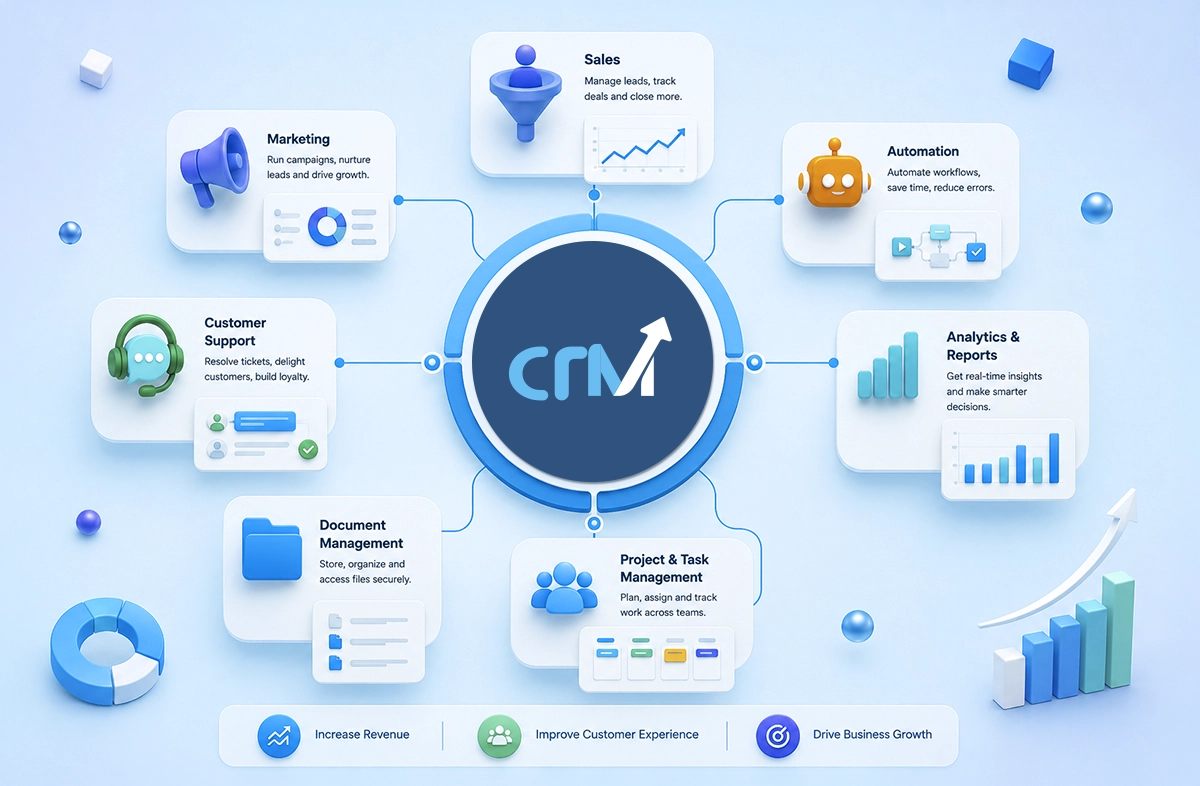
CRM modules are different components inside a CRM system. Each of them handles specific business functions. Instead of one bulky tool trying to do everything, CRM software modules divide tasks into dedicated sections like sales, marketing, customer support, and analytics.

Think of it like this:

A CRM isn’t one tool. It’s a collection of tools working together smoothly, if set up right. These customer relationship management modules help businesses:

  • Organize customer data
  • Automate repetitive tasks
  • Track interactions across channels
  • Improve decision-making with real insights

And yes, when implemented well, they reduce chaos.

Core CRM Modules

Now, not every CRM is built the same. Here is a key CRM features list that almost every business must have.

1. Sales CRM Module

This is actually where revenue happens. A sales CRM module helps the team manage leads, track deals, and close opportunities without scattered spreadsheets or forgotten follow-ups. 

Key functionalities include:

  • Lead management
  • Pipeline tracking
  • Deal management
  • Follow-up reminders

The biggest benefit? Visibility. You know exactly where each deal stands. No guessing and no chasing.

2. Marketing CRM Module

Marketing without data is just noise. This module connects your campaigns with actual customer behavior. It helps you attract, nurture, and convert leads more effectively.

Core features include:

  • Email campaigns
  • Lead nurturing workflows
  • Audience segmentation
  • Campaign performance tracking

In 2026, this module is heavily powered by AI. It doesn’t just send emails. It predicts when and what to send.

3. Customer Support Module

Customer experience is no longer a “nice-to-have.” It’s the brand. A CRM support module ensures that every customer query is tracked, managed, and resolved efficiently across every channel.

Key features:

  • Ticket management
  • Query tracking
  • SLA (Service Level Agreement) management
  • Omnichannel communication

And here’s the thing. Customers don’t care which department they’re talking to. They just want answers. This module makes that possible.

Operational & Productivity CRM Modules

Now this is where things get interesting. These CRM system modules don’t directly generate revenue, but they make everything faster, smoother, and scalable.

1. Workflow Automation Module

Repetitive tasks kill productivity. This module automates processes like:

  • Lead assignment
  • Follow-up emails
  • Task creation
  • Status updates

In short, it removes manual work and human errors. 

2. Reporting & Analytics Module

This module transforms raw data into actionable insights. You can track:

  • Sales performance
  • Campaign ROI
  • Customer behavior
  • Team productivity

Modern CRM tools now include predictive analytics. It means they don’t just show what happened. They suggest what to do next.

3. Project & Task Management Module

For teams juggling multiple clients or campaigns, this module is a lifesaver. It helps:

  • Assign tasks
  • Track deadlines
  • Monitor progress
  • Improve team collaboration

Everything stays aligned. No more “I thought someone else was handling it.”

4. Document Management Module

Scattered files are a nightmare. This module centralizes documents like:

  • Proposals
  • Contracts
  • Customer records

With secure access and version control, your team always works with the latest information.

Key CRM Modules at a Glance

Module Type

Primary Function

Business Impact

Sales CRM

Manage leads & deals

Increased revenue

Marketing CRM

Campaign management

Better conversions

Customer Support

Handle queries

Improved customer experience

Automation

Streamline workflows

Higher efficiency

Analytics

Data insights

Smarter decisions

Project Management

Task tracking

Better collaboration

Document Management

File organization

Centralized data

Also Read: Why Cloud-Based CRM Software is Essential for Businesses?

Benefits of CRM Modules

When implemented correctly, CRM functionalities can transform how a business operates.

Here’s what you actually gain:

1. Better customer management

When all your customer information sits in one place, things just become easier. You’re not digging through emails or spreadsheets anymore. You have context, history, and clarity — which makes every interaction more meaningful.

2. Increased sales productivity

Sales teams spend a surprising amount of time on non-selling work. Updating data, chasing info, setting reminders it adds up. A good CRM takes that weight off, so they can focus more on conversations that actually close deals.

Also Read: How Custom CRM Solutions Improve Sales Performance?

3. Improved collaboration

This one’s subtle, but powerful. When sales, marketing, and support are all working in the same system, things just click better. Less back-and-forth, fewer misunderstandings. Everyone’s on the same page. 

4. Workflow automation

You don’t really notice how repetitive your processes are until you stop doing them manually. Follow-ups, task assignments, status updates, once these get automated, your day feels lighter. And way less error-prone.

5. Better reporting

Most businesses have data, but don’t really use it well. A CRM organizes it in a way that actually makes sense. So instead of guessing, you can clearly see what’s working, what’s not and what needs fixing next.

6. Centralized business data

Everything lives in one system: customer details, deals, communication, reports. That means no switching between tools or searching for information. It keeps your operations organized and your team aligned.

Must Read: Benefits of Custom CRM Software

How to Choose the Right CRM Modules?

Now this is where most businesses go wrong. They either choose too many modules or the wrong ones entirely. Here are some simple ways to approach it:

1. Business requirements

First things first… don’t start with the tool. Start with your problems. What’s slowing you down right now? Sales gaps, messy data, missed follow-ups? Choose CRM modules that actually fix those. Not just the ones that sound impressive.

2. Team size

This one’s often overlooked. A small team usually needs something simple, quick to learn, easy to manage. But as your team grows, you’ll need structure – permissions, workflows, maybe even layered access. So yeah, think ahead a bit.

3. Integration capabilities

Your CRM shouldn’t feel like a separate island. It needs to connect with the tools you already use: email, marketing platforms, accounting software. Otherwise, you’re just creating more silos, and that defeats the whole point.

4. Automation features

If your team is still doing repetitive tasks manually, something’s off. A good CRM should take that load off: assigning leads, sending follow-ups, updating statuses. It’s not just about saving time. It’s about reducing mistakes too.

Also Read: Why Custom CRM Software is the Future of Business Automation?

5. Reporting needs

Data is great, but only if it makes sense. Look for CRM modules that give you clear insights, not complicated dashboards you’ll never use. You should be able to glance at it and think, “okay, now I know what to do next.”

6. Scalability

And finally, think long term. Your CRM should grow with you, not hold you back. More users, more data, more processes. It should handle all of that without forcing you to switch systems every couple of years.

CRM Modules Trends in 2026

This space is evolving fast. Here’s what’s shaping modern CRM software:

1. AI-Powered CRM

AI now handles:

  • Lead scoring
  • Sales forecasting
  • Customer segmentation
  • Smart recommendations

It’s not replacing humans, but it’s definitely reducing guesswork.

2. Predictive Analytics

CRMs are becoming proactive. Instead of just showing reports, they:

  • Predict customer churn
  • Suggest next best actions
  • Identify high-value leads

It’s like having a strategist built into your system.

3. Omnichannel Communication

These days customers are present everywhere. They are on email, chat, WhatsApp, and social media. Modern CRM modules unify all these channels into one dashboard. So, there is no switching tabs or losing conversations.

4. No-Code Automation

We all know that not every team has developers. That’s okay. In such scenarios, no-code CRM tools allow you to build workflows, and that too without technical skills. Just drag, drop, automate, and it’s done.

5. Unified Customer Data

Data silos are disappearing. With CRM, everything, like sales, marketing, and support, can connect into one unified profile. This in turn, creates a 360-degree view of your customer.

And honestly, that’s where real personalization begins.

Suggested Read: Why CRM Is Essential for Business Competitiveness?

Simplify Customer Management with the Right CRM

CRM isn’t about software anymore. It’s about how your business runs. At the end of the day, the modules aren’t just features. They’re building blocks. The right combination can:

  • Streamline your operations
  • Improve customer relationships
  • Boost revenue predictability

But the wrong setup? It just adds complexity. So take your time and start small. Then scale smartly.

And if you’re looking for a CRM that brings all these modules together, without overwhelming your team, solutions like WeekMate CRM are built exactly for that. It’s flexible, scalable, and actually usable.

The companies winning in 2026 aren’t the ones with the most tools, but the ones using the right CRM tools and modules in the right way. 

So yes, choose wisely. Because your CRM doesn’t just store data. It shapes your growth.

Frequently Asked Questions

1. What are CRM modules?

CRM modules are different parts of a bigger CRM system. Each one handles a specific job like managing sales, running marketing campaigns, or handling customers. Instead of a single bulky tool, it’s like a set of dedicated features working together.

2. Which CRM modules matter the most?

It depends mostly on your business. Generally, sales, marketing, customer support, automation, and analytics are the important ones. These are the areas where most teams need structure and visibility.

3. Can small businesses actually use CRM modules effectively?

Yes. In fact, small businesses benefit the most. Many modern CRM tools are built to be simple, scalable, and even no-code. Hence, you don’t need a big team or technical expertise to get started.

4. How do CRM modules improve productivity?

They remove a lot of repetitive work from your plate. Tasks like follow-ups, data entry, and tracking interactions all get simplified. Also, since everything is in one place, teams spend less time searching and more time actually doing.

5. What does the future of CRM modules hold?

It’s moving towards smarter systems. More AI, more automation, and better predictions. CRM tools won’t just store data anymore; they’ll actually guide decisions.

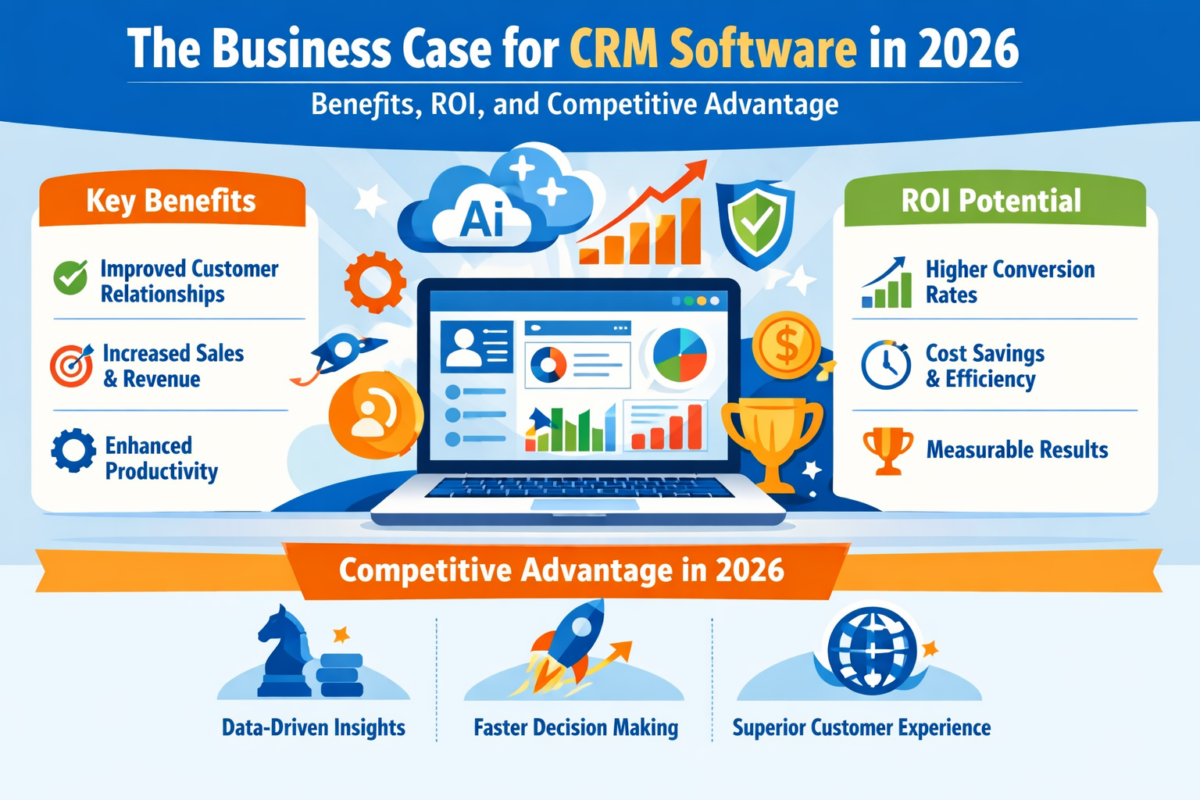
The Business Case for CRM Software in 2026: Benefits, ROI, and Competitive Advantage

It’s 2026, and companies no longer compete on products. Instead, they compete on responsiveness, personalization, and long-term customer relationships. Buyers demand rapid responses, seamless onboarding, proactive service, and uniformity in communication across channels. Delivering on those expectations at scale is not feasible without systematic processes.

That is why it is important for decision makers to understand what the benefits of CRM software really offer. Today’s CRM systems do much more than just keep contact information. These tools consolidate data, streamline processes, enhance forecasting, and enable better cross-department collaboration.

This blog post examines quantifiable CRM software benefits, real ROI, and why in 2026 companies will be leveraging customer relationship management benefits to enhance sustainable competitive advantage.

Why CRM Is a Top Priority In 2026?

Along the way, customers get a seamless, unified experience that integrates sales, service, marketing and commerce teams, thanks to CRM systems that bring customer data together. This consolidated data view enhances productivity and powers personalized engagement at scale.

CRM has been found to deliver an average return of $8.71 per dollar spent. This statistic reinforces that the benefits of CRM software have a positive effect on financial outcomes – not just operational convenience.

CRM adoption is not about digital transformation in 2026. It’s about optimizing revenue.

List of Top 9 CRM Software in 2026

Below is a well-organized list of leading CRM software:

Software

Best For

Core Strength

WeekMate

Execution & Accountability

Performance-driven: Integrates CRM with goal tracking and weekly accountability insights.

Salesforce

Enterprise Scalability

Einstein AI: Predictive analytics and deep ecosystem integration for large organizations.

HubSpot CRM

Startups & SMBs

Accessibility: Intuitive interface with a powerful free tier and “Breeze” AI agents.

Zoho CRM

Best Value

Zia AI Assistant: Offers high-level automation and customizable dashboards at a competitive price.

Pipedrive

Sales Pipeline

Visual Management: Streamlined deal tracking and activity-based sales planning.

Freshworks

Mid-Market AI

ServiceOps: Combines sales automation with AI-driven forecasting and communication.

Dynamics 365

Microsoft Ecosystem

Copilot Integration: Seamless operation with Office 365 and complex enterprise ERPs.

Zendesk Sell

Service-Led Sales

Omnichannel: Bridges the gap between support tickets and sales opportunities.

ActiveCampaign

Marketing Automation

Behavioral Workflows: Advanced lead nurturing based on specific customer interactions.

1. WeekMate – Best CRM Software for Execution & Accountability

WeekMate differentiates by integrating customer relationship management with performance planning in a structured manner. It incorporates goal monitoring and weekly performance insights, unlike traditional CRMs that are pipeline-only.

Why it is #1 for 2026:

  • Goal-driven sales forecasting
  • Weekly accountability systems
  • Clear-cut performance figures
  • Consistency with customer behavior and strategic outcomes

When paired with a project management tool, Weekmate lets you turn your customer projects into concrete action plans.

In business environments where operational visibility is a priority, the CRM system benefits for business go beyond merely monitoring income; they affect the organization’s productivity-focused culture and its performance standards.

2. Salesforce – Best Enterprise CRM

The high scalability and advanced AI features make Salesforce a leading enterprise CRM.

  • Best for: Large enterprises
  • Strengths: Einstein AI, extensive integrations, advanced reporting

It represents the broader CRM software benefits of scalability, predictive analytics, and ecosystem integration.

3. HubSpot CRM – Best Free CRM for Growing Teams

Startups and small businesses have made HubSpot CRM their go-to tool, thanks to an intuitive interface and surprisingly accessible free tier.

  • Best for: Startups and SMBs
  • Strengths: User-friendly design, marketing integration

This platform highlights significant CRM benefits for small and medium businesses, particularly those scaling without large IT budgets.

4. Zoho Corporation CRM – Best Value CRM

Zoho CRM also offers powerful automation and customization options at competitive prices.

  • Best for: Medium-sized businesses
  • Pros: AI assistant, customizable dashboards

Its versatility also highlights the key advantages of CRM software for organizations needing adaptable workflows.

5. Pipedrive – Best for Sales Pipelines

Pipedrive is designed around visual sales pipeline management and sales productivity.

  • Best for: Sales-based teams
  • Strengths: Deal tracking, automation

This platform offers powerful CRM benefits for sales teams, particularly those focused on pipeline visibility.

6. Freshworks CRM — Best AI-Enabled Mid-Market CRM

Freshworks CRM combines sales automation with AI insights.

  • Best for: Mid-market organizations
  • Advantages: AI-driven forecasting, embedded communication tools

It supports measurable customer relationship management benefits through predictive engagement.

7. Microsoft Dynamics 365 – Best for Microsoft Ecosystem

Dynamics 365 is tightly integrated with Microsoft enterprise tools.

  • Best for: Enterprises using the Microsoft stack
  • Features: AI Copilot, ERP integration

This shows the powerful CRM system benefits for businesses operating in complex enterprise models.

8. Zendesk Sell- Best for Service-Oriented Teams

Zendesk Sell connects sales and customer support.

  • Best for: Heavily support-based organizations
  • Pros: Omnichannel communication

Its architecture is designed to deliver significant CRM benefits for customer support, including greater case tracking and holding.

9. ActiveCampaign — Best CRM for Marketing Automation

ActiveCampaign combines CRM with sophisticated automation tools.

  • Best for: Marketing-led growth strategies
  • Pros: Behavioral automation workflows

This platform offers powerful CRM benefits for marketing automation, especially for segmentation and lifecycle campaigns.

Also Check: List of Top 10 CRM Software in India

Key Advantages of CRM Applications for Businesses in 2026

With the enabling platforms now identified, the strategic question becomes: What measurable business outcomes can justify the investment?

1. Centralized Customer Intelligence

One of the key benefits of CRM software can provide is Improved Data Visibility. Teams no longer depend on dispersed spreadsheets or disjointed messaging platforms.

Important customer relationship management benefits include:

  • 360-degree customer profiles
  • Real-time interaction history
  • Reduced duplication
  • Faster onboarding

These are foundational advantages of CRM software that help to reduce wasteful work.

2. Revenue Growth Through Sales Optimisation

CRM systems greatly improve the accuracy of forecasting and managing the sales pipeline.

The CRM benefits for sales team are:

  • Organized lead tracking
  • Automated reminders
  • Better close rates
  • Data-Driven Prioritization

These refinements equate to measurable ROI. The CRM software benefits in revenue forecasting enable management to make the best use of their resources.

3. Marketing Automation And Personalization

Today’s buyers expect relevant communication.

The CRM benefits in marketing automation let teams:

  • Segment audiences
  • Trigger behaviour-based campaigns
  • Monitor conversion rates
  • Enhance campaign ROI

When paired with Project Management Software, marketing timelines can perfectly match with­ execution scheduling.

These improvements reinforce the long-term benefits of CRM software in driving sustainable growth.

4. Improved Customer Support and Retention

Retaining customers is often more profitable than acquiring them. CRM tools centralize case histories and service records.

The CRM benefits for customer support include:

  • Faster resolutions
  • The SLA monitoring
  • Proactive follow-ups

According to the Harvard Business Review, raising retention rates by just 5% can increase profits by 25% to 95%. These are powerful customer relationship management benefits that directly impact your lifetime value.

Also Read: How Custom CRM Solutions Improve Customer Retention?

5. Scalable Infrastructure Empowering SMEs

The CRM benefits for small and medium businesses are especially transformative in 2026. Cost-effective SaaS models enable SMEs to adopt enterprise-grade processes without enterprise budgets.

By connecting CRM with task management software, small teams can increase coordination without adding operational complexity.

These scalable systems highlight key advantages of CRM software for lean organizations competing in competitive markets.

6. Workflow Automation and Productivity Gains

Automation reduces monotonous manual labor.

The CRM system benefits for business in automation include:

  • Lead assignment rules
  • Email sequencing
  • Automated reporting
  • Activity tracking

These productivity gains represent significant CRM software benefits for organizations managing high customer volumes.

Also Read: Why Custom CRM Software is the Future of Business Automation?

Calculating CRM ROI in 2026

When deciding on CRM expenditures, executives should monitor:

  • Customer acquisition cost
  • Days to close sales
  • Profit per customer
  • Rate of retention
  • Output at per worker basis

The CRM benefits of marketing automation ensure that marketing leaders can fully leverage campaign spend optimization. For sales leaders, the CRM benefits for sales teams reduce lost opportunities. For service leaders, the CRM benefits for customer support protect revenue through retention.

Competitive Advantage in 2026

Today’s competitive advantage is built on data intelligence and customer experience.

Organizations that harness the true customer relationship management benefits of CRM systems:

  • Faster response times
  • Personalized engagement
  • Predictive sales insights
  • Cross-functional collaboration

These strategic improvements reflect the long-term benefits of CRM software beyond simple contact storage. CRM maturity often defines market leadership in saturated markets.

Final Thoughts

In 2026, CRM isn’t a backend tool it’s a growth engine.

CRM software benefits that can be measured include sales acceleration, marketing automation, service efficiency, and executive-level forecasting. The advantages of CRM software help both SMEs and enterprises scale intelligently.

From WeekMate’s performance-driven system to enterprise-grade platforms such as Salesforce, the way modern CRM platforms drive the organization of the customer relationship is consistent.

When it comes to CRM system benefits for business, the key advantages are: increasing sales, improving retention, enhancing productivity, and providing a source of competitive terms of advantage.

Organizations that invest in CRM strategically today will not just adapt in the coming days, they will shape the future.

FAQs

1. What are the key benefits of CRM software?

CRM software offers centralized data collection, automation, improved funneling and forecasting of sales, and better customer relationship management, all of which help grow revenue.

2. How does CRM provide ROI?

CRM delivers high returns per dollar invested by improving productivity and reducing churn through measurable CRM system benefits for the business.

3. Can CRM be used by SMBs?

Yes, customers love the automation benefits of CRM for small and medium business, scalability, and more effective customer tracking without the need to spend a fortune to build heavy infrastructure.

4. How does CRM help improve collaboration on teams?

Sales, marketing, and support are unified through shared data in the CRM to provide a seamless customer experience and deliver CRM benefits for sales teams, marketing automation, and customer service efficiency.

Become A Partner