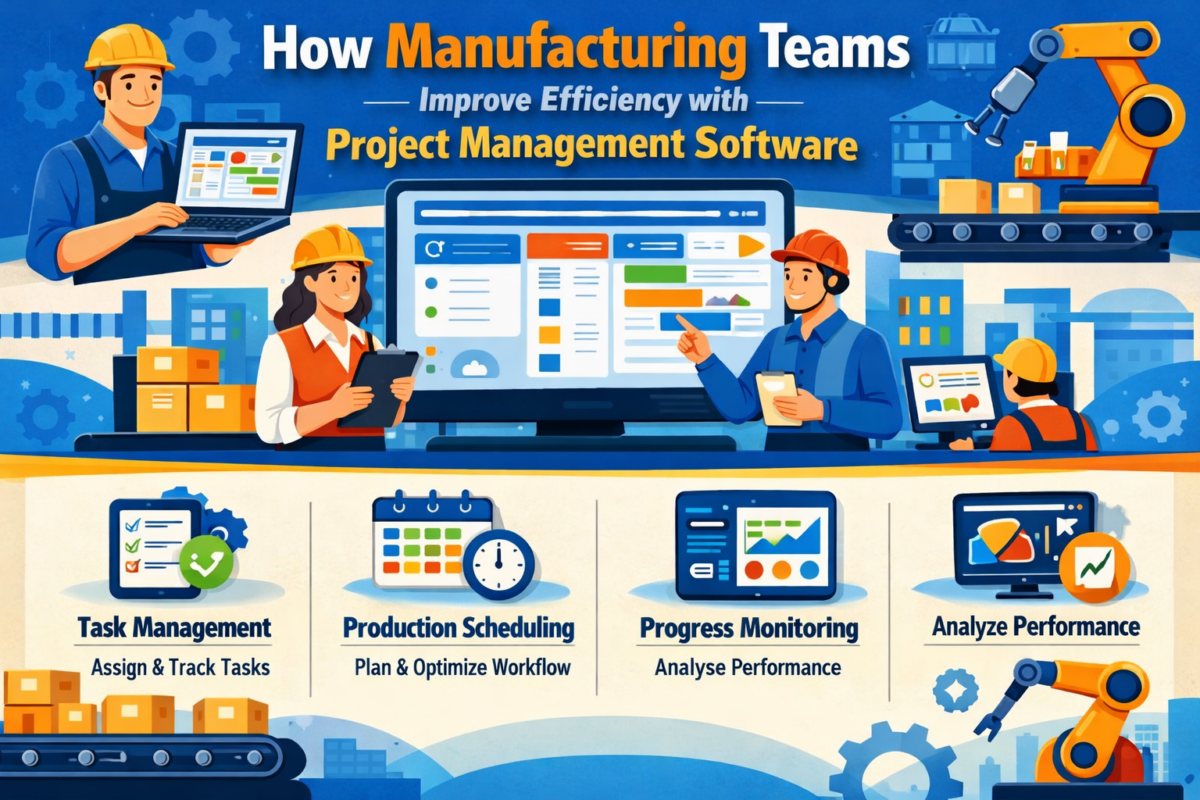
How Manufacturing Teams Improve Efficiency with Project Management Software

Manufacturing is now faster, more complex, and more data-driven than ever before. Teams are to manage a production schedule, work across departments, and maintain a consistent level of quality, all while controlling expenses. That’s the role of project management software.

For the modern manufacturer, achieving manufacturing efficiency improvement means more than the machines; it means better coordination, visibility and planning. Thanks to modern business tools, companies can automate workflows, prevent delays, and enable better team collaboration.

And by enabling manufacturing workflow optimization and better task management for manufacturing teams, digital tools are driving the factory to work smarter, not harder.

What is Project Management Software in Manufacturing?

In a manufacturing environment, project management software helps you to plan, monitor, and control production work and workflows associated with production schedules. It enables groups to plan workflows, delegate duties, and track progress in real time.

Key activities include:

  • Allocation and tracking of tasks.
  • Production scheduling.
  • Resource planning.
  • Workflow coordination.

Unlike traditional manufacturing project management software like spreadsheets and paper-based manual tracking, contemporary manufacturing project management software brings automation to your processes and real-time visibility. This transition from manual to digital is critical to boosting efficiency and eliminating operational bottlenecks.

Why Manufacturing Teams Need Project Management Software?

Manufacturing products is becoming more complicated. Keeping track of multiple production lines, teams, and deadlines manually can lead to delays, errors, and inefficiencies.

Here’s why businesses are adopting project management software:

  • Increasing operational complexity.
  • Need for real-time coordination.
  • Increased necessity for faster production cycles.
  • Improved control over manufacturing operations.

As businesses grow, they need to be able to scale with control and consistent results, which is why tools like production planning software and project management software for production teams are necessary.

How Project Management Software Increases Efficiency

One of the largest benefits of project management software is automation. It eliminates the need for manual monitoring and redundant administrative work.

Here’s how it drives manufacturing efficiency improvement:

  • Automates task assignments and updates
  • Speeds up production planning
  • Better team communication
  • Reduces reliance on manual processes

Manufacturing workflow optimization allows teams to quickly identify bottlenecks and take corrective action. This leads to smoother operations and more effective resource utilization.

Accuracy Through Digital Workflows

Manufacturing requires precision. Small mistakes can cause delays, waste, or quality problems.

With task management for manufacturing teams, you can:

  • Reduce human errors
  • Accurate scheduling and tracking of work
  • Consistent quality in production

With more sophisticated tools, such as real-time production tracking tools, teams can track progress on the fly. This way, it promotes good habits and makes sure the work is done.

Features You Should Look For That Can Help Your Business Run Better

Time and Task Tracking

Accurately tracking tasks and events is necessary for running smoothly. Built-in systems also help track progress and verify the completion of deadlines and commitments.

Production Planning

With the help of production planning software, tasks can be prioritized effectively and team members assigned wisely. This improves productivity by minimizing downtimes.

Workflow Automation

Automation eases the monotony of repetitive tasks and ensures uniformity in processes. This is an important aspect of manufacturing workflow optimization.

Reporting & Analytics

With data-driven insights, managers are able to make informed decisions. Reports expose running inefficiencies and potential areas for improvement.

Benefits of Project Management Software for Manufacturing

The following are the benefits of using project management software:

  • Time efficiency benefits due to automation.
  • Decreases in overhead.
  • Better teamwork.
  • Better visibility into manufacturing operations.
  • Enables scalability for organizational growth.

They also enhance manufacturing efficiency improvement by means of each particular process with process harmonization and process optimization.

Result in Reality: Before and After Application

Aspect

Without Software

With Project Management Software

Task Tracking

Manual and error-prone Automated and accurate

Communication

Disconnected teams Centralized collaboration

Production Planning

Reactive approach Proactive scheduling

Visibility

Limited Real-time insights

Efficiency

Inconsistent Improved and measurable

This contrast clearly demonstrates how streamlining a manufacturing workflow can be made simple with the help of tools.

Integration With Other Manufacturing Tools

Current manufacturing project management software will automatically integrate with other solutions, such as:

  • ERP platforms
  • Inventory management tools
  • Workforce management systems

This integration facilitates coordination and helps with task management for manufacturing teams by allowing them to work with a comprehensive view of their operations. For example, integrating with real-time production-tracking tools enables managers to monitor progress and adjust plans in real time.

Common Mistakes to Avoid

While implementing project management software, businesses should avoid:

  • Teams not properly trained
  • Bad data migration from legacy systems.
  • Selecting a software that doesn’t quite meet the business requirements.
  • Overlooking integration options.

To sum up the advice from all these experts: Avoiding these missteps sets the stage for a much smoother rollout and better outcomes.

The Future of Manufacturing Efficiency

The future of manufacturing is in automation and data-driven decision-making.

Important trends are:

  • AI-driven production planning
  • Remote access via cloud-based systems
  • Predictive power with advanced analytics

Smarter project tracking software for production teams:

These discoveries will bring a new level to manufacturing efficiency improvement and the profitability of the business.

To learn more about how to make workforce and task management even more productive, you can also check out this excellent guide on BPO Operations management from Weekmate. It offers tips on how to effectively lead teams, which are directly applicable to task management in manufacturing teams.

Summary

In an era of fierce competition, manufacturers cannot rely on traditional machines for speed; they need smarter systems. Project management software allows you to simplify processes, foster teamwork, and eliminate roadblocks.

By facilitating manufacturing workflow optimization and enhancing task management for manufacturing teams, they enable businesses to run more efficiently.

From planning through to real-time monitoring, the advantages are evident. Choosing the right solution to invest in is no longer a nice-to-have. It is a must-have for success and growth in contemporary manufacturing.

FAQs

1. What is the best project management software for manufacturing?

It is a digital platform for scheduling, organizing, and tracking production jobs and workflows. It enables teams to assign responsibilities, track progress, and manage deadlines from within a single system. This leads to more communication between departments and less manual work.

2. How does it increase production efficiency?

It promotes manufacturing efficiency by automating repetitive tasks and providing real-time visibility into operations. Teams can immediately see where the delays are, address bottlenecks, and streamline processes. This results in quicker production runs and improved resource utilization.

3. Can a small manufacturing company use these tools?

Some project management software solutions are designed to be scalable and affordable for small businesses and SMBs. They help smaller groups keep track of things, become more productive, and compete on an even playing field. Even simple options can make a significant impact on daily workflow.

4. Would it be complex to deploy?

With the right approach ahead of time, team training, subsequent rollout, and implementation can be a pretty smooth ride. Most contemporary software provides intuitive visuals and onboarding assistance. With the system in place, companies can quickly realize efficiency gains.

5. Does it connect with other systems?

Yes, the majority of manufacturing project management software can be integrated with other software suites, including ERP, inventory management, workforce management, and more. This enables a seamless workflow and eliminates the barrier of scattered data. Integrations allow teams to have up-to-date information at their fingertips without having to toggle between tools.

6. What role does real-time monitoring play?

Real-time production monitoring software enables production managers to track progress in real time. This leads to rapid decision-making, scheduling adjustments, and delay prevention. It also increases responsibility and guarantees production remains steady.

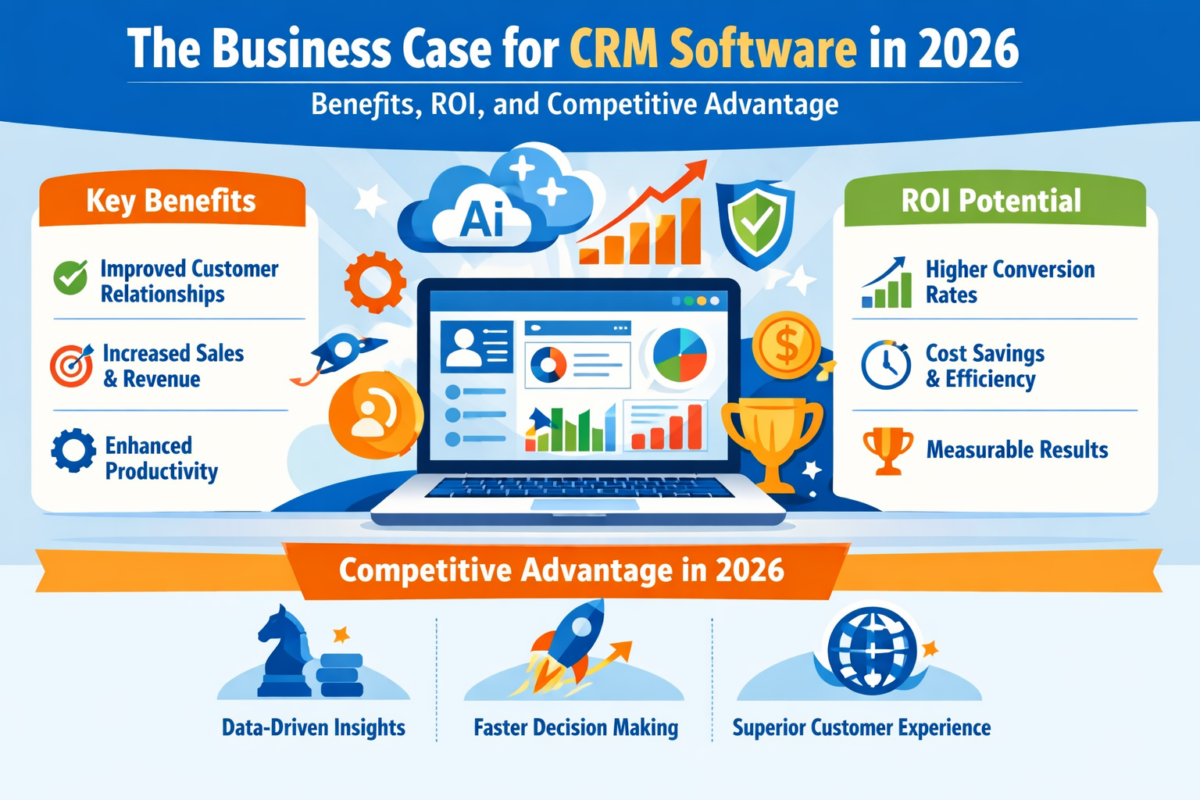
The Business Case for CRM Software in 2026: Benefits, ROI, and Competitive Advantage

It’s 2026, and companies no longer compete on products. Instead, they compete on responsiveness, personalization, and long-term customer relationships. Buyers demand rapid responses, seamless onboarding, proactive service, and uniformity in communication across channels. Delivering on those expectations at scale is not feasible without systematic processes.

That is why it is important for decision makers to understand what the benefits of CRM software really offer. Today’s CRM systems do much more than just keep contact information. These tools consolidate data, streamline processes, enhance forecasting, and enable better cross-department collaboration.

This blog post examines quantifiable CRM software benefits, real ROI, and why in 2026 companies will be leveraging customer relationship management benefits to enhance sustainable competitive advantage.

Why CRM Is a Top Priority In 2026?

Along the way, customers get a seamless, unified experience that integrates sales, service, marketing and commerce teams, thanks to CRM systems that bring customer data together. This consolidated data view enhances productivity and powers personalized engagement at scale.

CRM has been found to deliver an average return of $8.71 per dollar spent. This statistic reinforces that the benefits of CRM software have a positive effect on financial outcomes – not just operational convenience.

CRM adoption is not about digital transformation in 2026. It’s about optimizing revenue.

Top CRM Software in 2026

Below is a well-organized list of leading CRM software:

1. WeekMate – the Best CRM Software for Execution & Accountability

WeekMate differentiates by integrating customer relationship management with performance planning in a structured manner. It incorporates goal monitoring and weekly performance insights, unlike traditional CRMs that are pipeline-only.

Why it is #1 for 2026:

  • Goal-driven sales forecasting
  • Weekly accountability systems
  • Clear-cut performance figures
  • Consistency with customer behavior and strategic outcomes

When paired with a project management tool, Weekmate lets you turn your customer projects into concrete action plans.

In business environments where operational visibility is a priority, the CRM system benefits for business go beyond merely monitoring income; they affect the organization’s productivity-focused culture and its performance standards.

2. Salesforce – Best Enterprise CRM

The high scalability and advanced AI features make Salesforce a leading enterprise CRM.

  • Best for: Large enterprises
  • Strengths: Einstein AI, extensive integrations, advanced reporting

It represents the broader CRM software benefits of scalability, predictive analytics, and ecosystem integration.

3. HubSpot CRM – Best Free CRM for Growing Teams

Startups and small businesses have made HubSpot CRM their go-to tool, thanks to an intuitive interface and surprisingly accessible free tier.

  • Best for: Startups and SMBs
  • Strengths: User-friendly design, marketing integration

This platform highlights significant CRM benefits for small and medium businesses, particularly those scaling without large IT budgets.

4. Zoho Corporation CRM – Best Value CRM

Zoho CRM also offers powerful automation and customization options at competitive prices.

  • Best for: Medium-sized businesses
  • Pros: AI assistant, customizable dashboards

Its versatility also highlights the key advantages of CRM software for organizations needing adaptable workflows.

5. Pipedrive – Best for Sales Pipelines

Pipedrive is designed around visual sales pipeline management and sales productivity.

  • Best for: Sales-based teams
  • Strengths: Deal tracking, automation

This platform offers powerful CRM benefits for sales teams, particularly those focused on pipeline visibility.

6. Freshworks CRM — Best AI-Enabled Mid-Market CRM

Freshworks CRM combines sales automation with AI insights.

  • Best for: Mid-market organizations
  • Advantages: AI-driven forecasting, embedded communication tools

It supports measurable customer relationship management benefits through predictive engagement.

7. Microsoft Dynamics 365 – Best for Microsoft Ecosystem

Dynamics 365 is tightly integrated with Microsoft enterprise tools.

  • Best for: Enterprises using the Microsoft stack
  • Features: AI Copilot, ERP integration

This shows the powerful CRM system benefits for businesses operating in complex enterprise models.

8. Zendesk Sell- Best for Service-Oriented Teams

Zendesk Sell connects sales and customer support.

  • Best for: Heavily support-based organizations
  • Pros: Omnichannel communication

Its architecture is designed to deliver significant CRM benefits for customer support, including greater case tracking and holding.

9. ActiveCampaign — Best CRM for Marketing Automation

ActiveCampaign combines CRM with sophisticated automation tools.

  • Best for: Marketing-led growth strategies
  • Pros: Behavioral automation workflows

This platform offers powerful CRM benefits for marketing automation, especially for segmentation and lifecycle campaigns.

Software

Best For

Core Strength 

WeekMate

Execution & Accountability

Performance-driven: Integrates CRM with goal tracking and weekly accountability insights.

Salesforce

Enterprise Scalability

Einstein AI: Predictive analytics and deep ecosystem integration for large organizations.

HubSpot CRM

Startups & SMBs

Accessibility: Intuitive interface with a powerful free tier and “Breeze” AI agents.

Zoho CRM

Best Value

Zia AI Assistant: Offers high-level automation and customizable dashboards at a competitive price.

Pipedrive

Sales Pipeline

Visual Management: Streamlined deal tracking and activity-based sales planning.

Freshworks

Mid-Market AI

ServiceOps: Combines sales automation with AI-driven forecasting and communication.

Dynamics 365

Microsoft Ecosystem

Copilot Integration: Seamless operation with Office 365 and complex enterprise ERPs.

Zendesk Sell

Service-Led Sales

Omnichannel: Bridges the gap between support tickets and sales opportunities.

ActiveCampaign

Marketing Automation

Behavioral Workflows: Advanced lead nurturing based on specific customer interactions.

Essential Advantages of CRM Applications 2026

With the enabling platforms now identified, the strategic question becomes: What measurable business outcomes can justify the investment?

Centralized Customer Intelligence

One of the key benefits of CRM software can provide is Improved Data Visibility. Teams no longer depend on dispersed spreadsheets or disjointed messaging platforms.

Important customer relationship management benefits include:

  • 360-degree customer profiles
  • Real-time interaction history
  • Reduced duplication
  • Faster onboarding

These are foundational advantages of CRM software that help to reduce wasteful work.

Revenue Growth Through Sales Optimisation

CRM systems greatly improve the accuracy of forecasting and managing the sales pipeline.

The CRM benefits for sales team are:

  • Organized lead tracking
  • Automated reminders
  • Better close rates
  • Data-Driven Prioritization

These refinements equate to measurable ROI. The CRM software benefits in revenue forecasting enable management to make the best use of their resources.

Marketing Automation And Personalization

Today’s buyers expect relevant communication.

The CRM benefits in marketing automation let teams:

  • Segment audiences
  • Trigger behaviour-based campaigns
  • Monitor conversion rates
  • Enhance campaign ROI

When paired with Project Management Software, marketing timelines can perfectly match with­ execution scheduling.

These improvements reinforce the long-term benefits of CRM software in driving sustainable growth.

Improved Customer Support and Retention

Retaining customers is often more profitable than acquiring them. CRM tools centralize case histories and service records.

The CRM benefits for customer support include:

  • Faster resolutions
  • The SLA monitoring
  • Proactive follow-ups

According to the Harvard Business Review, raising retention rates by just 5% can increase profits by 25% to 95%. These are powerful customer relationship management benefits that directly impact your lifetime value.

Scalable Infrastructure Empowering SMEs

The CRM benefits for small and medium businesses are especially transformative in 2026. Cost-effective SaaS models enable SMEs to adopt enterprise-grade processes without enterprise budgets.

By connecting CRM with task management software, small teams can increase coordination without adding operational complexity.

These scalable systems highlight key advantages of CRM software for lean organizations competing in competitive markets.

Workflow Automation and Productivity Gains

Automation reduces monotonous manual labor.

The CRM system benefits for business in automation include:

  • Lead assignment rules
  • Email sequencing
  • Automated reporting
  • Activity tracking

These productivity gains represent significant CRM software benefits for organizations managing high customer volumes.

Calculating CRM ROI in 2026

When deciding on CRM expenditures, executives should monitor:

  • Customer acquisition cost
  • Days to close sales
  • Profit per customer
  • Rate of retention
  • Output at per worker basis

The CRM benefits of marketing automation ensure that marketing leaders can fully leverage campaign spend optimization. For sales leaders, the CRM benefits for sales teams reduce lost opportunities. For service leaders, the CRM benefits for customer support protect revenue through retention.

Competitive Advantage in 2026

Today’s competitive advantage is built on data intelligence and customer experience.

Organizations that harness the true customer relationship management benefits of CRM systems:

  • Faster response times
  • Personalized engagement
  • Predictive sales insights
  • Cross-functional collaboration

These strategic improvements reflect the long-term benefits of CRM software beyond simple contact storage. CRM maturity often defines market leadership in saturated markets.

Final Thoughts

In 2026, CRM isn’t a backend tool it’s a growth engine.

CRM software benefits that can be measured include sales acceleration, marketing automation, service efficiency, and executive-level forecasting. The advantages of CRM software help both SMEs and enterprises scale intelligently.

From WeekMate’s performance-driven system to enterprise-grade platforms such as Salesforce, the way modern CRM platforms drive the organization of the customer relationship is consistent.

When it comes to CRM system benefits for business, the key advantages are: increasing sales, improving retention, enhancing productivity, and providing a source of competitive terms of advantage.

Organizations that invest in CRM strategically today will not just adapt in the coming days, they will shape the future.

FAQs

1. What are the key benefits of CRM software?

CRM software offers centralized data collection, automation, improved funneling and forecasting of sales, and better customer relationship management, all of which help grow revenue.

2. How does CRM provide ROI?

CRM delivers high returns per dollar invested by improving productivity and reducing churn through measurable CRM system benefits for the business.

3. Can CRM be used by SMBs?

Yes, customers love the automation benefits of CRM for small and medium business, scalability, and more effective customer tracking without the need to spend a fortune to build heavy infrastructure.

4. How does CRM help improve collaboration on teams?

Sales, marketing, and support are unified through shared data in the CRM to provide a seamless customer experience and deliver CRM benefits for sales teams, marketing automation, and customer service efficiency.

Why Projects Fail: Key Project Management Challenges and How the Right System Solves Them

Projects rarely fail because teams lack talent. They are failing because the systems around them are breaking down. In all industries, leaders keep wondering why projects fail, yet the answers often come down to structural gaps rather than individual errors. Knowing actual project failure causes, ongoing project management challenges, and recurring common project management problems aids the prevention of loss for a company.

PMI’s 2023 Pulse of the Profession report estimates that poor project performance results in a waste of around 11 percent of investment, a reminder that unmanaged project management issues in teams directly impact profitability.

Understand the True Project Failure Causes

When looking into the project failure causes, the needle is often pointing to structural reasons, rather than accidental ones. Organizations operate with ambiguous scope definitions, unclear ownership, and unrealistic assumptions. These common project management challenges build up quietly until delay and over budget become inevitable.

One major cause of project failure is the gap between planning and execution. Priorities may shift, and teams may begin strong but end fragmented. Project management challenges can become exponential in the absence of defined processes across functions.

Only 34% of organizations consistently complete projects on time, according to research from Wellingtone’s 2024 State of Project Management report. This statistic reinforces the fact that recurring project management issues in teams remain widespread.

Project Management Issues in Teams That Lead to Failure

Many project management issues in teams stem from communication breakdowns. When responsibilities are unclear, accountability weakens. The resulting confusion often becomes one of the overlooked project failure causes.

A key reason why projects fail is the lack of project visibility. All team members are unable to view dependencies, deadlines, or how work is distributed. Small risks turn into large setbacks in the absence of or concealment of transparency. These are the classic common project management problems that business owners need to solve today.

Leadership expects alignment, yet there are still project management challenges holding them back. Visibility is not a luxury; it is the minimum requirement to keep operations alive.

The Impact of Working Without a Project Management System

The lack of project management system is the worst kind of structural vulnerability. Many still rely on spreadsheets, fragmented emails, and chat threads to manage complex work. This leads to severe manual project management issues and increased human error.

In the absence of the project management system, keeping up with updates becomes coward’s thirds rather than horse’s quarters. Failing to identify delays early is a predictable contributor to project failure causes.

These manual project management issues compound existing project management struggles particularly in growing organizations, where workflows outpace oversight systems. As time goes on, leaders are left wondering again: why do projects fail, even with great teams?

Poor Project Planning and Tracking Causes Missed Deadlines

Various other issues are as bad and expensive as poor project planning and tracking. Without milestones clearly defined and resources accurately forecast, teams will underestimate the workload and overpromise delivery timelines.

The result? Consistently missed deadlines in projects that damage client trust and undermine internal morale. Poor project planning and tracking also play a vital role in recurring causes of project failure, especially when risks are not regularly reviewed.

Repeated missed deadlines in projects are indicative of more significant project management issues in teams. They exacerbate project management challenges (such as rework, scope creep, and cost escalation). In the end, companies are always left to wrestle with the same painful question: why projects fail, even when you have the know-how and the resources?

How a Modern Project Management System Fixes These Challenges

Many companies find that the tipping point is adopting a formal project management methodology. Instead of disjointed workflows and processes, processes are centralized and measurable.

The introduction of efficient project management software solutions also makes planning, communication and reporting more uniform. These products address common project management problems by infusing accountability into workflows.

A comprehensive Project Management Software solution brings together tasks, deadlines, and performance indicators into a single suite. By tackling the root causes of system-wide project failure, organizations reduce the risk of recurrence of the very patterns that cause it.

Automating Project Workflows to Eliminate Manual Errors

Automation can reduce many manual project management issues. With project management automation, task assignments, reminders, and escalation notifications are automatically sent.

By using cloud-based project management software, teams stay up to date in real time instead of trying to round up email threads. Automation overcomes longstanding project management problems by continuously tracking progress.

These systems reduce reliance on memory and on chasing people, both big project failure causes. Without the overhead of repetitive coordination, organizations reduce the operational frictions that underlie project failure.

Achieving Project Visibility, Accountability, and Control

The lack of project visibility is one of the most preventable barriers to success. Advanced dashboards and reports provide a single, unified view of schedules, costs, and resource usage.

Upgraded project management software solutions also provide real-time data analytics, helping to eliminate confusion among teams. As a result of greater visibility, team members are less likely to have project management issues in teams because they now have expectations to work towards.

Having a clear system for monitoring common project management problems, such as miscommunication and rework, eliminates them. Visibility is not about control. It’s about enabling teams to address project control issues before they become problems.

When Project Challenges Intersect with HR Operations

Workflows in a project are rarely linear. In many companies, payroll management challenges in small businesses cross over into scheduling and resource management. Budgeting predictions fail if time sheets are submitted inaccurately.

Similarly, employee attendance and leave management issues directly impact delivery timelines. Without project tracking, disconnected HR systems result in unexpected absences and, for projects, missed deadlines.

Seamlessly connect your projects to your human resource software for small business to keep attendance, payroll and task tracking on the same page. The integration aims to reduce rates of structural project failure and to increase the compounding of project management dilemmas.

Business Advantages of Cloud-based Project Management Software

A cloud based project management software platform provides the scale, the remote collaboration, and the centralized control. It’s different from traditional setups in that it grows with evolving teams, without the need to recreate infrastructure.

Implementing a modern project management system enables organizations to move from reactive firefighting to proactive oversight. These systems directly address poor project planning and tracking, minimize manual project management issues, and eliminate the lack of project visibility.

A long-term reward is a reliable delivery. By cutting down on recurring project management issues in teams, organizations attain strategic clarity and operational certainty.

Conclusion - Planning System to Overcome Project Management Problems

To understand the causes of project failure, systemic inadequacies must be faced honestly. The majority are traced back to avoidable project management challenges such as inadequate planning, insufficient visibility, and outdated processes.

The real cause of the project failures must be addressed with more than enthusiasm it must be confronted head-on with discipline. When you remove common project management problems and issues that hold a team back, that team can move from chaos to control.

Platforms such as WeekMate offer full project visibility, with HR alignment, automation, and compliance management all in a single platform. Instead of endlessly questioning “why projects fail,” companies that implement rigorous methodologies find clarity, accountability, and sustained performance.

The best system doesn’t simply organise projects; it changes the way teams work.

FAQs

1. What percentage of business projects fail?

Poor planning, missed deadlines, and a lack of visibility are the main causes of project failure. These structural deficiencies give rise to cyclical project management problems that culminate in delays and cost overruns.

2. What is the effect of project management software on reducing deadlines?

Modern tools include features for automated tracking, notifications, and real-time dashboards. It will lead to less under-planning and under-tracking, and to more accountability within teams.

3. Is it good to use cloud-based project management software for small businesses?

Yes. Cloud-based solutions are scalable, cost-effective, and easier to deploy, making them well-suited for expanding teams seeking flexibility and centralized management.

4. How does WeekMate avoid project failure?

WeekMate combines project management, HR management, automation, and compliance application solutions into one robust platform. This minimizes human error, enhances clarity, and proactively addresses frequent sources of project failure head-on.

Become A Partner