How Project Management Tools Are Expanding Beyond Task Management Software?

Managing a project used to mean a whiteboard or a shared spreadsheet. If you were feeling organized, a color-coded Gantt chart. Simple task management software with checklist boxes was enough for most teams. It isn’t anymore.  

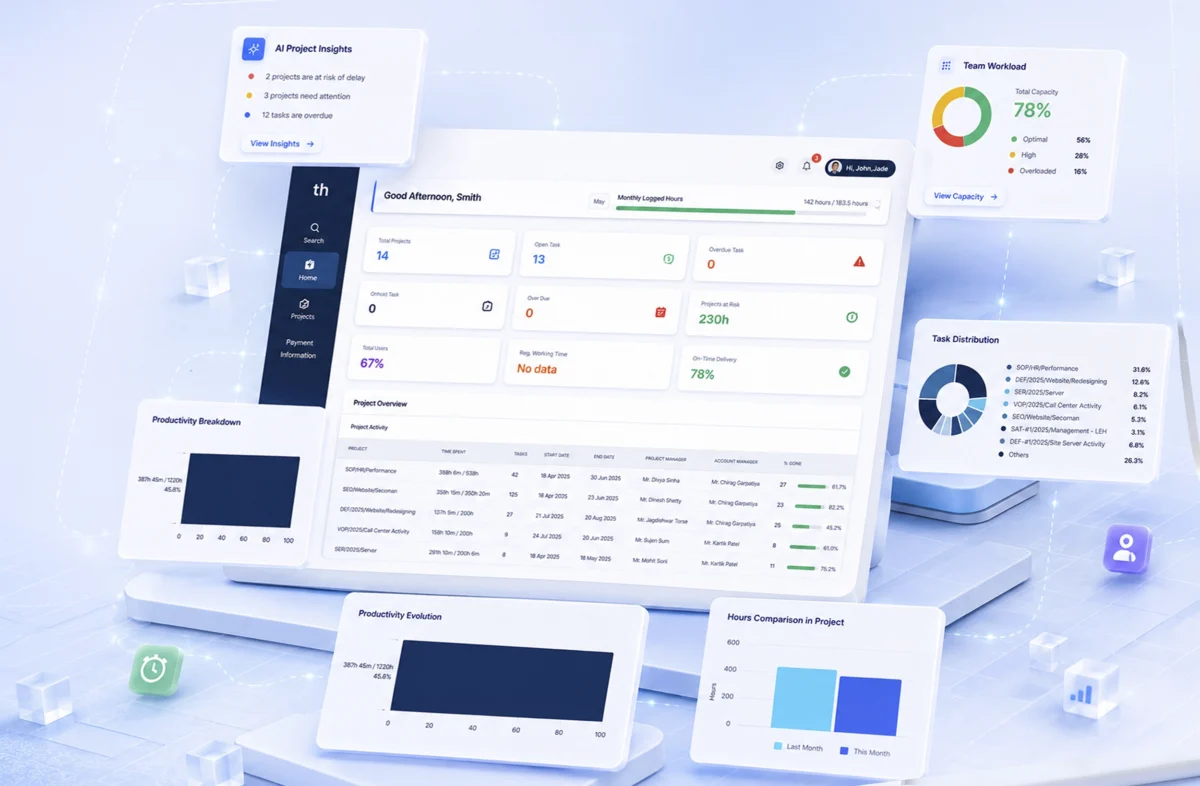
Today’s project management tools are something fundamentally different. They don’t just record work. They shape how work happens through automation and real-time visibility. AI flags problems before anyone’s noticed them. WeekMate is built around this shift: from tracking tasks to actually managing outcomes.   

The Evolution of Project Management Tools

The early tools were functional but limited. Microsoft Project gave enterprise teams digital Gantt charts. Trello gave everyone else a drag-and-drop board. Both were useful. Neither was enough. 

Here’s how the category evolved:

Era What Changed
1990s–2000s Desktop tools, complex Gantt charts, enterprise-only
Early 2010s Cloud tools democratized task tracking: lighter, faster, visual
Mid 2010s Integrations with Slack, GitHub, Google Workspace. The tool became a hub
2020s onward AI, automation, analytics. Tracking gave way to optimizing

The ceiling on task management software became obvious as teams grew, projects multiplied, and remote work removed the organic coordination that used to happen in an office. Teams didn’t just need better to-do lists. They needed systems that could keep up with how they actually worked. Businesses wanted answers to how to manage projects beyond task lists?

Why Task Lists Alone Are No Longer Enough?

A product launch isn’t a list of 40 tasks. It’s a design sprint running parallel to an engineering backlog, a marketing calendar, a legal review, and a budget that keeps getting revised. That too across multiple time zones. A flat list can’t hold that.

There are a few specific ways traditional task management software breaks down:

  • Visibility gaps. Stakeholders need a real picture of project health, not a weekly summary email assembled from 12 different updates.
  • Collaboration friction. When conversation lives outside the project tool (email threads, Slack) context disappears. Decisions become untraceable.
  • Scaling problems. Simple tools buckle when team size grows or cross-team dependencies stack up.
  • Reactive management. Without analytics, you find out about problems after they’ve already burned a deadline.

If you want to manage projects beyond task lists, you need a tool built for that, not one that was designed for task tracking and bolted on extra features.

Key Features of Smart Project Management Systems

The word “smart” gets thrown around a lot. In practice, smart project management systems earn the label through a specific set of capabilities.    

1. AI-Driven Insights

Risk flags, priority suggestions, bottleneck alerts — surfaced automatically, without someone manually reviewing a spreadsheet every morning.

2. Integrated Communication

Conversations tied directly to tasks and milestones. Not a separate Slack channel, not an email chain — context that lives where the work lives.

3. Real-Time Reporting

Live dashboards that every stakeholder can read, without asking someone to compile a status update first.

4. Resource Optimization

Who’s over capacity? Who has bandwidth? Smart project management systems answer that before it becomes a problem, not after someone burns out or misses a deadline.

When these work together, the tool stops being a record-keeper and starts being useful.

Workflow Automation in Project Management Tools

Every status update is written by hand. Every reminder is sent manually. Every reassignment made without context. It adds up. Workflow automation in project management tools removes that load, systematically, at scale.

The numbers aren’t abstract:

  • 68% of managers say repetitive admin cuts into strategic thinking time
  • Teams using automation close projects 3.5x faster on average
  • Automated reminders reduce missed deadlines by roughly 40%

What does that automation actually look like?

  • Auto-assignment — tasks route to the right person based on role or availability, no triage meeting required
  • Status triggers — when a task moves to “in review,” the approver gets notified and a deadline gets set automatically
  • Smart reminders — escalation based on priority, not just how long something’s been sitting there
  • Recurring templates — spin up a sprint cycle, content calendar, or onboarding flow in one click

WeekMate’s automation engine lets teams set rules once and stop thinking about them. The routine runs itself. The manager handles what only a manager can handle.

Also Read: How Project Management Software Improves Workflow Efficiency?

Collaboration and Team Alignment

The best project plan fails if the team executing it isn’t aligned. Duplicate work, unclear ownership, misread priorities. These don’t happen because people are careless. They happen because the tool didn’t surface the right information to the right person at the right time.

1. Centralized Communication

When every conversation, decision, and file is attached to the relevant task or milestone, teams stop losing context. Someone joins mid-project and can actually get up to speed without hunting through email archives.       

2. Remote and Distributed Teams

Hybrid and remote work didn’t kill coordination. It just made synchronous coordination expensive. Good project management tools compensate: asynchronous comments, shared goal trees, status digests, time-zone-aware scheduling. Teams in different continents can stay aligned without a 7am call that nobody wants.

3. Shared Goals and Transparency

When everyone can see not just their task but the project’s broader health, individuals can make smarter judgment calls. They don’t need to escalate every small decision. They understand where things stand.

The Future of Project Management Tools

The future of project management tools isn’t a better to-do list. It’s something closer to an operating system for work.

A few trends that are already materializing:

  • Predictive analytics — AI that forecasts delays and budget overruns before they happen, based on current trajectory and historical patterns
  • Personalized dashboards — a developer, a product manager, and a CFO all need different views of the same project; the tool should know that
  • Deeper integrations — two-way sync with Slack, Figma, GitHub, Jira, CRM platforms; the context-switching tax disappears
  • Natural language interaction — update a task, pull a report, or query project data by typing a sentence. No navigation or  training
  • Outcome metrics — moving past “tasks completed” to track what actually mattered: revenue influenced, time-to-market, customer satisfaction

WeekMate is built with this direction in mind. Not retrofitting AI onto a legacy task tracker, but designing from the ground up for how teams work now.

How WeekMate Helps You Go Beyond Tasks?

WeekMate runs on one assumption: task tracking is the floor, not the destination. Here’s what that looks like in practice.

Capability What It Does
Smart Planning AI-assisted scheduling that balances capacity, deadlines, and priorities
Unified Workspace Tasks, docs, goals, and conversations in one place
Workflow Automation Visual rule-builder. No code required
Live Analytics Real-time dashboards, customizable by role
Team Alignment Shared OKRs, transparent goal tracking across the org
Integrations Slack, Google Workspace, GitHub, Zapier, and more

Whether you’re a solo founder managing a roadmap or an operations manager overseeing five concurrent workstreams, WeekMate scales to what you’re actually dealing with. Less time managing the tool. More time making progress.

Conclusion

Project management tools have come a long way from checklists and Gantt charts. The teams that are consistently shipping, staying aligned, and hitting deadlines aren’t doing it because they work harder. They’re using smarter systems.  

The shift from barely understanding how to manage projects beyond task lists to real project management isn’t a technology upgrade. It’s a change in how work gets done: from reactive to proactive, from scattered to coordinated, from recording activity to driving outcomes.

WeekMate is built for that shift. Try it free and see what project management looks like when it’s designed around results, not checkboxes.

FAQs

1. What’s the difference between task management software and project management tools?

Task management software handles individual to-dos like create, assign, check off. Project management tools cover the whole picture. You can do planning and decide timelines. Assign resources. Get reporting tools. Setup automation. Task management is one feature inside a broader project management system.

2. How do smart project management systems use AI?

They surface what you’d otherwise miss or take too long to find manually. That means predicting delays based on current velocity. They also flag resource conflicts before they blow up. AI can suggest priorities, and generate stakeholder summaries automatically.

3. What are the main benefits of workflow automation in project management tools?

Less manual admin, fewer errors and faster project cycles. Your team can focus on the work that actually needs human judgment. Automation also creates consistency. The process runs the same way every time. No need to rely on anyone to remember the steps.

4. How can I manage projects beyond task lists with WeekMate?

Use the full toolkit: set goals, track milestones and run live dashboards. Keep communication inside the project. Automate your recurring workflows. WeekMate brings that together in one place. So you can zoom between strategic view and task level without switching tools.

5. Is WeekMate suitable for small teams or solo users?

Yes. It scales from individual users managing personal productivity to large teams running complex, multi-stream projects. The interface doesn’t get in your way when things are simple, and it has the depth you need when they’re not.

6. What does the future of project management tools look like?

More AI and tighter integrations with the rest of your tool stack. There’ll be a shift from tracking activity to measuring business outcomes. WeekMate is actively building in that direction.
Top AI Features Every Modern HR Management Software Must Have

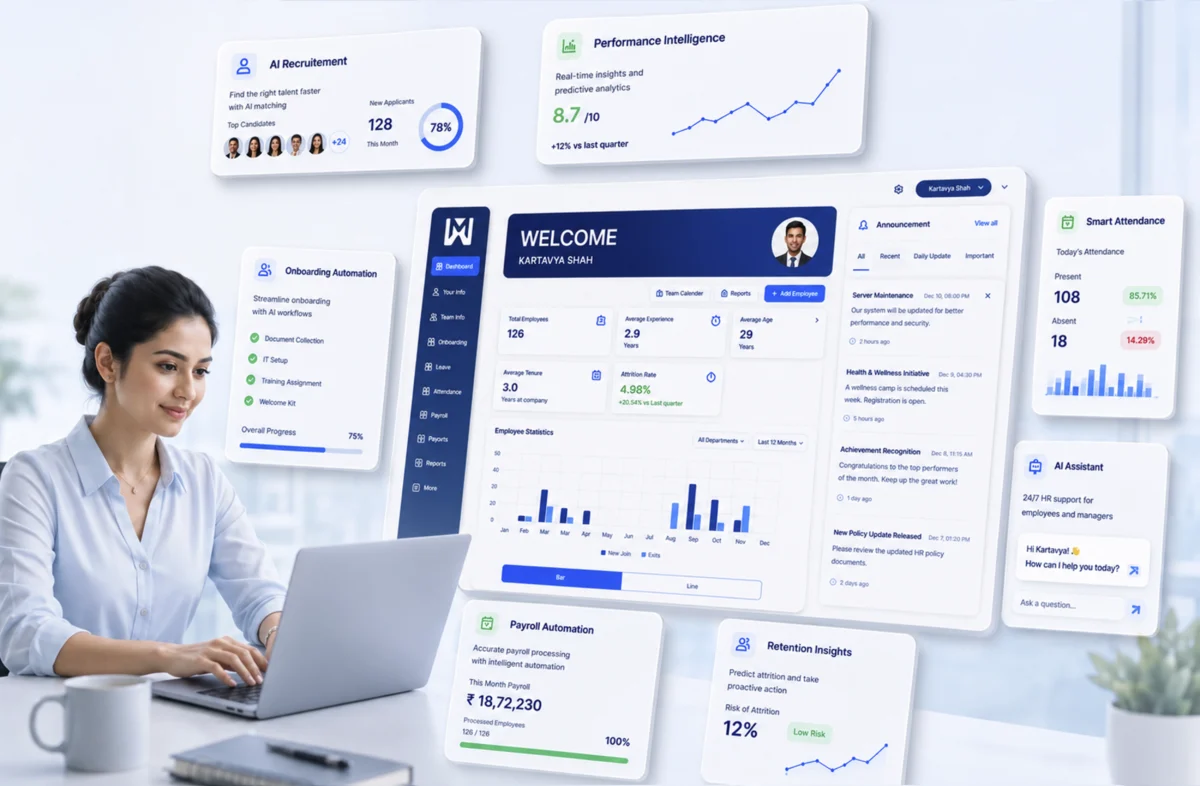
Modern organisations are changing in every way because of artificial intelligence. Finance teams are forecasting smarter, marketing is completely personalised, and operations are in sync like never before. So here is a fair question: why should the HR department be left behind? The truth is, it should not be left behind, and the best companies are making sure it is not.

This is where HR management software comes in. To be honest, the way we handle human resources has changed more in the last five years than it did over the previous two decades. The reason for this change is simple: ‘artificial intelligence’. AI is changing how companies take care of their people, processes, and performance.

So if you are still using the simple HR software, you are probably missing out on great advantages. The best platforms that we have today come with intelligent features that learn, adapt, and help the team on a daily basis.

Choosing appropriate HR management software features can change the way your company hires new people, retains existing employees, or develops its team. From automating repetitive daily tasks to enabling predictive decision-making, AI is reshaping what HR can do across every sector of work.

10 AI Features To Look For In A Modern HR Management Software

Let’s take a look at the most important AI features that any modern HR platform should have. If you are an HR manager at a growing startup or a CHRO at a large company, this list will help you know what to look for:

1. AI-Powered Recruitment and Hiring Tools

Hiring today is not only about manually filtering the candidate resumes. It is about selecting the right people accurately and consistently. And we all know that this process is lengthy and very time-consuming. But we have a key. In these scenarios, AI solutions for hiring and recruitment can really help you. Here’s how they do it:

Instead of going through individual resumes manually, AI tools help you to quickly scan, rank, and shortlist candidates from vast databases based on their skills, experience, and how well they fit the role. It is further enhanced by the use of machine learning models that match candidates based on successful past hiring decisions and outcomes.

In addition, AI-powered chatbots can carry on initial conversations, answer basic questions, and schedule interviews in real time. This relieves teams and also enhances the candidate experience.

Further, AI takes into consideration only skills and qualifications, which removes bias or the influence of other factors that sometimes unintentionally occur.

Here’s an example. An AI-powered HRMS can significantly reduce the time to hire. This gives an edge to the companies. Since top candidates often get several offers in a week, moving quickly can be a crucial factor for hiring a standout or losing them to another company.

2. Intelligent Performance Tracking Systems

Traditional performance reviews are often irregular and slow. Modern HR software for performance tracking with AI focuses on ongoing, real-time feedback throughout the year.

AI-enabled systems provide live performance dashboards that allow managers to track progress and fix issues as and when they occur. Also, predictive analytics can help identify trends in future performance, making it easier to recognise top performers and support those who may need help.

A key benefit is personalised feedback. Employees are assessed based on their actual performance rather than standard or generic comments, leading to greater engagement and motivation. Goals are also automatically assigned to align individual KPIs with team and company goals.

Another often ignored benefit is fairness. Human managers may unintentionally bring hidden biases into reviews. AI can show clear performance data along with personal feedback, giving everyone a balanced view. It does not replace the manager’s judgement, but it helps make discussions more focused on facts.

In the end, using AI for productivity tracking creates a culture of transparency, accountability, and continuous improvement.

3. Smart Attendance and Workforce Monitoring

Most people don’t like to track attendance, but it’s a necessary part of work. Traditional methods like punch cards, sign-in sheets, and simple biometrics often miss key details, especially in today’s hybrid and remote work environment.

A modern AI attendance tracking system offers a simple, accurate and efficient process with real-time updates. It uses tools like facial recognition and biometrics to verify who is present. Further, GPS-based attendance makes remote and field teams more flexible and reliable.

These systems also reduce admin work by automating shift scheduling and leave management. HR teams can now easily identify attendance patterns and know who is present.

4. Predictive Analytics for Employee Retention

Nowadays, retaining employees has become difficult for modern workplaces. These days, smart companies don’t just wait for people to quit; they try to predict when they might leave.

There are AI-driven retention tools that use predictive analytics and large data to detect early signs of disengagement. Some of these signs are:

  • Less participation in team meetings or chat platforms.
  • A sudden decrease in performance metrics.
  • Decreased use of paid time off.
  • Less participation in internal training or development opportunities.

It further allows organisations to implement targeted retention strategies such as personalised engagement programmes, career growth options, and better compensation.

5. Automated Employee Onboarding

Onboarding is the first actual experience employees have in an organisation. This phase greatly affects what follows in their professional journey.

From the moment documents are checked, processes move faster because machines handle setup tasks one after another. New joiners receive guided steps, automated reminders, and an onboarding procedure dedicated to their specific roles. Each stage adjusts quietly behind the scenes, ensuring relevance without manual input.

This reduces chaos and helps employees become familiar and productive faster. But more than that, it creates a positive first impression.

It also lightens the workload for HR teams, thereby improving the overall employee experience. A well-executed onboarding process leads to higher engagement, faster productivity, and less attrition.

6. Conversational AI and HR Chatbots

Much of an HR team’s day is often spent answering the same questions over and over. This can result in slow progress while staff wait for answers. Efficiency improves when automated conversations handle routine requests instead. As a result, dependence on HR decreases.

AI chatbots provide quick, 24/7 support to employees. It promptly answers standard questions on leave, salary details or company policies. They are connected thoughtfully to human resources platforms and pull information from policy documents and employee records. It leads to accurate replies since it comes from live data rather than guesswork.

There’s another benefit: chatbots keep track of the most common employee questions. Patterns begin emerging when multiple queries cluster around one topic.

For example, a lot of people might ask about remote work policies in a single week. This repetition suggests either unclear guidelines or weak message delivery from management. Insight grows as data accumulates across weeks. Clarity gaps become visible only after repeated concerns surface. A shift in internal communication could follow such observations.

7. Learning and Development Recommendations

Generic training programmes now feel dull, failing to engage. In a dynamic work environment, growth continues without pause. Thanks to artificial intelligence, skill-building adapts closely to individual needs, gaining stronger results.

Through analysis of worker abilities, artificial intelligence detects missing competencies while guiding suitable education plans based on personal needs. Learning routes shaped by these insights follow professional ambitions instead of standard course packages meant for broad groups.

This method enhances efficiency while shaping a team prepared for what comes next. It creates a genuine culture of continuous learning and not a compliance-driven programme.

8. Payroll Automation and Compliance Management

Dealing with payroll often brings challenges that require careful attention. Where manual methods are used, mistakes tend to appear more frequently, along with compliance issues.

With automation through artificial intelligence, number handling becomes smoother, and everything is in line with the rules.

It calculates salaries without any manual inputs; deductions and taxes are identified using the current rules and employee data. It also stays up to date with changing regulations, ensuring compliance across different regions.

9. Integration with Digital HR Transformation Tools

A major difficulty in HR is fragmented systems failing to communicate together. When different software handles individual functions, information often becomes isolated, reducing overall effectiveness.

Here, digital HR transformation tools play a critical role.

Data moves freely across various departments, as modern HR platforms can be connected easily with ERP, CRM and other systems. This creates a single hub for managing employee information.

Because information flows without interruption, decisions are quicker yet hold greater precision. Leaders get a complete picture instead of scattered reports across multiple tools.

10. Advanced Data Security and Privacy Features

Because HR systems manage confidential staff information, security matters most. Examples include social security numbers, salary figures, medical records, performance reviews, etc. One incident involving unauthorised access may damage confidence while leading to significant regulatory penalties. Thus, modern HR platforms use artificial intelligence to strengthen their security.

Below are the key features you should consider:

  • Unusual access behaviours are identified instantly through artificial intelligence systems.
  • Fraud prevention tools that spot manipulated payrolls or fake employee records.
  • Secure employee information through full encryption pathways
  • GDPR, CCPA, HIPAA, and other relevant compliances.
  • Role-based access controls.

Why WeekMate Stands Out

True artificial intelligence tools are rare among systems that claim to have them. Yet actual usefulness often depends on alignment with daily human resources workflows. WeekMate was built to fill this gap.

It brings together every function described earlier. Not only recruitment, but also performance tracking, along with daily attendance controls. Onboarding processes link directly to training modules, while learning records update automatically. Payroll calculations integrate seamlessly, supported by consistent data flow. Security measures apply throughout, embedded within each section. Artificial intelligence operates quietly inside all components, enhancing tasks without disruption.

Is your organisation seeking a constructive shift in digital HR practices? You are at the right place. WeekMate offers an initial step that can evolve as your needs change.

Final Thoughts

AI is not a future concept in HR anymore. It forms part of everyday human resources tasks. What matters most is selecting the right HR management software features, which are not just limited to basic automation but offer support in making better judgments.

AI in HRMS is quietly reshaping HR tasks like hiring, growth tracking, retention, and more. A noticeable change is occurring as we move from manual work to intelligent systems and from waiting for issues to arise to planning in advance.

And for organisations that aim to stay ahead, choosing the right HR management software has become a necessity, not a choice.

Here’s something worth noting: replacing every system immediately isn’t required. Start instead with a single function, recruitment or tracking attendance, and build slowly over time. Tools such as WeekMate turn gradual shifts into smooth progress without strain.

Now might be the moment to consider changes in how human resources work, especially when technology can reshape processes. Shifting towards AI-driven solutions could support stronger adaptability within company structures.

FAQs

1. Is AI in HR software replacing HR professionals?

Not quite. Artificial intelligence does not remove human resources staff from their roles. Rather, duties across these teams begin evolving quietly. Application filtering becomes automated. Payroll documentation updates itself without intervention. Simple employee questions receive instant replies through AI. This turns the attention towards meaningful work: shaping long-term plans, strengthening team bonding, and building the work culture.

2. How long does it take to implement AI-powered HR software?

Implementation duration varies by system complexity. Usually, it can happen within several weeks. But in some cases, it can extend beyond a month. Factors like data readiness affect timing. Custom features could also slow deployment. WeekMate and similar tools offer guided onboarding to speed this up.

3. Is AI-driven HR software safe for sensitive employee data?

Yes, provided the platform you choose has proven credibility. Security is not compromised if the application uses full encryption, complies with regulations such as GDPR or HIPAA, and implements access controls based on user roles. It should also integrate artificial intelligence for spotting risks. However, human supervision cannot be removed, despite high-level defences.

4. Can small businesses benefit from AI HR features?

Absolutely. Small businesses, indeed, tend to benefit the most. With limited staff handling personnel matters, minor shifts, like streamlining routine steps, can free up significant effort.

5. What is the difference between an HRMS and an AI-powered HR platform?

A traditional HRMS is used to store and manage employee data. Beyond storage, AI-powered platforms interpret data to forecast outcomes and guide choices. What defines such tools is their ability to process rather than just hold facts. Simple databases lack these dynamic functions found in advanced setups.

5 Key Trends in Payroll Management Software Every Modern Business Should Know

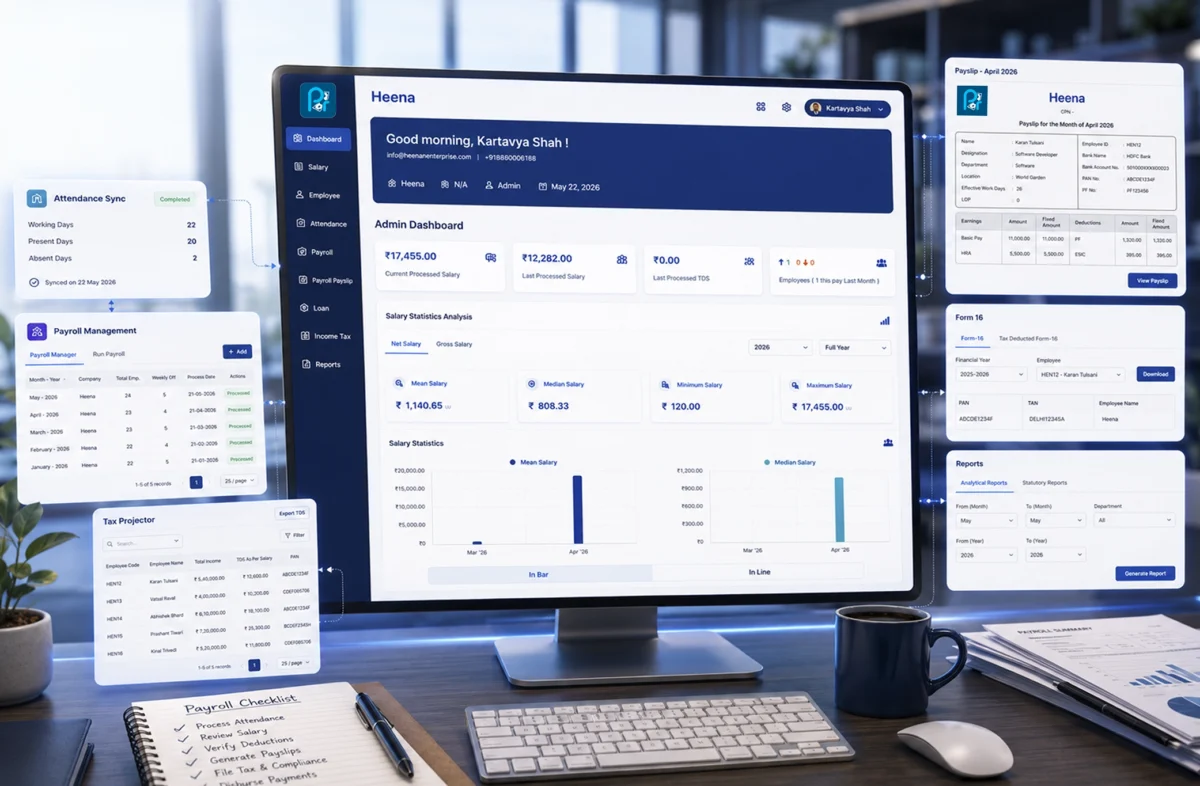
Most businesses don’t think about payroll  until something goes wrong. And when it goes wrong, everyone notices. An employee gets paid late, a tax filing gets missed, a deduction is calculated incorrectly. What sounds like a minor administrative hiccup can very quickly become a trust issue. That’s exactly why payroll management software has gone from a nice-to-have to something businesses genuinely depend on.

Payroll automation has made it possible to handle wages, compliance, and employee payments without the manual back-and-forth that used to define the whole process. Platforms like WeekMate are part of this shift. WeekMate HRMS and other tools that connect payroll to the broader way modern businesses manage their people.

What is Payroll Automation?

Payroll automation is software doing repetitive payment calculation. No need for manual intervention and copying data from different systems. A good software connects with task management, Sales and other tools to integrate data and present accurate calculations.            

The key components most businesses care about include:

  • Salary and wage calculations tied directly to attendance or timesheet data
  • Tax deductions that stay aligned with current regulations without manual updates
  • Compliance filings processed automatically rather than manually tracked
  • Benefits adjustments handled without separate data entry each cycle

Together, these form the foundation of solid employee payroll management. When the system works, employees get paid correctly every time. When it doesn’t, you hear about it before the end of the day.

The shift away from legacy systems has been gradual but real. Traditional payroll relied on disconnected tools. It involved manual data entry. Teams focused on reactive fixes after something broke. Modern payroll solutions work differently. They’re proactive, integrated, and built to flag problems before they become actual payroll errors.

Why Businesses Are Adopting Payroll Automation?

The reasons are practical.

Processing payroll by hand takes a lot of time.

HR and finance teams can spend an entire week per month on payroll-related tasks. Good software handles in an hour. So the time savings argument is compelling on its own, but it’s not the only one.

Manual entry makes mistakes.

A business with 50 employees where someone accidentally inputs the wrong overtime rate for a busy holiday week? That single error can ripple through the entire pay cycle. It takes hours to untangle. Multiply that by several months. The cost adds up quickly. Not just in correction time but in eroded employee trust.

Labor laws and tax regulations change.

Staying current with those changes is practically a part-time job. Automated systems absorb regulatory updates in the background, so compliance doesn’t depend on someone remembering to check.

For growing businesses, scalability matters.

Going from 20 employees to 150 shouldn’t require rebuilding your entire payroll process from scratch. The right automation grows with you.

5 Key Trends in Payroll Automation

AI-Powered Payroll Processing

AI in payroll isn’t a future concept at this point. It’s already doing real work, and the applications are useful in ways that matter day-to-day.

  • The most practical use is error detection: AI systems can flag anomalies before payroll runs. It catches unusual hours or irregular deductions, or data inconsistencies that a human reviewer might miss.
  • Predictive analytics take it further: It lets finance teams model payroll costs against hiring plans or projected busy seasons.
  • Salary benchmarking angle: AI can surface compensation patterns across teams.Algorithms can identify equity gaps. It suggests adjustments based on available market data.

So it’s not just about processing payments faster. It’s about making better decisions using data you already have.

Cloud-Based Payroll Systems

Cloud infrastructure changed what payroll software can actually do.

  • Remote access
  • Real-time data updates
  • Automatic backups
  • Security managed at the infrastructure level

These are now the baseline expectations for any modern payroll management software worth considering.

The rise of SaaS-based payroll management software brought that capability to businesses of all sizes. No more subscribing to expensive on-premise installations and ongoing IT overhead. Companies now subscribe to a platform that scales with them. No version upgrade headaches, no manual patch cycles.

WeekMate is built on this foundation. The platform connects payroll, scheduling, and attendance data in one place. Because it’s cloud-based, teams can access it from anywhere.

 For businesses managing distributed teams, that kind of accessibility is a practical requirement.

Real-Time Payroll and On-Demand Payments

The bi-weekly pay cycle made sense when payroll ran on paper and manual processing took days. It makes less sense now that technology can calculate and disburse payments in a fraction of that time.

A growing number of employees (hourly workers or freelance experts) want access to their earned wages when they need them. Not when the calendar allows.

On-demand pay addresses that genuine problem Financial stress between pay cycles is real. It affects how people show up at work.

You’ll notice this trend appearing first in industries with high turnover, like hospitality and logistics. Here flexible pay has become a retention tool. But it’s spreading. Offering access to earned wages turns out to be one of the more impactful improvements to employee experience that payroll automation trends have introduced.

Compliance Automation and Regulatory Updates

This is where automation does something manual processes genuinely cannot: stay current automatically.

Tax tables update. Minimum wage rates change. New statutory requirements come into effect. Keeping track of all of that across every location a business operates in is difficult.

And missing a change isn’t just inconvenient. It can mean penalties, incorrect payments, and corrections that need to go back several pay cycles.

Modern payroll systems handle regulatory changes in the background.

  • Tax calculations update
  • Filing deadlines are tracked
  • Compliance logic adjusts without the HR team manually implementing each change

That reliability is hard to quantify until something goes wrong and you realize the system caught it before it became your problem.

Integration with HR and Business Systems

Payroll doesn’t operate in isolation, even when it’s treated that way.

Think about what happens when payroll runs on a completely separate system from attendance tracking. Someone has to export hours from one tool. Import them into another. Check that the transfer worked correctly. And hope nothing got dropped.

That’s a workflow held together by manual handoffs. And manual handoffs create errors.

Integration removes those gaps. When payroll connects directly to your HRMS, time-tracking tool, and accounting software, data flows automatically between them.

  • New hires added to HR appear in payroll immediately.
  • Hours logged in scheduling sync directly into wage calculations.
  • Terminations trigger final settlement workflows without a manual hand-off.

The result is a unified approach to employee payroll management. It cuts down on friction and gives business leaders a complete picture of labor costs without pulling data from several different places.

Benefits of Adopting Modern Payroll Solutions

When you add it all up, businesses that move to automated payroll consistently see similar outcomes:

Benefit

What It Actually Means

Operational efficiency

HR and finance teams spend less time on admin and more on actual work

Improved accuracy

Fewer errors, fewer corrections, fewer conversations with frustrated employees

Cost savings

Less time on manual processing and compliance fixes adds up over time

Better reporting

Clear visibility into payroll costs, headcount data, and workforce trends

Employee trust

Getting paid correctly and on time, every time, is more powerful than it sounds

That last point is worth holding onto. Payroll errors feel personal to employees in a way that other operational hiccups don’t. Consistent accuracy builds quiet, steady trust. And trust is hard to rebuild once it’s gone.

How WeekMate Supports Payroll Automation?

WeekMate treats payroll as part of a larger workforce picture rather than a standalone function.

The platform connects payroll calculations directly to attendance and scheduling data. So payroll isn’t starting from a manual export. It’s pulling from live, up-to-date information.

Compliance management adjusts to relevant labor regulations automatically. Integration with HR and accounting tools keeps the data connected.

But what makes WeekMate different from older tools is the combination of usability and scalability. It’s designed for businesses that are actively growing. The platform handles growing complexity without requiring a large implementation project every time the business changes.

Choosing the Right Payroll Automation Tool

There’s no single right answer here, but there are a few questions worth asking before committing to any platform:

  • Scalability: A tool built for 30 employees should still work well at 200 without a major overhaul.
  • Ease of use: A powerful system that sits underused because it’s confusing isn’t solving anything.
  • Integration capability: The value of automation multiplies when it integrates with your HR, time-tracking, and accounting systems.
  • Compliance management: Make sure the platform stays current with regulations specific to your locations and industry.

Choosing the right payroll management software is really about operational fit. The most feature-rich platform available is only worth something if it works the way your business actually runs. A smaller, well-integrated tool will outperform a bloated one your team avoids.

Future of Payroll Automation

A few directions seem fairly clear from where things stand now.

AI will take on more of the analytical work, moving payroll systems from reactive processing toward genuinely predictive decisions. Salary modeling, cost forecasting, and anomaly detection will become standard rather than premium features. Personalization will increase too. Employees will have more say in how and when they access their compensation.

Global payroll capabilities will keep improving. As more businesses operate across borders, managing compliance in multiple countries from a single platform will stop being a specialized capability and become an expected one.

And the payroll automation trends that feel somewhat new today will be the baseline expectations within a few years. Businesses that build on modern infrastructure now won’t be scrambling to catch up when that shift fully arrives.

FAQs

1. What is payroll automation and how does it work?

Payroll automation uses software to calculate wages, apply tax deductions, handle compliance filings, and send payments without manual processing at each step. Most systems connect to attendance and HR data so the cycle runs with minimal input once it’s configured properly.

2. Why should small businesses invest in payroll management software?

Even small teams benefit from the reduction in errors, time savings, and compliance protection. SaaS platforms have made this accessible to businesses without large IT budgets. You don’t need to be a 500-person company to get reliable, automated payroll.

3. What are the main payroll automation trends businesses should follow?

The ones worth paying attention to right now are AI-powered processing, cloud-based platforms, on-demand pay, automated compliance management, and integration with HR and accounting systems. These aren’t trends in the speculative sense. They’re changes are already reshaping how businesses operate.

4. How does payroll automation improve employee satisfaction?

Accurate, on-time payments are foundational to how employees feel about their employer. Automation reduces errors and delays. On-demand pay gives employees more flexibility with earnings they’ve already worked for. Both have a measurable impact on retention, which businesses with high turnover tend to discover fairly quickly.

5. Is cloud-based payroll software secure?

Reputable platforms invest heavily in encryption, access controls, and compliance certifications. For most small and mid-sized businesses, cloud infrastructure offers stronger security than local on-premise systems, especially without a dedicated IT security team managing them.

6. How does WeekMate support workforce management technology?

WeekMate connects payroll with scheduling, attendance, and HR in one platform. Rather than managing separate tools that require manual data transfers between them, businesses get a unified view of their workforce and a payroll process that draws from live data automatically.

Why Your Business Need Cloud-Based Task Management Software?

Traditional project management methods were never designed for the speed and flexibility Modern businesses need speed and flexibility. Task management software has now become a necessity.

Work coordination has gotten messier over the last few years. Teams are scattered, projects move faster, and a surprising number of companies are still running on spreadsheets and email chains. At some point that stops working.

That’s what actually solves it. It’s just one platform where tasks live, deadlines are visible, and nobody has to ask “wait, who owns this?” for the fifth time. WeekMate falls into this category. It centralizes the work. You don’t need to manage three apps to figure out where a project stands.

What is Cloud-Based Project Management Software?

Cloud based project management software is a digital platform. It helps businesses plan, organize, track, and manage projects online.

No need to store project files and updates on local systems or spreadsheets. Everything is managed securely on the cloud. Team members can access tasks, updates, files, and project timelines from anywhere using an internet connection.

In simple words, it acts as a centralized workspace where teams collaborate in real time.

Most modern business project management solutions include features like:

  • Task assignment
  • Deadline tracking
  • Team collaboration
  • File sharing
  • Project dashboards
  • Performance tracking
  • Workflow automation

The biggest advantage is accessibility.

Whether your team is working from the office, home, or while traveling, everyone stays connected to the same project environment.

This is why cloud-based tools are no longer considered optional. They’ve become a core part of how businesses manage operations efficiently.

Key Features of Modern Task Management Software

The best platforms focus on simplifying workflows.

Here are some essential features businesses should look for in modern task management software.

Task Creation and Assignment

In just a few clicks, managers can:

  • Create tasks, 
  • Assign responsibilities, 
  • Set priorities, and 
  • Define deadlines.

This removes confusion around ownership. Every team member knows exactly what needs to be done.

Deadline Tracking and Reminders

Missed deadlines often happen because follow-ups are scattered across emails and messages.

Modern tools solve this through:

  • Automated reminders, 
  • Due-date alerts
  • Progress tracking notifications.

Progress Monitoring Dashboards

Instead of asking employees for constant updates, managers can monitor progress through real-time dashboards.

This improves visibility without micromanaging teams.

File Sharing and Centralized Communication

Employees no longer need to search through email chains for documents or discussions.

Everything stays organized within the project itself.

Integration with Other Tools

Most businesses already use multiple tools daily.

Modern platforms integrate with:

  • Communication apps
  • HR software
  • CRM systems
  • File storage tools
  • Calendars
  • Email platforms

This makes workflows smoother and reduces manual work.

Today, task management software for businesses plays a critical role in daily operations because it keeps communication, accountability, and execution connected in one place.

Benefits of Cloud Project Management

Businesses are rapidly adopting cloud-based systems because the advantages go far beyond convenience.

The benefits of cloud project management directly impact productivity, scalability, and operational efficiency.

1. Accessibility Anywhere, Anytime

One of the biggest advantages of cloud platforms is flexibility.

Teams can access projects, tasks, and updates from:

  • Laptops
  • Mobile devices
  • Tablets
  • Remote workstations

This is especially important for remote and hybrid teams.

Employees no longer need to be physically present in the office to stay productive.

Work continues smoothly regardless of location.

2. Improved Team Collaboration

Poor communication slows projects down.

Cloud-based platforms improve collaboration through:

  • Real-time updates
  • Shared workspaces
  • Centralized communication
  • Instant file access

Instead of relying on scattered conversations across multiple channels, everyone works within the same environment.

This is where team management software becomes extremely valuable.

Managers gain better visibility while employees stay aligned on priorities and deadlines.

3. Cost Efficiency

Traditional project management systems often require expensive infrastructure, hardware, and maintenance.

Cloud solutions eliminate most of those costs.

Businesses usually pay through flexible subscription models based on team size and usage.

This makes cloud-based systems more affordable for startups and growing companies.

There’s also less dependency on internal IT maintenance. 

4. Scalability for Growing Businesses

Businesses evolve constantly.

The software you use today should still support your operations two or three years later.

Cloud platforms make scaling easier because businesses can:

  • Add users quickly
  • Expand features when needed
  • Manage larger workflows
  • Support multiple departments

This flexibility makes cloud solutions ideal for fast-growing organizations.

5. Data Security and Backup 

Data loss can seriously impact business operations.

Cloud-based systems offer:

  • Automatic backups
  • Secure cloud storage
  • Regular software updates
  • Access control permissions

Most modern platforms also provide encryption and advanced security measures to protect sensitive business information.

Compared to local systems and spreadsheets, cloud platforms offer far stronger reliability.

How Cloud-Based Tools Improve Team Productivity?

One of the biggest reasons businesses invest in cloud platforms is productivity improvement.

When teams spend less time managing processes manually, they spend more time completing actual work.

Here’s how cloud based project management software improves team efficiency.

Reduced Manual Work

Automation handles repetitive tasks like:

  • Reminders
  • Task updates
  • Notifications
  • Status tracking
  • Workflow approvals

This reduces administrative workload significantly.

Better Accountability

When responsibilities are clearly assigned, there’s less confusion.

Every employee knows:

  • What they’re responsible for
  • When tasks are due
  • What stage the project is in

This improves accountability naturally.

Clear Task Ownership

Without proper systems, tasks often get delayed because ownership is unclear.

Cloud platforms solve this by assigning tasks directly to individuals or teams.

Faster Project Completion

Real-time collaboration reduces delays caused by waiting for approvals, updates, or document sharing.    

Teams can move faster because communication happens instantly.

This is why businesses increasingly rely on task management software for businesses to improve operational speed and execution quality.     

Why Businesses Are Switching to Cloud Solutions?

The shift toward cloud platforms is happening across almost every industry.

And the reasons are practical.

Businesses are tired of:

  • Endless spreadsheets
  • Disconnected communication
  • Manual follow-ups
  • Lost files
  • Delayed reporting

Traditional systems simply cannot keep up with modern operational demands.

Companies today need:

  • Real-time visibility
  • Faster collaboration
  • Flexible workflows
  • Better scalability
  • Remote accessibility

Cloud-based solutions provide all of this within one ecosystem.

Another major factor is agility.

Businesses now need to adapt quickly to changing priorities, client demands, and market conditions.

Cloud tools make that possible.

Organizations that adopt modern business project management solutions are often able to operate faster and more efficiently than competitors still relying on outdated methods.

How WeekMate Helps Businesses Succeed?

WeekMate Project Management Software simplifies tasks management and daily operations.

The platform doesn’t overwhelm users with unnecessary complexity. WeekMate focuses on usability, collaboration, and productivity.

Businesses can manage workflows, track progress and assign responsibilities. Businesses can improve communication from one centralized platform.

Some of the standout features include:

Smart Task Planning

With the smart task planning features your team’s can:

  • Create tasks
  • Organize priorities
  • Set deadlines
  • Monitor project timelines easily

Team Collaboration Tools

Employees don’t need to switch between multiple apps. Team collaboration tools enables your team to use a single platform to

  • Communicate
  • Share updates
  • Collaborate in real time

Performance Tracking

Weekmate Taskhub has intuitive dashboards. Managers get visibility into:

  • Project progress
  • Employee productivity
  • Pending tasks

Easy-to-Use Interface

One of the biggest advantages of WeekMate is simplicity.

Teams don’t need extensive training. They can adopt the platform quickly.

Scalable for Growing Businesses

Whether you’re a startup or a growing organization, WeekMate adapts to changing business requirements without making workflows complicated.

For businesses searching for reliable cloud based project management software, WeekMate offers a practical combination of collaboration, automation, and operational efficiency.

Choosing the Right Project Management Software

Selecting the right platform requires more than comparing feature lists.

The goal is to find software your team will actually use consistently.

Here are a few factors businesses should evaluate before choosing a solution.

Ease of Use

Complicated systems reduce adoption.

Choose a platform with a clean, user-friendly interface.

Integration Capabilities

Your project management software should connect with the tools your business already uses.

This may include:

  • HR systems
  • CRM software
  • Communication tools
  • File-sharing platforms

Pricing Flexibility

Always compare pricing carefully.

Look beyond the base plan and evaluate:

  • User limits
  • Feature restrictions
  • Upgrade costs
  • Support availability

Scalability

Choose software that supports long-term business growth. Switching systems frequently can disrupt operations and reduce productivity.

The best task management software for businesses is the one that balances simplicity, collaboration, automation, and scalability without overwhelming teams.

FAQs

1. What is cloud based project management software?

Cloud based project management software is an online platform that helps businesses manage projects, deadlines, and tasks. It supports collaboration. You can manage workflows from a centralized cloud system.

2. Why are businesses shifting to cloud-based project management tools?

Businesses are switching because cloud platforms improve collaboration. They support remote accessibility. The platforms are easily scalable and improve productivity. Businesses see improvement in operational efficiency.

3. How does task management software improve team productivity?

Task management software reduces manual work. It improves accountability and streamlines communication. The platform helps teams complete projects faster.

4. Is cloud project management software suitable for small businesses?

Yes. Cloud solutions are ideal for startups and SMEs. The price-point is affordable. Most cloud-setups are flexible and scalable.

5. Why is WeekMate a good choice for businesses?

WeekMate offers smart task planning and collaboration tools. It features workflow tracking, and easy usability. The platform is a practical solution for businesses looking to improve productivity and project management efficiency.

How Custom CRM Solutions Improve Customer Retention and Sales Performance

Modern businesses can no longer afford to rely on spreadsheets, sticky notes, or isolation to maintain their customer relationships. As the sales cycle gets longer and customer demands rise, organizations are moving toward smarter systems that deliver greater efficiency and greater visibility.

That’s where custom CRM solutions are revolutionizing business operations. Unlike generic platforms, tailored CRM systems adapt to specific workflows, automate repetitive sales activities, and provide real-time insights that help teams make faster decisions.

Businesses today are also focusing heavily on how to improve customer retention strategies and increase sales performance with CRM software. Automation has become central to achieving these goals because it reduces manual effort while improving customer engagement consistency.

Solutions such as WeekMate allow businesses to merge productivity management with smart CRM workflows to establish a trusted, more efficient ecosystem.

What Are Custom CRM Solutions?

Custom CRM solutions are customer relationship management systems built specifically around a company’s day-to-day operations, sales process, and customer interaction methods.

Traditional CRM systems generally have predefined features and standard workflows. Although these programs may be suitable for certain small businesses at first, they often need to be replaced as the business grows.

A CRM tailored specifically to your needs will allow you to:

  • Automate internal workflows.
  • Track customer interactions more efficiently.
  • Integrate with existing business systems.
  • Customize dashboards and reporting.

The main benefit of customization is alignment. Instead of forcing businesses to fit their processes to the software, they can create software that fits their processes. This flexibility makes tailored CRM systems significantly more valuable than rigid, off-the-shelf alternatives.

Why Businesses Need Tailored CRM Systems?

Many companies choose a standard CRM product at first because it can be up and running quickly. But the limitations begin to show as the business grows.

Common customer relationship management tools can have too many unnecessary features and too few essential ones for a particular business sector. Teams can be challenged by inflexible workflows, inadequate integrations, or ineffective reporting hierarchies.

That’s why more organizations are turning to a custom CRM software development company to design solutions that fit their business models.

73% of customers want companies to understand their unique needs and expectations. Off-the-shelf solutions usually lack the level of customization needed to meet these demands.

Businesses can scale more quickly with a customized CRM without compromising operational efficiency or the customer experience.

Must Read: Benefits of Custom CRM Software for Growing Businesses

How Custom CRM Improves Customer Retention?

Customer retention has emerged as one of the key business growth indicators in 2026. Because acquiring new customers is costly, maintaining relationships over time is crucial to profitability.

A well-developed customer data management system enables businesses to consolidate customer interactions, transaction history, communication preferences, and the ways they engage with customers.

This level of visibility also allows companies to better tailor their communication to the recipient. For instance, a series of automated reminders, customized proposals, and recovery efforts may be triggered based on the customer’s behavior. These automations provide a more engaging customer experience without the need for additional manual labor.

Businesses looking to improve customer retention strategies are increasingly investing in CRM automation because it enables proactive engagement instead of reactive communication. Automation further reduces the risk of missed follow-ups, late responses, or  uneven customer experiences.

Boosting Sales Performance with Tailored CRM Solutions

Sales teams often spend a significant amount of time on repetitive administrative tasks rather than actual selling. And this is where CRM automation makes a tangible difference. 

Tailor-made systems enable this to be done automatically for lead assignments, follow-up scheduling, and even task reminders and progress reports. This means your salespeople are more likely to focus on building relationships and closing deals.

Companies can also increase sales performance with CRM by implementing:

  • Automated lead scoring.
  • Sales forecasting dashboards.
  • Pipeline tracking.
  • Real-time reporting.

According to research, less than 40% of sales professionals’ time is spent on actual selling, with administrative duties taking up most of their workday. Automation tackles this problem efficiently.

As a result of eliminating tedious tasks, organizations achieve better response times, reduced human error, and faster deal closings.

Manual Sales Tasks vs CRM Automation

Manual Process

CRM Automation Benefit

Manual data entry

Automatic customer record updates
Spreadsheet lead tracking

Real-time pipeline management

Reminder follow-ups

Automated notifications and sequences
Separate communication tools

Centralized communication tracking

Static reports

Live dashboards and analytics

Key Features of an Effective Custom CRM

A good CRM allows you to achieve the best of both worlds: high efficiency and effective customer experience management.

One of the most critical features is a centralized customer data management system. Companies require a holistic view of the customer across channels to deliver consistent customer interactions.

Workflow automation is also a key feature. CRM platforms can be tailored and used to automate the everyday tasks and workflows specific to your business.

Just as important are the integration capabilities. Today, businesses work on different platforms for accounting, communication, marketing, and support. With CRM integration, you can ensure your data flows seamlessly between systems.

Analytics dashboards also play a key role. By tracking sales performance, customer engagement, and operational bottlenecks in real time, insights allow vice-president teams to significantly outperform their counterparts. Mobile access is also needed, particularly in remote and hybrid work settings.

Impact of WeekMate on CRM Efficiency

WeekMate enables businesses to increase productivity while improving CRM efficiency. Traditional CRM software enables users to manage only such records. With WeekMate, customers can better align teams around customers through real, daily execution and operational responsibility.

The framework supports:

  • Task and workflow visibility.
  • Tracking of customer interactions.
  • Team coordination.
  • Goal-driven productivity control.

This seamless integration enables companies to coordinate their sales and operational processes.

Choosing the Right Custom CRM Development Partner

Finding the right development partner is a key driver of CRM success. A professional custom CRM software development company should be well-versed in both technological development and business processes.

Companies should assess:

  • Industry experience.
  • Customization abilities.
  • Integration expertise
  • Scalability planning.
  • Post-launch support.

It is also important to ask practical questions before development begins:

  • Will the CRM grow with the business?
  • How flexible are the automation workflows?
  • What integrations are supported?
  • How is data security managed?

Cost matters, but long-term operational value matters more. A robust CRM is an infrastructure investment, not a quick software buy.

Predictions for Custom CRM Development in the Future

Traditional CRM is increasingly being shaped by AI, predictive analytics, and automation. Organizations are prioritizing hyper-personalized customer experiences through intelligent technologies. CRM software can now anticipate customer behavior, suggest best practices for engagement, and even automate decision-making.

Automation will continue to replace the monotonous manual tasks in sales and customer service. Integration is also getting deeper. CRM will also integrate more closely with productivity tools, communication tools, and operations management solutions such as WeekMate.

These developments will further empower custom CRM solutions in business scalability and competitive differentiators.

Must Read: Why Custom CRM Software is the Future of Business Automation?

Conclusion

Automation is no longer a nice-to-have plug-in for CRM applications; it is evolving into the very basis by which business efficiency is measured.

Modern custom CRM solutions enable organizations to reduce manual sales efforts, increase customer engagement, and scale their operations more efficiently. From internal automation to complex predictive analytics, tailored CRM systems deliver operational flexibility not often available from standardized platforms.

As companies focus on improving customer retention and increasing sales performance through CRM, automation-driven CRM systems will continue to play a central role in growth. WeekMate embodies this modern approach by combining productivity management with customer workflow optimization, helping businesses build smarter, more scalable operational systems for the future.

FAQs

1. What are custom CRM solutions?

Tailored CRMs are customized CRM systems that align with a company’s specific workflows, sales process, and customer management requirements. They are more flexible, scalable, and adaptable than traditional CRM software.

2. How does sales automation replace manual sales activities?

CRM software automates repetitive tasks such as follow-ups, lead tracking, reminders, and reporting. This gives sales teams less manual work and more time to close deals and build relationships.

3. Why is a customer data management system important?

A customer data management system allows users to store all information in one place, and teams can easily access it on the go to get precise data. It enables better personalization, communication, and decision-making between teams.

4. Is it possible to improve customer retention with CRM software?

Yes, companies can enhance their customer retention strategies by leveraging CRM platforms to better track customer behavior over time, personalize communications, automate follow-ups, and more. With CRM systems, businesses can now enhance how they interact with customers and improve customer retention.

5. How can companies improve sales effectiveness with CRM?

CRM can help businesses improve sales performance by enabling them to more effectively manage their pipelines, automate workflows, efficiently track leads, and leverage analytics to refine predictive sales decisions.

6. What should companies look for in a CRM development company?

A trustworthy bespoke CRM software development company must offer scalability, integration support, various customization options, and project-long technical support tailored to business-specific needs.

7. How does WeekMate support CRM optimization?

WeekMate integrates productivity with CRM processes to help teams streamline their activities, capture customer experiences, and drive operational efficiency through a unified platform.

Top 10 Benefits of Custom CRM Software for Growing Businesses

In a world where the customer is king, companies need more than just spreadsheets and siloed software to track their interactions with clients. Today’s CRM software for businesses enables firms to manage customer data, communications, and sales in a more organized manner. However, standard CRM systems may not meet the unique business requirements during a business scale-up.

That’s when custom CRM software is a strategic asset. Instead of making teams work within a set framework, bespoke CRM solutions are built around existing working practices, business objectives, and customer engagement models.

The growing importance of customized digital infrastructure has made custom CRM software development more vital to enterprises for growth and efficiency than ever before. Tools such as WeekMate are enabling companies to build adaptable CRM platforms that support evolving business priorities.

In this blog, we will discuss the top benefits of custom CRM software, why fast-growing companies need tailored solutions, and how custom CRM solutions empower them to achieve sustainable competitive advantage.

What is Custom CRM Software?

Custom CRM software is a specialized customer relationship management application crafted to suit the working processes and objectives of a particular business.

In contrast to packaged software, which provides generic features, bespoke CRM solutions are built around a business’s specific needs. They can pick and choose features that specifically relate to their sales, marketing, and support methodologies.

Custom CRM platforms typically have: 

  • A lead management system.
  • Reporting and analytics dashboards.
  • Automation features.
  • Integration capabilities.
  • Customer communication tracking.

These customized systems are more efficient because they have the resources you need without those you do not use.

Why Growing Businesses Should Utilize CRM Tools?

When companies grow, it gets much harder to interact with customers manually. Sales teams lack access to consolidated data that customer support teams are blind to, and leadership teams struggle to monitor performance metrics.

This is why companies invest in CRM tools for business growth. A CRM system pools customer data and shares it organization-wide. Teams can monitor interactions, predict customer trends, and uncover opportunities more efficiently.

Companies that implement CRM report better customer satisfaction and more productive selling. Also, studies have shown that CRM returns an average of $8.71 for every $1 invested. These are some reasons why tailored CRM systems are becoming essential growth enablers.

Generic CRM vs Custom CRM

Feature Generic CRM Custom CRM Software
Flexibility Limited; bound by pre-set architecture Fully customizable and adaptable
Workflow Alignment Standardized; team must adapt to the software Tailored to match unique business needs
Integrations Restricted to supported third-party apps Flexible integration options with any tool
Scalability May require expensive tier upgrades Built for future growth without seat-cost penalties
User Experience Generic interface with unused bloat Optimized for internal teams and high adoption
Automation Predefined and rigid Customized automation workflows for specific tasks

This comparison clearly demonstrates the long-term benefits of custom CRM software for scaling businesses.

Top 10 Benefits of Custom CRM Software

1. Custom-Made to Your Business Requirements

Among the largest benefits of tailored CRM solutions is the flexibility they offer.

Each company has its own way of working. Generic software often includes unnecessary features while lacking essential capabilities. A customized solution aligns perfectly with internal workflows.

This level of customization increases efficiency and reduces employee frustration, making it one of the key benefits of bespoke CRM systems.

2. Robust Lead Management System

An effective lead management system is essential for sales growth. In custom CRM systems, companies can create a pipeline that aligns with their sales process. Teams can assign scores to leads, monitor interactions, and even trigger follow-ups based on the lead’s behavior. Greater control increases conversion rates and reduces lost opportunities.

3. Better Customer Retention

Customer loyalty is cheaper than constant new business. Businesses can also improve customer retention with CRM by personalizing communication, automating follow-ups, and tracking customer history.

Tailored CRM software enables firms to forge powerful relationships with their customers through customized engagement models.

Must Read: How Custom CRM Solutions Improve Customer Retention?

4. Seamless Workflow Automation

Growth is being hindered by manual processes. A robust workflow automation CRM enables such tasks to be automated, like:

  • Lead assignments.
  • Follow-up emails.
  • Status updates.
  • Task reminders.

Automation increases productivity with less human error. Teams are spending less time on admin work and more time on strategic work.

5. Easy Integration with Existing Tools

Modern businesses use a combination of software. This is where CRM integration services come into play. A custom CRM can seamlessly integrate with ERP systems, accounting software, email platforms, and marketing tools. Integrated systems enhance data consistency and break down silos between departments.

6. Scalable for Future Growth

Businesses need to change as they grow. A custom CRM system is more adaptable and scalable to future needs and demands. Companies can add new features, departments, or workflows rather than swapping out entire systems. This flexibility reduces post-migration expenses and minimizes operational disruptions.

7. Better Data Security

Data privacy and compliance are top concerns in 2026. A custom CRM system offers greater control over security measures. Companies can set access control, encryption, and Compliance policies according to their Industry standards. This degree of control is especially important for companies that handle sensitive customer data.

8. Reporting & Analytics Advanced

Good reporting is essential for data-driven decision-making. Custom dashboards enable companies to measure KPIs, sales, and customer data at any moment in time. These leaders can leverage this data to better understand patterns, predict revenue, and fine-tune operational tactics.

9. Better Team Collaboration

Fragmented communication generates inefficiency. Tailor-made CRM systems consolidate all your customer information in one place, enabling your sales, marketing, and support teams to work more effectively together. Increased visibility leads to better coordination and a harmonized customer experience across functions.

10. Competitive Edge

All industries are different and have distinct operational requirements. Tailored CRM platforms offer a range of specialized features designed for niche businesses. That leads to faster workflows, improved customer experiences, and greater agility to make better decisions. These operational advantages become critical differentiators in competitive markets.

Key Features to Include in Custom CRM Development

Everything goes your way, scale, and ease of use for a great occasion plan in the successful custom CRM development roadmap.

Features:

  • Advanced lead management system.
  • Built-in workflow automation CRM tools.
  • Reporting and analytics dashboards.
  • Access through mobile.
  • Robust CRM integration services.

The intent is to create a platform for operational efficiency without the complexity of many other software solutions.

How WeekMate Helps with Custom CRM Development?

WeekMate helps businesses build scalable CRM ecosystems that fit their work.

Its development process includes:

  • Business consultation and requirement analysis.
  • Customized CRM architecture planning.
  • Development and deployment.
  • Integration and optimization success.

Unlike many generic solutions, WeekMate is designed to seamlessly integrate CRM functionality into your business processes. This also ensures that your team gets more out of the platform faster and maximizes ROI.

Companies interested in learning more about operational insights and workflow services are encouraged to read this blog post: The Business Case for CRM Software.

Best Practices for Implementing Custom CRM Software

Strategic planning is necessary for CRM success. Businesses should:

  • Set clear expectations for day-to-day operations.
  • Involve key stakeholders early.
  • Plan the integration.
  • Evolve your processes continuously.

CRM adoption improves significantly when employees understand how the platform supports their daily responsibilities.

Also Read: Why Custom CRM Software is the Future of Business Automation?

Common Mistakes to Avoid While Implementing Custom CRM Software

Many CRM implementations fail because companies make the development too complex. Frequent mistakes include:

  • Adding unnecessary features.
  • Neglecting user training.
  • Poor integration planning.
  • Not to set measurable objectives.

The best CRM should be easy to use and scale well, rather than being too complicated for users.

Conclusion

As businesses scale, operational complexity increases. Generic systems often end up imposing constraints that are more limiting than the original challenges they were designed to address.

Some of the long-term benefits of custom CRM software include better alignment with business workflows, enhanced automation, increased customer retention, and scalable infrastructure suitable for business expansion.

With high-level insights to smooth integrations, personalized CRM solutions enable providers to boost operational efficiency while enhancing customer care.

WeekMate plays a key role in helping businesses build flexible, future-ready CRM ecosystems. By combining automation, integration, and tailored workflows, WeekMate enables companies to build CRM systems that support sustainable growth and long-term competitive advantage.

FAQs

1. What is custom CRM software?

Custom CRM software is a customer relationship management (CRM) system tailored to a company’s specific workflows, processes, and business objectives. It offers more customization options than standard CRM solutions.

2. Why do businesses in growth need to have CRM software?

Business CRM software centralizes customer information, enhances communication, and simplifies sales processes. It becomes increasingly necessary as business grow and the volume of customer interactions increases.

3. In what ways do sales benefit from lead management?

Lead management software monitors customer interactions, prioritizes opportunities, and automates follow-ups. Sales teams use this to improve lead conversion rates and reduce lost leads.

4. What is workflow automation CRM?

Workflow Automation in CRM performs repetitive tasks, such as assigning leads and sending reminders or follow-up emails. It enhances productivity and reduces manual work and operational errors.

5. What is the importance of crm integration service?

CRM integration services enable CRM platforms to connect with your other business tools, such as ERP systems, email platforms, and marketing software. That increase in data consistency bolstered operational efficiency.

6. Is there any improvement in customer retention through custom CRM software?

Yes, organizations can increase customer retention with CRM by personalizing communication, monitoring customer behavior, and using proactive engagement techniques to foster relationships.

7. Why WeekMate for CRM development for businesses?

WeekMate provides flexible, customized CRM development services to meet any business need. Its emphasis on automated processes, integrations, and workflow determinism lies at the heart of sustainable business growth.

Best AI Email Marketing Software for Automation & Growth

Email is no longer just a communication channel but a revenue engine. Companies will need to orchestrate a series of hyper-personalized, timely, and relevant communications throughout the customer journey in 2026. This change has spurred the need for greater levels of email marketing software.

In the past, email tools were limited to newsletters or mass mailing. Now, they are becoming AI marketing automation platform ecosystems that automatically analyze behavior, predict intent, and execute actions. This change is driven by increasing competition and higher customer expectations.

Today, entities have access to intelligent email marketing software to mitigate the problem of being buried in an inbox, enabling them to make meaningful connections. Tools such as WeekMate are transforming how teams manage email campaigns by integrating automation, CRM, and analytics into a single platform.

This blog takes a deep dive into how AI-based technologies enable enterprises to engage automated email workflows, boost the ROI, and achieve email marketing ROI optimization. It also examines tools, strategies, and future trends shaping the future of email marketing automation.

What is an AI Marketing Automation Solution?

An AI marketing automation platform is a software that helps marketers create, manage, and analyze campaigns using intelligent algorithms and predictive analytics.

Traditional email software automated emails, but you still had to do your own segmentation and scheduling. In contrast, AI-driven email marketing software adjusts the campaigns on the fly in response to user behaviors.

Traditional vs AI-Powered Email Marketing

Traditional tools:

  • Static email lists.
  • Manual campaign creation.
  • Limited personalization.

AI-powered tools:

  • Dynamic audience segmentation.
  • Predictive engagement scoring.
  • Real-time automation.

Modern platforms typically offer intelligent segmentation, predictive analytics, and behavior-triggered messaging as core features. These features enable companies to deliver deeply personalized experiences at scale.

WeekMate is a member of this class, being a one-stop-shop CRM, automation, campaign management, and more than just another email marketing software.

Problems with Traditional Email Marketing Tools

Traditional tools can maintain their growth despite widespread use. Many companies struggle with manual campaign creation, which can significantly bog down execution. Teams spend hours setting up emails instead of optimizing performance, but when automation is in place, that can all change.

Another problem is a lack of personalization. Non-personalized emails don’t engage users , and open rates drop, leading to poor engagement. Reporting is minimal, too, which makes it difficult to track success or improve tactics.

Scalability is another concern. As databases grow, manual campaign administration becomes unmanageable. These challenges call for intelligent email marketing solutions that can evolve and scale on their own.

Introducing WeekMate: The Smart Email Marketing Solution

WeekMate is perfect for organizations that want an organized, scalable, and AI-driven email marketing strategy. It is a next-generation AI marketing automation platform that enables a company to run campaigns, automate workflows, and measure performance from a single platform.

Core Value Proposition

WeekMate is known for its flexibility and control. It has:

  • Single dashboard for campaign management
  • Bulk mails friendly scalable architecture
  • Team-friendly flexible pricing option

Its on-premise deployment option is one of its differentiators. That means better control over data and security, which are becoming ever more important in 2026. Unlike disjointed tools, WeekMate delivers a full suite, earning it a place among the best email marketing software solutions of today.

Top-Notch Features of WeekMate Email Marketing Software

Unified Campaign Management

WeekMate allows businesses to manage campaigns, automation, and analytics from a single dashboard. This reduces tool-switching and boosts productivity.

Smart Audience Segmentation

Based on behavioral, preferential, and active users, AI-enabled segmentation clusters users. As a result, the messaging is hyper-focused.

Automated Email Workflows

With automated email workflows, businesses can trigger emails based on user actions such as sign-ups, purchases, or inactivity. This reduces manual effort and ensures timely communication across the customer lifecycle.

Advanced Analytics and Reporting

Analytics that inform on opens, click-through rates, and conversions lead to better decisions, so teams using both products are more likely to make decisions based on data. These insights are essential for effective email marketing ROI optimization.

Deliverability Optimization

WeekMate ensures emails reach inboxes instead of spam folders by optimizing sending patterns and maintaining sender reputation.

CRM & API Integration

It seamlessly integrates with your CRM system and other third-party applications, so you have a single marketing platform.

Smart Email Templates

Create campaigns faster with pre-designed templates and custom branding options that help keep your brand consistent.

How WeekMate Improves Email Conversion Rates?

Converting email engagement into conversions is one of the biggest challenges businesses face.

  1. WeekMate solves this problem by allowing users to create personalized campaigns based on their current behavior.
  2. The emails are personal and tailored to user preferences, making them more relevant and engaging.
  3. Automated follow-ups prevent lead loss, and retargeting campaigns re-engage users who have gone inactive in the funnel.
  4. Real-time insights enable teams to continuously iterate on their strategies.

As a result, businesses can significantly improve email conversion rates while maintaining efficiency.

Who Should Use WeekMate?

WeekMate can easily accommodate various types of business.

  • Startups can run affordable, scalable campaigns without the burden of infrastructure.
  • Corporations can manage multi-team operations and large databases efficiently.
  • E-commerce brands apply it to cart abandonment and product recommendations.
  • Hybrid teams can use it to manage campaigns remotely.

This adaptability makes WeekMate an effective AI marketing automation platform across many industries.

Email Automation Workflows That Grow Your Business

Automation is key to modern email marketing. Some of the best automated email workflows to run include welcome series, lead nurturing campaigns, re-engagement emails, and lifecycle marketing campaigns.

For instance, a new subscriber can receive a welcome series, then move on to educational content and product recommendations. If the user becomes inactive, re-engagement emails are triggered automatically.

These workflows ensure consistent communication without manual intervention, making them essential for scalable growth.

Predicting Revenue for Email Marketing

AI is also key to helping you achieve the best returns from email campaigns. It is estimated that there will be more than 4.6 billion global email users by 2026, underscoring the scale of the opportunity. Further studies indicate that email marketing generates an average ROI of $ 36 for every $1 invested. These figures underline the importance of email marketing ROI optimization.

AI-powered solutions continuously monitor performance, recognize patterns, and optimize campaigns autonomously. Decreased manual labor also reduces the costs of operation. When used effectively, email marketing solutions enable businesses to enhance engagement and increase returns.

For more productivity and workflow-balancing insights, take a look at the top email marketing platforms.

Why Choose WeekMate Over Other Email Marketing Software?

WeekMate has several advantages over the classic equipment.

  • It is deployed on-premises, providing enhanced data protection and compliance.
  • The integrated design includes CRM, automation, and campaign management, which lessens the need for duplicate tools.
  • It also scales well and can work with startups and large enterprises alike.
  • Migration to existing systems is simple & painless.
  • The disruption caused is minimal.

These novelties give WeekMate an edge over the fractured solutions for email marketing software on the market.

Future of Email Marketing Automation

The future of email marketing automation is driven by AI and hyper-personalization.

Firms will place greater reliance on predictive analytics to serve customers in an anticipatory mode. Campaigns will become more fluid, live experiences that adapt to user behavior.

The multi-channel approach will be very critical as well. Email campaigns will integrate seamlessly with SMS, WhatsApp, and other messaging channels.

Platforms such as WeekMate are already advancing in this area, designing the next wave of intelligent email marketing solutions.

Conclusion

Email marketing has really become an elaborate, data-driven practice. Companies that use old tools are likely to fall behind in a world of ever-increasing competition.

Modern email marketing software, enabled by AI, enables automation, personalization, and performance optimization at scale. From automated email workflows to complex analytics, these services enable quantifiable business returns.

WeekMate is an all-in-one solution that integrates automation, CRM, and scalability. It not only helps businesses improve email conversion rates but also maximizes the ROI of email marketing over a long period.

With the future of email marketing automation ever transforming, having a sophisticated system such as WeekMate is not a matter of choice for growth, but a necessity.

FAQs

1. What is an AI marketing automation platform?

An AI marketing automation software platform leverages artificial intelligence to run campaigns, analyze buyer behavior, and customize communication. It enables companies with improved efficiency and the ability to meet with smarter, targeted marketing audiences.

2. How do you increase conversion rates with email marketing software?

Advanced Email Marketing Tools are better for targeting using segments, automation and personalized messages. These elements allow the company to send relevant emails and jobs whose responses will definitely increase over the long run.

3. What are automated email workflows?

An automated email is a series of pre-written emails (an email sequence) triggered by user actions, such as signing up, making a purchase, or going dormant. This automation eliminates repetitive tasks and ensures timely, consistent customer communication.

4. How can I improve the email marketing ROI for my business?

Businesses can achieve better email marketing ROI optimization by tracking campaign performance, automating repetitive tasks, and using data-driven personalization. AI-powered insights help improve engagement while reducing marketing costs.

5. Can small businesses use AI email marketing?

Yes, the intelligent email marketing solution powered by AI, based on the combination of influence and persuasion, is very suitable for small businesses, as it enables automated Processing, time-saving, and performance-improving campaigns without a large team or budget.

6. What makes WeekMate different from other tools?

WeekMate equips you with all the CRM, automation, analytics, and campaign management tools you need in one integrated platform. Its flexible, highly automatable platform makes it a good choice for users tired of traditional email marketing software.

7. What is the future of email marketing automation?

The future of email marketing automation will be more focused on hyper-personalization, predictive customer journey, and multi-channel engagement. AI-driven platforms such as WeekMate are anticipated to be instrumental in this revolution.

Become A Partner