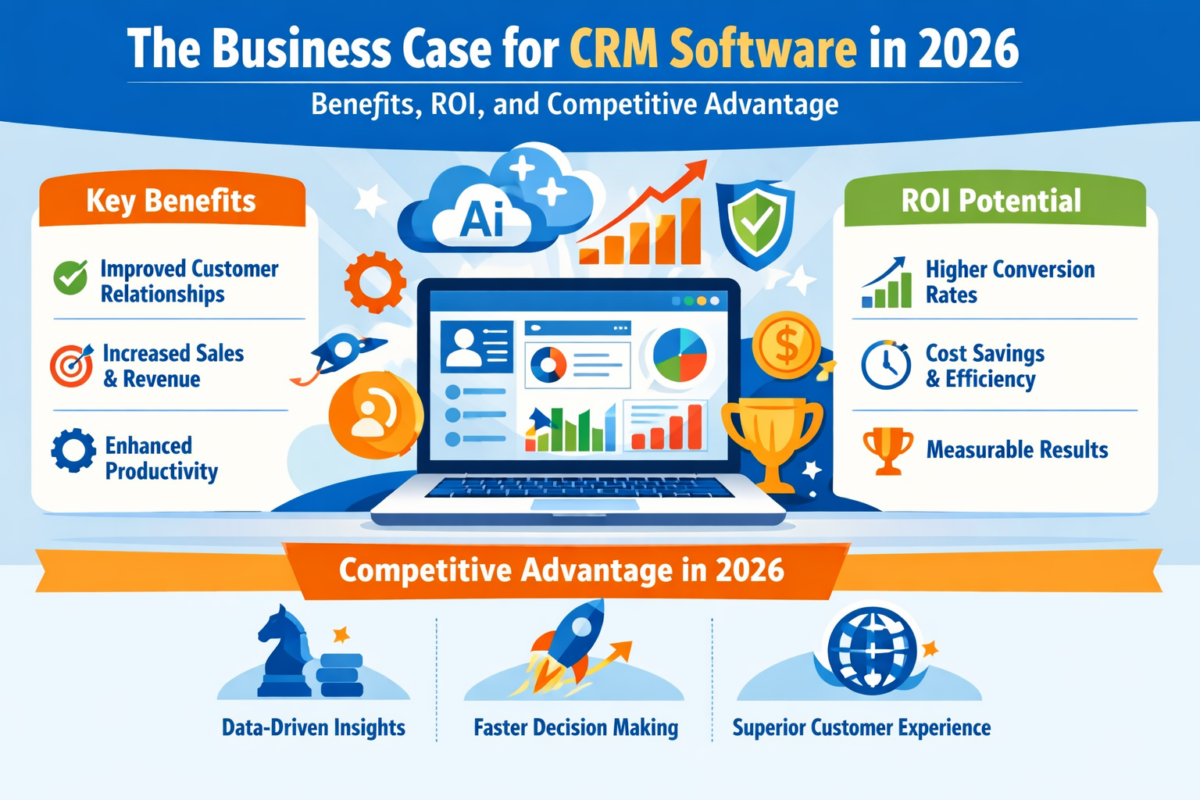
The Business Case for CRM Software in 2026: Benefits, ROI, and Top Tools

It’s 2026, and companies no longer compete on products. Instead, they compete on responsiveness, personalization, and long-term customer relationships. Buyers demand rapid responses, seamless onboarding, proactive service, and uniformity in communication across channels. Delivering on those expectations at scale is not feasible without systematic processes.

That is why it is important for decision makers to understand what the benefits of CRM software really offer. Today’s CRM systems do much more than just keep contact information. These tools consolidate data, streamline processes, enhance forecasting, and enable better cross-department collaboration.

This blog post examines quantifiable CRM software benefits, real ROI, and why in 2026 companies will be leveraging customer relationship management benefits to enhance sustainable competitive advantage.

Why CRM Investment Is a Top Priority in 2026

Along the way, customers get a seamless, unified experience that integrates sales, service, marketing and commerce teams, thanks to CRM systems that bring customer data together. This consolidated data view enhances productivity and powers personalized engagement at scale.

CRM has been found to deliver an average return of $8.71 per dollar spent. This statistic reinforces that the benefits of CRM software have a positive effect on financial outcomes – not just operational convenience.

CRM adoption is not about digital transformation in 2026. It’s about optimizing revenue.

Key Advantages of CRM Applications for Businesses

With the enabling platforms now identified, the strategic question becomes: What measurable business outcomes can justify the investment?

1. Centralized Customer Intelligence

One of the key benefits of CRM software can provide is Improved Data Visibility. Teams no longer depend on dispersed spreadsheets or disjointed messaging platforms.

Important customer relationship management benefits include:

  • 360-degree customer profiles
  • Real-time interaction history
  • Reduced duplication
  • Faster onboarding

These are foundational advantages of CRM software that help to reduce wasteful work.

2. Revenue Growth Through Sales Optimisation

CRM systems greatly improve the accuracy of forecasting and managing the sales pipeline.

The CRM benefits for sales team are:

  • Organized lead tracking
  • Automated reminders
  • Better close rates
  • Data-Driven Prioritization

These refinements equate to measurable ROI. The CRM software benefits in revenue forecasting enable management to make the best use of their resources.

3. Marketing Automation And Personalization

Today’s buyers expect relevant communication.

The CRM benefits in marketing automation let teams:

  • Segment audiences
  • Trigger behaviour-based campaigns
  • Monitor conversion rates
  • Enhance campaign ROI

When paired with Project Management Software, marketing timelines can perfectly match with­ execution scheduling.

These improvements reinforce the long-term benefits of CRM software in driving sustainable growth.

4. Improved Customer Support and Retention

Retaining customers is often more profitable than acquiring them. CRM tools centralize case histories and service records.

The CRM benefits for customer support include:

  • Faster resolutions
  • The SLA monitoring
  • Proactive follow-ups

According to the Harvard Business Review, raising retention rates by just 5% can increase profits by 25% to 95%. These are powerful customer relationship management benefits that directly impact your lifetime value.

Also Read: How Custom CRM Solutions Improve Customer Retention?

5. Scalable Infrastructure Empowering SMEs

The CRM benefits for small and medium businesses are especially transformative in 2026. Cost-effective SaaS models enable SMEs to adopt enterprise-grade processes without enterprise budgets.

By connecting CRM with task management software, small teams can increase coordination without adding operational complexity.

These scalable systems highlight key advantages of CRM software for lean organizations competing in competitive markets.

6. Workflow Automation and Productivity Gains

Automation reduces monotonous manual labor.

The CRM system benefits for business in automation include:

  • Lead assignment rules
  • Email sequencing
  • Automated reporting
  • Activity tracking

These productivity gains represent significant CRM software benefits for organizations managing high customer volumes.

Also Read: Why Custom CRM Software is the Future of Business Automation?

How to Calculate CRM ROI (Formula)

When deciding on CRM expenditures, executives should monitor:

  • Customer acquisition cost
  • Days to close sales
  • Profit per customer
  • Rate of retention
  • Output at per worker basis

Quick CRM ROI Formula:

ROI (%) = {{Net Financial Benefits-Total CRM Cost \Total CRM Cost}}* 100

The CRM benefits of marketing automation ensure that marketing leaders can fully leverage campaign spend optimization. For sales leaders, the CRM benefits for sales teams reduce lost opportunities. For service leaders, the CRM benefits for customer support protect revenue through retention.

List of Top 9 CRM Software Solutions in 2026

Below is a well-organized list of leading CRM software:

Software

Best For

Core Strength

WeekMate

Affordable All-in-One CRM for Growing SMEs

Performance-driven: Integrates CRM with goal tracking and weekly accountability insights.

Salesforce

Enterprise Scalability

Einstein AI: Predictive analytics and deep ecosystem integration for large organizations.

HubSpot CRM

Startups & SMBs

Accessibility: Intuitive interface with a powerful free tier and “Breeze” AI agents.

Zoho CRM

Best Value

Zia AI Assistant: Offers high-level automation and customizable dashboards at a competitive price.

Pipedrive

Sales Pipeline

Visual Management: Streamlined deal tracking and activity-based sales planning.

Freshworks

Mid-Market AI

ServiceOps: Combines sales automation with AI-driven forecasting and communication.

Dynamics 365

Microsoft Ecosystem

Copilot Integration: Seamless operation with Office 365 and complex enterprise ERPs.

Zendesk Sell

Service-Led Sales

Omnichannel: Bridges the gap between support tickets and sales opportunities.

ActiveCampaign

Marketing Automation

Behavioral Workflows: Advanced lead nurturing based on specific customer interactions.

1. WeekMate – Best Affordable All-in-One CRM for Growing SMEs

WeekMate differentiates by integrating customer relationship management with performance planning in a structured manner. It incorporates goal monitoring and weekly performance insights, unlike traditional CRMs that are pipeline-only.

Why it is #1 for 2026:

  • Goal-driven sales forecasting
  • Weekly accountability systems
  • Clear-cut performance figures
  • Consistency with customer behavior and strategic outcomes

When paired with a project management tool, Weekmate lets you turn your customer projects into concrete action plans.

In business environments where operational visibility is a priority, the CRM system benefits for business go beyond merely monitoring income; they affect the organization’s productivity-focused culture and its performance standards.

2. Salesforce – Best Enterprise CRM

The high scalability and advanced AI features make Salesforce a leading enterprise CRM.

  • Best for: Large enterprises
  • Strengths: Einstein AI, extensive integrations, advanced reporting

It represents the broader CRM software benefits of scalability, predictive analytics, and ecosystem integration.

3. HubSpot CRM – Best Free CRM for Growing Teams

Startups and small businesses have made HubSpot CRM their go-to tool, thanks to an intuitive interface and surprisingly accessible free tier.

  • Best for: Startups and SMBs
  • Strengths: User-friendly design, marketing integration

This platform highlights significant CRM benefits for small and medium businesses, particularly those scaling without large IT budgets.

4. Zoho Corporation CRM – Best Value CRM

Zoho CRM also offers powerful automation and customization options at competitive prices.

  • Best for: Medium-sized businesses
  • Pros: AI assistant, customizable dashboards

Its versatility also highlights the key advantages of CRM software for organizations needing adaptable workflows.

5. Pipedrive – Best for Sales Pipelines

Pipedrive is designed around visual sales pipeline management and sales productivity.

  • Best for: Sales-based teams
  • Strengths: Deal tracking, automation

This platform offers powerful CRM benefits for sales teams, particularly those focused on pipeline visibility.

6. Freshworks CRM — Best AI-Enabled Mid-Market CRM

Freshworks CRM combines sales automation with AI insights.

  • Best for: Mid-market organizations
  • Advantages: AI-driven forecasting, embedded communication tools

It supports measurable customer relationship management benefits through predictive engagement.

7. Microsoft Dynamics 365 – Best for Microsoft Ecosystem

Dynamics 365 is tightly integrated with Microsoft enterprise tools.

  • Best for: Enterprises using the Microsoft stack
  • Features: AI Copilot, ERP integration

This shows the powerful CRM system benefits for businesses operating in complex enterprise models.

8. Zendesk Sell- Best for Service-Oriented Teams

Zendesk Sell connects sales and customer support.

  • Best for: Heavily support-based organizations
  • Pros: Omnichannel communication

Its architecture is designed to deliver significant CRM benefits for customer support, including greater case tracking and holding.

9. ActiveCampaign — Best CRM for Marketing Automation

ActiveCampaign combines CRM with sophisticated automation tools.

  • Best for: Marketing-led growth strategies
  • Pros: Behavioral automation workflows

This platform offers powerful CRM benefits for marketing automation, especially for segmentation and lifecycle campaigns.

Also Check: List of Top 10 CRM Software in India

How CRM Creates a Competitive Advantage in 2026

Today’s competitive advantage is built on data intelligence and customer experience.

Organizations that harness the true customer relationship management benefits of CRM systems:

  • Faster response times
  • Personalized engagement
  • Predictive sales insights
  • Cross-functional collaboration

These strategic improvements reflect the long-term benefits of CRM software beyond simple contact storage. CRM maturity often defines market leadership in saturated markets.

Final Thoughts

In 2026, CRM isn’t a backend tool it’s a growth engine.

CRM software benefits that can be measured include sales acceleration, marketing automation, service efficiency, and executive-level forecasting. The advantages of CRM software help both SMEs and enterprises scale intelligently.

From WeekMate’s performance-driven system to enterprise-grade platforms such as Salesforce, the way modern CRM platforms drive the organization of the customer relationship is consistent.

When it comes to CRM system benefits for business, the key advantages are: increasing sales, improving retention, enhancing productivity, and providing a source of competitive terms of advantage.

Organizations that invest in CRM strategically today will not just adapt in the coming days, they will shape the future.

FAQs

1. What are the key benefits of CRM software?

CRM software offers centralized data collection, automation, improved funneling and forecasting of sales, and better customer relationship management, all of which help grow revenue.

2. How does CRM provide ROI?

CRM delivers high returns per dollar invested by improving productivity and reducing churn through measurable CRM system benefits for the business.

3. Can CRM be used by SMBs?

Yes, customers love the automation benefits of CRM for small and medium business, scalability, and more effective customer tracking without the need to spend a fortune to build heavy infrastructure.

4. How does CRM help improve collaboration on teams?

Sales, marketing, and support are unified through shared data in the CRM to provide a seamless customer experience and deliver CRM benefits for sales teams, marketing automation, and customer service efficiency.
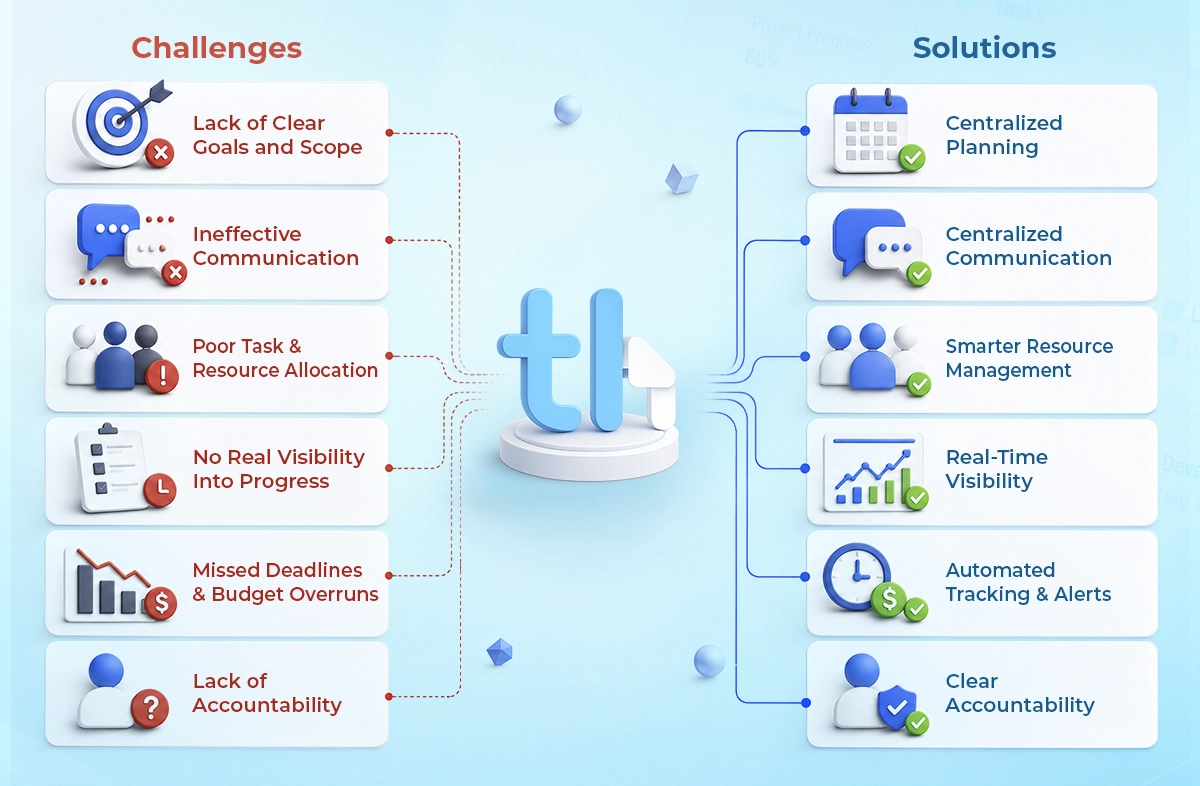
Why Projects Fail: Key Project Management Challenges and How the Right System Solves Them

Most projects don’t fail overnight. They slip slowly. A deadline gets pushed. Communication gets messy. Someone misses a task. Before you even know it, the entire project starts feeling heavy, confusing, and off-track. And you know what? It’s rarely about lack of effort. Teams are already working, and people are trying. But something’s missing.

In 2026, with faster timelines, remote teams, and AI-driven workflows, managing projects without the right structure isn’t just hard, but it’s risky. This is where understanding project management challenges and solving them properly becomes critical.

Understanding Why Projects Fail

The Cost of Poor Project Management

Project failure isn’t just about missed deadlines. It shows up in ways that directly affect your business:

  • Deadlines keep shifting
  • Budgets go out of control
  • Teams feel overloaded or underutilised
  • Clients lose trust
  • Internal chaos becomes normal

Early Warning Signs You Shouldn’t Ignore

Before a project fully fails, it leaves clues:

  • The scope keeps changing mid-way
  • Tasks get delayed again and again
  • No clear visibility into progress
  • People keep asking, “Who’s handling this?”
  • Teams work in silos instead of together

If even 2–3 of these feel familiar, your system isn’t working.

Top Project Management Challenges

Let’s break this down.

1. Lack of Clear Goals and Scope

This is where most problems begin. When goals aren’t clearly defined:

  • Teams interpret things differently
  • Scope creep becomes normal
  • Expectations never align

It creates confusion from day one.

2. Ineffective Communication

You might think communication is easy in 2026. But with Slack, emails, WhatsApp, and meetings, information gets scattered.

  • Important updates get buried
  • Approvals get delayed
  • Teams stay out of sync

More tools ≠ better communication.

3. Poor Task & Resource Allocation

Sometimes your best people are overloaded, and others are waiting for work. No one really sees the imbalance.

This leads to:

  • Burnout
  • Missed priorities
  • Slow execution

4. No Real Visibility Into Progress

Manual tracking, spreadsheets and random updates. It all looks manageable until it isn’t.

Without real-time visibility:

  • Bottlenecks go unnoticed
  • Delays pile up silently
  • Managers react late

5. Missed Deadlines and Budget Overruns

Weak planning and poor tracking lead to chaos. Teams don’t have:

  • Accurate timelines
  • Clear milestones
  • Real-time updates

So everything becomes reactive.

6. Lack of Accountability

When ownership isn’t clear, work gets delayed. Not intentionally, just naturally.

  • Tasks float between people
  • No one owns the outcome
  • Productivity drops quietly

How a Workflow Management System Solves This

An efficient workflow management system doesn’t just “organize tasks.” It fixes the root problems.

Centralized Planning

Everything lives in one place:

  • Tasks
  • Documents
  • Communication

No more jumping between tools.

Real-Time Tracking & Automation

Imagine this:

  • Tasks update automatically
  • Reminders are triggered without follow-ups
  • Progress is visible instantly

That’s not “advanced” anymore. It’s expected.

Clear Accountability

Every task has:

  • An owner
  • A deadline
  • A status

No confusion. No guessing.

Smarter Resource Management

You can actually see:

  • Who’s overloaded
  • Who has bandwidth
  • Where work needs to shift

Decisions Driven by Data

Instead of random guessing, you get:

  • Performance insights
  • Bottleneck identification
  • Predictive planning

This is where good teams become great.

How Project Management Software Improves Productivity

Let’s talk about outcomes. When businesses implement the right project management software, they typically see:

  • Faster execution cycles
  • Fewer manual follow-ups
  • Better team coordination
  • Clearer priorities
  • Stronger remote collaboration

And maybe most importantly, less stress across teams.

Key Features to Look for in Project Tracking Software for Businesses

Not all tools are equal. Some look good, but fall apart in real use. Let’s understand it with the help of the table below:

Feature

Why Does It Matter

Task & Workflow Automation

Reduces manual effort and errors

Real-Time Dashboards

Instant visibility into progress
Collaboration Tools

Keeps communication in one place

Resource Management

Prevents overload and inefficiencies
Integrations

Connects with your existing tools

Cloud & Mobile Access

Enables remote and flexible work

Scalability

Grows with your business

Best Practices That Actually Improve Project Performance

Even with the best system, how you use it matters. A few practical habits:

  • Set clear objectives before starting
  • Keep communication centralized (not scattered)
  • Track progress continuously, not occasionally
  • Use data to improve workflows
  • Make accountability visible
  • Review and refine processes regularly

Choosing the Right Project Management Solution

This decision matters more than most businesses realize. Before choosing a system, ask:

  • Does it fit your workflow, or does it force you to change everything?
  • Will your team actually use it?
  • Is it easy to implement?
  • Can it scale as you grow?
  • What’s the real ROI over time?

Because a tool only works if people actually adopt it.

A Quick Note on Modern Trends (2026 Reality Check)

Project management today isn’t what it was 3–5 years ago. We’re seeing:

  • AI-assisted task prioritization
  • Predictive project timelines
  • Automated reporting
  • Fully remote and hybrid team structures

And yes, tools now need to be fast, responsive, and optimized for Core Web Vitals. Because slow systems kill productivity.

Conclusion – Overcome Project Management Challenges

To understand the actual causes of project failure, systemic inadequacies must be faced honestly.  Projects usually don’t fail because teams lack skill. More often, the real problem is the outdated systems. If your projects seem harder than they should, slower than expected, or constantly “almost finished”, it’s time to rethink how you manage them.

Platforms such as WeekMate offer full project visibility, with HR alignment, automation, and compliance management all in a single platform. Instead of endlessly questioning “why projects fail,” companies that implement rigorous methodologies find clarity, accountability, and sustained performance.

The right project tracking software for businesses doesn’t just help you manage work. It helps you create better results every time.

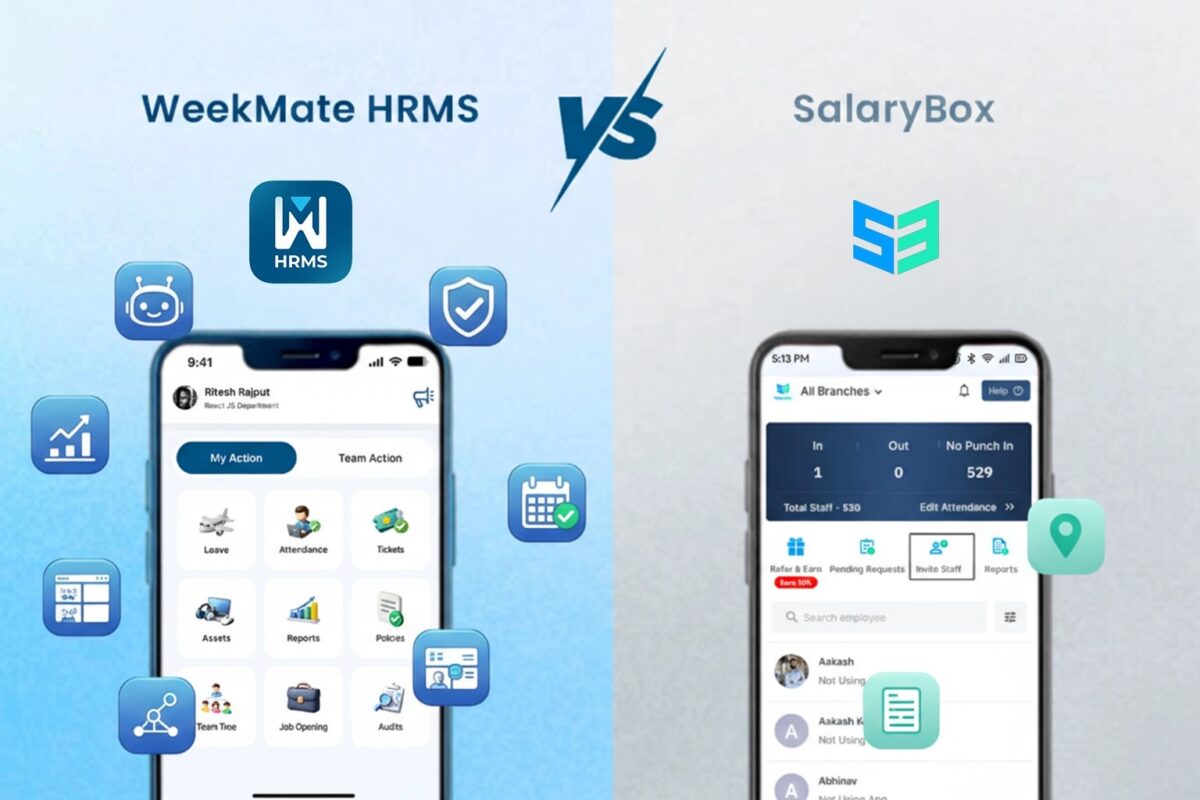
WeekMate HRMS vs SalaryBox: Choosing the Right HRMS for Modern Businesses

In an era where agility defines success, HRMS platforms have become the backbone for efficient workforce handling. These platforms handle everything from hiring to payroll, enabling executives to spend time on innovation rather than paperwork. India is also witnessing digital disruption in employee management with a workforce of more than 500 million and remote working is gaining ground. Companies often compare WeekMate HRMS vs SalaryBox to evaluate products that meet their future growth and compliance needs.

This WeekMate vs SalaryBox comparison appreciates the importance of such assessments for HRMS for modern businesses. Readers will have a better understanding of the features, usability, and scalability of top HRMS software to choose the best one. In the end, the review positions WeekMate as an unbeatable SalaryBox alternative for those enterprises looking ahead.

What Is HRMS Software?

An HRMS, or Human Resource Management System, is a suite of integrated applications that allows you to manage essential employee data, including payroll, performance, and compliance. It offers attendance management, leave management, and reporting features, all accessible from a single location.

HRMS is essential for startups, SMEs, and enterprises to overcome the talent shortage and complex regulations. Among broader business productivity tools, it streamlines workflows, enhancing administrative task productivity by 40 per cent. In India’s fast-changing labour law landscape, HRMS delivers compliance and enhances employee engagement.

Overview: WeekMate HRMS vs SalaryBox

WeekMate HRMS at a Glance

WeekMate HRMS is a natural outcome of the philosophy of scalable business solutions. It is aimed at SMEs, startups, and expanding businesses that want total control.

It is cloud-based, mobile-compatible, and stands out with one-time pricing, AI-powered automation, and full HR coverage. This helps it to be an outstanding HRMS software India, giving you complete ownership without any recurring expenses.

SalaryBox at a Glance

Founded in 2020 by Nikhil Goel and Peeyush Goyal under Cresce Technology, SalaryBox is a super-friendly payroll software for small businesses in India. It is headquartered in Gurugram and empowers MSMEs with mobile-first solutions.

Marketed as an inexpensive payroll and attendance product, it is notable for its biometric authentication and simple HR features. But the subscription-based pricing and generally shallow solutions are suitable for entry-level HR solutions in the competitive HRMS software India market.

Feature-by-Feature Comparison

Employee Management

Good employee management starts with solid databases and workflows that automate your day-to-day.

In this best HRMS software comparison, WeekMate offers superior customization and automation.

Feature

WeekMate HRMS

SalaryBox

Employee Database

Advanced, searchable with custom fields Basic profiles

Document Management

Secure, version-controlled storage Simple uploads

Onboarding Workflows

AI-guided, integrated Manual setup

Lifecycle Tracking

Full cycle automation Limited tracking

Attendance & Leave Management

Runaway tracking ensures productivity from day one, with no arguments in any field team.

WeekMate has the advantage when it comes to flexible integrations, while SalaryBox beats it in real-time features.

Feature

WeekMate HRMS

SalaryBox

GPS/Biometric Integrations

Multi-method, including face recognition Selfie and GPS basics

Shift Scheduling

Dynamic, AI-optimized Manual

Leave Policies & Approvals

Customizable, automated Standard templates

Real-Time Tracking

Comprehensive dashboards Basic reports

Payroll Management

WeekMate vs SalaryBox payroll features expose levels of automation. WeekMate flawlessly handles the growing pains for you.

Feature

WeekMate HRMS

SalaryBox

Automated Processing

AI-driven bulk handling Rule-based

Tax Calculations & Deductions

Pan-India compliance Core deductions

Payslip Generation

Customizable, instant Standard

Indian Payroll Laws

Full integration Partial support

HR Compliance Management

HR compliance management is vital in India’s regulatory environment. WeekMate lets you jam right up to the deadline; it’s got that edge.

Feature

WeekMate HRMS

SalaryBox

Statutory Compliance

Automated PF/ESI/PT/TDS Selective handling

Labor Law Updates

Real-time alerts Manual checks

Audit Readiness

Built-in tools Basic

Reporting

Advanced analytics Standard exports

Performance & Productivity Tools

With the inclusion of business productivity tools, HR becomes more than just the basics. The analytics behind WeekMate’s insight go even further than SalaryBox.

Feature

WeekMate HRMS

SalaryBox

KPI Tracking

Custom metrics Limited

Appraisal Workflows

Automated cycles Basic reviews

Productivity Analytics

AI-powered trends Simple overviews

Integrations

Extensive Minimal

Mobile App & Accessibility

In the case of HRMS with mobile app India, the access translates into usability in a mobile-friendly country. WeekMate’s app provides full capabilities for employees and managers to manage remotely. SalaryBox specializes in attendance but offers less depth in self-service and dashboards, so WeekMate is the better option for hybrid setups.

User Experience & Interface

Ease of use lowers training time and mistakes.

WeekMate boasts customizable dashboards and easy navigation. It enables multilingual interfaces for multinational companies. 

SalaryBox’s mobile-first interface is simple compared to other payroll solutions but less flexible on desktops, optimal for small operations.

Integrations & Scalability

Growth requires scalable solutions.

WeekMate connects to accounting, ERP, and CRM systems via APIs, growing seamlessly without additional costs. SalaryBox has a very small number of integrations, which can’t really scale to support large teams.

Best Use Cases

In an employee management software comparison, fit varies by scale.

  • Startups: WeekMate’s a simple one-time charge and good automation for bootstrapped growth.
  • SMEs: WeekMate makes it easier to get greasy.
  • Enterprises: WeekMate’s scalability wins.
  • Field Workforce: Both are acceptable, but WeekMate has superior tracking capabilities.
  • Remote/Hybrid: WeekMate’s robust mobile features dominate.

WeekMate as a SalaryBox Alternative

For those seeking a SalaryBox alternative WeekMate, switch when needing deeper automation and cost savings. WeekMate bridges the gaps in analytics and integrations, delivering greater ROI through ownership — potentially saving 50% over the long term vs. subscriptions. Its scalability enables bold growth without tying the customer to a vendor.

HRMS Software in India: Market Outlook

Adoption of HRMS for modern businesses in India surges, with the market projected at USD 1.2 billion by 2027. Compliance challenges, like varying state laws, drive demand for reliable tools.

In employee management software comparison, businesses prioritize India-specific features amid a 17% annual growth in digital HR. The future sees AI integration dominating, favoring versatile platforms.

Decision Checklist: How to Choose the Right HRMS?

Review based on:

  • Company Size: WeekMate illustrating why it’s perfect for scaling.
  • Payroll Complexity: WeekMate’s automation.
  • Compliance Standards: WeekMate’s updates.
  • Cost: WeekMate’s single payment.
  • Integration Requirements: APIs for WeekMate.
  • Mobile Needs: HRMS with mobile app India similar to WeekMate.

Final Verdict: WeekMate vs SalaryBox

WeekMate offers unmatched depth with no recurring fees. Its one-time licensing model delivers predictable costs and true ownership and is significantly more cost-effective for growing organizations over time.

The basic needs of very small companies and startups, focused on simple time and payroll, can be well met by SalaryBox with its mobile-first application and low per-employee subscription. But any comprehensive WeekMate vs SalaryBox comparison will highlight WeekMate as more scalable, with deeper analytics and full end-to-end capabilities to grow with customers – without vendor lock-in, or ever-increasing fees.

Reviewers constantly give preference to WeekMate as the best HRMS software comparison winner due to its comprehensive, future-proof design that enables HRMS for contemporary companies to deliver enhanced efficiency, compliance, and productivity in the changing HR tech landscape of India.

FAQs

1. How do WeekMate HRMS and SalaryBox differ?

WeekMate is a one-time fee system that provides advanced HRMS features, including AI-powered payroll automation, productivity monitoring, and compliance management. SalaryBox is a subscription-based platform geared toward  basic payroll and attendance needs.

2. Is WeekMate a better option than SalaryBox for small businesses?

Yes, WeekMate can be a better alternative for growing companies, as it offers a scalable architecture and long-term cost effectiveness. It’s integrated with broader HR and productivity features that grow with you, with no recurring subscription fees.

3. When it comes to payroll, which platform is superior – WeekMate or SalaryBox?

WeekMate HRMS has more advanced payroll features such as AI-enabled calculations, automated statutory compliances and comprehensive reporting. SalaryBox addresses the basic needs of payroll, but with less automation and analytics than more advanced solutions offer.

4. Can I get a mobile app for employees with WeekMate HRMS and SalaryBox?

Both have mobile applications where employees can attend, see payslips and request leave. On the other hand, the WeekMate app offers much richer HR compliance features and more robust self-service capabilities.

5. Which HRMS is best for Indian small buyers?

For the most part, WeekMate HRMS is a better fit for small businesses that need an all-in-one solution due to its productivity management capabilities. It is a powerful alternative to SalaryBox that helps you manage payroll, compliance, and workforce analytics through a single unified platform.

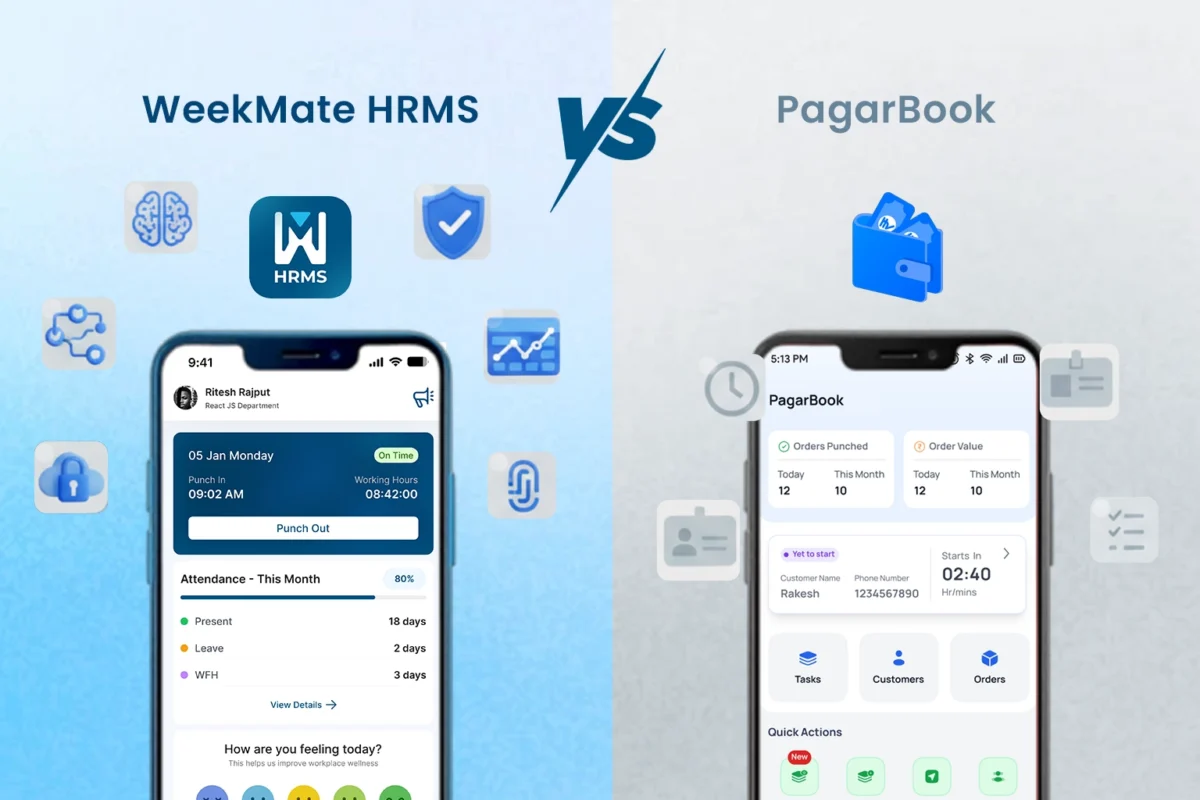
WeekMate HRMS vs PagarBook: Workforce Digitization Platforms Compared

In the fast-growing business environment of India, workforce digitization platforms India have become a need of the hour for boosting operational efficiency. The shift from manual to automated HR processes mitigates compliance-related challenges and administrative burdens, enabling organizations to focus on strategic initiatives. This transition is especially relevant for small and medium enterprises (“SMEs”) that are struggling with labor laws and workforce dynamics.

This WeekMate HRMS vs PagarBook is an HR software comparison India companies should consider. The analysis of these two software products is intended to help SMEs find the best employee management software in India by evaluating their features, UI, and usability. Finally, the comparison shows that one solution offers much greater scalability and a deeper feature set in this payroll and attendance software comparison.

Highlights of Workforce Digitization in India

Workforce digitization platforms India include a set of digital software and tools that covers end to end human resource functions like hiring, payroll, and performance management via SaaS and mobile-enabled platforms. This is driven by several factors from the Indian perspective.

The rise of remote and hybrid work means there needs to be a robust system in place to monitor employees in other locations. Also, the confusing maze of compliances, such as provident fund and tax deductions, must be accurately automated, or penalties may result. The growing adoption of digital tools among SMEs contributes another layer to this trend, along with national programmes encouraging technological integration.

Payroll and attendance software play an important role in this system by providing automation that can reduce errors by as much as 90%. The Indian HRMS market is anticipated to reach a value of USD 870.46 million by 2025 and is expected to grow at a CAGR of 17.34% to around USD 1.2 billion by 2027 from 2020. In a country having more than 74.7 million MSMEs that provide jobs to over 328 million people, these platforms are crucial for growth that is not just rapid but sustainable.

Platform Overview
WeekMate HRMS – Company & Product Snapshot

WeekMate HRMS is designed for SMEs and startups and is also relevant for large enterprises in need of customizable HR solutions. It is cloud platform-based software with Web and Mobile Interfaces, offering on-the-go accessibility. As powerful employee lifecycle management software, it processes everything from talent acquisition to separation, applying artificial intelligence along the way for smarter decision-making.

PagarBook – Company & Product Snapshot

PagarBook caters to the needs of micro, small and medium enterprises primarily in the retail and on-site business. Its emphasis on mobile accessibility facilitates quick management for dispersed teams. It has found favor with industries that benefit from simple worker oversight and payroll management, though it is more concentrated on basic functions.

Feature-by-Feature Comparison

Employee Database & Lifecycle Management

Having records centralized digitally makes it easier to search for data, and securely storing important documents keeps them safe. Onboarding and offboarding automation to reduce paperwork.

In this HR software comparison India, WeekMate exceeds PagarBook in terms of intelligent automation-based employee lifecycle management software.

Feature

WeekMate HRMS

PagarBook

Digital Records Advanced database with customizable attributes and deep employee history. Standard profiles with basic contact and identity options.
Document Storage Encrypted cloud with versioning, role-based access, and tracking history. Elementary file uploads for basic compliance and ID proofing.
Onboarding/Exit Streamlined automation including digital signatures and asset tracking. Primarily manual procedures with minimal checklist support.
Depth of Utility Complete cycle coverage: Recruitment, payroll, performance, and offboarding. Limited scope: Focused primarily on attendance and wage calculations.

Attendance and Timesheet Management

Options such as biometric, location-based, or app-based tracking ensure accuracy, while roster management and overtime control promote equal treatment.

WeekMate offers more features in terms of timesheet and productivity tracking with analytics tools, while PagarBook is basic in its functionalities.

Feature

WeekMate HRMS

PagarBook

Attendance Methods Multiple, including facial recognition and geolocation Photo and position-based basics
Shift Scheduling Intelligent, adaptive planning Standard manual setup
Overtime Tracking Rule-based automation Hands-on computations
Productivity Tracking Interactive visuals and metrics Minimal overviews

Leave Management System Comparison

Flexible policy configurations, automatic balance updates, and unified calendars make administration effortless. Approval processes and self-initiated requests enhance efficiency.

The leave management system comparison shows that WeekMate is more advanced than PagarBook.

Feature

WeekMate HRMS

PagarBook

Policy Configuration Extensive tailoring for various scenarios Preset formats
Accrual Automation Dynamic, adjusted calculations Fundamental tracking
Approvals/Requests App-enabled reviews and submissions Limited application features
Integration Linked to compensation and insights Independent operation

Payroll Processing Automation

Dynamic salary components, real-time computations, and transaction processing ensure accurate disbursements and error-free documents.

WeekMate’s payroll processing automation is also more reliable thanks to native validations.

Feature

WeekMate HRMS

PagarBook

Structures Versatile element designs Fixed patterns
Calculations Smart batch handling Guideline-driven, less agile
Deductions/Reimbursements Dedicated modules for claims Essential management
Payslips Tailored distributions Uniform layouts

Compliance & Statutory Payroll

Contributions management (e.g., ESI) and Taxes Compliance, Localization, and Reports.

WeekMate proved to be superior in compliance and statutory payroll consistency.

Feature

WeekMate HRMS

PagarBook

Statutory Handling Thorough automatic support Selective, often manual
State Support Nationwide, with updates Core coverage
Filings/Reports Direct submission links Exportable formats

Employee Self-Service Portal

Access securely using your phone, check your records, download your documents, update your details, and get in touch internally.

WeekMate’s employee self-service portal offers broader functionality.

Feature

WeekMate HRMS

PagarBook

Mobile Access Extensive application tools Core utilities
Views/Downloads Detailed interfaces Restricted displays
Updates/Communication Editable info and messaging Simple modifications

HR Analytics & Reporting

Ready-made reports, your own views and trends, and actionable workforce insights.

WeekMate delivers more advanced HR analytics and reporting.

Feature

WeekMate HRMS

PagarBook

Reports/Dashboards Bespoke, intelligence-enhanced Conventional summaries
Insights/Analytics Forward-looking evaluations Elementary data

User Experience & Interface

WeekMate features a user-friendly design, multilingual support, and fast setup, and is accessible on all devices with equal ease. PagarBook robs the desktop of any bells and whistles you could ask for, instead focusing on convenience and features that would fit minimal needs.

Integrations & Ecosystem

WeekMate is easily integrated with financial systems, verification hardware and open APIs for custom applications. PagarBook is not as integratable with other products, though it does have some very narrow connections to transaction services.

Customer Support & Implementation

WeekMate comes with a guided, intuitive, educational setup process, and you will also receive our friendly, active support across multiple channels. PagarBook offers in-app support, but answers to complex issues might take longer.

Security & Data Privacy

Both subscribe to industry standards, but WeekMate introduced enhanced security, access control and recovery measures to keep data protection on a higher level.

Use-Case Suitability

When selecting an employee management software India, the scale and vision of an organization generally matter. WeekMate is great for growing businesses.

  • Best for micro & small businesses: PagarBook does basic monitoring. 
  • Best for scaling SMEs: WeekMate provides comprehensive automation.

Industry fit:

  • Software & IT: WeekMate’s metrics.
  • Manufacturing: WeekMate’s scheduling.
  • BPO: WeekMate’s compliance tools.
  • Pharmacy: The full management of WeekMate.
  • Accounting: WeekMate’s integrations.

Which Platform is Better for SMEs?

WeekMate is favoured in the WeekMate HRMS vs PagarBook comparison for its cost-effectiveness, support for growing teams, compliance requirements, and process complexity. For a growing company with 50 employees looking to get productive, WeekMate offers end-to-end support; PagarBook accommodates smaller, mobile businesses.

Final Thoughts

This HR software comparison India focuses on highlighting the pros of WeekMate in workforce digitization platforms India. Go with WeekMate HRMS for holistic, futuristic offerings; go with PagarBook for bare-bones, basic needs. The development of payroll and attendance software comparison indicates futuristic, AI-powered systems such as WeekMate will drive the evolution of HR solutions in India.

FAQs

1. Why is WeekMate HRMS better suited for SMEs as compared to PagarBook?

WeekMate HRMS is better suited for SMEs, as it provides a comprehensive platform for handling all aspects of HR, payroll, attendance, and productivity management. Whereas PagarBook is more appropriate for small businesses that want to manage payroll and staff records with basic functionality.

2. Do WeekMate HRMS and PagarBook provide statutory payroll compliance in India?

Yes, Indian Statutory compliances such as PF, ESI, TDS, and professional tax calculations are supported on both platforms. While WeekMate includes more automated compliance updates, comprehensive audit trails, and multi-layered reporting that help reduce errors.

3. How do their attendance and leave management systems compare?

WeekMate offers advanced attendance features, including biometric integration and shift scheduling, as well as more detailed timesheets and productivity reports. PagarBook does have basic attendance and leave management, but no advanced workforce analytics.

4. Is there an employee self-service portal for both platforms?

Both provide employee self-service portals that allow employees to view payslips and leave balances. WeekMate has a more comprehensive portal that includes features such as document management, performance insight, and real-time notifications.

5. Can WeekMate HRMS and PagarBook be integrated with other business apps?

WeekMate offers a number of third-party and API integrations to sync with your accounting, CRM, and productivity applications. The complexity of integration in PagarBook is higher, so growing companies may find it more challenging to automate their business.

6. What are the benefits of WeekMate?

WeekMate is simplifying the complex HR processes by bringing payroll, attendance, compliance and performance management under one roof. It eliminates manual errors, increases productivity, enables monitoring, and boosts employee experience with self-service and automation solutions.

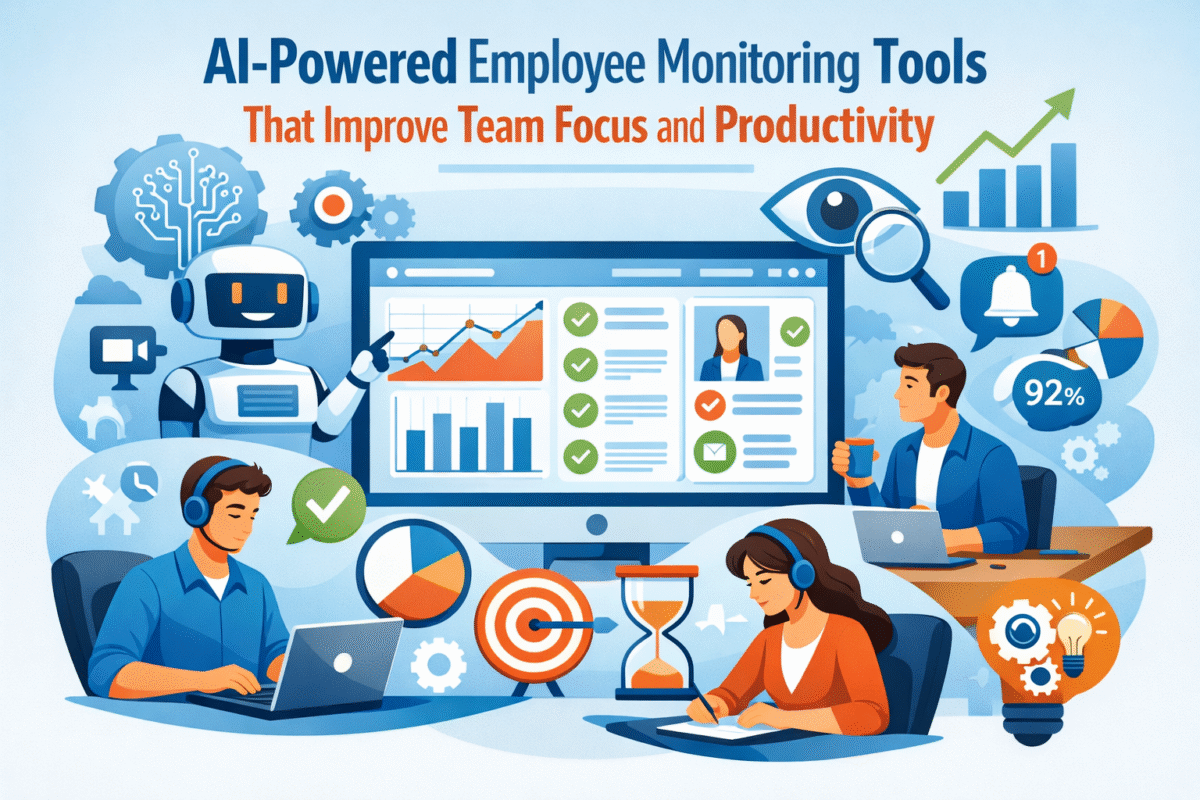
AI-Powered Employee Monitoring Tools That Improve Team Focus and Productivity

Modern organizations are reconsidering how productivity is measured, supported, and enhanced. Traditional time-tracking methods and manual supervision simply cannot keep pace with the speed and complexity of today’s work. With teams becoming more and more distributed and knowledge-driven, AI-powered productivity tools and AI productivity software for teams are taking over to provide a more intelligent, human, centric way of staying focused and productive.

The change is not simply about automation; it’s about getting insights. Managers are now less interested in the number of hours someone has worked and more interested in how work is done efficiently. Interruptions, disjointed communication, constant context switching, and an inability to observe actual work habits are making it harder to maintain productivity.

Here, the discussion shifts to AI-enabled workforce productivity software.

Instead of reactive watching, AI-powered productivity management enables active observation of work patterns that anticipate team slowdowns, while providing guidance on where to focus on the right things without micromanagement.

What Are AI-based Employee Monitoring Tools?

AI-powered workforce productivity software solutions use machine learning and behavioural analysis to understand how work is done within teams. An AI-driven work productivity platform doesn’t just count hours or take screenshots; it also analyzes workflows, tool usage, focused work time, and output models to highlight key insights.

Unlike traditional surveillance software, which operates on static rules and reports, AI-powered platforms continuously learn. They use automation to learn from patterns across roles, teams, and projects, thereby significantly reducing administrative work and removing guesswork.

The real value is in the interpretation. AI is not only a data collector; it also identifies the relationship between activities and outcomes. Leaders are now in a position to facilitate performance improvement without the need for constant check-ins or subjective evaluations.

Common Productivity Challenges in Modern Teams

Limited Visibility into Work Patterns

Most organisations are unsure how workflow actually works. A glance at employee productivity analytics software often shows that effort and output are not always aligned. Managers can only view completed tasks; they are unaware of the hidden inefficiencies that frequent app switching, meeting overload, or lack of focus slow teams down.

Lack of visibility into the situation as it unfolds makes productivity decisions reactive and, most of the time, based on assumptions rather than facts.

Productivity Gaps in Remote and Hybrid Work Models

The new norm of working from home has increased the need for productivity tools for remote teams. The lack of a set routine, time zone differences, and fewer informal communications can, almost unnoticed, lead to declines in both concentration and responsibility. It is particularly difficult for hybrid teams to manage the different productivity expectations that in-office and remote employees face.

AI-assisted data can support equitable decision-making by providing standardized, measurable insights for all locations.

Manual Reporting and Biased Performance Evaluation

Manual productivity tracking is not only laborious but also prone to bias. Performance evaluations often reflect visibility rather than impact, leading people to feel disconnected and frustrated. When reliable data are unavailable, managers struggle to make sound, winning decisions that support both performance and well-being, guided by fairness, timing, and compatibility.

How AI-Powered Employee Monitoring Instruments Facilitate Productivity?

Intelligent Work Activity Tracking

Intelligent work productivity tools for teams combine AI-powered employee productivity tracking with analysis of work processes, application usage, and concentration patterns. Through intelligent work activity insights, teams can see clearly where their time goes minus the unwarranted surveillance.

The highlight is on patterns rather than individuals. Using AI to identify productivity rhythms, peak focus hours, and common interruptions helps teams adjust their work methods rather than limiting behaviour through a system of rules.

Data-Driven Productivity Analytics 

Using the latest employee productivity analytics software, a leader sees a visual summary of the situation, showing changes over time. These revelations would provide a foundation for better decisions on human resources, operations, and technical innovation.

Beyond guessing why deadlines slip or workloads feel uneven, managers can now base their actions on actual data.

Focus Optimization and Distraction Reduction

AI, for one, is an expert at uncovering hidden inefficiencies that reduce productivity. By identifying meetings that are too frequent, too many tools, or too scattered schedules, AI helps teams organize their workdays more intentionally and preserve time for deep work—the most precious and least available resource in today’s organizations.

Remote and Hybrid Workforce Productivity AI Tools

AI tools for hybrid workforce productivity aim to provide flexibility without sacrificing accountability. For productivity tools for remote teams, real-time visibility enables managers to focus on results rather than on the activity level.

AI builds trust when implemented transparently. Employees understand how the metrics are used, and managers become more confident in the absence of constant oversight. Achieving this equilibrium is essential to maintaining performance in distributed environments.

According to a 2024 Gartner report, 75% of companies that use AI-driven workforce analytics report accelerated decision-making and improved team productivity.

Top Characteristics of a Work Productivity Platform Powered

  • A mature AI-driven work productivity platform typically includes AI-based activity analysis, smart alerts, and productivity scoring that adapts to different roles.
  • Context-aware productivity scoring, with benchmarks that adapt by job function, team, and task complexity instead of neutral “one-size-fits-all” scoring systems.
  • Smart notifications and recommendations to detect threats to productivity, work overload, or inefficiencies in the system before they become problems!
  • Relevance-first insights – designed so that teams and leaders can focus on meaningful information instead of getting lost in raw activity logs.
  • Predictive analytics and forecasting enable leaders to anticipate when they may face increased risk of burnout, reduced productivity, or constrained resources.
  • Seamless integration with task management software ensures insights align directly with real work, not isolated metrics.

Advantages of Implementing AI-Driven Productivity Software for Your Team

Organisations adopting AI productivity software for teams often see improvements that go beyond output:

  • More defined priorities and better focus, because AI identifies where work delivers the most value and where it is scattered.
  • More even workloads to help teams keep hidden overload at bay and use capacity strategically across roles.
  • Objective, data-driven performance insights reduce bias from visibility-based or subjective assessments.
  • Early recognition of burnout indicators enables proactive, rather than reactive, intervention when productivity declines.
  • Better employee experience, fewer last-minute escalations, clearer expectations and more consistent support.
  • Stronger leadership confidence: resource, timeline, and performance decisions are supported by real data.

A 2025 McKinsey study found that companies using AI for workforce optimisation achieved 20–30% productivity gains in knowledge-based roles.

Integrating AI Productivity Tools with Existing Work Systems

AI productivity tools realise their full potential only when they are seamlessly integrated into current work routines. Linking the data to a project management tool is a good way to keep daily work aligned with the strategic objectives. Once a connection to the project management software is established, it is easier to proactively manage timelines and meet milestones.

By integrating with team collaboration software, productivity insights can be used to improve communication without adding complexity. What is achieved is a cohesive overview of the work, conducive to large-scale performance.

Ethical and Transparent AI Employee Monitoring Tools

Ethical implementation is key. Productivity monitoring should be about coaching, not spying. Thoughts are tracked; why it matters and how data is used foster trust and acceptance.

Best practices include anonymised insights where feasible, role-based benchmarks, and employee access to their own data. When AI is presented as a support system rather than a control tool, it strengthens culture rather than undermining it.

How To Select The Best AI-Powered Workforce Productivity Tool?

  • Scalability for mid-market and enterprise expansion to ensure the platform keeps pace as the team, projects, and data volumes grow. 
  • Depth and accuracy of insights, with an emphasis on actionable, not shallow, activity-based tracking.
  • Integrates easily, allowing the platform to be naturally embedded within current systems and workflows without disrupting work.
  • Good support for remote or hybrid teams, providing predictable visibility and accountability regardless of location.
  • Transparency, ethics-based design to build trust, built with clear metrics, explainable insights, and employee-centric deployment.
  • Focus on alignment with employee experience: productivity gains should not make employees work harder; they should support their well-being, not just their output targets.

Conclusion: AI for Smarter Productivity, Not Employee Surveillance

The future of work is all about smarter systems, not tighter control. AI-powered productivity tools and AI-powered workforce productivity software allow companies to raise focus, fairness, and performance without the need for micromanagement.

Instead of shifting the focus from watching to understanding, AI changes the meaning of productivity from a checked activity to a shared outcome. WeekMate is an example of this approach: smart features that enable teams to be more effective rather than work longer hours.

As data-driven focus turns into the new productivity norm, those organisations that adopt ethical, AI-led productivity management will be the ones to succeed in the ever more complicated work environment.

FAQs

1. Do AI-powered employee monitoring tools equal employee surveillance?

No. Advanced AI-powered productivity tools primarily focus on identifying work patterns, not on monitoring individuals. They focus on analyzing aspects such as the time devoted to concentration, equity of the workload, and efficiency of the work process rather than storing private content or micromanaging. When used ethically, these tools can support both performance improvement and employee well-being.

2. How do AI productivity tools enable remote and hybrid teams to work while keeping trust?

AI productivity software for teams fosters trust-building transparency through objective, role-based insights rather than through frequent employee check-ins. By focusing on what teams have accomplished and the patterns of their work, rather than their mere presence, teams become clear and accountable without losing their autonomy, which is very important for remote and hybrid work models.

3. What type of information do AI-powered workforce productivity platforms reveal?

An AI-powered workplace productivity platform provides a wide range of insights, including changes in concentration levels, how work is shared, peak efficiency times, collaboration patterns, and early signs of exhaustion. Such findings give managers the freedom to make decisions on matters such as staffing, the duration of different stages, and the overall approach, reducing their dependence on guesswork.

4. How quickly can organizations realise benefits from AI productivity software?

Typically, mid-market and enterprise customers gain significant insights within the first couple of weeks. As the system gets familiar with the team’s behavior over a period of time, the precision and worth of the recommendations on productivity will get fine-tuned, thus paving the way for data-driven decisions to be made more rapidly and for the benefits in productivity to be maintained.

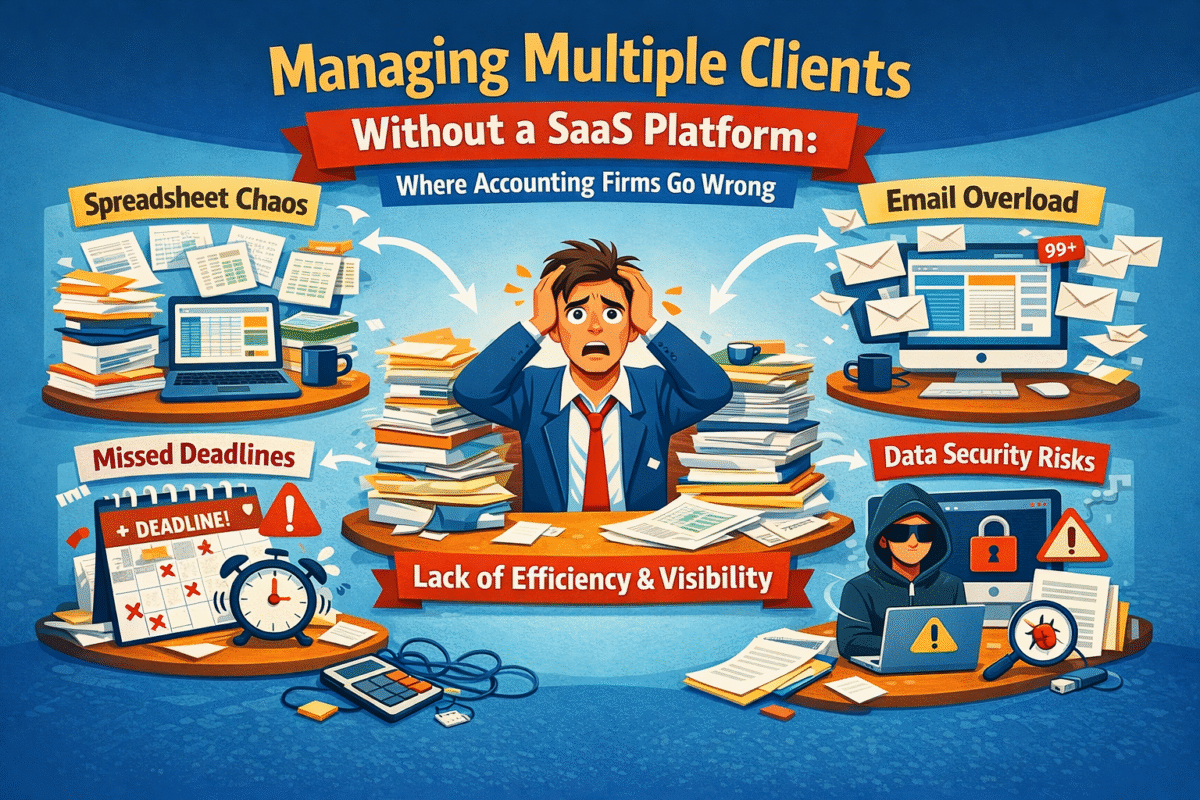
Managing Multiple Clients Without a SaaS Platform: Where Accounting Firms Go Wrong

Accounting firms and CA practices in India are increasingly confronting a challenging business environment, one where merely keeping the books will no longer suffice. Clients today expect strategic insights, faster turnaround times, proactive compliance updates, and clear communication. Simultaneously, firms must contend with compliance deadlines, evolving tax laws, GST complexities, payroll requirements, and a continuously growing client base. The old ways of working, depending on spreadsheets, email chains, standalone desktop software, and isolated tools, are almost failing under this strain.

This article explores the limitations of traditional methods, why they are inefficient at scale, and how firms can realign by leveraging smarter tools, such as an accounting management system, to become more client-centric and competitive.

The Reality of Accounting Firms In India

Some firms have long thought that accounting was only about number crunching. However, in 2026, accounting services are workflow-driven, collaborative, and require timing, accuracy, and accountability, in addition to the final balance sheet; these are very important aspects. 

Research indicates that more than 78% of medium-sized companies currently use SaaS accounting solutions, primarily for remote access, scalability, and process automation. At the same time, cloud adoption has increased significantly worldwide, indicating a major shift toward digital accounting practices.

The situation in India is even more intense. With over millions of MSMEs and a rapidly changing regulatory environment influenced by GST, e-invoicing, and compliance tracking, companies are rethinking client management solutions. No more manual bookkeeping and desktop systems. What is required is a new generation of accounting software for firms in India platforms that unite data, automate monotonous tasks, streamline collaboration, and reduce risk. Accounting SaaS software can be an answer to that, providing not only a ledger but also a workflow backbone for modern CA firms.

How Accounting Firms Handle Multiple Clients Without SaaS?

Many accounting firms in India and worldwide still rely on manual and semi-digital workflows. In a situation where different teams handle dozens, if not hundreds, of client accounts at the same time, the most typical tools are:

  • Spreadsheets: these were used to keep track of unfinished tasks, bookkeeping records, and ad-hoc data, shared with teams via email.
  • Email threads: usages include approvals, client correspondence, reminders, and document exchange.
  • Shared folders or local drives: used for storing client invoices, receipts, tax documentation, and compliance files.
  • Standalone desktop accounting software: these were locally installed on individual PCs and updated manually, thereby creating version-control issues.

These are not integrated systems. One software application tracks billing, a second handles payroll, and a third manages tax returns, with no automatic communication among them. Staff may need to transfer data manually from one software application to another, thereby re-entering the data and increasing the risk of transcription errors.

To a large extent, here are the ways in which many firms still manage multiple clients: accountants maintain separate files for each client. They manually copy figures into return templates, send reminders via calendar apps, and continue to rely on memory, sticky notes, or informal chats for follow-ups. It is a set of tools assembled through human effort rather than an engineered workflow system.

Guess what? This system, although presently perfect for a small number of clients, will not stand the test of time when the workload and intricacies increase – as we shall see in the next section.

The Core Challenges of Managing Multiple Clients Without a SaaS Platform

Lack of Centralized Client Visibility

A modern platform with a single dashboard summarizing all client work at a glance is exactly what seems to be missing most profoundly and severely undermines a firm’s functionality and performance. Imagine the difficulty of tracking the tax filing status of 30 clients, whose information is scattered across spreadsheets and email chains, when you don’t have a central view of deadlines, approvals, or outstanding items. When there is no centralized accounting management system, it is practically impossible to figure out who is responsible for what, when deliverables are due, and what is awaiting review.

Such fragmentation leads to confusion:

  • Missed deadlines as reminders are not automated.
  • The ownership of the task becomes unclear when accountability is not centrally tracked.
  • Partners depend on team members for file updates, resulting in delays and possible misalignment

By contrast, on platforms where every client’s key tasks GST, payroll, TDS returns, audit preparation appear on a unified dashboard, with clear status indicators and alerts.

The Case of Workflow Inefficiencies and Manual Processes

Manual data entry consumes significant time. At the end of each month, accountants must re-enter transaction data from bank statements into spreadsheets, perform manual balance reconciliations, and duplicate work across tools. Approvals are sent via email, where files can get lost, mislabeled, or hidden in casual conversation threads.

Firms without modern accounting workflow software for Indian firms often repeat tasks that should be automated: reconciliation, classification, notifications, reminders, data exports, and report generation. Instead of focusing on value-added tasks, the teams have to spend their time chasing updates.

The cumulative cost? Several hours are lost every week that could have been spent on advisory work, client engagement, and review.

Missed Deadlines and Compliance Risks

India has a very strict compliance calendar. GST filings, income tax returns, TDS deadlines, audit submissions, and payroll cut-offs each have strict deadlines and penalties for non-compliance. Trying to manage all that for multiple clients with manual systems often results in:

  • Frantic last-minute efforts
  • Errors in tax codes or entries by humans
  • Late submissions
  • Costly fines that reduce client trust

Without automated reminders and structured workflows, critical compliance tasks get overlooked – a risk that can damage both clients and the firm’s reputation.

Poor Team Coordination and Accountability

In firms without integrated software, internal communication is primarily through meetings, WhatsApp groups, and ad hoc emails. There is little accountability when tasks are not formally assigned or tracked. One team member thinks another has updated the client records, only to find out they are week-old stale numbers.

This lack of coordination reduces productivity and morale because accountants spend time determining who should do what rather than doing the work.

Where Accounting Firms Go Wrong Without SaaS

Scaling Headcount Instead of Systems

Many companies hire additional staff to cope with work overload. The logic is simple: more people, more work. However, if there are no proper systems in place, the strategy becomes counterproductive: every new employee adds complexity, increased onboarding, additional communication overhead, and greater coordination.

Thus, overall productivity is not the mere sum of employee numbers in the absence of basic processes.

Using Tools Not Designed for Multi-Client Management

A common mistake is applying single-client accounting tools across multiple clients. A desktop accounting package may work fine for one business’s books but when replicated across dozens of clients, it becomes a management nightmare. Importing and exporting data between systems, managing licences, and consolidating outputs introduce friction that SaaS tools eliminate by design.

This approach fails even harder for CA firms and knowledge processing organisations (KPOs) that need:

  • Consistent workflows
  • Standardized reports
  • Cross-client comparisons
  • Team access control

And without these, it is hardly possible to imagine anything other than a complete disarray.

Not Applying Standardization Across Different Client Workflows

Each accounting professional tends to work in the way they prefer. If there is no one way to follow a certain work process:

  • Some clients are reconciled weekly, while others are reconciled monthly.
  • Approvals are done in different ways.
  • Document naming conventions are very different.

Inconsistencies always lead to lower quality, more rework, and longer review periods.

Delayed Reporting and Limited Insights

When data is distributed across multiple files and systems, it is impossible to provide real-time financial visibility into clients. Therefore, firm partners either make decisions based on stale data without realizing it, or they spend a significant portion of their day manually compiling reports.

This scenario hampers strategic oversight and undermines the firm’s agility to proactively respond to clients’ needs.

The Hidden Business Costs of Not Using Accounting SaaS Software

Not utilizing the most up-to-date tools comes at a cost that is certainly higher than mere inconvenience; it is a strategic disadvantage:

  • Lower productivity: Manual, repetitive work reduces time available for high-value advisory work.
  • Employee burnout: Accountants are so overloaded with administrative work that some give up.
  • Compliance exposure: When you rely on manual processes, you are more prone to mistakes and thus, more liable to sanctions.
  • Client dissatisfaction: Trust and referrals are gradually lost through delays and inaccuracies.
  • Competitive disadvantage: Tech-enabled firms not only deliver faster and smarter insights, but they also get a bigger slice of the market.

This is the main reason why transitioning to accounting SaaS software and accounting management software is not a matter of choice but a necessity.

Why Accounting SaaS Software Is Built for Multi-Client Firms?

Modern accounting SaaS software was created not just as an additional tool but rather to address multi-client issues, most of which were outlined above.

Centralized Client and Workflow Management

Such platforms help partners and teams to access a single dashboard for:

  • Viewing task statuses across all clients
  • Compliance deadlines
  • Next steps and bottlenecks

Such visibility is extremely valuable; it transforms chaos into order.

Automation of Routine Accounting Tasks

SaaS solutions automate:

  • Phone bank feeds and reconciliation
  • Invoice processing
  • GST and TDS tracking
  • Report generation

As a result, it reduces manual labor and increases accuracy.

Real-Time Collaboration and Audit Trails

Teams use a common platform with automated documentation and audit trails. The system captures, timestamps, and indexes each action. This not only improves coordination but also simplifies audits and client reviews.

Scalability Without Complexity

By using SaaS, companies can acquire more clients without complicating the situation. They increase capacity rather than complexity, which is ideal for rapidly growing CA firms and KPOs. For example, adopting an all-in-one accounting SaaS platform makes it easier to manage increasing workloads with precision and confidence.

Key Features to Look for in Practice Management Software for CA Firms

While assessing software, firms should put primary emphasis on:

  • Multi-client workflow support: Ability to manage diverse client needs simultaneously.
  • Compliance tracking and reminders: Built-in alerts for GST, returns, TDS, and audits.
  • Real-time dashboards and reporting: Instant insights for partners and clients.
  • Access controls and audit logs: Ensure security and accountability.

Therefore, this is the main reason practice management software for CA firms is a necessity, not a luxury.

Accounting SaaS Adoption in India: What Firms Should Consider

Basically, when deciding on IT solutions, Indian firms should account for:

  • Data security and regulatory compliance especially around GST and e-invoicing.
  • Ease of team adoption, lower learning curves speed up implementation.
  • Cloud scalability: Solutions that grow with your firm.

Evaluations should include CA firm management software India and cloud accounting software India preferences tailored to local compliance needs.

How Exactly Can An Appropriate Accounting Software Help A Business Operate More Effectively?

The changes brought about by an ideal system cannot be negated:

  • Standardised workflows across clients – delivering consistency and quality.
  • Improved accuracy and faster delivery – fewer errors, faster turnaround.
  • Better client communication and retention – clients see value in timely, transparent reporting.

Firms that invest in the best software to manage multiple accounting clients position themselves as trusted advisors, not just number keepers.

Conclusion: From Manual Management to Scalable Control

It is no longer advisable to manage multiple clients using spreadsheets, email, and siloed tools alone. Firms that resist change and continue to use outdated methods will face the triple problem of inefficiency, compliance risk, and client dissatisfaction. In fact, today’s accountants and auditors are professionals who deserve and require tools that support them, not ones that hinder or hold them back.

Accounting software for firms in India and modern accounting SaaS software are the solutions in such cases. They convert messy workflows into smooth, manageable, and scalable processes. They give teams the power to produce timely, accurate work confidently. They also provide partners with operational transparency and a real-time understanding of client portfolios.

One way a unified system can elevate work quality while reducing stress and risk is through solutions like WeekMate, allowing firms to focus on strategy, advisory, and growth rather than firefighting routine tasks.

If your firm is still using disparate systems, now is the perfect time to switch to a centralized, scalable accounting management system. The future of efficient, client-centric accounting is here – grab it now.


FAQs

1. How can an accounting firm complete bookkeeping efficiently for many clients and still make deadlines?

Accounting firms that rely on spreadsheets and email can struggle to track deadlines. Top-notch firms are leveraging Accounting SaaS tools with integrated compliance calendars, automated reminders, and centralized dashboards to monitor all client deadlines.

2. Why don’t CA firms use traditional accounting software, and how do they manage multiple clients?

Traditional or single-user accounting software cannot be used for multi-client users. They don’t have centralized visibility, standardized processes, or collaboration capabilities - none of which are necessary for CA firms running dozens of clients concurrently.

3. What is the greatest risk if you do not have accounting management tools?

The largest risk is non-compliance. Failing to submit your GST on time, a delayed audit, or an incorrect tax filing can put you in legal trouble, resulting in penalties, reputational damage, and loss of client trust. These risks are mitigated so dramatically by accounting management software through automation and real-time monitoring.

4. How do CA firms scale their business with accounting SaaS software?

Accounting SaaS software enables firms to increase the number of clients they serve without proportionally increasing headcount. Increased automation, streamlined processes, and improved team communication enable firms to continue growing profitably without sacrificing quality work or customer service.

Why Pharmacies Are Moving Toward Centralized Digital Management Platforms

Take a walk through any modern pharmacy today, and you will quickly see that the role of a pharmacist has changed significantly beyond just dispensing medicines. Pharmacies have become the nexus of healthcare delivery, regulatory compliance, inventory management, and customer service. Therefore, managing all of these efficiently has become a significant challenge, especially with rising prescription volumes and evolving patient expectations.                                          

Pharmacists are now required to be highly accurate, fast, and compliant in their work. A single error in inventory, billing, or compliance can result in significant financial penalties and reputational damage to the pharmacy. The increasing pressure on pharmacies is prompting them to reconsider how they operate behind the counter.

This change is leading the industry to extensively use pharmacy management software and adopt more digital pharmacy management solutions. To reduce confusion caused by numerous, fragmented devices, pharmacies are planning to adopt a centralized pharmacy management platform to consolidate them in one place.

WeekMate and the like are examples of that evolution. Instead of imposing strict systems on pharmacies, the new platforms enable them to efficiently manage daily operations digitally, stay compliant, and keep patients at the forefront.                     

Overview of Today’s Pharmacy Obstacles and Increasing Operational Complexity

Pharmacies are processing more prescriptions, regulations, and data than ever before, largely driven by the demands of chronic disease management, an aging population, and expanded healthcare services. As such, the processing time for pharmacies is being severely tested, and obstacles continue to grow.

Simultaneously, regulatory bodies are progressively tightening standards for drug safety, record-keeping, and audit compliance.

Therefore, pharmacies have to guarantee:

  • Real-time inventory accuracy
  • Error-free prescription processing
  • Transparent billing
  • Complete audit readiness

Trying to satisfy these demands with manual processes or isolated systems only leads to employee stress and puts the business at risk.

Growing Demand for Accuracy, Speed, and Compliance

Patients want quick service while still being safe. Regulators require detailed, accurate documentation. Suppliers depend on accurate forecasting. These demands collide at the pharmacy counter every day.

IQVIA reports that global prescription volumes have been increasing annually, putting greater operational pressure on pharmacies worldwide. In such a case, using fragmented tools is simply no longer feasible.

That is where digital pharmacy management systems come in, not only as a solution but also as a necessity.

Introduction to Pharmacy Management Software and Digital Pharmacy Management

Essentially, a pharmacy management system is a tool built to help pharmacies digitally manage prescriptions, inventory, billing, and compliance. Nevertheless, older systems are likely to focus on only one function at a time.

Contemporary pharmacy management software aims at more than that. It integrates workflows, automates repetitive tasks, and allows for real-time monitoring of the entire operation. Instead of juggling multiple software applications, the staff uses a single interface.

Platforms like WeekMate help pharmacies centralize operations digitally, streamlining daily workflows and reducing operational risks.

The Current Challenges Faced by Pharmacies

Pharmacies today handle much more than dispensing medicines. As the mode of healthcare delivery changes, pharmacy personnel are likely to handle prescription volume that keeps on increasing, expanded patient services, and complex compliance requirements most of the time, all three together. The day-to-day workload has increased significantly due to chronic disease management and preventive care programs.

However, regulatory requirements for controlled substances, data retention, and audits remain expansive. It is even more difficult for a pharmacy running several branches to maintain regularity without shared systems. When transparency is minimal, decisions take time, and risks are higher. Given these complications, it is clear why many pharmacies are reevaluating how their pharmacy management systems support their daily operations and long-term viability.

The Issues With Manual Pharmacy Work

Many pharmacies still rely on manual and semi-digital workflows, creating friction in pharmaceutical dispensing even as pharmacy management becomes more digital across the industry.

  • Paper-based records and disconnected spreadsheets slow down everyday tasks and make routine operations more complicated than necessary.
  • Repeated manual data entry significantly increases the risk of prescription errors, billing misunderstandings, and missed product expiry dates.
  • Administrative work consumes a large portion of a pharmacist’s time, reducing their availability for direct patient care and counselling.
  • As workloads increase, staff fatigue becomes more common, resulting in slower service and frequent counter delays.
  • Over time, these inefficiencies become normalized, negatively affecting both operational performance and the overall patient experience.

How Pharmacies Traditionally Manage Operations?

Pharmacies traditionally use separate systems for each functionality. One PC tool is dedicated to prescription management; another handles inventory tracking. Billing is handled by a different tool, and reporting is usually done manually.

These tools rarely integrate with one another. Data must be retyped multiple times, increasing the risk of inconsistencies.

Pharmacies, more often than not, are stuck with beginner-level digital implementations that lack a centralized pharmacy management platform, resulting in digital silos rather than a unified system.

Why Manual and Fragmented Systems No Longer Work

Fragmented systems prevent pharmacies from seeing their operations holistically.

When you lack the ability to see things as they happen, it is almost impossible to determine stock levels accurately or react quickly to shortages. Compliance tends to be a matter of coping after the fact, and auditors come in, stress, and time is wasted.

It is quite a nightmare to scale your business when a manual system that is not working is your modus operandi. The installation of modern tools increases efficiency rather than complexity.

What Is a Centralized Pharmacy Management System?

A centralized pharmacy management system is a software solution that consolidates all core pharmacy functions into a single application.

It’s the combination of inventory management, billing, reporting, and compliance monitoring with prescription fulfillment. The data is shared seamlessly between modules, preventing duplication of work and ensuring nothing is overlooked.

Platforms like WeekMate serve as an all-in-one pharmacy management system, helping pharmacies consolidate fragmented workflows into a unified digital platform.

Comparison: Manual vs. Centralized Pharmacy Systems

Feature Manual Pharmacy Work Centralized Pharmacy System (CPMS)
Data Entry Handwritten logs and manual filing; high risk of “doctor’s handwriting” errors. Automated entry with barcode scanning; standardized digital records.
Inventory Manual stock counts are prone to overstocking or unexpected shortages. Real-time tracking and automated alerts for low stock and expiring medications.
Prescription Filling Human-dependent picking and labeling; higher margin for error. Automated dispensing and digital verification are significantly safer.
Speed/Efficiency Time-consuming; requires physical movement for every search/update. Instant access to patient history and drug databases across all locations.
Security/Audit Difficult to track who accessed what; paper trails can be lost or altered. Secure logins with digital footprints; easy to generate compliance reports.
Cost Lower initial setup cost, but high long-term costs due to waste and labor. Higher upfront investment saves money through efficiency and reduced waste.

Key Reasons Pharmacies Are Adopting Centralized Digital Management

Improved Operational Visibility

Visibility is probably the biggest benefit of centralized platforms. A single dashboard is capable of displaying prescription status, inventory levels, pending orders, and even staff workflows – all these happening in real time.

Cloud-based pharmacy management platforms give pharmacy owners and managers the flexibility to oversee operations from anywhere, whether managing a single pharmacy or multiple. A platform like WeekMate is a guarantee that decision-makers will always have the right and most current information at their fingertips.

Automation of Routine Pharmacy Operations

Tasks such as prescription processing, billing updates, and stock adjustments, when done manually, are very time-consuming.

Pharmacy automation software significantly reduces workload by automating repetitive workflows. This not only leads to faster operations but also helps reduce human error; staff are less occupied with paperwork and more focused on patient care.

Improved Compliance and Patient Safety

Compliance becomes a natural feature in modern systems rather than something added later. Centralized platforms can maintain detailed audit trails, implement role-based access controls, and maintain standardized documentation.

These features significantly reduce the risk of medication errors and compliance violations and make the audit process smoother and less disruptive.

Quicker Service and Customer Experience

Patients can tell when systems are well integrated and hence run without issues. Reduced waiting times, accurate prescriptions, and clear billing all work together to create a more enjoyable pharmacy experience for customers.

When staff are not daunted by an overload of paperwork, they can provide more answers and advice, which ultimately boosts patient confidence.

Benefits of Centralized Pharmacy Management Solutions

The benefits of centralized pharmacy management platforms extend beyond efficiency. 

  • More streamlined workflows reduce operating costs for the pharmacy by reducing waste, errors, and manual effort. 
  • Teams also collaborate more effectively now that they all use the same system, which increases transparency and consistency.
  • Additionally, centralised platforms are scalable. 
  • It doesn’t matter whether it’s a single retail pharmacy or a hospital pharmacy with multiple locations; systems like WeekMate grow with the business rather than limit it.

Role of Pharmacy Operations Management Software

Pharmacy operations management software is a key solution for unifying and streamlining daily pharmacy workflows. Pharmacists can conveniently manage inventory, suppliers, prescriptions, and billing through a single platform. No more twirling around.

In addition, by developing healthcare digital management platforms, pharmacies eliminate operational silos and enhance interoperability between other healthcare provider departments to better data flow and care coordination. 

How Digital Pharmacy Management Supports Business Growth?

Digital systems are not only instrumental in simplifying operations but also in facilitating growth.

Pharmacies can significantly improve demand forecasting accuracy and optimize stock levels, reducing expired stock through advanced reporting and analytics. Such improvements lead to higher profits.

Additionally, automation creates opportunities for pharmacies to expand services without necessarily increasing staff levels proportionally. Using a platform like WeekMate, a pharmacy can expand its range of services without overwhelming its staff.

Deloitte’s 2025 healthcare technology survey finds that more than 70% of healthcare organizations investing in centralized digital platforms achieved measurable operational efficiency gains in the first year.

This reflects a broader shift in how pharmacies manage operations digitally moving from survival-focused workflows to growth-oriented systems.

Conclusion: A Centralized Digital Platform Is the Future of Pharmacy Management

Increased prescription volumes, tighter regulations, and higher patient expectations are placing greater strain on pharmacies. Decentralized manual workflows and systems simply cannot keep up with demand.

The shift to centralized, cloud-based solutions is more than a mere technology upgrade; it is a business transformation. A modern pharmacy management software platform provides visibility, automation, compliance, and scalability in one cohesive system.

As the digital pharmacy management landscape continues to advance, solutions like WeekMate help pharmacies stay competitive, regulatory-compliant, and business and customer-focused. For pharmacies looking to future-proof their operations, adopting a centralized pharmacy management platform is no longer a question of “if,” but “when.”

And the future increasingly leads to solutions like WeekMate.

FAQs

1. What is a centralized pharmacy management system?

A centralized pharmacy management system integrates all processes, including prescriptions, inventory, billing, compliance, and reporting, into a single platform. Instead of running separate tools that do not communicate with each other, a pharmacy receives its information from a single source. This results in a clearer view of the situation, fewer mistakes, and more efficient teamwork. Centralized systems also help maintain compliance and grow the business as the number of prescriptions increases.

2. How does pharmacy management software make things easier for staff?

Pharmacy management software can easily handle repetitive tasks such as processing prescriptions, updating stock, issuing invoices, and more. It also reduces errors by reducing manual data entry and gives staff more time for patient care and other activities. With these real-time insights, employees can quickly respond to issues such as unsupplied stock, delayed prescriptions, and other situations, resulting in less workload and more patients served.

3. Why is managing pharmacy digitally crucial for compliance?

Pharmacies using digital management systems will have audit trails, access controls, and up-to-date records. It is therefore a straightforward, physical task for them to meet regulatory requirements for controlled substances, documentation, and reporting. Pharmacies reduce the risk of non-compliance by making compliance part of their everyday activities. Thus, they are always ready for audits.

4. In what ways can the WeekMate platform facilitate the pharmacy’s development?

WeekMate helps pharmacies grow their business without increasing operational complexity. By bringing together all the workflows in one place and automating the repetitive tasks, WeekMate makes it possible for pharmacies to increase the prescription volume that they can handle, open and run multiple locations, and, at the same time, keep the operations standard–thus, growth is not only possible but also efficient, and patient experience improves.

How to Fix Fragmented BPO Processes with a Centralized Operations System?

Business Process Outsourcing (BPO) today involves operations that are way more complex than those of a decade ago. What initially was task-based service delivery has now turned into multi-layered operational ecosystems comprising customer support, human resources, finance, compliance, analytics, and client reporting. With increasing complexity, operational consistency becomes a key determinant of success.

That being said, a good number of BPO firms are unable to keep up with consistency as their workflows are fragmented, systems are disconnected, and decision-making is done in silos. Such inefficiencies silently waste productivity, raise the level of risk, and hinder the ability to scale. Fixing these problems is not about simply adding new tools; it is a matter of structural change.

This is where the need to understand what are fragmented BPO processes becomes essential. Fragmentation is one of the most common yet least formally addressed problems in outsourcing operations. This article explores fragmented processes in BPO operations, explains why they occur, and outlines how organisations can resolve them using a centralized operations system for BPO.

What Are Fragmented BPO Processes?

In a nutshell, if we decide clearly what are fragmented BPO processes, it means that the operational core flows are broken up in such a way that they are spread between various disconnected systems, teams, and even manual practices. Instead of a combined structure, processes are divided into isolated components.

Typically, fragmented processes BPO operations may be spotted at:

  • HR onboarding and workforce management
  • CRM and customer interaction tracking
  • Task allocation and productivity monitoring
  • Reporting, billing, and compliance documentation

Let us take an example of a BPO which might use different systems, one for employee attendance, another for task tracking, spreadsheets for performance reviews, and email for compliance approvals. If there is no integration, there is no single source of truth. This leads to confusion, delays, and operational blind spots.

This lack of cohesion highlights the importance of BPO process management explained in practical terms—not as theory, but as a daily operational necessity.

The Reason Why BPO Processes Get Fragmented

Fragmentation seldom happens intentionally. Its usual causes are expansion, rush, and desynchronized decision-making.

One significant cause is tool sprawl. When BPO organisations grow, different teams start using new software applications to meet immediate needs. Over time, these tools become part of the toolkit without a unified architecture. Giving local departments autonomy can be the fastest route to achieving a goal, but it may also lead to incompatible systems.

Besides, legacy platforms make a big contribution. Numerous BPOs are still stuck with antique systems that cannot be integrated with new client demands, such as real-time dashboards or automated compliance reporting. Manual processes are maintained to keep solutions, but they usually get locked in.

These patterns are the causes of fragmented BPO processes and clearly describe why BPO processes become fragmented in the expanding organisation.

Fragmented BPO Operations: Some of the Major Challenges

The results of fragmentation in operations are dramatic, quantifiable, and frequently compounding over time:

  • Limited operational visibility makes it difficult for leadership to accurately assess real-time performance across teams and functions
  • Delayed and inconsistent reporting, which slows strategic and operational decision-making
  • Increased compliance and audit risks due to scattered data, incomplete audit trails, and inconsistent documentation
  • Declining employee productivity, as staff spend excessive time switching between tools and reconciling duplicated or conflicting data
  • Inconsistent client service delivery, leading to a higher risk of missed SLAs and reduced client confidence

All of these are examples of the challenges of fragmented BPO operations, amplified by ongoing problems with disconnected tools in BPO environments.

Disconnected BPO Tools: The Unseen Cost

Beyond obvious inefficiencies, fragmentation also introduces hidden costs that degrade performance over time.

Employees experience cognitive overload when they constantly switch contexts. Data duplication makes it more error-prone; for example, training a new hire is more difficult because they have to learn multiple systems rather than a single workflow. Service delivery across teams varies, diluting brand trust.

These problems may arise when an organisation has fragmented BPO processes, and its BPO process management exists only in theory, not in practice.

What Is a Centralized Operations System for BPO?

A centralized operations system for BPO is a one-stop digital solution that integrates all the operational workflows for a BPO business under a single control layer. It achieves this by standardising and linking the existing processes without disrupting them.

Such a system enables a single platform to manage HR, CRM, task execution, compliance, and reporting. It maintains consistency while still providing flexibility at the implementation level.

This approach underpins a modern BPO operations system overview, combining traditional process discipline with automation and real-time visibility.

Core Capabilities of a Centralized BPO Operations Platform

Unified Process Management

A centralized platform gives end-to-end visibility across the workflows. Standard operating procedures are embedded in daily workflows, ensuring consistent quality regardless of team size or location.

Integration of HRMS, CRM, and Task Management

Teams don’t have to switch between such different devices if they have a single workspace. Data updates across all channels are automatic, reducing errors and time spent waiting.

Centralized Reporting and Compliance Control

Having a single place to store all data makes audits, certifications, and regulatory reporting easier. Legislative governance ensures not only data security but also high levels of accountability.

Together, these capabilities create a unified platform for BPO process management and a centralized system for managing BPO operations.

Step-By-Step Guide to Fixing Fragmented BPO Processes

Correction of segmentation should be a planned progressive action, not a one-off technical treatment:

  1. Conduct an audit of current tools and workflows to identify which systems are being used and where they are duplicated or inefficient.
  2. Map workflows end-to-end across the organization to identify gaps and process duplication.
  3. Establish a common operating model, including governance, data ownership, workflow protocols, and responsibility models.
  4. Phase your teams into a single platform with minimal disruption and adequate training.
  5. Observe, optimize, and refine processes at all levels based on real-time data and performance metrics.

This step-by-step approach delivers a sustainable plan for how to fix fragmented BPO processes, providing an ideal foundation for long-term operational stability and scalability.

Business Impact of Centralized BPO Operations

Centralised BPO operations are the norm for organisations that achieve efficiency gains, faster decision-making, and consistent service as tangible outcomes of their changes. Management benefits from up-to-date information, and employees know exactly what their roles are and are accountable.

It is easier to control resource scaling because growth no longer brings confusion. A good BPO operations management system leads to the expansion of the business without deterioration of the quality.

Industry data proves this change of mindset. 78% of BPO companies have undertaken digital transformation initiatives to improve operational efficiency and have already achieved up to 25% cost reduction, says ZipDo.

Future-Ready BPOs: From Fragmentation to Full Control

Centralization is no longer a matter of future, it is becoming the industry standard. Modern BPO leaders realise that technology should be a tool to help process discipline, not a replacement for it.

The next generation of BPOs will integrate structured workflows with intelligent automation to strengthen their capabilities, become more flexible, and sustain growth.

Conclusion: One Platform, One Source of Truth for BPO Operations

Fragmentation still is one of the most underestimated challenges in outsourcing operations.

Broken tools, manual workarounds, and siloed processes drastically affect performance and scalability.

A centralized approach enables a single platform, a unified operational framework, and a single source of truth. WeekMate, for example, shows how a unified system can turn everyday execution into a strategic weapon.

For executives who need control and oversight and want to grow their business sustainably, centralizing BPO process management is no longer a choice; it is a must.

FAQs

1. What are the initial symptoms of fragmented BPO operations?

Common symptoms include inconsistent reporting, re-entering data, using multiple tools to perform the same task, and invisible process ownership.

2. In what way does a centralized system help to reduce the risk of non-compliance?

Compliance is easier to manage and prove when you have a single version of the truth, with automated audit trails and standardized processes.

3. Is the centralized operations platform suitable for mid- sized BPOs?

Yes. Mid-sized organizations can gain significantly by establishing structure early and avoiding costly re-engineering later.

4. When will we start seeing the results after centralization?

Improved visibility and productivity: Most companies see increased visibility and productivity within the first three to six months of deployment.

Audit-Ready Accounting: How SaaS Platforms Ensure Client Compliance

Accounting firms and KPOs cannot view compliance as a one-time task; it is rather a daily obligation multiplied by the number of clients they handle. Every client is different and brings along different tax rules, payroll cycles, reporting standards, and audit expectations. Going manual with this management, or using disconnected tools, makes compliance a dangerous juggling act. Even experienced teams will get frustrated when they face overlapping deadlines, documents in email, and audit trails scattered across various systems.

Spreadsheets and legacy tools undoubtedly still dominate many accounting operations; however, they have never been capable of supporting audit readiness at scale. You can get penalties, disgruntled clients, or scary last-minute audit scrambles if you miss an approval or lose a document. The more firms grow and the more clients they get under tighter regulatory scrutiny, the higher the pressure.

Modern SaaS accounting platforms are making a difference in the field. Instead of making an audit-ready accounting system for something done at the last minute, they turn it into a built-in feature by centralising workflows, approvals, documents, and reporting. Firms don’t prepare for audits; they’re always ready.

A cloud platform, powered audit, and ready accounting give the team a sense of being able to go about their work stress-free, as they are completely sure that each transaction, change, and approval has already been recorded, is traceable, and is compliant for every client they handle.

Why Manual Accounting Processes are Non-Compliant?

Most people think manual accounting processes fail because staff lack expertise. However, the real culprit is that these systems are not designed to be integrated. Tax declarations are stored in one application, salaries in another, invoices in Excel, and audit papers in either shared folders or email threads. This quilt approach makes it hard to keep a full compliance record for every client.

It gets riskier when the backlog of work builds up. The margin for mistakes gets smaller when you forget to upload a document, miss a tax regulation change, or forget to get an approval for a document. An audit trail is intended to demonstrate the workflow of a process, that is, the process activities (who did what and when). Yet traces are regularly left incomplete or conflicting, especially when multiple team members access the same documents.

The impact of these actions can be felt in reality. In a 2024 Thomson Reuters survey, 64% of accounting professionals agreed that manual operations increase audit risk and heighten anxiety about compliance during the busiest filing periods.

Besides the fines, inefficiencies demoralise and bind up valuable time. Teams are spending more time correcting mistakes than adding value to their clients. Reactive mode thus translates into gradually losing trust, both internally and with clients who expect accuracy, transparency, and reliability.

That’s why businesses are moving away from manual processes toward accounting automation software that integrates compliance into the core of day-to-day operations.

How SaaS Accounting Platforms Alter the Audit-Readiness Paradigm

Unified compliance environment: A modern SaaS accounting platform brings all customer data, financial transactions, and documents into one secure, closed system built specifically for accountability.

Single source of truth: Teams no longer need to chase information across multiple tools. Every record lives in one place, reducing errors and saving time during reviews and audits.

Built-in audit management: When audit management software is integrated, every transaction from input and approval to reconciliation is automatically logged without manual effort.

Automated digital audit trails: All activities are time-stamped, securely stored, and instantly available, making it easy to present clear evidence when auditors request it.

No manual evidence gathering: The system captures and records data in real time, eliminating the need to piece together information from scattered sources.

Role-based access control: Sensitive financial data is restricted to authorised users, ensuring strong data security and controlled visibility.

Auditor-friendly access: Auditors can be granted read-only access, allowing them to review records without disrupting daily accounting operations.

Clear compliance visibility: Compliance dashboards highlight deadlines, required approvals, and filing statuses, helping teams stay organised and avoid missed obligations

The evidence of the result is significant. According to a 2023 Deloitte report, organizations that adopted cloud-based accounting and compliance platforms reduced audit preparation time by up to 30%.

Audit readiness is no longer a last-minute panic; it is ingrained in the firm’s everyday operations.

Efficiently Managing Multi-Client Compliance

Compliance issues for a single customer can be sorted out without any hassle. After all, handling the tax issues for 50 or 500 accounts is where the complexity really hits the ceiling. Multi-client accounting software is the answer in such a scenario, as it is programmed to provide a firm with a single dashboard for the compliance status of the entire client portfolio.

Instead of group members having to keep deadlines in their heads, they can all see upcoming tax filing deadlines, payroll cycles, and statutory submissions from a single pane of glass. Things stay on track with automated reminders, ensuring documents are requested, reviewed, and approved on time. Standardised workflows create consistency, so whether the client is large or complex, each can be compliant with the same discipline.

The true value lies in the management having real-time visibility. They can therefore, without delay, distinguish the clients who are fully compliant from those who require their help and identify the point of congestion in the workflows. Instead of managing fires, proactive teams can prioritize their work effectively, especially during peak times.

Bringing Payroll, Tax, and Financial Reporting Together

Compliance issues are not your concern alone, and your systems should not be isolated either. Cutting-edge software platforms unify payroll and compliance software, tax workflows, invoicing, and Accounting reporting and analytics software under one roof.

Such an integration ensures that payroll data is used directly to prepare financial reports, tax assessments are based on real-time transactions, and compliance records are in sync at all levels. Audit-ready reports, along with the supporting documentation and approval histories, can be produced without delay for each client.

By minimizing manual handoffs across tools, firms can drastically reduce errors and duplication. The outcomes go beyond cleaner audits; the firms also experience their daily operations running very smoothly, easily scalable without causing disorder.

Data Security and Regulatory Compliance

Trust is at the heart of the accounting profession, and security is a significant part of it. Cloud-based accounting automation software employs encryption, access controls, and continuous monitoring to safeguard highly sensitive client data. Thorough audit trails ensure that every system interaction is recorded, helping both internal and external audits. 

Leading platforms are designed to comply with global and regional requirements, such as GDPR and AICPA standards. Such built-in compliance allows firms to remain audit-ready without having to manually supervise or frequently check their systems. In this way, security and compliance are established as core necessities rather than optional extras.

How WeekMate Takes the Hassle Out of Auditing Your Books

  • All-in-one accounting management software for accounting firms/KPOs that serve multiple clients with complex compliance requirements
  • Integrate tax, payroll, reporting, and compliance workflows in a single, cloud-based platform that offers full operational transparency
  • Eliminates manual monitoring in favor of automated processes, helping to minimize errors and compliance steps that get overlooked
  • Features real-time dashboards that instantly inform managers and auditors of client compliance status
  • It automatically records every transaction and document, providing a complete and trustworthy audit trail.
  • Delivers a uniform record of compliance across all clients, with no extra manual work
  • Allows firms to be audit-ready all year long, not just in audit season

Conclusion: How to Achieve Compliance Without Compromise

Manual accounting practices not only increase the probability of non-compliance but also make it unnecessarily difficult, especially if the firm has to manage several clients under stringent regulatory requirements. It is very difficult to conduct an error-free, stress-free audit when using disjointed tools.

SaaS platforms are very different, as they combine several workflows into a single platform, making work easier, creating comprehensive audit trails, and helping eliminate manual processes. Accounting automation software, as the engine of a firm, enables the firm to grow without worry while remaining fully compliant at every step.

Audit-ready accounting is not about working harder, but about creating and using efficient systems that, at every step, facilitate accuracy, transparency, and confidence.

FAQs

1. What is audit-ready accounting?

Audit-ready accounting is the process of maintaining digital records, approvals, and reports in a manner that meets compliance requirements at all times, so financial information can be audited at any time without scrambling during month-end or year-end closing.

2. How does a SaaS platform facilitate audit compliance across multiple clients?

It consolidates all client information, automatically tracks every transaction and approval, and delivers real-time compliance and audit reports at the client level.

3. Can multi-client accounting software lead to error-free audits?

Yes, automation reduces manual data entry, standardizes workflows, and provides a full, consistent audit trail for each and every client.

4. Does audit-ready accounting software also include payroll and tax management?

Today’s platforms are providing these features – payroll, tax filings, invoices, reporting – in a single system, thus aligning and ensuring the consistency and compliance across the functional areas.

5. How secure is client data in cloud-based, audit-ready platforms?

Enterprise SaaS platforms use encryption and role-based access controls and comply with regulatory requirements to protect their clients’ sensitive information.

Become A Partner