HRMS Implementation Explained: Steps, Checklist, Common Mistakes & Best Practices

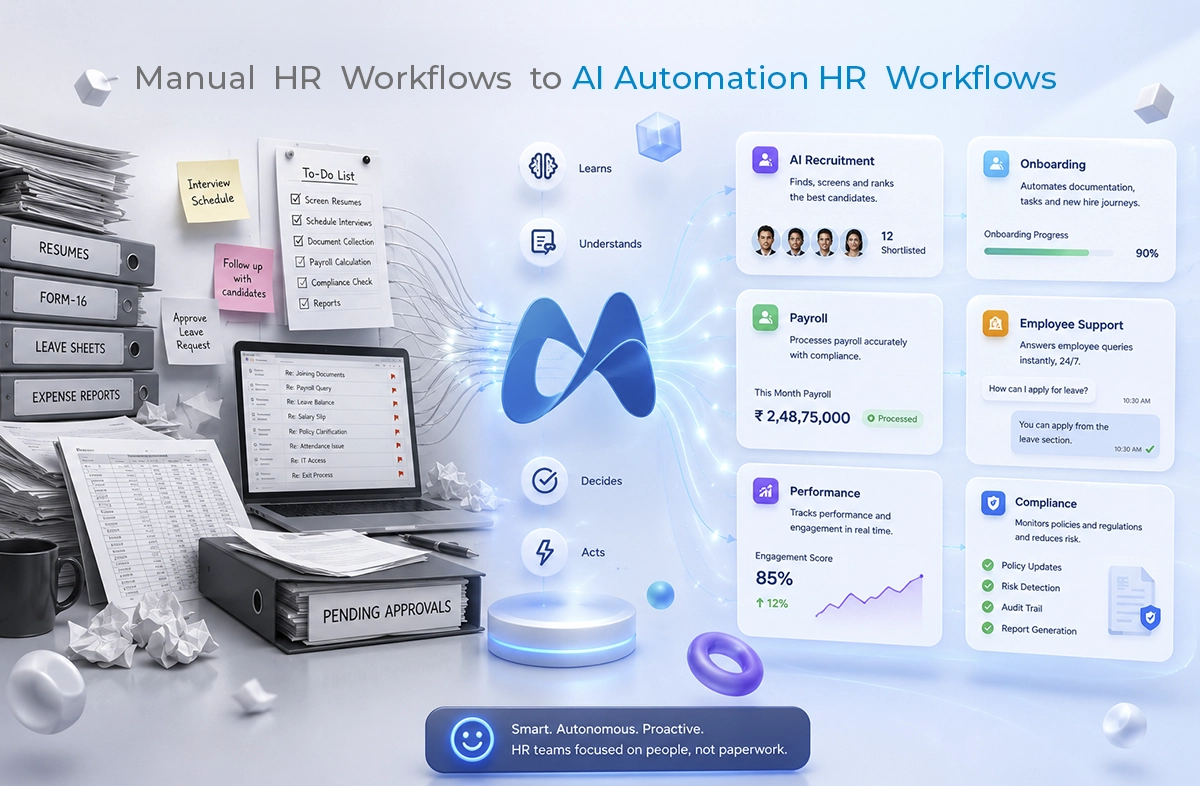
Implementing an HRMS sounds very easy on paper. It’s just a matter of a few steps. Select a tool, transfer data and educate users. It’s done. However, in reality it’s not as easy as it sounds.

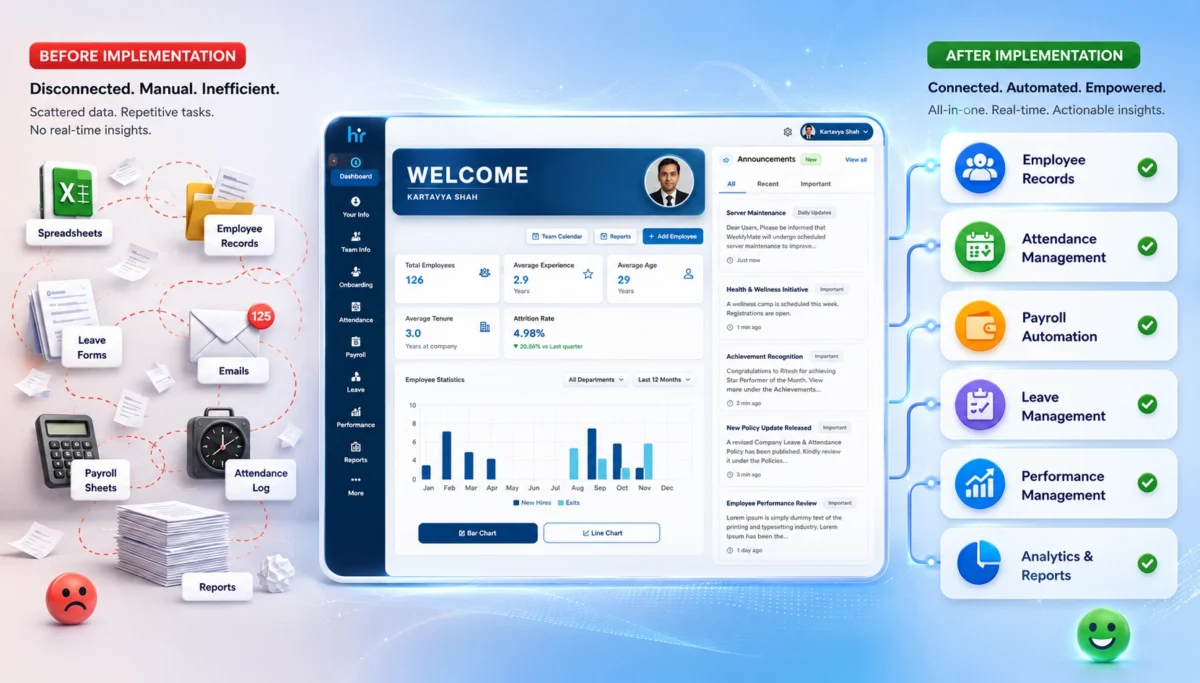
Businesses invest in HR management software with the hope that it will help them become more efficient and streamlined. However, they will initially experience confusion, resistance and poor workflow.

Believe it or not, it’s not the software’s responsibility. It’s the implementation.

This guide will introduce you to some frequent HRMS Implementation mistakes, their causes, and an easy approach to rectify them.

What is HRMS Implementation?

HRMS implementation is the adoption and configuration of an HRMS within an organization. It includes:

  • Setting up employee data
  • Customising workflows (such as attendance, payroll, leave and so on).
  • Integrating systems
  • Training employees
  • Testing and live time of the SWCD.

Sounds structured, right? However, implementation is where most of the issues start to arise from the “planned” to the “actual”.

Why HRMS Implementation Matters for Modern Businesses

That is not the only thing HR is about these days. It’s about data management, compliance and experience. HRMS comes in handy in the following ways:

  • Eliminate repetitive HR tasks using automation.
  • Improve payroll accuracy
  • Obey the labour regulations
  • Enhance employee self-service
  • Deliver real-time analytics

However, if the implementation turns out to be less successful:

  • Rather increase the work, don’t decrease it.
  • Create payroll errors
  • Frustrate employees
  • Slow down operations

Yes, implementation is not only imperative, it is important. It’s everything.

Common HRMS Implementation Mistakes

Let’s touch upon the actual issues. These aren’t hypothetical. It is these things that prove to be the real problem in most HR software implementation projects.

1. Lack of Clear HR Objectives

At this point, it all begins. Or, where it unobtrusively starts to drop.

When companies begin their implementation process, the objective or objectives are not specific. There’s excitement, perhaps even pressure – it’s an urgency of leadership. But clarity? Not always there.

Instead, they ask questions such as what the issues are that they are looking to resolve, what the slow or inefficient HR processes are, and what they hope to achieve when the process is finally completed.

When the answers are not available, the system doesn’t do fixes.

2. Choosing the Wrong HR Management Software

Because, not all HRMS systems go well with all businesses, and even though they seem a great fit in a demo can’t be taken for granted.

Some decisions are made quickly and/or the price is a factor. It is also likely to rely on the equipment used by the competitors. What works for one company doesn’t necessarily mean it works for another company.

You’ll often see patterns like:

  • Selecting a tool just because it’s cheaper 
  • Ignoring whether it can scale as you grow
  • Overlooking how easy (or difficult) it is for employees to use
  • Not checking if it integrates smoothly with existing systems

And over time, the mismatch starts to seep in with regular activities. Little issues turn into big issues.

3. Poor Data Migration Planning

It’s one of those things you know that you can’t do but then you do!

Data from previous systems is generally not clean. It is disjointed, illogical, out-of-date and, if carried out without due regard, is likely to cause issues from the get-go.

Typical problems are:

  • Duplicate employee records
  • Data lacking in or incomplete information.
  • Payroll/compliance information that is inaccurate
  • The unorganized formats which are not attached with the new system.

That bad data comes with all the other components on which it relies, including reports, payroll and analytics-when it arrives in the new HRMS!

4. Ignoring Employee Training

It allows the adoption of the most advanced HRMS solution. If people aren’t familiar with it, however, they may not use it after all.

Often training is not adequately attended to. It is hurried, often has too much technical detail and is sometimes not specific to each of the roles within the organisation.

What usually happens:

  • Employees feel overwhelmed
  • They are not completely knowledgeable about the system
  • Go back to the Old Ways.Get back to the old tools, e.g. spreadsheets, emails, tracked manually.

After that, the number of adoptions slowly drops. Not that the system is bad, it’s the way that people were not brought along properly.

5. Overcomplicated Workflows

There’s the need to automate everything at once. All approvals, processes, and small steps.

However, complexity can have adverse effects – particularly at the outset.

Over-engineered workflows tend to:

  • Help newcomers to the fuzz;
  • Increase the chances of errors
  • Minimize rates of processes

Sometimes, simplicity is better. At least in the beginning, until people are comfortable and the system settles in.

6. Lack of Stakeholder Involvement

While HRMS may be managed by HR, it can’t just be HR.

It has an impact on various aspects of the organization,Think about it:

  • Payroll is crucial to the financial sector.
  • IT is responsible for integrations, system stability, etc.
  • Self-service features are a part of the employees’ everyday usage.
  • The use of reports and insights as the foundation of leadership.

Absence of these stakeholders from the early stages contributes to lack of alignment. Later resistance manifests itself in subtle ways. 

7. No Post-Implementation Support

This one doesn’t always get noticed immediately, but it builds over time.

Many people think that the work is complete once the system is up and running. Though the prospect is just the start though.

After implementation:

  • New problems begin to arise with use of the system.
  • The system needs to be assisted with the use of features.
  • Business Processes change and adjustment is needed.

Issues persist when support isn’t given or doesn’t continue. The effects of these over time influence the perception and use of the system. Choices for adoption are not made in a rush. It slowly fades. 

Consequences of Failed HRMS Implementation

HRMS implementation does not go well then it creates a disruption in daily activities, payroll and trust of employees. Little errors can cause great trouble and result in poor performance of the overall business.

1. Payroll Errors and Compliance Risks

The first to be affected when HRMS implementation fails is usually the payroll. If there are any mistakes in data entry or if the end user sets it up wrong, the wrong salary might be calculated or the payments delayed or even compliance problems could arise.

2. Employee Frustration

No one can see problems as quick as employees. Frustration accumulates when there are incorrect leave balances, payslips are confusing or the portals are not functioning correctly. This will eventually trickle down to a lack of trust in the system and the organisation.

3. Reduced Productivity

If you opt for a poorly implemented HRMS, it can actually end up creating more work, not saving time. HR teams find themselves having to troubleshoot, resolve routine inquiries and deal with workaround solutions. Staff also take additional time in sorting out problems. The result? Slower rate of processes and lowered overall productivity.

4. Increased Operational Costs

Things that are meant to save money can end up costing you quite a bit of money. Reworking, reconfiguring, hiring consultants or even replacing platforms: it costs money! These would be too high costs.

5. Poor HR Data Accuracy

The primary feature of any HRMS is “Data”. However, if the setup is not good, data will be unreliable. The task of reporting is difficult because of duplicate records, missing information, and inconsistencies. Where decisions are based on poor data… they’re poor decisions.

6. Low Software Adoption

No matter how cutting-edge a HRMS is, without people using it, it won’t produce any outcome. If employees are not having to rely on the system, they fall back into old practices – spreadsheets, emailing or manual tracking. Adoptees are lost and the whole idea of adoption fades away.

A quick glance:

Impact Area What Happens
Payroll Errors, delays, compliance risks
Employee Experience Frustration, low trust
Productivity Slower processes
Costs Increased operational expenses
Data Accuracy Inconsistent and unreliable data
Adoption Employees avoid using the system

Step-by-Step Process for HRMS Implementation 

Let us understand the step-by-step process for HRMS implementation. Instead of trying to get everything perfect on the first attempt, focus on how clear and easy to use the newly implemented system is. Eventually, it can get better.

Step 1: Define HR Goals

Discover the Requirements of How You Want to Use Your HRMS We would automate jobs, correct payroll mistakes or enhance employee experience. Ensure the objectives are simple and quantifiable so that you can monitor progress in future.

Step 2: Audit Existing Processes

Look at what you are doing in your HR workflows to discern what is working and what can be improved? Which will prevent you from bringing inefficient processes into the new system.

Step 3: Select the Right HRMS Vendor

Do not make this choice based on budget alone, select a vendor that will suit your business needs. Choose an option that is easy to use, scalable and well supported so you can be sure to grow with it.

Step 4: Plan Data Migration

Prepare and clean your existing data before you put in the new system. Proper data management organizes the information, ensures correct functioning, and does not face similar mistakes later.

Step 5: Configure Workflows

The first thing for you is to set up the workflows that will reflect your business processes but those must be simple initially. As your team gets more comfortable, you can always refine and automate. 

Step 6: Train HR Teams & Employees

Give context, practical, role based training so users know how to navigate the system. Training ensures a higher level of adoption with minimal confusion. 

Step 7: Test the System

Testing using real life scenarios such as payroll processing, leave approvals etc. to see if everything functions smoothly? Testing helps find issues before going live. 

Step 8: Go Live and Monitor Performance

Go live, and track both user activity and errors with the system. Feedback is going to help you make improvements and optimize the system in real time. 

HRMS Implementation Checklist

A simple checklist to guide your HRMS implementation process. It helps ensure key steps are covered without overcomplicating things.

1. Pre-Implementation

Before starting the HRMS implementation, it’s important to lay a strong foundation by clearly defining what you want to achieve. This phase involves selecting the right software that fits your business needs, cleaning and organizing existing data to avoid errors later, and ensuring all key stakeholders are aligned. Taking time here helps prevent confusion, reduces risks, and makes the entire implementation process smoother and more effective.

  • Define goals
  • Choose software
  • Clean data
  • Align stakeholders

2. During Implementation

This phase is about establishing the HRMS system based on the business requirements and workflows. It includes setting up modules, transferring the data (clean and accurate) and integration with existing tools. Close teamwork for testing aspects of the functionality and resolving issues at an early stage. Appropriate training is also offered to ensure seamless integration within departments.

  • Configure workflows
  • Migrate data
  • Train users
  • Test processes

3. Post-Implementation

The initial part of this phase starts after the HRMS has been activated and involves ensuring its smooth operation. It’s about tracking system performance, solving problems, and troubleshooting issues to help users adjust to the new workflows. Feedback collection is done regularly to highlight areas for improvement and gaps. The system is optimized on an ongoing basis, and this ensures its evolution in accordance with business needs while maintaining high adoption rates.

  • Monitor performance
  • Provide support
  • Collect feedback
  • Optimize workflows

Best Practices for Successful HRMS Implementation

Some things just… work better. Here are some HRMS implementation best practices:

1. Start with Core HR Modules

Start with core HR functionalities such as employee records, attendance and payroll. Trying to tackle everything in a single go can result in teams being overwhelmed and make adoption harder. Begin with the small which builds confidence and is a brief transition before scaling to advanced features. 

2. Keep Workflows Simple Initially

You want to eliminate processes through automation immediately… but that will often just complicate everything. Simple workflows are easier to comprehend, validate and maintain. After users get used to it, you can add even more complexity slowly without affecting operations. 

3. Prioritize Employee Experience

A good HRMS should make life easier for employees, not more complicated. Emphasis on very friendly UI, time efficacy and self services? Adoption improves naturally when employees find the system easy to use. 

4. Ensure Mobile Accessibility

With the more modern work environment, employees want access on the go. With their HRMS being mobile-friendly, they can listen to attendance, leave applications and payslip details from anywhere at anytime! Having that flexibility increases engagement and experience overall.

5. Integrate Payroll & Attendance

This often causes errors due to the use of disconnected systems for business processes, requiring manually checking every workflow and causing unnecessary work. Automating payroll with attendance helps avoid calculation of manual effort, and compliance risk. It also accelerates the payroll, processing a great deal quicker.

6. Conduct Regular Training

Training shouldn’t stop after implementation. Routine sessions are intended to keep the worker up with the new highlights and methodologies. It also minimises a dependence on HR for menial tasks.

7. Use Cloud-Based HRMS Solutions

Cloud applications provide easy adaptability, scalability as well as maintenance. They also allow for quicker updates and improved performance which fits with modern desires for better speed and availability. Well yes…but what really makes most sense for most businesses today…is cloud.

By the way, cloud systems also contribute to improving core web vitals faster load times and higher accessibility by providing a seamless user experience with optimum interaction between devices.

Must Read: How Can Cloud HRMS Solve Small Business HR Problems

How to Choose the Right HRMS Software?

Your choice of system will therefore eliminate most HRMS implementation challenges upfront. But this is not just about a tool with many features… it’s about pairing something actually fitted to the way your business works today and how that might change for you tomorrow.

1. Scalability

Scalable — Your HRMS growth with you. Something that works for a 50-person team may break at 500. Seek systems that can accommodate rising employee data (big data), more locations, and changing HR needs without being bogged down by slow performance or overly complicated.

2. Ease of Use

If it is difficult to use, folks simply will not. All of this leads to an easy interface, reduced learning curve and as such higher adoption. Sometimes… simpler really is better.

3. Workflow Automation

Automation needs to drive down manual work, not inject more of it. It needs to automate repetitive processes — everything from leave approvals to onboarding tasks but should allow room for flexibility when necessary.

4. Payroll Integration

Mistakes on payroll can be incredibly expensive: financially, but also legally. An HRMS should easily integrate with payroll systems, allowing for accurate calculations and compliant processing in a timely manner.

5. Customization

Every business has its quirks. Your Human Resource Management System (HRMS) must be malleable enough that with minimal tech support, you can change workflows, fields and processes at will. Overly rigid…and it speeds down the road of frustration fast.

6. Compliance Features

Labor laws change, and keeping up manually is tough. Built-in compliance features help ensure your processes stay aligned with regulations, reducing risks and penalties.

7. Customer Support

Things will go wrong at some point—it’s normal. What matters is how quickly they get fixed. Reliable, responsive support can make implementation and ongoing usage much smoother.

8. Reporting & Analytics

Data is only useful if you can actually understand it. Look for systems that offer clear dashboards, real-time insights, and customizable reports to support better decision-making.

Here’s a quick comparison:

Feature Why It Matters
Scalability Supports business growth
Ease of Use Improves adoption
Workflow Automation Reduces manual work
Payroll Integration Ensures accuracy
Customization Fits business needs
Compliance Features Avoids legal risks
Support Helps during and after implementation
Analytics Enables better decisions

HRMS Implementation Challenges And Solutions

A quick look at the most common challenges businesses face during HRMS implementation. Also, practical ways to overcome them.

1. Employee Resistance

Resistance from employees may be hidden. The indicators are that people aren’t logging in, they are not completing the data entry, or they simply don’t want to make the switch from the old systems.

This is typically when staff are either not fully aware of the benefits or are feeling the pressure of change. 

Solution: Clear communication and practical training. Describe how they find it easier to do their work with HRMS. Provide practical sessions, short guides, and support to allow them to feel able to use the system.

2. Data Migration Errors

Transferring data can be a messy process. Inaccurate duplication of data, missing data fields or stale data entering the new system. Such errors can have an impact on payroll, reporting, and compliance. 

Solution: Prepare and verify your data prior to migration. Perform multiple checks, deduplicate and standardize formats. Although it may sound like a lot of work, it will save you lots of hassle when it comes time to put it to bed.

3. Integration Problems

Typically, integration problems occur when the HRMS system doesn’t integrate seamlessly with other existing systems, such as payroll, accounting, or attendance management. This results in “data silos” and manual workarounds.

Solution: Select software that has robust API features and test software integration early in the process. Don’t wait until go-live – problems are more difficult to correct at that time.

4. Budget Constraints

Limited budgets may limit features, slow down implementation or necessitate compromises. However, attempting to do it all at once can result in overspending. 

Solution: Begin with basic hrms modules such as core HR, payroll, attendance etc. and grow step-wise. This is a gradual process, which means that costs are kept under control and yet, value is provided.

5. Compliance Concerns

One place where this could be costly is compliance. Labour laws, tax regulations and reporting requirements vary from region to region.

Solution: HRMS software with built-in compliance features is a way to mitigate risk. Your processes remain up to date with regulations, and you don’t have to manually check them, because of regular updates, automated calculations, and audit trails.

Challenge Practical Solutions
Employee Resistance Communicate benefits early, train properly
Data Migration Errors Clean and validate data before migration
Integration Problems Choose systems with strong APIs
Budget Constraints Start with essential modules
Compliance Concerns Use software with built-in compliance features

Cloud HRMS vs On-Premise HRMS Implementation

Cloud HRMS is a web-based solution, so you can access it from anywhere it goes, and is typically more affordable to implement.

On-premise HRMS will be installed on the company’s servers, which will provide greater control but also require more set-up, maintenance and IT support. 

Factor Cloud HRMS On-Premise HRMS
Setup Time Faster Slower
Cost Subscription-based High upfront cost
Maintenance Vendor-managed In-house
Scalability High Limited
Accessibility Anywhere Location-based

This table shows that cloud HRMS solutions offer faster deployment, lower costs, and greater flexibility than on-premise systems.

For most modern businesses, especially those growing or working remotely, a cloud-based HRMS is the more practical choice.

Looking at the current scenario, the cloud is usually the better choice. Not always. Mostly.

HRMS Implementation Timeline: How Long Does It Take?

HRMS implementation usually depends on complexity, but here’s a rough idea:

Business Size Timeline
Small Business 2–4 weeks
Mid-sized Company 1–3 months
Large Enterprise 3–6 months

Rushing this process often leads to mistakes. So take your time where it matters.

Modern HRMS Trends You Shouldn’t Ignore

The current developments to keep your HRMS up with the times are.

HRMS is a rapidly maturing capability. A few trends that are driving implementations these days:

  • AI-driven HR analytics
  • Employee self-service portals
  • Mobile-first HR systems
  • Attendance taking is achieved using Facial Recognition Systems (FRS).
  • Real-time payroll processing

The ability to connect with productivity applications. If executed properly, these trends can enhance both performance and users’ experience.

Simplify HRMS Implementation With WeekMate

Here’s the truth. The common failure rate of most HRMS deployment strategy is that they attempt too much too early; they aren’t complicated, just difficult to do.

Start small. Stay focused. Keep improving.

This is where the right system comes in handy. The idea of tools such as WeekMate HRMS is to make things easy in the initial stages. It gives teams a chance to get the fundamentals up and moving in the beginning without getting too much into it.

It does not have to be done all at once! It’s about creating a system that expands along with the processes!

Conclusion

Implementing HRMS is more than just a technical project. It’s a business changeover.  As with any change, it may get a bit messy. However, when done properly, it:

  • Saves time
  • Reduces errors
  • Improves employee experience
  • Enables smarter decisions

Before embarking on putting in or upgrading HR software, consider taking a step back. Start by working on the strategy.

Frequently Asked Questions

1. How long does HRMS implementation take?

It normally takes a few weeks to months. Actually it relies on business size and complexity.

2. What are common HRMS implementation mistakes?

Common HRMS migration challenges involve not planning, data migration issues, insufficient training, and selecting the wrong software.

3. Why do HRMS projects fail?

The most common reasons that HRMS projects fail are: goals are not clearly defined, users are not used to working with HRMS software, and no stakeholders are involved in the process.

4. What is the cost of HRMS implementation?

There is a large variation in the implementation cost depending on business size, customization and software.

5. How can businesses ensure successful HRMS deployment?

Prioritizing clear objectives, effective planning, staff training, and ongoing improvement.
How to Build a Productive Remote and Hybrid Team Culture Using Cloud-Based Task Management Software

Remote work did not suddenly arrive. It quietly settled in and then stayed. It has become the default setup for a large section of the global workforce. Once teams were in offices, and now they are scattered across cities, time zones, and sometimes even continents.

Is it flexible? Yes. But it can also be a bit messy if not managed right. Everyone is supposed to stay aligned, accountable and engaged. And when teams aren’t in the same physical space, small problems like a missed update, an unclear task owner, or a delayed reply can lead to serious productivity issues.

This is where cloud-based project management software steps in. Let’s break this down properly.

The Real Challenges Behind Remote and Hybrid Teams

At first glance, hybrid work sounds ideal. Freedom, flexibility, fewer commutes. But behind the scenes, teams face a different reality. Let’s take a look at some challenges.

Communication Gaps

In an office, conversations happen naturally. A quick desk chat, a spontaneous meeting. Remote teams don’t get that luxury. Instead, communication becomes scheduled, delayed, or, worse, lost in endless threads. And over time, this creates information silos.

Visibility Issues

Managers can’t “see” progress anymore. Not physically, not even intuitively.

  • Who’s working on what?
  • What’s delayed?
  • What’s stuck?

Without proper task assignment and tracking, things get easily blurry. And nobody knows exactly what is happening.

Engagement Slowly Declines

Remote employees often feel disconnected. Not always immediately, but gradually. No casual interactions. No shared moments. Just tasks and deadlines. And culture? It becomes harder to maintain than most companies expect.

Why Task Management Software Is Essential for Hybrid Workforce Productivity

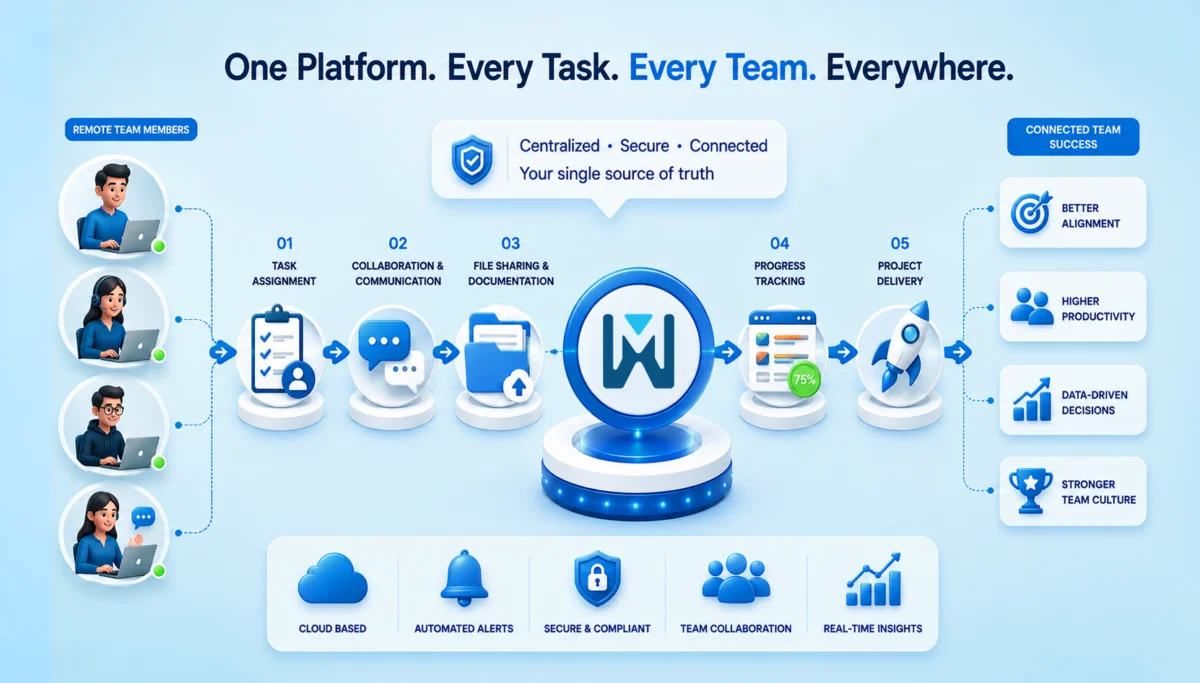
Let’s be honest. Spreadsheets and scattered tools don’t work anymore. If your team is hybrid, you need a system that acts as a single source of information and facts. That’s exactly what modern task management software does.

Centralized Work Management

Tasks, deadlines, files, and updates are all centralized. No more digging through emails or messages. No more “Can you resend that?” Everything is in one place – clear and up to date.

Improved Transparency Across Teams

Everyone instantly sees what’s happening. Task status, ownership and progress are all transparent. It builds accountability without micromanagement. And that balance is extremely important.

Better Time and Resource Management

Workload distribution becomes visible, helping managers improve resource planning and overall workflow efficiency. You can actually see who’s overloaded and who has bandwidth. Which, honestly, is something most teams guess incorrectly without data.

Features to Look for in Workplace Collaboration Solutions

Not all tools are equal. Some look good but don’t solve real problems. Before you feel overwhelmed with too many features, here’s what actually matters.

Task Assignment and Tracking Capabilities

Clear ownership changes everything. When tasks are assigned properly, deadlines are given due importance, confusion around tasks drops, and accountability increases naturally.

Real-Time Collaboration Tools

Think shared workspaces, live discussions, and file sharing. Not scattered tools, but connected workflows.

Automated Notifications and Reminders

Good software reminds people without stressing them out. Missed deadlines are reduced, and follow-ups are automated.

Reporting and Performance Analytics

Decisions shouldn’t rely on assumptions. You get productivity insights, task completion trends, and performance data, which help leadership make informed calls rather than just guess.

Integration with Existing Business Tools

Your task management tool should connect with CRM systems, HR platforms and Communication tools. Because disconnected tools = broken workflows.

Building a Strong Remote and Hybrid Team Culture with Technology

Culture is not something you define and forget. It shows up in everyday actions and in how people work.

Establish Clear Expectations and Workflows

Unclear expectations decrease productivity. It is better to define roles, responsibilities, and workflows clearly and document them in your system.

Promote Transparency and Trust

We all know that transparency builds trust. In fact, it is a critical component of successful hybrid workforce management. When everyone can see progress, blockers, and contributions, teams naturally align better. No chasing. No guessing.

Encourage Collaborative Problem-Solving

There’s a difference. Collaboration means having shared ownership, cross-functional discussions and inputs and collective problem-solving. So, your software should support that, not restrict it.

Recognize Achievements and Milestones

Remote teams need recognition more than office teams. So, use your system to highlight achievements, share milestones and appreciate their contributions. This keeps morale alive and makes them feel connected to the company.

Best Practices for Using Team Productivity Software for Businesses

You don’t need complicated systems. Just consistent ones.

Create Structured Task Workflows

Templates help more than people realize. They reduce setup time and ensure consistency across projects.

Set Measurable Goals and KPIs

Every task should connect to a larger objective. Otherwise, teams stay busy but not productive.

Conduct Regular Check-Ins

Weekly syncs, quick reviews, and progress updates become much more effective when supported by employee productivity insights and performance data.

Encourage Employee Adoption

Even the best software fails if people don’t use it properly. So train your team, simplify onboarding and offer continuous support. Adoption isn’t a one-time step. It’s ongoing.

How Business Collaboration Software Enhances Employee Experience

This part is often overlooked. But it shouldn’t be.

Encourage Continuous Communication

Communication just has to be consistent and not scattered. All the communication has to be in one place – the updates, discussions, and feedback. It reduces isolation. Makes people feel connected.

Flexible Work Arrangements

Cloud-based tools allow you to work from anywhere. Mobile, desktop, remote access; everything stays synced.

Strengthen Team Relationships

When everyone works toward shared goals with visibility, something interesting happens. People feel more involved, more valued and more connected.

Measuring Success in a Hybrid Environment

You cannot improve what you can’t measure. Tracking success in a hybrid setup isn’t just about “are people working?” It’s more about how teams are collaborating, and whether people actually feel good doing it.

Let’s break it down in a practical way.

Productivity Metrics to Track

Task completion rates:  This tells you how consistently work is getting finished. If tasks are piling up or frequently delayed, it’s usually a sign of unclear priorities, overload, or gaps in task assignment and tracking. On the flip side, steady completion rates often mean your workflows are actually working.

Project turnaround times: This is about how long it takes to move from “start” to “done.” If timelines are stretching more than expected, something’s off. Maybe approvals are slow, dependencies aren’t clear, or communication is lagging. Faster turnaround usually indicates a well-aligned, efficient team.

Collaboration Metrics

Team participation levels: Look at how actively people are engaging – commenting on tasks, updating progress, contributing to discussions. Silence in a hybrid setup doesn’t always mean focus. Sometimes it means disengagement.

Cross-department engagement: Hybrid teams often struggle with scattered data. Hence, it is important to track how often the teams actually work together. Strong cross-team collaboration leads to better decisions and fewer shocks.

Employee Satisfaction Indicators

Feedback surveys: Sometimes, the simplest way to understand what’s happening is to ask. Regular, short surveys can show what data can’t. Like frustration, confusion, or even burnout signals. The key is consistent surveys and not complex ones.

Retention and engagement rates: If people are leaving or disengaged, it shows here. High retention means your team feels supported and clear. And honestly, it’s a big thing in a hybrid environment.

Here’s what to track:

Metric Type What to Measure Why It Matters
Productivity Task completion rate, turnaround time Shows efficiency
Collaboration Participation levels, cross-team interaction Reflects teamwork
Employee Experience Feedback, engagement, retention Indicates culture health

These metrics give real insight and not surface-level assumptions.

Choosing the Right Cloud-Based Solution for Your Team

Not every tool fits every team. So don’t rush this. It’s not about the tool that gives you the most number of features. It should always be about what you actually need.

Assess Your Team’s Needs

Always ask how big your team is or how complex your projects are. And then pick based on reality, not trends.

Check Scalability and Security

As your business grows, your system should grow with it. And security? It’s non-negotiable. Especially with distributed teams.

Compare Features and User Experience

Check for the features that you actually need. And further, it should be as easy to use as possible. If it’s hard to use, people won’t use it. Simple as that.

Conclusion

Hybrid work isn’t a temporary shift anymore. It’s how modern businesses operate. And while flexibility is great, it needs structure to truly work. That structure comes from the need for cloud-based task management software that helps teams work together, stay accountable, and stay connected, even from different places.

If you still rely on scattered tools or manual tracking, this might be the right time to rethink things. Because productivity doesn’t just happen. It’s built, supported, and sustained – with the right systems in place.

FAQs

1. What is cloud-based task management software?

It’s a tool that helps teams organize and track their work online. There’s no need to use spreadsheets or scattered messages. Tasks, deadlines, and updates live in one place and can be accessed from anywhere.

2. Is it useful for small businesses?

Yes, very. In fact, small businesses often benefit the most. It helps them stay organized early on, avoid confusion, and manage growing workloads without needing complex systems.

3. How does it improve hybrid workforce productivity?

It brings clarity. Everyone knows what they’re working on and what others are doing. This reduces delays, avoids duplication, and keeps work moving smoothly, even when teams are working from different places.

4. Can it replace communication tools?

Not really. It works alongside them. Task management software turns the conversations in communication tools into structured work that can be tracked and completed.

5. How much time does implementation take?

It depends on the team, but usually not long. Most teams can get started within a few days and begin seeing real benefits in a couple of weeks once everyone gets used to it.

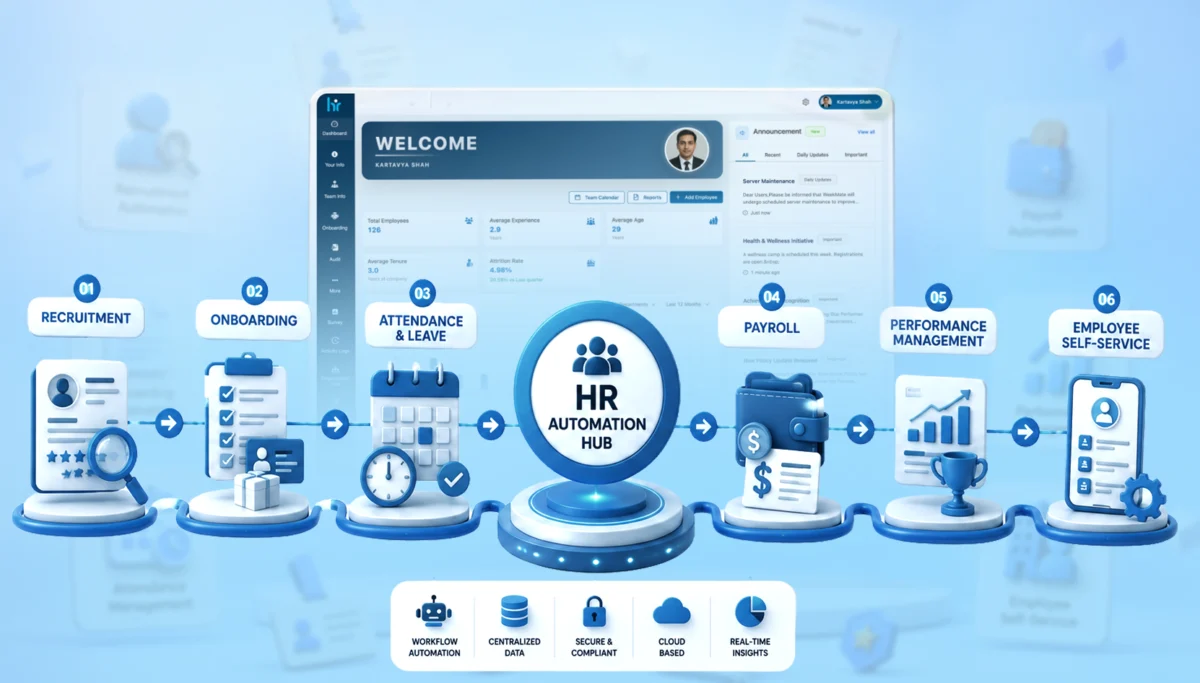
HR Automation: The Complete Guide for Modern Businesses in 2026

HR teams today aren’t struggling because they lack effort. They’re struggling because they’re buried in repetition.

Spreadsheets. Manual approvals. Endless email chains. And somewhere in between all that, actual “people management” gets lost.

That’s exactly where HR automation starts to matter; not as a trend, but as a necessity.

Through this blog, we’ll explain what HR automation really means, how it works, where businesses go wrong, and how you can actually implement the usage of HR management software without turning your operations upside down.

What is HR Automation?

HR automation is the process of using technology to handle repetitive, rule-based HR tasks without constant human intervention.

Instead of manually sending onboarding emails → the system triggers them.
Instead of calculating payroll in spreadsheets → the system processes it automatically.
Instead of chasing approvals → workflows move things forward.

Basically, HR automation is about:

  • Reducing manual effort
  • Improving accuracy
  • Speeding up HR workflows
  • Giving HR teams time to focus on strategy (not admin work)

It’s not about replacing HR teams. It’s about freeing them up.

Why is HR Automation Important in 2026

Things have changed. Quite a bit. Employee expectations are higher. Compliance requirements have become stricter. And businesses are scaling faster than ever.

Here’s what’s driving HR automation in 2026:

  • Remote & hybrid work environments
  • Real-time employee data expectations
  • Increasing compliance complexity
  • Need for faster hiring cycles
  • Pressure to improve employee experience

Also, AI is no longer “new.” It’s embedded. 

So the question isn’t “Should you automate HR?” It’s more like, “How much are you already behind if you haven’t?”

Key Benefits of HR Automation Workflows

Before we get into the details, let’s look at the benefits that HR automation offers. Let’s break this down practically.

1. Reduced Manual Work

Repetitive tasks get automated. Like data entry, approvals, documentation and others. That means fewer errors and fewer late nights fixing them.

2. Faster Employee Onboarding

New hires don’t wait for emails anymore. Everything – documents, training, system access – can be triggered instantly.

3. Better Payroll Accuracy

Automation reduces calculation errors, missed deductions, and compliance risks. This, honestly, saves you from uncomfortable conversations.

4. Better Employee Experience

Employees can apply for leave, access payslips or update details without chasing HR. This actually matters more than you think. You don’t have to contact the HR every now and then.

5. Better HR Compliance

Automated systems keep records updated and aligned with regulations. Less risk. More confidence.

6. Centralized Employee Data

Everything sits in one place. No more “Which file is the latest version?” chaos.

Core Technologies Behind HR Automation

HR automation isn’t one tool. It’s an ecosystem. It’s a mix of technologies working together in the background.

1. HRMS Software

This is the foundation of everything. It stores employee data, manages payroll, tracks attendance, and connects different HR functions into one system. Without it, automation feels scattered.

2. AI-Powered HR Tools

These tools bring intelligence into the process – screening resumes, answering employee queries, even predicting hiring needs. It’s less about replacing decisions and more about speeding them up.

3. Workflow Automation Engines

Think of these as the “flow managers.” They move tasks from one step to another, like sending a leave request to a manager or triggering onboarding tasks, without anyone having to follow up manually.

4. Employee Self-Service Portals

These give employees control over their own basic HR tasks. Applying for leave, downloading payslips, updating personal info, all without needing HR to step in every time.

5. Cloud-Based HR Systems

Everything runs online, which means access from anywhere. This becomes especially important with remote teams, real-time updates, and scaling operations without heavy infrastructure.

6. Attendance & Biometric Integrations

These systems track employee working hours through biometric devices or apps. The data feeds directly into payroll and compliance systems, reducing errors and manual corrections.

Let’s take a quick glance at these:

Technology

What It Does

Why It Matters

HRMS Software

Central system for employee data

Foundation of automation

AI-Powered Tools

Resume screening, chatbots

Speeds up decision-making

Workflow Automation Engines

Approval flows, triggers

Removes manual coordination

Employee Self-Service Portals

Employee access systems

Reduces HR dependency

Cloud-Based HR Systems

Remote access, scalability

Supports modern teams

Attendance & Biometric Systems

Time tracking

Accurate payroll & compliance

If your systems don’t “talk” to each other, automation breaks. Simple as that.

Examples of HR Automation Processes

Once you start looking closely, you’ll realize that a big chunk of HR work is repetitive. And that’s what makes it perfect for automation. You don’t need to automate everything at once. Start with high-impact areas.

1. Recruitment Automation

Hiring usually involves a lot of back-and-forth – screening resumes, scheduling interviews, tracking candidates. Automation takes care of these steps, so HR teams can focus more on choosing the right people, not just managing the process.

2. Employee Onboarding Automation

Instead of manually sending documents, reminders, and instructions, everything gets triggered automatically once a candidate is hired. It creates a smoother first experience and avoids those awkward “Did you get the email?” moments.

3. Attendance & Leave Management

Leave requests, approvals, attendance tracking – all of it can run without constant supervision.
Employees apply, managers approve, and the system keeps everything updated in real-time.

4. Payroll Processing

Payroll is probably one of the most sensitive areas. Automation ensures salaries, deductions, and taxes are calculated accurately and on time.

5. Performance Management

Tracking goals, collecting feedback, and running reviews. These processes become structured and consistent with automation. Which makes performance discussions a lot more meaningful.

6. Employee Exit Process

When someone leaves, there are multiple steps, clearances, documentation, and final settlements. Automation ensures nothing gets missed and the process stays smooth, even at the end.

Some quick examples:

Process

Examples

Recruitment Automation

Resume screening,

Interview scheduling,

Candidate tracking

Employee Onboarding

Document collection,

Welcome emails,

Task assignments

Attendance & Leave Management

Leave approvals,

Holiday tracking,

Attendance logs

Payroll Processing

Salary calculations,

Tax deductions,

Payslip generation

Performance Management

Review cycles,

Goal tracking,

Feedback collection

Employee Exit Process

Clearance workflows,

Final settlements,

Documentation

A Simple HR Automation Workflow Example

Let’s say a new employee joins.

Without automation:

  • HR sends emails manually
  • IT sets up accounts after reminders
  • The manager assigns tasks late

With automation:

  1. Offer letter accepted
  2. System triggers onboarding workflow
  3. Documents requested automatically
  4. IT receives a system setup request
  5. Manager gets task assignment notification
  6. Employee receives onboarding kit

Everything moves without chasing.

Step-by-Step HR Automation Strategy for Businesses

Here’s where most businesses mess up. They jump straight to tools. Don’t. Let’s understand what needs to be done:

1. Identify Repetitive Tasks

The first step is to observe what your HR team keeps doing over and over again. Tasks like attendance tracking, leave approvals, onboarding paperwork, payroll calculations, or interview scheduling usually eat up a lot of time. These are the tasks that don’t really need human judgment every time. 

2. Audit Existing HR Processes

Before jumping into tools, take a close look at how your current HR processes actually work. You’ll often find delays, unnecessary approvals, spreadsheet dependencies, or people following different methods for the same task. 

3. Select the Right HRMS Software

Now comes the tool selection, and this is where many businesses go wrong. The goal isn’t to pick the most feature-heavy HRMS. It’s to pick the one that fits your workflows. A good system should comfortably handle payroll, attendance, recruitment, and performance management, while also letting you set automation rules easily. 

4. Create Approval Workflows

Once your system is in place, the next step is defining how approvals should move. Who approves leave requests? What happens when a new hire is approved? How do expense claims move up the chain? Instead of relying on emails and reminders, you set clear rules inside the system. With this, requests are automatically directed to the right people. 

5. Train HR Teams

Automation only works when people actually use it properly. That’s why training is critical. HR teams should feel confident navigating the system, handling exceptions, checking dashboards, and managing workflows.

6. Monitor and Optimize Automation

Finally, remember that automation isn’t a “set it and forget it” setup. Once things go live, you need to keep an eye on how they’re performing. Over time, you refine the system so it keeps getting smoother and more efficient.

Challenges in HR Automation

Let’s not pretend it’s all smooth. Come, take a look at the challenges:

1. Employee Resistance

One of the first hurdles you’ll likely face isn’t the software; it’s people. Employees and even HR teams are often comfortable with the way things already work, even if it’s slow or manual. So when automation is introduced, there’s usually some hesitation. 

2. Poor Data Migration

A lot of automation projects struggle here. It looks easy to move HR data from old systems, spreadsheets, or scattered files into a new HRMS. But it rarely is. You often discover missing information, duplicate employee records, or inconsistent formats. 

3. Integration Issues

HR doesn’t work in isolation. It connects with payroll, accounting, attendance tools, and sometimes even project management or CRM systems. When these tools don’t integrate properly, teams end up switching between platforms or manually transferring data again.

4. Security & Compliance Concerns

HR systems store some of the most sensitive company data: salary details, personal employee information, performance records, etc. So naturally, security becomes a serious concern. Also, companies need to stay aligned with labour laws and data protection rules. 

5. Lack of HR Training

Even the best HR automation system won’t help much if people don’t know how to use it properly. Without proper training, HR teams stick to old habits or use only basic features, leaving the real benefits. 

Best Practices for Successful HR Automation

Some things just work better.

  • Start with one department or process
  • Clean your data before automation
  • Keep workflows simple initially
  • Choose scalable tools
  • Focus on employee experience (not just efficiency)

And one underrated tip. Don’t over-automate. Some human touch should stay.

How to Choose the Right HR Automation Software

There’s no “best” tool. Only the right fit. Here’s a quick comparison:

Factor

What to Look For

Ease of Use

Minimal learning curve

Integrations

Works with existing tools

Customization

Flexible workflows

Scalability

Grows with your business

Security

Strong data protection

Support

Reliable customer service

If it feels complicated during the demo, it’ll feel worse after purchase.

HR Automation Trends in 2026

This is where things get interesting.

  • AI-driven hiring decisions
  • Predictive employee analytics
  • Hyper-personalized employee experiences
  • Voice-enabled HR assistants
  • Deeper integration with business systems

Also, speed matters more now. Businesses that automate faster, scale faster.

Automate Your HR Operations with WeekMate HRMS

If you’re still managing HR on spreadsheets. That’s not just inefficient, it’s risky.

A structured HR automation system like WeekMate HRMS helps you:

  • Centralize employee data
  • Automate workflows
  • Improve employee experience
  • Reduce manual workload

And more importantly, it gives your HR team time to focus on what actually matters – people.

Conclusion

HR automation isn’t about technology. It’s about clarity. Speed. Consistency. If your HR team is constantly firefighting, automation isn’t optional anymore.

Start small. Fix one process. Then build from there. That’s how real transformation happens.

Start by identifying one process you can automate this week. Just one. You’ll feel the difference almost immediately.

Frequently Asked Questions

1. How does HR automation work?

Instead of manually tracking attendance, sending onboarding emails, or calculating payroll again and again, the system just does it automatically. You set up workflows once, and the software takes over the repetitive parts. It connects different data points, triggers actions, sends reminders, and updates records.

2. What processes should HR automate first?

If you’re just starting, don’t try to automate everything at once. Begin with the obvious, high-volume stuff. Payroll, attendance and onboarding. These are the areas where errors happen easily, and time gets drained. Once these are running smoothly, you can move to more layered processes.

3. Is HR automation suitable for small businesses?

Actually, yes. Small teams often don’t have a big HR department, so a lot falls on just a few people. Automation balances that out. It removes the constant back-and-forth and the manual follow-ups. It’s not about replacing people. It’s more about giving them space to focus on things that actually need human attention.

4. Which software is used for HR automation?

There isn’t just one answer here. Some businesses go for full HRMS platforms that handle everything end-to-end. Others prefer combining tools like payroll software, workflow automation tools, and even AI-based systems layered on top. The right choice depends on how complex your processes are and how much flexibility you want.

5. How much does HR automation software cost?

It varies. Some tools charge per employee, some have monthly plans, and others charge based on features. For a small business, it could be quite affordable. But as your team grows and your needs get more advanced, the cost can increase.

6. Can HR automation improve employee experience?

It can. Faster onboarding, fewer payroll errors, quicker responses to requests. These things matter more than we think. Employees notice when systems just work. When they don’t have to chase HR for updates or wait days for simple approvals. It creates a smoother experience overall.

Excel to CRM Migration Guide: How Indian Sales Teams Can Switch Without Losing Data

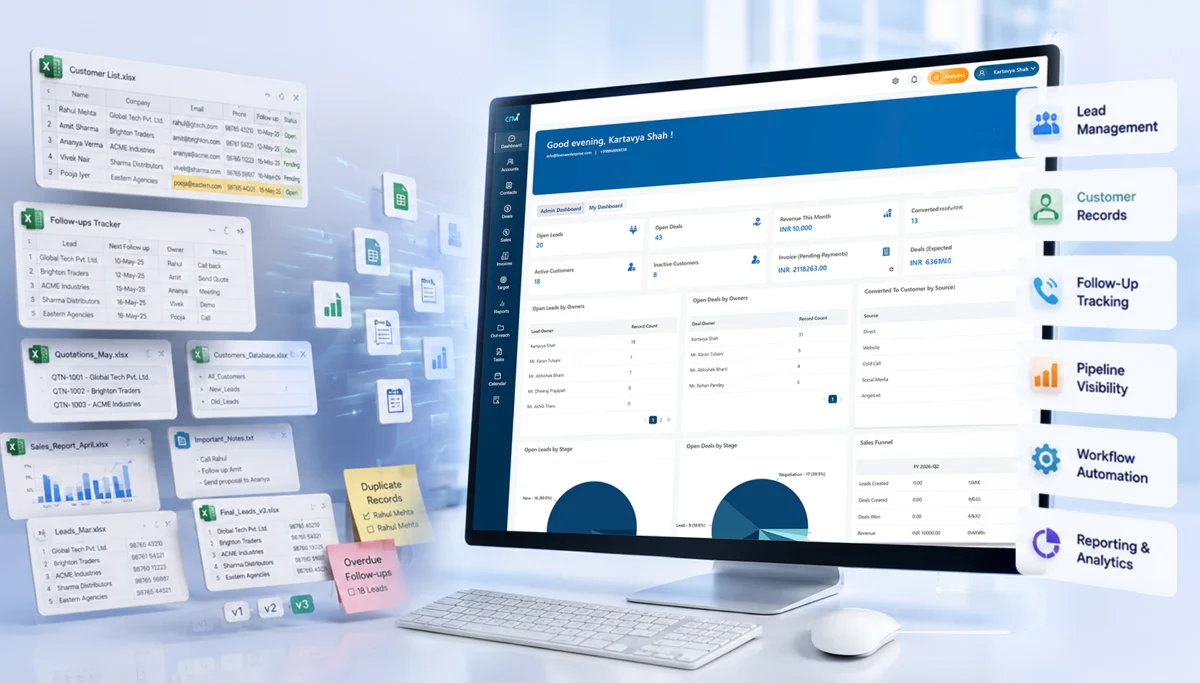
Everything looks fine from the top. Leads are in Excel, follow-ups are “tracked,” and reports are being made. But underneath? It’s messy. Files everywhere. Duplicate entries. Missed callbacks. Someone updates a sheet, someone else overwrites it.

And slowly, deals start slipping.

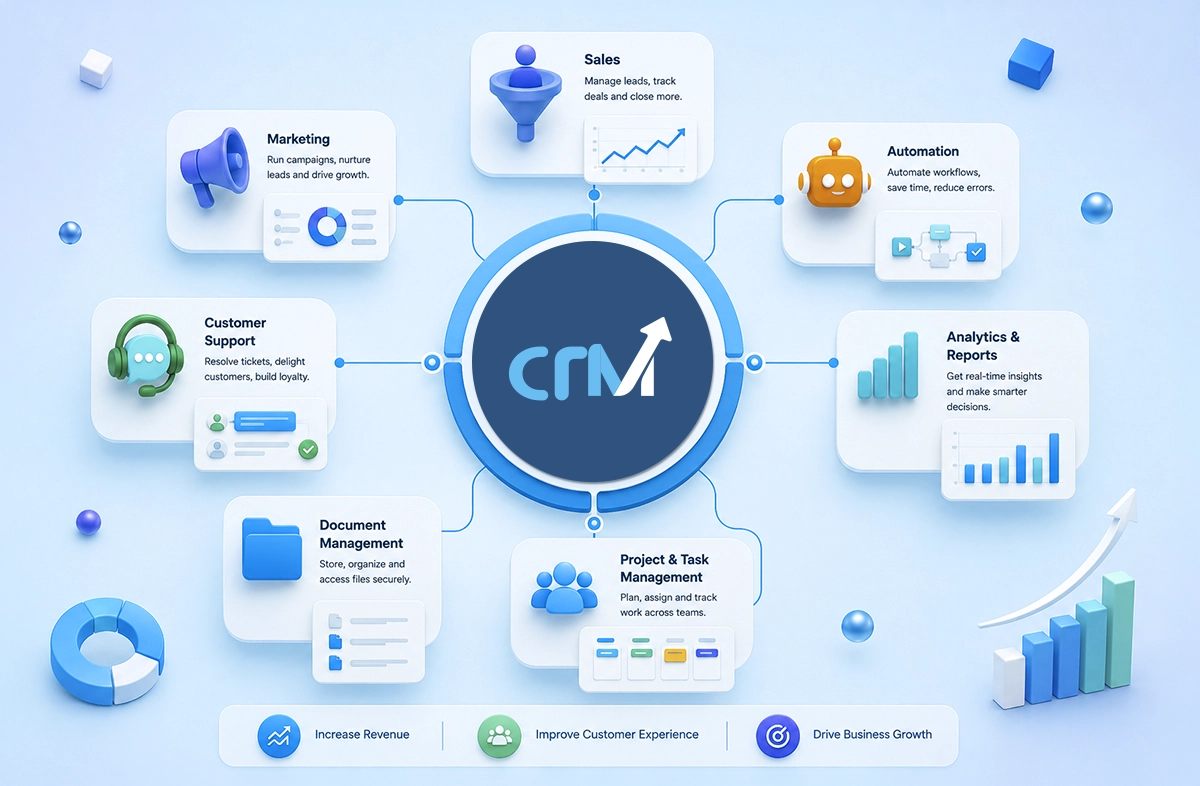
This calls for a cloud-based CRM software to streamline your data and make it user-friendly.

If you have been managing your sales pipeline using spreadsheets like Excel or Google Sheets, it’s fine. Most Indian businesses start like this only. It’s easy to use, widely available, and cheap. At some point or another, it stops working.

This guide helps you transition from spreadsheets to CRM software without disrupting your sales. No fluff. No theory overload. Just what actually works.

Why Businesses Move from Spreadsheet to CRM

Spreadsheets are easy to start with, but hard to grow with.

In the early days, when you’re handling maybe 50–100 leads, Excel feels manageable. But once your pipeline grows, cracks start showing, and fast. Let’s see how:

Limitations of Excel and Google Sheets

Honestly, spreadsheets were never designed for sales management. Here’s where they break:

  • Manual data entry becomes overwhelming
  • Version control turns chaotic (“Final_v3_updated_latest.xlsx”… sound familiar?)
  • Data gets scattered across multiple files and teams
  • No reminders for follow-ups
  • Zero visibility into the customer journey

And the biggest one? No accountability. You don’t really know who followed up or who didn’t.

The Hidden Costs of Spreadsheet-Based Sales

It is not about inconvenience or messy files. Spreadsheets quietly start affecting your revenue, the team’s efficiency, and even customer experience.

Here’s what really happens:

  • Lost leads: Leads drop more often than you think. A missed entry, an overwritten file, or a simple human error, and boom! A potential deal is gone.
  • Delayed responses: Follow-ups are delayed as there are no reminders or real-time updates. Even a few hours can make or break a deal.
  • Lower conversion rates: Your conversions suffer when there is no structured process. Moreover, leads are missed, conversations pause, and opportunities slip away.
  • Reporting inaccuracies: Manual reports often have errors. Data gets outdated, numbers don’t match, and decisions are made on unreliable information.

Benefits of CRM Software Over Spreadsheets

A good CRM not only stores data. It also organizes, automates, and streamlines your sales process.

  • Centralized customer database: All your customer information is stored in one place. So, your team does not have to go through multiple files to find what they need.
  • Real-time collaboration: Everyone works on the same updated data. This means fewer miscommunications and no confusion.
  • Better pipeline visibility: You can see the status of every deal clearly, making it easier to track progress and spot bottlenecks.
  • Automated follow-ups: Reminders and workflows ensure no lead is forgotten, even when your team is handling multiple conversations.
  • Improved forecasting: Your sales predictions become more reliable and easier to plan with accurate and real-time data.

5 Signs Your Business Needs CRM Software

Sometimes, the need for a CRM isn’t obvious at first.

It doesn’t suddenly become a big problem. It begins with small inefficiencies, missed tasks, and constant troubleshooting. If you look closely, the signs are usually right there, and then you realise why CRM is essential for your business.

1. Your Sales Team Is Missing Follow-Ups

This one hurts the most because it directly impacts revenue.

A lead shows interest, maybe even asks for details, and then nothing. There is no call, a message, or a reminder. It’s not like your team doesn’t care. It’s just that things slip away. Spreadsheets don’t remind people. They don’t nudge. They just sit there.

And in a busy sales environment, relying on memory or manual tracking almost always leads to missed opportunities.

2. Reporting Takes Too Much Time

If your team spends hours making reports, then something’s wrong. Pulling data from different sheets and fixing errors takes time. And by the end, the report is already outdated.

Reporting shouldn’t feel like another task. It should just exist. Real-time, accurate, and readily accessible.

3. Customer Data Is Scattered Everywhere

This is more common than most teams admit.

Some data is in Excel. Some in someone’s inbox. A few conversations are on WhatsApp. A few notes are somewhere else. So when a sales rep needs context, they start digging. Asking around. Guessing. And that slows everything down.

Worse, it creates a broken customer experience, where the client has to repeat things again and again.

4. Sales Managers Lack Visibility into Performance

If you’re a sales manager, you probably know this feeling.

You think deals are progressing, but you’re not really sure. You don’t have a clear view of who’s doing what, which deals are stuck, or where the bottlenecks are.

So decisions become reactive instead of strategic. Without proper visibility, managing a sales team turns into constant follow-ups and micromanagement, which isn’t scalable.

5. You Want to Scale Without Operational Chaos

Growth sounds exciting until operations start falling apart. More leads, more team members, more deals,  and suddenly your existing system can’t keep up.

Spreadsheets weren’t built for scale. They don’t handle complexity well. So instead of growing smoothly, things feel messy, disorganized, and slightly out of control.

And that’s usually the point where businesses realize that they don’t just need more effort, but they need better systems.

CRM Migration Checklist Before You Start

Before jumping into a CRM, pause. A rushed migration creates more problems than it solves.

1. Audit Your Existing Data

Start with the cleanup.

  • Remove duplicate entries
  • Fix inconsistent formats
  • Identify incomplete records
  • Delete outdated contacts

Messy data in = messy CRM out. Simple.

2. Define Your Sales Process

This is where many teams struggle.

Ask yourself:

  • What are your lead stages?
  • How often should follow-ups happen?
  • Who owns which leads?

Write it down. Even if it’s rough. Your CRM should reflect your process, not the other way around.

3. Set Clear Goals

Don’t migrate just because “everyone is using CRM.”

Be specific.

  • Reduce lead response time
  • Improve conversion rate
  • Automate follow-ups
  • Get accurate reports

Clear goals = measurable success later.

4. Choose the Right CRM Software

Not all CRMs are built for Indian businesses.

Look for:

  • Easy-to-use interface (your team should adopt it quickly)
  • Mobile accessibility (field sales matters)
  • WhatsApp & email integration
  • Affordable pricing
  • Scalability as your team grows

And the best part would be to choose a cloud based CRM software for flexibility, which covers all these aspects.

How to Migrate from Excel to CRM (7 Steps)

Let’s get into the actual transition.

Step 1: Clean and Organize Your Data

Before importing anything:

  • Remove inactive contacts
  • Validate phone numbers and emails
  • Classify leads (hot, warm, cold)

This step saves you hours later.

Step 2: Import Data into CRM

Most CRM tools support CSV imports.

Focus on:

  • Correct field mapping
  • Matching columns properly
  • Verifying imported data

Take your time here. Small errors can create big confusion later.

Step 3: Set Up the Sales Pipeline

Now your CRM starts making sense.

Define:

  • Deal pipeline (e.g., New Lead → Qualified → Proposal → Closed)
  • Ownership rules
  • Lead statuses

Make it simple. You can always refine later.

Step 4: Configure CRM Workflow Automation

Now the real magic.

Set up:

  • Auto-reminders to follow up
  • Lead assignment rules
  • Email workflows
  • Follow-up sequences

But don’t overdo it initially. Start small.

Step 5: Train Your Sales Team

A CRM is only as good as the people using it.

  • Conduct hands-on sessions
  • Create simple SOPs
  • Encourage mobile CRM usage

And yes, it’s normal for people to resist initially.

Step 6: Test Before Complete Rollout

Don’t change everything in one go.

  • Run a pilot with one team
  • Validate workflows
  • Check reporting accuracy

Fix issues early.

Step 7: Fully Transition Away from Excel

This is important. Set a clear deadline.

  • Stop updating excel
  • Shift all activity to CRM
  • Monitor adoption

If you keep both systems running, your team will default to Excel.

5 Best Practices to Migrate from Excel to CRM

A migration from Excel to a CRM system can seem overwhelming. And it is.

But it doesn’t have to interrupt your ongoing sales scenario. You can take it as a gradual process rather than a sudden switch.

1. Start Small with One Team

You don’t have to roll it out across the entire organization on day one. Start with a smaller group. Maybe one sales team, or a specific region.

This gives you space to:

  • Test how things actually work
  • Identify gaps or confusion
  • Fix issues before scaling

2. Migrate in Phases

Trying to move everything in one go can be a lot of work. You should rather consider breaking the migration into multiple phases to decrease the workload of your team.

  • Start with active leads
  • Then move recent customers
  • Bring in older data later if needed

This keeps things manageable and makes sure your team can continue working without additional workload.

3. Maintain Backup Copies

Even if everything goes smoothly, it’s always better to be safe. Keep your original Excel files as backup during the shift.

Not because you’ll need them daily. But if something feels off, you can always go back and verify. It’s a small step that removes a lot of uncertainty.

4. Focus on User Adoption

A CRM only works if your team actually uses it. And adoption doesn’t happen automatically. People need clarity, comfort, and a reason to change their habits.

  • Keep the system simple initially
  • Show how it makes their work easier
  • Encourage consistent usage from day one

When your team starts relying on the CRM naturally, that’s when the transition really succeeds.

5. Track Early Success Metrics

Don’t wait months to see if things are working. Start tracking small wins early.

  • Are response times improving?
  • Are follow-ups more consistent?
  • Is data easier to access?

These signals help you understand what’s working and what needs fixing. They also build confidence within the team that the shift is actually worth it.

A smooth CRM transition isn’t about doing everything perfectly. It’s about moving step by step without losing momentum.

Common CRM Migration Mistakes to Avoid

Switching to a CRM can feel like a big upgrade. And it is, if done right. But a lot of teams rush into it, assuming the tool itself will fix everything. That’s usually where things go wrong.

Because the success of a CRM isn’t just about the software. It’s about how you implement it.

1. Migrating Dirty Data

If your spreadsheets are messy, your CRM will be messy too. Duplicate entries, outdated contacts, missing details; when all of this gets carried over, you’re not really starting fresh. You’re just moving the problem to a new system.

It’s tempting to migrate everything quickly. But cleaning your data first makes a huge difference.

  • Remove duplicates
  • Fix incomplete records
  • Standardize formats

A clean CRM from day one saves a lot of frustration later.

2. Choosing Overcomplicated CRM Software

More features don’t always mean better. Some CRM tools look powerful. But end up overwhelming your team. Too many options, too many steps, too much to learn.

And when that happens, adoption drops. People go back to old habits. Spreadsheets, notes, and scattered tracking.

The goal isn’t to find the most advanced CRM. It’s to find one your team will actually use consistently. Make sure to compare different options and choose the right one from the top CRM software that fits your needs.

3. Ignoring Team Training

Even the best CRM won’t work if your team doesn’t understand it. A quick demo or an onboarding session usually isn’t enough.

People need time to get comfortable, to explore, ask questions, and make mistakes.

Without proper training:

  • Features go unused
  • Processes get skipped
  • Data becomes inconsistent

And slowly, the system loses its value. Training isn’t a one-time activity. It’s part of the transition.

4. Lack of Management Buy-In

If leadership isn’t actively involved, the CRM won’t stick.

Sales teams take cues from managers. If managers aren’t using the system, reviewing dashboards, or setting expectations, it sends a message that this isn’t really important.

On the other hand, when leadership is engaged:

  • CRM usage becomes part of daily workflow
  • Accountability improves
  • Teams take it more seriously

Adoption starts from the top.

5. Over-Automating Too Early

Automation is powerful, but only when your processes are clear. A common mistake is trying to automate everything right from the start.

But if your workflows aren’t fully defined yet, automation can create confusion instead of clarity.

  • Wrong triggers
  • Misassigned tasks
  • Overcomplicated processes

It’s better to start simple. Get your basics right. Understand how your team actually uses the CRM. Then layer automation gradually, where it truly adds value.

Avoiding these mistakes doesn’t require perfection; it just requires proper thinking. A bit of patience and eagerness to build things step by step. Implementing a CRM thoughtfully will change not only how you do things now, but also how your company grows over time.

CRM Migration Success Metrics

Switching to a CRM isn’t the finish line. In a way, it’s the starting point. Because once everything is in place, the real question becomes, is it actually working? Is it making things faster, clearer, better or just different?

The only way to know is by looking at the right signals.

1. Lead Response Time

This is usually the first thing that improves and the easiest to notice. Earlier, leads would sit in spreadsheets. Waiting. Sometimes for hours, sometimes longer. Not intentionally, just because no one saw them in time.

With a CRM, things move quicker. Notifications, task reminders, instant access, it all adds up.

So if your response time is reducing, even by a little, that’s a clear sign things are moving in the right direction. And in sales, faster responses mean better chances.

2. Conversion Rate Improvements

More responses are good, but conversions are what really matter. After CRM adoption, you should start seeing a shift here. Maybe not overnight, but gradually.

Why? Because follow-ups become consistent. Conversations don’t get lost. Context is always available.

So instead of starting from scratch every time, your team builds on existing interactions. And slowly, you’ll notice more leads turning into actual customers.

3. Sales Team Productivity

This one feels subtle at first. Your team isn’t necessarily working more. But they’re working smarter. Less time searching for data, less time updating sheets, less back-and-forth confusion.

More time actually selling. You might notice quicker calls, cleaner pipelines, and fewer delays between stages. And then one day it hits you. The same team is handling more leads without feeling overwhelmed.

4. Customer Retention Metrics

A good CRM doesn’t just help you close deals. It helps you keep customers.

Because now, every interaction is tracked. Preferences, past conversations, issues, everything is right there. So follow-ups feel more personal. Support feels smoother. Nothing gets ignored.

And customers notice that. Over time, this reflects in retention rates – more repeat business, longer relationships, fewer drop-offs.

Also Read: How Custom CRM Solutions Improve Customer Retention

5. Reporting Accuracy

This is where things become clear. Earlier, reports might have felt like rough estimates. Numbers pulled together manually, sometimes inconsistent, sometimes slightly off.

With a CRM, reporting becomes real-time and reliable. No guesswork. No last-minute fixes. When you look at your dashboard, you trust what you see. And that leads to faster, more confident, more strategic decision-making.

How to know if it’s working? A quick look:

Metric

What to Look For

Lead response time

Should decrease significantly

Conversion rate

Should improve steadily
Sales productivity

More deals per rep

Customer retention

Higher repeat business
Reporting accuracy

Near real-time insights

How CRM Workflow Automation Improves Sales Productivity

This is where a CRM really starts to feel different. Not just a place to store data, but something that actively helps your team move faster.

Because when repetitive tasks get automated, your sales team gets their time back.

1. Automated Lead Assignment

Leads coming in is a good problem to have until no one knows who should handle them.

Without a system, leads often sit idle or get picked randomly. Sometimes multiple people reach out. Sometimes no one does. Automation fixes that instantly.

Leads get assigned based on rules — location, deal size, availability, or anything you define. So:

  • No delays
  • No confusion
  • No missed opportunities

The right salesperson gets the right lead at the right time.

2. Follow-Up Reminders

Follow-ups are where most deals are won. And also where most deals are lost. Not because salespeople don’t care, but because things slip. Messages get buried. Priorities shift.

Automation steps in quietly here.

  • Reminders pop up at the right time
  • Tasks get created automatically
  • Nothing depends purely on memory anymore

It adds consistency. And in sales, consistency changes outcomes.

3. Sales Activity Tracking

Earlier, tracking meant asking.

“Did you call this lead?”
“Was there a meeting?”
“What happened next?”

Now, it’s all recorded automatically. Calls, emails, meetings, notes, everything gets logged in one place. Managers don’t have to chase updates. And sales reps don’t have to manually document every step.

It creates visibility without adding extra work. And that’s a rare combination.

4. Automated Reports and Dashboards

Reporting used to take hours. Pulling numbers, updating sheets, fixing errors, and by the time it was ready, it was already outdated.

With automation, reports build themselves.

  • Real-time dashboards
  • Auto-updated metrics
  • Instant insights into pipeline and performance

You don’t wait for reports anymore. You just look. And when data is always available, decisions get faster and sharper.

5. Customer Communication Automation

Staying in touch with every lead manually isn’t realistic. Especially as your pipeline grows.

Automation helps you maintain that connection without overwhelming your team.

  • Scheduled emails and messages
  • Drip campaigns for nurturing leads
  • Instant acknowledgements when someone reaches out

It doesn’t replace human interaction. It supports it. So your team can focus on meaningful conversations, while routine communication keeps running in the background.

When all of this comes together, something shifts again. Less manual effort. Fewer dropped tasks. More structure.

And your sales team starts spending less time managing work and more time actually doing it.

Key Features Indian Sales Teams Should Look for in CRM Software

Not all CRM features are equally useful. Some look impressive on paper, but don’t really help in day-to-day sales. And then there are a few that quietly make a huge difference.

If you’re choosing a CRM for an Indian sales setup, these are the ones that actually matter.

1. Mobile CRM Access

Sales don’t happen at a desk anymore. Your team is on calls, in meetings, travelling, following up between things, constantly moving. So if your CRM only works well on a laptop, it’s already a problem.

A good mobile CRM means your team can:

  • Update deals right after a call
  • Check lead details on the go
  • Add notes instantly

It keeps the momentum going. No delays, no “I’ll update it later”, because later usually doesn’t happen.

2. WhatsApp Integration

In India, this is almost non-negotiable.

Most customer conversations happen on WhatsApp. From first inquiry to final follow-up. But when those chats stay outside your CRM, you lose context.

With WhatsApp integration:

  • Conversations get tracked automatically
  • Sales teams don’t have to switch between apps
  • Follow-ups become more timely and consistent

And honestly, it just feels more natural. Because that’s how customers prefer to communicate anyway.

3. GST-Friendly Reporting

This one’s practical.

Indian businesses deal with GST compliance, invoicing formats, and tax breakdowns. It’s part of everyday operations. So your CRM should support that reality, not complicate it.

GST-friendly reporting helps you:

  • Generate accurate financial reports
  • Align sales data with accounting needs
  • Avoid manual adjustments later

It saves time and prevents small calculation errors that turn into bigger issues.

4. Multi-User Collaboration

Sales is rarely a solo effort. Leads get passed around. Managers step in. Teams collaborate on bigger deals. But without a proper system, this becomes messy: overlapping efforts, missed updates, confusion.

A CRM with strong collaboration features makes things clearer:

  • Everyone sees the same updated information
  • Tasks and ownership are well-defined
  • Internal communication stays structured

5. Cloud-Based Accessibility

This is one of those things you don’t think about until you need it.

Cloud-based CRM means your data is accessible anytime, from anywhere – securely. No dependency on a single system or location.

Especially for growing teams, this matters a lot.

  • Remote work becomes seamless
  • Data stays synced in real time
  • No risk of losing files or versions

6. AI and Automation Features

Modern CRM systems are slowly moving from just storing data to actually helping you make decisions.

With AI and automation, you start seeing:

  • Smart lead prioritization
  • Automated follow-up suggestions
  • Predictive insights on deal closures
  • Auto-captured customer interactions

It’s not about replacing your sales team. It’s about reducing manual effort and giving them better direction on where to focus.

And when these features come together, something shifts. Sales stops feeling reactive. Less chasing, more clarity. Less guesswork, more structure.

That’s when a CRM actually starts doing its job.

Excel vs CRM Software: Key Differences

Excel CRM
Manual updates Automatic
No reminders Automated follow-ups
No workflow Workflow automation
Limited reporting Real-time dashboards
Hard collaboration Team collaboration
Error-prone Centralized customer database

Final Thoughts

Switching from spreadsheets to CRM can feel like a big step. There’s hesitation. Resistance. A bit of chaos in the beginning. But staying stuck in spreadsheets? That costs more.

Quietly & consistently. If your business is growing, your systems need to grow with it. Start small. Stay consistent. Keep it simple.

That’s what really works.

Ready to Migrate from Excel to CRM?

If you’re planning to move from Excel to a CRM without any confusion, trial-and-error, and setup headaches, getting expert help can save you a lot of time.

From data migration and workflow setup to team onboarding, the right implementation partner makes the transition smooth and way less stressful. Start with a structured plan. The results will follow.

FAQs

1. Is CRM software better than spreadsheets for small businesses?

Yes. CRM software is better than spreadsheets for small businesses because it offers better structure, automation, and visibility.

2. How long does CRM migration take?

It typically takes 1–4 weeks, depending on the data size and complexity.

3. Can I easily migrate data from Excel?

Yes. Most CRMs support CSV imports with simple mapping that helps you to migrate easily.

4. What is the biggest mistake during CRM migration?

Migrating unclean or duplicate data.

5. Do Indian businesses need WhatsApp integration in CRM?

In most cases, yes. It particularly improves communication and follow-ups.

Top 7 CRM Software for Manufacturing Companies in 2026

Manufacturing firms previously used spreadsheets, manual entries, and scattered communication across emails and calls. That was the norm. And it worked. 

But things changed.

As competition increased and customer expectations grew, the previous methods became outdated. This led to delayed quotations, missed follow-ups, and unclear inventory visibility.

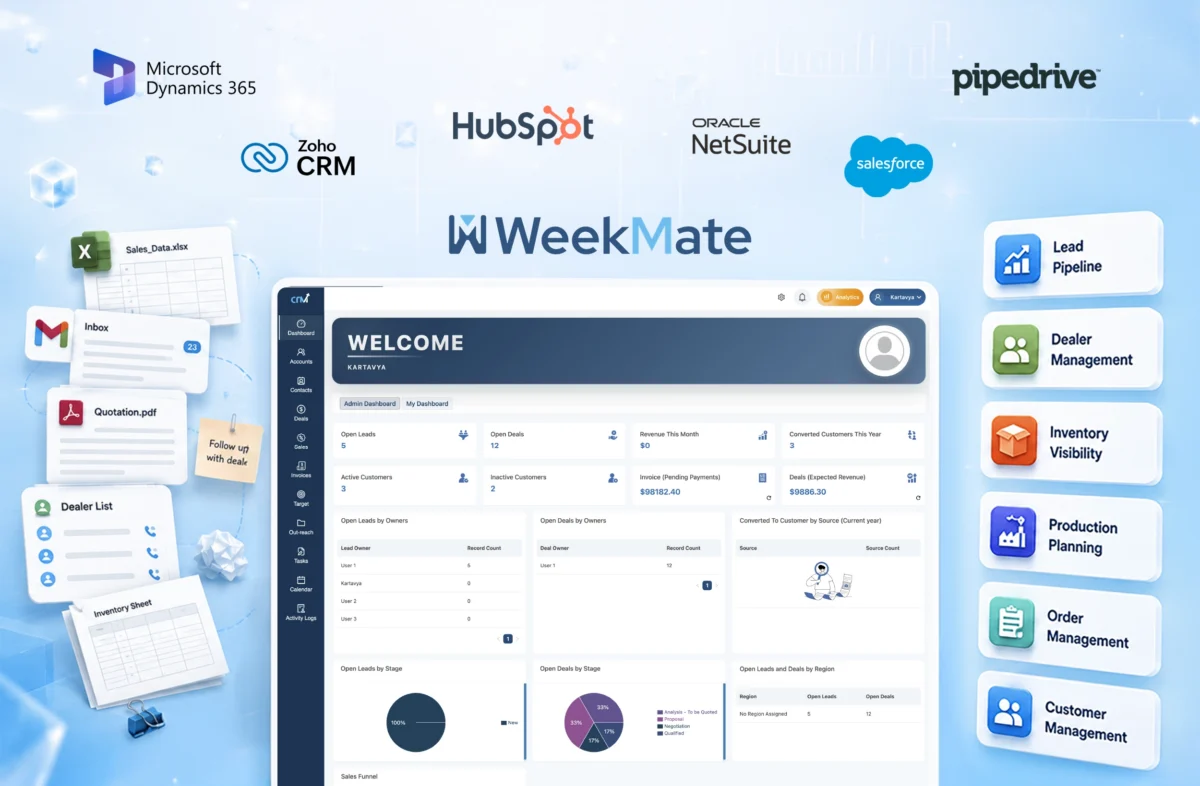
Then came integrated CRM software for manufacturing industry. And now, businesses were not just managing data. They were streamlining it. 

Today, manufacturing companies that wish to stay ahead cannot just rely on outdated processes. They need an all-in-one CRM software that brings sales, operations, and customer relationships into one flow. 

But not every CRM is built for manufacturing. And honestly, picking the wrong one can slow you down more than help. At the same time, picking the right one can be a smart investment for your business.

So let’s break this down clearly, practically, without fluff.

What is Manufacturing CRM?

A CRM for manufacturing companies is not only a tool to manage contacts and a simple database. It’s more than that. It’s a system made to handle complex sales cycles, distributor networks, inventory management, and quotation workflows, all in a single place.

Unlike the usual CRM tools, industrial CRM software focuses on:

  • Multi-level sales pipelines
  • Dealer and distributor tracking
  • ERP and inventory systems integration
  • Real-time quotation and order management

Think of it as the bridge between your sales team and your production floor, because in manufacturing, those two can’t operate in silos.

Benefits of CRM Software for Manufacturing Industries

Let’s be real. Most manufacturing companies don’t lose deals because of poor products. They lose them due to slow follow-ups, messy communication, or lack of visibility. A good CRM fixes that. Here are some reasons why you need them.

1. Better Sales Pipeline Visibility

You can track every lead, every deal stage, and every interaction. No more guessing what’s stuck and why.

2. Distributor & Dealer Management

Manufacturers often rely on networks. CRM helps manage relationships, track performance, and maintain consistency.

3. Faster Quotation Management

Delays in quotations mean lost deals. A CRM can speed up this process with quick templates, automation, and approvals.

4. Improved Inventory Coordination

When CRM connects with inventory systems, sales teams don’t overpromise or underdeliver.

5. Better Customer Retention

Follow-ups, reminders, service history, everything is tracked. Customers feel remembered.

Must Read: How Custom CRM Solutions Improve Customer Retention?

6. Production and Sales Alignment

This one’s underrated. When both teams work with synced data, operations become smoother.

7. Workflow Automation

Manual work reduces. Errors reduce. Teams actually focus on what matters.

Must Read: Benefits of Custom CRM Software for Growing Businesses

Top 7 CRM Software for Manufacturing Industry

Here’s a quick comparison before we take a detailed look:

Software Best For Pricing Free Trial
WeekMate CRM SMEs & growing manufacturers Affordable Yes
Salesforce Manufacturing Cloud Large enterprises Premium Yes
Zoho CRM Customization & flexibility Mid-range Yes
HubSpot CRM Marketing + CRM combo Freemium Yes
Microsoft Dynamics 365 Enterprise integration Premium Yes
Pipedrive Sales-focused teams Mid-range Yes
Oracle NetSuite CRM Full-suite ERP + CRM Premium Yes

1. WeekMate CRM

WeekMate CRM is an all-in-one CRM platform that is built for growing businesses. It simplifies sales, operations, and team workflows without dealing with unnecessary complexity.

Key Features

  • Lead and sales pipeline tracking
  • Task and workflow automation
  • CRM + HR + operations in one platform
  • Real-time reporting

Pros

  • Easy to use
  • Affordable for SMEs
  • All-in-one approach reduces tool overload

Cons

  • Not as deep as enterprise CRMs (yet)

Pricing

Budget-friendly, designed for growing teams. Starting from ₹3999 / Month for 50 users.

Best Use Case

It is a good fit for small- to mid-sized manufacturing businesses looking to move away from spreadsheets without excessive complexity.

2. Salesforce Manufacturing Cloud

Salesforce Manufacturing Cloud is made for large-scale manufacturers. It offers deep visibility into sales, forecasting, and operations. It’s powerful, but not very easy to use, as it needs some learning before getting started.

Key Features

  • Account-based forecasting
  • Advanced sales pipeline management
  • AI-based insights and analytics
  • Integration with the Salesforce ecosystem

Pros

  • Highly scalable for enterprise use
  • Strong forecasting and analytics
  • Robust customization capabilities

Cons

  • Expensive for small to mid-sized businesses
  • Setup and implementation can be complex

Pricing

Premium pricing, typically suited for enterprise budgets. Starting from ₹2376.45/User/Month.

Best Use Case

It is well-suited for large manufacturing companies with complex sales cycles that need advanced forecasting and analytics.

3. Zoho CRM

Zoho CRM is flexible and a widely used solution. It is quite popular among Indian businesses. Zoho balances affordability with customization. However, it can take some time to fully set up.

Key Features

  • Lead and deal management
  • Workflow automation
  • Omnichannel communication (email, phone, chat)
  • Custom modules and reporting

Pros

  • Affordable and scalable
  • Highly customizable
  • Strong ecosystem of Zoho apps

Cons

  • Initial setup can feel overwhelming
  • UI can feel slightly cluttered at times

Pricing

Mid-range pricing with multiple scalable plans. Starting from ₹800/user/month.

Best Use Case

It is appropriate for growing manufacturing businesses that need flexibility and customization without enterprise-level costs.

4. HubSpot CRM

HubSpot CRM is known for its ease of use and wide range of features. It works well for manufacturers focusing on inbound leads. It may feel a little difficult for complex operations.

Key Features

  • Contact and pipeline management
  • Marketing automation tools
  • Email tracking and templates
  • Reporting dashboards

Pros

  • Free plan available
  • Very easy to use
  • Strong marketing + CRM integration

Cons

  • Limited manufacturing-specific features
  • Advanced features can get expensive

Pricing

Freemium model with paid upgrades. Starting from ₹3,753/mo/seat.

Best Use Case

It is suitable for manufacturing businesses focused on lead generation, marketing campaigns, and simple sales processes.

5. Microsoft Dynamics 365

Microsoft Dynamics 365 is an enterprise-grade CRM. It integrates deeply with ERP and other Microsoft tools. It’s comprehensive, but requires time and expertise to implement properly.

Key Features

  • ERP and CRM integration
  • Advanced analytics and reporting
  • AI-driven insights
  • Seamless Microsoft ecosystem integration

Pros

  • Strong integration with Microsoft tools
  • Highly scalable
  • Enterprise-level capabilities

Cons

  • Complex implementation
  • Higher cost and learning curve

Pricing

Premium pricing based on modules and usage. Starting from ₹7603.38/user/month.

Best Use Case

It works well for large manufacturing enterprises that already use Microsoft products and need deep integration across their systems.

6. Pipedrive

Pipedrive is a sales-focused CRM that is simple and easy to use. It’s great for tracking deals, but it lacks advanced manufacturing capabilities.

Key Features

  • Visual sales pipeline
  • Deal tracking and management
  • Workflow automation
  • Sales reporting

Pros

  • Very easy to use
  • Clean and intuitive interface
  • Quick setup

Cons

  • Limited features for manufacturing workflows
  • No built-in inventory or ERP integration

Pricing

Mid-range pricing with tiered plans. Starting from ₹1330.59/seat/month.

Best Use Case

It can work for small manufacturing teams that mostly need a simple tool to manage sales pipelines and deals.

7. Oracle NetSuite

Oracle NetSuite CRM is a comprehensive, cloud-based platform that combines CRM with ERP, finance, and operations. It’s powerful, but definitely not lightweight.

Key Features

  • Unified CRM + ERP system
  • Real-time dashboards and reporting
  • Order and inventory management
  • Advanced automation

Pros

  • All-in-one business solution
  • Highly scalable
  • Strong reporting capabilities

Cons

  • Expensive for smaller businesses
  • Implementation can be time-consuming

Pricing

Premium pricing tailored to enterprise needs. Custom pricing.

Best Use Case

It can work for large manufacturing organizations looking for a fully integrated CRM + ERP solution in a single platform.

Also Check: List of 10 Best CRM Solutions for Indian Businesses

9 Key Features to Look for in Manufacturing CRM

Not every CRM will suit your workflow. So before choosing, pause and check this:

1. Lead & Sales Pipeline Management

You should be able to track every deal stage clearly — not just who the customer is, but where the opportunity stands and what needs to happen next.

2. Inventory Management Integration

When your CRM connects with inventory, your sales team always knows what’s available… avoiding overpromising or awkward follow-ups.

3. Quotation & Order Management

Quick, accurate quotations can make or break deals — a good CRM helps you generate, approve, and send them without delays.

4. Distributor & Dealer Management

Managing multiple partners becomes easier when you can track performance, communication, and orders from one place.

5. Workflow Automation

Repetitive tasks such as follow-ups, reminders, and updates can run automatically, saving time and reducing human error.

6. Reporting & Analytics

A CRM should turn your data into insights that help you understand what’s working, what’s not, and where to improve.

7. ERP Integration

Connecting CRM with ERP ensures smooth data flow between sales, inventory, and production — this is where real operational efficiency kicks in.

8. Mobile CRM Access

Your team should be able to access and update data on the go… because sales don’t always happen from a desk.

9. Customer Support Management

Post-sale support matters just as much — tracking issues, requests, and history helps build long-term customer relationships.

Suggested Read: Top CRM Modules and Features for Business Growth

How to Choose the Right CRM for Your Manufacturing Business?

There’s no “best CRM” universally. Only the right fit.

Here’s how to think about it:

  • Business size: Small teams need simplicity. Enterprises need depth.
  • ERP integration needs: Check compatibility early.
  • Inventory complexity: More complexity = stronger integration required.
  • Sales process: Long cycles need advanced tracking.
  • Budget: Don’t spend too much on features that you don’t use.
  • Scalability: Choose something that grows along with you.
  • Reporting needs: Analytics are also essential if you rely on insights.

Take your time here. Rushing this decision often leads to switching later… which is worse.

Manufacturing CRM Trends in 2026

Change is constant and fast-paced. Manufacturers who don’t keep up are losing business to competitors who are upgrading themselves.

Statista recently reported that the CRM software market, with the manufacturing industry significantly contributing to its growth, is expected to reach US$103.51bn by 2026.

  • AI-Driven Forecasting: Modern CRMs predict a business’s sales patterns, allowing the business to be proactive rather than reactive.
  • Advanced Predictive Analytics: Fast and efficient decision-making is made possible with the implementation of real-time data and analytics.
  • IoT Integration: Automated connected machines offer systems and sales teams the information needed to make optimal decisions.
  • Smart Factory CRM Solutions: Integrated production, sales, and logistics systems are becoming the industry standard.
  • Automated Workflow Systems: Automated tasks are minimizing the manual effort needed and maximizing the overall efficiency.
  • Mobile CRM Systems: The workplace is no longer confined to the office; mobile systems bring CRM to the field.

Simplify Manufacturing Operations with WeekMate CRM

If your current system feels slow, disconnected, or just frustrating, you know that it’s now time to upgrade. 

A well-implemented CRM systems for manufacturing not only organize your data. It improves response time. Aligns teams. Reduces errors. And honestly, it gives you control back.

If you’re exploring a practical and easy-to-adopt solution, WeekMate CRM is a strong starting point for growing manufacturing businesses that want clarity without complexity.

Final Views

You don’t need the most advanced CRM. You need the one your team will actually use consistently. Because even the best system fails if it remains unused. So choose wisely. Test properly. And implement it with intention.

That’s where the real difference happens.

Frequently Asked Questions

1. Which CRM is the best for manufacturers?

There is no one such definite answer. It honestly depends on your business size and your needs. SMEs may prefer simpler tools like WeekMate or Zoho, while enterprises are more favourable towards Salesforce or Microsoft Dynamics 365.

2. Can CRM integrate with ERP software?

Yes, most of the modern CRM software for manufacturers supports ERP integrations. It is very important for manufacturing workflows to connect processes and make them smoother.

3. Why do manufacturers need CRM software?

It helps manufacturing companies nicely manage customer relationships and streamline the entire sales process. CRM software also helps firms improve lead tracking and enhance workflow coordination.

4. What features should manufacturing CRM include?

It should primarily include features that can make the workflow efficient and optimized. Some of them can be pipeline management, inventory integration, quotation tools, automation, and analytics.

5. Is CRM useful for small manufacturing businesses?

Yes. It allows smaller teams to be more organized and automated to help them scale quicker.

7 Essential CRM Modules That Help Businesses Grow Faster

To be honest, most businesses don’t fail because they don’t have tools. That’s rarely the issue. The real problem? Their tools just don’t work together. Here, CRM modules step in.

If you’ve been looking into various CRM software lately, you’ve probably noticed something. It’s no longer just about storing contacts.

A modern CRM system is kind of like a central hub for your business. Everything flows through it. Sales, marketing, support, operations, all in one place, instead of scattered across tools.

And now, in 2026, things have shifted a bit. With AI, automation, and real-time data driving decisions, choosing the right CRM modules isn’t really optional anymore; it’s just something you can’t afford to get wrong.

What Are CRM Modules? (Definition & Importance)

CRM modules are different components inside a CRM system. Each of them handles specific business functions. Instead of one bulky tool trying to do everything, CRM software modules divide tasks into dedicated sections like sales, marketing, customer support, and analytics.

Think of it like this:

A CRM isn’t one tool. It’s a collection of tools working together smoothly, if set up right. These customer relationship management modules help businesses:

  • Organize customer data
  • Automate repetitive tasks
  • Track interactions across channels
  • Improve decision-making with real insights

And yes, when implemented well, they reduce chaos.

Core CRM Modules

Now, not every CRM is built the same. Here is a key CRM features list that almost every business must have.

1. Sales CRM Module

This is actually where revenue happens. A sales CRM module helps the team manage leads, track deals, and close opportunities without scattered spreadsheets or forgotten follow-ups. 

Key functionalities include:

  • Lead management
  • Pipeline tracking
  • Deal management
  • Follow-up reminders

The biggest benefit? Visibility. You know exactly where each deal stands. No guessing and no chasing.

2. Marketing CRM Module

Marketing without data is just noise. This module connects your campaigns with actual customer behavior. It helps you attract, nurture, and convert leads more effectively.

Core features include:

  • Email campaigns
  • Lead nurturing workflows
  • Audience segmentation
  • Campaign performance tracking

In 2026, this module is heavily powered by AI. It doesn’t just send emails. It predicts when and what to send.

3. Customer Support Module

Customer experience is no longer a “nice-to-have.” It’s the brand. A CRM support module ensures that every customer query is tracked, managed, and resolved efficiently across every channel.

Key features:

  • Ticket management
  • Query tracking
  • SLA (Service Level Agreement) management
  • Omnichannel communication

And here’s the thing. Customers don’t care which department they’re talking to. They just want answers. This module makes that possible.

Operational & Productivity CRM Modules

Now this is where things get interesting. These CRM system modules don’t directly generate revenue, but they make everything faster, smoother, and scalable.

1. Workflow Automation Module

Repetitive tasks kill productivity. This module automates processes like:

  • Lead assignment
  • Follow-up emails
  • Task creation
  • Status updates

In short, it removes manual work and human errors. 

2. Reporting & Analytics Module

This module transforms raw data into actionable insights. You can track:

  • Sales performance
  • Campaign ROI
  • Customer behavior
  • Team productivity

Modern CRM tools now include predictive analytics. It means they don’t just show what happened. They suggest what to do next.

3. Project & Task Management Module

For teams juggling multiple clients or campaigns, this module is a lifesaver. It helps:

  • Assign tasks
  • Track deadlines
  • Monitor progress
  • Improve team collaboration

Everything stays aligned. No more “I thought someone else was handling it.”

4. Document Management Module

Scattered files are a nightmare. This module centralizes documents like:

  • Proposals
  • Contracts
  • Customer records

With secure access and version control, your team always works with the latest information.

CRM Modules Comparison Table

Module Type

Primary Function

Business Impact

Sales CRM

Manage leads & deals

Increased revenue

Marketing CRM

Campaign management

Better conversions

Customer Support

Handle queries

Improved customer experience

Automation

Streamline workflows

Higher efficiency

Analytics

Data insights

Smarter decisions

Project Management

Task tracking

Better collaboration

Document Management

File organization

Centralized data

Also Read: Why Cloud-Based CRM Software is Essential for Businesses?

6 Benefits of CRM Modules for Growing Businesses

When implemented correctly, CRM functionalities can transform how a business operates.

Here’s what you actually gain:

1. Better Customer Relationship Management

When all your customer information sits in one place, things just become easier. You’re not digging through emails or spreadsheets anymore. You have context, history, and clarity — which makes every interaction more meaningful.

2. Increase Sales Team Productivity

Sales teams spend a surprising amount of time on non-selling work. Updating data, chasing info, setting reminders it adds up. A good CRM takes that weight off, so they can focus more on conversations that actually close deals.

Also Read: How Custom CRM Solutions Improve Sales Performance?

3. Improve Team Collaboration

This one’s subtle, but powerful. When sales, marketing, and support are all working in the same system, things just click better. Less back-and-forth, fewer misunderstandings. Everyone’s on the same page. 

4. Workflow automation

You don’t really notice how repetitive your processes are until you stop doing them manually. Follow-ups, task assignments, status updates, once these get automated, your day feels lighter. And way less error-prone.

5. Better reporting

Most businesses have data, but don’t really use it well. A CRM organizes it in a way that actually makes sense. So instead of guessing, you can clearly see what’s working, what’s not and what needs fixing next.

6. Centralized business data

Everything lives in one system: customer details, deals, communication, reports. That means no switching between tools or searching for information. It keeps your operations organized and your team aligned.

Must Read: Benefits of Custom CRM Software

How to Choose the Right CRM Modules for Your Business?

Now this is where most businesses go wrong. They either choose too many modules or the wrong ones entirely. Here are some simple ways to approach it:

1. Understand Your Business Requirements

First things first… don’t start with the tool. Start with your problems. What’s slowing you down right now? Sales gaps, messy data, missed follow-ups? Choose CRM modules that actually fix those. Not just the ones that sound impressive.

2. Choose Based on Team Size

This one’s often overlooked. A small team usually needs something simple, quick to learn, easy to manage. But as your team grows, you’ll need structure – permissions, workflows, maybe even layered access. So yeah, think ahead a bit.

3. Check Integration Capabilities

Your CRM shouldn’t feel like a separate island. It needs to connect with the tools you already use: email, marketing platforms, accounting software. Otherwise, you’re just creating more silos, and that defeats the whole point.

4. Evaluate Automation Features

If your team is still doing repetitive tasks manually, something’s off. A good CRM should take that load off: assigning leads, sending follow-ups, updating statuses. It’s not just about saving time. It’s about reducing mistakes too.

Also Read: Why Custom CRM Software is the Future of Business Automation?

5. Review Reporting & Analytics

Data is great, but only if it makes sense. Look for CRM modules that give you clear insights, not complicated dashboards you’ll never use. You should be able to glance at it and think, “okay, now I know what to do next.”

6. Consider Future Scalability

And finally, think long term. Your CRM should grow with you, not hold you back. More users, more data, more processes. It should handle all of that without forcing you to switch systems every couple of years.

CRM Module Trends Shaping Businesses in 2026

This space is evolving fast. Here’s what’s shaping modern CRM software:

1. AI-Powered CRM

AI now handles:

  • Lead scoring
  • Sales forecasting
  • Customer segmentation
  • Smart recommendations

It’s not replacing humans, but it’s definitely reducing guesswork.

2. Predictive Analytics

CRMs are becoming proactive. Instead of just showing reports, they:

  • Predict customer churn
  • Suggest next best actions
  • Identify high-value leads

It’s like having a strategist built into your system.

3. Omnichannel Customer Communication

These days customers are present everywhere. They are on email, chat, WhatsApp, and social media. Modern CRM modules unify all these channels into one dashboard. So, there is no switching tabs or losing conversations.

4. No-Code Automation

We all know that not every team has developers. That’s okay. In such scenarios, no-code CRM tools allow you to build workflows, and that too without technical skills. Just drag, drop, automate, and it’s done.

5. Unified Customer Data

Data silos are disappearing. With CRM, everything, like sales, marketing, and support, can connect into one unified profile. This in turn, creates a 360-degree view of your customer.

And honestly, that’s where real personalization begins.

Suggested Read: Why CRM Is Essential for Business Competitiveness?

Simplify Customer Management with the Right CRM

CRM isn’t about software anymore. It’s about how your business runs. At the end of the day, the modules aren’t just features. They’re building blocks. The right combination can:

  • Streamline your operations
  • Improve customer relationships
  • Boost revenue predictability

But the wrong setup? It just adds complexity. So take your time and start small. Then scale smartly.

And if you’re looking for a CRM that brings all these modules together, without overwhelming your team, solutions like WeekMate CRM are built exactly for that. It’s flexible, scalable, and actually usable.

The companies winning in 2026 aren’t the ones with the most tools, but the ones using the right CRM tools and modules in the right way. 

So yes, choose wisely. Because your CRM doesn’t just store data. It shapes your growth.

Frequently Asked Questions

1. What are CRM modules?

CRM modules are different parts of a bigger CRM system. Each one handles a specific job like managing sales, running marketing campaigns, or handling customers. Instead of a single bulky tool, it’s like a set of dedicated features working together.

2. Which CRM modules matter the most?

It depends mostly on your business. Generally, sales, marketing, customer support, automation, and analytics are the important ones. These are the areas where most teams need structure and visibility.

3. Can small businesses actually use CRM modules effectively?

Yes. In fact, small businesses benefit the most. Many modern CRM tools are built to be simple, scalable, and even no-code. Hence, you don’t need a big team or technical expertise to get started.

4. How do CRM modules improve productivity?

They remove a lot of repetitive work from your plate. Tasks like follow-ups, data entry, and tracking interactions all get simplified. Also, since everything is in one place, teams spend less time searching and more time actually doing.

5. What does the future of CRM modules hold?

It’s moving towards smarter systems. More AI, more automation, and better predictions. CRM tools won’t just store data anymore; they’ll actually guide decisions.

How Agentic AI in HRMS is Replacing Manual HR Workflows in 2026

HR was never exhausting. But somewhere along the way, it just became repetitive: screening resumes, chasing approvals, fixing payroll errors, answering the same employee questions over and over. Then gradually, automation came in. It certainly helped, but not much. Now in 2026, things are shifting in a very noticeable way.

We’re moving from “automating HR” to something far more interesting. We’re building HR systems that can think, decide, and act on their own. And that’s where Agentic AI in HRMS comes into the picture.

Businesses today are not just worried about reducing the workload. They are working to make HR processes smarter. That’s because the best HR management software isn’t just tools anymore. They’re becoming partners.

What is Agentic AI in HRMS?

Defining Agentic AI

Agentic AI is an automated system that does not work on standard rule-based automation. So traditional AI follows instructions. But, agentic AI independently sets goals, makes decisions, and executes tasks. It almost works like a digital teammate.

So instead of saying, “Screen these resumes,” you’re saying, “Find the right candidate.” And the system figures out how to get there. It analyzes, decides, adjusts and then executes.

In HR, that means:

  • It can prioritize hiring needs without being told.
  • It can flag employee issues before they become problems.
  • It can even suggest decisions you didn’t realize needed to be made.

How Agentic AI Works Inside a Modern HRMS Platform

Inside a modern HRMS, agentic AI doesn’t sit in one corner doing one job. It connects everything.

Recruitment, payroll, attendance, and engagement are part of a continuous loop of data and decision-making. The AI agent continuously learns from patterns like employee behavior, team performance, and historical HR data. Based on all this, it starts predicting what might happen next. So instead of reacting to problems, it tries to prevent them.

Why This Shift Matters So Much in 2026

Work has changed a lot. Teams are no longer sitting in the same office. Hiring is global. Expectations are higher. And decisions must happen fast and sometimes instantly.

Manual HR processes just can’t keep up with that pace anymore. Even traditional automation struggles because it’s rigid. It doesn’t adapt well.

Agentic AI changes that. It brings flexibility, speed, and something HR systems have always lacked: awareness.

The Evolution of HR Automation

There was a time when HR automation felt something great. You could automate emails, schedule interviews, generate reports, and that was enough.

When you think about it, you realise that those systems were still dependent on humans to guide every step.

But now, in 2026, HR systems are becoming responsive in a much deeper way. Not just executing tasks, but shaping them.

From Rule-Based Systems to Something More Fluid

Earlier systems worked like this: “If X happens, do Y.” It was simple, predictable, but limited.

Because real-world HR isn’t that straightforward. Now, systems adjust based on context. They learn from outcomes. They improve with time. They now understand intent more than just following instructions.

Key Trends Driving HR Automation in 2026

When you notice closely, you will see a few patterns in those companies that are adopting advanced HR systems:

  • Conversational AI is replacing traditional HR helpdesks
  • Predictive analytics is guiding hiring and retention
  • AI-driven employee lifecycle management
  • Autonomous compliance tracking

Industries Rapidly Adopting Next-Gen HR Technology

Not surprisingly, industries dealing with complexity are moving first.

IT & SaaS: High hiring volume, remote team

Healthcare: Compliance-heavy operations

Manufacturing: Workforce scale and shift management

Startups: Need for scalable HR

Major Manual HR Tasks Being Replaced by Agentic AI

This is probably the most visible change. Tasks that once took hours are now handled in the background. They are not completely removed; just redefined.

Recruitment and Candidate Screening

Resume screening used to be very time-consuming. Now, it happens almost instantly.

It’s not just about speed. AI systems are matching candidates based on skills, behavior patterns, and even cultural alignment. Interviews get scheduled automatically, and follow-ups happen without reminders.

Employee Onboarding and Documentation

New employees often feel overwhelmed on day one. Too many forms, too many policies, not enough clarity. Agentic AI changes that.

It creates structured onboarding paths, explains policies in simple language, and ensures nothing gets missed.

Payroll and Attendance Management

Payroll errors used to be stressful. But now, systems handle calculations, deductions, and compliance all in real time with their payroll automation systems.

Further, attendance tracking adapts to hybrid work models and leave management becomes seamless.

Employee Support and HR Helpdesks

Instead of waiting for HR responses, employees now interact with AI assistants. They ask questions, get answers and move on.

And over time, these systems get more accurate, more helpful and more human-like.

Performance Management and Engagement

Annual reviews feel outdated now. Systems track performance continuously. Feedback is generated in real time. Patterns are analyzed quietly in the background.

Managers no longer have to rely on memory.

Compliance and Policy Management

Regulations change. Policies evolve. Risks appear unexpectedly.

Earlier, HR teams reacted to these changes. Now, systems continuously monitor HR statutory compliance. They flag risks early, suggest actions and even generate audit reports.

Benefits of Reducing Manual HR Tasks Using AI

This is where things come together. Because it’s not just about replacing tasks. It’s about changing outcomes.

Efficiency Gains

Tasks have become faster. But more importantly, they’re lighter. HR teams aren’t overloaded anymore. They have space to think, plan, and focus on people instead of processes.

A Better Employee Experience

When systems respond instantly and accurately, employees feel supported. Not because someone is constantly checking on them. But because the experience just works.

Data Accuracy and Compliance

Mistakes are reduced, and reports become cleaner. Hence, the decisions become more reliable.

Cost Savings and Scalability

Less manual work means fewer resources spent on repetitive tasks. And scaling has become easy.

HR Becomes Strategic

This is probably the biggest shift. HR isn’t just executing anymore. It’s guiding decisions, shaping culture, influencing growth. And that changes how businesses operate at a deeper level.

The Future of HRMS with Agentic AI

Autonomous HR Departments

Not fully autonomous, but close. Systems handle operations. Humans focus on strategy. It’s a balance, and when done right, it works beautifully.

Employee Experiences That Feel Personal

Every employee gets a different journey. Learning paths, benefits, engagement strategies—all tailored. It doesn’t feel generic anymore.

Ethical AI Becomes Non-Negotiable

With power comes responsibility. And this is where companies need to be careful. Bias needs to be addressed. Decisions need to be transparent, and data needs to be protected.

Humans + AI, Working Together

This isn’t about replacement. It’s about collaboration. AI handles repetition. Humans handle judgment, empathy, and leadership. And together they create something far more effective.

Choosing the Best HR Management Software for Agentic AI

Important Features to Look For

  • Workflow automation
  • Predictive analytics
  • Employee self-service tools
  • Seamless integrations

Questions You Should Ask Vendors

  • Can the AI be customized?
  • How secure is the data?
  • Will this scale with our growth?

Common Mistakes to Avoid

Some things to watch out for:

  • Ignoring integration challenges
  • Overlooking employee adoption
  • Choosing outdated systems

It’s not just about features, it’s about fit.

Challenges of Implementing Agentic AI in HRMS

Let’s not ignore this. Implementing agentic AI isn’t frictionless.

  • Data quality can slow things down.
  • Employees might resist change.
  • Too much automation can feel impersonal.
  • Regulations still need careful handling.

But with the right approach, these are manageable.

Final Thoughts

One thing is clear in 2026, that HR is no longer just a support function. It’s becoming a strategic driver and decision-making force.

And Agentic AI in HRMS is playing a big role in that transformation. From reducing manual work to enabling intelligent workflows, the shift is real. And businesses that embrace it early? They’re not just keeping up. They’re moving ahead.

So if you’re exploring ways to modernize your HR operations, it might be time to look into the best HR management software built for this new reality.

FAQs

1. What is Agentic AI in HRMS?

Agentic AI is an automated system that does not work on standard rule-based automation. It lets systems make decisions, handle HR tasks, and improve workflows independently.

2. How is it different from traditional automation?

Traditional automation only works by following a set of rules. Whereas Agentic AI can adapt, learn from experience, and respond to different situations by itself.

3. Is it suitable for growing businesses?

Yes. Agentic AI is especially helpful for companies that want to grow without adding more work for their HR teams.

4. Does it replace HR teams?

No, it does not replace humans. It actually helps by automating repetitive tasks so people can focus on more strategic work.

5. Is Agentic AI safe to implement?

Yes, Agentic AI is safe to use when companies make data security, transparency, and responsible AI practices a priority.

Become A Partner